
Community listing page, reviews here may not be monitored by the author.
Armor Hud

No reviews yet
The Armor HUD Mod adds a visual overlay to Minecraft that displays your armor's condition with color-coded durability bars. This makes it easier to keep track of your armor’s health during gameplay.
Community voices
Reviews
No reviews yet. Be the first to review this project!
Get it on
Available Platforms
Compatibility
Supported Environments
Runs entirely on the client. Works on vanilla servers.
About
Project Details
For authors
Embed Badge
If you're the author of this project, you can embed a live badge anywhere that supports HTML or Markdown. It updates automatically whenever ratings change.
Use HTML for any page that supports it, or Markdown for README files and Markdown-based descriptions.
Identifiers
Platform IDs
About
Description
Armor HUD Mod
Welcome to the Armor HUD Mod repository! Created by SaolGhra, this mod enhances Minecraft by providing a clear and intuitive armor HUD.
Overview
The Armor HUD Mod adds a visual overlay to Minecraft that displays your armor's condition with distinct icons and color-coded durability bars. This makes it easier to keep track of your armor’s health during gameplay.
Features
- Visible Armor HUD: Displays each piece of armor with clear icons.
- Durability Bars: Shows armor durability with color coding:
- Green: High durability (above 75%)
- Yellow: Moderate durability (25%-75%)
- Red: Low durability (below 25%)
- Black: Lost durability
Installation
- Download and install the Fabric Installer.
- Run the Fabric Installer and select your Minecraft version.
- Click "Install" to install the Fabric Loader.
- Download the latest version of the Fabric API and place the jar file into the
modsfolder of your Minecraft installation. - Download the latest mod release from the releases page and place the mod file into the
modsfolder. Alternatively download it from the modrinth releases. - Launch Minecraft using the Fabric profile to see the new armor HUD.
Support
For any issues or questions, please visit the issues page or contact SaolGhra.
Thank you for using the Armor HUD Mod!
Screenshots
Gallery
-
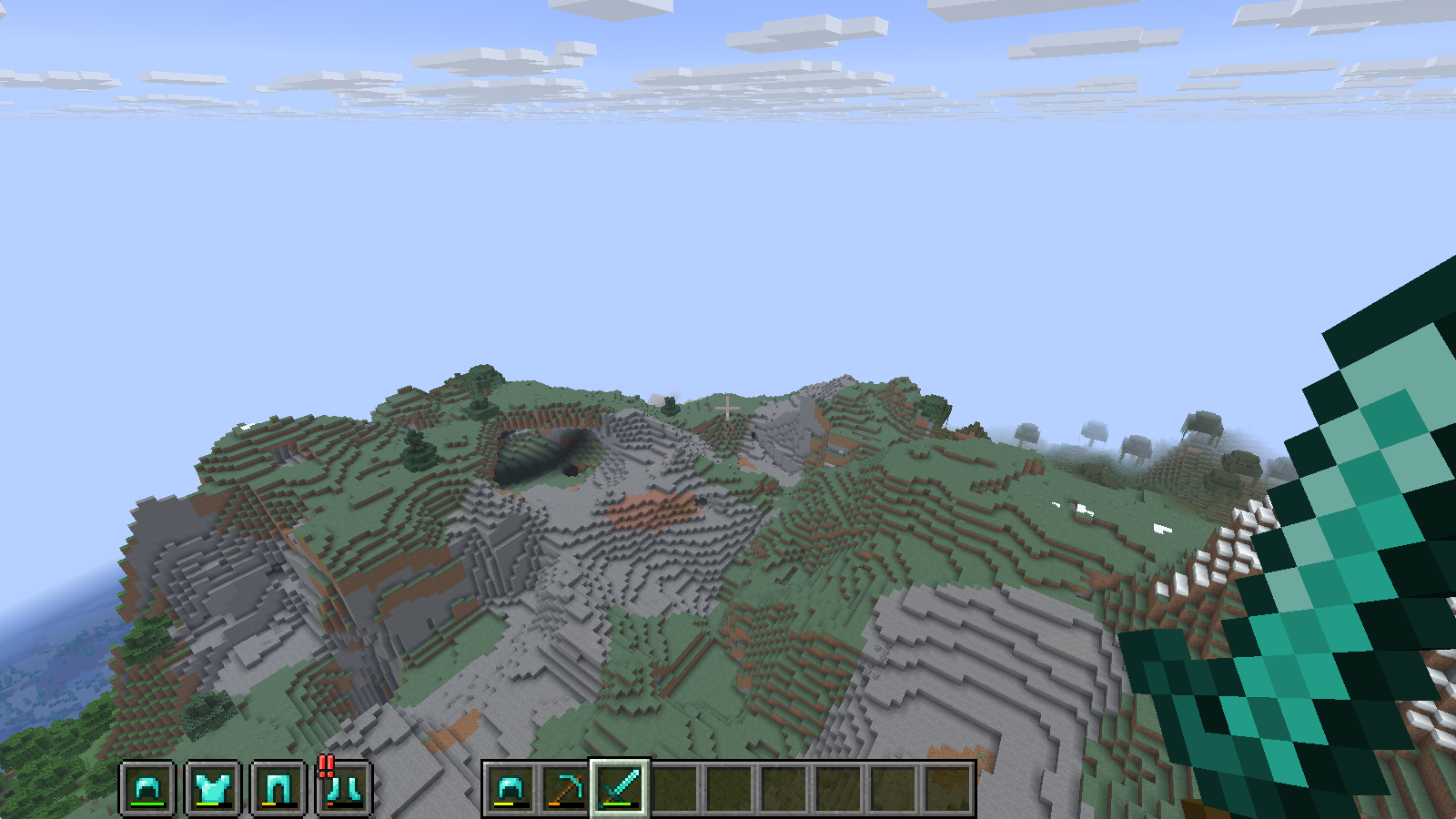 Default Layout The default horizontal layout during regular gameplay.
 -
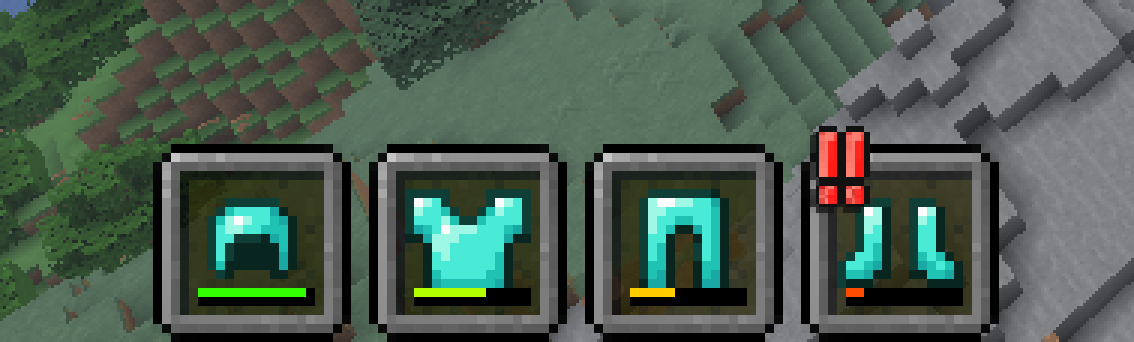 Durability Bars Color-coded bars provide a quick estimate of your armor's health, with flashing warnings for low durability.
 -
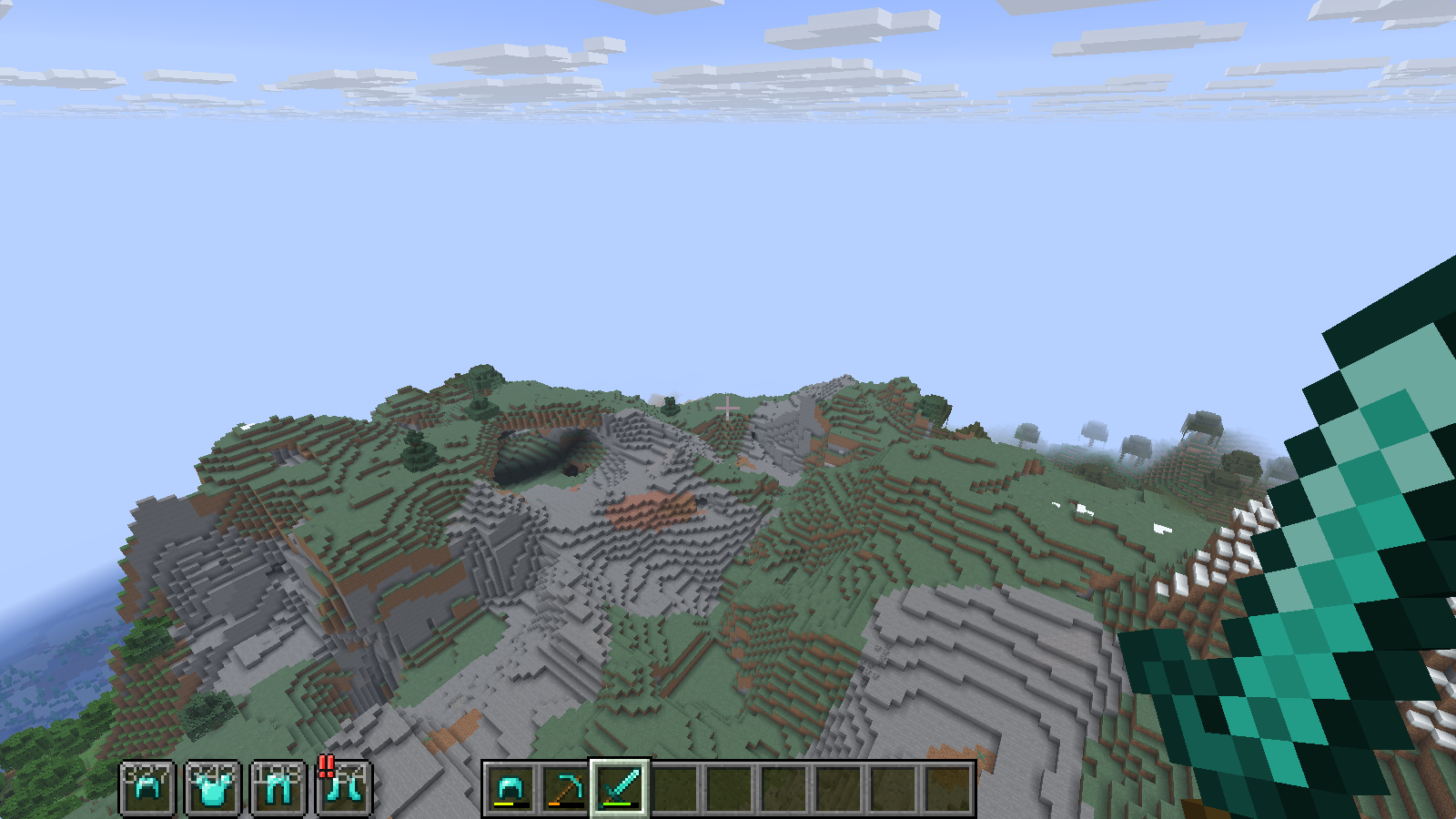 Exact Values Layout The HUD in action with exact durability numbers toggled on.
 -
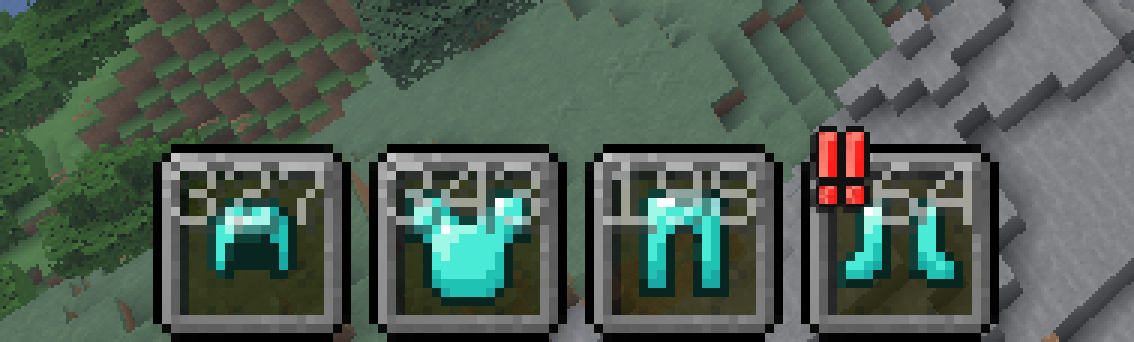 Exact Durability Numbers Displays exact remaining hit points over each armor icon for precise monitoring.
 -
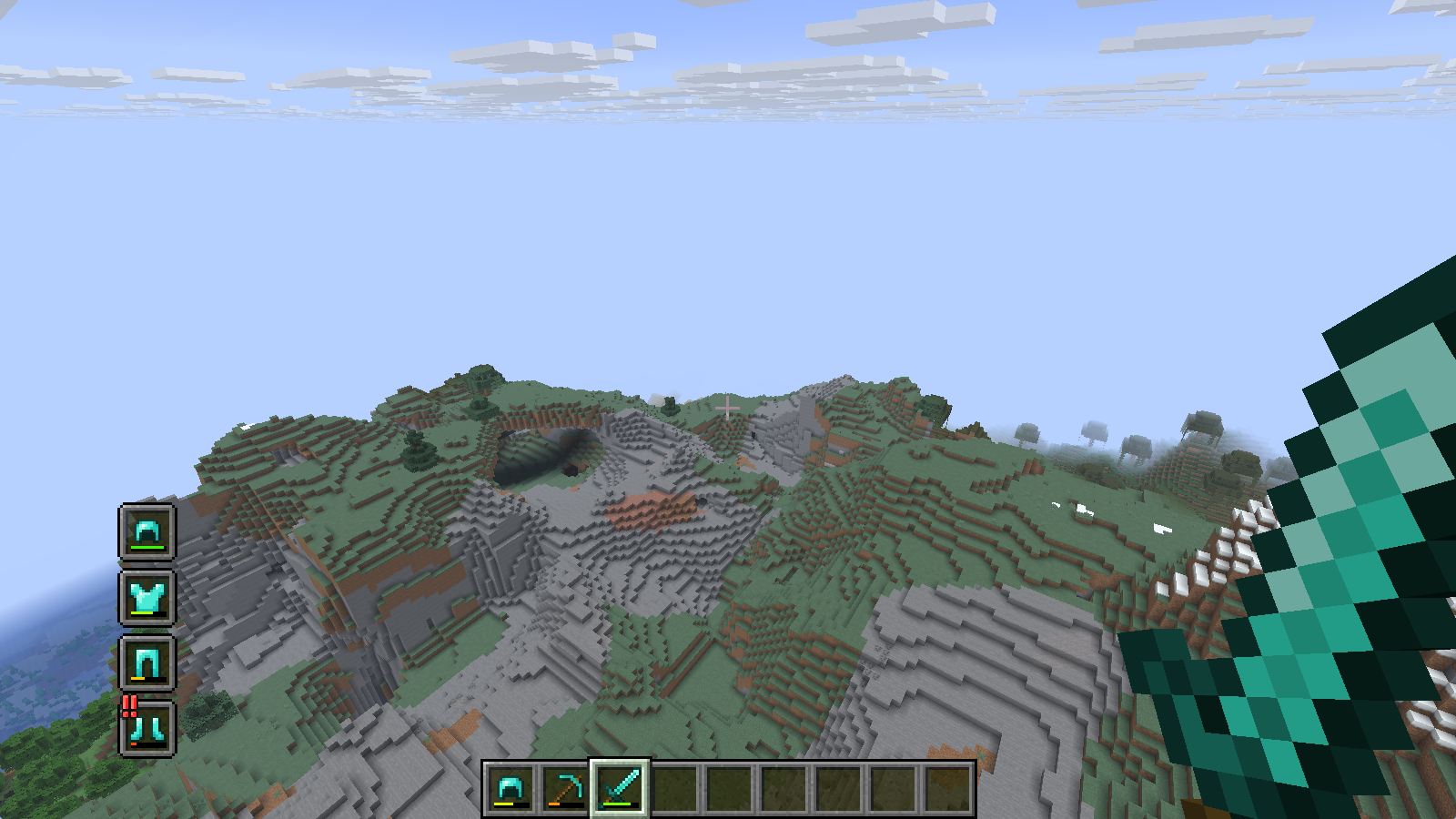 Vertical Layout A vertical layout option to snap your armor stats to the side of your screen.
 -
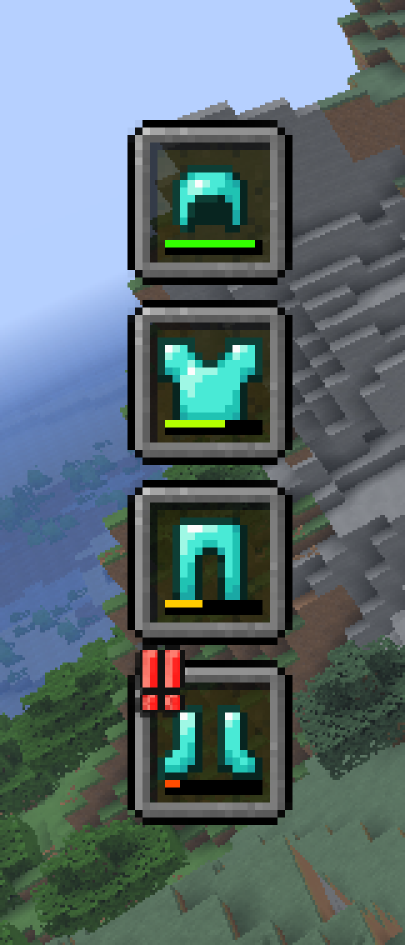 Vertical Orientation Retains all visual features and warnings, neatly stacked from top to bottom.
 -
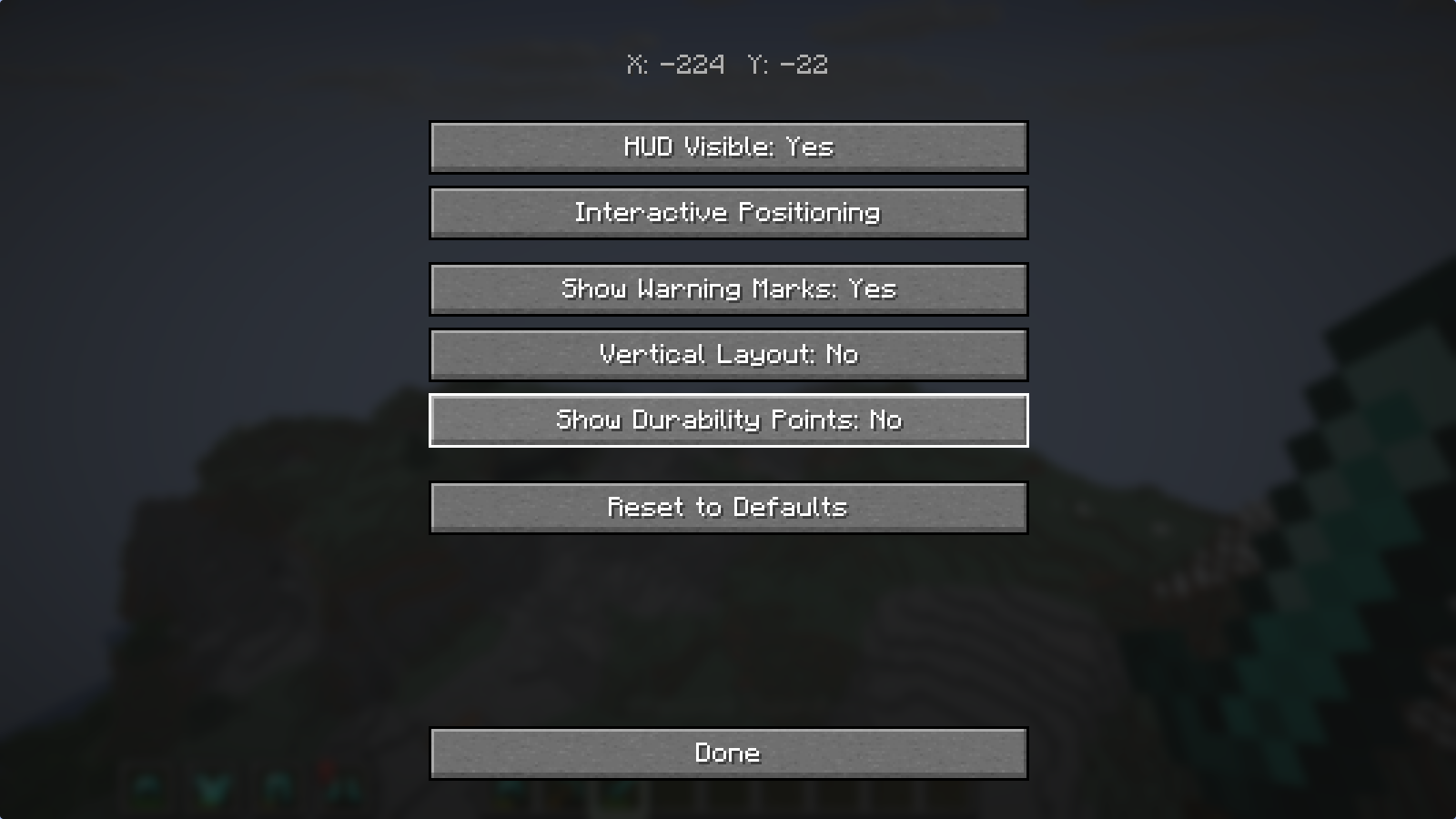 Configuration Menu A built-in settings menu to easily toggle visibility, layouts, and numbers in-game.
 -
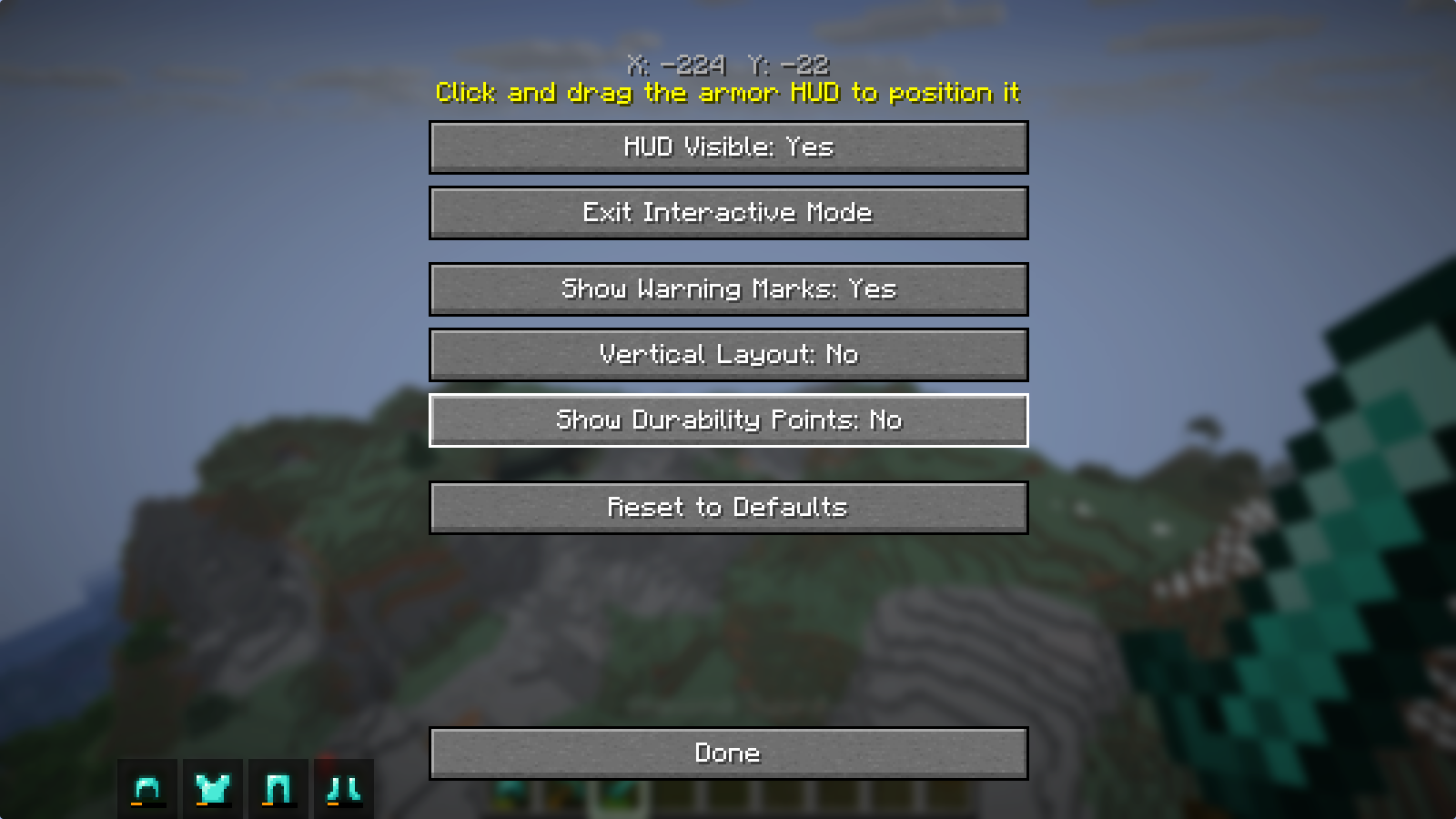 Interactive Positioning Click and drag the armor HUD to any position on your screen for total layout freedom.
Versions
Files
Relations
Project Relations
More like this
Similar Mods
Suggestions use data such as tags, dependencies, dependents, descriptions, titles, and more to rank how much they overlap with this mod.
On ModDex
Community snapshot
By the numbers
Statistics

Want to reach Minecraft players?
We're looking for a server hosting partner to feature here and other parts of the site. Interested? Send us a message!
Get in touchGet it on
Available Platforms
On ModDex
Community snapshot
By the numbers