
Community listing page, reviews may not be monitored by the author.
Ascend Tiers


No reviews yet
Simple to use and hard to abuse! Set Tiers to any items/blocks/creatures to balance your modpack from broken mods.

Community voices
Reviews
No reviews yet. Be the first to review this project!
Get it on
Available Platforms
Compatibility
Supported Environments
Must be installed on both the client and the server.
About
Project Details
For authors
Embed Badge
If you're the author of this project, you can embed a live badge anywhere that supports HTML or Markdown. It updates automatically whenever ratings change.
Use HTML for any page that supports it, or Markdown for README files and Markdown-based descriptions.
Identifiers
Platform IDs
About
Description
Tier System:
Players will not be able to use tools and blocks, wear armor or accessories from Curios, or break blocks if their Tier is not sufficient. Items with a Tier cannot be used in interactions if the player does not have the required Tier and cannot be held in the inventory for more than 5 seconds.
The damage, defense, toughness, and durability of items will increase based on their Tier.
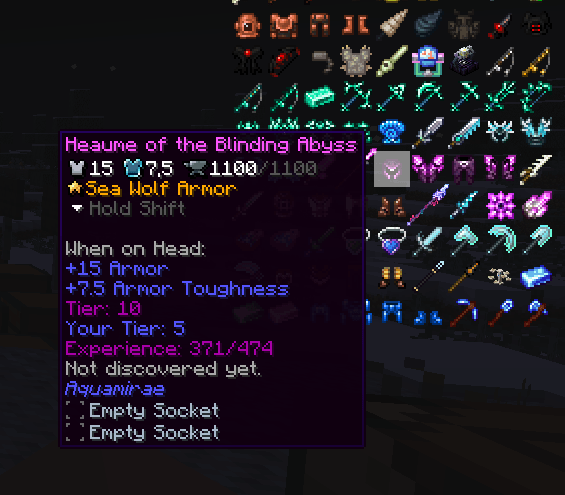
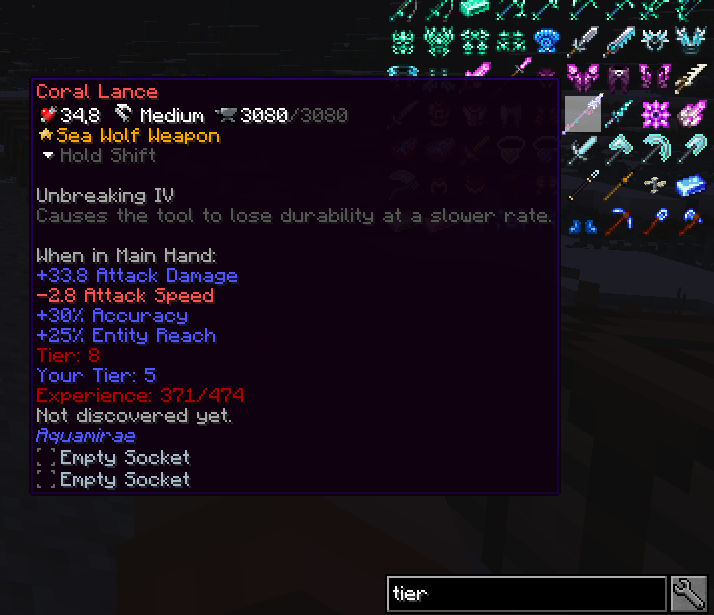
To level up your Tier, you need to collect items available for the current Tier and gain experience. Experience will be awarded based on the item's Tier and will increase in requirement with each level, starting from 30% of the maximum available experience.
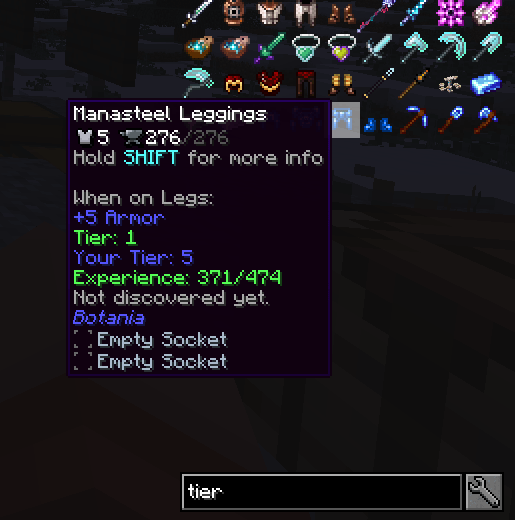
Tier also apply to creatures:
A creature's Tier will affect the damage it deals and receives.
When attacking a creature with an item of lower Tier, the damage will be reduced, while with a higher Tier, the damage will be increased.
Armor Tier will additionally provide more absorption against creatures of a lower Tier and less absorption against creatures of a higher Tier.
When a player attacks another player, absorption will only be calculated between the Tiers of the attacking items and the defending armor.
All items from Players with maximum Tier will count as they would be maximum Tier but have Durability, Attack, Toughness, Defence boost from their original Tier.
How to configure:
Tiers can be assigned to items using a commands while holding the item, or for all items in a chest by looking at it. /tiers addItem hand/chest <Tier>
Tiers can also be removed from items, with everything saved in the config file. /tiers removeItem hand/chest <Tier>
Tiers can be assigned to creatures with the same command, while holding a spawn egg, or by looking at the creature, or automatically based on the creature's health.
There is also a config at-common where you can change bonuses scales, max Tier and other things.
Config is located in saves/"your world"/serverconfig/at-server.toml
Tier System:
Players will not be able to use tools and blocks, wear armor or accessories from Curios, or break blocks if their Tier is not sufficient. Items with a Tier cannot be used in interactions if the player does not have the required Tier and cannot be held in the inventory for more than 5 seconds.
The damage, defense, toughness, and durability of items will increase based on their Tier.
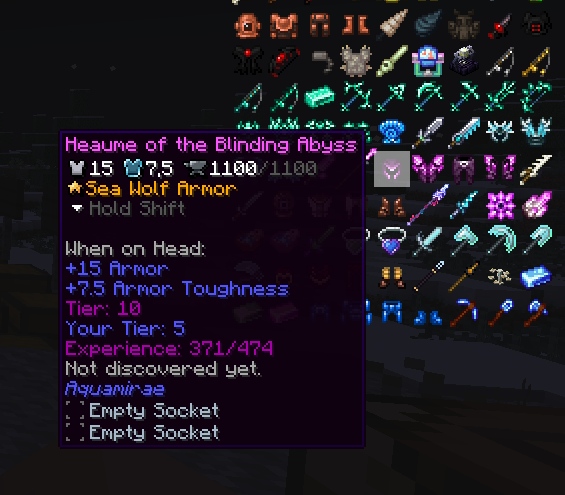
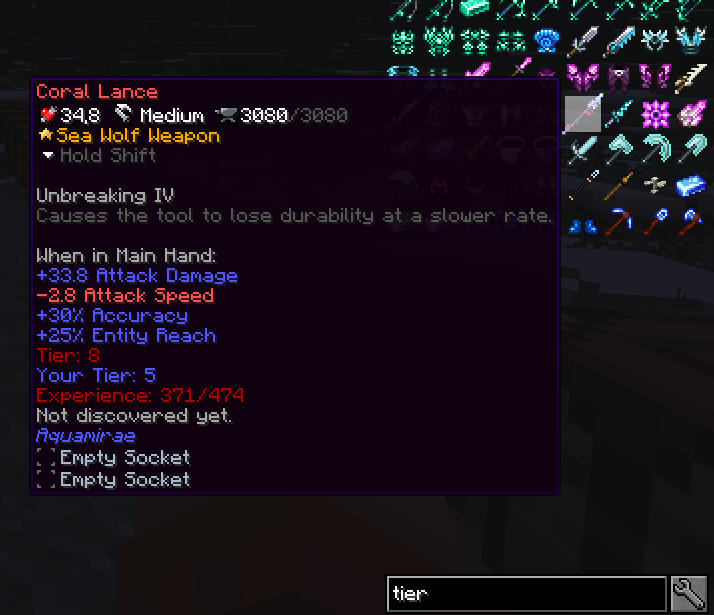
To level up your Tier, you need to collect items available for the current Tier and gain experience. Experience will be awarded based on the item's Tier and will increase in requirement with each level, starting from 30% of the maximum available experience.
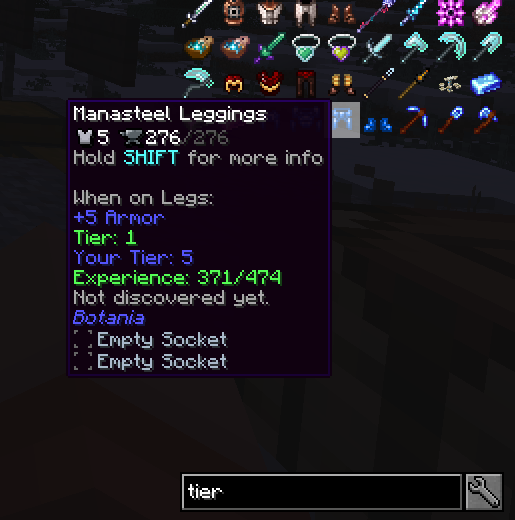
Tier also apply to creatures:
A creature's Tier will affect the damage it deals and receives.
When attacking a creature with an item of lower Tier, the damage will be reduced, while with a higher Tier, the damage will be increased.
Armor Tier will additionally provide more absorption against creatures of a lower Tier and less absorption against creatures of a higher Tier.
When a player attacks another player, absorption will only be calculated between the Tiers of the attacking items and the defending armor.
How to configure:
Tiers can be assigned to items using a commands while holding the item, or for all items in a chest by looking at it. /tiers addItem hand/chest
Tiers can also be removed from items, with everything saved in the config file. /tiers removeItem hand/chest
Tiers can be assigned to creatures with the same command, while holding a spawn egg, or by looking at the creature, or automatically based on the creature's health.
There is also a config at-common where you can change bonuses scales, max Tier and other things.
Screenshots
Gallery
-
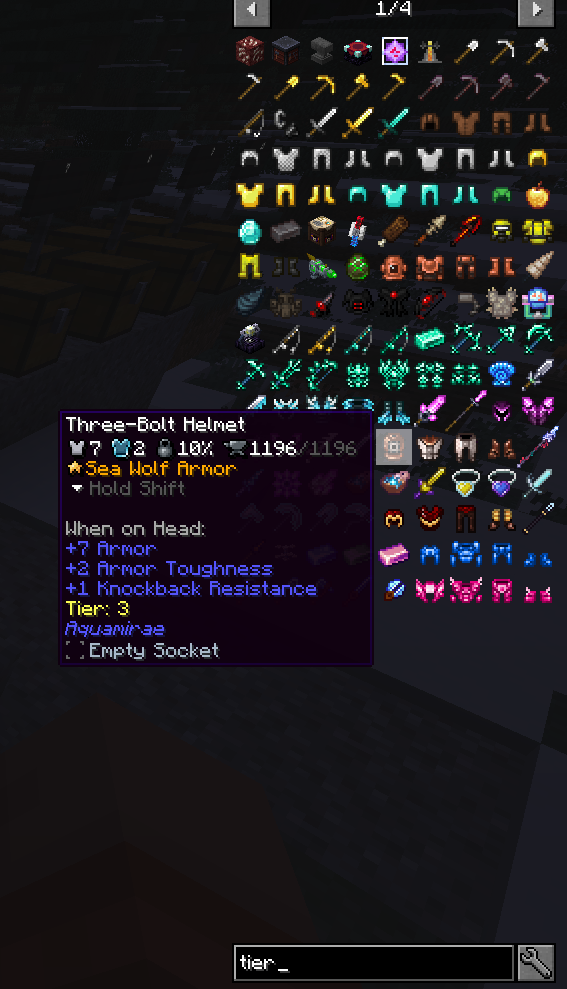 nei
nei
Versions
Files
Relations
Project Relations
More like this
Similar Mods
Suggestions use data such as tags, dependencies, dependents, descriptions, titles, and more to rank how much they overlap with this mod.
On ModDex
Community snapshot
By the numbers
Statistics
 (opens in a new tab)
Get it on
Available Platforms
On ModDex
Community snapshot
By the numbers