
Community listing page, reviews may not be monitored by the author.
Astruct


No reviews yet
Async Structure Generator: build jigsaw structures far beyond vanilla limits with off-thread planning to reduce server lag.

Community voices
Reviews
No reviews yet. Be the first to review this project!
Get it on
Available Platforms
Compatibility
Supported Environments
Runs entirely on the server. Also works in singleplayer.
About
Project Details
For authors
Embed Badge
If you're the author of this project, you can embed a live badge anywhere that supports HTML or Markdown. It updates automatically whenever ratings change.
Use HTML for any page that supports it, or Markdown for README files and Markdown-based descriptions.
Identifiers
Platform IDs
Resources
External Links
About
Description
Async Structure Generator (Astruct)
Astruct lets you generate massive jigsaw-based structures without freezing the server. It plans structures off-thread, queues placements, and only builds blocks once the required chunks are loaded.
In practice, very large structures may “stream in” over a few seconds—especially after teleporting—since planning can take time. In survival, this is usually unnoticeable when
plan_horizon_chunksis set high enough.
Why use Astruct?
- Way beyond vanilla limits – plan thousands of jigsaw pieces safely.
- Off-thread planning – heavy jigsaw expansion runs outside the main thread, avoiding TPS spikes.
- Datapack-driven – ship content via JSON; no code required.
How it works (short version)
- Centers – The world is partitioned into “cells” (
spacing). Each cell gets a deterministic, seed-based center per structure ID. - Proximity scan – As players roam, Astruct pre-plans cells well ahead of them.
- Async expansion – Jigsaw expansion runs off-thread.
- Placement queue – Finished plans enqueue pieces, keyed by the chunks they need.
- Chunk-safe build – On chunk load (and periodic sweeps), Astruct places only pieces whose chunks are currently loaded.
JSON definition (datapack)
Place JSON files at:
data/<namespace>/worldgen/async_structure/<id>.jsonExample
{
  "id": "example:castle",
  "dimension": "minecraft:the_nether",
  "start_pool": "castle:start",
  "fallback_pool": "castle:caps",

  "soft_radius_chunks": 16,
  "plan_horizon_chunks": 160,

  "budgets": {
    "max_steps": 30,
    "max_open_connectors": 128
  },

  "gen_y": { "mode": "surface", "value": 0 },

  "spacing": 2048
}
Field reference
id
Unique structure ID (should match the file path key).dimension
Target dimension key (e.g.minecraft:the_nether).start_pool
Template pool to start expansion from.fallback_pool
Pool used to cap dead-ends (end pieces).soft_radius_chunks
Max distance budget (in chunks) from the center during expansion.plan_horizon_chunks
How far ahead (in chunks) the planner prepares around players.budgets.max_steps
Upper bound on jigsaw pieces per plan.budgets.max_open_connectors
Safety limit for outstanding connectors.gen_y
Controls how the final Y coordinate is chosen.
Y is resolved late, at the final structure position.Supported modes:
"fixed"
Always usevalueas the Y level."min_plus"
min_build_height + value."world_y"
World sea level."surface"
Terrain surface at the structure’s X/Z position
(plus optional offset viavalue).
Example:
"gen_y": { "mode": "surface", "value": 0 }spacing
Cell size in blocks (effective density control).
Field reference
id– Unique structure ID (should match the file path key).dimension– Target dimension key (e.g.minecraft:the_nether).start_pool– Template pool to start expansion from.fallback_pool– Pool used to cap dead-ends (end pieces).soft_radius_chunks– Max distance budget (in chunks) from the center during expansion.plan_horizon_chunks– How far ahead (in chunks) the planner prepares around players.budgets.max_steps– Upper bound on jigsaw pieces per plan.budgets.max_open_connectors– Safety limit for outstanding connectors.gen_y.mode–"fixed" | "world_y" | "min_plus".gen_y.value– Y or offset (depending on mode).spacing– Cell size in blocks (effective density control).piece_rules.deny_overlap_tile_entities– Optional safety flag to skip pieces that would overlap TEs.
Commands
Astruct plugs into the vanilla /locate root:
/locate astruct– Nearest center for any Astruct structure in this dimension./locate astruct <id>– Nearest center for a specific structure ID.
Config (server)
astruct-common.toml:
debug_logs(bool, defaultfalse) – Verbose diagnostics.max_placements_per_tick(int, default10) – Upper bound on pieces placed each tick. Tune for your hardware/pack.
Performance notes
- Planning cost scales with
max_stepsand pool complexity. Thousands of pieces may take seconds off-thread—that’s expected. Players won’t lag; placement is paced. - Placement is chunk-paced. Pieces place only when their chunks are loaded, producing a smooth “streaming” effect as you approach.
Compatibility
- Works alongside vanilla and modded structures. Astruct doesn’t replace vanilla generation; it adds an async planner/placer on top.
Troubleshooting
- “Unknown structure id” in commands
Check your datapack path and that
idinside JSON matches the file’s namespaced key. - “My structure never generates” / “It takes ages”
Enable
debug_logsto see planning times. Very highmax_stepsor complex pools can take long. Reducemax_steps, increaseplan_horizon_chunks, or increasespacing. - Spammy logs
Set
debug_logs = false(default).
Roadmap
- Per-structure placement throttles.
- In-game visualization for planned cells.
- Integration under
/locate structure.
Async Structure Generator (Astruct)
Astruct lets you generate massive jigsaw-based structures without freezing the server. It plans structures off-thread, queues placements, and only builds blocks once the required chunks are loaded.
In practice, very large structures may “stream in” over a few seconds—especially after teleporting—since planning can take time. In survival, this is usually unnoticeable when
plan_horizon_chunksis set high enough.
Why use Astruct?
- Way beyond vanilla limits – plan thousands of jigsaw pieces safely.
- Off-thread planning – heavy jigsaw expansion runs outside the main thread, avoiding TPS spikes.
- Datapack-driven – ship content via JSON; no code required.
How it works (short version)
- Centers – The world is partitioned into “cells” (
spacing). Each cell gets a deterministic, seed-based center per structure ID. - Proximity scan – As players roam, Astruct pre-plans cells well ahead of them.
- Async expansion – Jigsaw expansion runs off-thread.
- Placement queue – Finished plans enqueue pieces, keyed by the chunks they need.
- Chunk-safe build – On chunk load (and periodic sweeps), Astruct places only pieces whose chunks are currently loaded.
JSON definition (datapack)
Place JSON files at:
data/<namespace>/worldgen/async_structure/<id>.json
Example
{
  "id": "example:castle",
  "dimension": "minecraft:the_nether",
  "start_pool": "castle:start",
  "fallback_pool": "castle:caps",

  "soft_radius_chunks": 16,
  "plan_horizon_chunks": 160,

  "budgets": {
    "max_steps": 30,
    "max_open_connectors": 128
  },

  "gen_y": { "mode": "surface", "value": 0 },

  "spacing": 2048
}
Field reference
-
id
Unique structure ID (should match the file path key). -
dimension
Target dimension key (e.g.minecraft:the_nether). -
start_pool
Template pool to start expansion from. -
fallback_pool
Pool used to cap dead-ends (end pieces). -
soft_radius_chunks
Max distance budget (in chunks) from the center during expansion. -
plan_horizon_chunks
How far ahead (in chunks) the planner prepares around players. -
budgets.max_steps
Upper bound on jigsaw pieces per plan. -
budgets.max_open_connectors
Safety limit for outstanding connectors. -
gen_y
Controls how the final Y coordinate is chosen.
Y is resolved late, at the final structure position.Supported modes:
-
"fixed"
Always usevalueas the Y level. -
"min_plus"
min_build_height + value. -
"world_y"
World sea level. -
"surface"
Terrain surface at the structure’s X/Z position
(plus optional offset viavalue).
Example:
"gen_y": { "mode": "surface", "value": 0 }-
spacing
Cell size in blocks (effective density control).
-
Field reference
id– Unique structure ID (should match the file path key).dimension– Target dimension key (e.g.minecraft:the_nether).start_pool– Template pool to start expansion from.fallback_pool– Pool used to cap dead-ends (end pieces).soft_radius_chunks– Max distance budget (in chunks) from the center during expansion.plan_horizon_chunks– How far ahead (in chunks) the planner prepares around players.budgets.max_steps– Upper bound on jigsaw pieces per plan.budgets.max_open_connectors– Safety limit for outstanding connectors.gen_y.mode–"fixed" | "world_y" | "min_plus".gen_y.value– Y or offset (depending on mode).spacing– Cell size in blocks (effective density control).piece_rules.deny_overlap_tile_entities– Optional safety flag to skip pieces that would overlap TEs.
Commands
Astruct plugs into the vanilla /locate root:
/locate astruct– Nearest center for any Astruct structure in this dimension./locate astruct <id>– Nearest center for a specific structure ID.
Config (server)
astruct-common.toml:
debug_logs(bool, defaultfalse) – Verbose diagnostics.max_placements_per_tick(int, default10) – Upper bound on pieces placed each tick. Tune for your hardware/pack.
Performance notes
- Planning cost scales with
max_stepsand pool complexity. Thousands of pieces may take seconds off-thread—that’s expected. Players won’t lag; placement is paced. - Placement is chunk-paced. Pieces place only when their chunks are loaded, producing a smooth “streaming” effect as you approach.
Compatibility
- Works alongside vanilla and modded structures. Astruct doesn’t replace vanilla generation; it adds an async planner/placer on top.
Troubleshooting
- “Unknown structure id” in commands
Check your datapack path and that
idinside JSON matches the file’s namespaced key. - “My structure never generates” / “It takes ages”
Enable
debug_logsto see planning times. Very highmax_stepsor complex pools can take long. Reducemax_steps, increaseplan_horizon_chunks, or increasespacing. - Spammy logs
Set
debug_logs = false(default).
Roadmap
- Per-structure placement throttles.
- In-game visualization for planned cells.
- Integration under
/locate structure.
Screenshots
Gallery
-
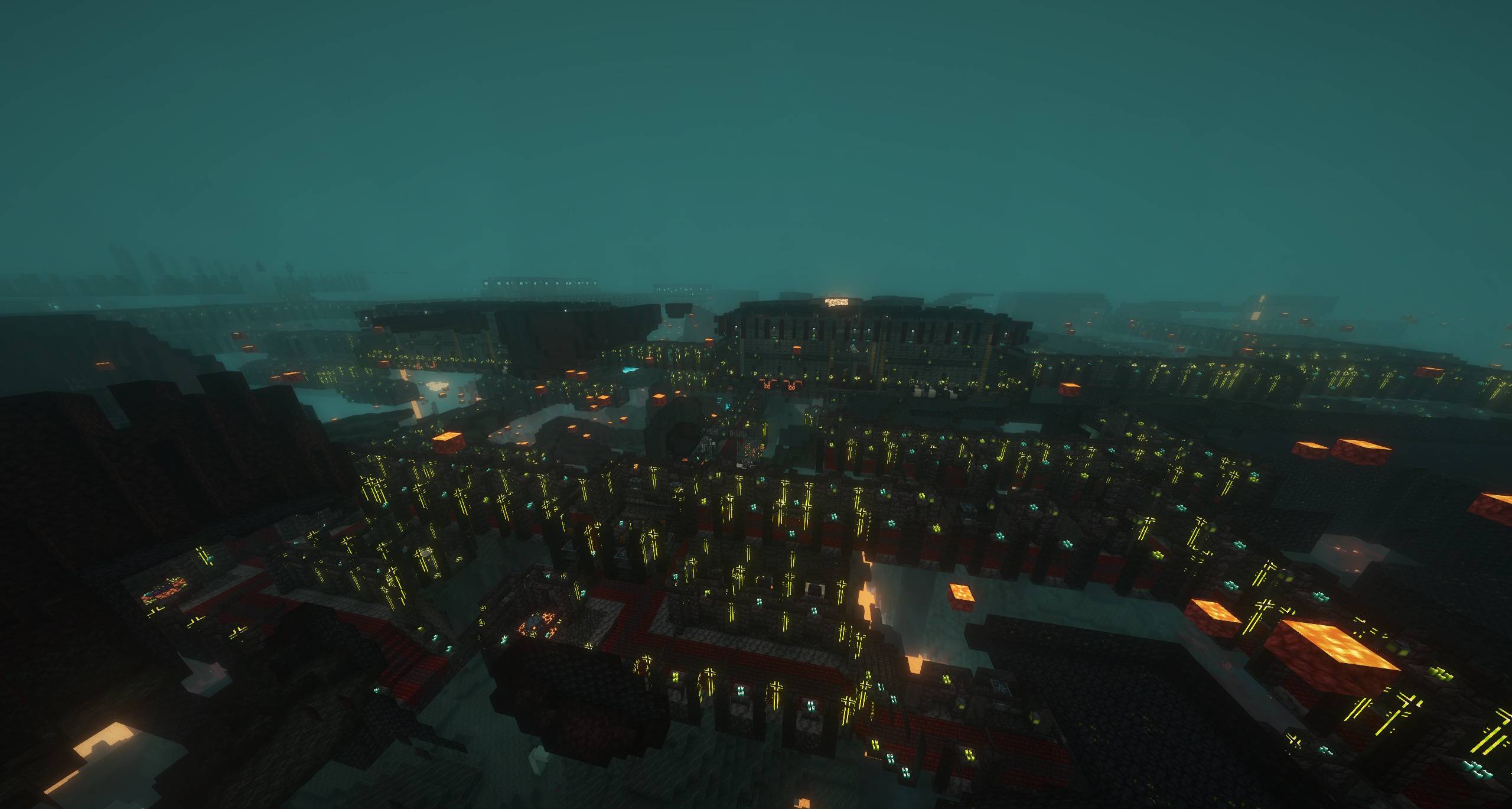 screenshot.jpg screenshot.jpg
-
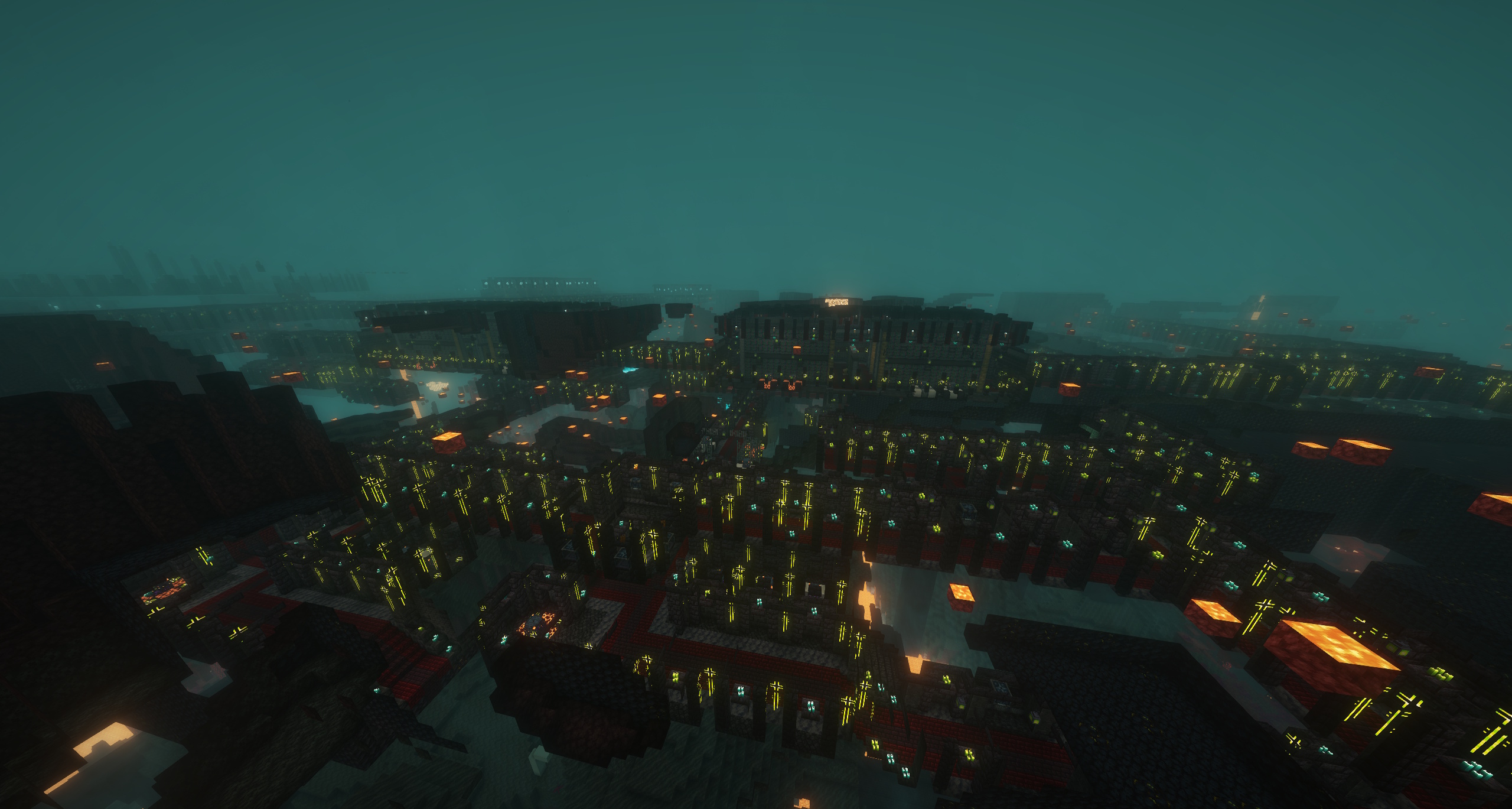 Large Dungeon Generated With Astruct A large dungeon generated using Astruct, this one contains over 2000 pieces and stretches far beyond what is visible in this screenshot.
Versions
Files
Relations
Project Relations
More like this
Similar Mods
Suggestions use data such as tags, dependencies, dependents, descriptions, titles, and more to rank how much they overlap with this mod.
On ModDex
Community snapshot
By the numbers
Statistics

Get it on
Available Platforms
On ModDex
Community snapshot
By the numbers
Statistics
Resources