Community listing page, reviews may not be monitored by the author.
Attribute Display Style

No reviews yet
Attribute Display Style replaces Minecraft's default item attribute lines with a compact, configurable layout.

Community voices
Reviews
No reviews yet. Be the first to review this project!
Get it on
Available Platforms
About
Project Details
For authors
Embed Badge
If you're the author of this project, you can embed a live badge anywhere that supports HTML or Markdown. It updates automatically whenever ratings change.
Use HTML for any page that supports it, or Markdown for README files and Markdown-based descriptions.
Identifiers
Platform IDs
Resources
External Links
About
Description
Attribute Display Style
Make item attribute tooltips easier to scan—and style them your way.
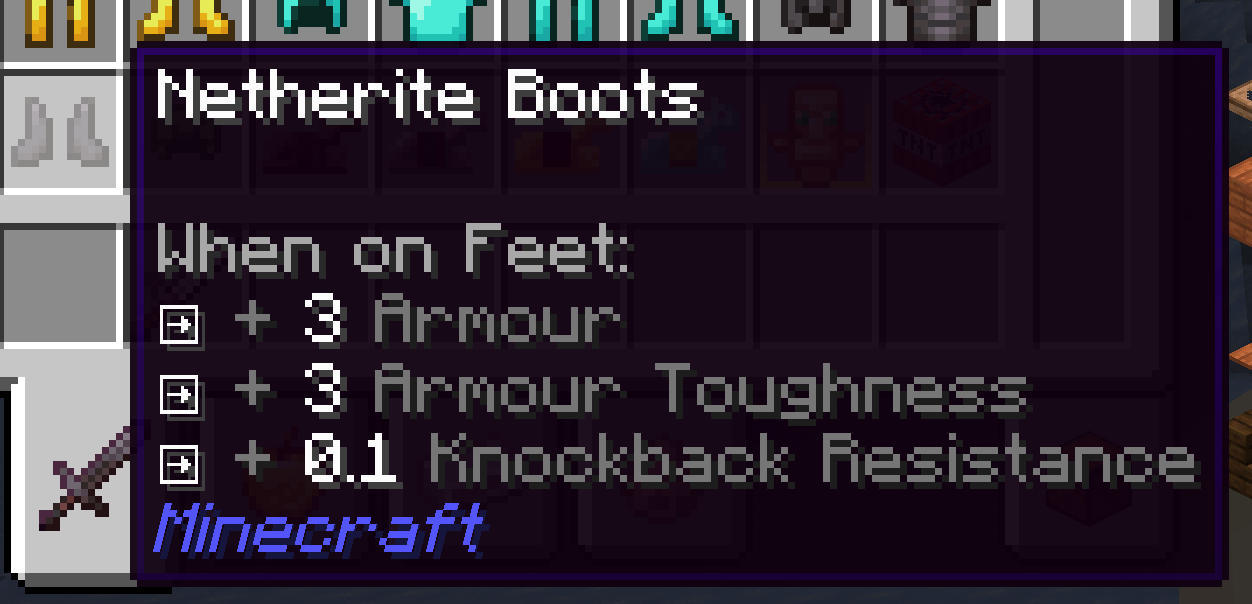
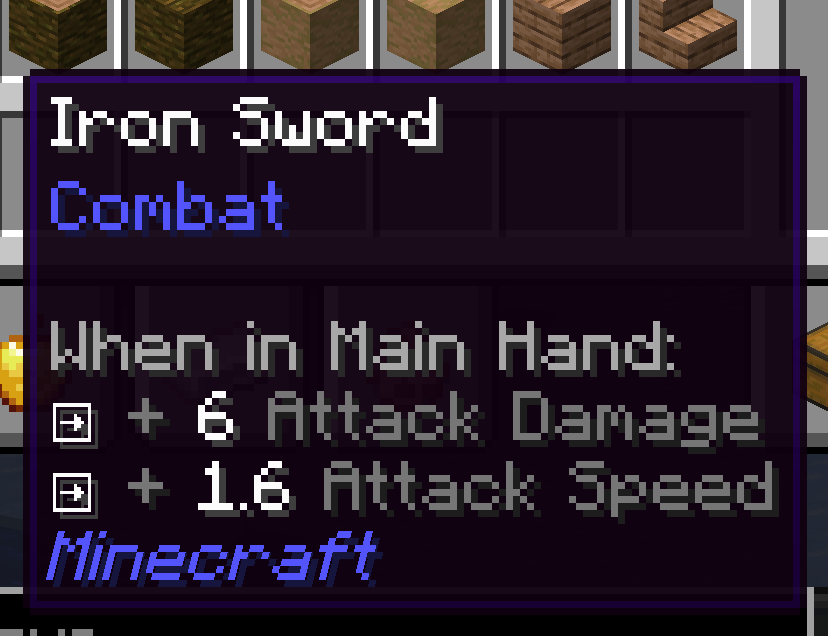
Attribute Display Style replaces Minecraft's default item attribute lines with a compact, configurable layout. Modifiers for the same attribute and operation are combined into one line by default. Hold Shift to expand the line and see the contributing modifiers.
Features
- Clear grouped stats: Combine repeated modifiers while keeping their individual sources available with Shift.
- Style every line: Set separate prefixes, glyphs, and colors for positive or negative single, merged, and expanded lines.
- Use your own icons: Choose text or Unicode glyphs, or use private-use glyphs backed by bitmap icons from a resource-pack font.
- Show selected bonuses as percentages: Configure attribute IDs whose additive values should display as percentages (for example,
0.05as+5%). - Readable weapon totals: Attack damage and attack speed show the total with the player's base value. Hold Shift to inspect the item's contribution and enchantment damage bonus.
- Works with other attribute tooltips: Restyles and merges supported attribute lines from Curios slot lists and Confluence item prefixes. Neither mod is required, and unrelated tooltip lines are left alone.
Client-side configuration
The config file is config/attribute_display_style.json. Edit it while the game is running, then run /attribute_display_style reload to apply changes. You can also press F3+T to reload resources and the config.
This is a client-side mod. Install it on your client; no server installation or operator permission is needed. It works in single player and when joining a server.
Supported versions
| Loader | Minecraft |
|---|---|
| Forge | 1.20.1 |
| NeoForge | 1.20.4, 1.21.1, 26.1.2 |
Choose the download that matches your Minecraft version and loader.
Screenshots
Gallery
-
 QQ20260927-221151.png QQ20260927-221151.png
 -
 QQ20260927-221141.png QQ20260927-221141.png
Versions
Files
Relations
Project Relations
More like this
Similar Mods
Suggestions use data such as tags, dependencies, dependents, descriptions, titles, and more to rank how much they overlap with this mod.
On ModDex
Community snapshot
By the numbers
Statistics

Get it on
Available Platforms
On ModDex
Community snapshot
By the numbers
Statistics
Resources