
Community listing page, reviews here may not be monitored by the author.
Auto Librarian

No reviews yet
Automatically rerolls a librarian's enchanted book trades until one of your selected enchantments is offered.
Community voices
Reviews
No reviews yet. Be the first to review this project!
Get it on
Available Platforms
About
Project Details
For authors
Embed Badge
If you're the author of this project, you can embed a live badge anywhere that supports HTML or Markdown. It updates automatically whenever ratings change.
Use HTML for any page that supports it, or Markdown for README files and Markdown-based descriptions.
Identifiers
Platform IDs
Resources
External Links
About
Description
AutoLibrarian is a lightweight automation mod that takes the tedium out of librarian villager trading. Instead of manually breaking and replacing lecterns for 20–40 minutes to reroll a single enchanted-book trade, AutoLibrarian handles the entire process for you — fast, reliably, and with no commands or config files.
Main Features
- Automatically rerolls a librarian's enchanted-book trade until one of your selected enchantments appears.
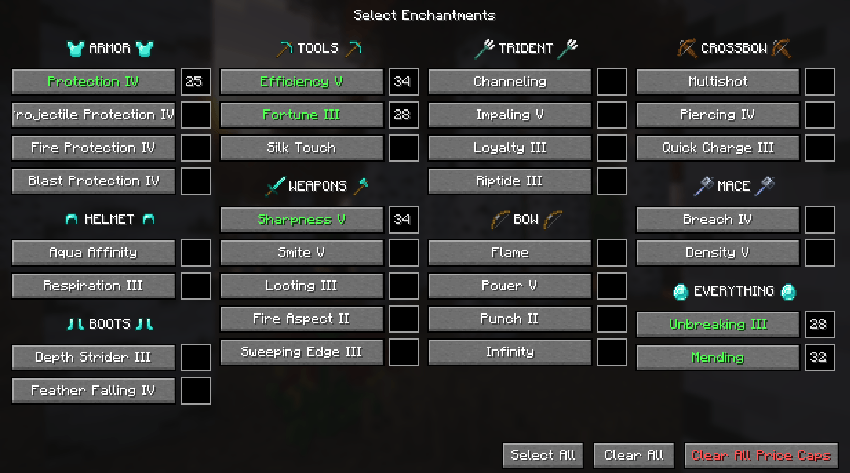
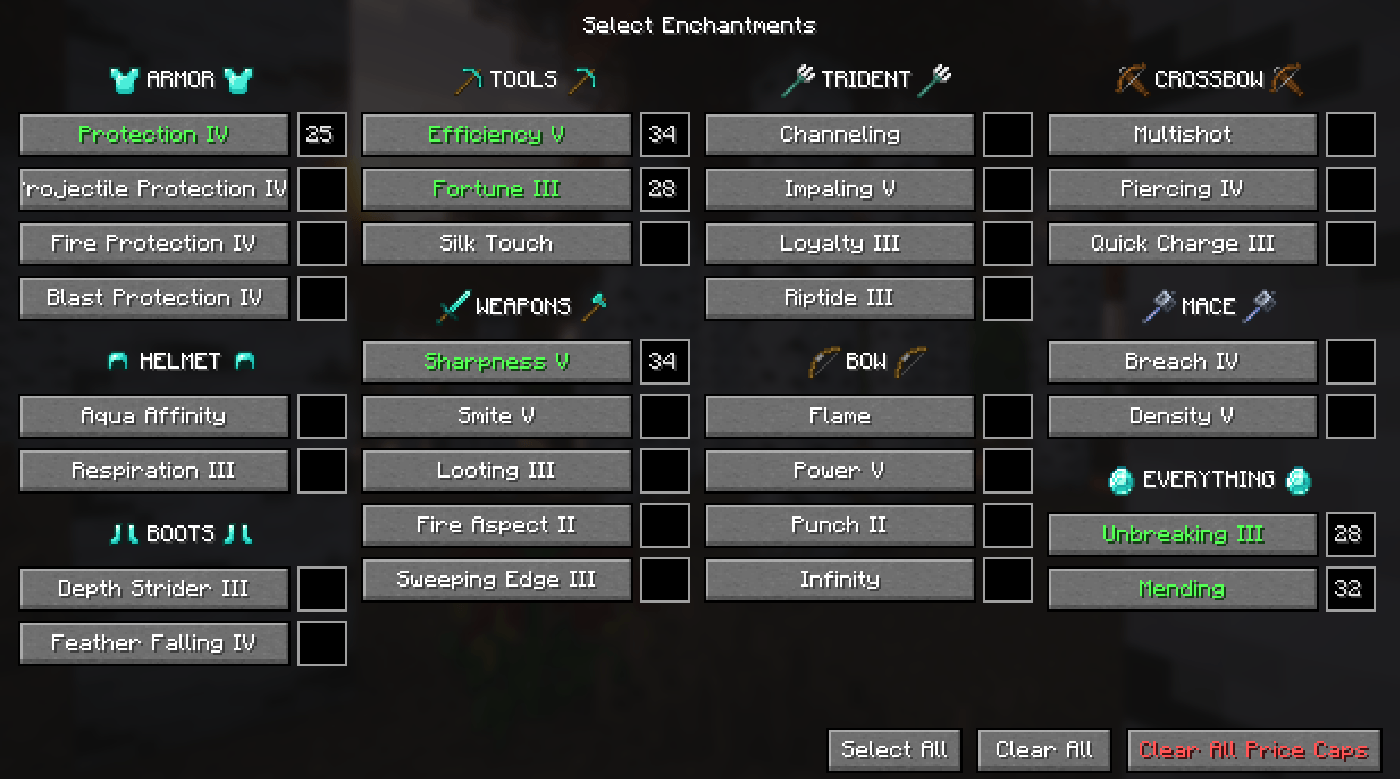
- Pick enchantments on a selection screen with a MAX. PRICE of your choice (K by default).
- Start and stop the loop with a single key (J by default) or by .al chat commands.
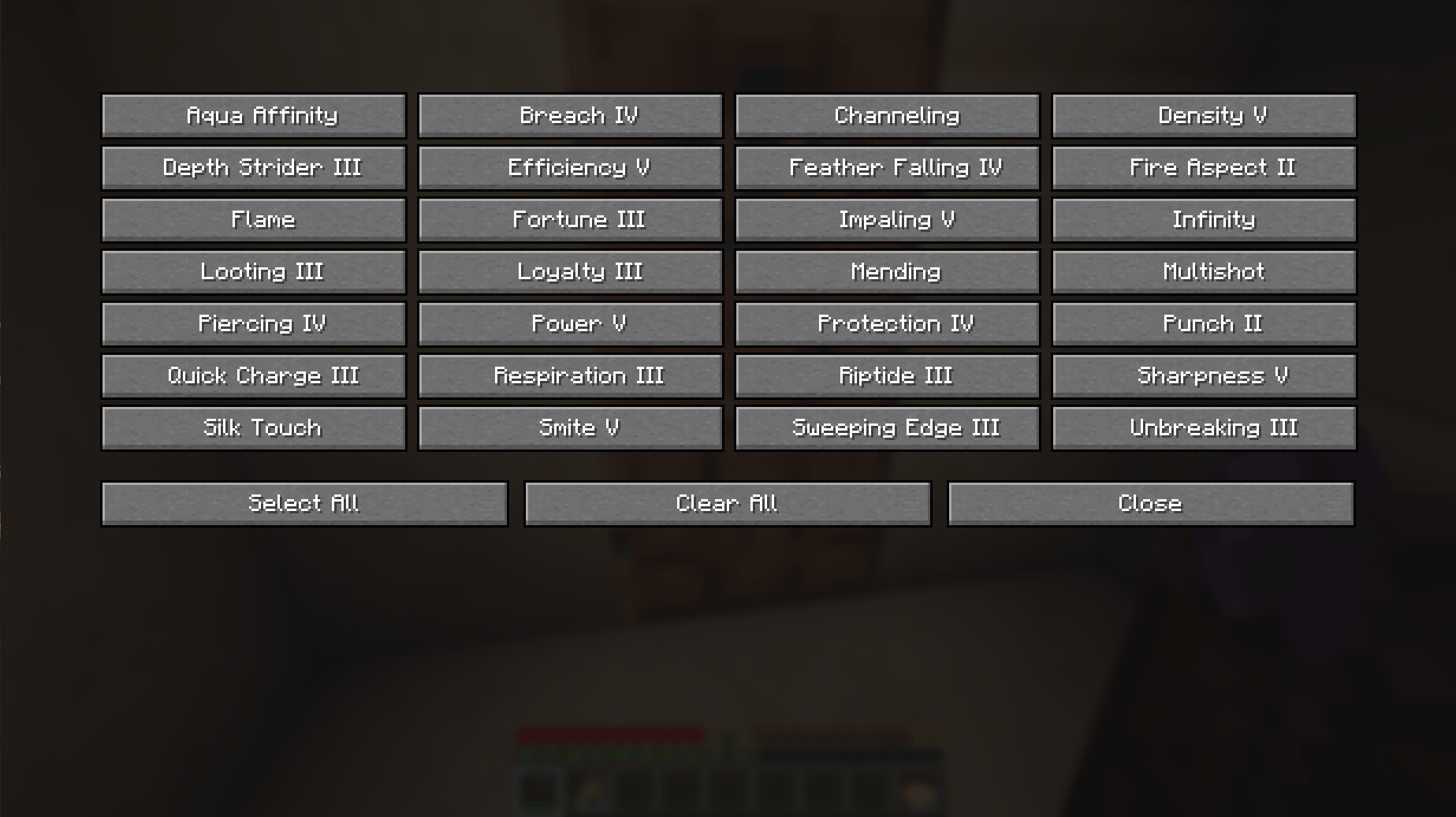
- 31 supported enchantments, including Mending, Unbreaking III, Efficiency V, and more. (SEE THE FULL LIST DOWN BELOW)
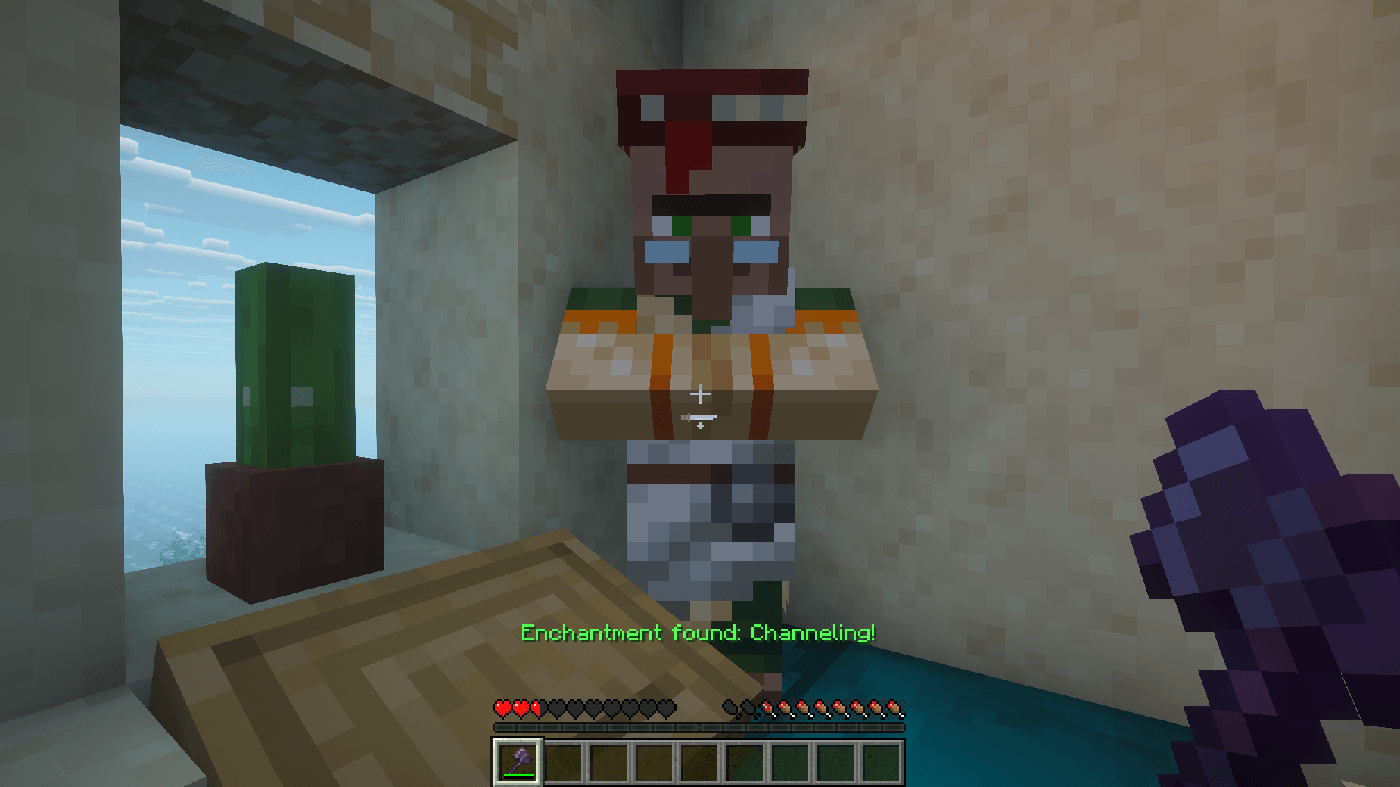
- Plays a soundeffect and announces the find on the action bar when a match is found, then stops automatically.
- Breaks the librarian's own lectern, picks up the drop, and places it back. No spare lecterns required.
- Auto-swaps to an axe (if one is in your hotbar) while breaking, then swaps back to your previous slot.
- Client-side only — works on any server, no server-side install required.
See the full Enchantment list here:
How It Works
- Press K to open the selection screen. Toggle the enchantments you want — green ✓ means selected. Close the screen.
- Stand within ~3 blocks of a librarian villager and its lectern. An axe in your hotbar is recommended.
- Press J to start (or use
.al <enchantment><max price>in chat). The mod will
- Find the nearest librarian within 5 blocks.
- Open its trade list and read the offered enchanted book.
- Compare the book's enchantment against your selection.
- If it's a match → stop, play the sound, and announce the find.
- If not → break the lectern, wait for the drop to be picked up, place the lectern back, check trades again.
- Repeat until a match is found or you press J again to stop.
Screenshots
Gallery
-
 enchantment_list_1.3
 -
 succesfully_found_enchantment.png succesfully_found_enchantment.png
 -
 enchantment_list_1.2.png enchantment_list_1.2.png
 -
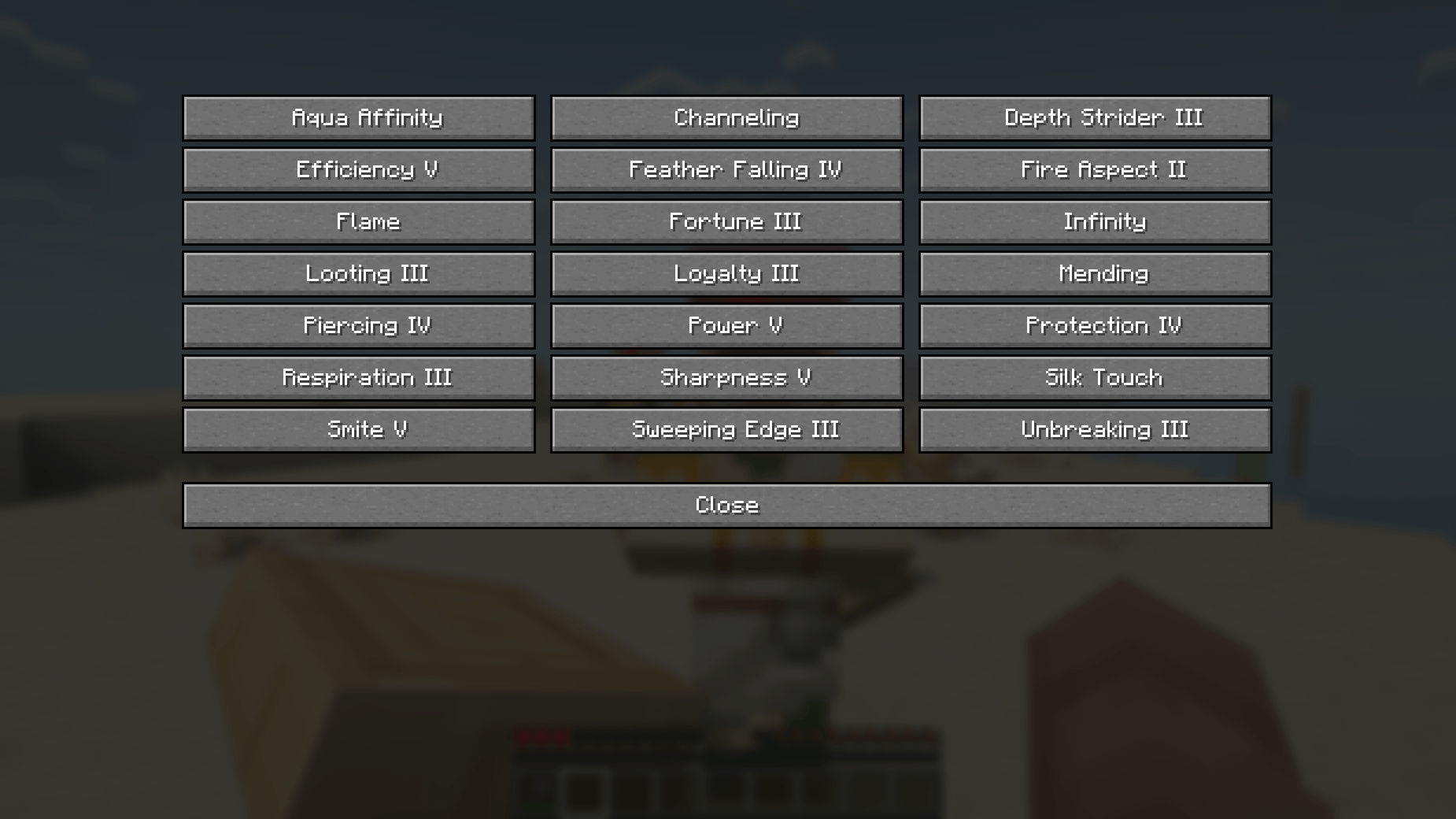 enchantment_list_1.0.png enchantment_list_1.0.png
Versions
Files
Relations
Project Relations
More like this
Similar Mods
Suggestions use data such as tags, dependencies, dependents, descriptions, titles, and more to rank how much they overlap with this mod.
On ModDex
Community snapshot
By the numbers
Statistics
Want to reach Minecraft players?
We're looking for a server hosting partner to feature here and other parts of the site. Interested? Send us a message!
Get in touchGet it on
Available Platforms
On ModDex
Community snapshot
By the numbers
Statistics
Resources