
Community listing page, reviews may not be monitored by the author.
Auto Reauth


No reviews yet
Automatically re-authenticates your session when it expires, so you don't need to restart your game.

Community voices
Reviews
No reviews yet. Be the first to review this project!
Get it on
Available Platforms
Compatibility
Supported Environments
Runs entirely on the client. Works on vanilla servers.
About
Project Details
For authors
Embed Badge
If you're the author of this project, you can embed a live badge anywhere that supports HTML or Markdown. It updates automatically whenever ratings change.
Use HTML for any page that supports it, or Markdown for README files and Markdown-based descriptions.
Identifiers
Platform IDs
About
Description
Auto Reauth 

Requires: Fabric API and Mod Menu.
This is a mod that automatically re-authenticates your session when it expires. Without this mod, you need to restart your game every time your session expires (about every day).
Usage
After installing, you will need to sign in through auto reauth, so it can store your authentication tokens. To do this, open the mod config screen either through Mod Menu or by clicking the account status line on the multiplayer or realms screens. Here you can click "Login" to be redirected to the Microsoft login page, after signing in (if everything goes well) you will be redirected to a page that says "You can close this tab now", at this point your authentication tokens are stored, and you can close the tab. Now, anytime you open the multiplayer menu, auto reauth will check your session status, and re-authenticate if necessary. The tokens may expire after some time (like 90 days) so if you start having issues with the mod, try logging in.
Do note that using this mod will store your authentication tokens in your home folder (~/.auto-reauth/config.nbt). So just be careful about that.
References
- Microsoft Authentication Scheme — Information on how the Microsoft authentication flow works for Minecraft.
- Auth Me — A mod that lets you re-authenticate your session manually.
auto-reauth 
Requires: Fabric API Mod Menu
This is a mod that automatically re-authenticates your session when it expires. Without this mod, you need to restart your game every time your session expires (about every day).
Usage
After installing, you will need to sign in through auto reauth, so it can store your authentication tokens. To do this, open the mod menu find auto reauth and open the config menu. Here you can click "Login" to be redirected to the Microsoft login page, after signing in (if everything goes well) you will be redirected to a page that says "You can close this tab now", at this point your authentication tokens are stored, and you can close the tab. Now, anytime you open the multiplayer menu, auto reauth will check your session status, and re-authenticate if necessary. The tokens may expire after some time (like 90 days) so if you start having issues with the mod, try logging in again.
Do note that using this mod will store your authentication tokens in your config folder (config/auto-reauth/config.nbt). So just be careful about that.
References
- Microsoft Authentication Scheme — Information on how the Microsoft authentication flow works for Minecraft.
- Auth Me — A mod that lets you re-authenticate your session manually.
Screenshots
Gallery
-
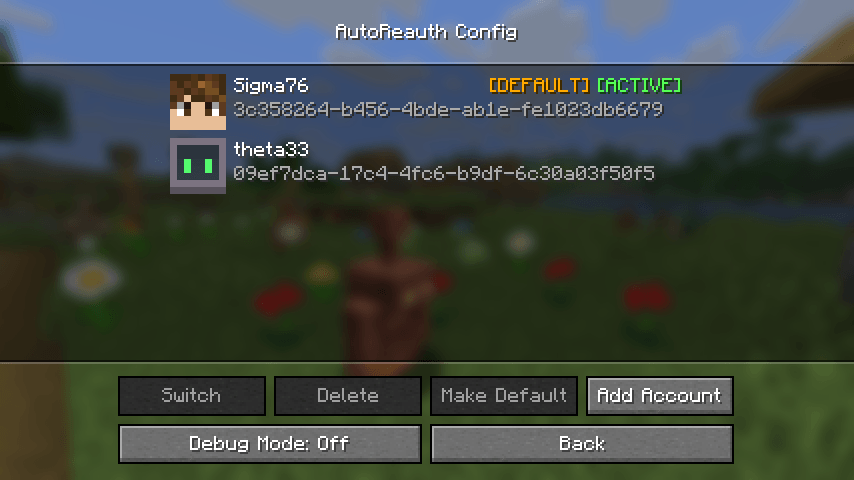 Config Screen Lets you log in with Microsoft, switch between accounts, and toggle debug mode.
-
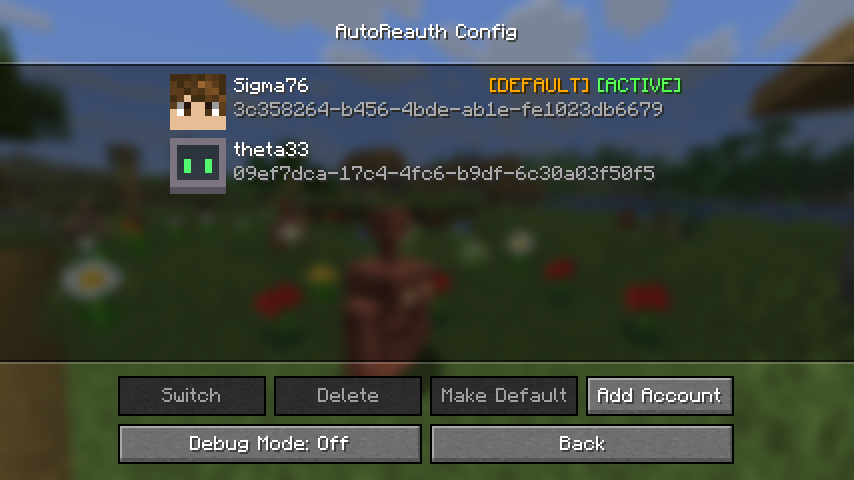 Config Screen Lets you log in with Microsoft, switch between accounts, and toggle debug mode.
 -
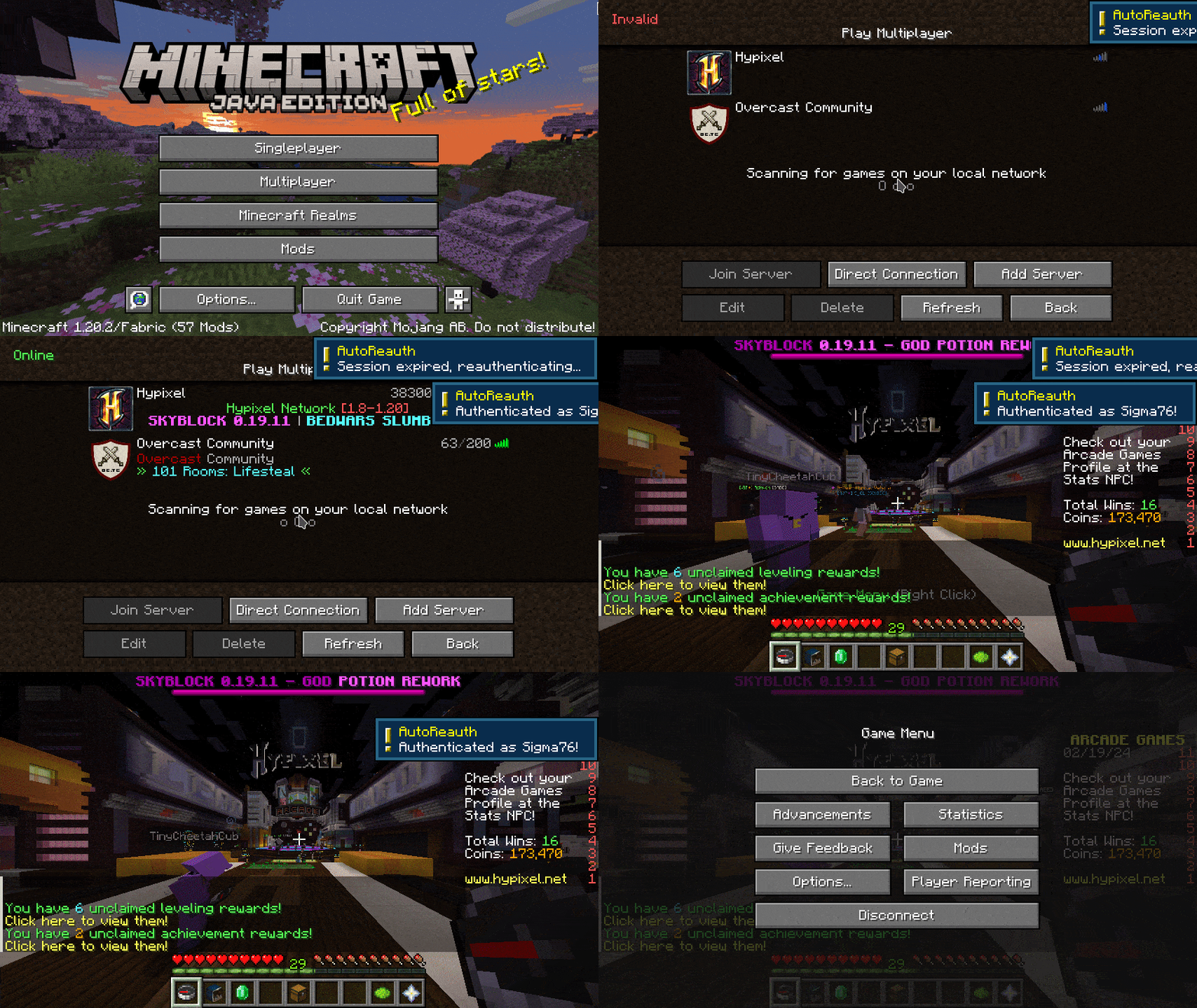 Auto Reauth Here is a video of auto reauth working. When it detects that the session is invalid, it automatically reauthenticates.
Versions
Files
Relations
Project Relations
More like this
Similar Mods
Suggestions use data such as tags, dependencies, dependents, descriptions, titles, and more to rank how much they overlap with this mod.
On ModDex
Community snapshot
By the numbers
Statistics
 (opens in a new tab)
Get it on
Available Platforms
On ModDex
Community snapshot
By the numbers