

Community listing page, reviews here may not be monitored by the author.
BakaDanmaku


No reviews yet
Used to display Bilibili live broadcast message in the in-game chat area

Community voices
Reviews
No reviews yet. Be the first to review this project!
Get it on
Available Platforms
Compatibility
Supported Environments
Runs entirely on the client. Works on vanilla servers.
About
Project Details
For authors
Embed Badge
If you're the author of this project, you can embed a live badge anywhere that supports HTML or Markdown. It updates automatically whenever ratings change.
Use HTML for any page that supports it, or Markdown for README files and Markdown-based descriptions.
Identifiers
Platform IDs
About
Description
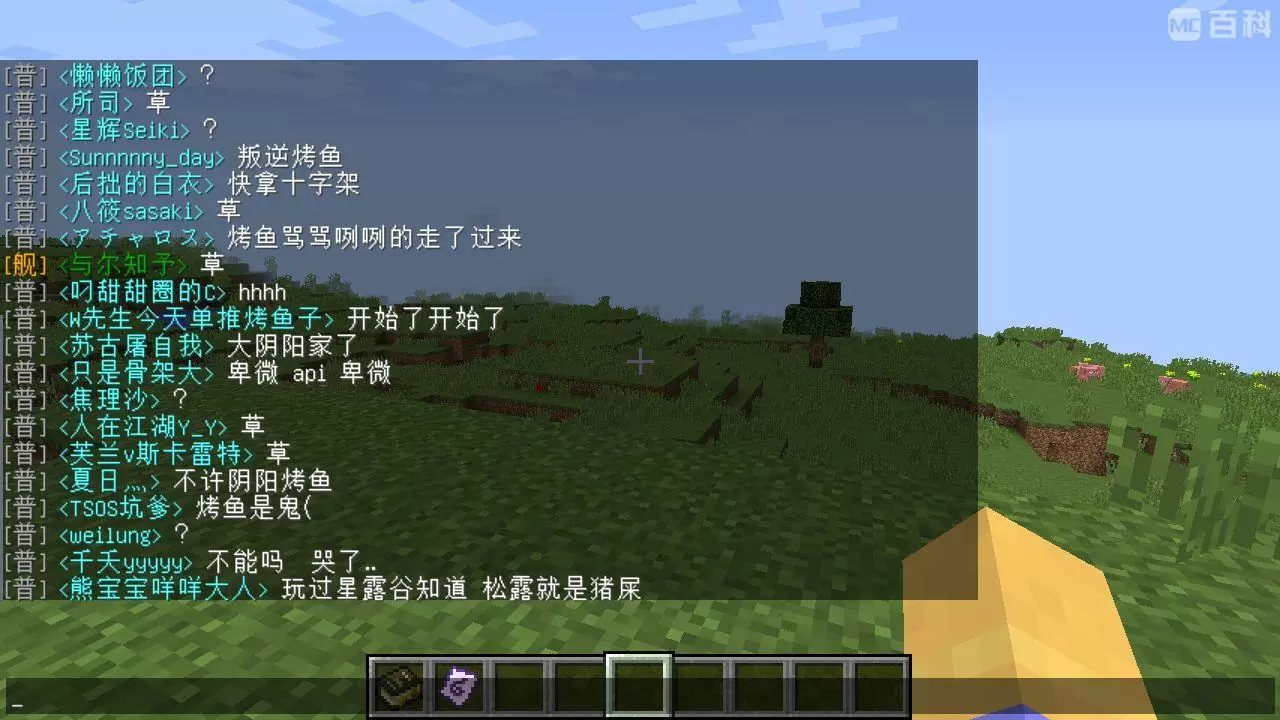
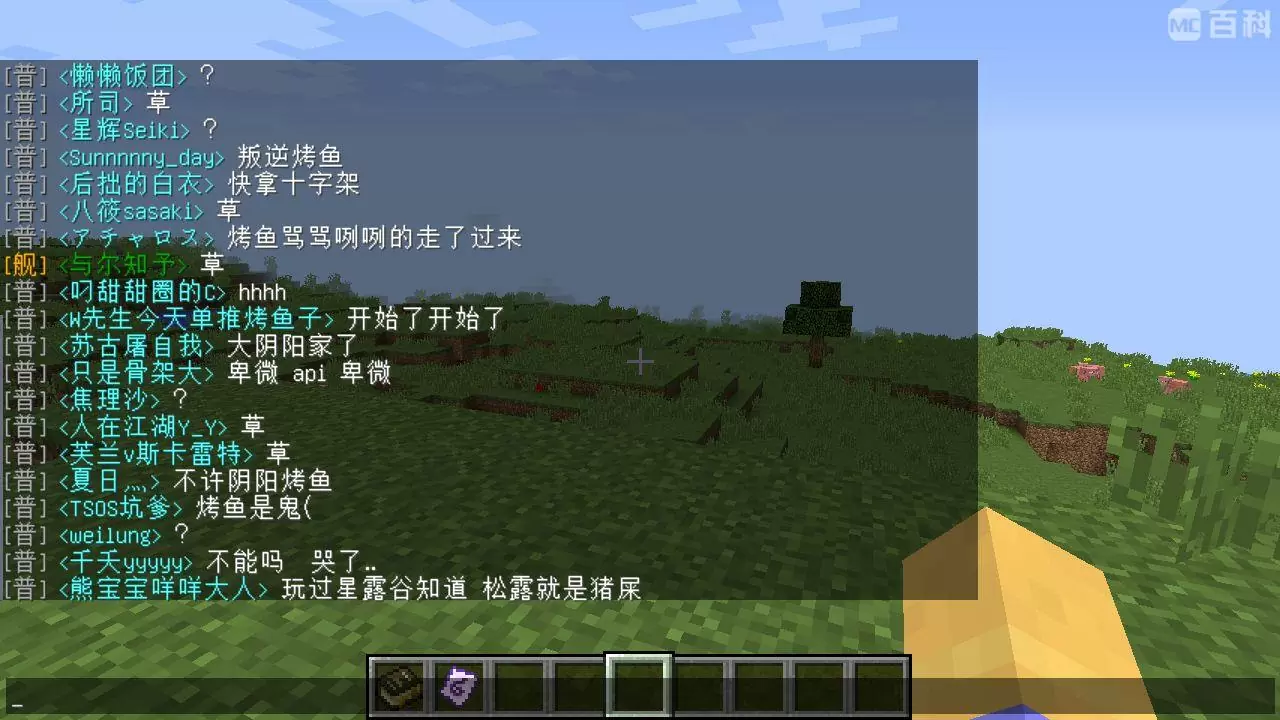
A mod for displaying the message of Bilibili live in the chat bar in the game. Just drop it into the mod folder, start the game, and set the room number to connect to the server and realize the function of outputting live message screen in the game.
The specific effect is shown in the figure below:
Forge version:
1.12.2 and below use the /BakaDanmaku command to reload the configuration. 1.13.2 and above use the shortcut key Alt+B to reload the configuration.
Fabric version:
shortcut key B to reload the configuration.
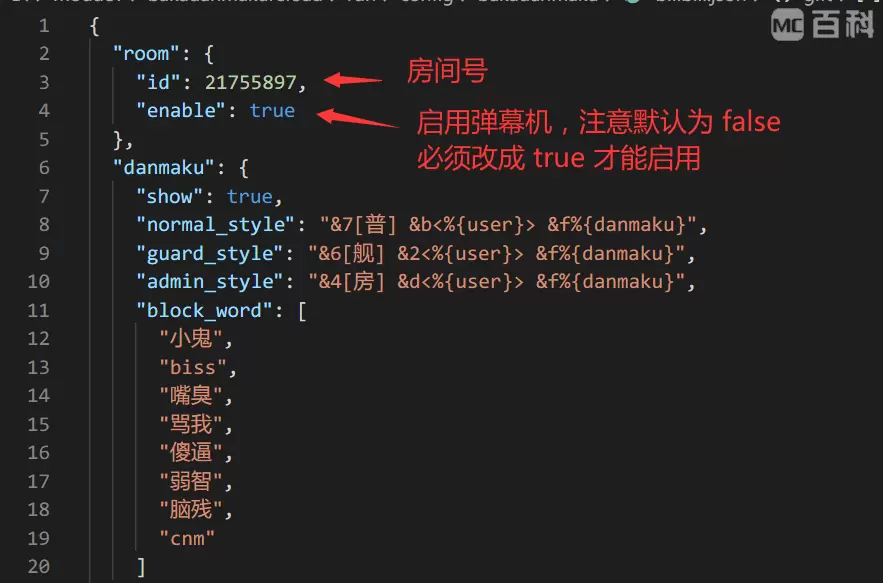
The configuration file is in config/bakadanmaku/bilibili.json in the main directory of the game. It is recommended to use software such as Sublime Text and Visual Studio Code to open this file.
Generally speaking, you only need to modify the room number and enable it, which means you only need to modify the following two places:
 -
-
A mod for displaying the message of Bilibili live in the chat bar in the game. Just drop it into the mod folder, start the game, and set the room number to connect to the server and realize the function of outputting live message screen in the game.
The specific effect is shown in the figure below:

-
Forge version:
- 1.12.2 and below use the /BakaDanmaku command to reload the configuration.
- 1.13.2 and above use the shortcut key Alt+B to reload the configuration.
-
Fabric version: shortcut key B to reload the configuration.
The configuration file is in config/bakadanmaku/bilibili.json in the main directory of the game. It is recommended to use software such as Sublime Text and Visual Studio Code to open this file.
Generally speaking, you only need to modify the room number and enable it, which means you only need to modify the following two places:

Screenshots
Gallery
Versions
Files
Relations
Project Relations
More like this
Similar Mods
Suggestions use data such as tags, dependencies, dependents, descriptions, titles, and more to rank how much they overlap with this mod.
On ModDex
Community snapshot
By the numbers
Statistics
 (opens in a new tab)
Get it on
Available Platforms
On ModDex
Community snapshot
By the numbers