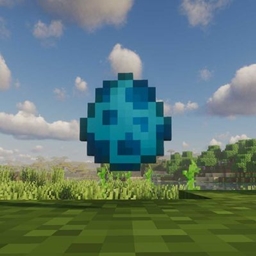
Community listing page, reviews here may not be monitored by the author.

Community voices
Reviews
No reviews yet. Be the first to review this project!
Get it on
Available Platforms
 CurseForge
Modrinth
CurseForge
Modrinth
Compatibility
Supported Environments
Must be installed on both the client and the server.
About
Project Details
For authors
Embed Badge
If you're the author of this project, you can embed a live badge anywhere that supports HTML or Markdown. It updates automatically whenever ratings change.
Use HTML for any page that supports it, or Markdown for README files and Markdown-based descriptions.
Identifiers
Platform IDs
Resources
External Links
About
Description
With this mod, you can use the spawn commands from Block Display in Survival Mode.
The mod adds two new items:
Spawnegg
The Spawnegg allows you to enter and execute summon commands.
Right-clicking with the Spawnegg opens the command prompt, where you can enter your command.
You can also give the Spawnegg a custom name:
Name /summon_command
Only names without whitespaces are allowed.
Debug Stick
The Debug Stick is used to rotate and remove spawned models.
Pressing F3 + B shows the hitboxes of the spawned models. You can use the Debug Stick to rotate or destroy models inside these hitboxes.
Multiple Models
You can summon multiple models on the same block.
Be aware that using the Debug Stick will rotate everything inside the hitbox. Some summon commands consist of multiple separate models, which means they may be affected together.
If you want to rotate only a single model, make sure it is placed seperately from other models or on top.
By holding Shift and right-clicking with the Debug Stick, you can rotate only the topmost model inside the hitbox.
With this mod, you can use the spawn commands from Block Display in Survival Mode.
The mod adds two new items:
Spawnegg
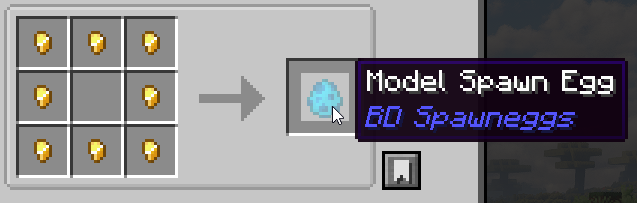
The Spawnegg allows you to enter and execute summon commands.
Right-clicking with the Spawnegg opens the command prompt, where you can enter your command.
You can also give the Spawnegg a custom name:
Name /summon_command
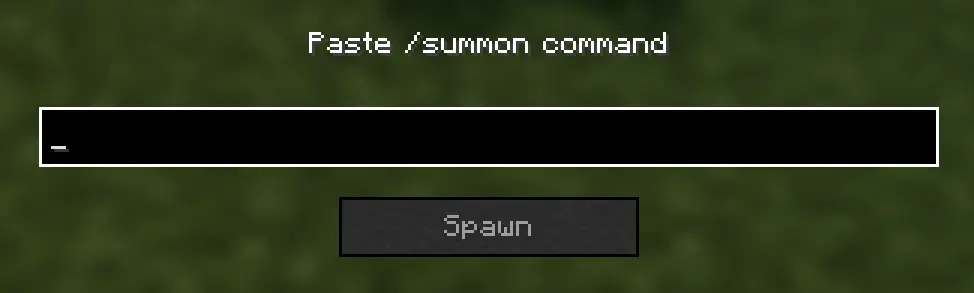
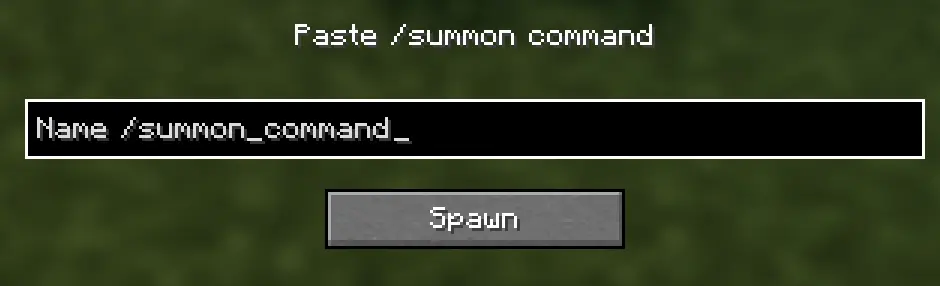
Only names without whitespaces are allowed.
Debug Stick
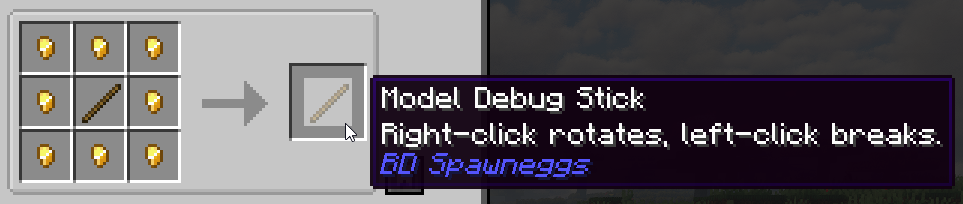
The Debug Stick is used to rotate and remove spawned models.
Pressing F3 + B shows the hitboxes of the spawned models. You can use the Debug Stick to rotate or destroy models inside these hitboxes.
Multiple Models
You can summon multiple models on the same block.
Be aware that using the Debug Stick will rotate everything inside the hitbox. Some summon commands consist of multiple separate models, which means they may be affected together.
If you want to rotate only a single model, make sure it is placed seperately from other models or on top.
By holding Shift and right-clicking with the Debug Stick, you can rotate only the topmost model inside the hitbox.
Screenshots
Gallery
Versions
Files
Relations
Project Relations
More like this
Similar Mods
Suggestions use data such as tags, dependencies, dependents, descriptions, titles, and more to rank how much they overlap with this mod.
On ModDex
Community snapshot
By the numbers
Statistics
Want to reach Minecraft players?
We're looking for a server hosting partner to feature here and other parts of the site. Interested? Send us a message!
Get in touchGet it on
Available Platforms
CurseForge
Modrinth
On ModDex
Community snapshot
By the numbers
Statistics
Resources