
Community listing page, reviews here may not be monitored by the author.
Beacon Range


No reviews yet
Visualizes beacon ranges with colored bounding boxes.
Community voices
Reviews
No reviews yet. Be the first to review this project!
Get it on
Available Platforms
Compatibility
Supported Environments
Runs entirely on the client. Works on vanilla servers.
About
Project Details
For authors
Embed Badge
If you're the author of this project, you can embed a live badge anywhere that supports HTML or Markdown. It updates automatically whenever ratings change.
Use HTML for any page that supports it, or Markdown for README files and Markdown-based descriptions.
Identifiers
Platform IDs
About
Description
Beacon Range (Fabric 1.21.1)
A utility mod for Minecraft that visualizes the effective range of beacons using color-coded, transparent bounding boxes. Perfect for technical building and ensuring base coverage.
Features
-
Visual Indicators: Hover your crosshair over a beacon to see its range instantly.
-
Level-Based Color Coding:
-
Level 1: Blue (20 block range)
-
Level 2: Green (30 block range)
-
Level 3: Yellow (40 block range)
-
Level 4: Red (50 block range)
-
-
Pinning System: Open a Beacon GUI and click the Range: OFF/ON button. Pinned beacons remain visible even when you aren't looking at them.
-
Multi-Beacon Support: Pin as many beacons as you need to visualize complex overlapping coverage.
Commands
Manage your pinned beacons easily through the chat interface:
-
/beaconrange clear
-
Removes all currently pinned beacons from your view.
-
-
/beaconrange remove [coordinates]
-
Removes a specific beacon from your list.
-
Tip: This command supports Tab-Completion. Simply type the command and press Tab to cycle through the coordinates of all your currently pinned beacons.
-
How to Use
-
Preview: Look at any active beacon to see its range.
-
Pin: Right-click the beacon to open its menu and click the custom button to "Pin" the range.
-
Manage: Use the chat commands to clean up your pinned ranges once your project is finished.
Requirements
-
Fabric Loader
-
Fabric API
-
Minecraft 1.21.1
Beacon Range (Fabric 1.21.11)
A utility mod that visualizes the range of beacons with color-coded transparent boxes. Perfect for technical building and ensuring full base coverage.
Features
- Visual Indicators: Look at any active beacon to instantly see its effective range.
- Level-Based Colors:
- Level 1: Blue (20 block range)
- Level 2: Green (30 block range)
- Level 3: Yellow (40 block range)
- Level 4: Red (50 block range)
- Pinning: Open the Beacon GUI and click the Range: OFF/ON button to pin the box. Pinned boxes stay visible even when you walk away or look elsewhere.
- Multi-Beacon Support: Pin as many beacons as you need to visualize overlapping areas.
Commands
Manage your pinned beacons via the chat interface:
/beaconrange list- Displays a list of all currently pinned beacons and their coordinates.
/beaconrange remove [coordinates]- Removes a specific beacon from your pinned list.
- Note: This command supports Tab-Completion. Press Tab to cycle through the list of your pinned beacon coordinates automatically.
/beaconrange clear- Instantly removes all pinned beacons from your view.
Requirements
- Fabric Loader
- Fabric API
Upcomming
- Color Changing
- Better Button
- Support for Various Extender Mods
- Support for Older and Newer Minecraft Versions
Screenshots
Gallery
-
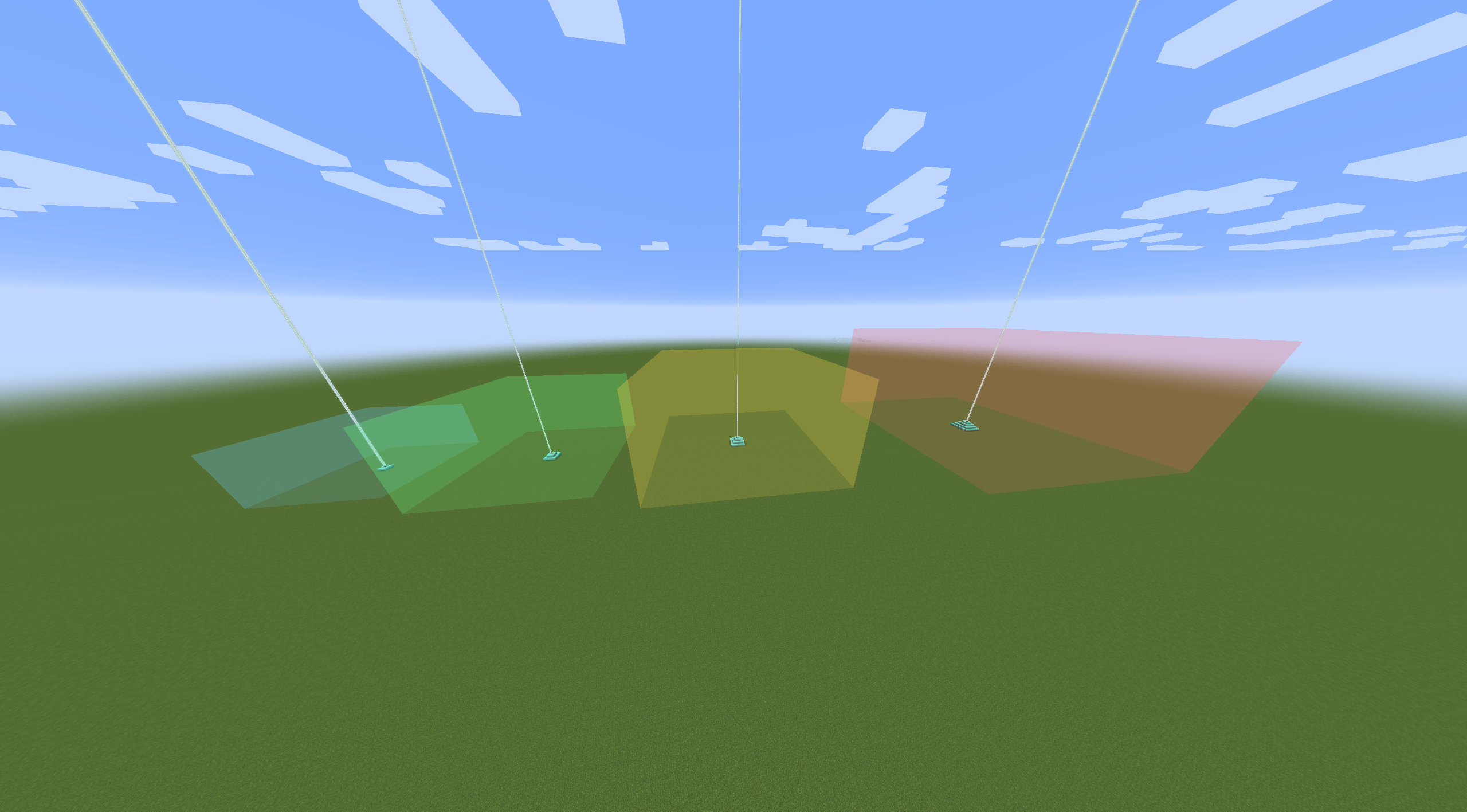 Example of all 4 Stages
 -
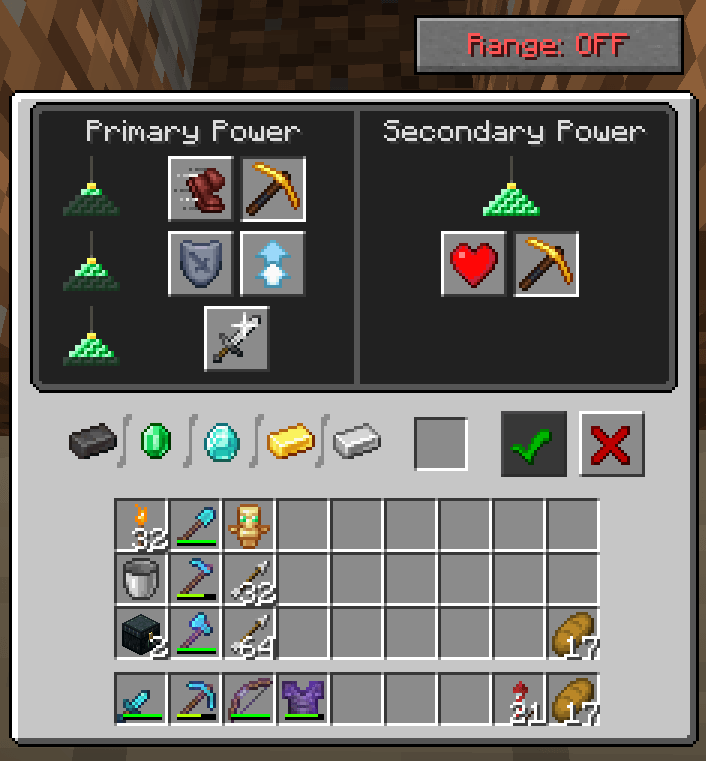 Beacon Button Beacon button in the Top right Corner
-
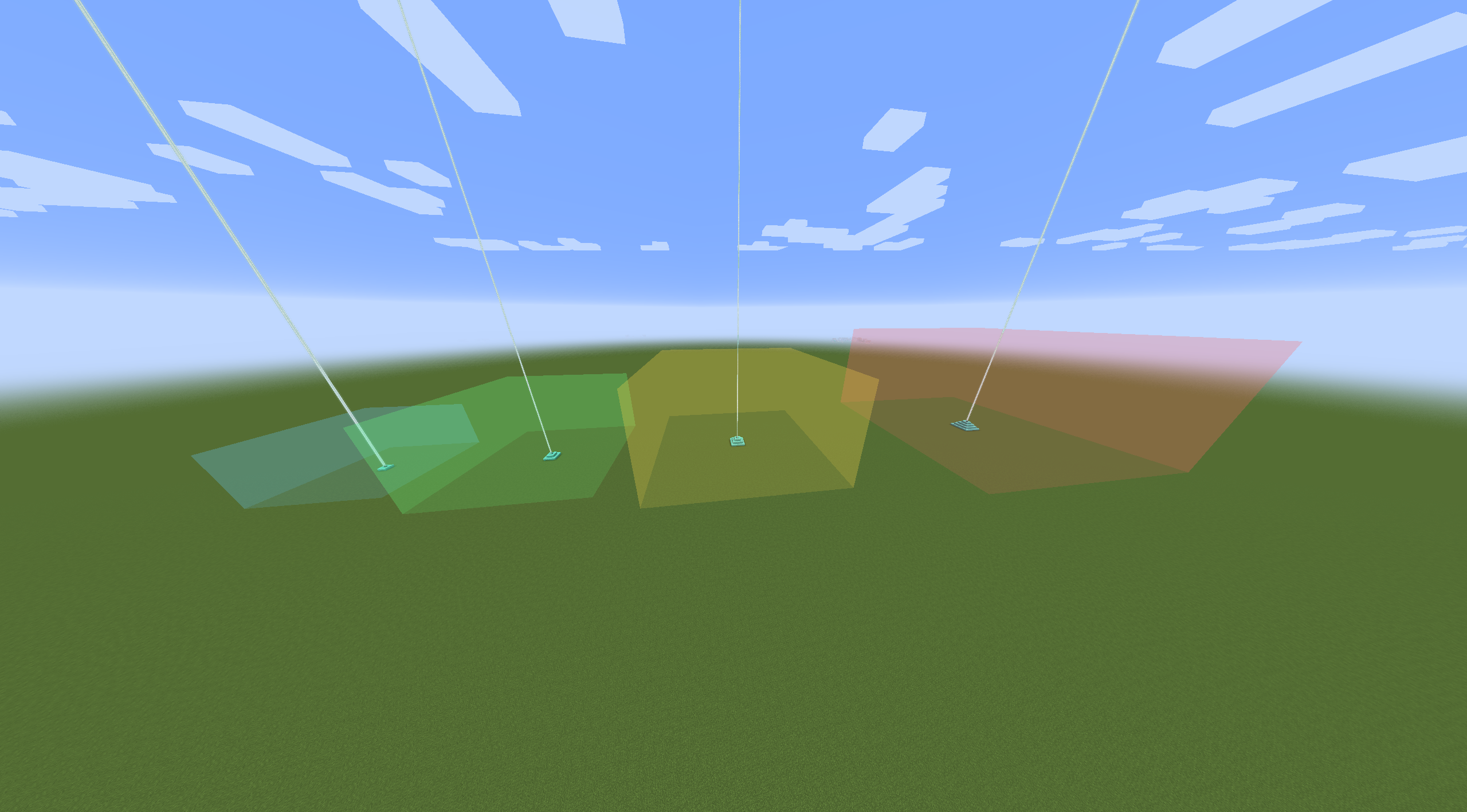 Example of all 4 Stages Those are the borders u will see when u toggle a beacon
 -
 Beacon List Command U can see a list of Marked Beacons using "/beaconrange list" Clicking the red X unmarks the selected beacon
 -
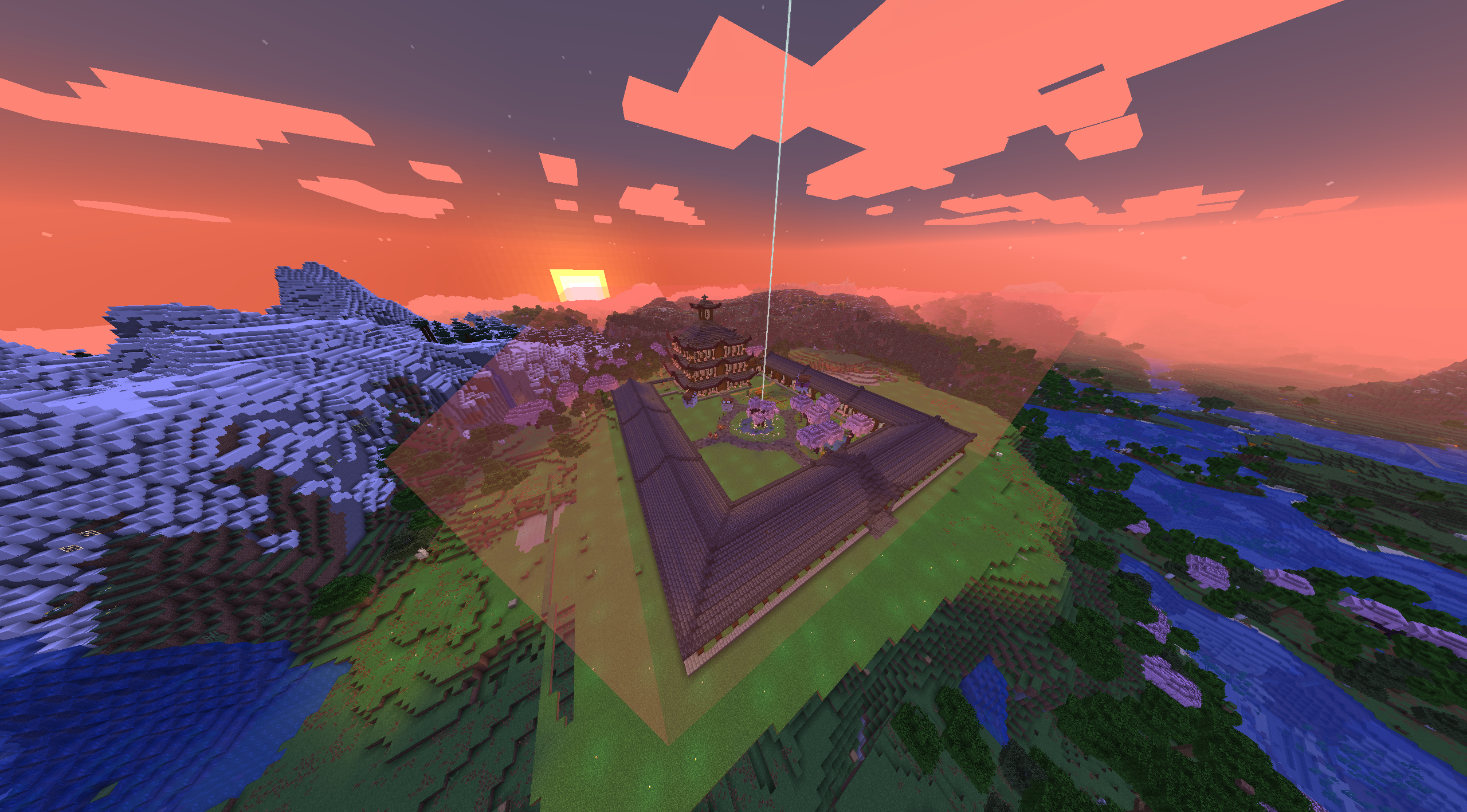 Usage Example
 -
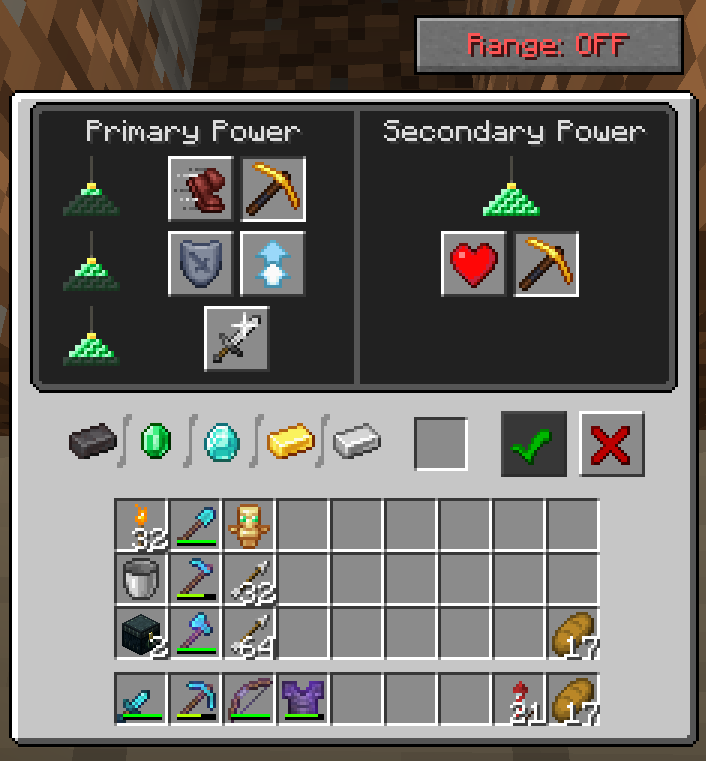 Toggle Button First version of the toggle button in the top right corner.
Versions
Files
Relations
Project Relations
More like this
Similar Mods
Suggestions use data such as tags, dependencies, dependents, descriptions, titles, and more to rank how much they overlap with this mod.
On ModDex
Community snapshot
By the numbers
Statistics
Want to reach Minecraft players?
We're looking for a server hosting partner to feature here and other parts of the site. Interested? Send us a message!
Get in touchGet it on
Available Platforms
On ModDex
Community snapshot
By the numbers