Community listing page, reviews here may not be monitored by the author.
Beacon Bounding Boxes


No reviews yet
Client-side mod to visualize beacon's effect range.
Community voices
Reviews
No reviews yet. Be the first to review this project!
Get it on
Available Platforms
Compatibility
Supported Environments
Runs entirely on the client. Works on vanilla servers.
About
Project Details
For authors
Embed Badge
If you're the author of this project, you can embed a live badge anywhere that supports HTML or Markdown. It updates automatically whenever ratings change.
Use HTML for any page that supports it, or Markdown for README files and Markdown-based descriptions.
Identifiers
Platform IDs
About
Description
Beacon Bounding Box
Take the guesswork out of beacon coverage.
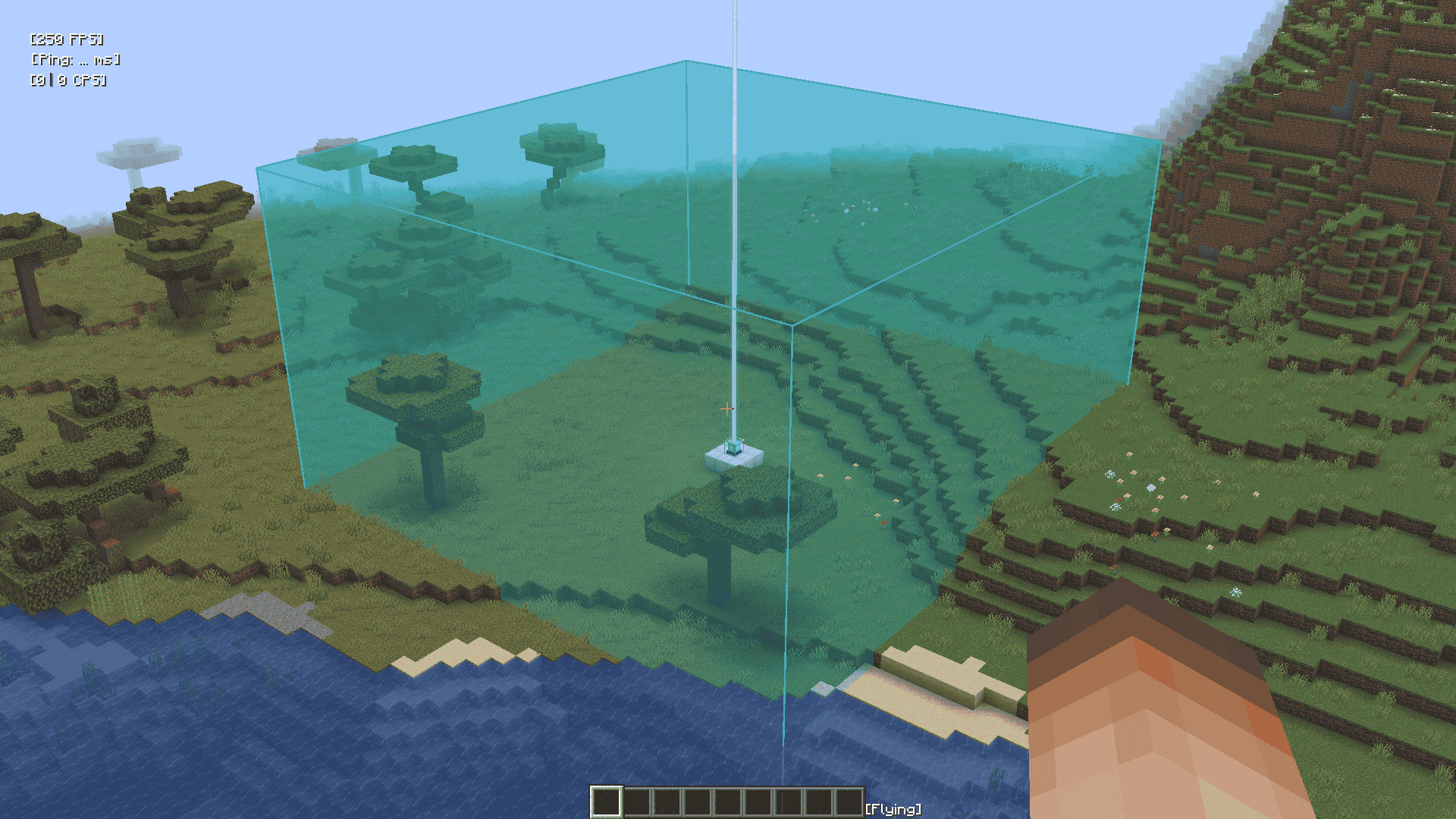
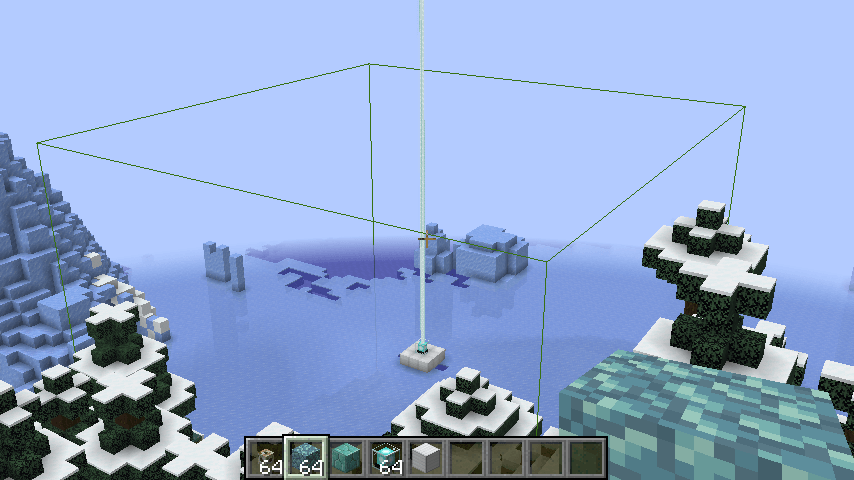
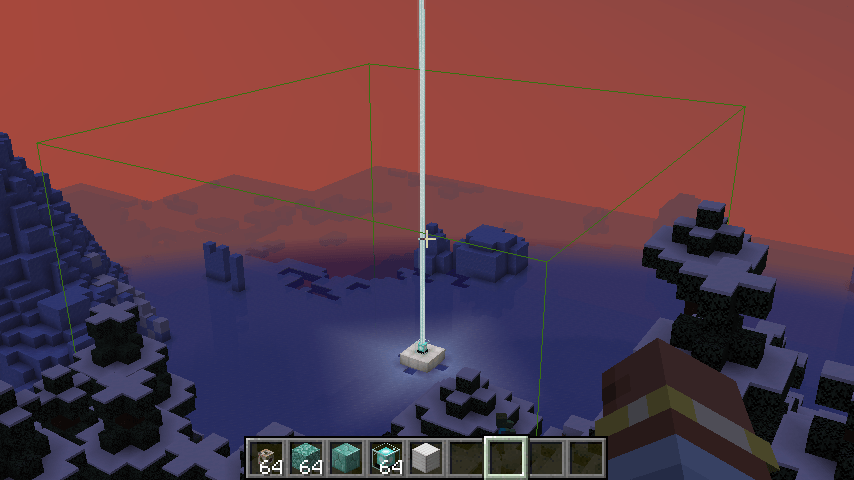
Beacon Bounding Box is a lightweight utility mod that visually displays the area of effect of every beacon in the world using colorful bounding boxes. Each beacon is given a randomly assigned color, making it easy to distinguish between multiple beacons—even when their ranges overlap.
Key Features
- Visual range display: See each beacon’s area of effect as a 3D bounding box.
- Random colors: Every beacon gets a unique, randomly generated color.
- Toggle support: Easily toggle the bounding box rendering on or off via a keybind (default G).
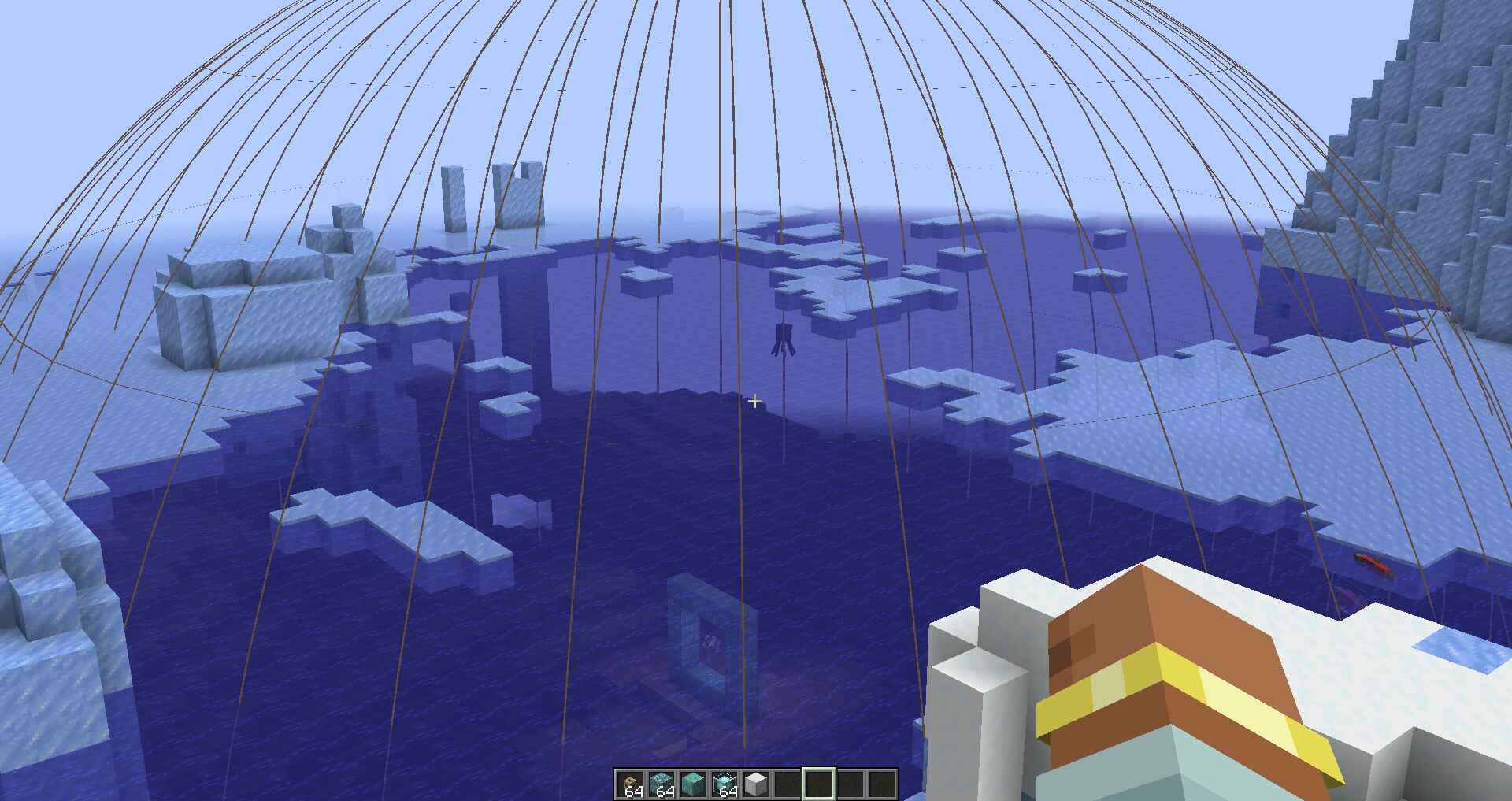
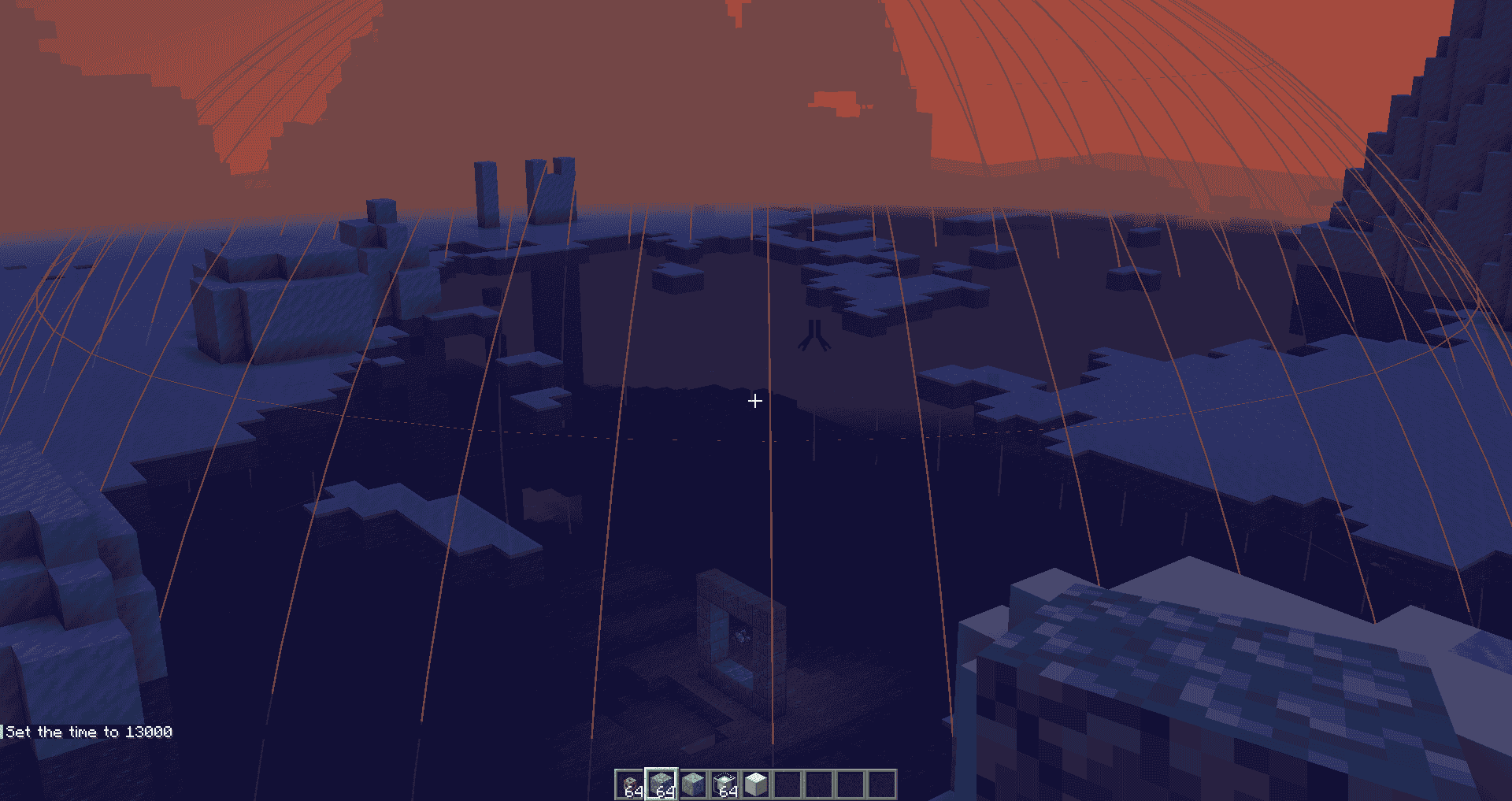
- Conduit support: Now also renders a sphere to show the area of effect of conduits! Default toggle key is H.
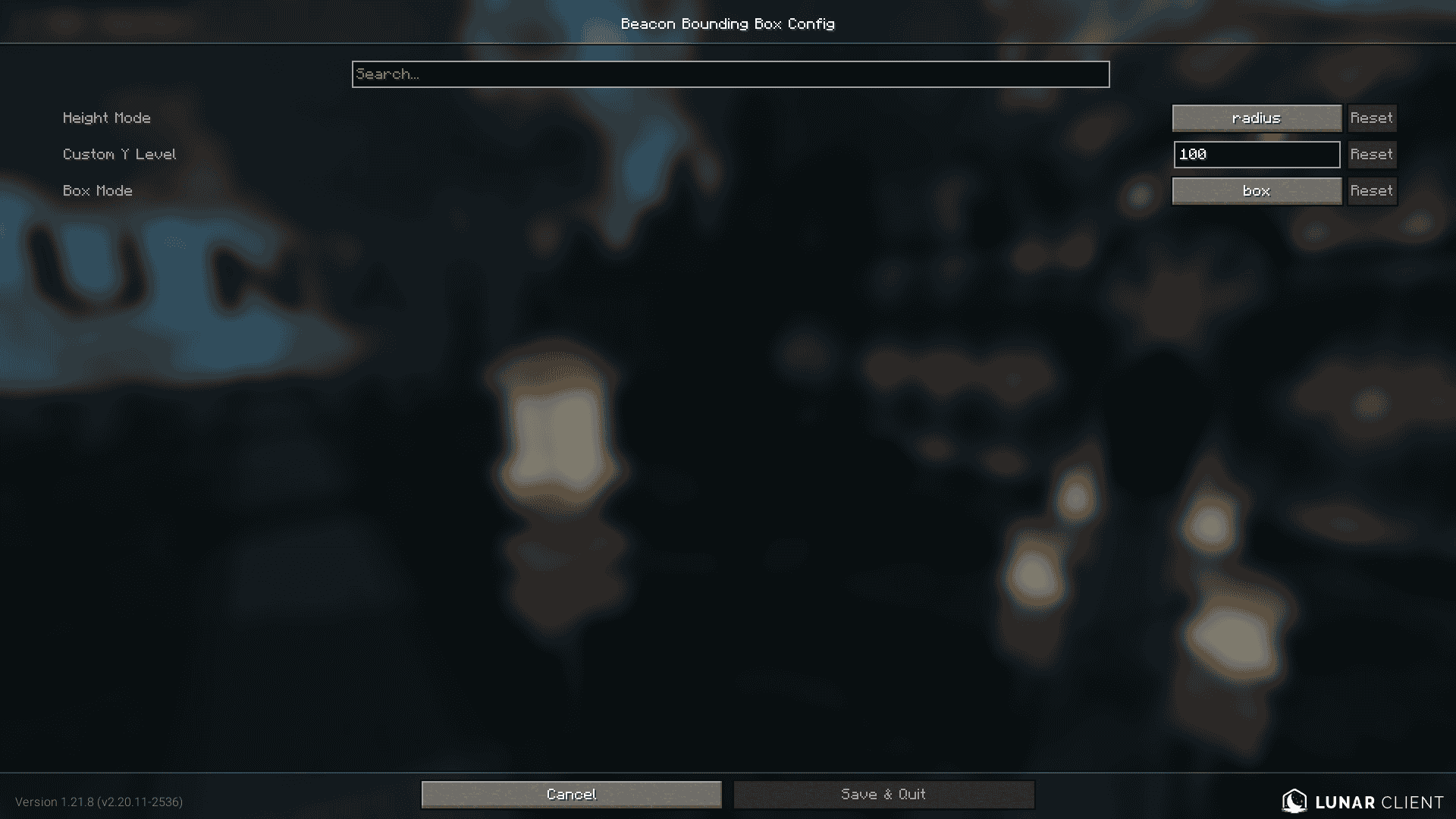
- Configurable height: Customize the vertical size of the beacon box in-game using Mod Menu and Cloth Config, or the JSON file in
config/beaconrange.json. - NEW! Beacon Extender Compat: Added Compatibility for Beacon Extender in Mod Version 1.1 (Only for Minecraft 1.21.4)
- NEW! Box Mode: Added Box Mode, you can switch between Outlines and Boxes in Config. Added in Mod Version 1.2
Whether you're building a mega base, organizing effects, or just want a better visual reference, Beacon Bounding Box helps you manage beacon and conduit coverage with clarity.
Planned Features
- Make the opacity of box mode's walls configurable.
- Box mode shader support (unlikely).
- Ability to place a "ghost beacon" to test how far it's range expands before even placing the beacon itself.
Beacon Bounding Box
Take the guesswork out of beacon coverage.
Beacon Bounding Box is a lightweight utility mod that visually displays the area of effect of every beacon in the world using colorful bounding boxes. Each beacon is given a randomly assigned color, making it easy to distinguish between multiple beacons. Even when their ranges overlap.
Key Features
-
Visual range display: See each beacon’s area of effect as a 3D bounding box.
-
Random colors: Every beacon gets a unique, randomly generated color.
-
Toggle support: Easily toggle the bounding box rendering on or off via a keybind (default G).
-
Conduit support: Now also renders a sphere to show the area of effect of conduits! Default toggle key is H.
-
Configurable height: Customize the vertical size of the beacon box in-game using Mod Menu and Cloth Config, or the JSON file in
config/beaconrange.json. -
NEW! Beacon Extender Compat: Added Compatibility for Beacon Extender in Mod Version 1.1 (Only for Minecraft 1.21.4)
-
NEW! Box Mode: Added Box Mode, you can switch between Outlines and Boxes in Config. Added in Mod Version 1.2
Whether you're building a mega base, organizing effects, or just want a better visual reference, Beacon Bounding Box helps you manage beacon and conduit coverage with clarity.
Planned Features:
- Make the opacity of box mode's walls configurable.
- Box mode shader support (unlikely).
- Ability to place a "ghost beacon" to test how far it's range expands before even placing the beacon itself.
Screenshots
Gallery
-
 2025-09-05_16.42.46.png 2025-09-05_16.42.46.png
 -
 2025-07-08_14.53.24.png 2025-07-08_14.53.24.png
 -
 2025-07-08_14.53.34.png 2025-07-08_14.53.34.png
 -
 2025-07-08_14.56.15.jpg 2025-07-08_14.56.15.jpg
 -
 2025-07-08_14.56.28.png 2025-07-08_14.56.28.png
 -
 2025-09-05_16.42.57.png 2025-09-05_16.42.57.png
-
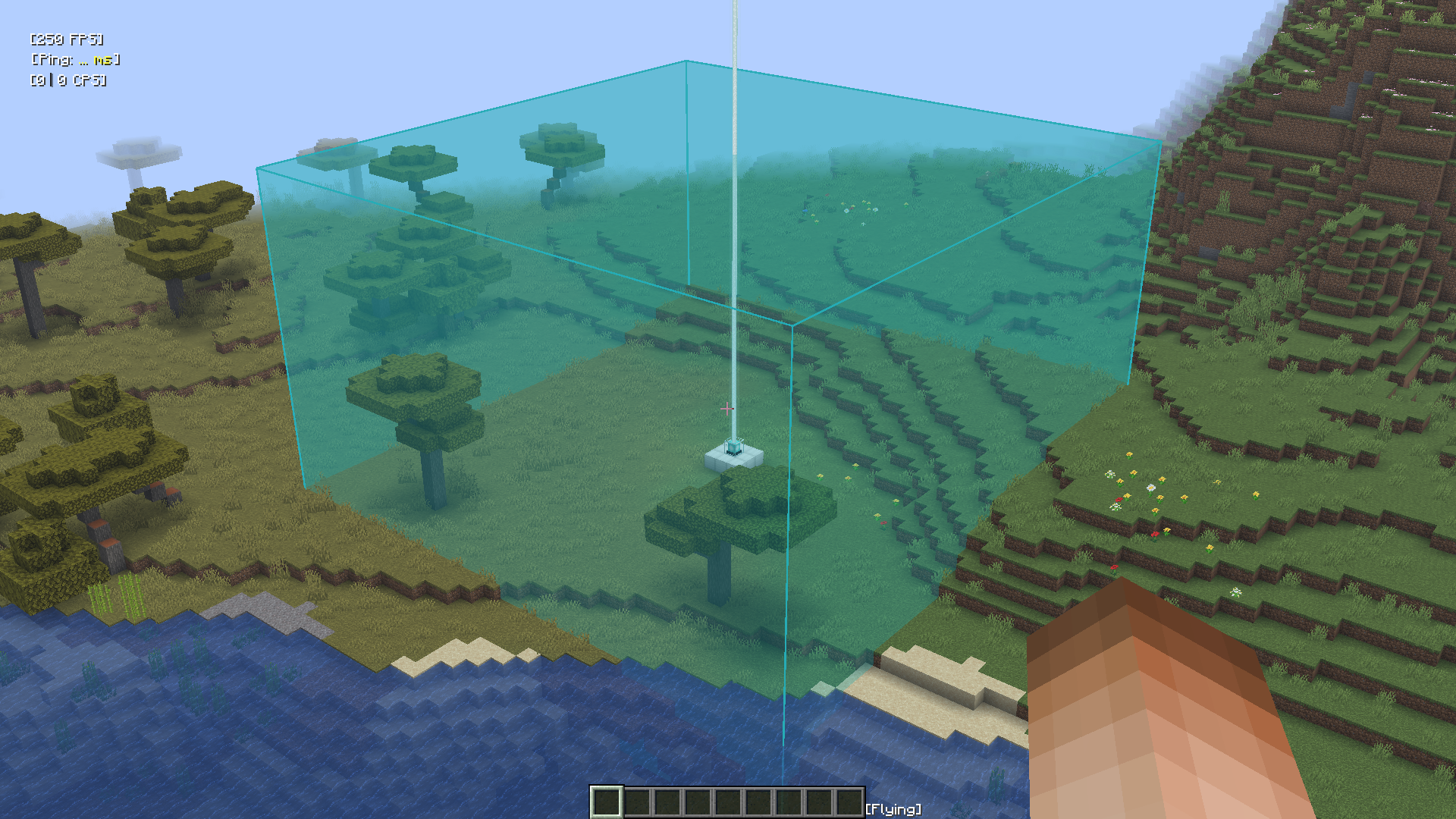 Beacon Bounding Box Box Version
 -
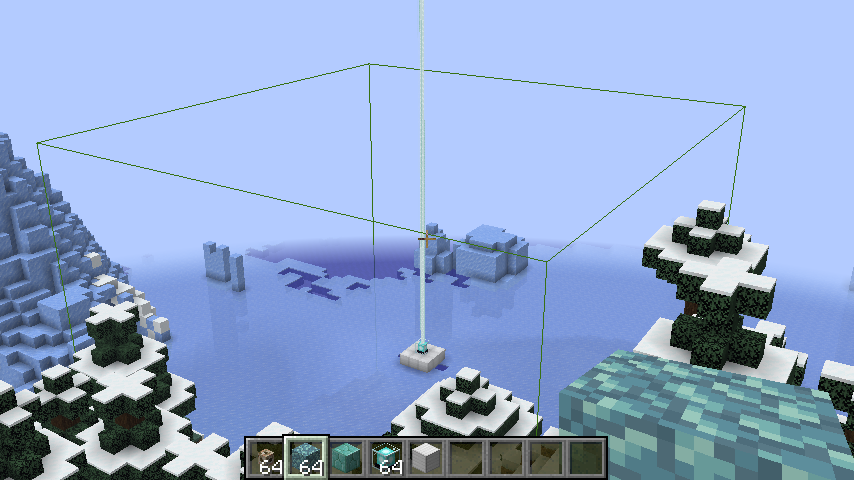 Beacon Bounding Box (Outline) Bounding Box Toggled on for Beacons
 -
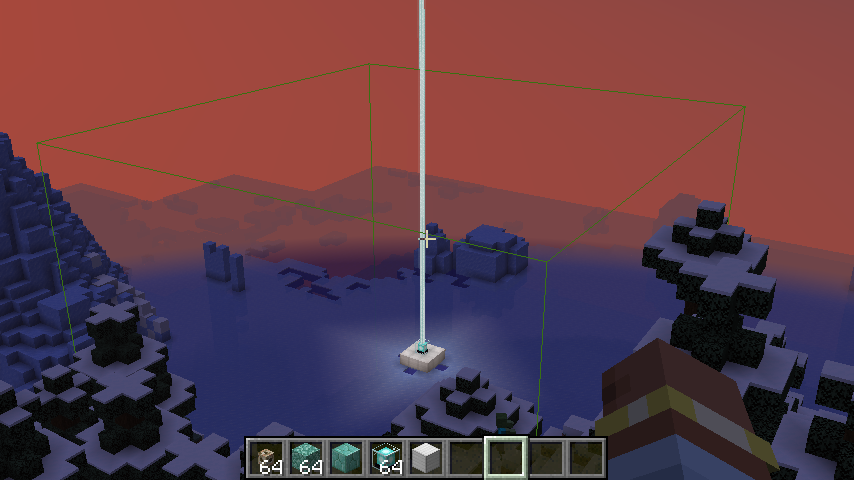 Beacon Bounding Box (Night, Outline) Bounding Box Toggled on for Beacons (at Night)
 -
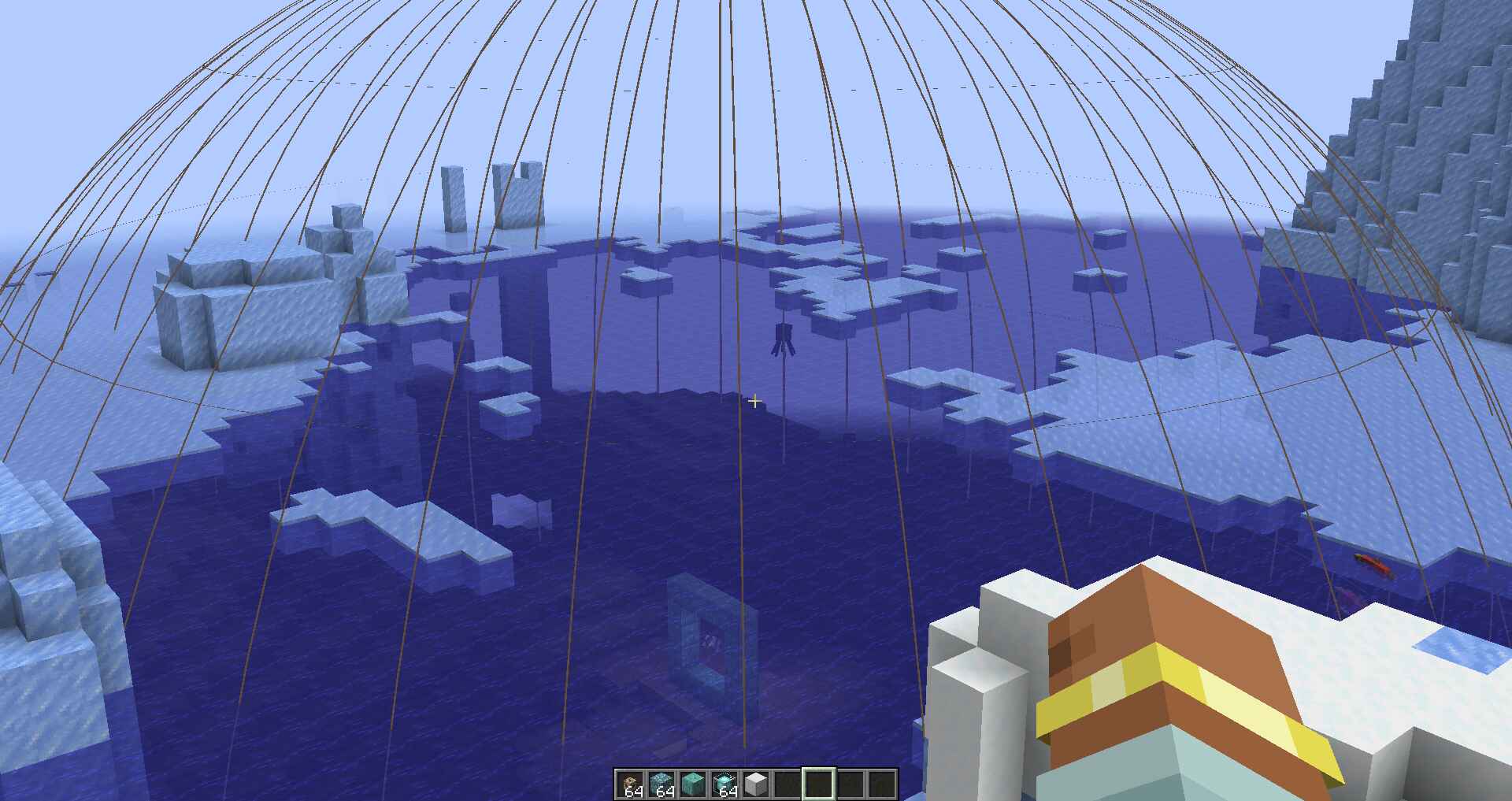 Conduit Bounding Box Sphere Region in which Conduits Affect
 -
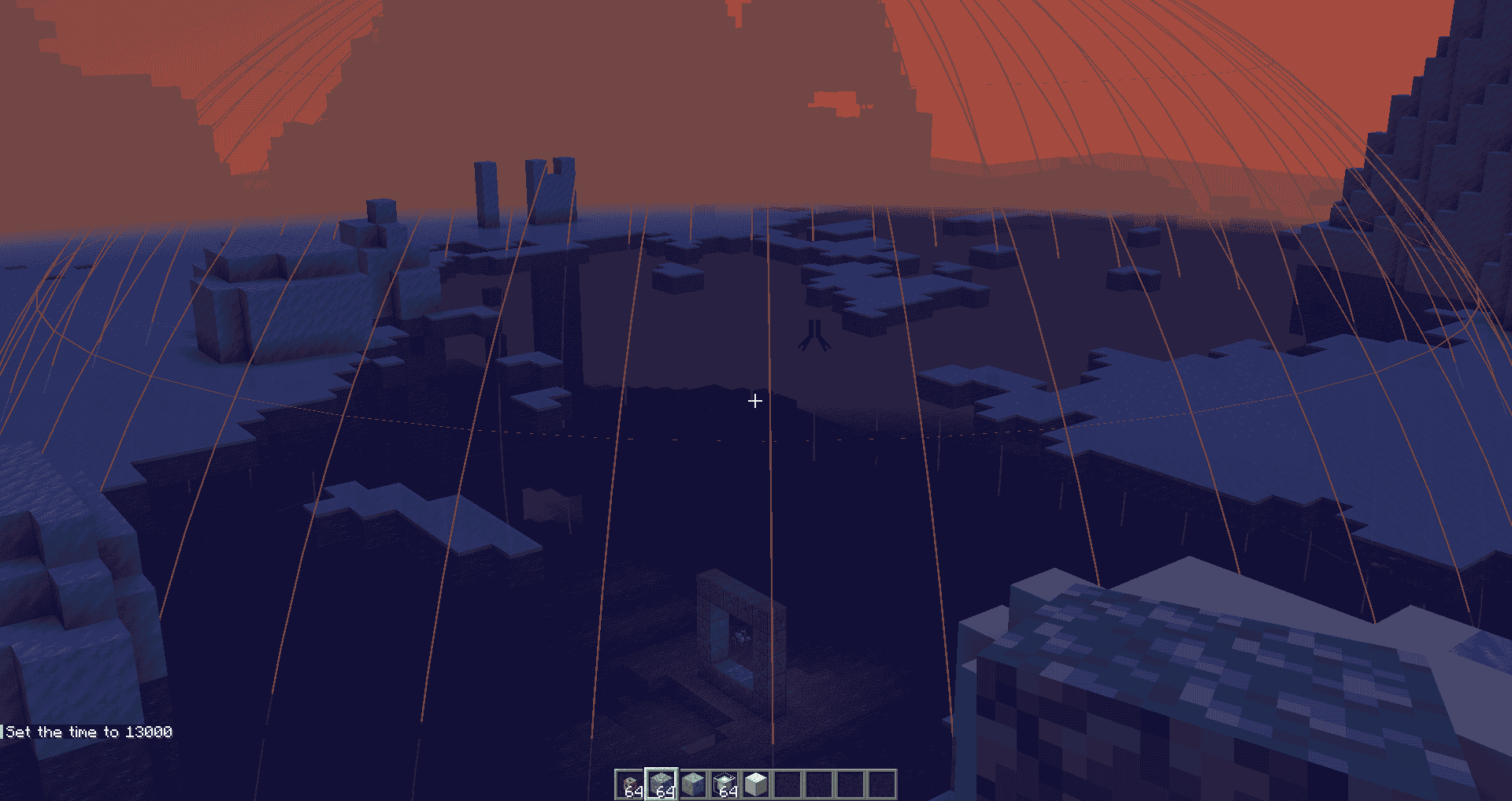 Conduit Bounding Box (Night) Sphere Region where Conduits Affect (Night time)
 -
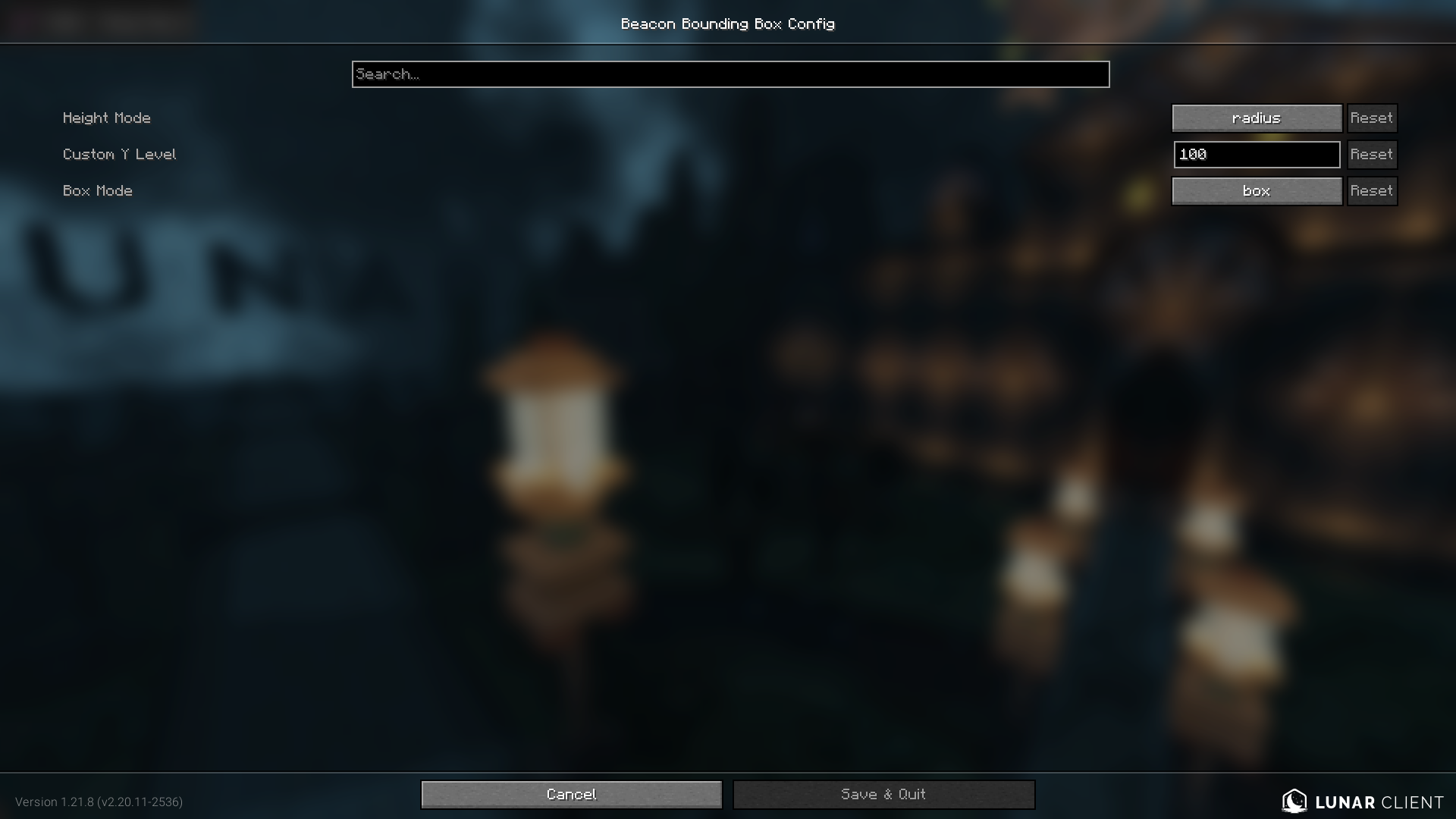 Config Screen Configuration for Beacon Bounding Box
Versions
Files
Relations
Project Relations
More like this
Similar Mods
Suggestions use data such as tags, dependencies, dependents, descriptions, titles, and more to rank how much they overlap with this mod.
On ModDex
Community snapshot
By the numbers
Statistics
Want to reach Minecraft players?
We're looking for a server hosting partner to feature here and other parts of the site. Interested? Send us a message!
Get in touchGet it on
Available Platforms
On ModDex
Community snapshot
By the numbers