
Community listing page, reviews here may not be monitored by the author.
Bedrock Skins


No reviews yet
Allows Bedrock Edition and Legacy Console Edition skin packs to be used natively on Java Edition!
Community voices
Reviews
No reviews yet. Be the first to review this project!
Get it on
Available Platforms
Compatibility
Supported Environments
Required on the client. Installing it on the server adds functionality.
About
Project Details
For authors
Embed Badge
If you're the author of this project, you can embed a live badge anywhere that supports HTML or Markdown. It updates automatically whenever ratings change.
Use HTML for any page that supports it, or Markdown for README files and Markdown-based descriptions.
Identifiers
Platform IDs
About
Description
Bedrock Skins
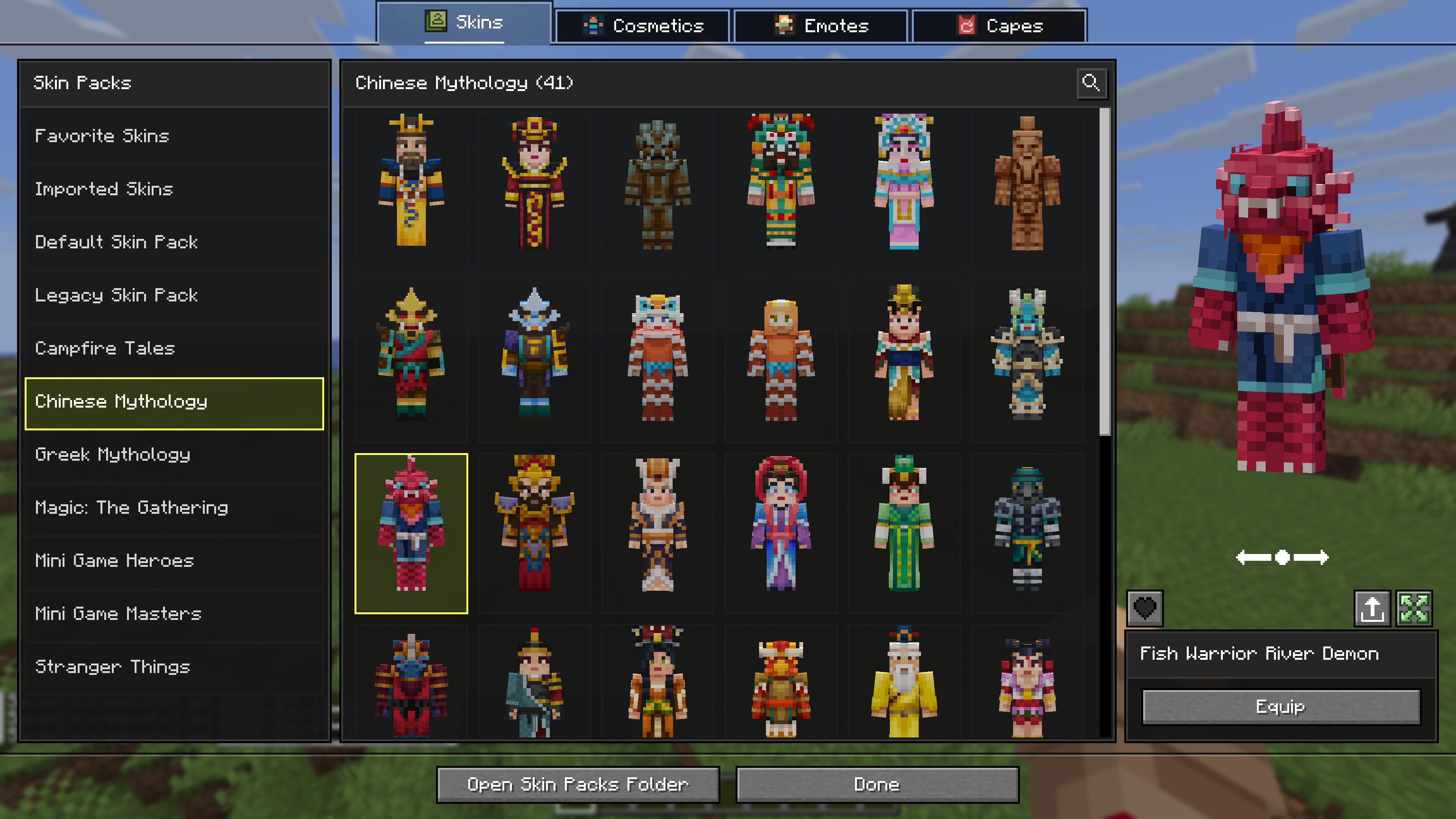
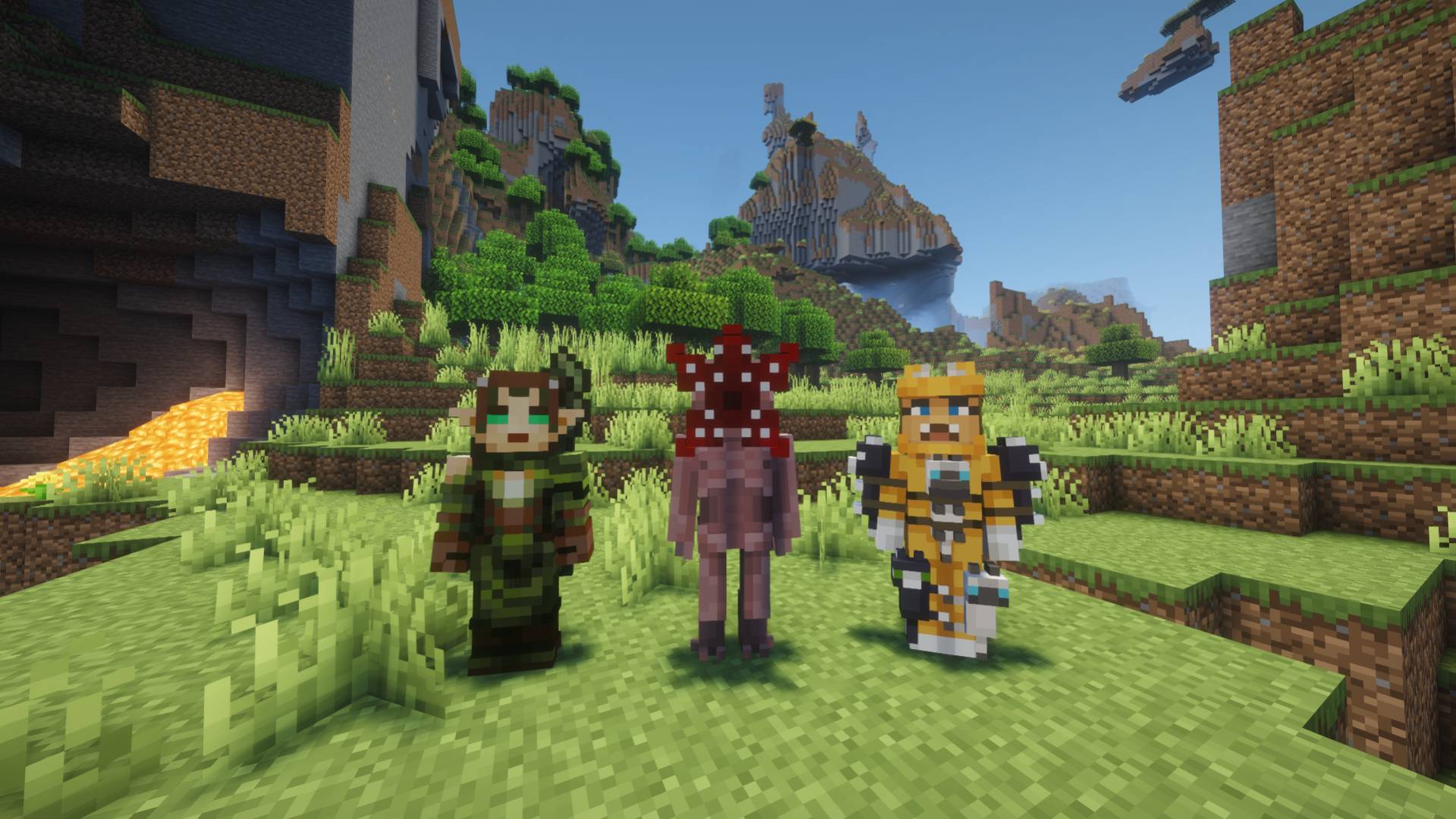
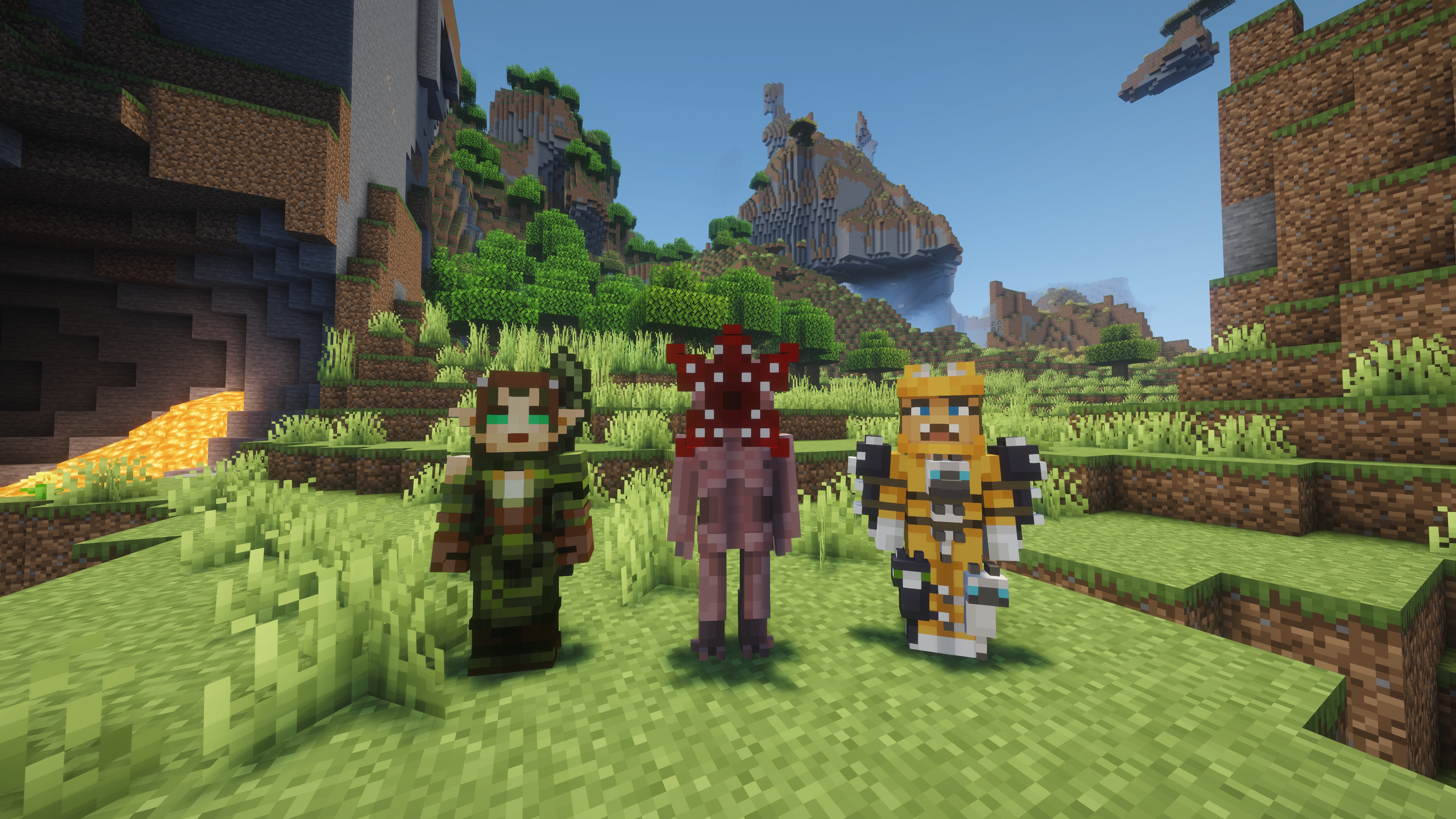
This mod allows you to load and render skins from Bedrock Edition and Legacy Console Edition Skin Packs natively. It enables fully custom 3D geometry, unique skin animations, as well as high-resolution textures.
Features
- Native Bedrock Geometry: Natively supports standard Bedrock JSON geometry files, allowing for complex, custom 3D models.
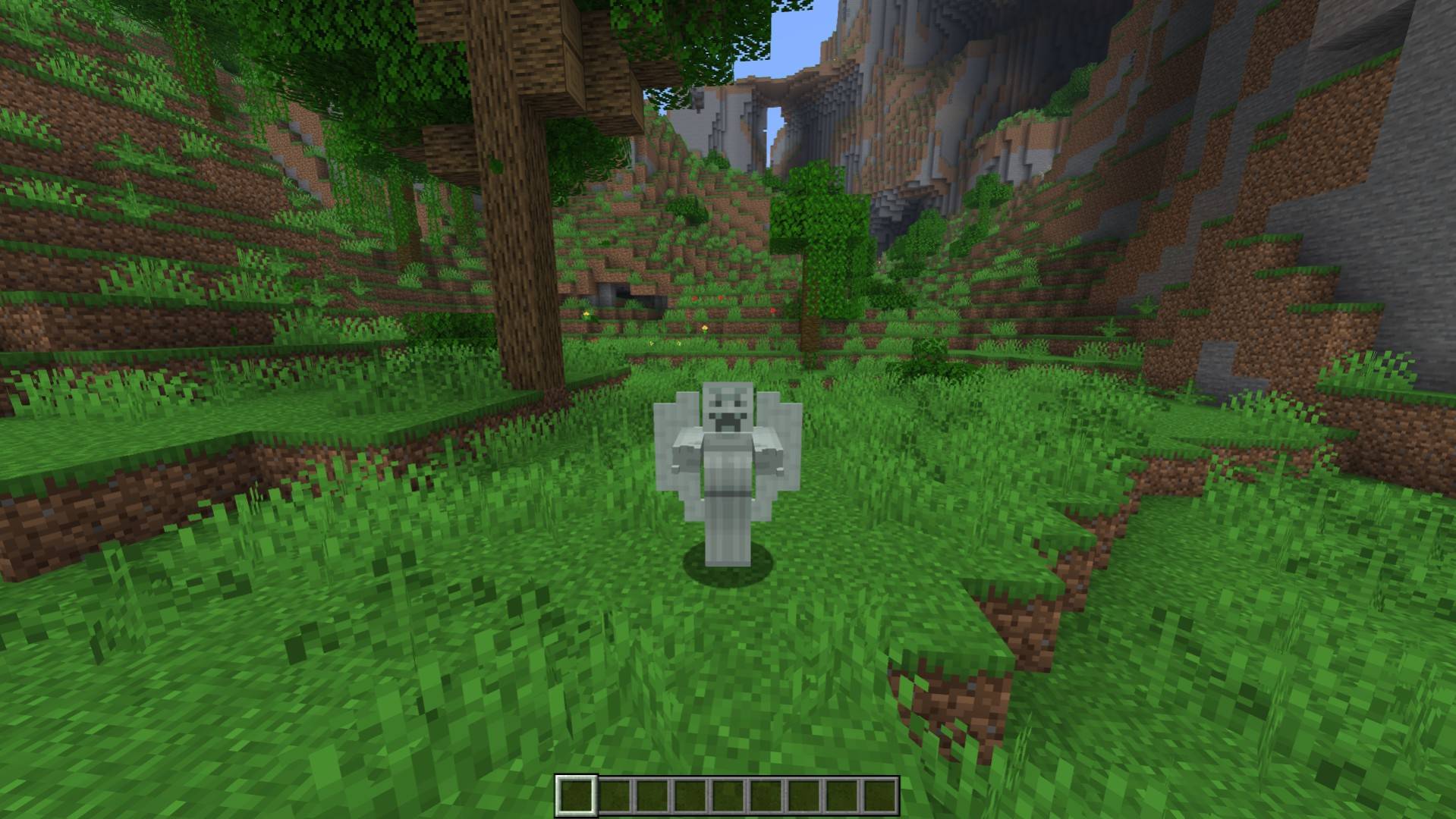
- Custom Animations & HD Textures: Fully supports unique skin animations and high-resolution textures included in skin packs.
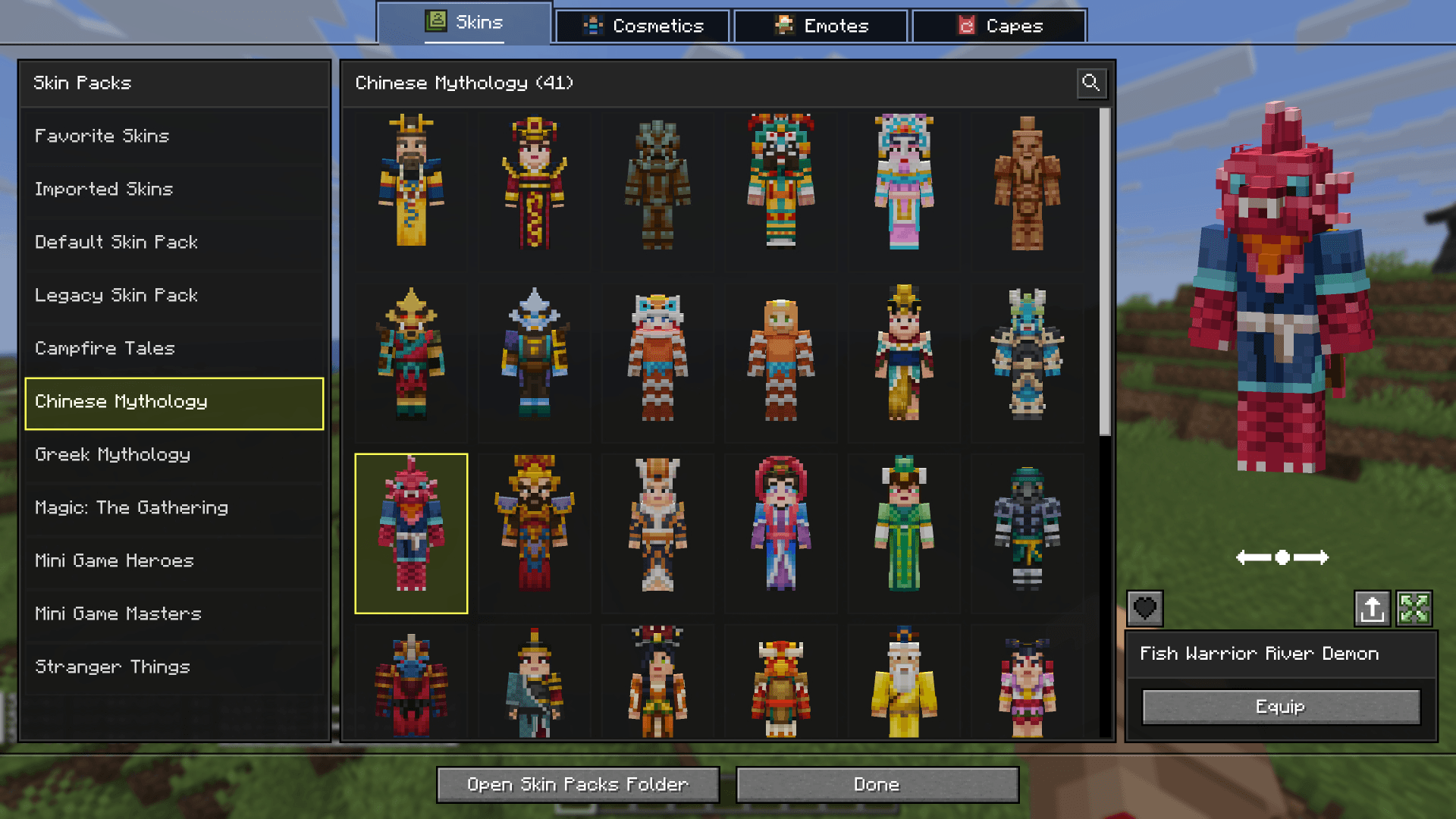
- Change Skin Screen: Access the change skin screen by pressing
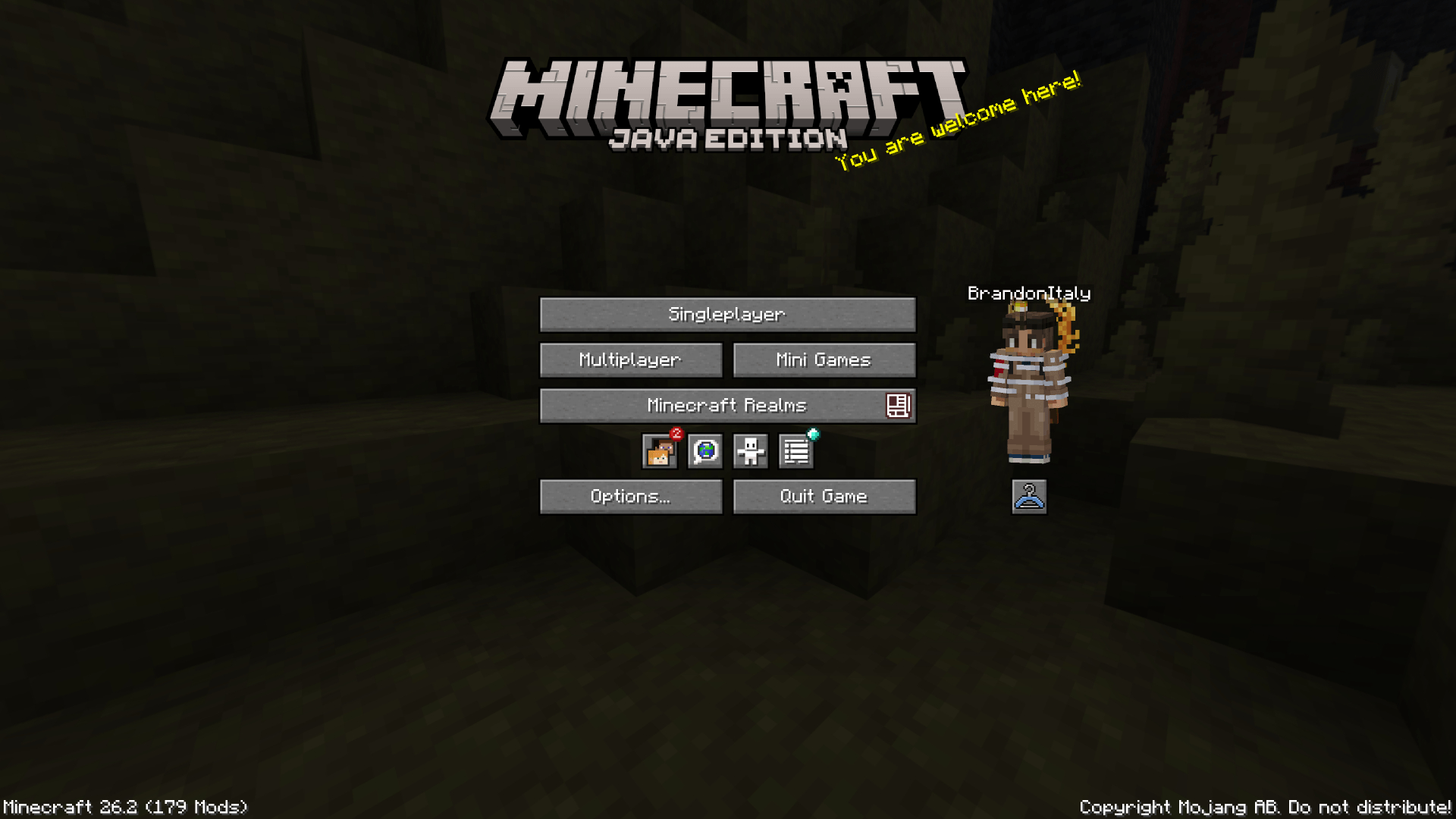
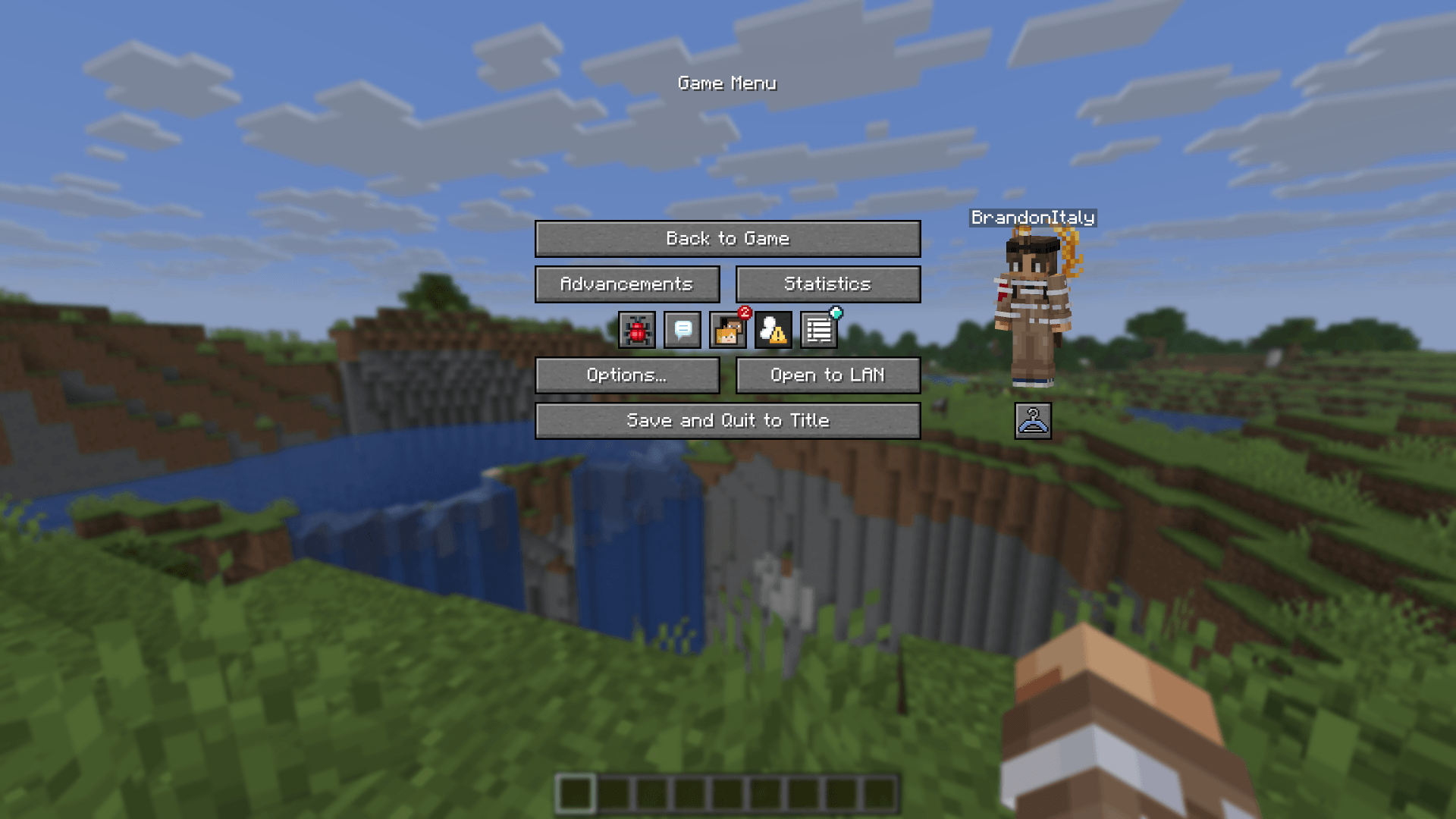
K, or via the buttons added directly to both the Main Menu and the Pause Screen. Browse your installed packs, preview skins, and manage your favorites. - Paper Doll Render: Features a paper doll render of your currently selected skin in the Main Menu and the Pause Screen, right above the change skin button.
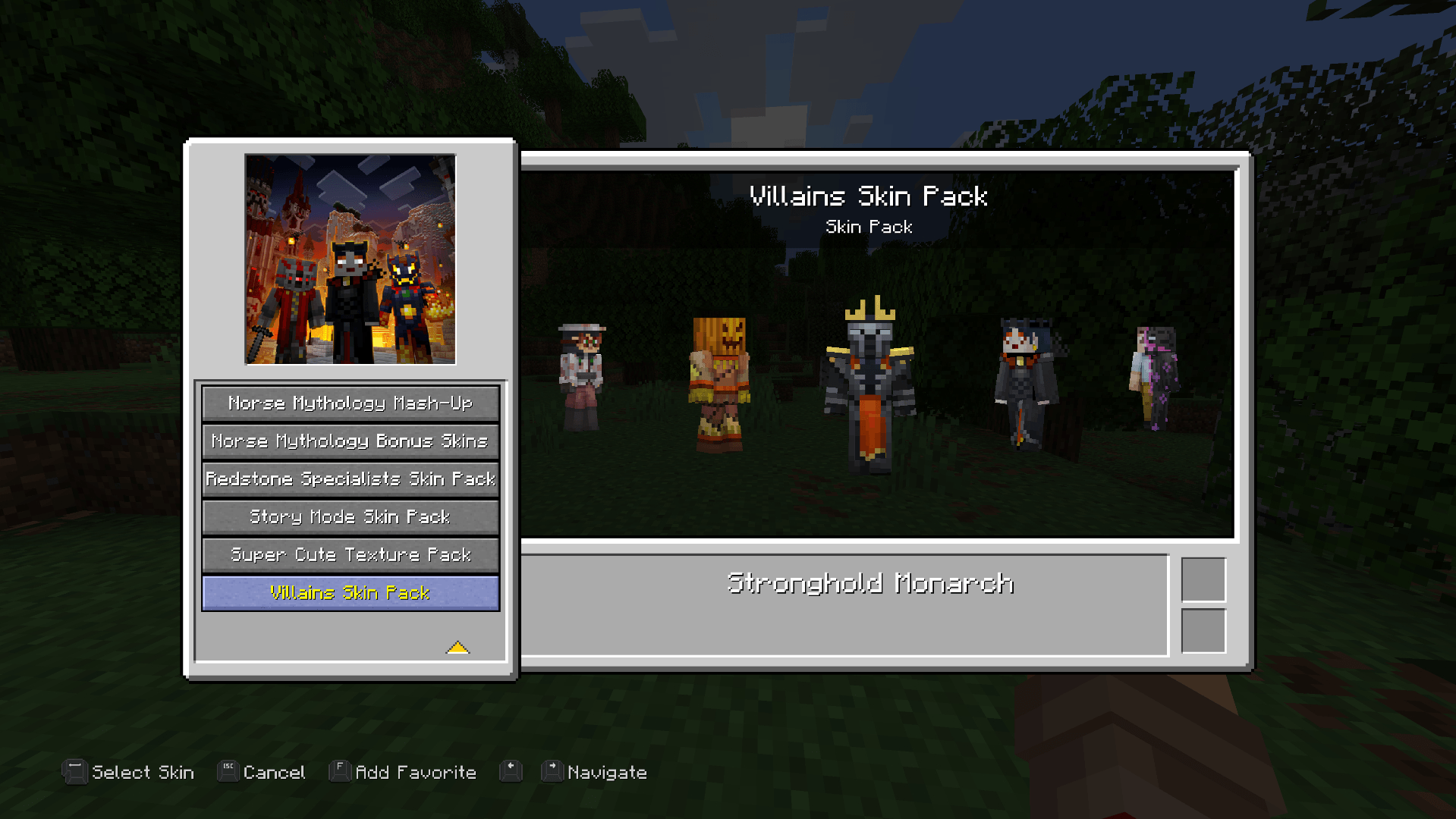
- Legacy4J Compatibility: Enjoy native support for the Legacy4J mod.
Downloading Skin Packs
Additional skin packs can be downloaded with the following resource pack.
Adding Custom Skin Packs
- Run the game once to generate the
skin_packsfolder in your main game directory (e.g.,.minecraft/skin_packs). - Place your Bedrock Edition skin pack folders directly into this directory.
- Ensure your pack folder contains a
skins.jsonfile. If your skins utilize custom models, ageometry.jsonfile is also required.
Example:
.minecraft/skin_packs/MyCustomPack/skins.json

Bedrock Skins
This mod allows you to load and render skins from Bedrock Edition and Legacy Console Edition Skin Packs natively. It enables fully custom 3D geometry, unique skin animations, as well as high-resolution textures.
Features
- Native Bedrock Geometry: Natively supports standard Bedrock JSON geometry files, allowing for complex, custom 3D models.
- Custom Animations & HD Textures: Fully supports unique skin animations and high-resolution textures included in skin packs.
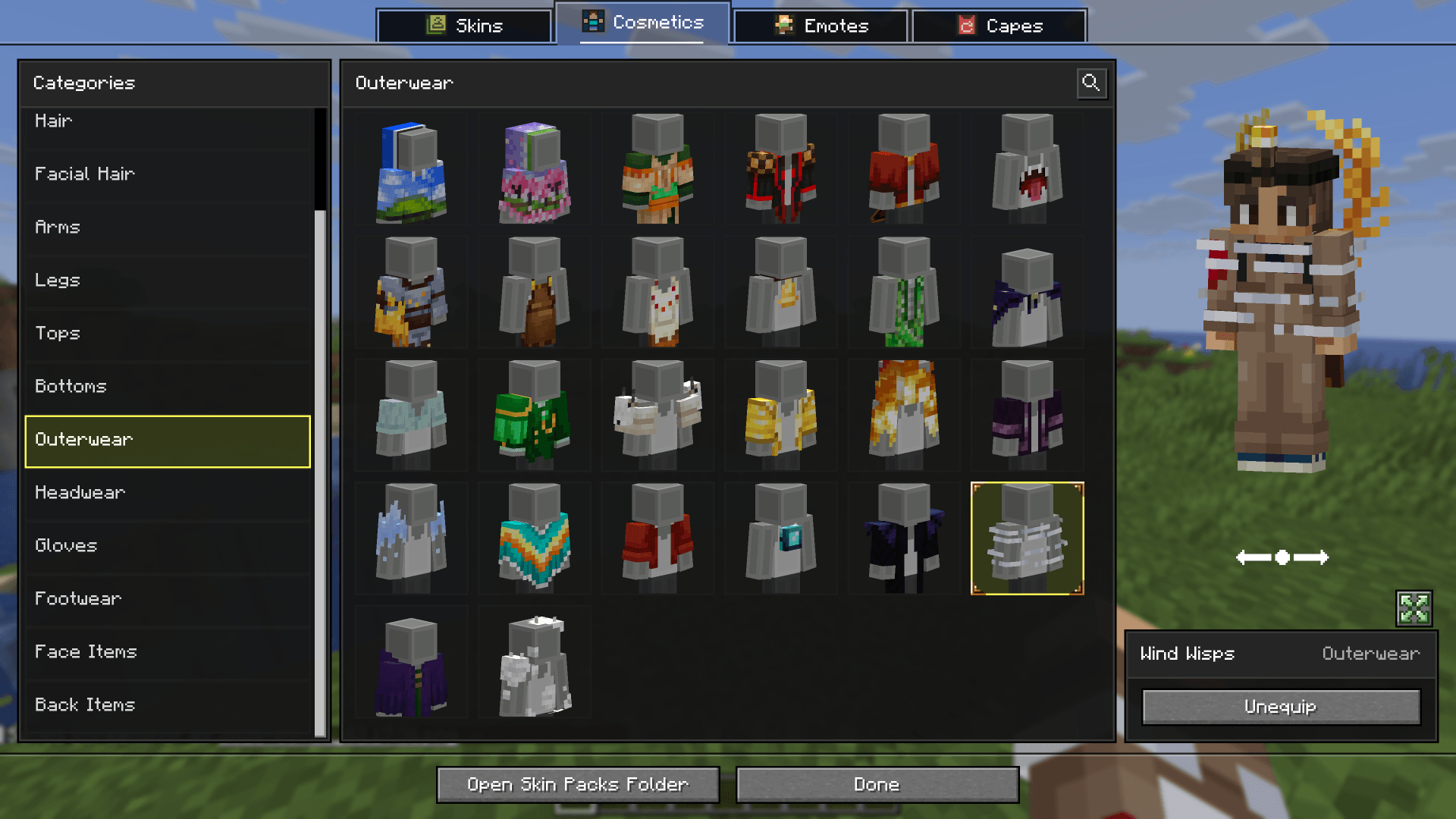
- Wardrobe Screen: Access the wardrobe screen by pressing
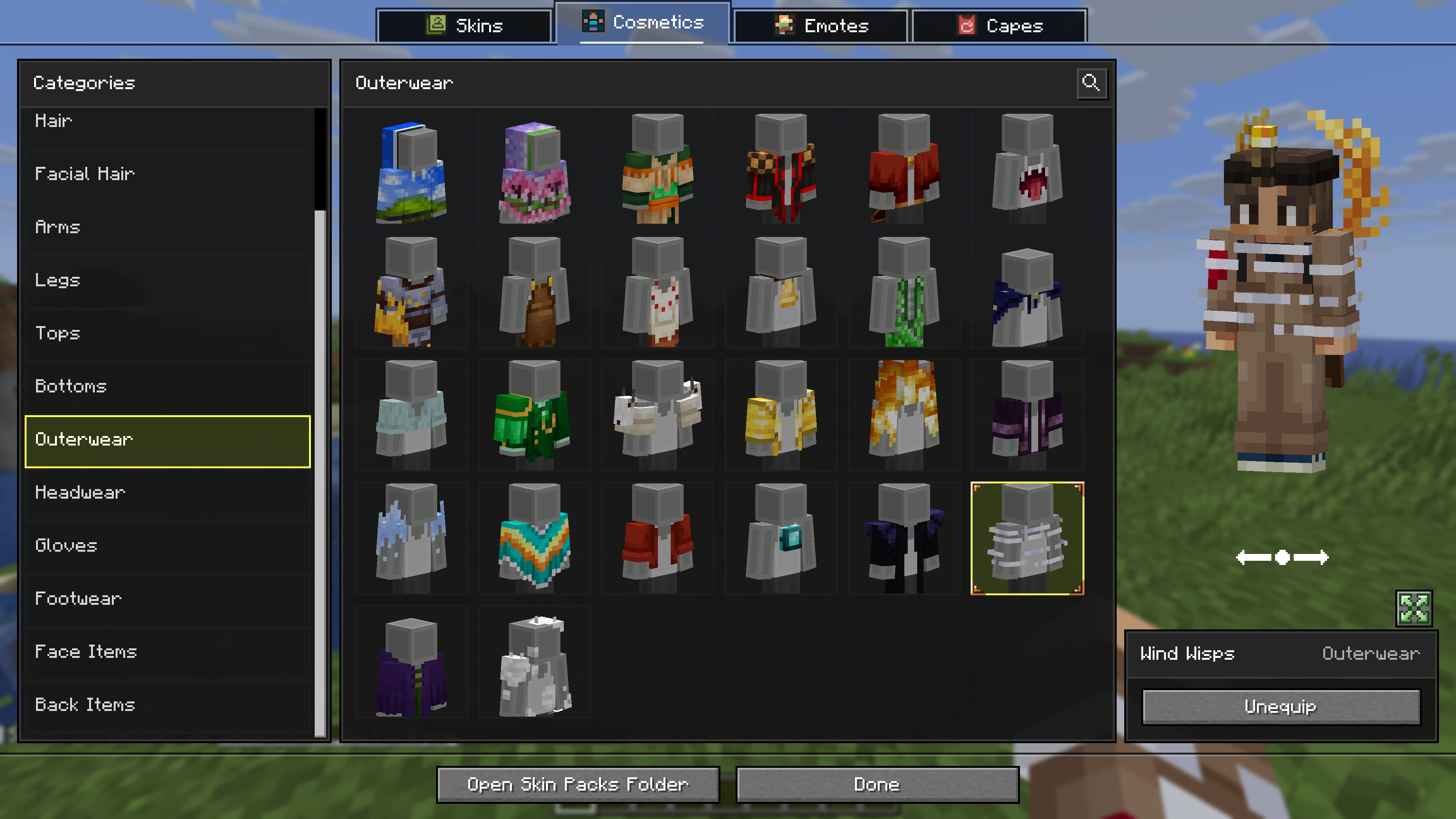
K, or via the buttons added directly to both the Main Menu and the Pause Screen. Browse your installed packs and cosmetics, preview skins, and manage your favorites. - Paper Doll Render: Features a paper doll render of your currently selected skin in the Main Menu and the Pause Screen, right above the change skin button.
- Legacy4J Compatibility: Enjoy native support for the Legacy4J mod.
Downloading Skin Packs
Additional skin packs can be downloaded with the following resource pack.
Adding Skin Packs
- Run the game once to generate the
skin_packsfolder in your main game directory (e.g.,.minecraft/skin_packs). - Place your Bedrock Edition skin pack folders directly into this directory.
- Ensure your pack folder contains a
skins.jsonfile. If your skins utilize custom models, ageometry.jsonfile is also required.Example:
.minecraft/skin_packs/MyCustomPack/skins.json
Adding Cosmetics
- Run the game once to generate the
personafolder in your main game directory (e.g.,.minecraft/persona). - Ensure your cosmetic folder contains a
.meta.jsonfile. - Place your Bedrock Edition cosmetic folders directly into this directory.
Example:
.minecraft/persona/steve_shirt/steve_shirt.meta.json
Screenshots
Gallery
-
 697e53a27f5cd315e1891fa7ef7790bb7e229dc2.png 697e53a27f5cd315e1891fa7ef7790bb7e229dc2.png
 -
 774f0eb51404cd01a9714f11b038dd917e3a896e.jpg 774f0eb51404cd01a9714f11b038dd917e3a896e.jpg
 -
 833ac8a6a1039da6791fcdc237a0ffe17419e9ed.png 833ac8a6a1039da6791fcdc237a0ffe17419e9ed.png
 -
 bbf92a2e549ca43b659595169123884fbd2edfed.png bbf92a2e549ca43b659595169123884fbd2edfed.png
 -
 19cbdca6ae41d79cdf5bce78e489658781b63202.png 19cbdca6ae41d79cdf5bce78e489658781b63202.png
 -
 dc37e992ff66dcc2b499d10d9997cee636729206.jpg dc37e992ff66dcc2b499d10d9997cee636729206.jpg
 -
 f27b1884ee8f8bedf0662271693eb77fcff4da06.png f27b1884ee8f8bedf0662271693eb77fcff4da06.png
 -
 ff249526860883b966826a07d44958161263e4b0.png ff249526860883b966826a07d44958161263e4b0.png
 -
 ffdbdbdcb457b2da5bfe606a91d02901cd3fe763.png ffdbdbdcb457b2da5bfe606a91d02901cd3fe763.png
 -
 19cbdca6ae41d79cdf5bce78e489658781b63202.png 19cbdca6ae41d79cdf5bce78e489658781b63202.png
-
-
Wardrobe
-
Cosmetics
-
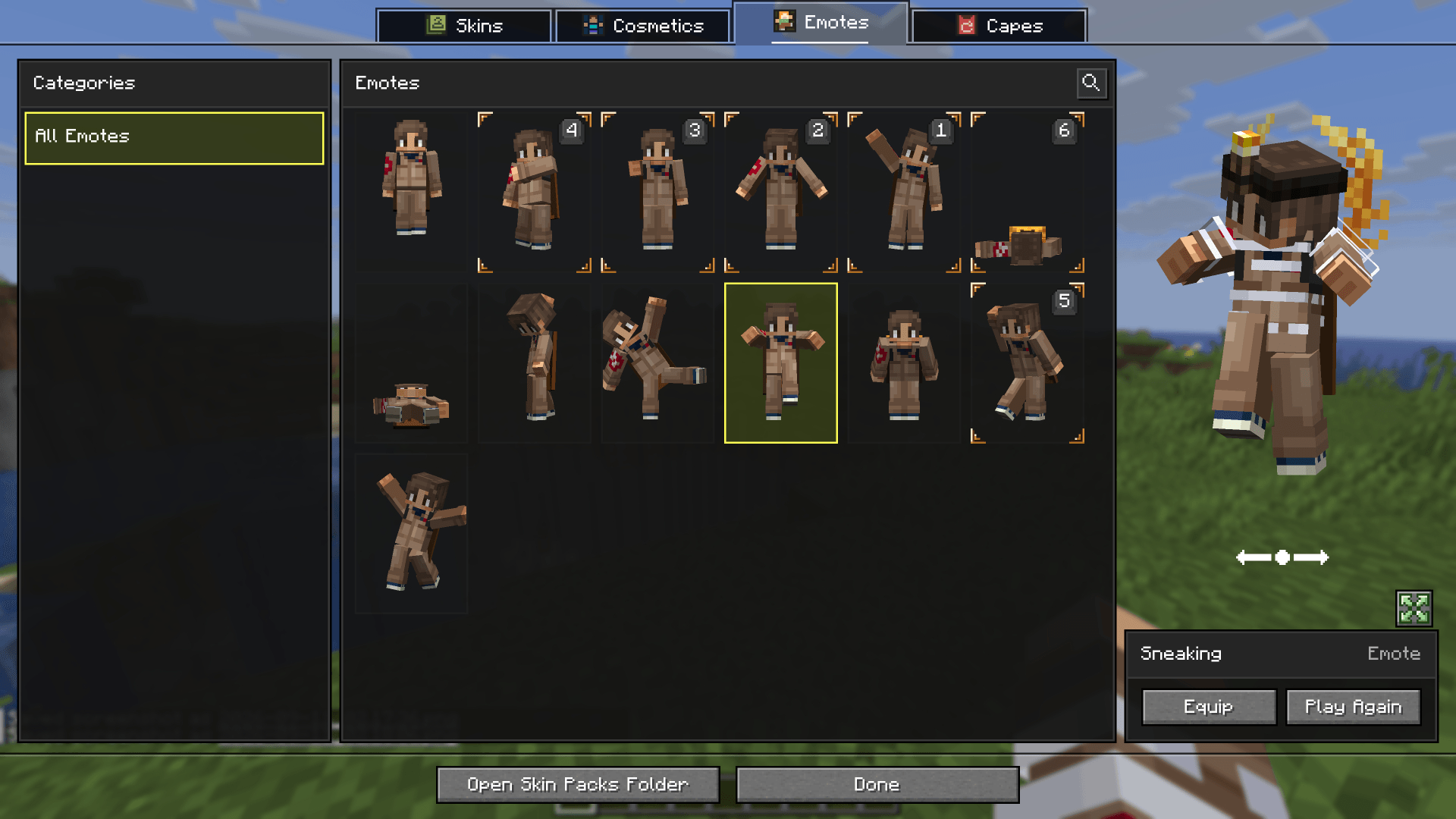
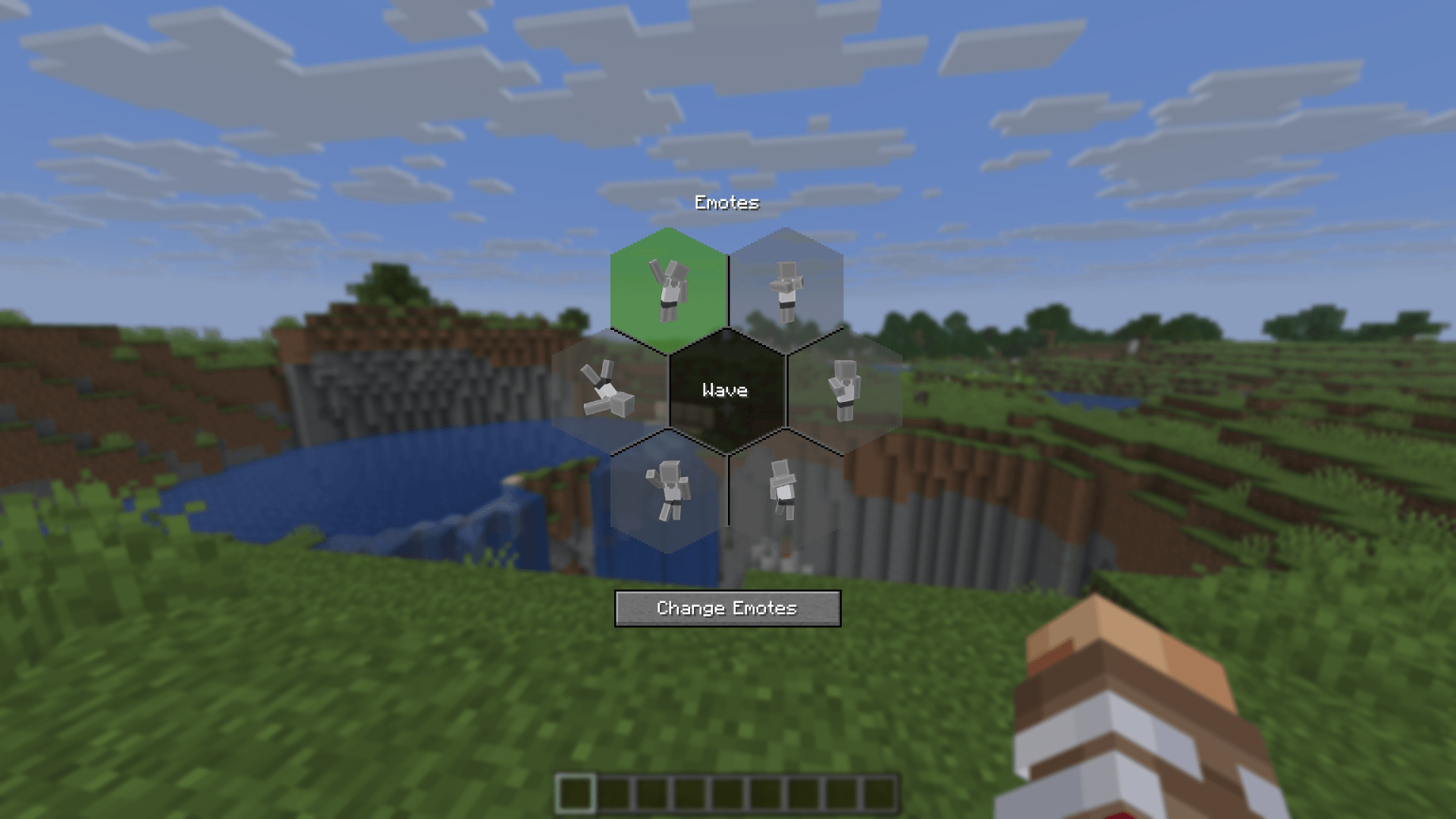
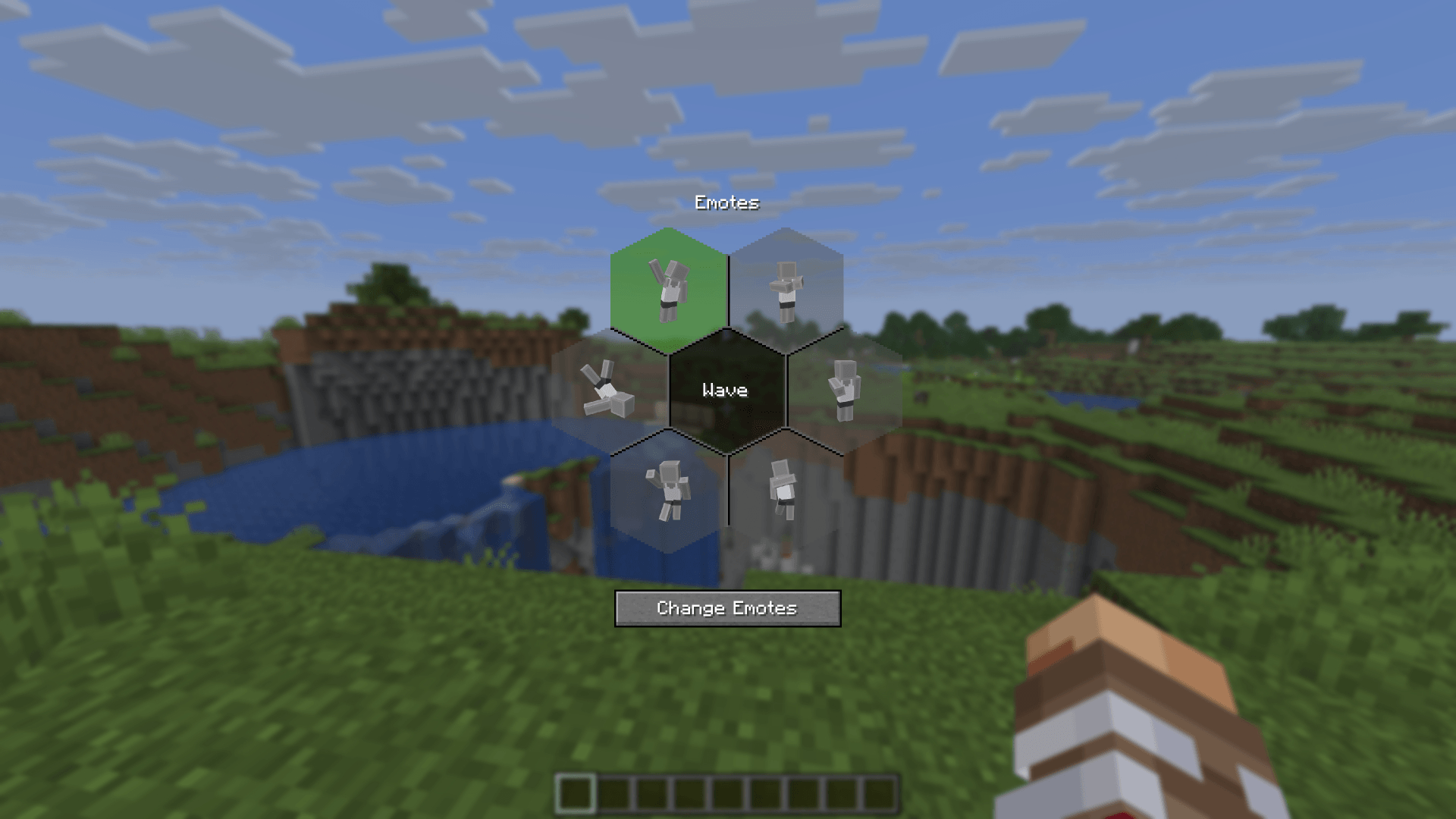
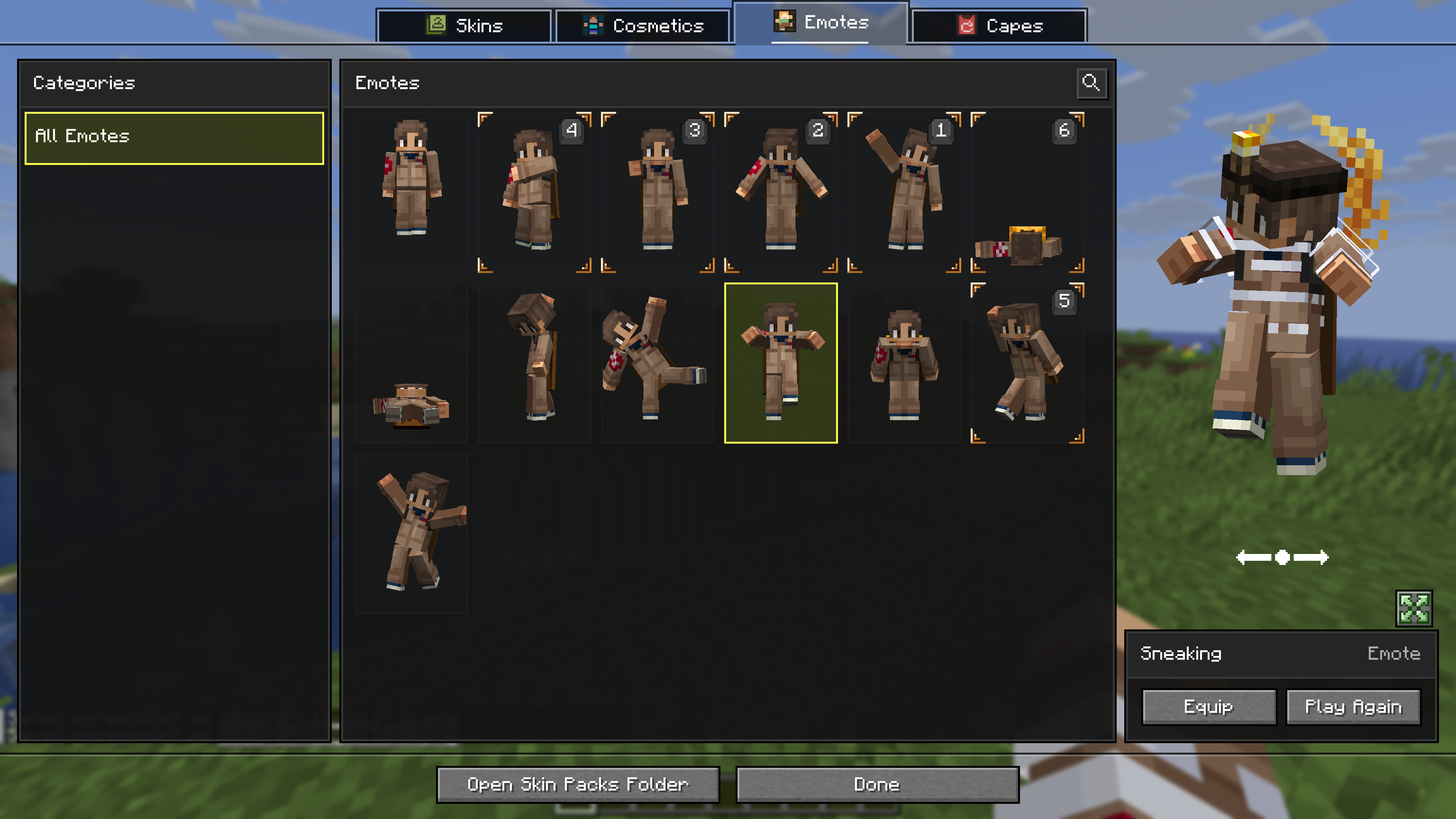 Emotes
 -
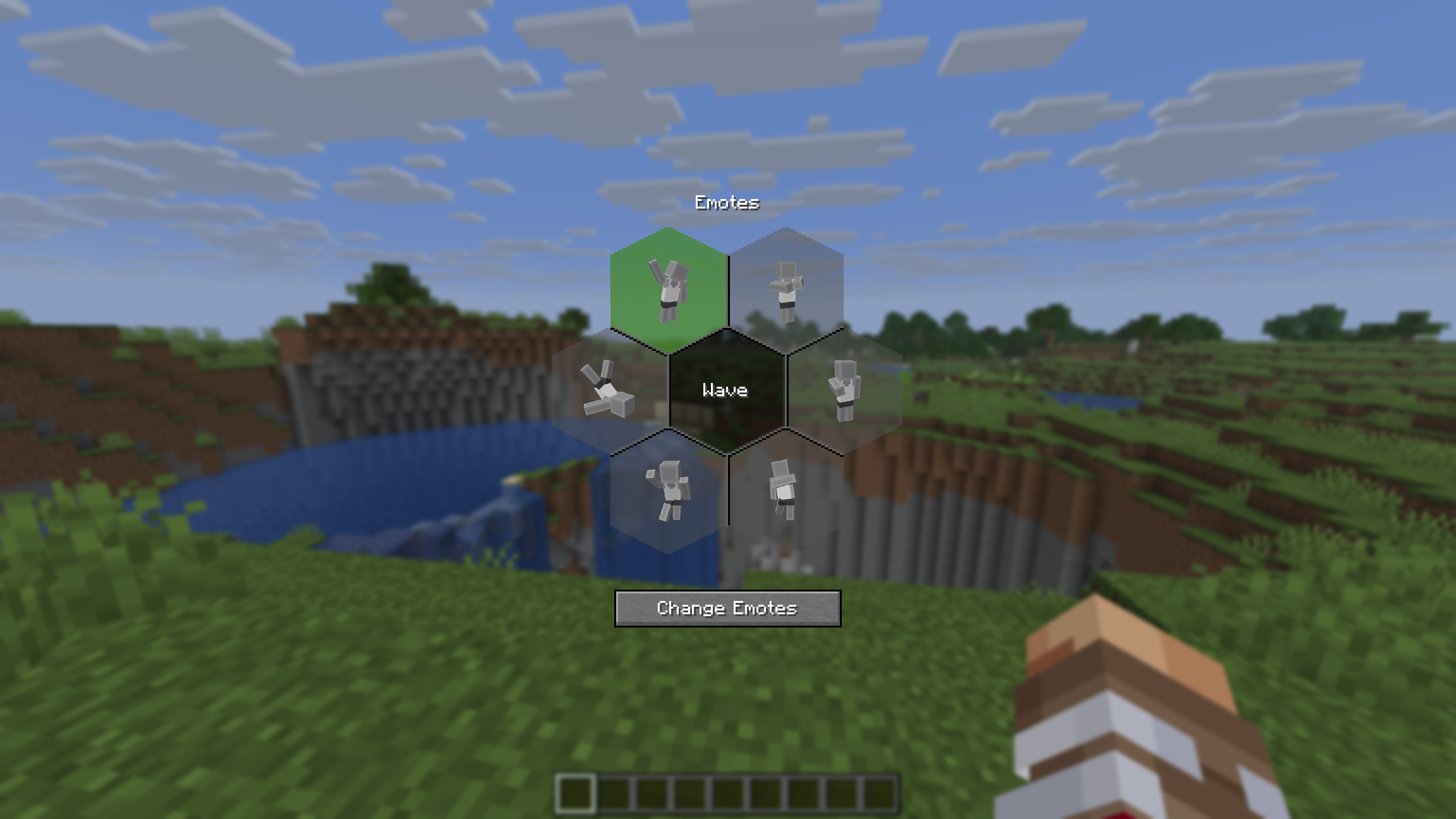 Emote Wheel
 -
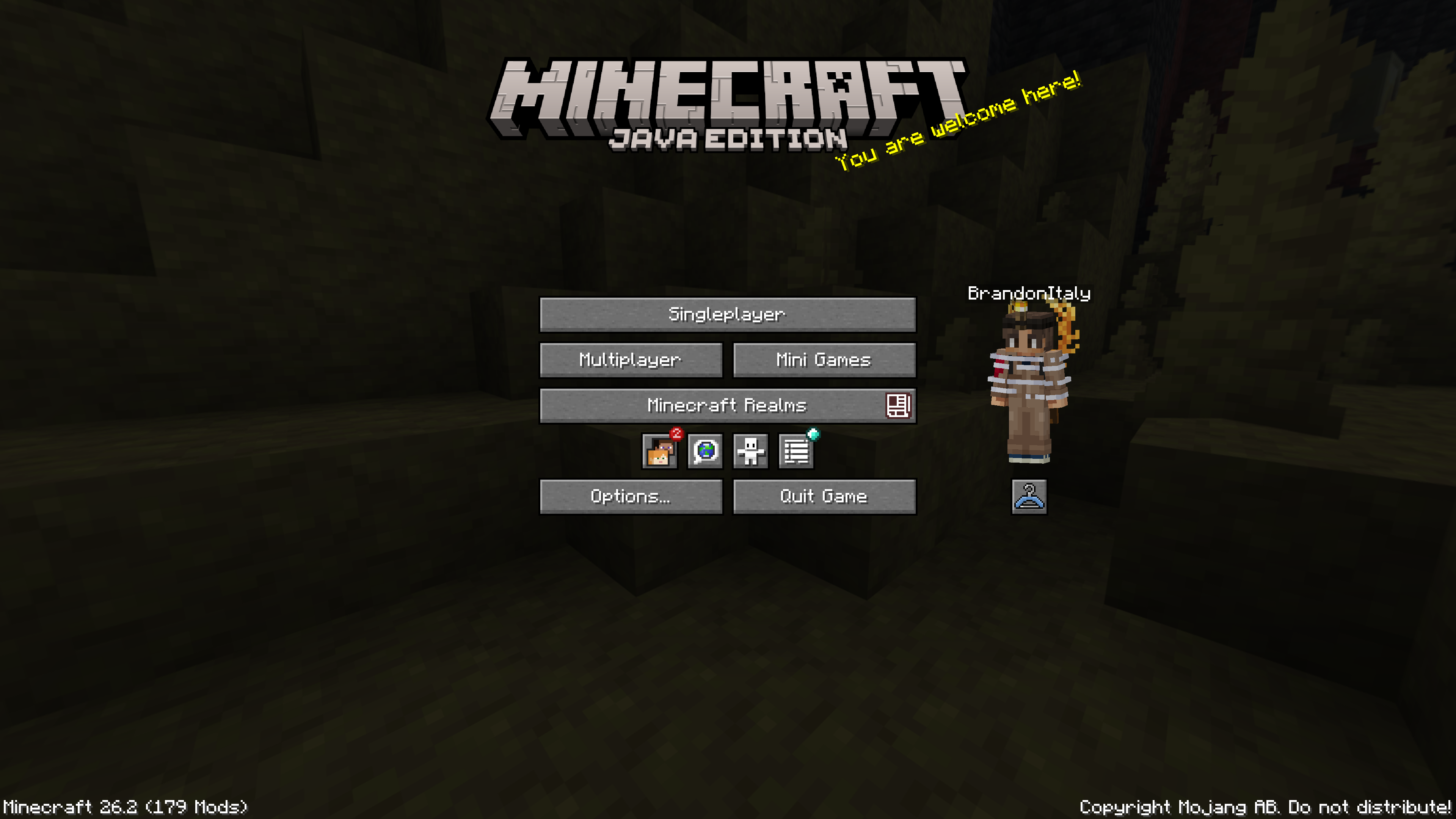 Main Menu
 -
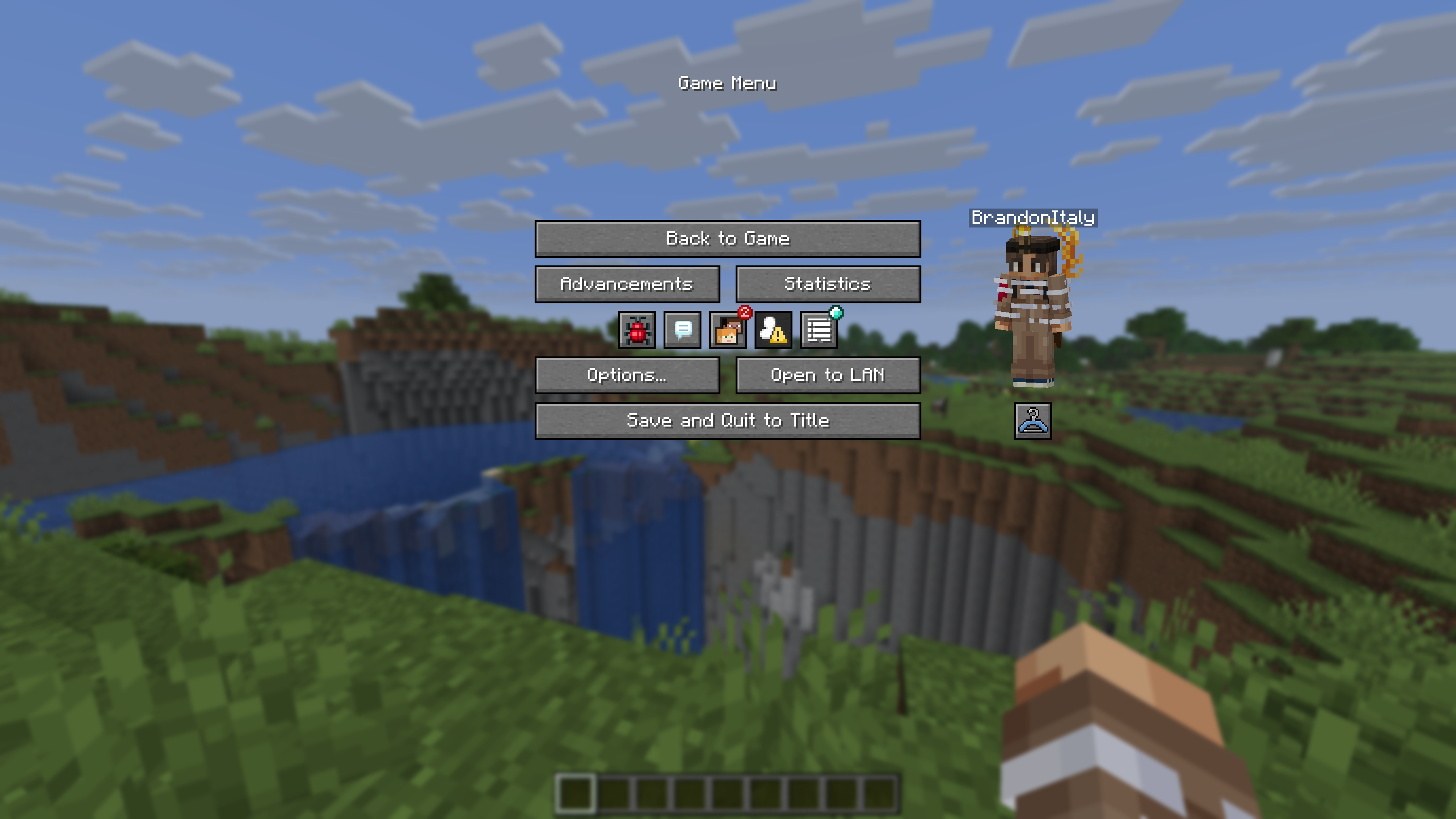 Pause Screen
 -
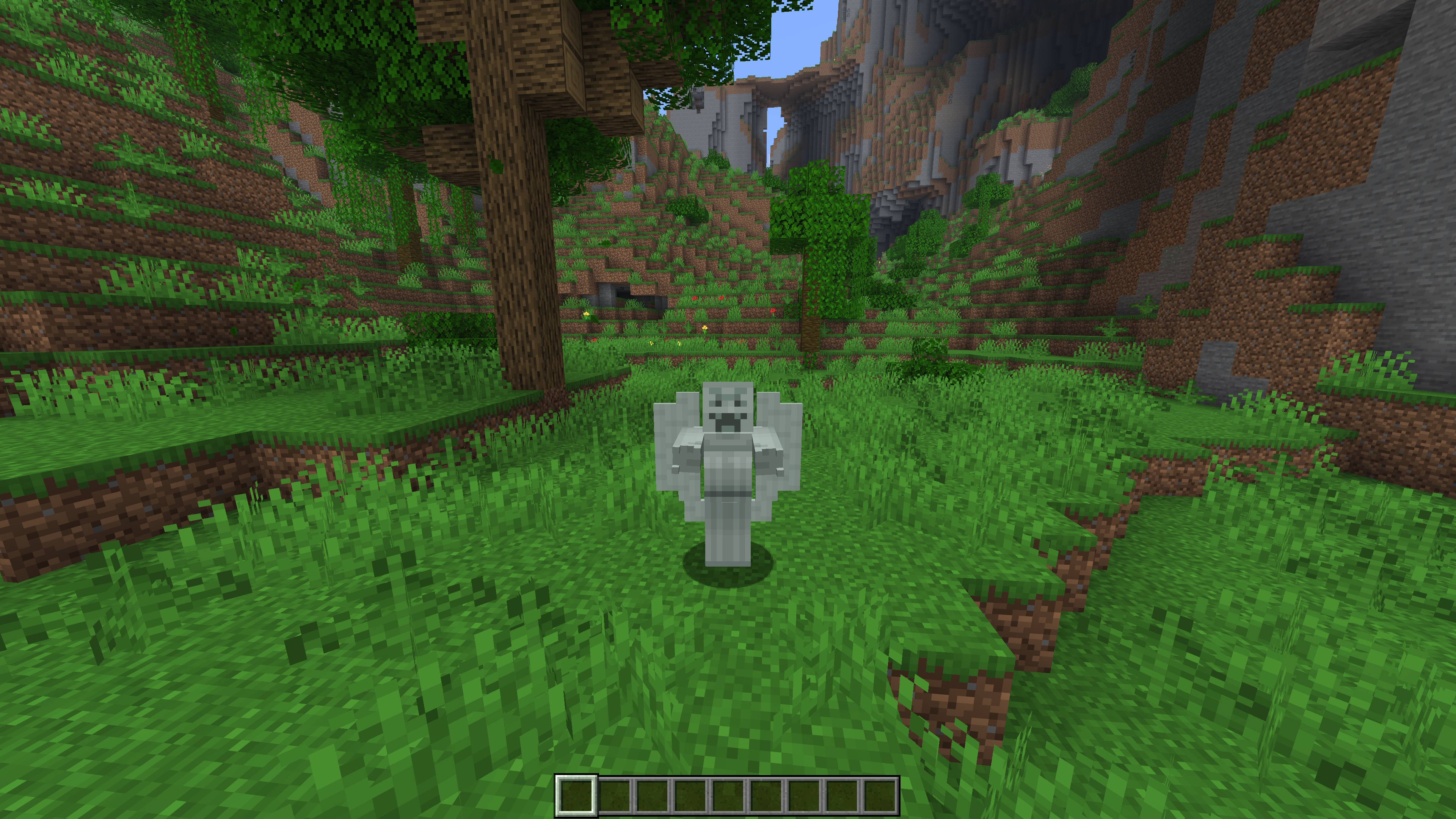 Skin Animations
 -
Legacy4J Change Skin screen
Versions
Files
Relations
Project Relations
More like this
Similar Mods
Suggestions use data such as tags, dependencies, dependents, descriptions, titles, and more to rank how much they overlap with this mod.
On ModDex
Community snapshot
By the numbers
Statistics
Want to reach Minecraft players?
We're looking for a server hosting partner to feature here and other parts of the site. Interested? Send us a message!
Get in touchGet it on
Available Platforms
On ModDex
Community snapshot
By the numbers