

Quick Skin
Rank 507
Rank 349 among mods

Quick rating

Quick Skin

Overall rating distribution
0.5★ (no ratings)
1.0★ (no ratings)
1.5★ (no ratings)
2.0★ (no ratings)
2.5★ (no ratings)
3.0★ (no ratings)
3.5★ (no ratings)
4.0★ (no ratings)
4.5★ (no ratings)
1 rating (100%) · 5.0★
0.5★ 5★
Gameplay
0.0
Aesthetics rating distribution
0.5★ (no reviews)
1.0★ (no reviews)
1.5★ (no reviews)
2.0★ (no reviews)
2.5★ (no reviews)
3.0★ (no reviews)
3.5★ (no reviews)
4.0★ (no reviews)
4.5★ (no reviews)
1 review (100%) · 5.0★
0.5★ 5★
Performance rating distribution
0.5★ (no reviews)
1.0★ (no reviews)
1.5★ (no reviews)
2.0★ (no reviews)
2.5★ (no reviews)
3.0★ (no reviews)
3.5★ (no reviews)
4.0★ (no reviews)
4.5★ (no reviews)
1 review (100%) · 5.0★
0.5★ 5★

A modern skin changer that is fast and intuitive to use. Allowing you to change skins in-game, even for people who are “offline”/“non-premium.”

No Theme
No Genre
Aesthetic Improvements
Cosmetics
QoL & Tweaks
UI & Menu Tool
Mod Loaders
Forge
NeoForge
Fabric
Minecraft

Community voices

Reviews

Versions
Loading versions…
Match includes

Click once to include, again to exclude, again to clear

Rating Any
Any 0.5 1.0 1.5 2.0 2.5 3.0 3.5 4.0 4.5 5.0
Min
Max
Play Status
Reviews
Time Played
hrs+
Verified developers only
Has developer response
List view
Grid view
Compact view
Sort by
Date
Rating
Helpful
Unhelpful
Edited
Sort ascending
Delete this review?

This removes your review from the project. You can write a new review after.

Review submitted for moderation

Your review has been sent to moderators, who will check that it meets our guidelines before it appears publicly.

5.0

Reputation ranks

Explorer 0 pts
Contributor 100 pts
Guide 500 pts
Veteran 1,500 pts
Luminary 4,000 pts

Ranks only ever go up; points can drop but your rank stays.

About reputation ranks
Total 100 hrs MC 1.20, 1.2… MC 1.20, 1.21
The version(s) the reviewer played
Aesthetics
5.0
Performance
5.0

I like making skins so I have mainly been using this mod test them out in game, but I also like having a quick way to change skins in game without changing my actual skin. It's pretty straight forward and easy to use. There's capes too, which is nice and you can even upload your own.

0
0
Posted May 30, 2026 at 12:12:28 AM UTC
Last edited: May 30, 2026 at 12:13:28 AM UTC
5.0

Reputation ranks

Explorer 0 pts
Contributor 100 pts
Guide 500 pts
Veteran 1,500 pts
Luminary 4,000 pts

Ranks only ever go up; points can drop but your rank stays.

About reputation ranks
Total 100 hrs MC 1.20, 1.2… MC 1.20, 1.21
The version(s) the reviewer played
Aesthetics
5.0
Performance
5.0

I like making skins so I have mainly been using this mod test them out in game, but I also like having a quick way to change skins in game without changing my actual skin. It's pretty straight forward and easy to use. There's capes too, which is nice and you can even upload your own.
0
0
Posted May 30, 2026 at 12:12:28 AM UTC
Last edited: May 30, 2026 at 12:13:28 AM UTC
5.0

Reputation ranks

Explorer 0 pts
Contributor 100 pts
Guide 500 pts
Veteran 1,500 pts
Luminary 4,000 pts

Ranks only ever go up; points can drop but your rank stays.

About reputation ranks
Posted May 30, 2026 at 12:12:28 AM UTC
Total 100 hrs MC 1.20, 1.2… MC 1.20, 1.21
The version(s) the reviewer played
0
0

Get it on

Available Platforms

Compatibility

Supported Environments

Dev Environment
Client Optional
Server Optional

About

Project Details

Type
Mod
License
All Rights Reserved
Latest Version
Quick Skin - NeoForge - 1.21.11-2.6.2.5.jar
Authors
CurseForge
Modrinth

For authors

Embed Badge

If you're the author of this project, you can embed a live badge anywhere that supports HTML or Markdown. It updates automatically whenever ratings change.

Custom banner text
ModDex rating badge preview

Use HTML for any page that supports it, or Markdown for README files and Markdown-based descriptions.

Identifiers

Platform IDs

CurseForge ID
Modrinth ID

Resources

External Links

Source Issues Wiki Discord

About

Description

Quick Skin: Your Look, Your Way!

The Problem This Mod Solves

The default Minecraft skin system is rigid. Changing your look requires leaving the game, you're stuck with standard resolutions, and cool customizations like animated capes are impossible. QuickSkin completely overhauls this experience, giving you total control over your appearance directly in-game with powerful features for both single-player and multiplayer.

🎨 Core Features

The Ultimate Skin Management GUI

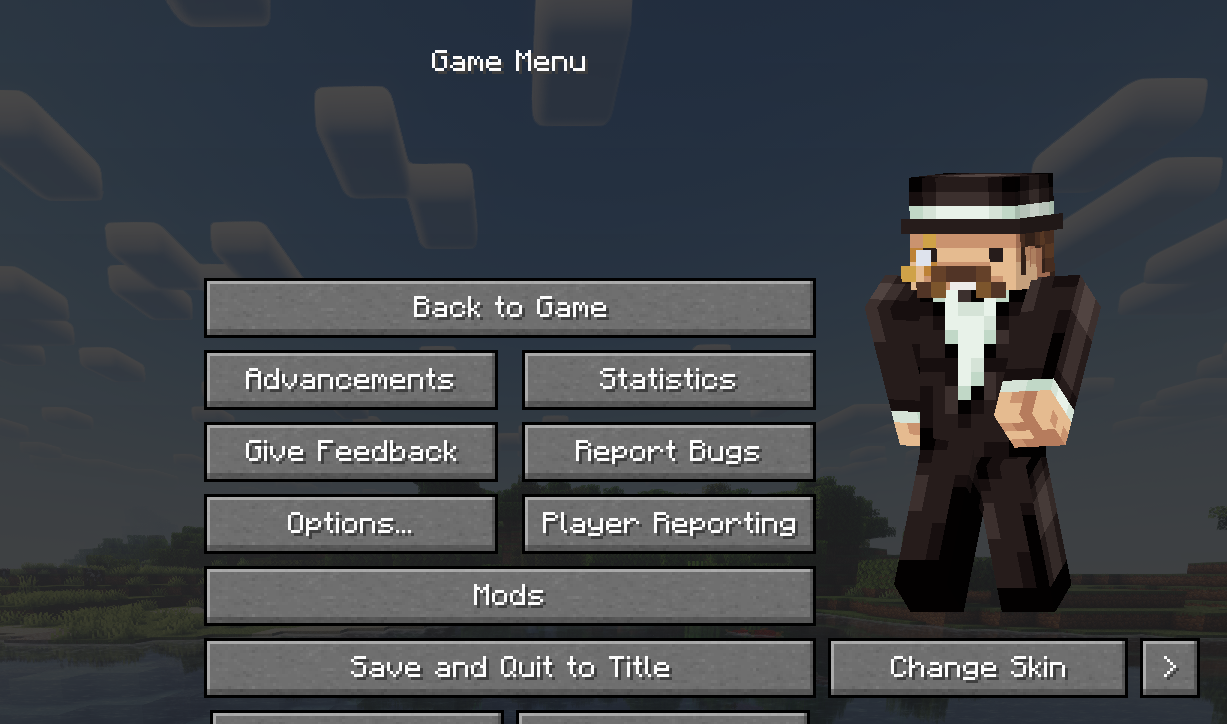
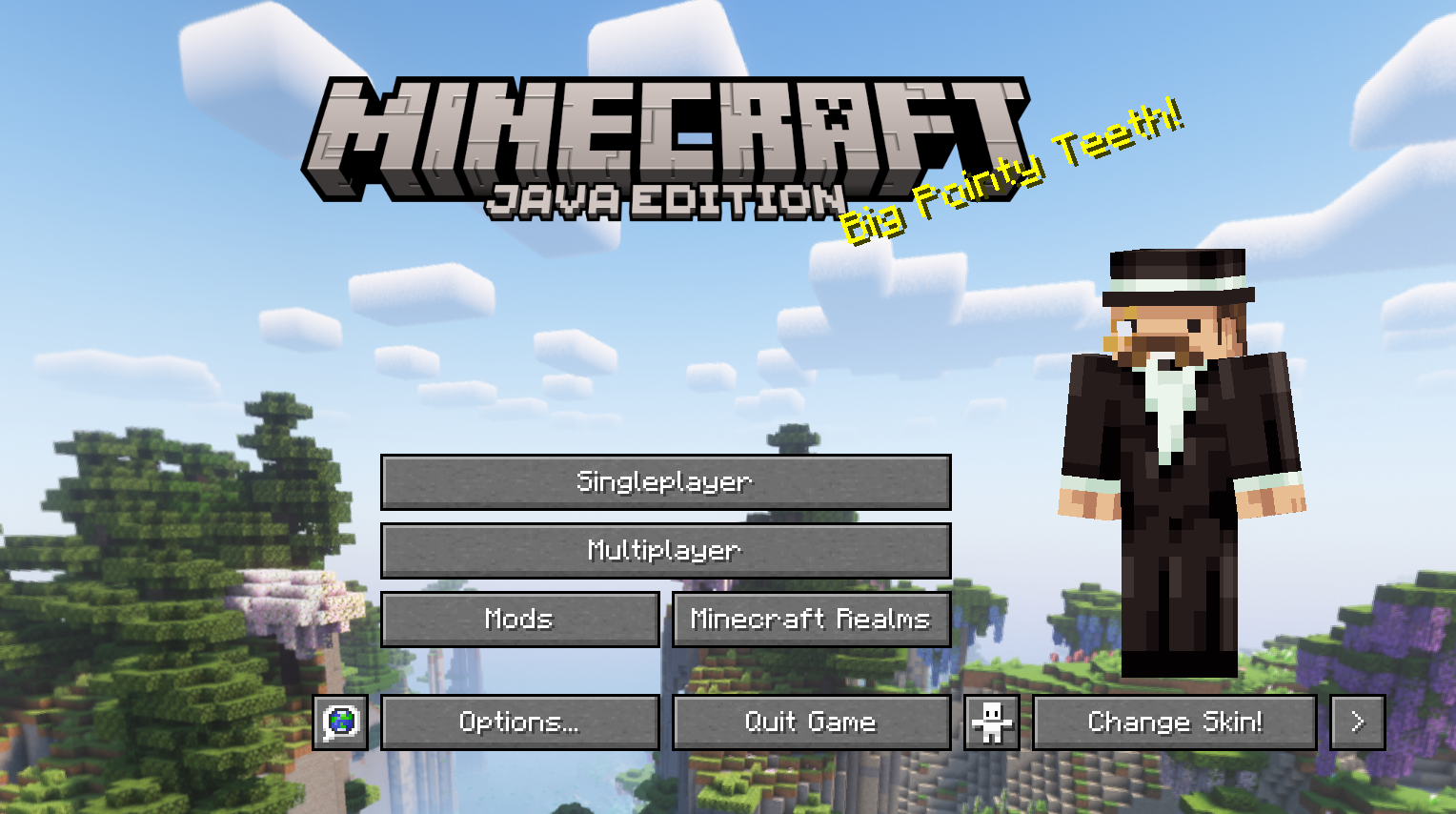
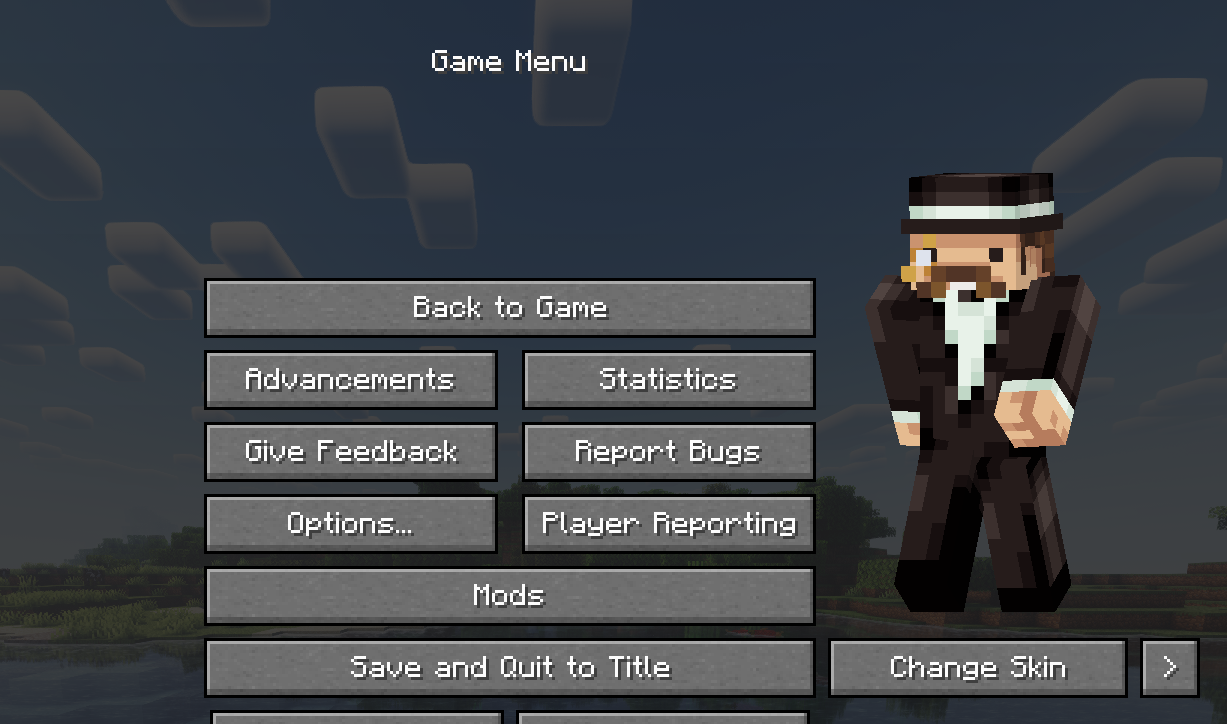
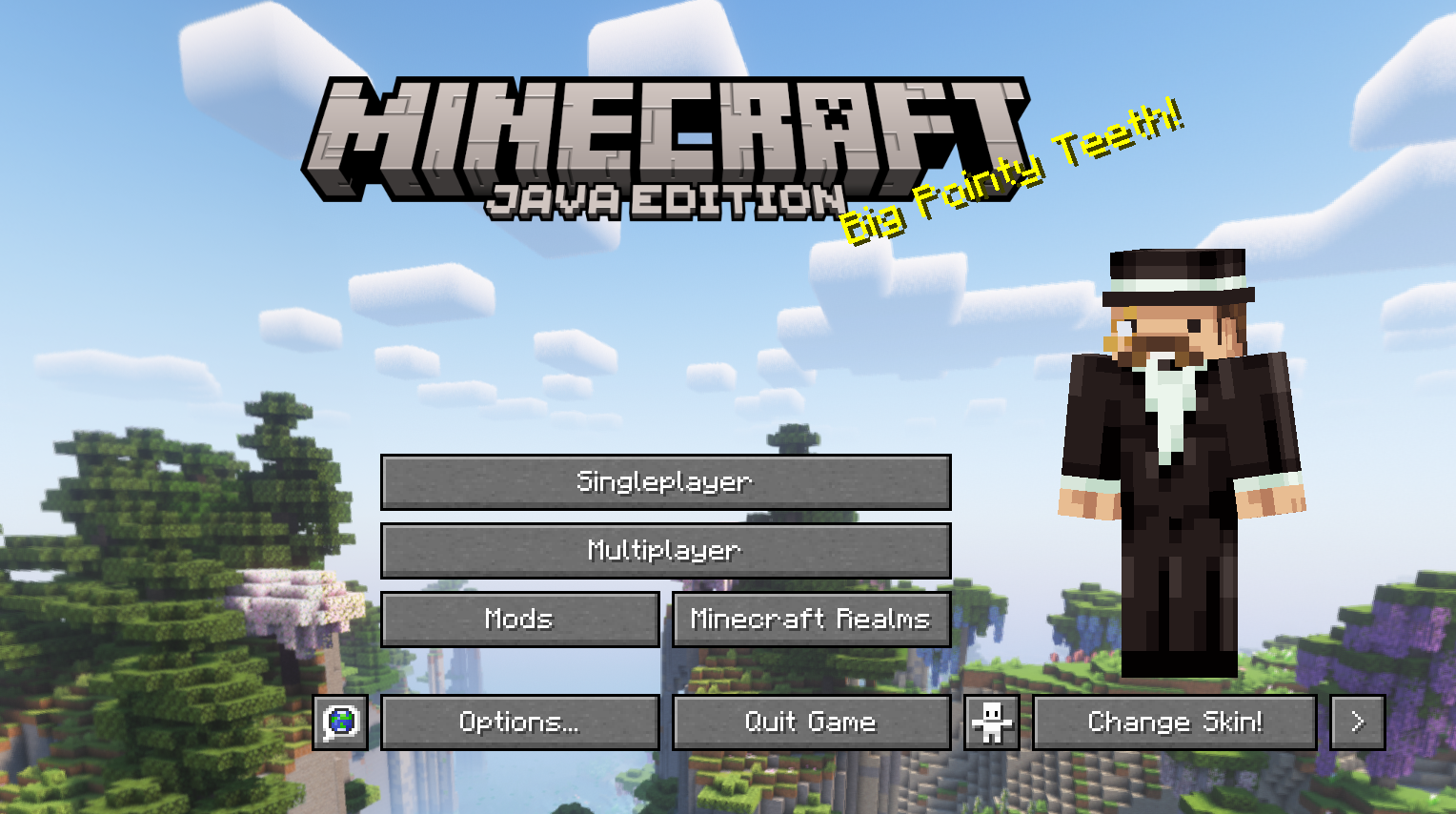
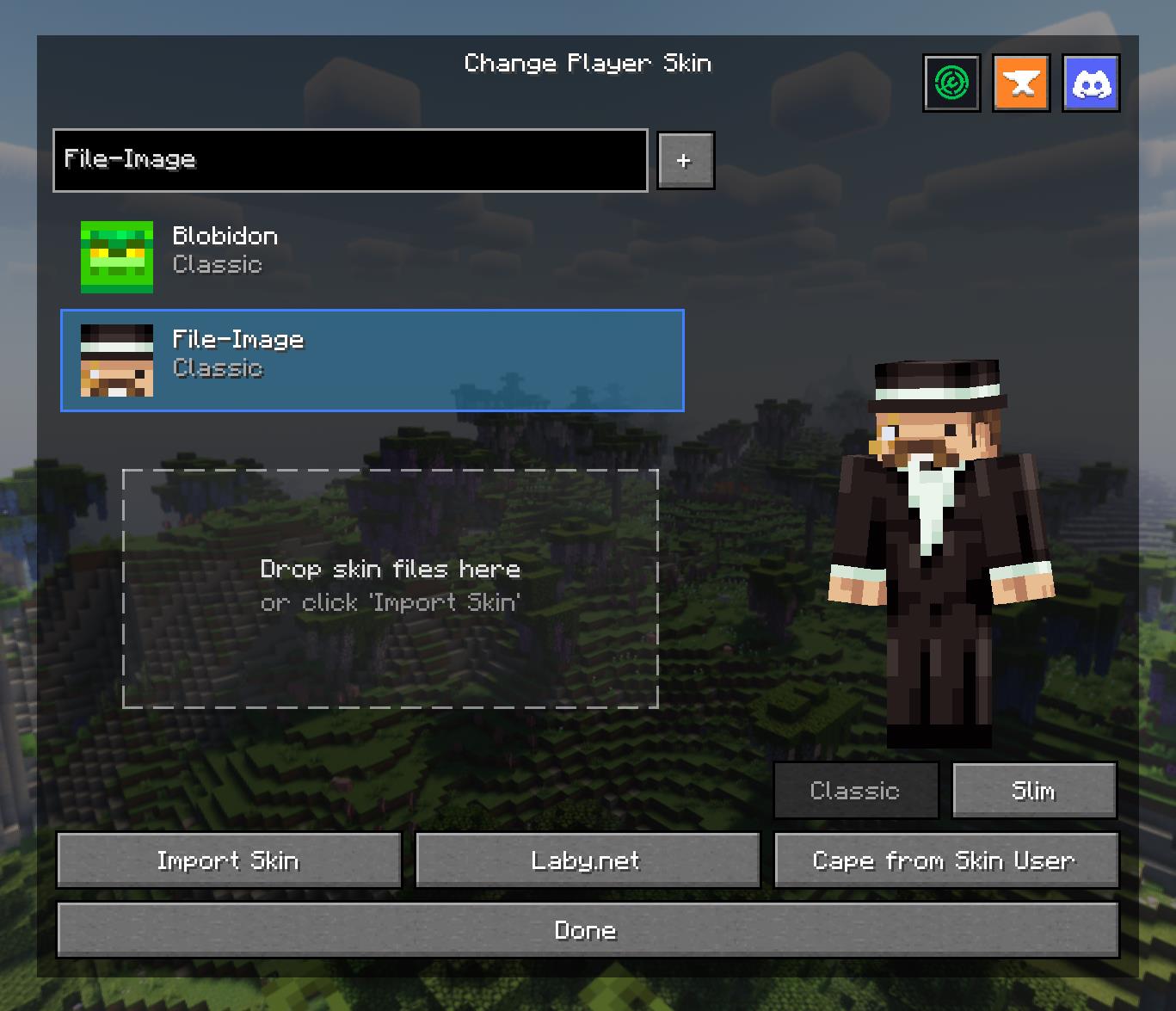
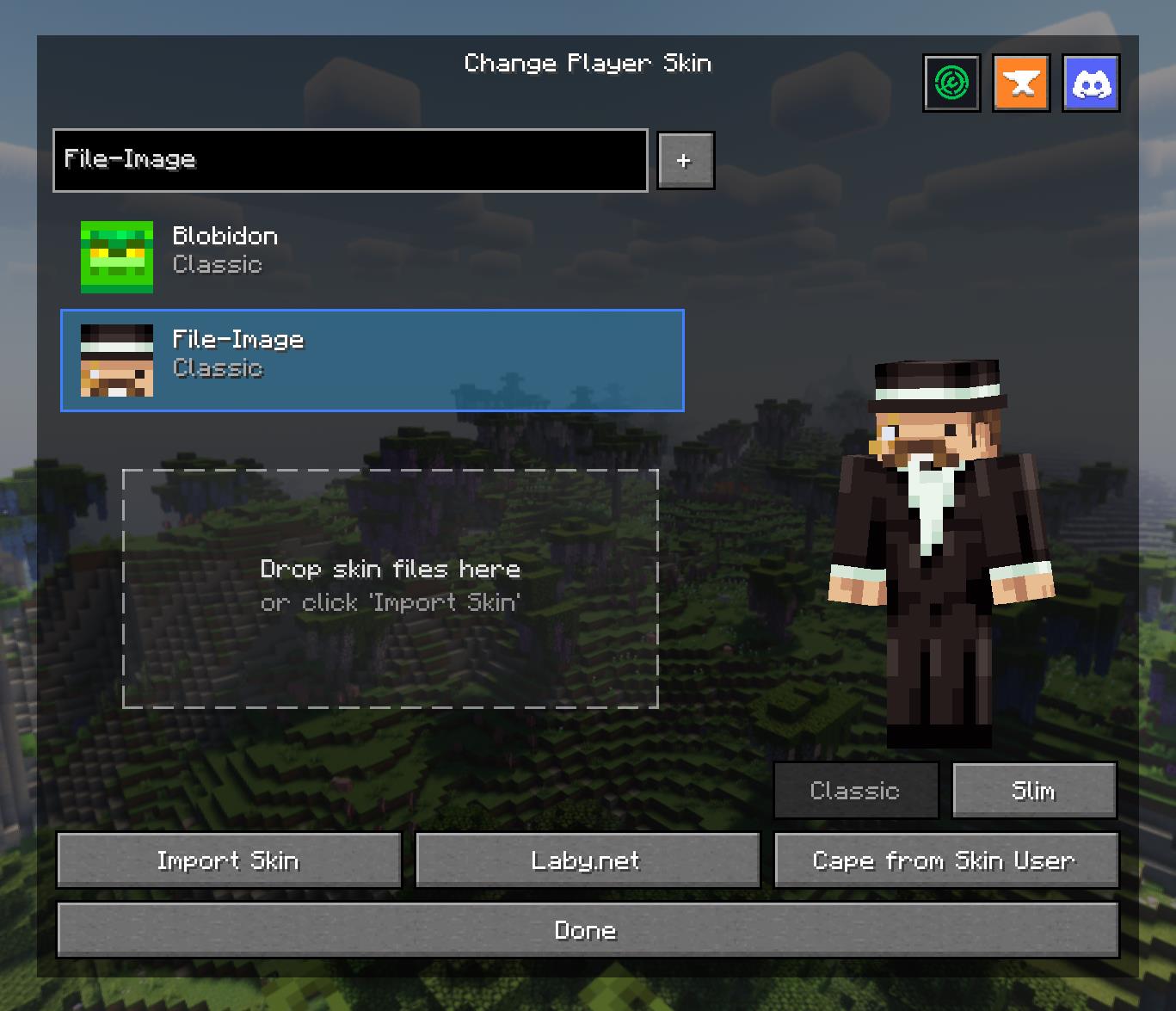
Access a powerful and intuitive menu from the Title or Pause screen to manage your entire look.

  • Skin Library: Save skins from other players by username or import your own local files.
  • Model Swapping: Instantly switch between Classic and Slim player models.
  • Drag & Drop: Simply drag skin files onto the menu to import them into your local library.
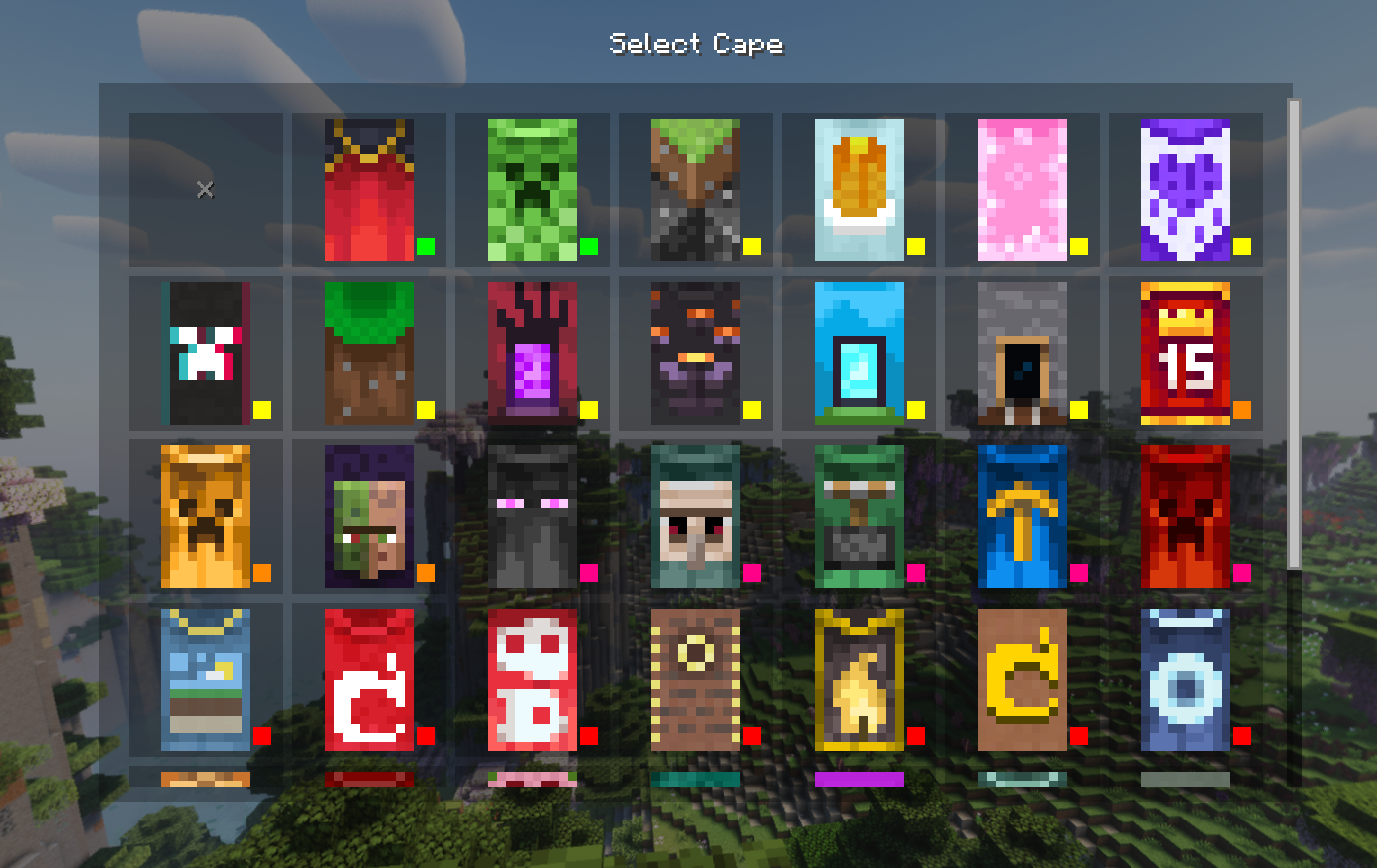
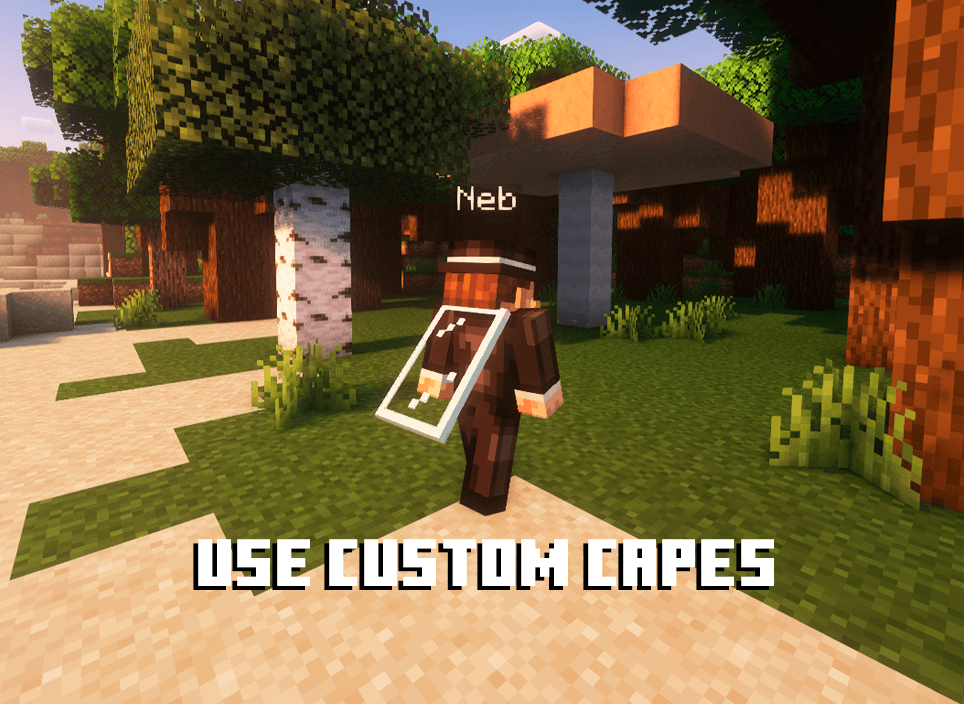
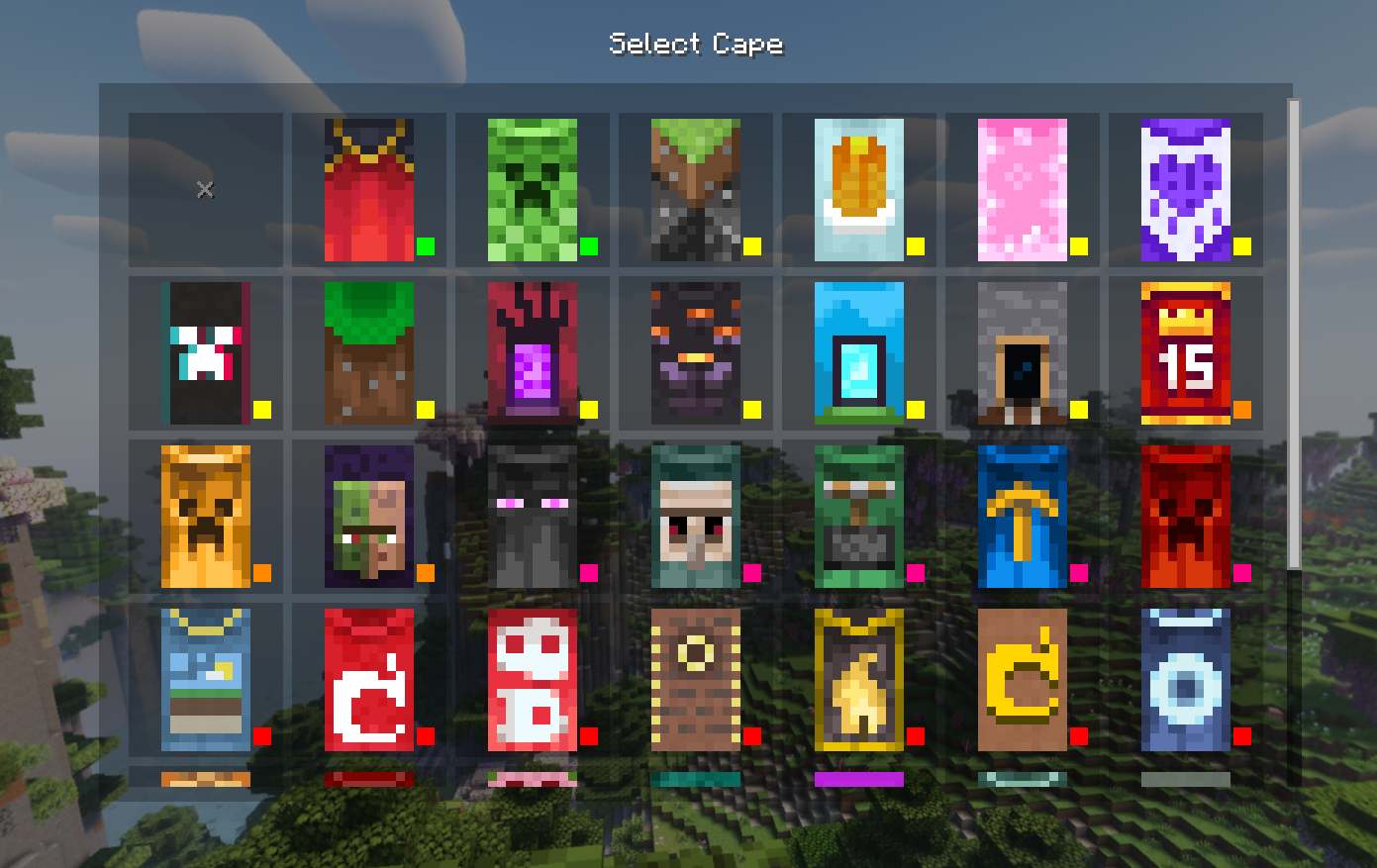
  • Cape Selector: Choose from a library of built-in capes or your own imported animated/static capes.

High-Definition Skin Engine

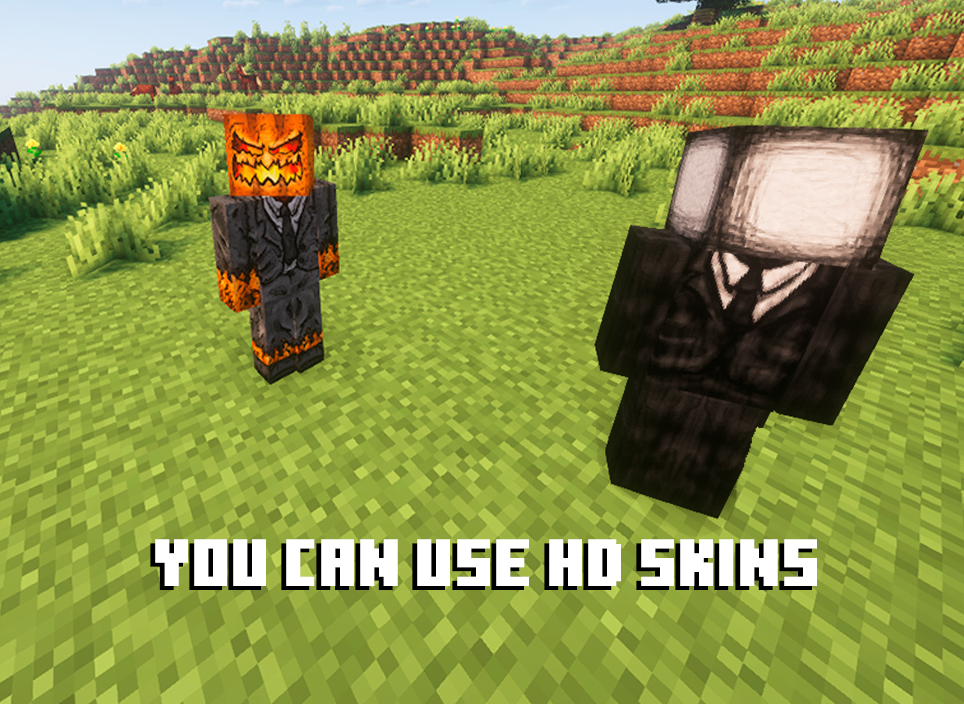
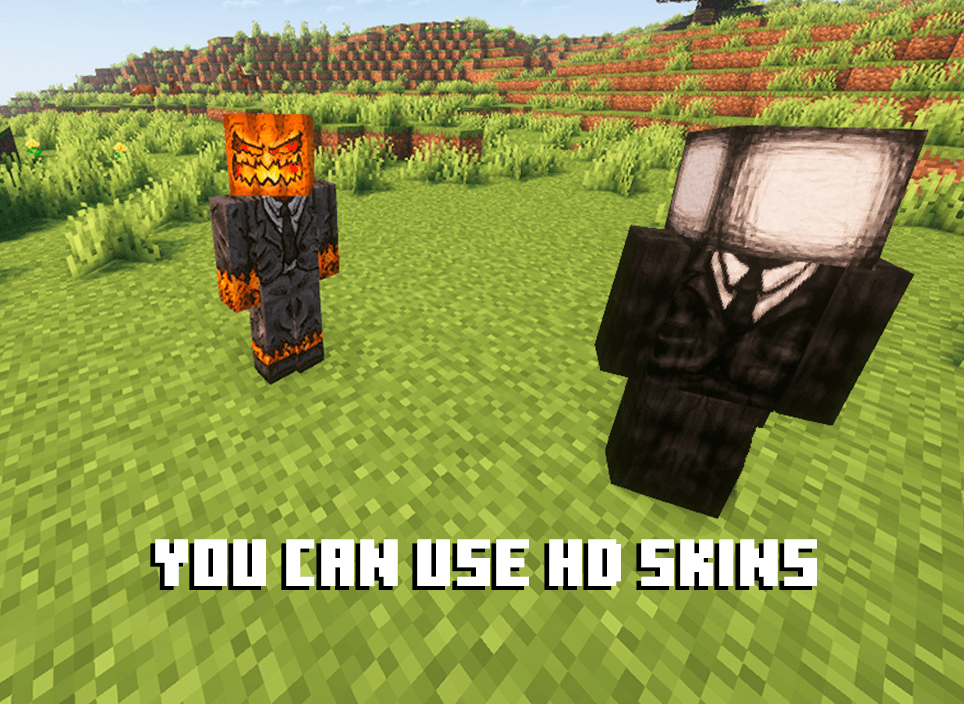
Break free from 64x64 limitations! QuickSkin's HD Texture Processor allows you to use high-resolution skins.

  • Automatic Normalization: The mod intelligently handles different skin formats, converting legacy skins (64x32) to the modern format on import.
  • Performance Scaling: HD skins are automatically downsampled for previews and thumbnails to ensure smooth UI performance, with quality settings available in the config.
  • Full Resolution In-Game: Enjoy your detailed HD skins in all their glory in the world.

Animated Cape Engine

Equip dynamic, eye-catching animated capes using standard GIF files.

  • GIF Processing: The mod automatically processes GIFs into an efficient texture atlas for smooth in-game animation.
  • Performance First: Control the maximum FPS, memory usage, and concurrent animations to keep your game running smoothly.
  • Speed Control: Adjust the playback speed of your animated cape in the Cape Selection menu to get the perfect effect.


🔧 Technical Details

  • Compatibility: Forge 1.20.1.
  • Dependencies:
    • GeckoLib (Optional): Highly recommended for the 3D animated player preview. The mod is fully functional without it, but the preview will be disabled.
  • Multiplayer: Full client-server support. The mod syncs skin changes and automatically transfers local texture files to other clients as needed.
  • Data Storage:
    • Local skins/capes are stored in .minecraft/quickskin/uploads/.
    • A cache for processed textures, profiles, and UV data is stored in .minecraft/quickskin_cache/.

🔮 The Result

QuickSkin transforms character customization from a chore into a core part of your gameplay. It empowers you with a suite of professional-grade tools wrapped in a simple, user-friendly interface. Express yourself with HD skins, stand out with animated capes, and share your unique style seamlessly with friends in any multiplayer world.

If you find any conflicts, please report them!

❤ Discord ➜ https://discord.gg/EeQgres2Fz

Quick Skin - Banner

The default Minecraft skin system is rigid. Changing your look requires leaving the game, you're stuck with standard resolutions, and cool customizations like animated capes are impossible. QuickSkin completely overhauls this experience, giving you total control over your appearance directly in-game with powerful features for both single-player and multiplayer.


Quick Skin - Title - Core Features

The Ultimate Skin Management GUI

Access a powerful and intuitive menu from the Title or Pause screen to manage your entire look.

  • Skin Library: Save skins from other players by username or import your own local files.
  • Model Swapping: Instantly switch between Classic and Slim player models.
  • Drag & Drop: Simply drag skin files onto the menu to import them into your local library.
  • Cape Selector: Choose from a library of built-in capes or your own imported animated/static capes.

High-Definition Skin Engine

Break free from 64x64 limitations! QuickSkin's HD Texture Processor allows you to use high-resolution skins.

  • Automatic Normalization: The mod intelligently handles different skin formats, converting legacy skins (64x32) to the modern format on import.
  • Performance Scaling: HD skins are automatically downsampled for previews and thumbnails to ensure smooth UI performance, with quality settings available in the config.
  • Full Resolution In-Game: Enjoy your detailed HD skins in all their glory in the world.

Animated Cape Engine

Equip dynamic, eye-catching animated capes using standard GIF files.

  • GIF Processing: The mod automatically processes GIFs into an efficient texture atlas for smooth in-game animation.
  • Performance First: Control the maximum FPS, memory usage, and concurrent animations to keep your game running smoothly.
  • Speed Control: Adjust the playback speed of your animated cape in the Cape Selection menu to get the perfect effect.

If you find any conflicts, please report them!

❤ Discord ➜ https://discord.gg/EeQgres2Fz

Screenshots

Gallery

  • HDSkins.png
    HDSkins.png HDSkins.png
  • Capes_Transparency.png
    Capes_Transparency.png Capes_Transparency.png
  • Skins_Transparency.png
    Skins_Transparency.png Skins_Transparency.png
  • Title Screen
    Title Screen
  • In Game Menu
    In Game Menu
  • Cape Menu Selector
    Cape Menu Selector
  • Skin Menu Selector
    Skin Menu Selector
  • Skin selector
    Skin selector
  • Cape Selector
    Cape Selector
  • In Game Menu
    In Game Menu
  • Start
    Start
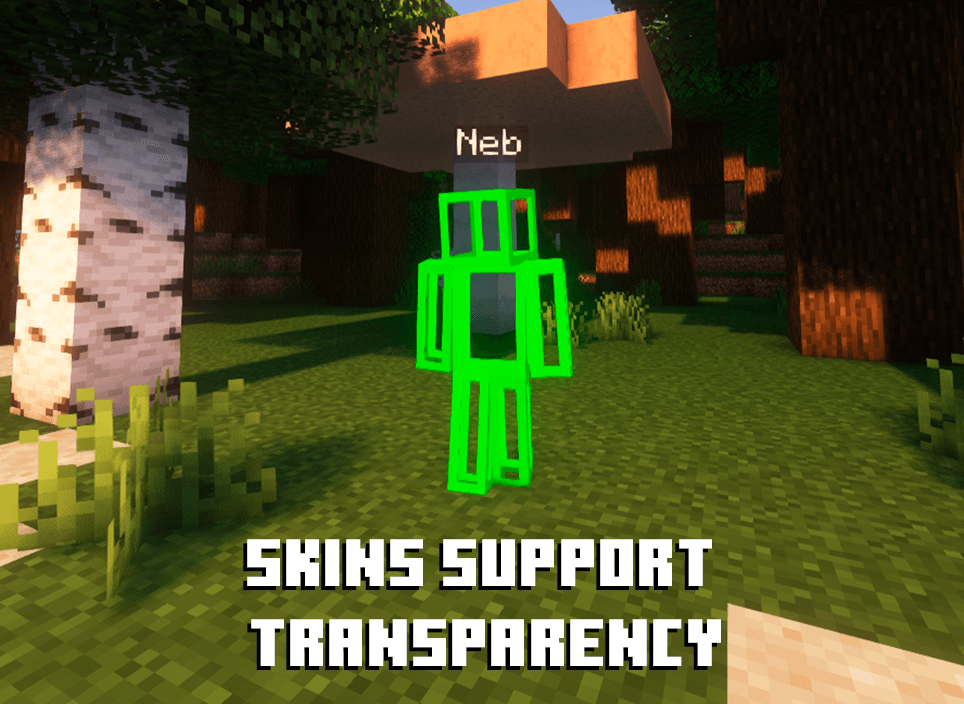
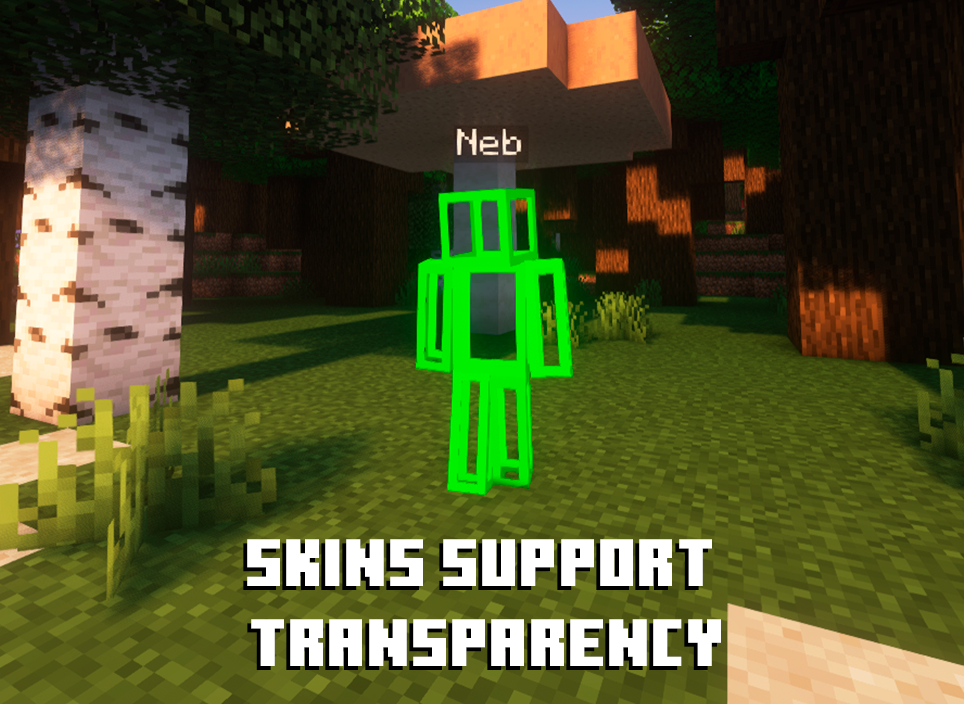
  • Skin with transparency
    Skin with transparency
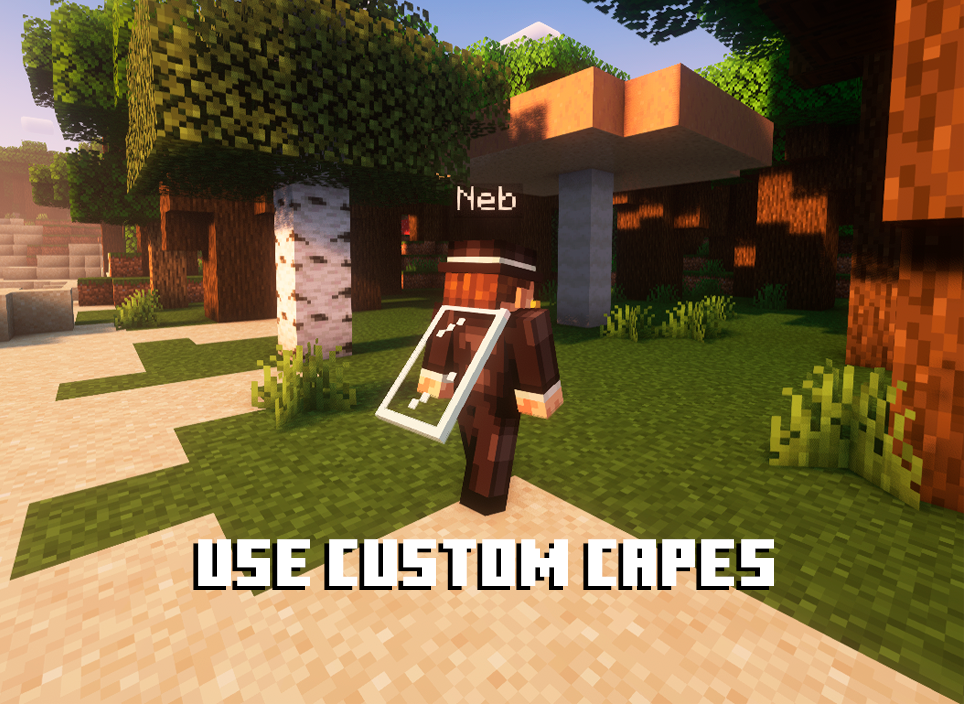
  • Custom capes with transparency
    Custom capes with transparency
  • HD Skins Preview
    HD Skins Preview

Versions

Files

Relations

Project Relations

More like this

Similar Mods

Suggestions use data such as tags, dependencies, dependents, descriptions, titles, and more to rank how much they overlap with this mod.

On ModDex

Community snapshot

1
Ratings
0
Followers
1
In stacks

By the numbers

Statistics

~750,000
Total Downloads
CurseForge
~450,000
Modrinth
~290,000
Last Updated
CurseForge
Created
CurseForge
Modrinth
Last synced
When ModDex last fetched this project from CurseForge or Modrinth. Every project is re-checked on a schedule, and any project that ships a new file is synced automatically within hours of the release.
New file updates sync automatically
How syncing works