Community listing page, reviews here may not be monitored by the author.
AdvancedXP

No reviews yet
Minecraft Mod to customize your Experience Orb colors & traits.
Community voices
Reviews
No reviews yet. Be the first to review this project!
Get it on
Available Platforms
About
Project Details
For authors
Embed Badge
If you're the author of this project, you can embed a live badge anywhere that supports HTML or Markdown. It updates automatically whenever ratings change.
Use HTML for any page that supports it, or Markdown for README files and Markdown-based descriptions.
Identifiers
Platform IDs
About
Description
AdvancedXP
Minecraft Mod to customize your Experience Orb colors & traits.
Check out my main Hypixel thread for more in-depth guides and information: https://hypixel.net/threads/1357581/
Setup
- Move the .jar into your "mods" folder in .minecraft (after installing Forge)
- Start the game & then close it
- Move/create any themes you want in .minecraft/config/advancedxp/themes/ in json format (default.json will be there as an example. Modifications to this file will not be saved).
- Start the game back up
- Type /axp or /advancedxp while on a server or single player world to cycle through your themes. You may edit individual theme files while the game is running, and you do not need to restart when you are done. You must restart to load or delete themes, though!
Pre-written Themes
If you're not in the mood to create a theme yourself, or just don't understand how it works, that's okay.
I've created a bunch of sample themes you can download and choose from. Head to the themes folder on the GitHub and copy the themes you like into the config/advancedxp/themes folder. On the other hand, if you are interested in creating your own theme, continue reading!
Theme Documentation
All you have to do to create a theme is create a json file in your themes folder, then copy and edit the json for your theme. There's multiple settings you may customize within your theme json files, all of which can be seen in the default.json example (I recommend copying that file to your theme, then editing the values, as opposed to writing from scratch):
General
- name (S): Display name on the Theme button in /axp. This must be unique. (Default: Default)
- enabled (B): Whether or not this theme is currently enabled. Only one theme may be set to true at any given moment. (Default: false)
- translateX (D): How far away from the entity in the x direction the entity should be rendered. (Default: 0.0)
- translateY (D): How far away from the entity in the y direction the entity should be rendered. (Default: 0.1)
- translateZ (D): How far away from the entity in the z direction the entity should be rendered. (Default: 0.0)
- globalColor (B): Whether or not the color of XP orbs should be synced, or instead based off of their lifetime. (Default: false)
- scale (D): How large the entity should be rendered in relation to its texture. (Default: 0.3)
Colors
- redStatic (B): Whether or not the red channel should remain constant as opposed to change over time. (Default: false)
- redStaticValue (I): If the red channel is set to be static, how intense should the red be? (0 - 255) (Default: 255)
- redSquareWave (B): Whether or not the change in color over time should be more jagged rather than smooth. (Default: false)
- redWaveOffset (D): How much of an offset should there be between the other channels (0 is equivalent to 6, 12, etc.). (Default: 0.0)
- redSpeed (D): How fast the channel color should change. (Default: 0.5)
- redMultiplier (D): How intense the red channel should be. (0.0 - 1.0) (Default: 1.0)
- greenStatic (B): Whether or not the green channel should change over time or remain constant. (Default: true)
- greenStaticValue (I): If the green channel is set to be static, how intense should the green be? (0 - 255) (Default: 255)
- greenSquareWave (B): Whether or not the change in color over time should be more jagged rather than smooth. (Default: false)
- greenWaveOffset (D): How much of an offset should there be between the other channels (0 is equivalent to 6, 12, etc.). (Default: 2.0)
- greenSpeed (D): How fast the channel color should change. (Default: 0.5)
- greenMultiplier (D): How intense the green channel should be. (0.0 - 1.0) (Default: 1.0)
- blueStatic (B): Whether or not the blue channel should change over time or remain constant. (Default: false)
- blueStaticValue (I): If the blue channel is set to be static, how intense should the blue be? (0 - 255) (Default: 255)
- blueSquareWave (B): Whether or not the change in color over time should be more jagged rather than smooth. (Default: false)
- blueWaveOffset (D): How much of an offset should there be between the other channels (0 is equivalent to 6, 12, etc.). (Default: 4.0)
- blueSpeed (D): How fast the channel color should change. (Default: 0.5)
- blueMultiplier (D): How intense the blue channel should be. (0.0 - 1.0) (Default: 0.2)
Screenshots
Gallery
-
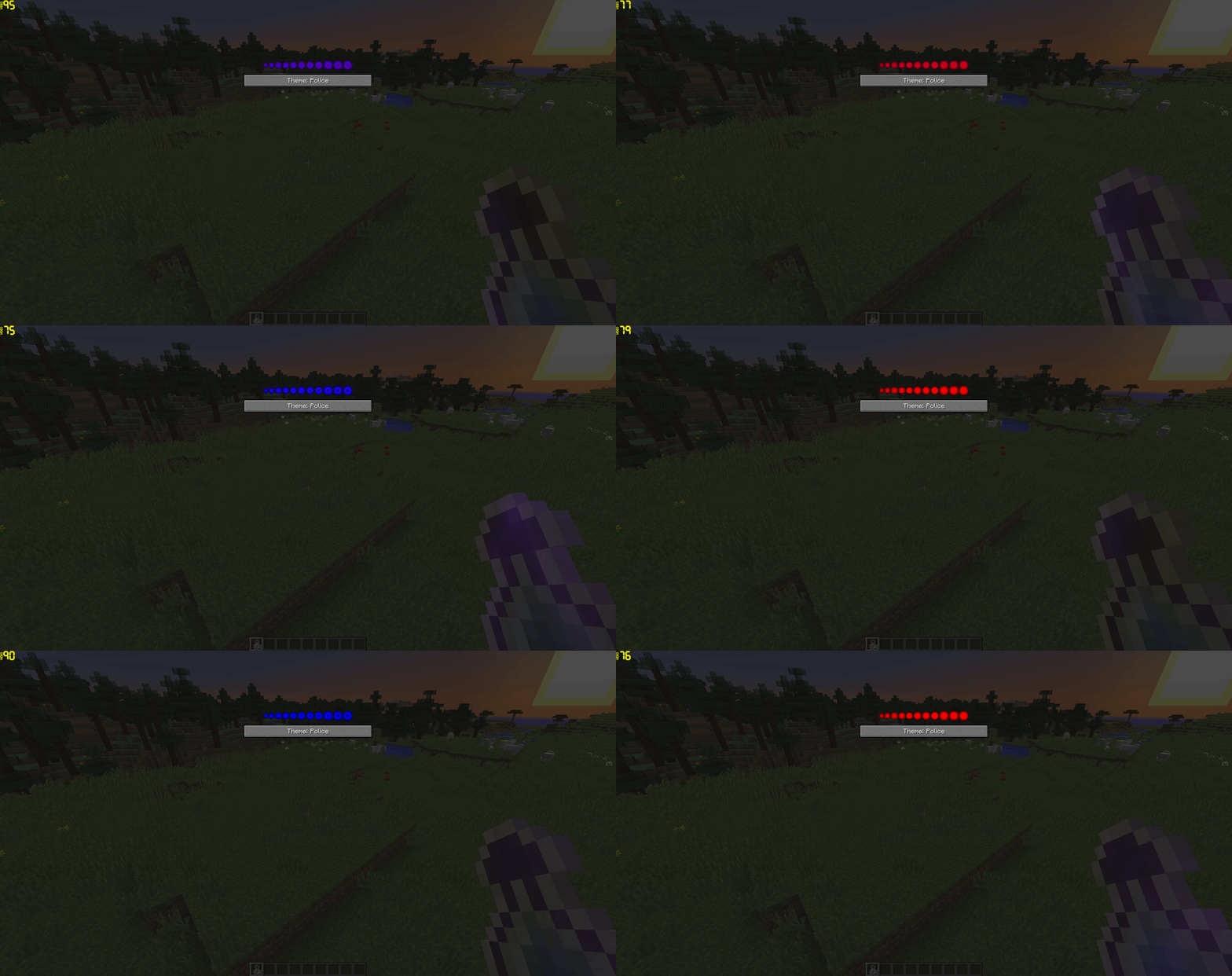 Main GUI Showcase of the GUI accessible via /axp
Versions
Files
Relations
Project Relations
More like this
Similar Mods
Suggestions use data such as tags, dependencies, dependents, descriptions, titles, and more to rank how much they overlap with this mod.
On ModDex
Community snapshot
By the numbers
Statistics
Want to reach Minecraft players?
We're looking for a server hosting partner to feature here and other parts of the site. Interested? Send us a message!
Get in touchGet it on
Available Platforms
On ModDex
Community snapshot
By the numbers