Community listing page, reviews here may not be monitored by the author.
Loot Beams Up


No reviews yet
Customizable loot beams for items
Community voices
Reviews
No reviews yet. Be the first to review this project!
Get it on
Available Platforms
Compatibility
Supported Environments
Runs entirely on the client. Works on vanilla servers.
About
Project Details
For authors
Embed Badge
If you're the author of this project, you can embed a live badge anywhere that supports HTML or Markdown. It updates automatically whenever ratings change.
Use HTML for any page that supports it, or Markdown for README files and Markdown-based descriptions.
Identifiers
Platform IDs
Resources
External Links
About
Description
Our Discord server: Link
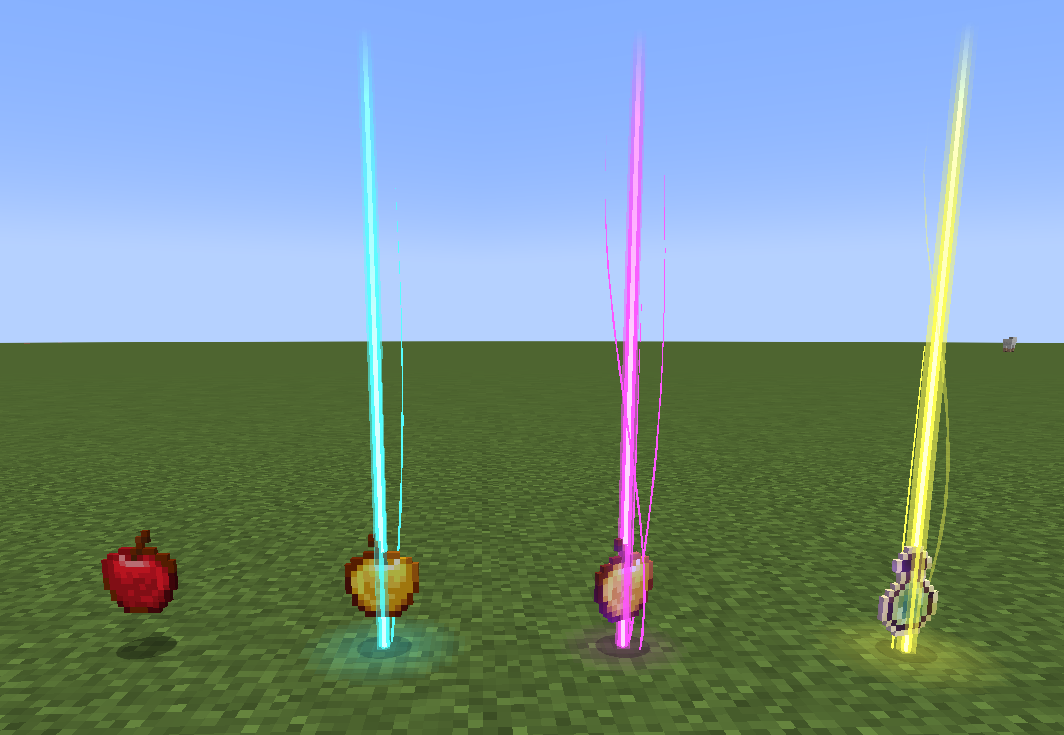
A Fabric client-side Minecraft mod that adds colorful and customizable loot beams to dropped items!
This mod is an Fabric fork version of Loot Beams, but totally overwritten.
Loot Beams are added to all items by default and they change colors depending on the items name. You can, however, specify a whitelist/blacklist for Beams, color overrides, and even NBT tags to change their color! (like "lootbeams.color":"0xFFFFFF").
Beams also have nametags that show up when looking at an item or crouching so you can see what an item is without even picking it up. This mod is client-side, meaning it will run on vanilla servers and forge servers that do not have this mod installed!
Also this version fixes many bugs of original version:
1. Rendering dark beam colors
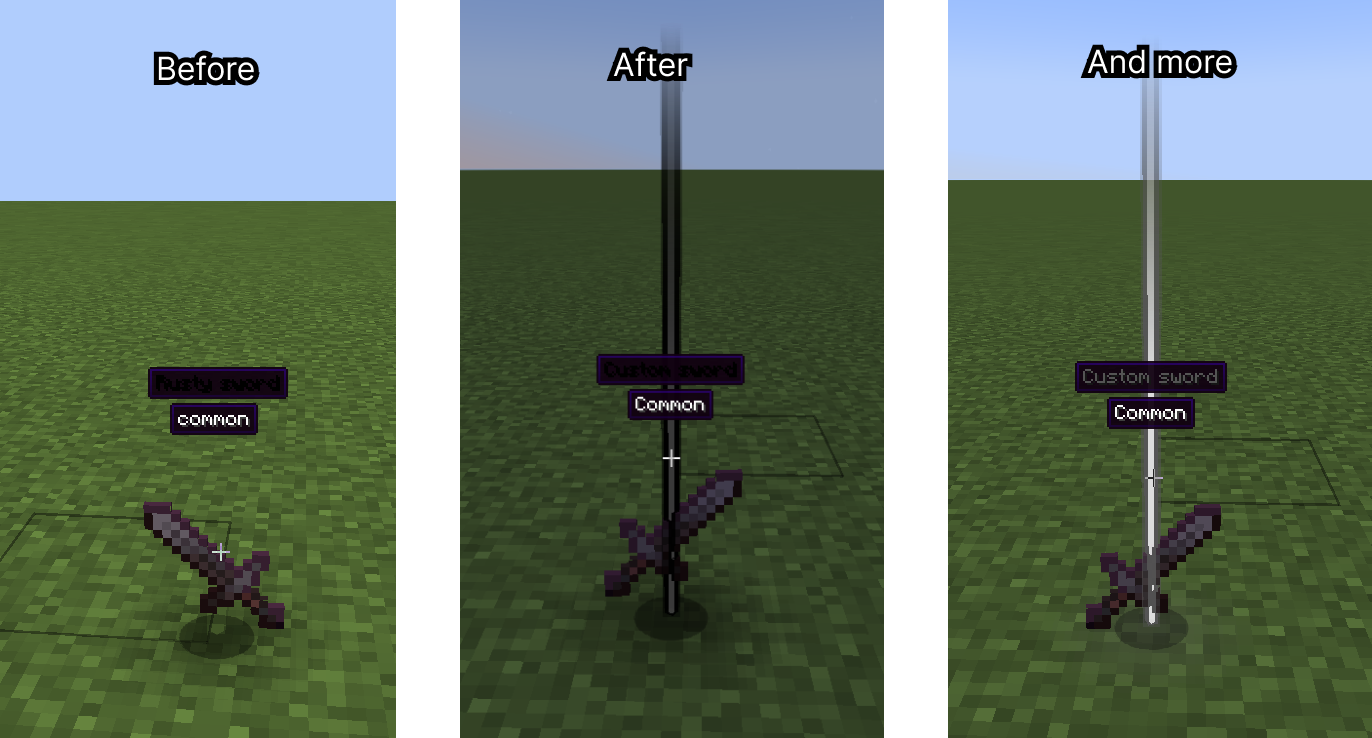
2. Multiplied item glow
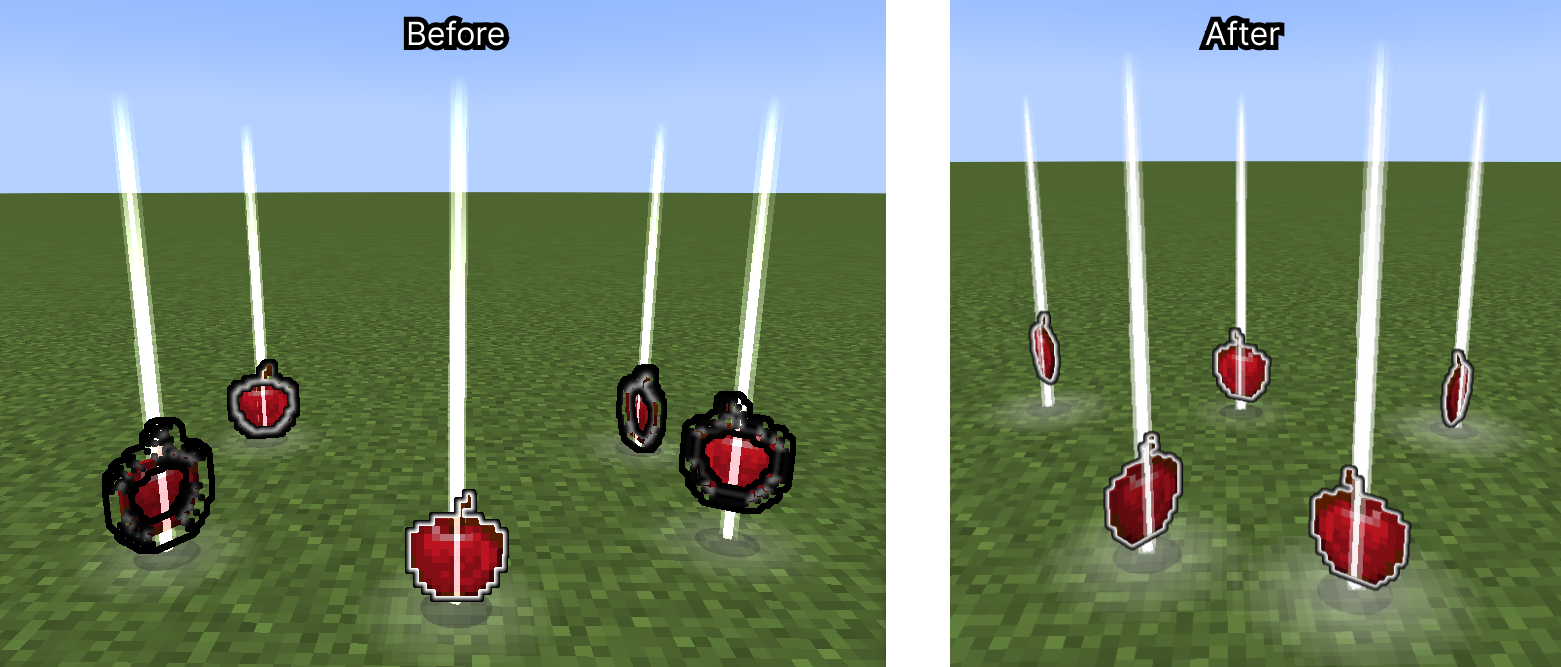
3. Particle spawn rate on FPS
4. More…
And implement new features:
1. Beam fade/bright on approaching
2. Preset manager screen (You can configure mod with Cloth config, and on this screen save your preset with name, or try default presets) (Numpad 5 key by default (can be changed in settings))
3. Compatibility with Legendary Tooltips (thats so cool!)
4. Custom rarities support (with minecraft:custom_data)
- Example: {custom_rarity:{name:"Legendary",color:"#FF9900"}}
- Also this supports translatable strings (with resource/data packs)
Example: {custom_rarity:{name:"my.custom.rarity.legendary",color:"#FF9900"}}
- For beam color same as rarity, need to set item custom name with same color.
5. Custom particle textures
6. Custom ground glow effects
7. Custom beam config with NBT and custom rarities
Huge update #3
Animated Beams
Shaders support - Loot beam mode
Shaders support - Loot beam mode
Huge Update #2
New features:
- Full rendering revamp
- Added new beam render type `Droplight` (like in Droplights mod)
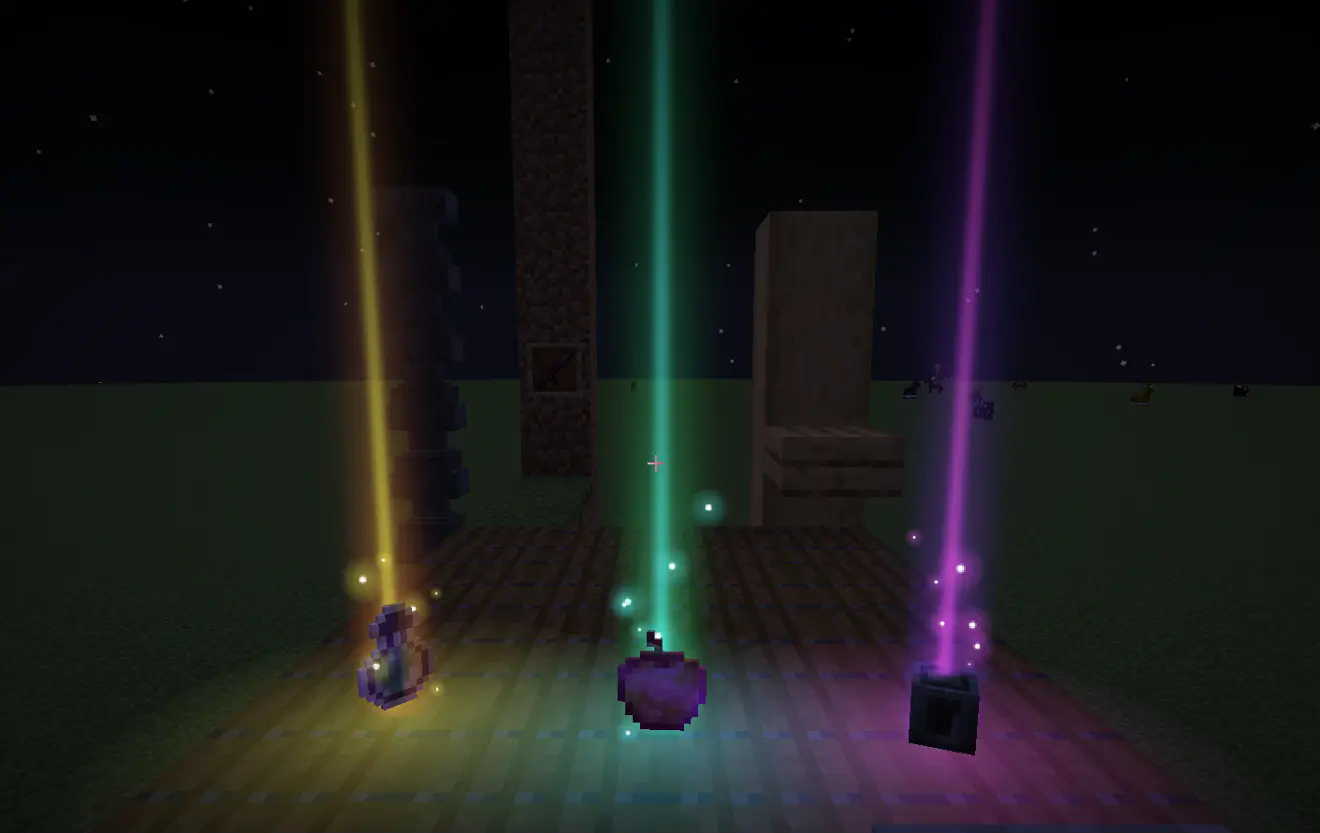
- Added new options to toggle smooth beam and ground glow size change (customizable)
- Added feature to use gradient color on beam (in droplight type) and ground glow effect (need to reset gradient modifiers in mod config. Go to modmenu -> LootBeams -> Main (Beam gradient modifiers -> Reset) -> Ground Glow (Glow gradient modifiers -> Reset)
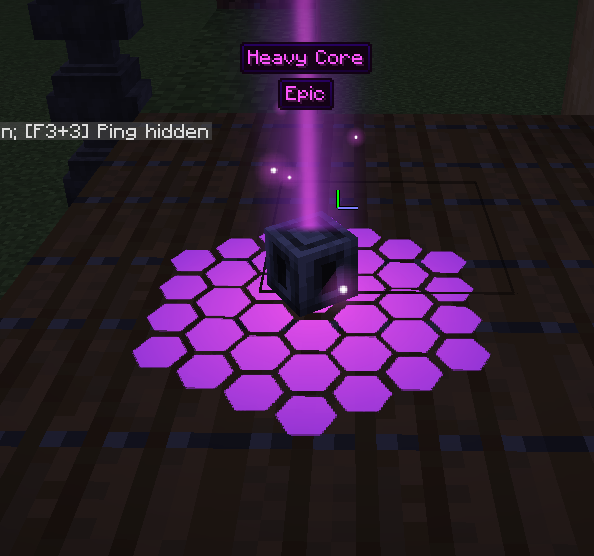
- Added feature to customize second gradient color for beam and ground glow effect
- Added more options to trails. Now they renders more correct and can be scaled by Y (customizable, if not scaled, follow particles)
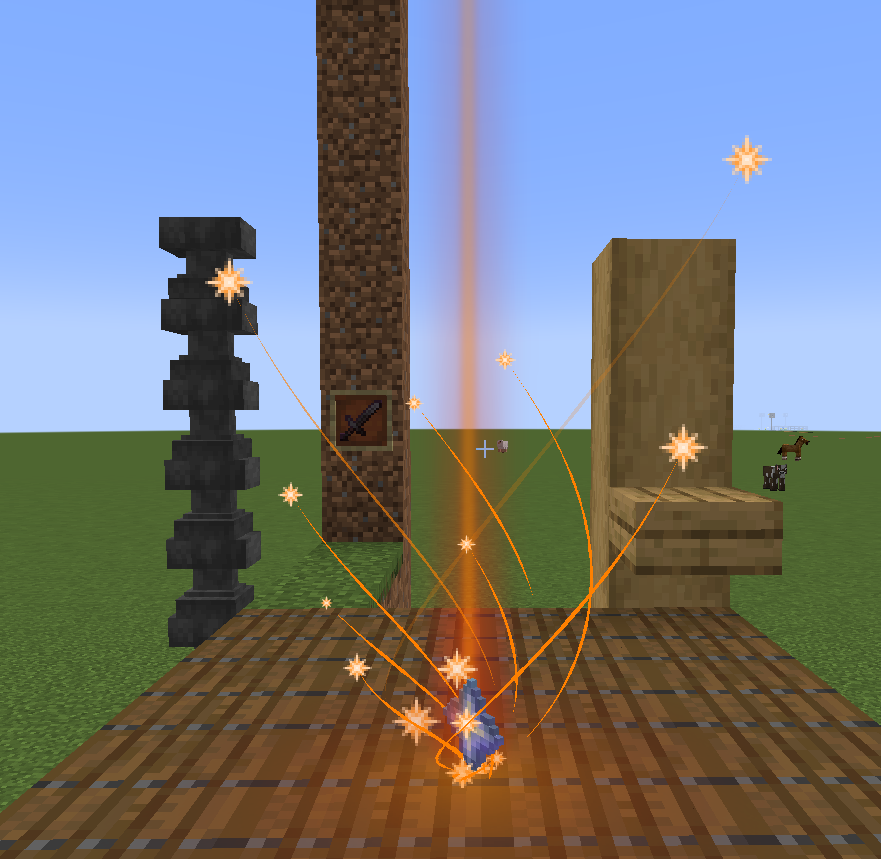
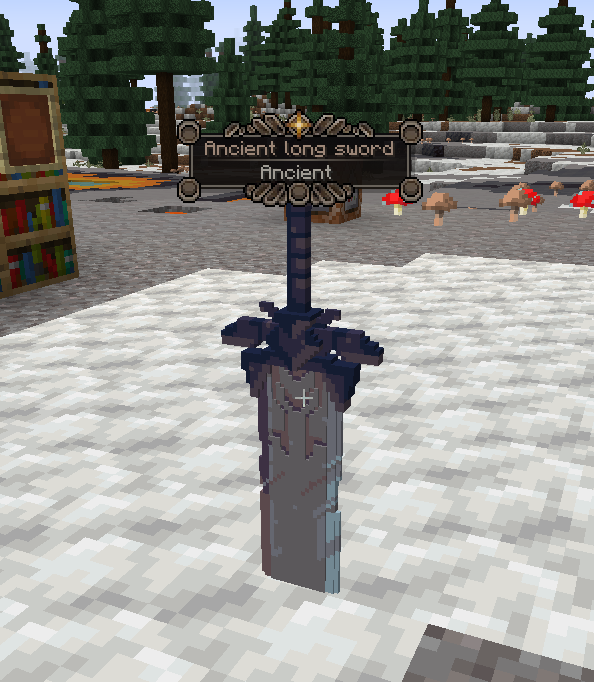
- Added feature to render tooltips on item frames (Legendary Tooltips supported) (only for items with custom name, default item frame logic) (on image below item frame is invisible)
- Added feature to use colored particles and ground glow effects (just name it with `_colored` postfix, example: cake_colored.png)
Update:
Added a resource pack example.
- Added ability to apply custom rarities to items by [selectors]
- Added ground glow effect texture feature
- Added gradient colors support when using with Prism
- Custom effects for ground glowing can be added with resource pack assets/lootbeams/textures/ground_glow_effects/
- Ground effects supports animated sprites (.mcmeta)


Huge update
- Completely revamped settings
- Added the ability to set custom particle textures. Custom textures can be added with resource pack, assets/lootbeams/textures/particle/. Particles can be animated with .mcmeta file.
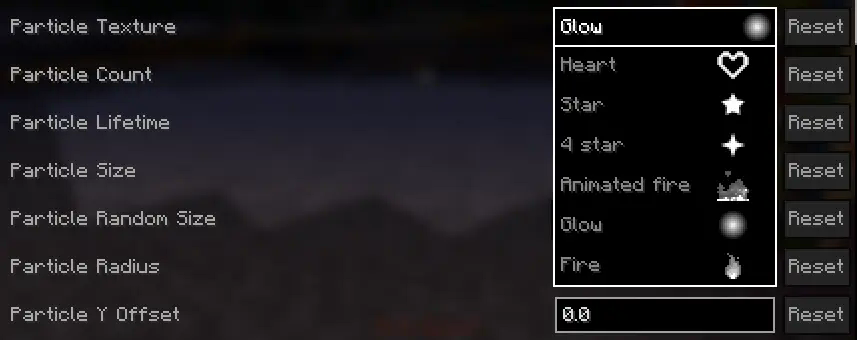
- Added the ability to set custom beam/particle display settings for each item via NBT
- Expanded support for custom item rarities. Now rarities can be defined through a resource pack in the file assets/lootbeams/custom_rarities.json
- For custom rarities through JSON, beam/particle display settings can be specified
- These rarities can be applied to an item by assigning it the NBT custom_rarity_id (String)
- If both custom_rarity_id and custom_rarity are set, custom_rarity will take priority
- You can get available config options with command: /lootbeams item-custom-config available
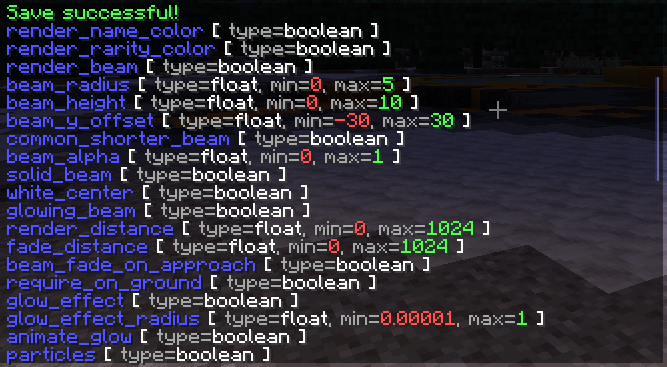
Below are some examples of beam configuration with the new features.
custom_rarities.json example:
{
    "custom_rarities": [
        {
            "id": "snowy",
            "name": "Snowy", // also may be a translation string
            "color": "#ddeeff",
            "config": {
                "trails": false,
                "particle_use_constant_vertical_speed": true,
                "render_name_color": false,
                "render_rarity_color": true,
                "particle_random_y": false,
                "particle_y_offset": 2,
                "particle_lifetime": 40,
                "particle_size": 0.5,
                "particle_speed": 0.00001,
                "particle_speed_x": 0.1,
                "particle_speed_y": -0.004,
                "particle_speed_z": 0.1,
                "particle_count": 10,
                "pulse_glow": false,
                "rotate_glow": false,
                "glow_effect_texture": "lootbeams:vortex_2", // For this effect you need resource pack example (listed below)
                "glow_effect_radius": 1,
                "glow_effect_alpha": 1
            },
            "selectors": [ // Applies this rarity to all items cantains "snow" in name
                "%Snow", "%snow"
            ]
        },
        {
            "id": "fire_infused",
            "name": "Fire infused", // also may be a translation string
            "color": "#ff4400",
            "animated_color": "2_#ff4400_#ff0000_#ffff00", // Can be used if Prism installed
            "config": {
                "trails": false,
                "render_name_color": false,
                "render_rarity_color": true,
                "particle_random_y": false,
                "spin_around_beam": false,
                "particle_texture": "lootbeams:animated_fire",
                "particle_size": 2,
                "particle_radius": 0.4,
                "particle_speed": 0.00001,
                "particle_speed_y": 0,
                "particle_count": 20,
                "pulse_glow": true,
                "rotate_glow": false,
                "glow_effect_texture": "lootbeams:glow",
                "pulse_glow_min_alpha": 0.6,
                "pulse_glow_max_alpha": 0.8,
                "pulse_glow_min_radius": 0.75,
                "pulse_glow_max_radius": 1
            },
            "selectors": [ // Applies this rarity to all items cantains "Nether" in name, and excludes "erite" (netherite), "Wart", "Sprouts", "Star" and "Quartz"
                "%ether+~%erite+~%Wart+~%Sprouts+~%Star+~%Quartz"
            ]
        },
        {
            "id": "love",
            "name": "Love", // also may be a translation string
            "color": "#ff6666",
            "config": {
                "beam_height": 3,
                "beam_alpha": 0.6,
                "trails": false,
                "render_name_color": false,
                "render_rarity_color": true,
                "particle_texture": "lootbeams:heart",
                "particle_size": 1,
                "particle_speed_y": 0.0003,
                "particle_count": 20
            },
            "selectors": [ // Applies this rarity to pink bed
                "minecraft:pink_bed"
            ]
        },
        {
            "id": "---emerald---",
            "name": "---emerald---",
            "color": "#40ff80",
            "config": {
                "render_item_rarity": false,
                "pulse_glow": false,
                "rotate_glow": false,
                "glow_effect_texture": "lootbeams:tech_1", // For this effect you need resource pack example (listed below)
                "glow_effect_radius": 1,
                "glow_effect_alpha": 1
            },
            "selectors": [ // Applies this rarity to emerald
                "minecraft:emerald"
            ]
        }
    ]
}
Snowy rarity effect:
minecraft:custom_data { // If version < 1.20.5 then "tag:"
  custom_rarity_id: "snowy"
}
Fire infused rarity effect:
minecraft:custom_data { // If version < 1.20.5 then "tag:"
  custom_rarity_id: "fire_infused"
}
Love rarity effect:
minecraft:custom_data { // If version < 1.20.5 then "tag:"
  custom_rarity_id: "love"
}
Smoke rarity effect:
minecraft:custom_data { // If version < 1.20.5 then "tag:"
  custom_rarity_id: "smoke"
}
Multiple configs at the same time:
An Updated Fabric fork version of Loot Beams(for Forge)
A 1.21 Fabric client-side Minecraft mod that adds colorful and customizable loot beams to dropped items!
Loot Beams are added to all items by default and they change colors depending on the items name. You can, however, specify a whitelist/blacklist for Beams, color overrides, and even NBT tags to change their color! (like "lootbeams.color:"0xFFFFFF").
Beams also have nametags that show up when looking at an item or crouching so you can see what an item is without even picking it up. This mod is client-side, meaning it will run on vanilla servers and forge servers that do not have this mod installed!
Also this version fixes many bugs of original version:
- Rendering dark beam colors
- Multiplied item glow
- Particle spawn rate on FPS
- More...
And implement new features:
- Beam fade/bright on approaching
- Preset manager screen (You can configure mod with Cloth config, and on this screen save your preset with name, or try default presets) (Numpad 5 key by default (can be changed in settings))
- Compatibility with Legendary Tooltips (thats so cool!)
- Custom rarities support (with minecraft:custom_data)
- Example:
{custom_rarity:{name:"Legendary",color:"#FF9900"}} - Also this supports translatable strings (with resource/data packs)
Example:
{custom_rarity:{name:"my.custom.rarity.legendary",color:"#FF9900"}} - For beam color same as rarity, need to set item custom name with same color.
- Example:
- Custom particle textures
- Custom ground glow effects
- Custom beam config with NBT and custom rarities
Huge Update #3
Animated beams
Shaders support - Loot beam mode
Shaders support - Droplight mode
Huge Update #2
New features:
- Full rendering revamp
- Added new beam render type
Droplight(like in Droplights mod) - Added new options to toggle smooth beam and ground glow size change (customizable)
- Added feature to use gradient color on beam (in droplight type) and ground glow effect (need to reset gradient modifiers in mod config. Go to modmenu -> LootBeams -> Main (Beam gradient modifiers -> Reset) -> Ground Glow (Glow gradient modifiers -> Reset)
- Added feature to customize second gradient color for beam and ground glow effect
- Added more options to trails. Now they renders more correct and can be scaled by Y (customizable, if not scaled, follow particles)
- Added feature to render tooltips on item frames (Legendary Tooltips supported) (only for items with custom name, default item frame logic) (on image below item frame is invisible)
- Added feature to use colored particles and ground glow effects (just name it with
_coloredpostfix, example:cake_colored.png)
Update:
Added a resource pack example.
- Added ability to apply custom rarities to items by selectors
- Added ground glow effect texture feature
- Added gradient colors support when using with Prism
- Custom effects for ground glowing can be added with resource pack
assets/lootbeams/textures/ground_glow_effects/ - Ground effects supports animated sprites (.mcmeta)
Huge update
- Completely revamped settings
- Added the ability to set custom particle textures. Custom textures can be added with resource pack,
assets/lootbeams/textures/particle/. Particles can be animated with.mcmetafile. - Added the ability to set custom beam/particle display settings for each item via NBT
- Expanded support for custom item rarities. Now rarities can be defined through a resource pack in the file
assets/lootbeams/custom_rarities.json - For custom rarities through JSON, beam/particle display settings can be specified
- These rarities can be applied to an item by assigning it the NBT
custom_rarity_id(String) - If both
custom_rarity_idandcustom_rarityare set,custom_raritywill take priority - You can get available config options with command:
/lootbeams item-custom-config available
Below are some examples of beam configuration with the new features.
custom_rarities.json example:
{
    "custom_rarities": [
        {
            "id": "snowy",
            "name": "Snowy", // also may be a translation string
            "color": "#ddeeff",
            "config": {
                "trails": false,
                "particle_use_constant_vertical_speed": true,
                "render_name_color": false,
                "render_rarity_color": true,
                "particle_random_y": false,
                "particle_y_offset": 2,
                "particle_lifetime": 40,
                "particle_size": 0.5,
                "particle_speed": 0.00001,
                "particle_speed_x": 0.1,
                "particle_speed_y": -0.004,
                "particle_speed_z": 0.1,
                "particle_count": 10,
                "pulse_glow": false,
                "rotate_glow": false,
                "glow_effect_texture": "lootbeams:vortex_2", // For this effect you need resource pack example (listed below)
                "glow_effect_radius": 1,
                "glow_effect_alpha": 1
            },
            "selectors": [ // Applies this rarity to all items cantains "snow" in name
                "%Snow", "%snow"
            ]
        },
        {
            "id": "fire_infused",
            "name": "Fire infused", // also may be a translation string
            "color": "#ff4400",
            "animated_color": "2_#ff4400_#ff0000_#ffff00", // Can be used if Prism installed
            "config": {
                "trails": false,
                "render_name_color": false,
                "render_rarity_color": true,
                "particle_random_y": false,
                "spin_around_beam": false,
                "particle_texture": "lootbeams:animated_fire",
                "particle_size": 2,
                "particle_radius": 0.4,
                "particle_speed": 0.00001,
                "particle_speed_y": 0,
                "particle_count": 20,
                "pulse_glow": true,
                "rotate_glow": false,
                "glow_effect_texture": "lootbeams:glow",
                "pulse_glow_min_alpha": 0.6,
                "pulse_glow_max_alpha": 0.8,
                "pulse_glow_min_radius": 0.75,
                "pulse_glow_max_radius": 1
            },
            "selectors": [ // Applies this rarity to all items cantains "Nether" in name, and excludes "erite" (netherite), "Wart", "Sprouts", "Star" and "Quartz"
                "%ether+~%erite+~%Wart+~%Sprouts+~%Star+~%Quartz"
            ]
        },
        {
            "id": "love",
            "name": "Love", // also may be a translation string
            "color": "#ff6666",
            "config": {
                "beam_height": 3,
                "beam_alpha": 0.6,
                "trails": false,
                "render_name_color": false,
                "render_rarity_color": true,
                "particle_texture": "lootbeams:heart",
                "particle_size": 1,
                "particle_speed_y": 0.0003,
                "particle_count": 20
            },
            "selectors": [ // Applies this rarity to pink bed
                "minecraft:pink_bed"
            ]
        },
        {
            "id": "---emerald---",
            "name": "---emerald---",
            "color": "#40ff80",
            "config": {
                "render_item_rarity": false,
                "pulse_glow": false,
                "rotate_glow": false,
                "glow_effect_texture": "lootbeams:tech_1", // For this effect you need resource pack example (listed below)
                "glow_effect_radius": 1,
                "glow_effect_alpha": 1
            },
            "selectors": [ // Applies this rarity to emerald
                "minecraft:emerald"
            ]
        }
    ]
}
Snowy rarity effect:
minecraft:custom_data { // If version < 1.20.5 then "tag:"
  custom_rarity_id: "snowy"
}
Fire infused rarity effect:
minecraft:custom_data { // If version < 1.20.5 then "tag:"
  custom_rarity_id: "fire_infused"
}
Love rarity effect:
minecraft:custom_data { // If version < 1.20.5 then "tag:"
  custom_rarity_id: "love"
}
Smoke rarity effect:
minecraft:custom_data { // If version < 1.20.5 then "tag:"
  custom_rarity_id: "smoke"
}
Multiple configs at the same time:
Screenshots
Gallery
-
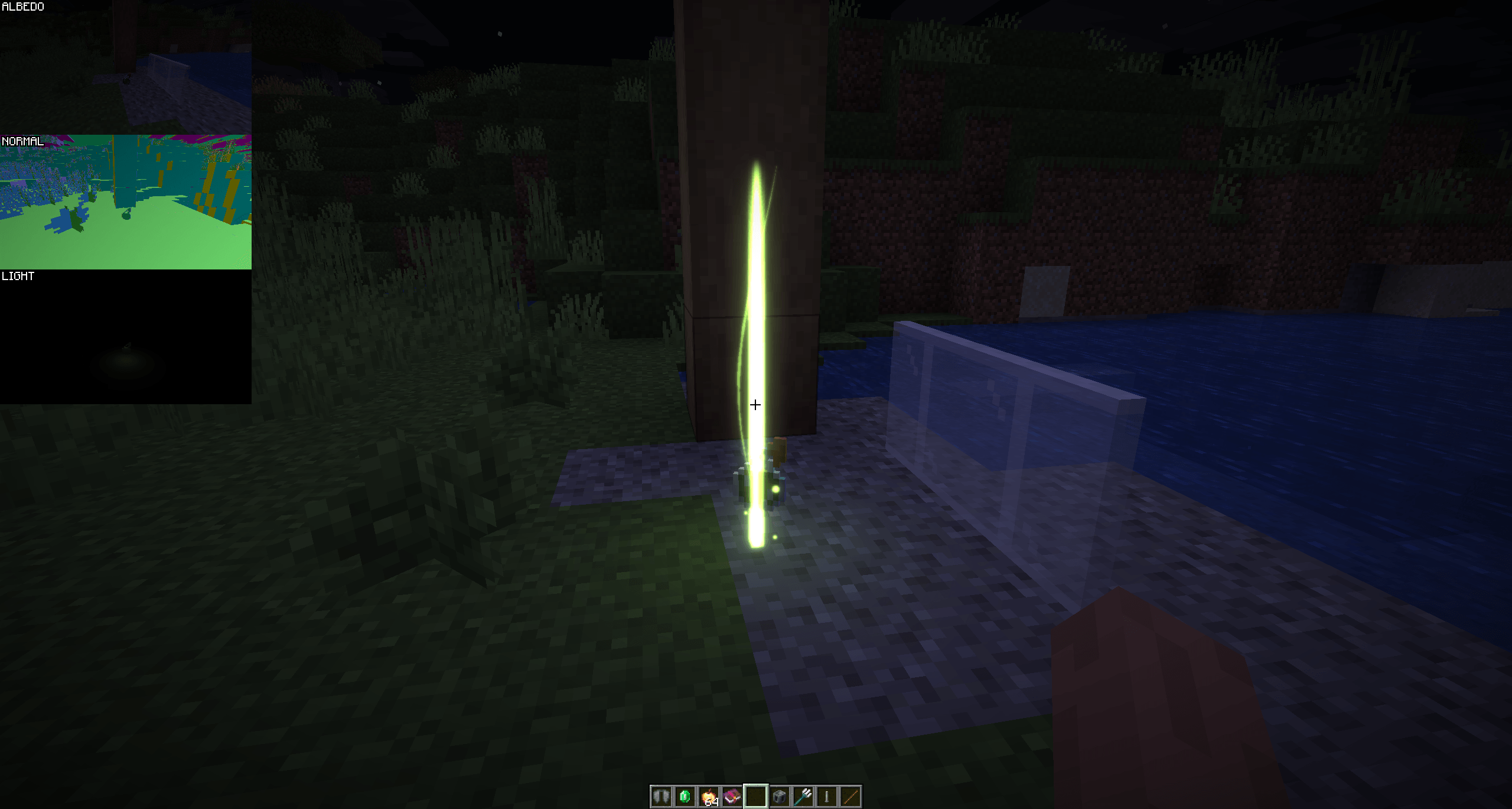 1.21.7 PREVIEW Binded preset to item group (Poison 2)
 -
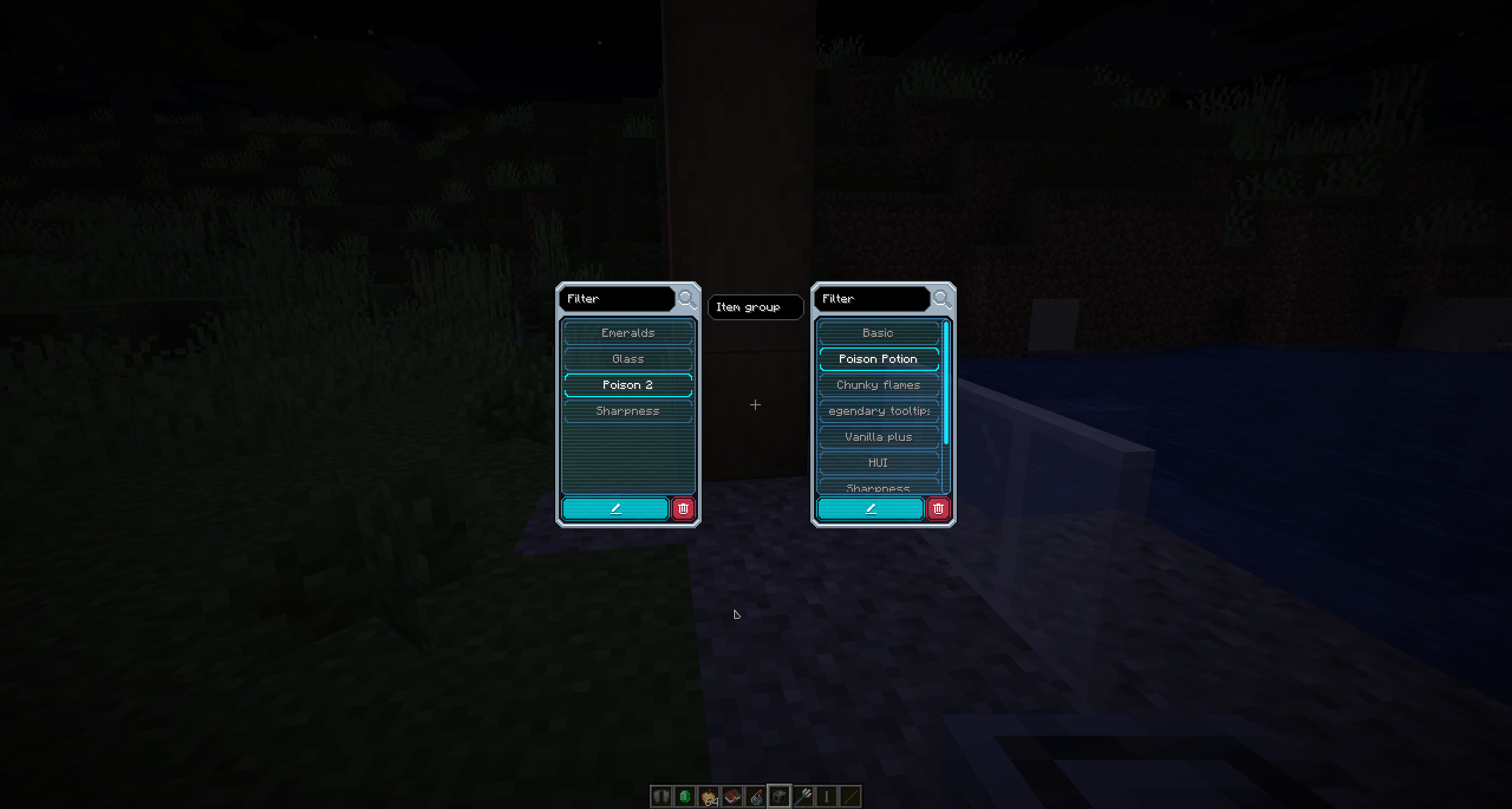 1.21.7 PREVIEW Item group <---> Beam preset binding screen
 -
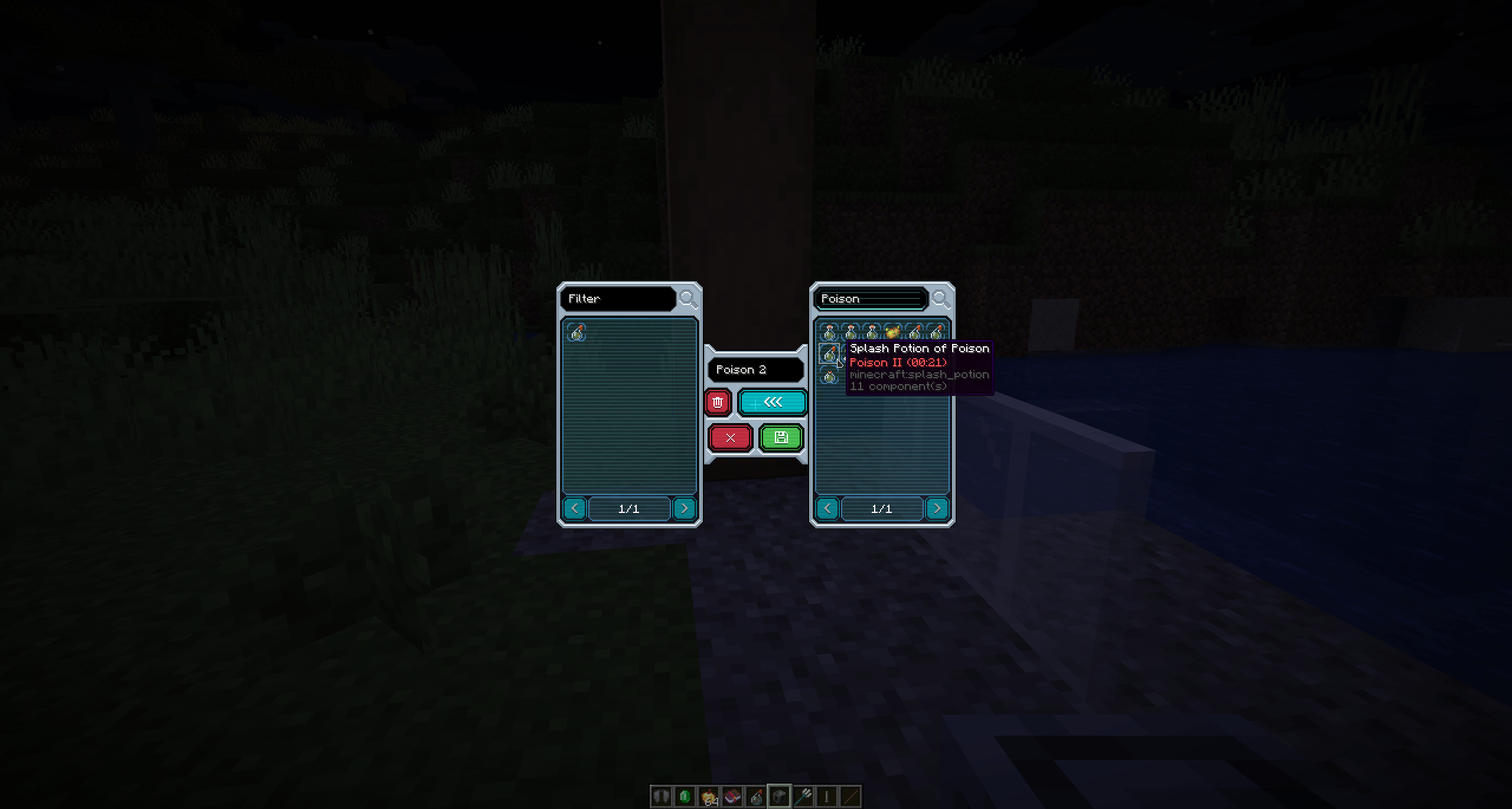 1.21.7 PREVIEW Item group editing screen
 -
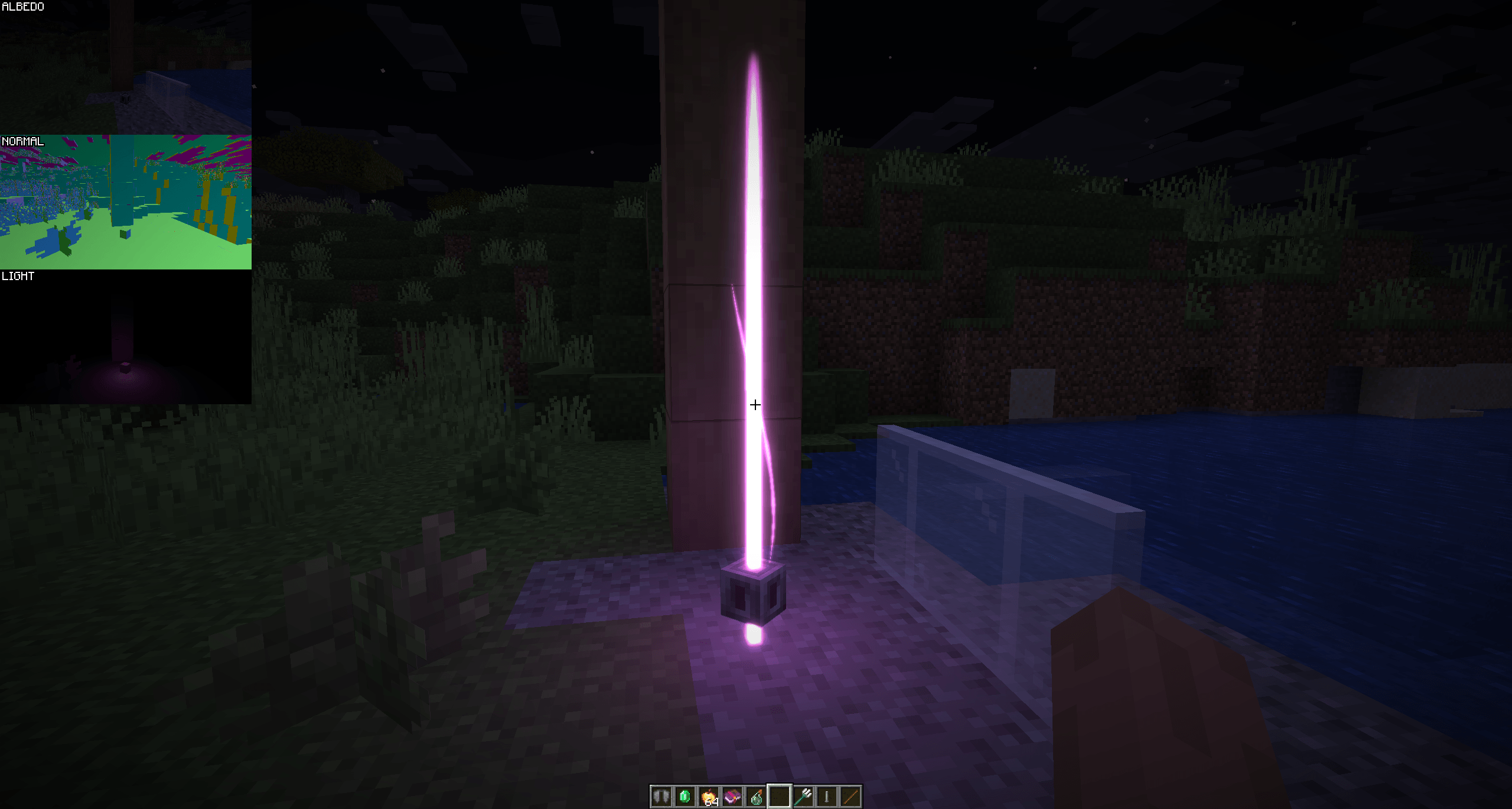 1.21.7 PREVIEW Beam lightning and bloom with blocks
 -
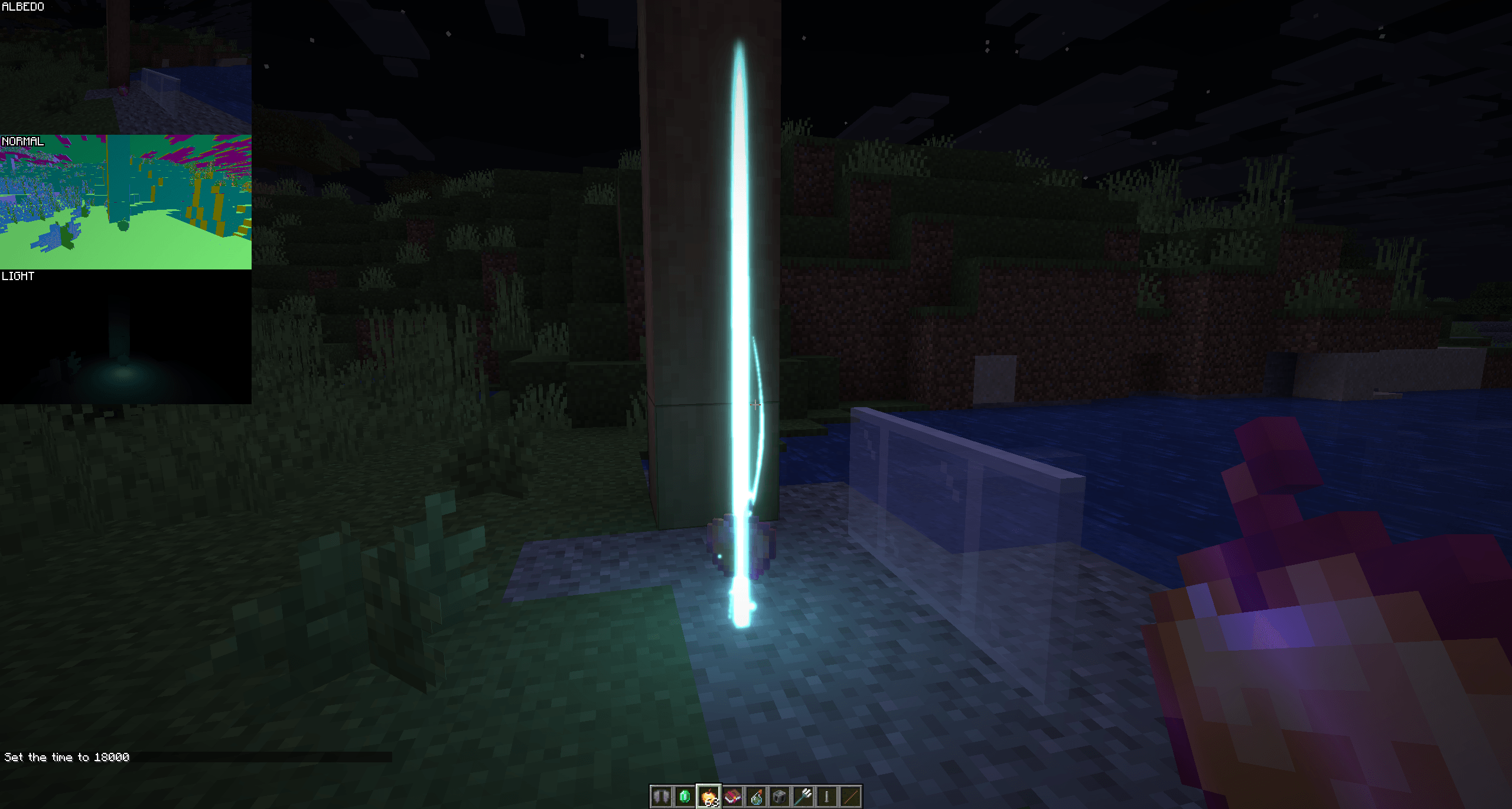 1.21.7 PREVIEW 1.21.7 light bloom effects
 -
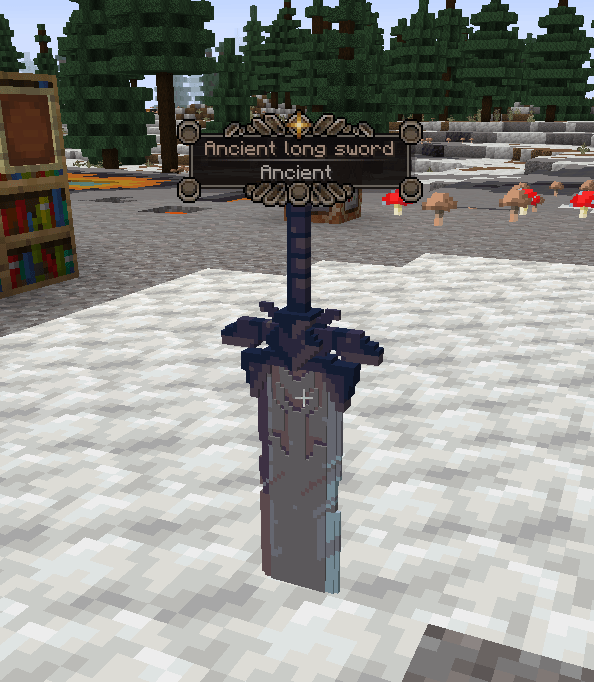 Item frame tooltip Item frame is invisible here
 -
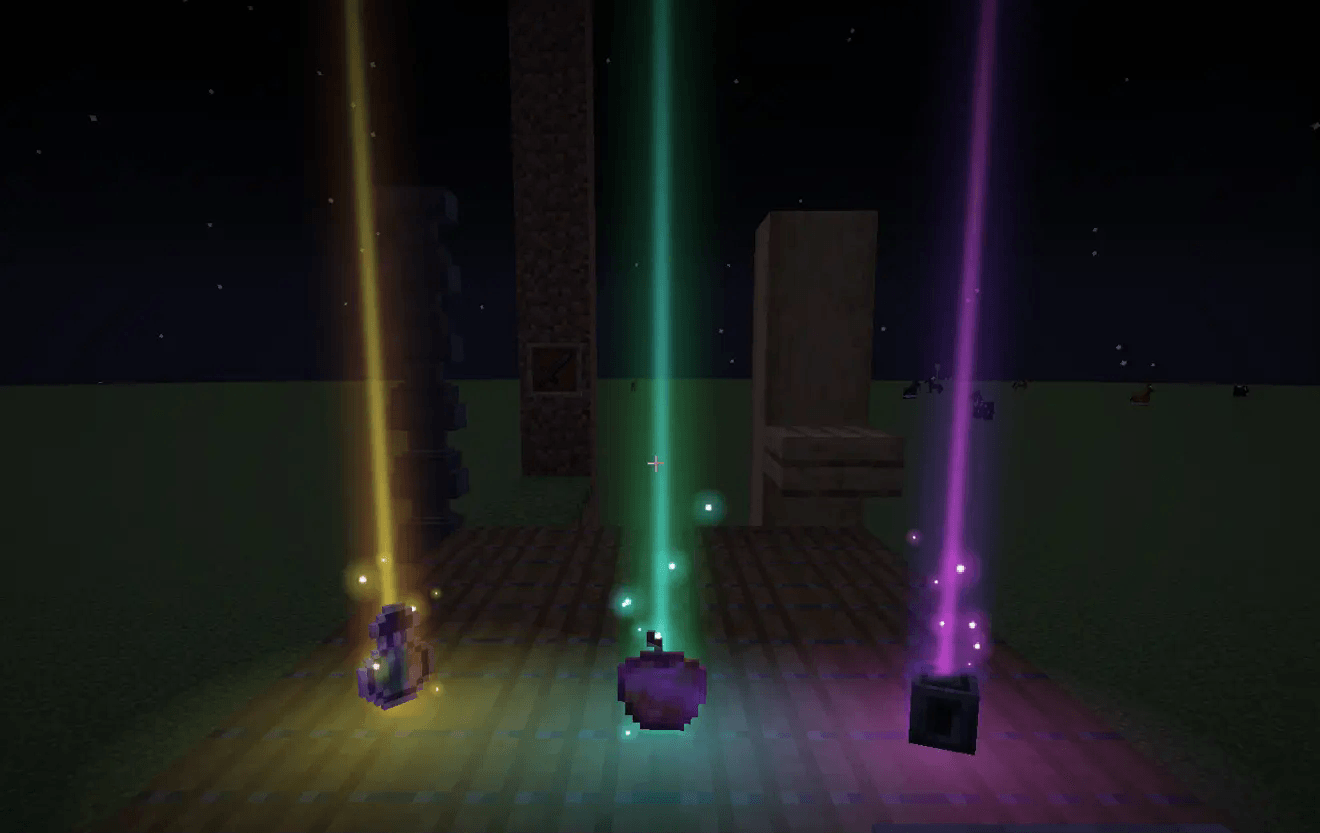 Droplight preset
 -
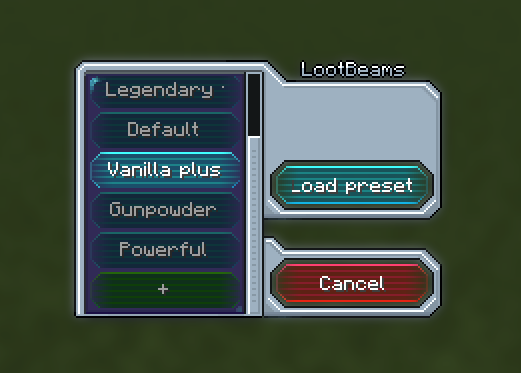 Preset loading
 -
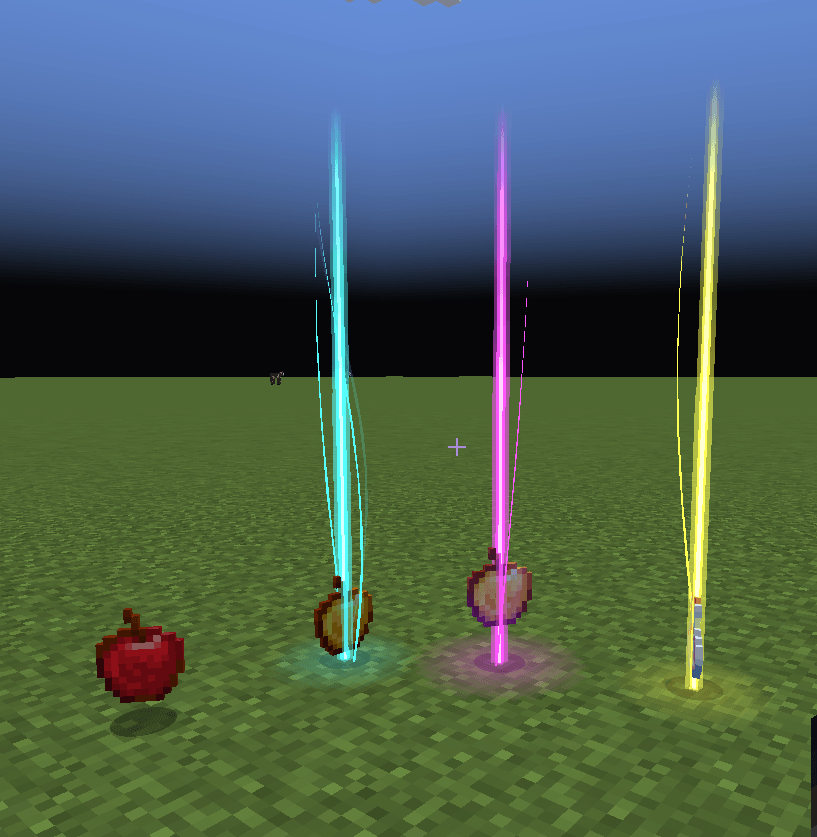 Default rarities
 -
 Another sword
 -
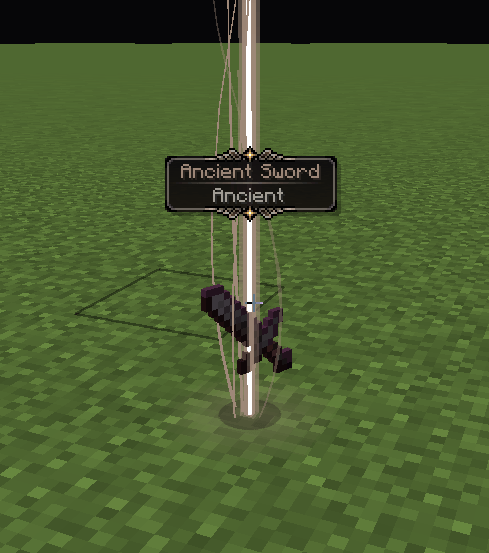 Sword with custom rarity Legendary tooltips supported
 -
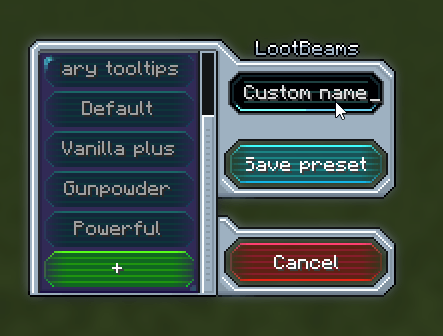 Preset screen
-
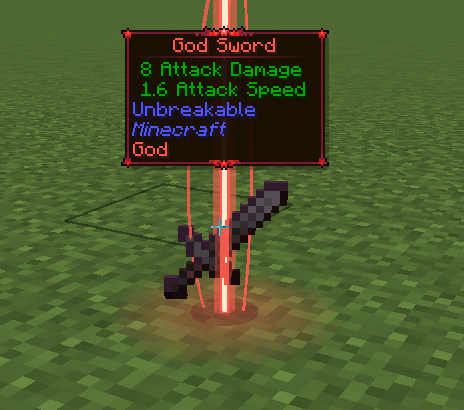 Detailed info while sneaking
 -
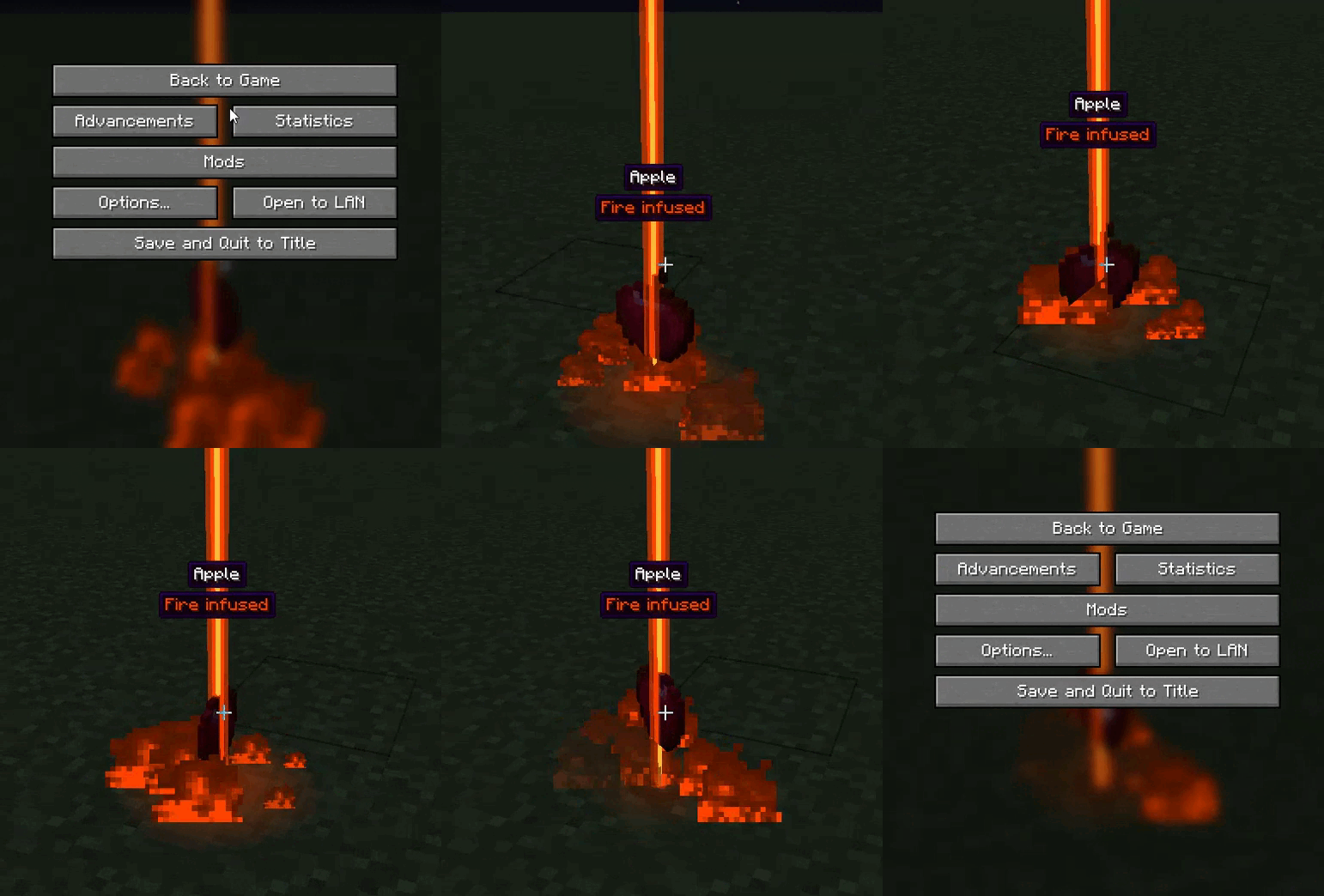 Fire infused effect
 -
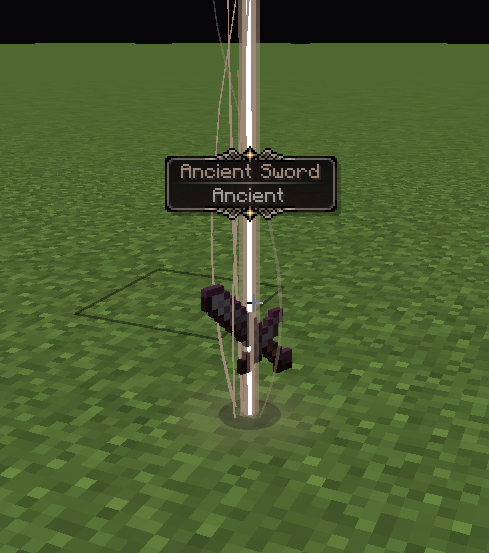 Sword with custom rarity Legendary tooltips supported
 -
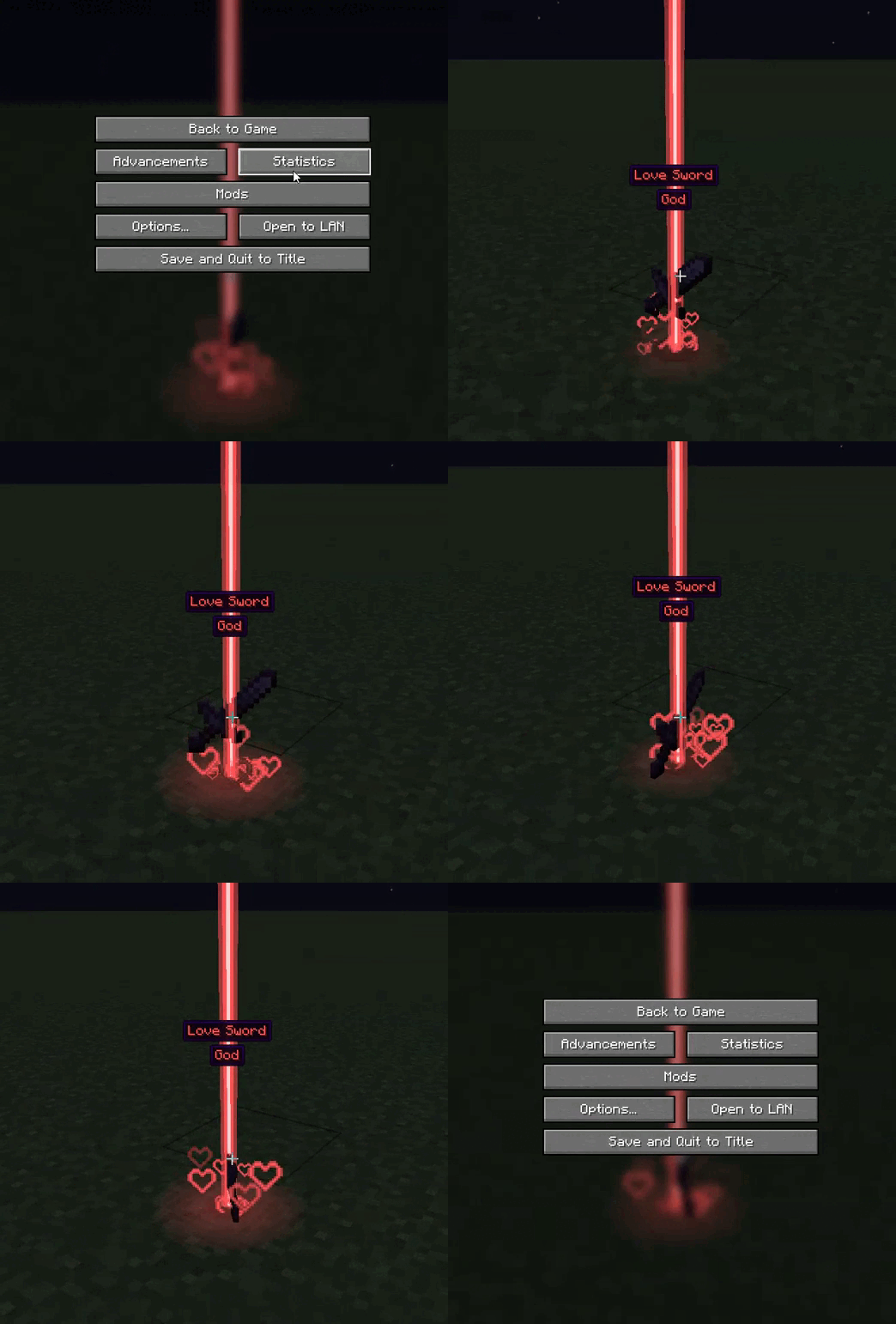 Love effect
 -
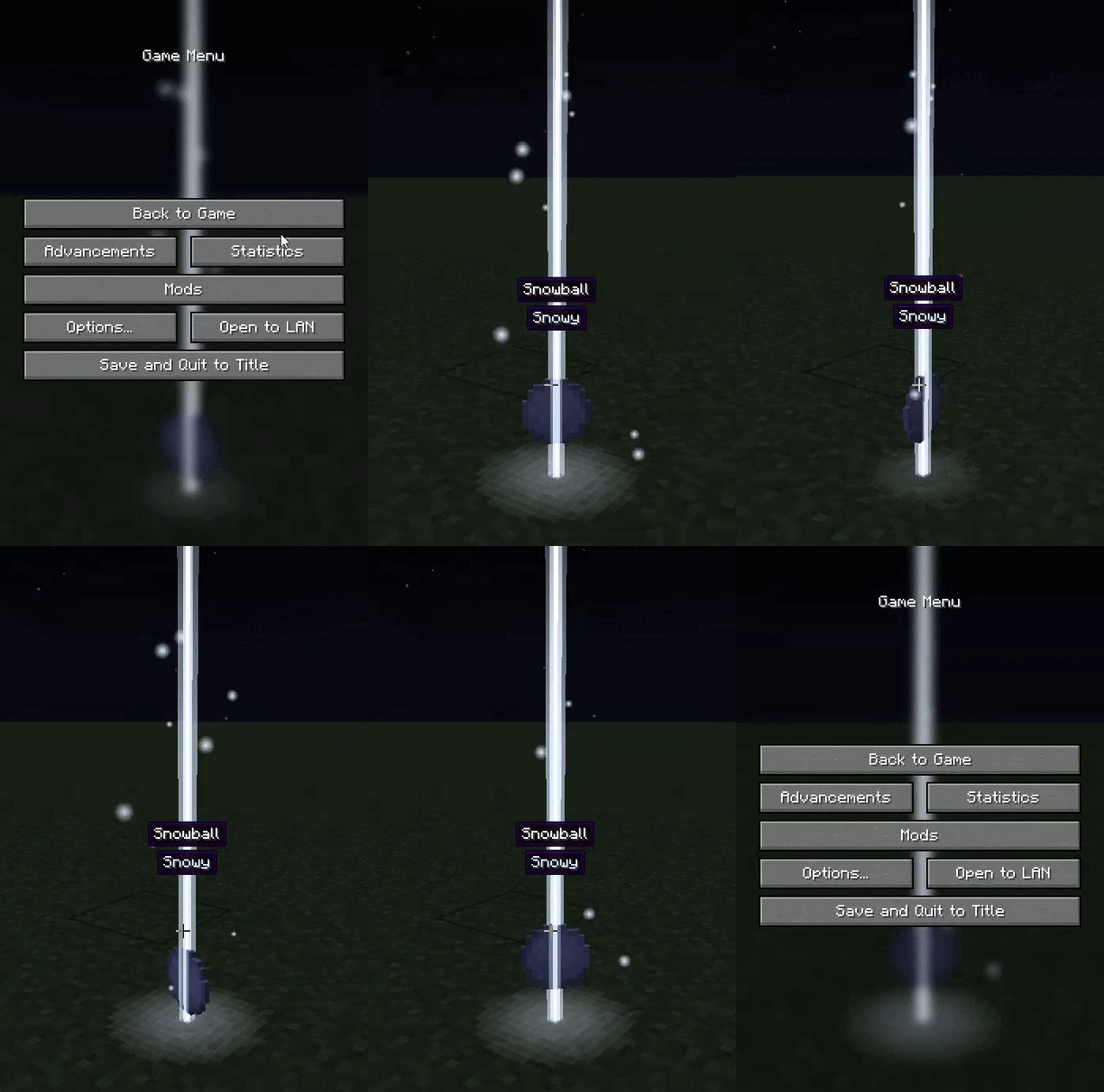 Snowy effect
 -
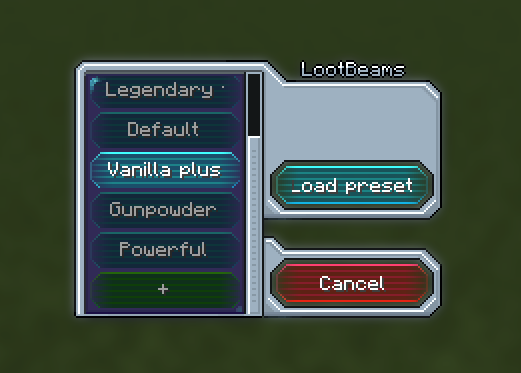 Preset Manager - loading preset
 -
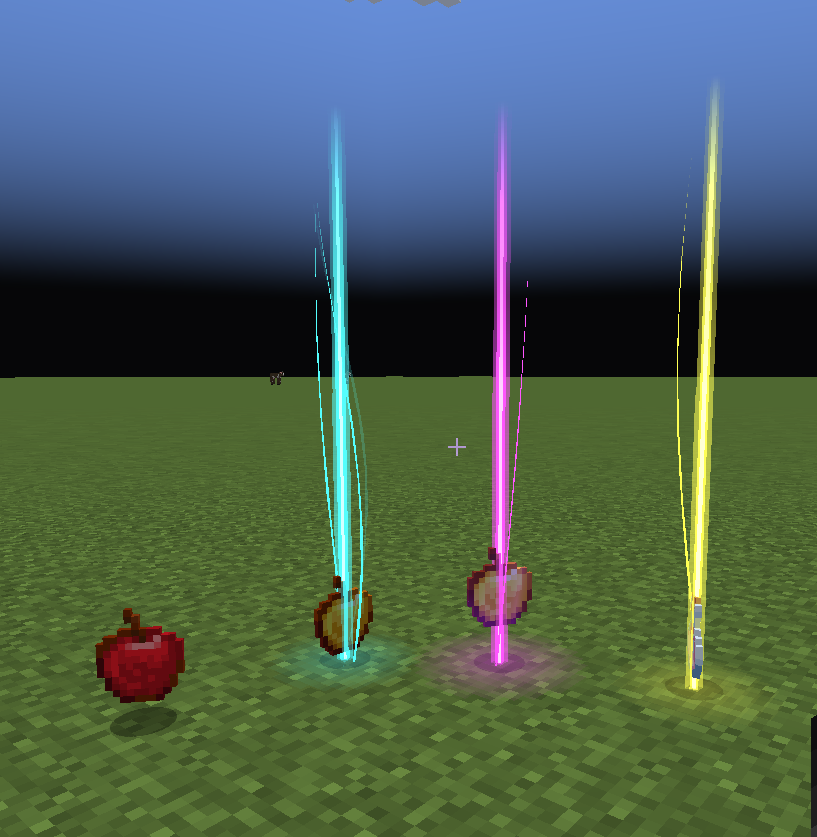 Default Minecraft rarities
 -
 Another sword
 -
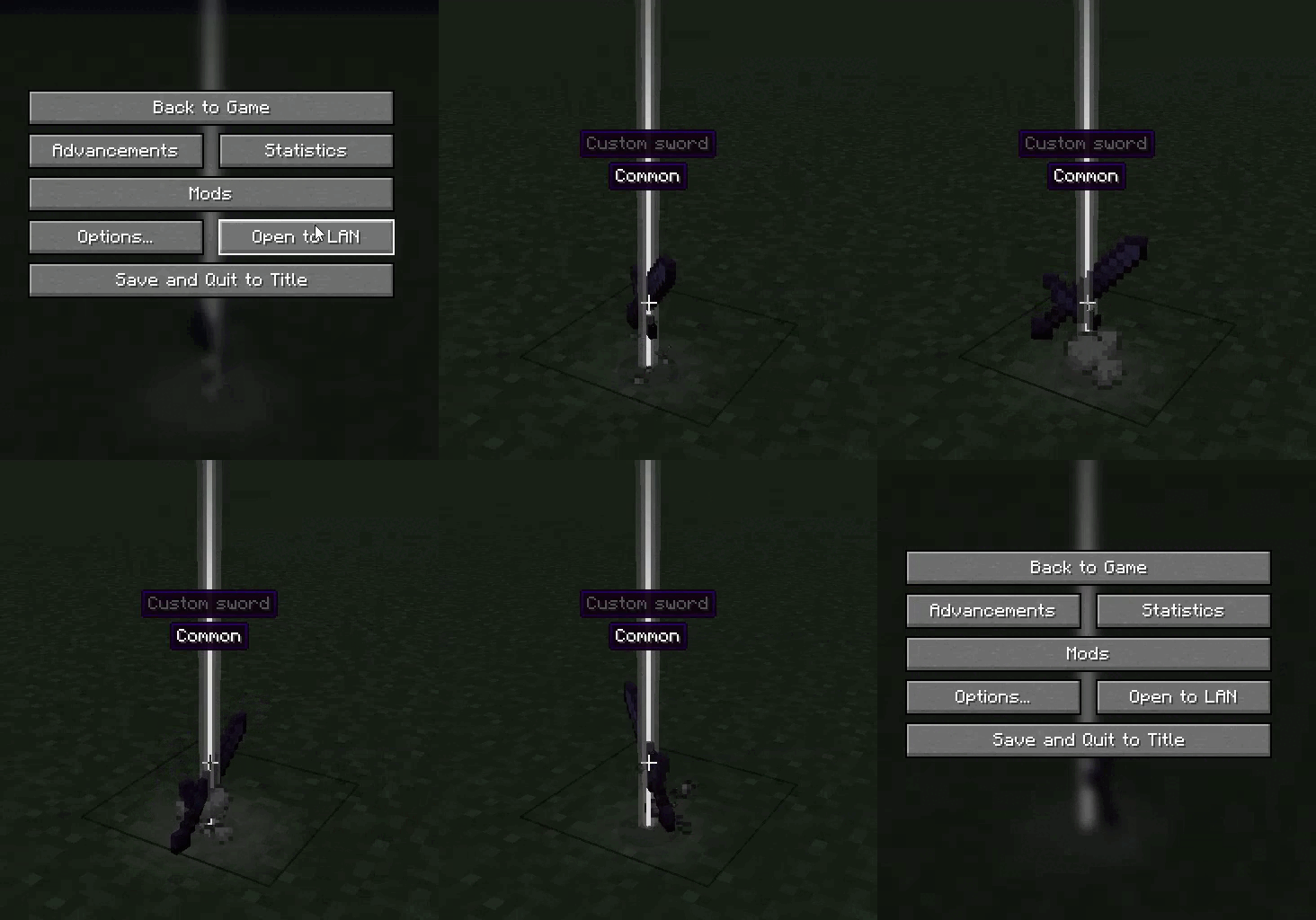 Smoke effect
 -
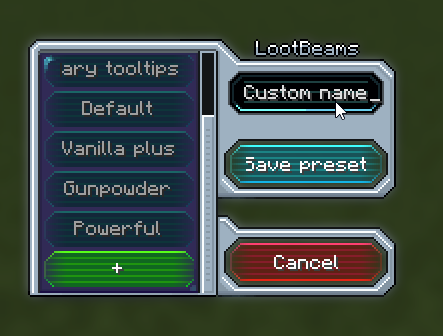 Preset manager - creating preset
Versions
Files
Relations
Project Relations
More like this
Similar Mods
Suggestions use data such as tags, dependencies, dependents, descriptions, titles, and more to rank how much they overlap with this mod.
On ModDex
Community snapshot
By the numbers
Statistics
Want to reach Minecraft players?
We're looking for a server hosting partner to feature here and other parts of the site. Interested? Send us a message!
Get in touchGet it on
Available Platforms
On ModDex
Community snapshot
By the numbers
Statistics
Resources