Community listing page, reviews may not be monitored by the author.
Third Person Camera


No reviews yet
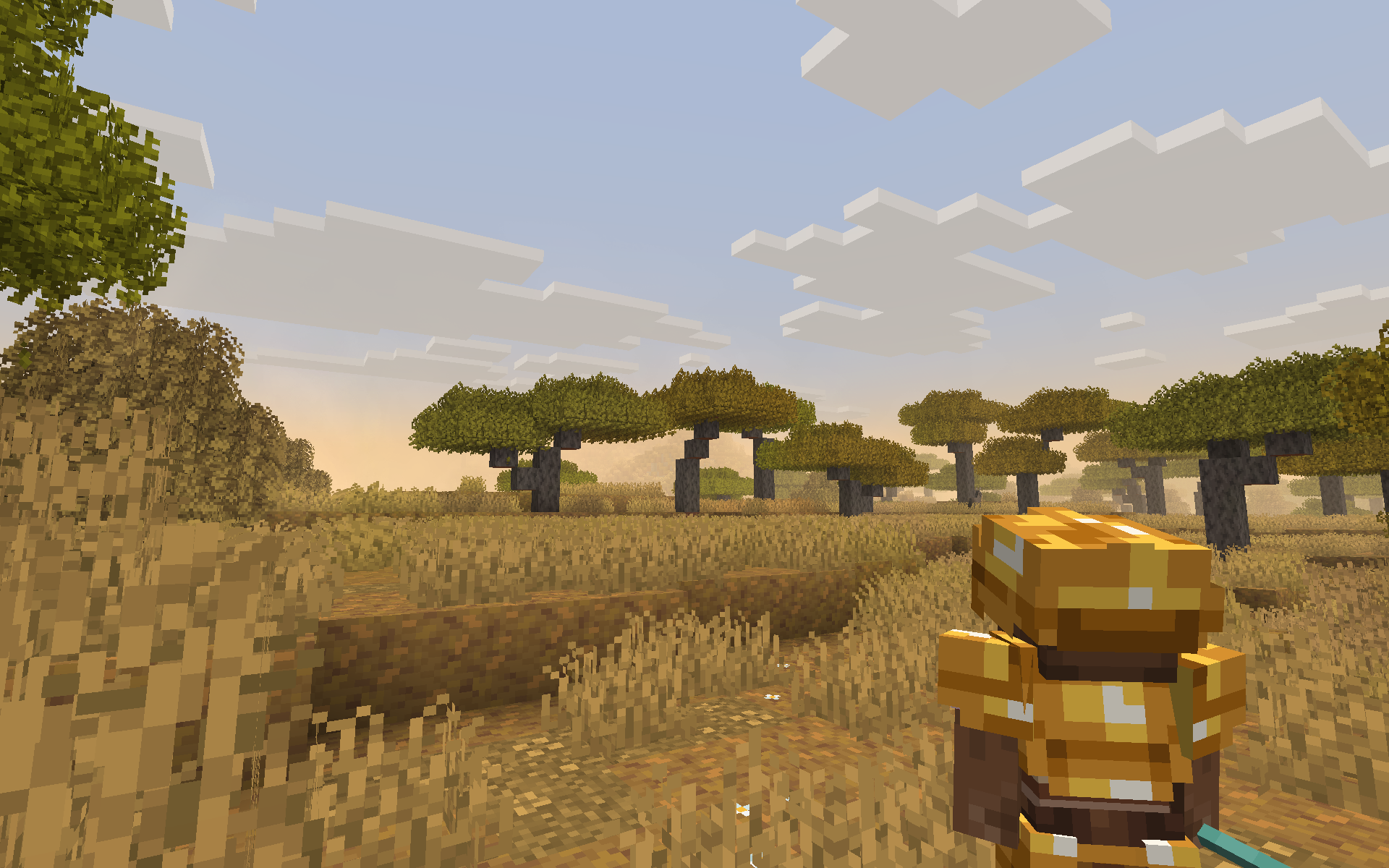
**Third Person Camera** makes Minecraft’s third-person view more immersive and intuitive by removing the always-on crosshair and replacing it with smart, customizable visual feedback and smooth, context-aware camera behavior.

Community voices
Reviews
No reviews yet. Be the first to review this project!
Get it on
Available Platforms
Compatibility
Supported Environments
Runs entirely on the client. Works on vanilla servers.
About
Project Details
For authors
Embed Badge
If you're the author of this project, you can embed a live badge anywhere that supports HTML or Markdown. It updates automatically whenever ratings change.
Use HTML for any page that supports it, or Markdown for README files and Markdown-based descriptions.
Identifiers
Platform IDs
Resources
External Links
About
Description
✨ Third Person Camera
Third Person Camera reimagines third-person gameplay in Minecraft to feel natural, immersive, and smooth, without cluttering the screen or fighting player control.
Unlike most third-person camera mods, this mod does not rely on a permanent crosshair. Movement and interaction feel more intuitive—especially when entering doors, navigating tight spaces, or exploring interiors.
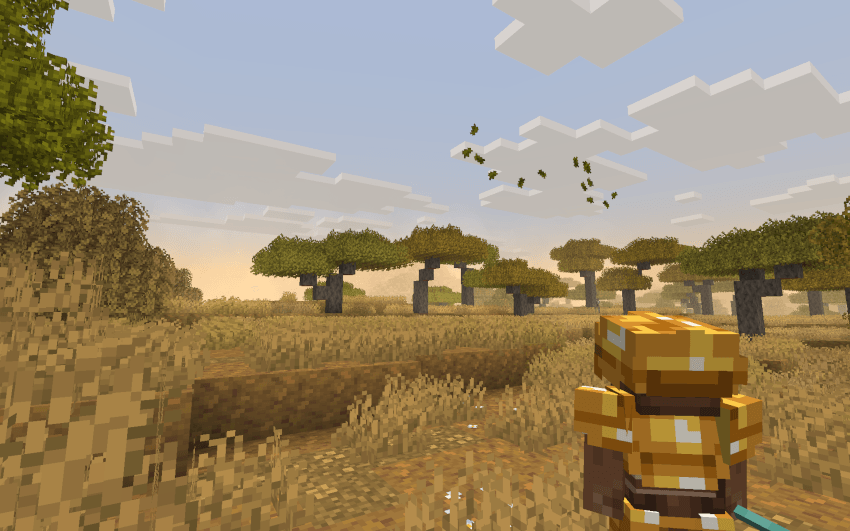
🎯 Crosshair Only When Needed
- No always-visible crosshair during normal gameplay
- Crosshair appears only when aiming is required, such as with throwable or aim-based weapons
- Keeps exploration clean and immersive while maintaining combat accuracy
🧱 Clear Interaction with Customizable Outlines
Instead of a permanent crosshair, the mod provides a built-in selection outline:
- Clearly shows which block the player is looking at
- Completely stable (no flicker or jitter)
- Fully customizable:
- Outline color
- Outline transparency
During combat:
- When you directly look at a mob, it receives a glowing outline, making it easy to identify your current target.
🧠 Smart Perspective Switching
- Automatically switches to first person in caves, enclosed areas, and structures for better visibility
- Manual perspective switching is always respected
- Perspective changes are smooth, avoiding sudden camera jumps
🎛️ Customization & Controls
The mod is highly customizable:
- Adjust camera offset to fit your playstyle
- Customize outline color and transparency
- Open the mod’s configuration menu using a customizable keybind
- Default key: O
- Can be changed from Minecraft’s Controls menu
✅ Why Third Person Camera Mod?
- Cleaner screen with less UI clutter
- More immersive third-person exploration
- Clear interaction and combat feedback
- Smooth, stable, and player-friendly camera behavior
📷 3rd Person Camera
Completely client-sided!
3rd Person Camera mod, Minecraft’s third-person camera with smooth, intelligent behavior and full in-game customization. Designed to feel natural and responsive, it automatically adapts to your surroundings while giving you precise control over camera positioning and zoom.
✨ Features
-
Fully adjustable camera offset:
Customize X / Y / Z offsets relative to the player Includes X-axis rotation for camera tilt -
Smooth camera distance:
Natural transitions instead of sudden camera jumps -
Adaptive zoom in tight spaces:
Camera smoothly moves closer when space is limited -
Automatic first-person switching:
Seamlessly switches when third-person is not viable -
Contextual zoom while aiming:
Camera zooms in when using specific items (configurable) -
In-game settings screen:
Changes apply instantly with live visual feedback -
Keybind support:
Press O to open the settings screen
Fully rebindable under the “Camera Fix” controls category
🎮 Why use Camera Fix?
Eliminates camera clipping and awkward angles
Ideal for combat, exploration, and cinematic gameplay
Highly customizable without restarting the game
Screenshots
Gallery
Versions
Files
Relations
Project Relations
More like this
Similar Mods
Suggestions use data such as tags, dependencies, dependents, descriptions, titles, and more to rank how much they overlap with this mod.
On ModDex
Community snapshot
By the numbers
Statistics
 (opens in a new tab)
Get it on
Available Platforms
On ModDex
Community snapshot
By the numbers
Statistics
Resources