
Community listing page, reviews here may not be monitored by the author.
Better Advanced Tooltips


No reviews yet
Adds tag, component and other tooltips to items in F3+H mode
Community voices
Reviews
No reviews yet. Be the first to review this project!
Get it on
Available Platforms
Compatibility
Supported Environments
Must be installed on both the client and the server.
About
Project Details
For authors
Embed Badge
If you're the author of this project, you can embed a live badge anywhere that supports HTML or Markdown. It updates automatically whenever ratings change.
Use HTML for any page that supports it, or Markdown for README files and Markdown-based descriptions.
Identifiers
Platform IDs
About
Description
Adds tag, component and other tooltips to items in F3+H mode.
Hold Shift key hovering an item to see its tags:
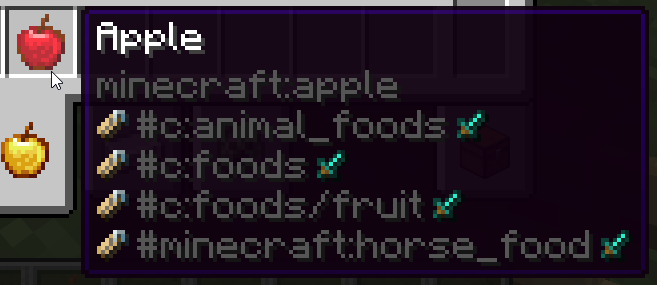
Hovering over some items have special extra tag handling:
- Sword icon: Item tags
- Grass block icon: Block tags (Any block item)
- Pig icon: Entity tags (Spawn Eggs)
- Bucket icon: Fluid tags (Buckets/fluid containers)
- Painting icon: Painting tags (Paintings)
- Enchantment icon: Enchantment tags (Enchanted Books)
- Piano icon: Instrument tags (Goat Horns/other instrument items)
- Banner icon: Banner Pattern tags (Banner Patterns)
Example - enchanted book showing all enchantment tags:
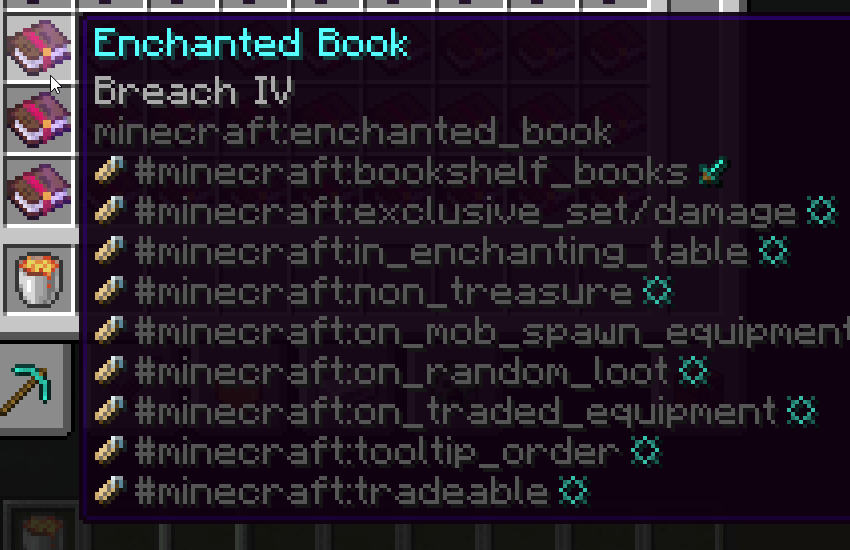
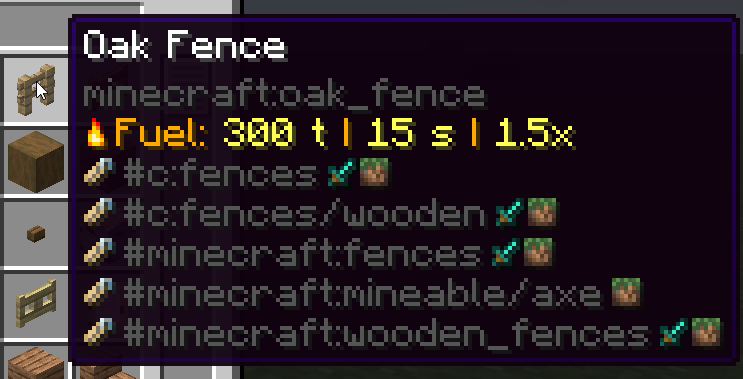
If multiple tag types have the same name, they will be merged into the same line, to not clutter screen.
Example - many blocks will have the same block and item tags:
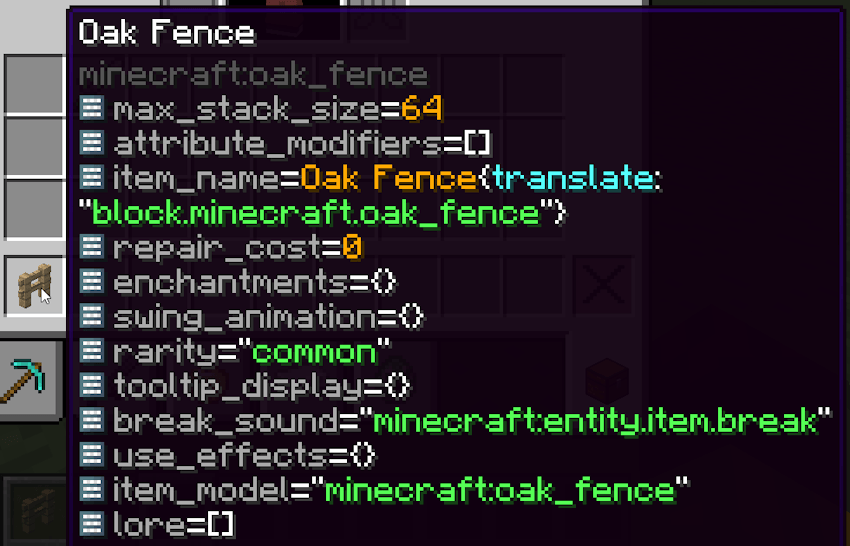
Hold Alt key hovering an item to see its component patch (items that by default don't have this component set, previously called "Custom NBT"):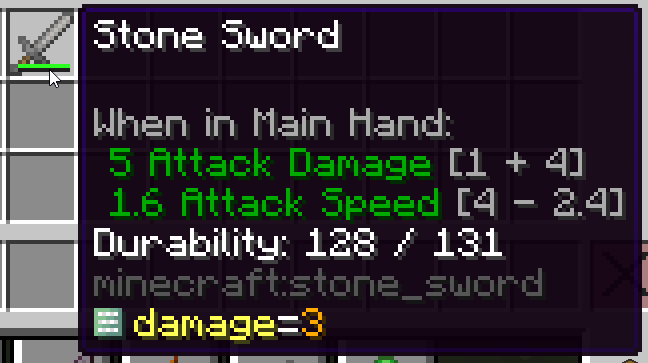
Hold Alt + Shift keys hovering an item to see its full component map (custom ones will be highlighted yellow):
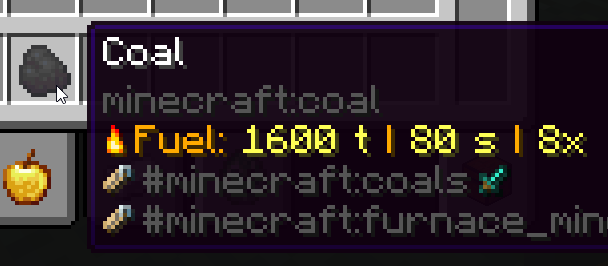
Hold Shift over fuel items to see their fuel values:
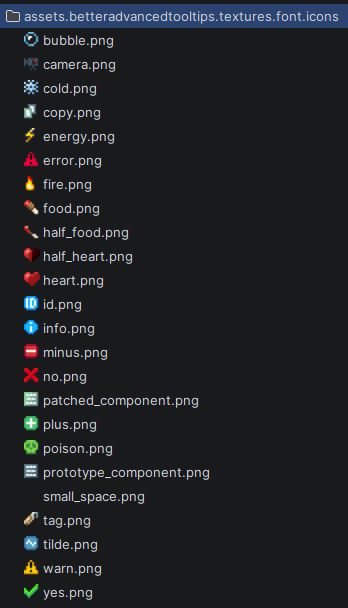
This mod also contains a bunch of chat component icons (see its font/icons.json file for more info):
This mod used to be bundled with KubeJS but now has been moved to being a dependency.

Adds tag, component and other tooltips to items in F3+H mode.
Hold Shift key hovering an item to see its tags:
Hovering over some items have special extra tag handling:
- Sword icon: Item tags
- Grass block icon: Block tags (Any block item)
- Pig icon: Entity tags (Spawn Eggs)
- Bucket icon: Fluid tags (Buckets/fluid containers)
- Painting icon: Painting tags (Paintings)
- Enchantment icon: Enchantment tags (Enchanted Books)
- Piano icon: Instrument tags (Goat Horns/other instrument items)
- Banner icon: Banner Pattern tags (Banner Patterns)
Example - enchanted book showing all enchantment tags:
If multiple tag types have the same name, they will be merged into the same line, to not clutter screen.
Example - many blocks will have the same block and item tags:
Hold Alt key hovering an item to see its component patch (items that by default don't have this component set, previously called "Custom NBT"):
Hold Alt + Shift keys hovering an item to see its full component map (custom ones will be highlighted yellow):
Hold Shift over fuel items to see their fuel values:
This mod also contains a bunch of chat component icons (see its font/icons.json file for more info):
This mod used to be bundled with KubeJS but now has been moved to being a dependency.


Screenshots
Gallery
-
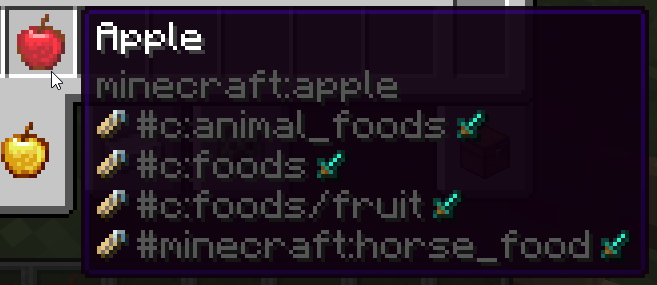 Item Tags
Versions
Files
Relations
Project Relations
More like this
Similar Mods
Suggestions use data such as tags, dependencies, dependents, descriptions, titles, and more to rank how much they overlap with this mod.
On ModDex
Community snapshot
By the numbers
Statistics
Want to reach Minecraft players?
We're looking for a server hosting partner to feature here and other parts of the site. Interested? Send us a message!
Get in touchGet it on
Available Platforms
On ModDex
Community snapshot
By the numbers