
Community listing page, reviews here may not be monitored by the author.
Better Maps Mod

No reviews yet
Adds a pinnable minimap HUD to vanilla maps with terrain shading, player marker, and full customization.
Community voices
Reviews
No reviews yet. Be the first to review this project!
Get it on
Available Platforms
Compatibility
Supported Environments
Required on the client. Installing it on the server adds functionality.
About
Project Details
For authors
Embed Badge
If you're the author of this project, you can embed a live badge anywhere that supports HTML or Markdown. It updates automatically whenever ratings change.
Use HTML for any page that supports it, or Markdown for README files and Markdown-based descriptions.
Identifiers
Platform IDs
About
Description
Better Maps Mod
Better Maps is a Fabric mod for Minecraft that adds a customizable minimap while staying true to the vanilla map system.
The idea is simple: instead of keeping a map in your hand all the time, you can pin it to your HUD and continue playing normally. The mod uses Minecraft's existing maps rather than replacing them with a completely new navigation system.
Why Better Maps?
Vanilla maps are great for exploring, but constantly switching to them can interrupt gameplay. Better Maps solves that by letting you keep a map visible on your screen while freeing up your hand for building, fighting, or gathering resources.
Many minimap mods introduce their own map system. Better Maps takes a different approach by improving the maps that already exist in Minecraft. The goal is to make navigation more convenient without changing the familiar vanilla experience.
The minimap is also fully customizable, so you can adjust its appearance and position to match your preferences.
Features
🗺️ Minimap HUD
- Pin any filled map to your HUD by crouching and right-clicking while holding it
- The minimap remains visible even after putting the map away
- Real-time player marker with smooth movement and rotation
- Arrow icon when inside the mapped area, circle icon when outside it
- Switch between maps by pinning a different filled map
🎨 Visual Improvements
- Height shading for improved terrain visibility
- Water depth shading to better distinguish ocean depths
- Brighter coastlines for clearer land and water boundaries
⚙️ Configuration (ModMenu)
Customize the minimap with options such as:
- Scale (0.5× to 3.0×)
- Screen position (top-right, top-left, bottom-right, bottom-left)
- Distance from the screen edge
- Border thickness and color (with live preview)
- Player marker size
- Toggle the player marker
- Toggle coordinates (X, Y, Z)
- Toggle the current biome name
- Toggle keybind (configured in Minecraft's Controls menu)
How to Use
- Hold a filled map.
- Crouch and right-click to pin it to your HUD.
- The minimap will appear in the selected screen corner.
- Crouch and right-click again, or press the configured toggle key, to unpin it.
- Open ModMenu → Better Maps Mod → Configure to change the settings.
Requirements
| Dependency | Version |
|---|---|
| Minecraft | 26.1.2 |
| Fabric Loader | 0.19.3+ |
| Fabric API | 0.152.1+26.1.2 |
| ModMenu | 18.0.0 |
Compatibility
Better Maps is available for the Fabric mod loader and requires both Fabric API and ModMenu. Make sure you're using the supported Minecraft version before installing.
License
MIT — Feel free to include Better Maps in modpacks. Credit to Meellowamg is appreciated.~~~~
Screenshots
Gallery
-
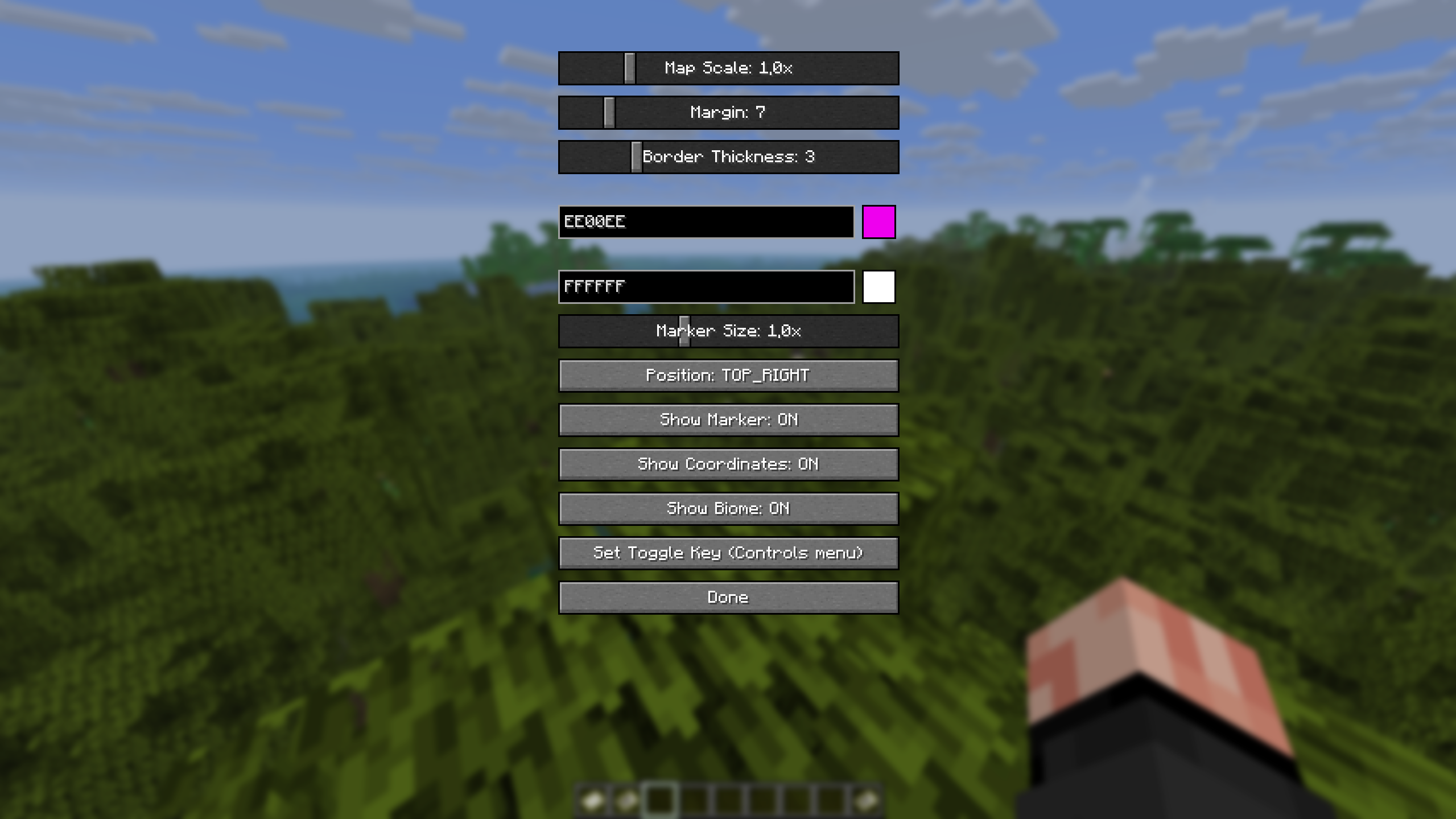 Settings Of The BetterMapsMod Full Settings that u can change urself inside of Modmenu while using the mod.
 -
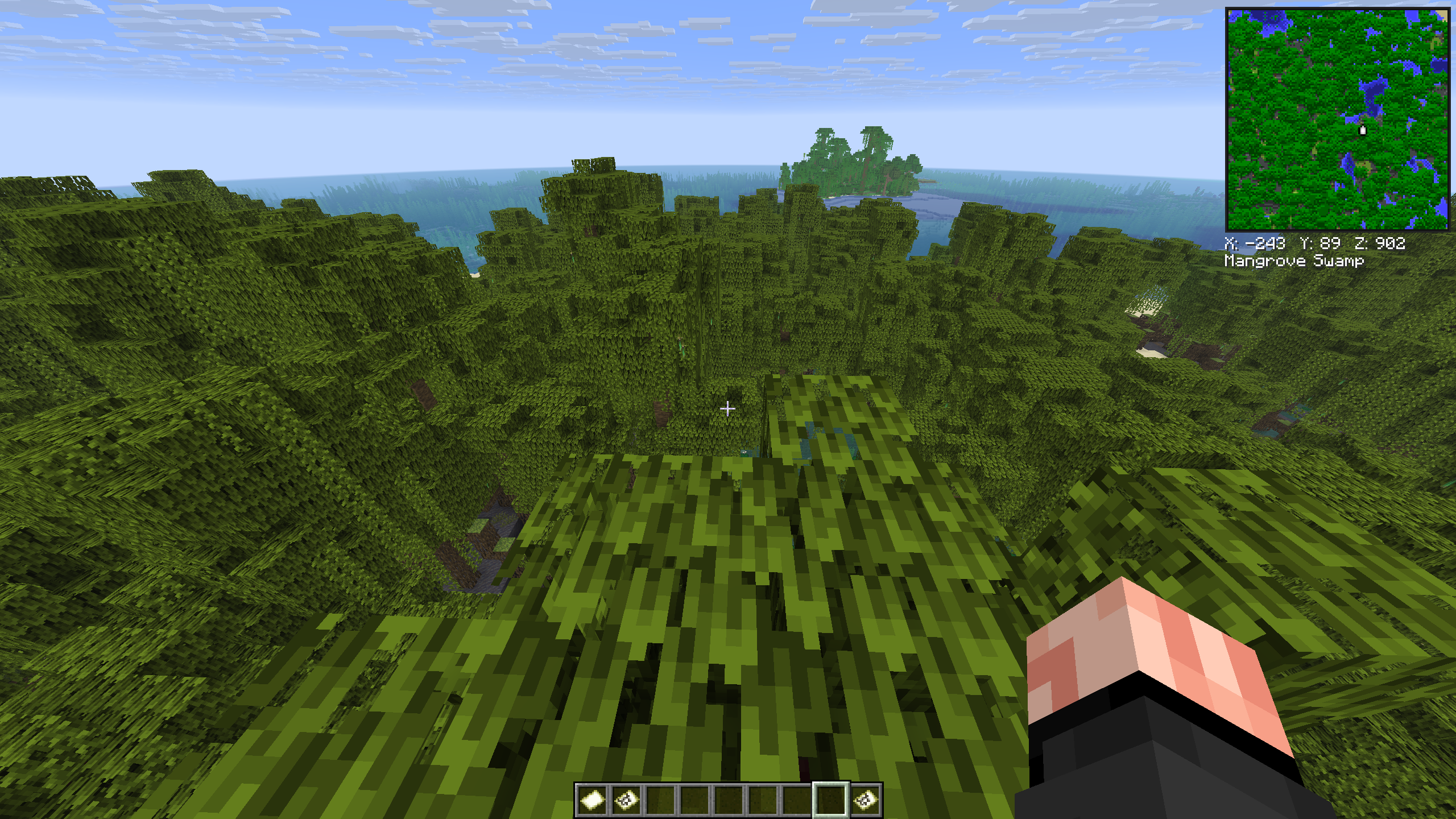 Toggled On When the mod is toggled on with your configured keybind, this is what will show when u first download the mod with the standard settings.
 -
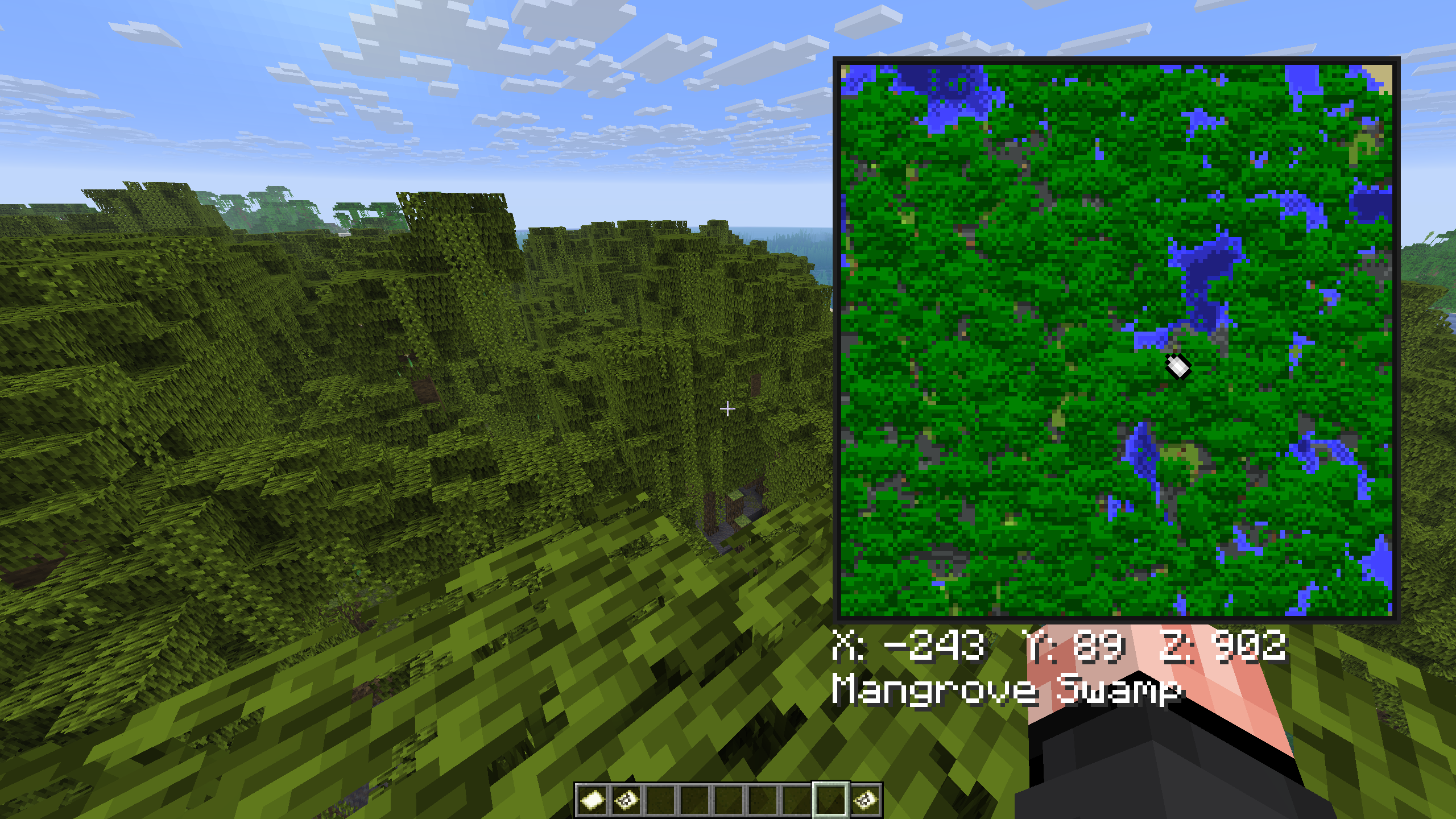 Different Sizes As in the settings there are different sizes of the map and u can configure that yourself in the settings screen.
 -
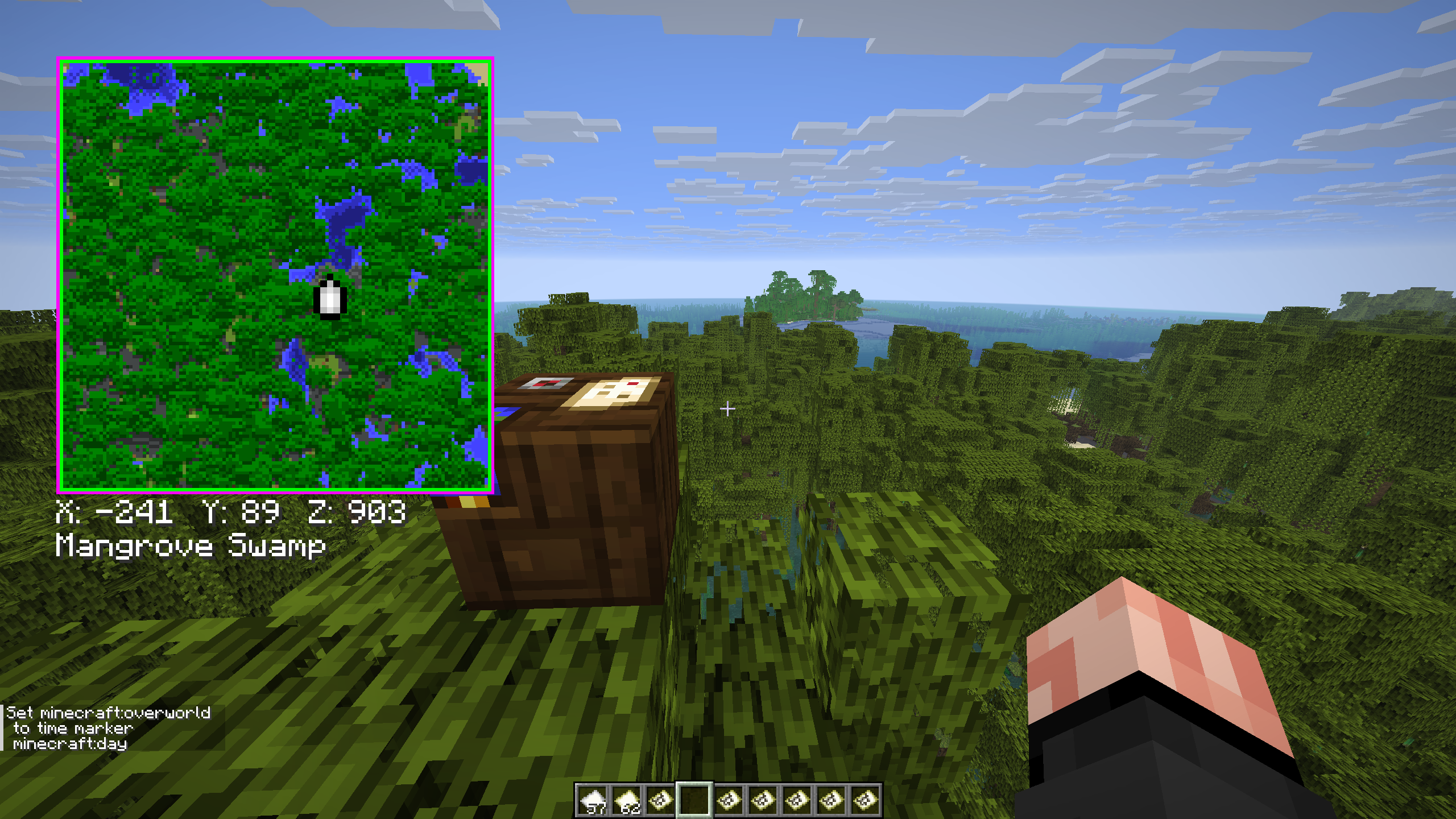 Customizability The Customization of the mod, which includes sizes of the map and marker, color customization of the map border, and toggleable marker, cords and biome shown.
 -
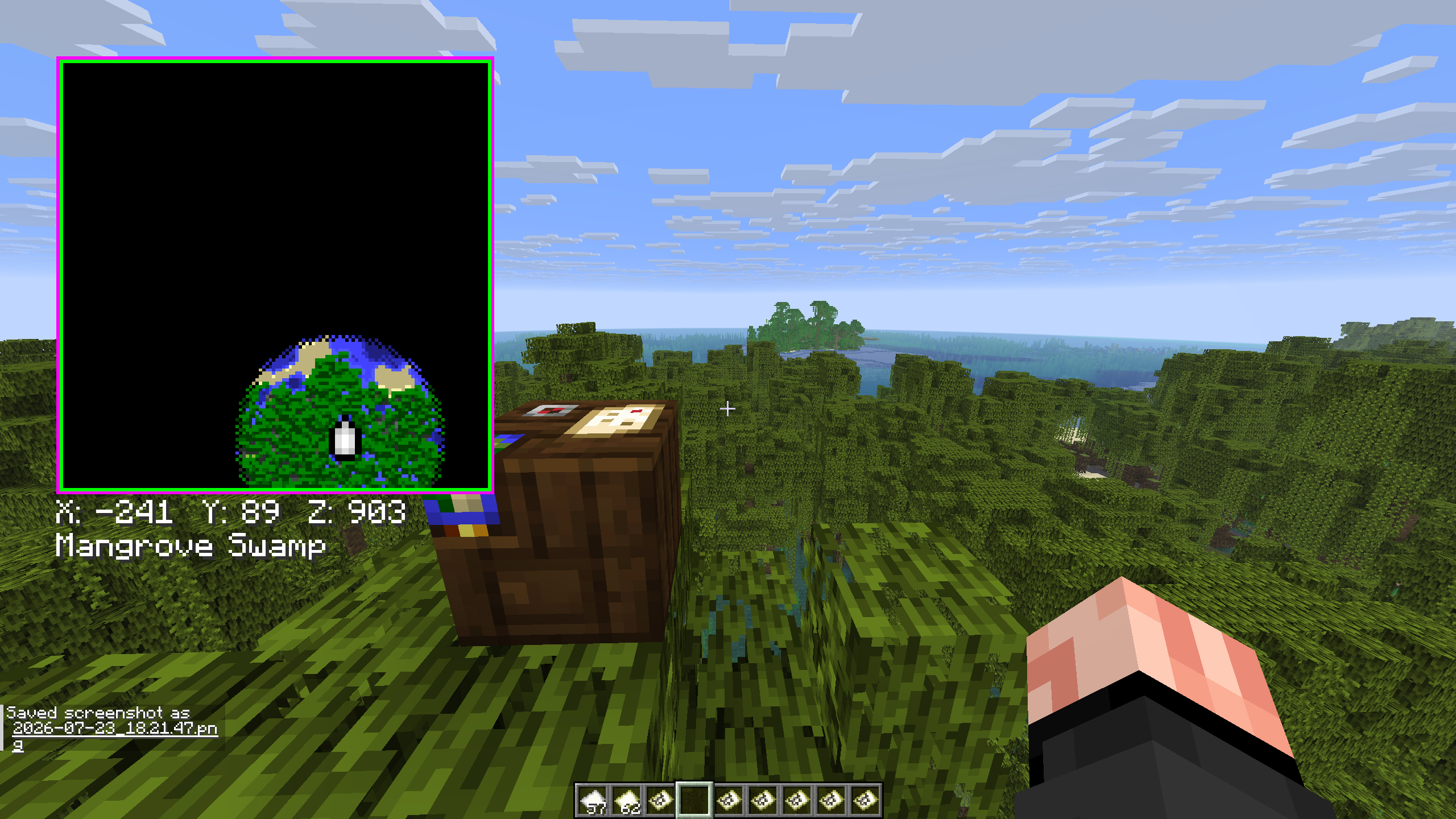 Bigger Map Works It also works with bigger maps!
Versions
Files
Relations
Project Relations
More like this
Similar Mods
Suggestions use data such as tags, dependencies, dependents, descriptions, titles, and more to rank how much they overlap with this mod.
On ModDex
Community snapshot
By the numbers
Statistics

Want to reach Minecraft players?
We're looking for a server hosting partner to feature here and other parts of the site. Interested? Send us a message!
Get in touchGet it on
Available Platforms
On ModDex
Community snapshot
By the numbers