Community listing page, reviews here may not be monitored by the author.
Better World Generation

No reviews yet
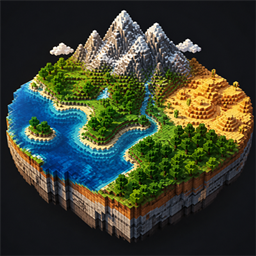
Shape oceans, continents, mountains, terrain, and climate from Minecraft's Create World menu while preserving vanilla seed-based generation.
Community voices
Reviews
No reviews yet. Be the first to review this project!
Get it on
Available Platforms
About
Project Details
For authors
Embed Badge
If you're the author of this project, you can embed a live badge anywhere that supports HTML or Markdown. It updates automatically whenever ratings change.
Use HTML for any page that supports it, or Markdown for README files and Markdown-based descriptions.
Identifiers
Platform IDs
Resources
External Links
About
Description
Better World Generation
Shape the character of your Minecraft worlds directly from the Create World screen.
Better World Generation expands vanilla world creation with simple sliders for oceans, continents, mountains, terrain, and climate. It does not replace Minecraft's procedural generator or create fixed maps. Your world remains completely seed-based - your settings only influence what kinds of terrain and biomes are more likely to appear.
Leave every slider at Vanilla and world generation remains unchanged.
Land & Water
- Ocean Amount - create land-heavy worlds or worlds dominated by water.
- Continent Size - choose between small scattered landmasses and broad continents.
- Ocean Depth - make ocean floors generally shallower or deeper.
Terrain
- Mountain Amount - control how frequently mountainous regions appear.
- Mountain Height - adjust the typical height of mountain ranges.
- Mountain Size - change the horizontal scale of mountain regions.
- Terrain Roughness - produce smoother terrain or more rugged, cliff-heavy landscapes.
Climate & Biomes
- Temperature - bias biome placement toward colder or hotter climates.
- Humidity / Dryness - favor wet, lush regions or dry biomes.
- Climate Region Size - control how large climate and biome regions tend to be.
Presets and Tools
- Reset every option to Vanilla at any time.
- Randomize all generation settings for a surprise world.
- Save and load your own named presets.
- Choose from built-in presets.
- View a seed-based statistical preview while configuring the world.
Per-World Generation
Every world stores its own Better World Generation settings. This allows different saves in the same installation to use completely different terrain styles.
The changes apply only to the Overworld. The Nether and End remain untouched, and the terrain controls are designed to preserve vanilla caves and aquifers.
How to Use
1. Select Create New World.
2. Open the World tab.
3. Select World Generation…
4. Adjust the sliders or select a preset.
5. Create the world normally.
The preview is an approximation of the selected world's statistical character, not an exact map. Individual mountains, coastlines, and biomes are still determined procedurally from the seed.
Important
It is not recommended to use this mod alongside others. This mod is an experiment with vanilla generation and can lead to very poor results depending on the settings.
Screenshots
Gallery
Versions
Files
Relations
Project Relations
More like this
Similar Mods
Suggestions use data such as tags, dependencies, dependents, descriptions, titles, and more to rank how much they overlap with this mod.
On ModDex
Community snapshot
By the numbers
Statistics
Want to reach Minecraft players?
We're looking for a server hosting partner to feature here and other parts of the site. Interested? Send us a message!
Get in touchGet it on
Available Platforms
On ModDex
Community snapshot
By the numbers
Statistics
Resources