Big Sign Writer

Quick rating

Big Sign Writer

No reviews yet

Allows for easy writing of large multi-line characters on signs!

No Theme
No Genre
QoL & Tweaks
Client Utility
UI & Menu Tool
Mod Loaders
Forge
NeoForge
Fabric
Minecraft

Community voices

Reviews

Versions
Loading versions…
Match includes

Click once to include, again to exclude, again to clear

Rating Any
Any 0.5 1.0 1.5 2.0 2.5 3.0 3.5 4.0 4.5 5.0
Min
Max
Play Status
Reviews
Time Played
hrs+
Verified developers only
Has developer response
List view
Grid view
Compact view
Sort by
Date
Rating
Helpful
Unhelpful
Edited
Sort ascending
Delete this review?

This removes your review from the project. You can write a new review after.

Review submitted for moderation

Your review has been sent to moderators, who will check that it meets our guidelines before it appears publicly.

No reviews yet. Be the first to review this project!

Get it on

Available Platforms

Compatibility

Supported Environments

Dev Environment
Client Required
Server Unsupported

About

Project Details

Type
Mod
License
Mozilla Public License 2.0
Latest Version
bigsignwriter-2.2.0+26.1-neoforge.jar
Authors
CurseForge
Modrinth

For authors

Embed Badge

If you're the author of this project, you can embed a live badge anywhere that supports HTML or Markdown. It updates automatically whenever ratings change.

Custom banner text
ModDex rating badge preview

Use HTML for any page that supports it, or Markdown for README files and Markdown-based descriptions.

Identifiers

Platform IDs

CurseForge ID
Modrinth ID

Resources

External Links

Source Issues Wiki Discord

About

Description

Due to MC-308809, all existing signs written with Big Sign Writer will appear broken in 26.2. This has been fixed in the 26.3 snapshots.

If you are playing on 26.2, a resource pack fixing the mod's fonts can be found here.


A client-side utility mod that eases inputting text onto signs that forms larger letters! Just turn the toggle on in the sign editing UI, and type as normal! Each large character is made up of smaller, normal Unicode characters from the vanilla Minecraft font, allowing this mod to work on most servers.

Certain resource packs may cause issues.
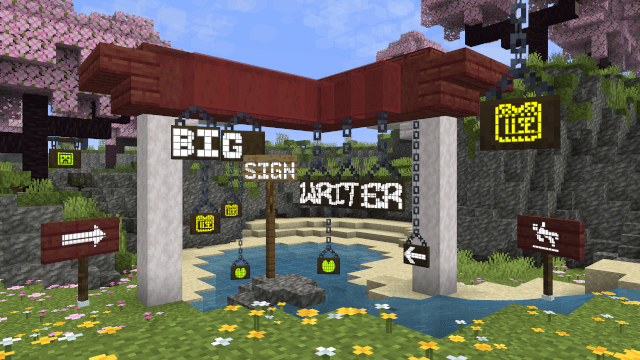


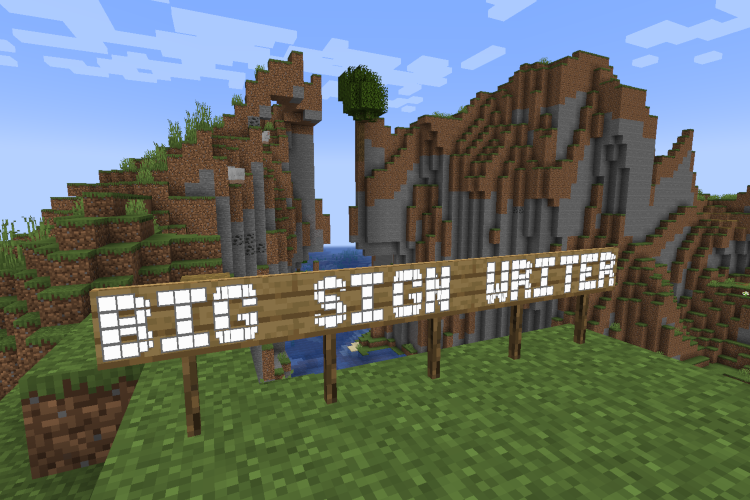
'BIG SIGN WRITER' written across several signs in large text


A button is added to the sign editing GUI to switch between large letter typing and normal. This button's position can be changed in the config file. (config/bigsignwriter/config.json)

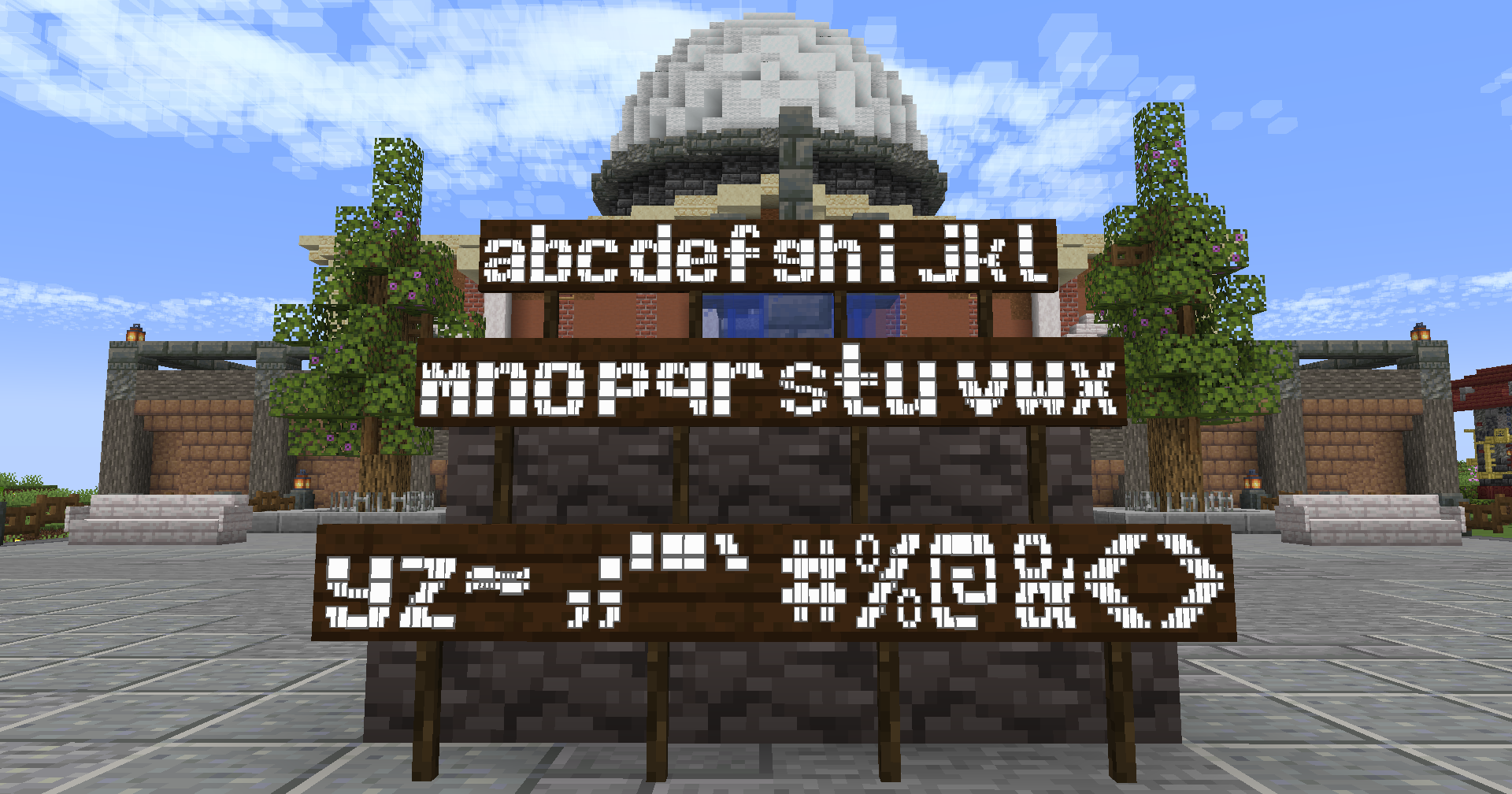
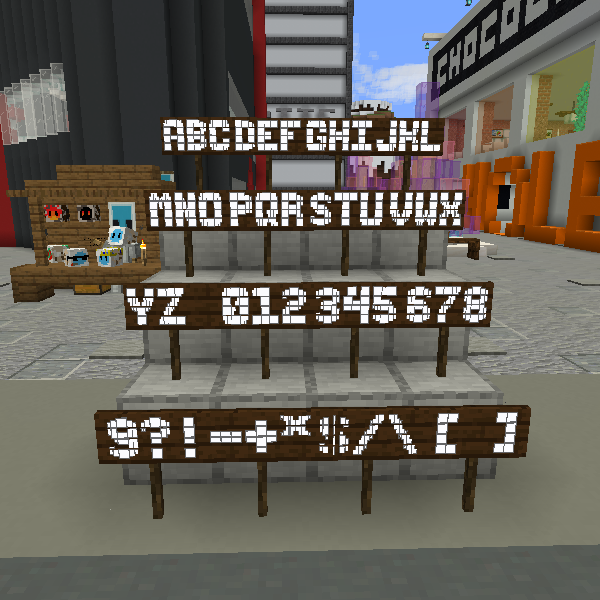
Most default fonts have large characters for all uppercase letters, all numbers, and a few additional symbols. Custom fonts can be added in the 'fonts' folder. (config/bigsignwriter/fonts/)


Configuration


The config and font files are loaded once at runtime, and can be reloaded through the in-game config screen.


config/bigsignwriter/config.json

Contains the general mod configuration. Can be edited through the in-game config screen, accessible by default through the sign edit screen, or Mod Menu on Fabric and NeoForge's mod list.


config/bigsignwriter/fonts/

Folder where you can put custom fonts! You can create copies of the default fonts from the in-game config screen, which will go here.

Custom fonts are .json files, which contain a "name":"" field, an optional "characterSeparator":"" field, which can override which character(s) to use in between letters, and a "characters":{} field containing every large character and the normal character they represent. You may add additional characters, as long as what you want replaced is a single, type-able character. There's also an optional "credits":"" field for adding credits, and an optional "parentFont":"" field for explicitly defining which font to inherit characters from (based on filename without ".json", or built-in id).

When editing/creating large characters, it is important that each line is the exact same width to maintain alignment. Different fonts will have different widths for different characters, so it is a good idea to make these directly inside Minecraft, and then copy each line into the config file.

The default 'T' is a good example, the top line is 3 blocks, which are 9 pixels wide each, making for a total of 27 pixels. Each subsequent line has one block, then on both sides of the block there is 1 space (4 pixels wide), and 1 "no-break space" (5 pixels wide), bringing the total in line at 27.

To check that your alignment is good, I like to copy three blocks ███ onto both sides of each line, then modify each line until all the blocks are in line with each other.

A massively helpful tool to aid in this process is Symbol Chat, which adds a menu where you can filter every available Unicode character by their width, among other things.


Due to MC-308809, all existing signs written with Big Sign Writer will appear broken in 26.2. This has been fixed in the 26.3 snapshots.

If you are playing on 26.2, a resource pack fixing the mod's fonts can be found here.


A client-side utility mod that eases inputting text onto signs that forms larger letters! Just turn the toggle on in the sign editing UI, and type as normal! Each large character is made up of smaller, normal Unicode characters from the vanilla Minecraft font, allowing this mod to work on most servers.

Certain resource packs may cause issues.
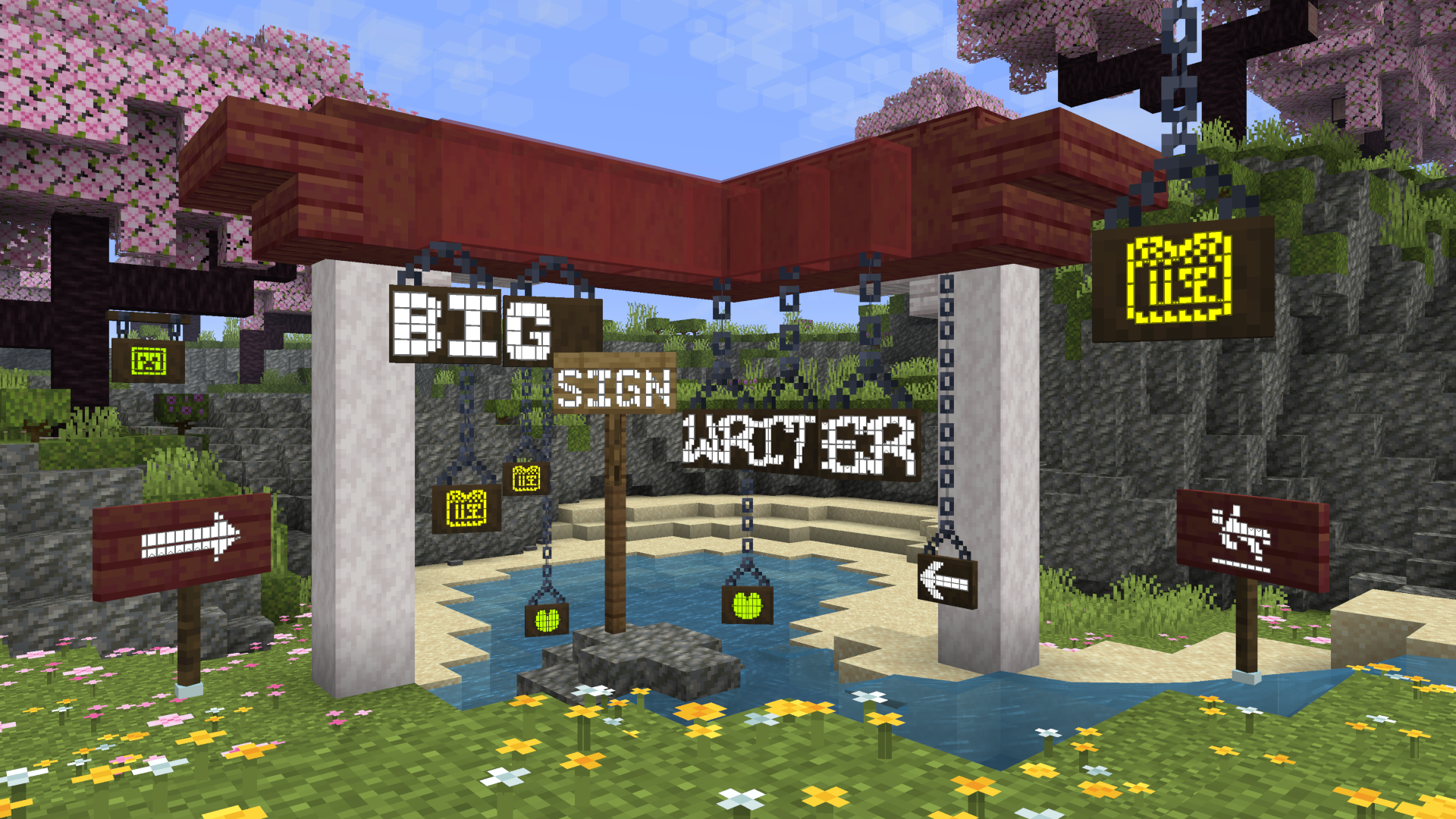

'BIG SIGN WRITER' written across several signs in large text


A button is added to the sign editing GUI to switch between large letter typing and normal. This button's position can be changed in the config file. (config/bigsignwriter/config.json)

Most default fonts have large characters for all uppercase letters, all numbers, and a few additional symbols. Custom fonts can be added in the 'fonts' folder. (config/bigsignwriter/fonts/)


Configuration
The config and font files are loaded once at runtime, and can be reloaded through the in-game config screen.

config/bigsignwriter/config.json

Contains the general mod configuration. Can be edited through the in-game config screen, accessible by default through the sign edit screen, or Mod Menu on Fabric and NeoForge's mod list.


config/bigsignwriter/fonts/

Folder where you can put custom fonts! You can create copies of the default fonts from the in-game config screen, which will go here.

Custom fonts are .json files, which contain a "name":"" field, an optional "characterSeparator":"" field, which can override which character(s) to use in between letters, and a "characters":{} field containing every large character and the normal character they represent. You may add additional characters, as long as what you want replaced is a single, type-able character. There's also an optional "credits":"" field for adding credits, and an optional "parentFont":"" field for explicitly defining which font to inherit characters from (based on filename without ".json", or built-in id).

When editing/creating large characters, it is important that each line is the exact same width to maintain alignment. Different fonts will have different widths for different characters, so it is a good idea to make these directly inside Minecraft, and then copy each line into the config file.

The default 'T' is a good example, the top line is 3 blocks, which are 9 pixels wide each, making for a total of 27 pixels. Each subsequent line has one block, then on both sides of the block there is 1 space (4 pixels wide), and 1 "no-break space" (5 pixels wide), bringing the total in line at 27.

To check that your alignment is good, I like to copy three blocks ███ onto both sides of each line, then modify each line until all the blocks are in line with each other.

A massively helpful tool to aid in this process is Symbol Chat, which adds a menu where you can filter every available Unicode character by their width, among other things.


Screenshots

Gallery

  • BIG SIGN WRITER
    BIG SIGN WRITER "BIG SIGN WRITER" written across several signs in large text
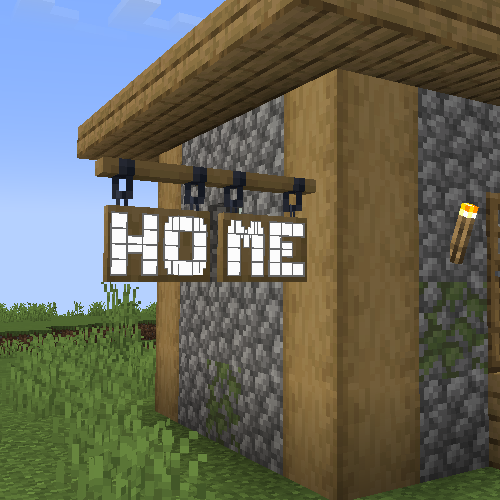
  • "HOME" written across two hanging signs
    "HOME" written across two hanging signs
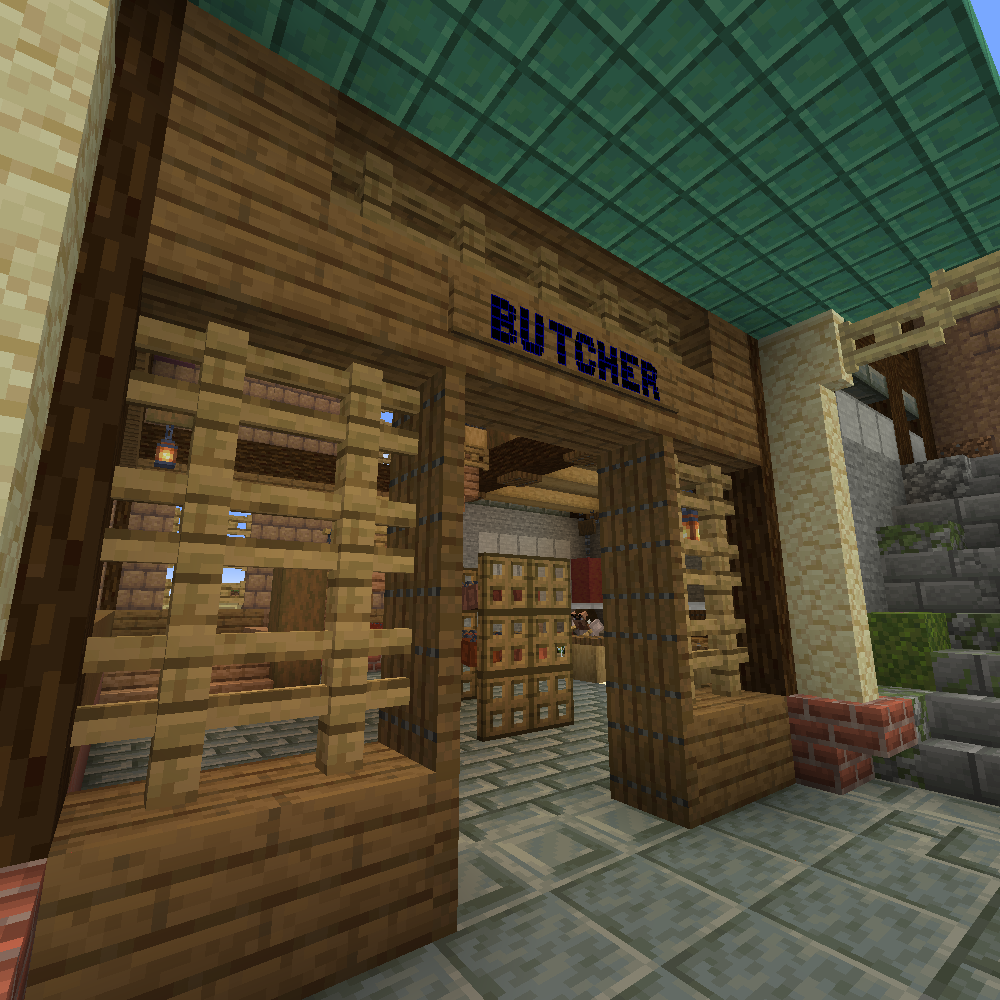
  • Large sign text for a butcher
    Large sign text for a butcher
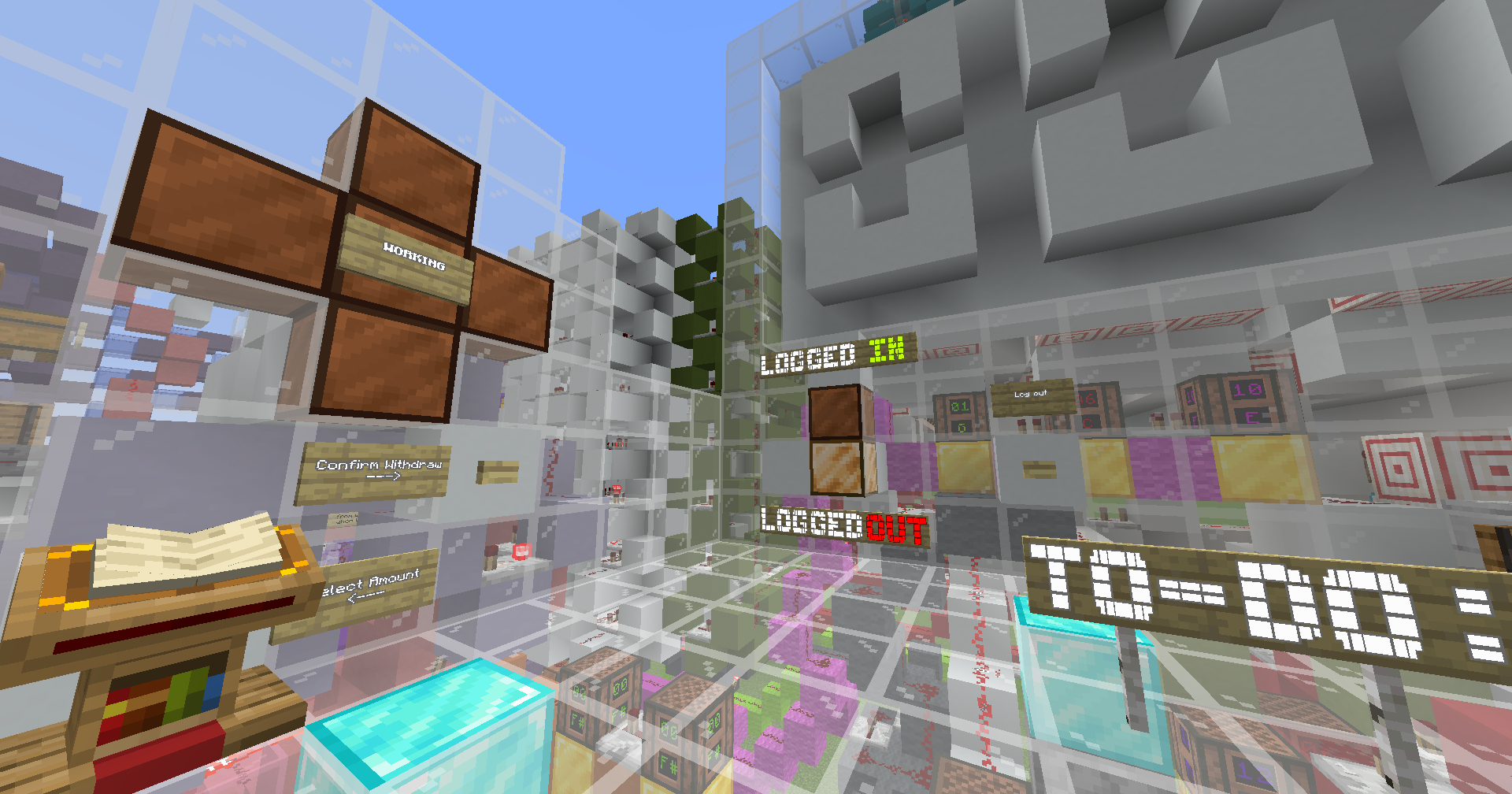
  • Used as labels in a redstone build
    Used as labels in a redstone build
  • most of the characters added in 1.4
    most of the characters added in 1.4
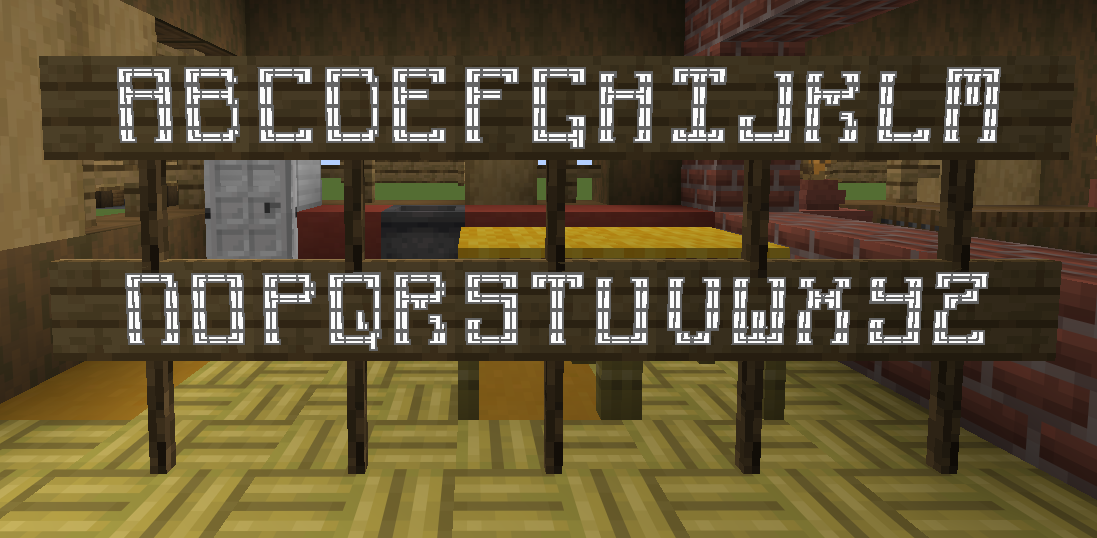
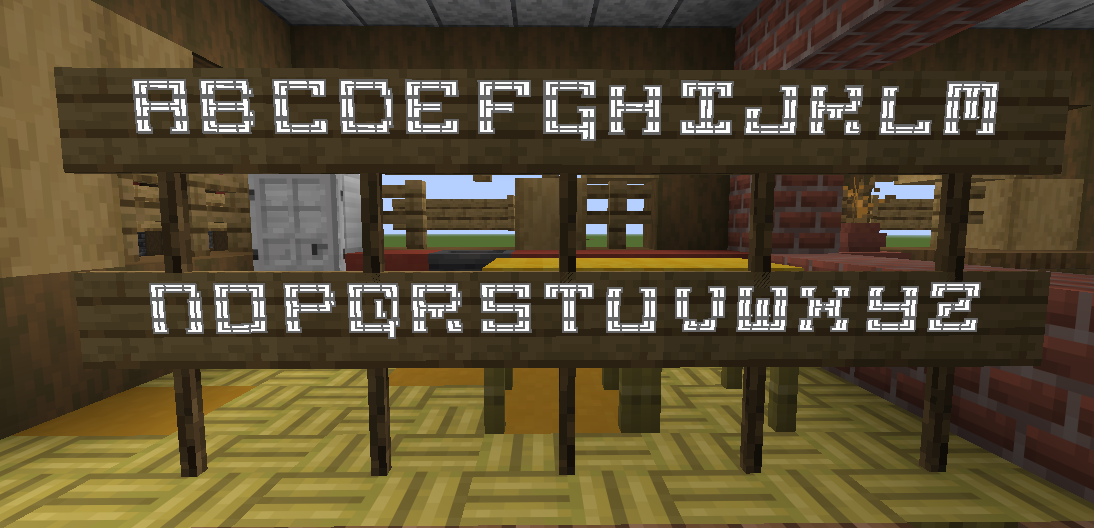
  • Characters from the default config
    Characters from the default config
  • Minecraft Striped font added in 1.6.2 (1.21.4+ only)
    Minecraft Striped font added in 1.6.2 (1.21.4+ only)
  • Small font added in 1.5
    Small font added in 1.5
  • Happy Ghast font added in 1.6.2 (1.21.4+ only)
    Happy Ghast font added in 1.6.2 (1.21.4+ only)
  • Minecraft Small font added in 1.6.2 (1.21.4+ only)
    Minecraft Small font added in 1.6.2 (1.21.4+ only)
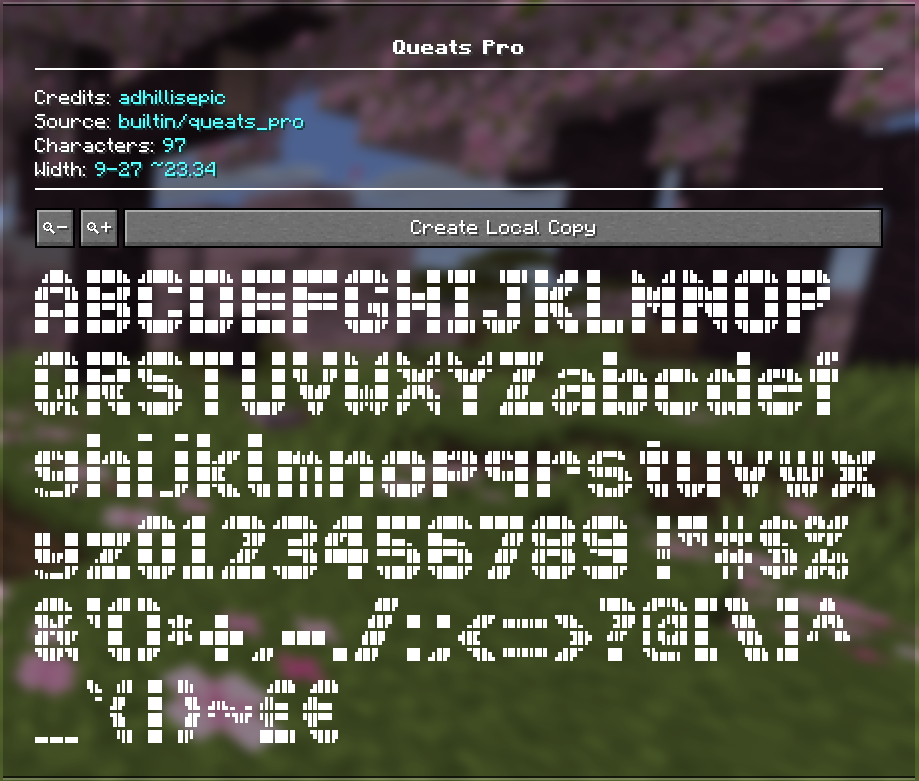
  • Queats Pro by adhill, added in 2.0.0 (1.21.4+ only)
    Queats Pro by adhill, added in 2.0.0 (1.21.4+ only)
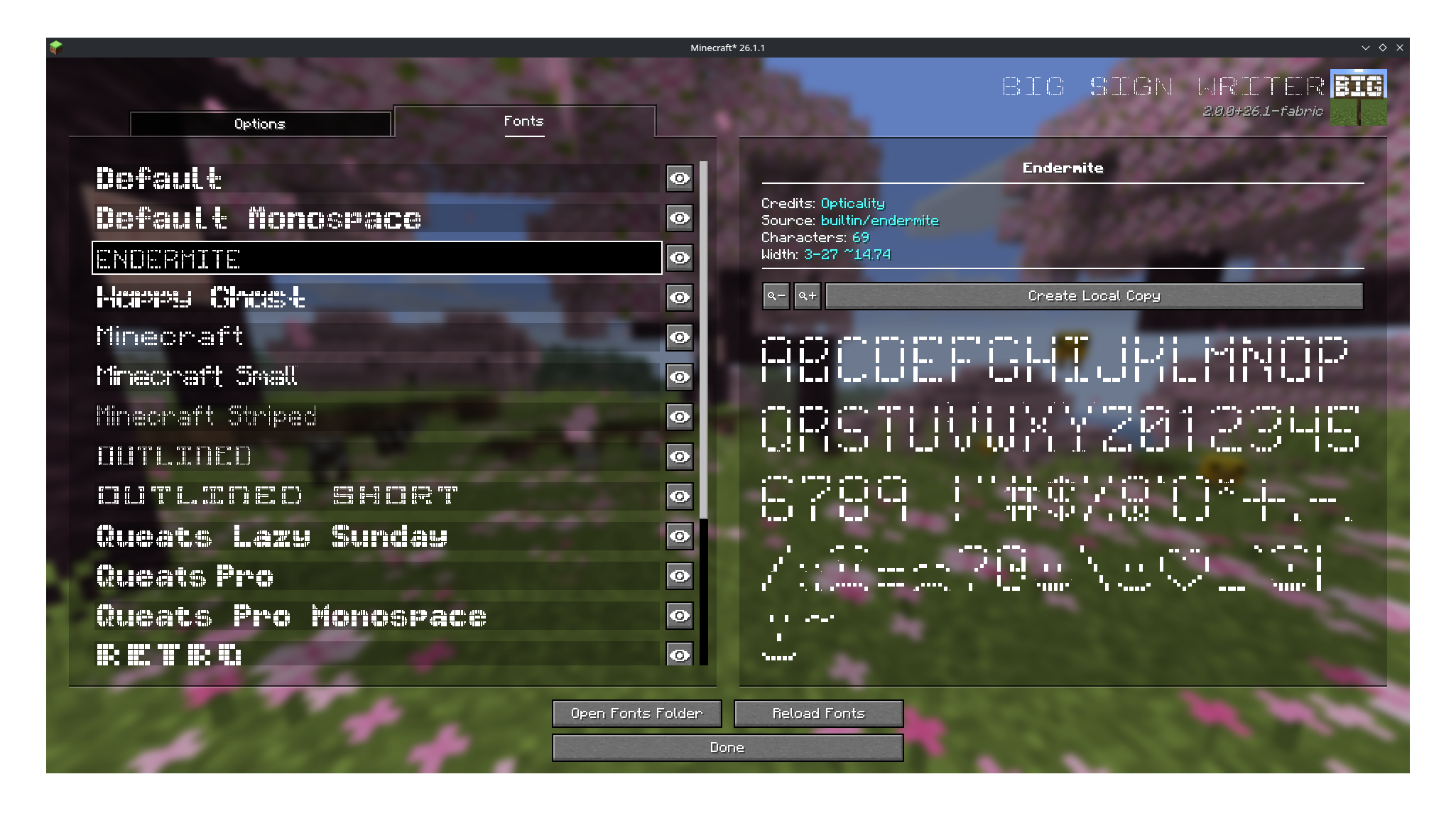
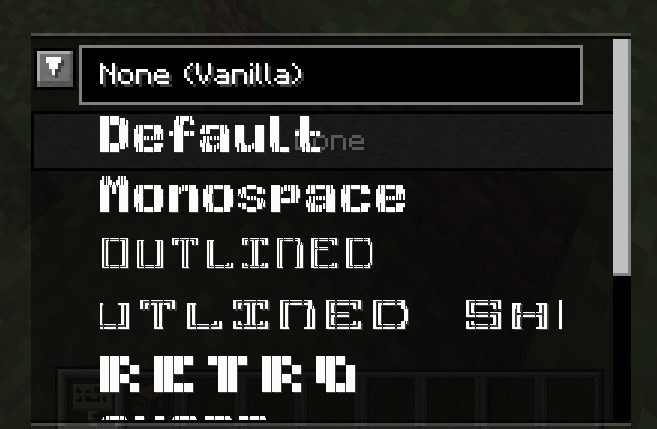
  • Endermite font by Opticality (1.21.4+ only) on the new BSW 2.0.0 config screen
    Endermite font by Opticality (1.21.4+ only) on the new BSW 2.0.0 config screen
  • Thin font added in 1.5
    Thin font added in 1.5
  • Outlined font added in 1.6
    Outlined font added in 1.6
  • Outlined Short font added in 1.6
    Outlined Short font added in 1.6
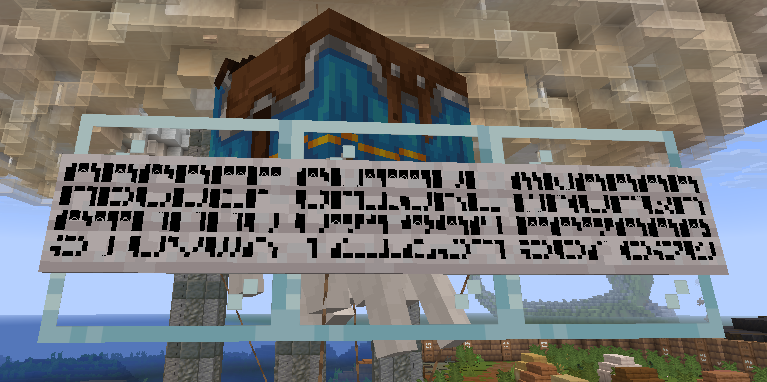
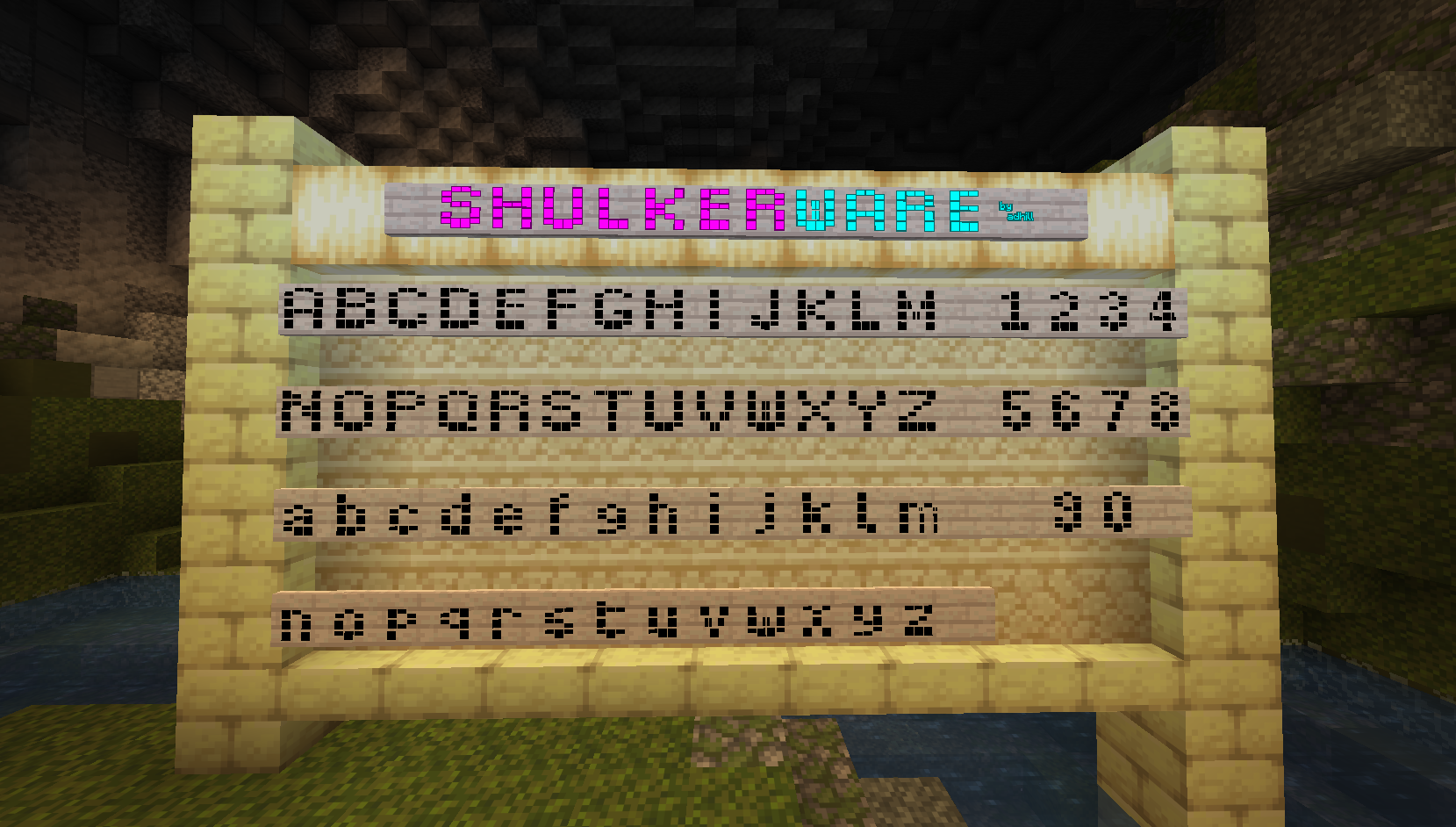
  • SHULKERWARE font by adhill, added in 1.6.5
    SHULKERWARE font by adhill, added in 1.6.5
  • Smooth small font added in 1.5 (1.21.4+ only)
    Smooth small font added in 1.5 (1.21.4+ only)
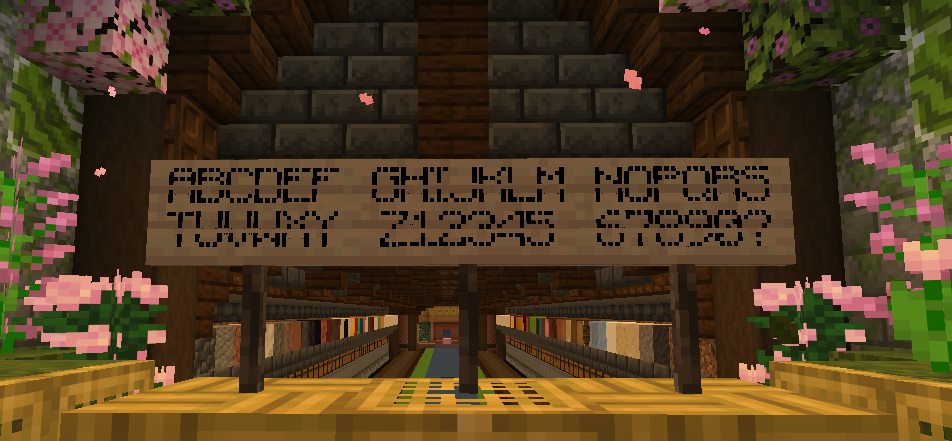
  • Multiple fonts showcase (bottom 2 fonts added by DebornMC, middle one originally by Hugleton)
    Multiple fonts showcase (bottom 2 fonts added by DebornMC, middle one originally by Hugleton)
  • Mod UI overhauled for 1.6
    Mod UI overhauled for 1.6
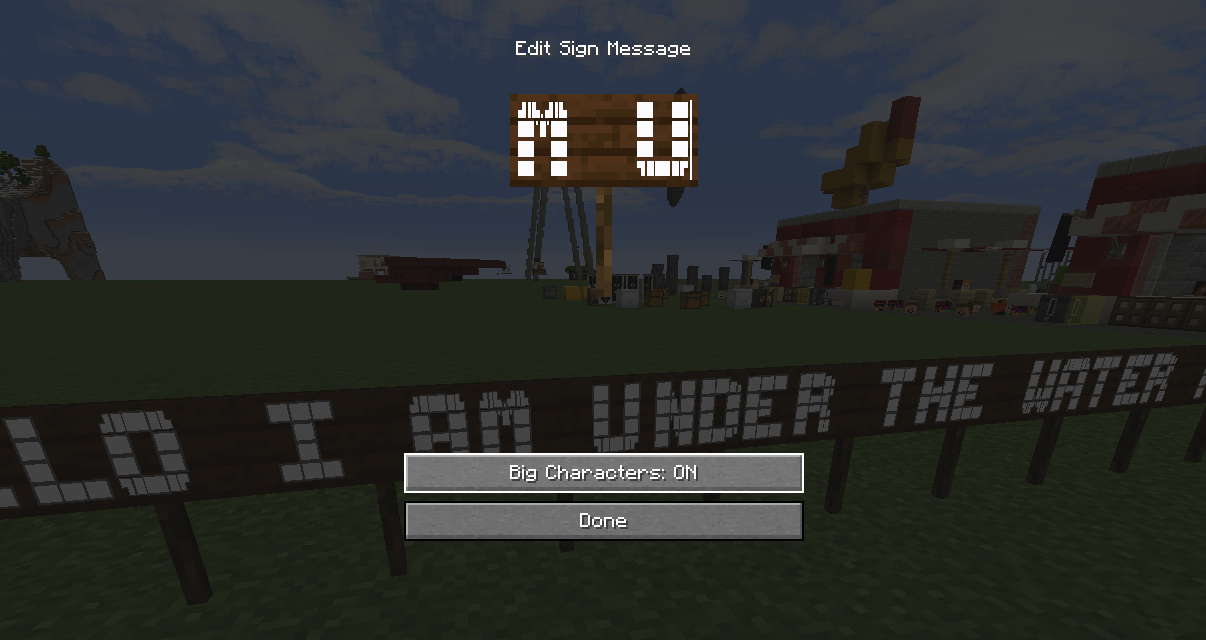
  • Mod UI as of 1.2
    Mod UI as of 1.2
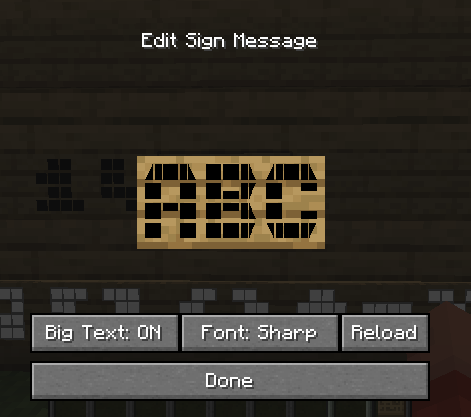
  • Mod UI, closely integrated with the vanilla sign editing UI
    Mod UI, closely integrated with the vanilla sign editing UI
  • font making has taken over my creative server's spawn area
    font making has taken over my creative server's spawn area

Versions

Files

Relations

Project Relations

More like this

Similar Mods

Suggestions use data such as tags, dependencies, dependents, descriptions, titles, and more to rank how much they overlap with this mod.

On ModDex

Community snapshot

0
Ratings
0
Followers
0
In stacks

By the numbers

Statistics

~160,000
Total Downloads
CurseForge
~20,000
Modrinth
~140,000
Last Updated
CurseForge
Created
CurseForge
Modrinth
Last synced
When ModDex last fetched this project from CurseForge or Modrinth. Every project is re-checked on a schedule, and any project that ships a new file is synced automatically within hours of the release.
New file updates sync automatically
How syncing works