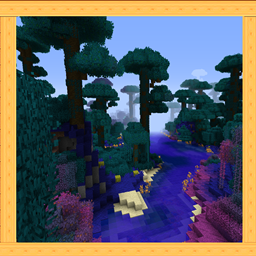
Community listing page, reviews here may not be monitored by the author.

Community voices
Reviews
No reviews yet. Be the first to review this project!
Get it on
Available Platforms
About
Project Details
For authors
Embed Badge
If you're the author of this project, you can embed a live badge anywhere that supports HTML or Markdown. It updates automatically whenever ratings change.
Use HTML for any page that supports it, or Markdown for README files and Markdown-based descriptions.
Identifiers
Platform IDs
Resources
External Links
About
Description
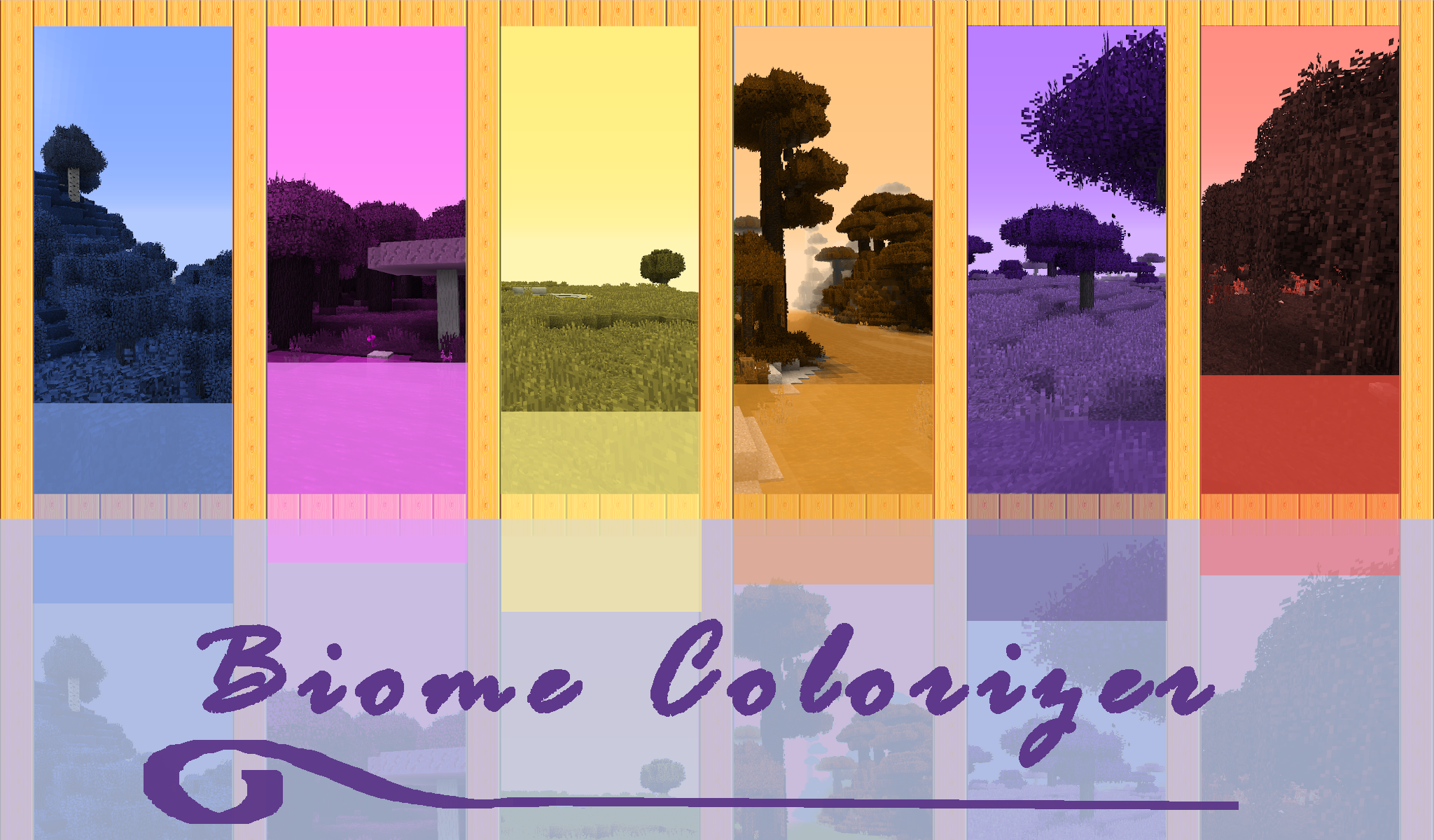
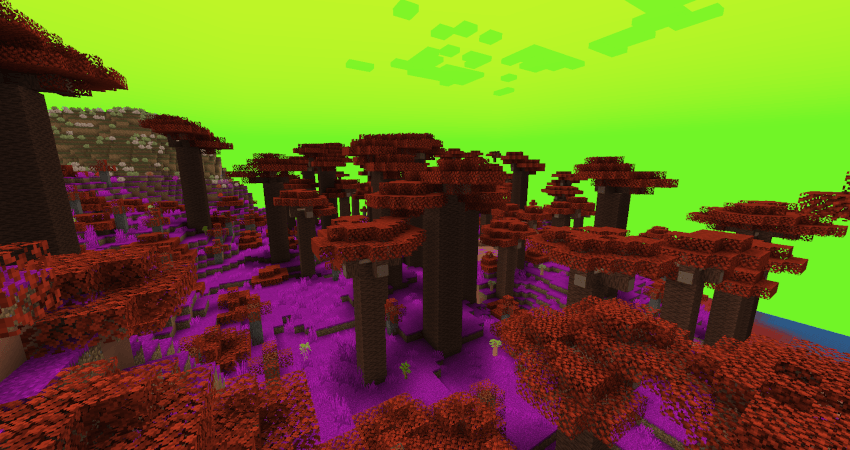
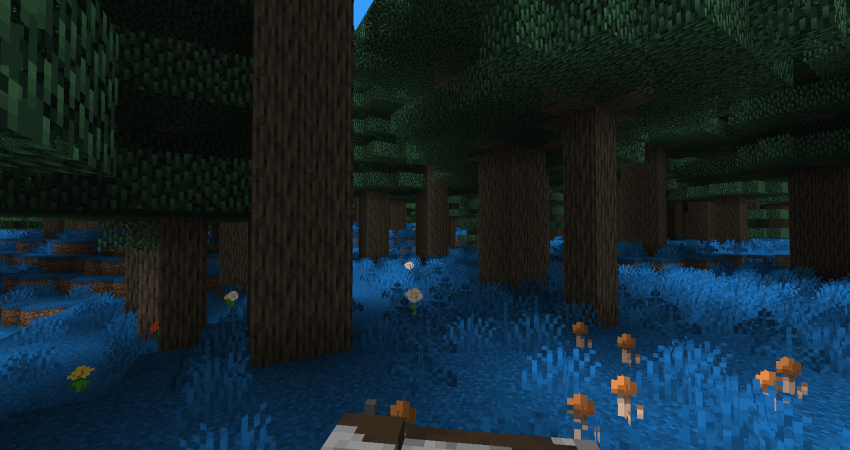
Biome Colorizer is a small, but powerful mod, that allows you to change grass/foliage/water/water fog/sky/fog color easily for every vanilla biome, as well as every modded biome possible! Modern 1.20.1+ version dynamiclly gets all the existing biomes from your modpack and creates config files for every mod, that add biomes.
Just install the mod, run the game once and load any world to create all configs for the biomes.
You will get "biomecolorizer" folder inside your "config" folder, containing minecraft.toml for vanilla biomes, and other files depending on your modpack: "regions_unexplored.toml", "biomesoplenty.toml" and so on. Follow the instructions in the config file to change biome colors; config files accepts HEX codes (with#) as well as decimal.
Reload the game and test the colors!
IMPORTANT! If you play on a server, you will have to install Biome Colorizer on a server too and copy your changed configs from the client to the server! The server requires these to load biomes' color changes properly!
NOTES:
Unfortunately, due to the modern Minecraft code compexity and wackyness, I haven't been able to make Biome Colorizer both client-side only - and as universal, as I wanted it to be, so I had to compromise. Nowdays it works through Forge modifiers, that require biomes registries, so it also requires game restart.
The good thing is- it is finally an absolute universal colorizer! No more manual per-mod config creating, just grab all biomes dynamically and go on!
And also it has 0 performance impact now- it overhauls biome colors globally, like if they were already created with those new colors, so no more in-game rendering hacks!
Let's have some fun with colors!
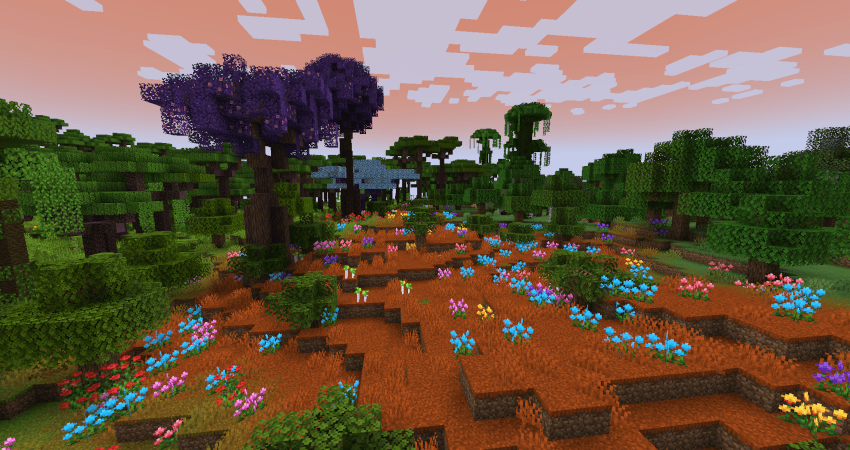
*Oh The Biome We've Gone
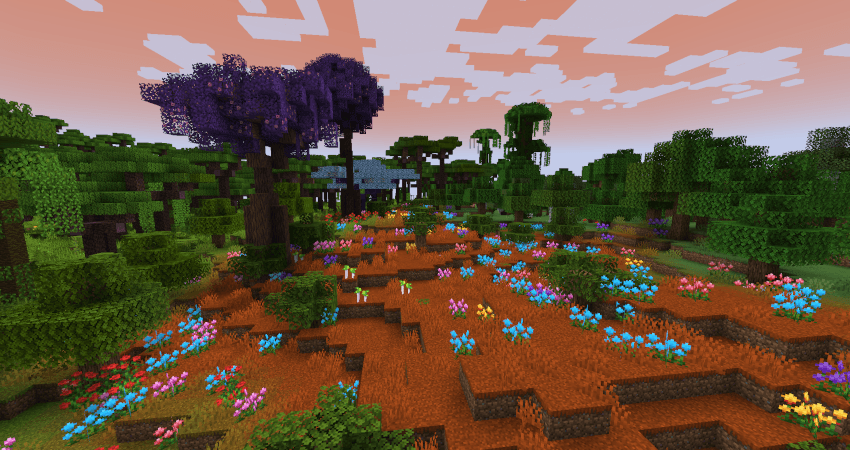
* Biomes O'Plenty
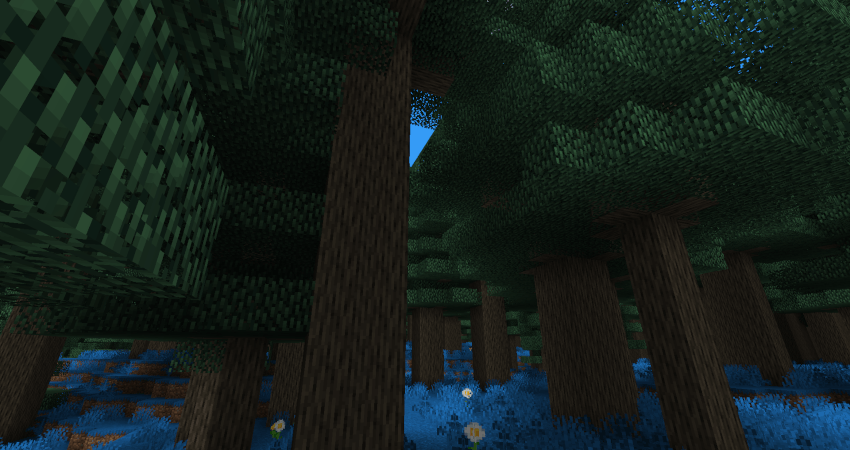
*Regions Unexplored
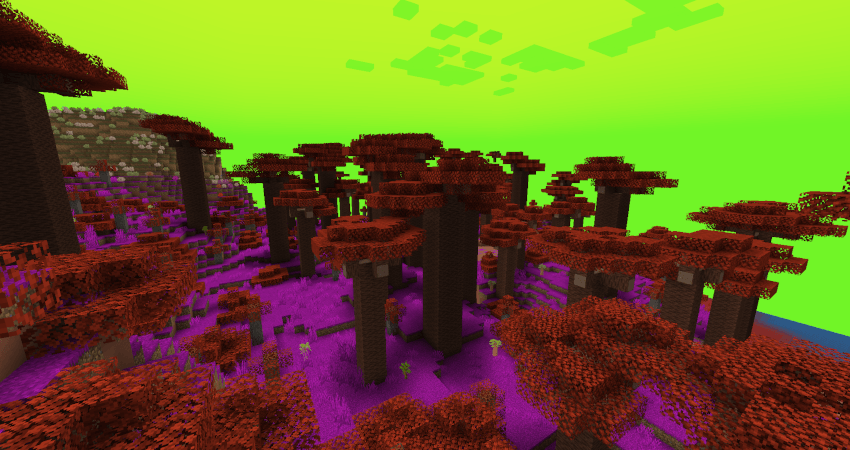
OLD 1.12.2 Biome Colorizer description (OUTADATED):
Biome Colorizer is a small and simple mod,that allows you to change grass/foliage/water color of every vanilla biome (including hardcoded Swampland,Mesa and Roofed forest!), as well as every modded biome from following mods:
- Biomes O'Plenty
- Traverse
- Auxilary Biomes
- Redwoods.
(please use latest releases!)
+ special compatibility for my Open Terrain Generator preset "Traveler's Dream".No need to adjust numbers manually, simply delete old Vanilla.cfg in the "config/BiomeColorizer" folder and after the first launch with OTG and preset you will get TD color values as default in the "vanilla" tab and .cfg.
Other biome mods may be added later, if you wish, just write me in comments! =)
Known "problematic" mods, that aren't affected by Biome Colorizer coloring methods:
Project: Vibrant Journeys
Wild Nature
(maybe I'll make something with this someday...)
Quark's Greener Color and Serene Seasons are working without crashes/issues with Biome Colorizer (as far as I can see), however sometimes resulting colors may be strange or one mod will ignore other mod's coloring.
Note: only those blocks will be affected, that could be colored and depend on biome colors (they need at least to have gray-scale textures and models with tint-index...).Any custom leaves or plants, that are not intended by mod author to be colored by biome, will not be touched.
Installation
Just drop BiomeColorizer .jar into the "mods" folder.
If you are playing on a server, you can install BiomeColorizer only on your client.
(but if you'll forget it in the server "mods" folder, nothing bad will happen!)
How it works
Biome Colorizer can be configured easily in the ingame "Mods" configuration GUI in the main menu or by changing numbers in config files. Config files will be created in the "config/BiomeColorizer" folder.
Note: ingame GUI will show all available types of configuration, so don't be afraid of "BiomesO'Plenty" or other mod's configuration menu if you have no such mods installed. Cfg files will also be created for every compatible mod.
Let's look at the configuration process step by step:
Find BiomeColorizer in "Mods" menu and click "Config" button. You will see this:
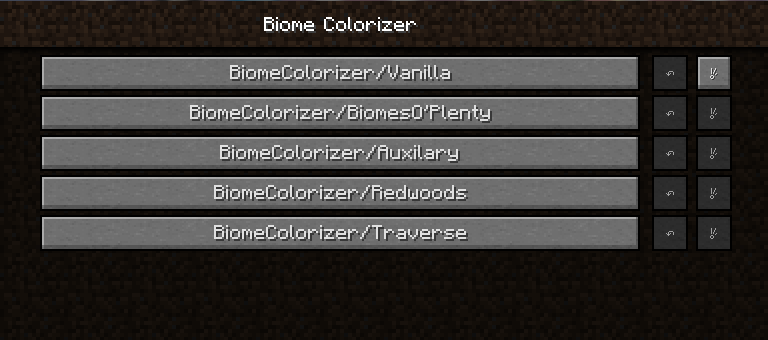
Choose what you want and click on the button (I'll show vanilla one):
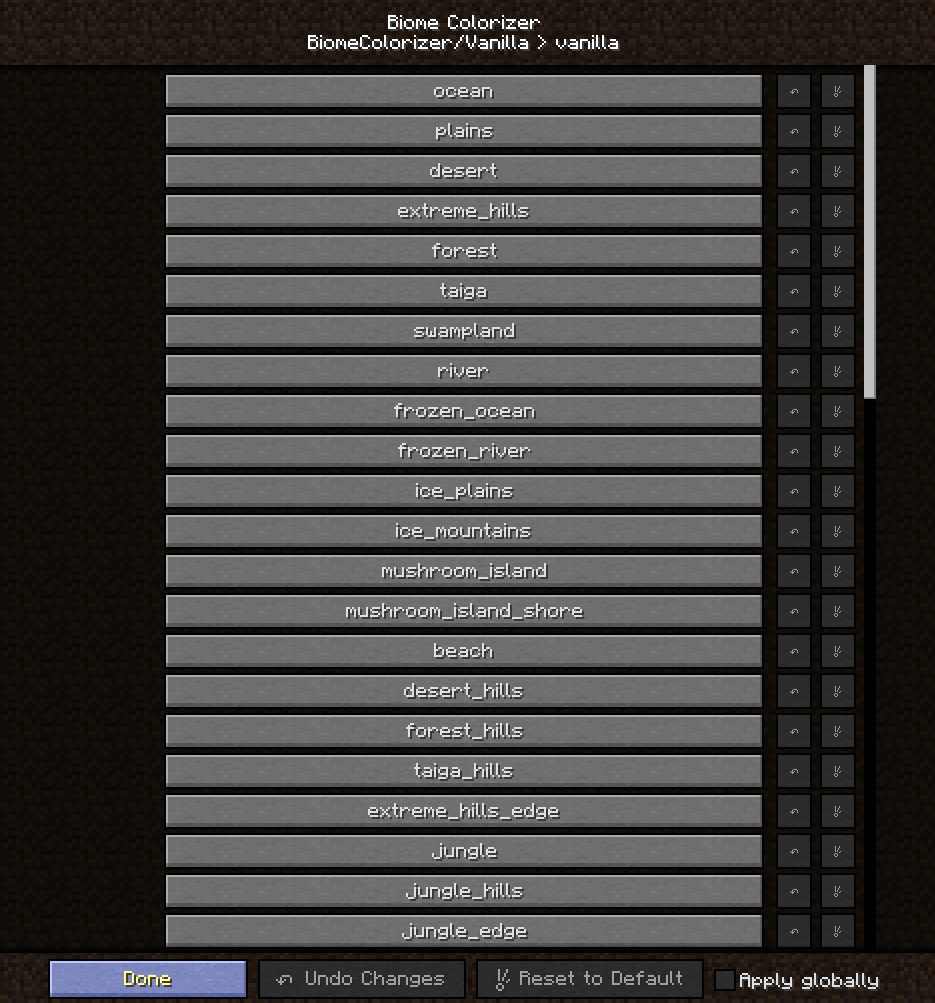
Then choose the biome you want to configure and click on the button (I'll configure Plains):
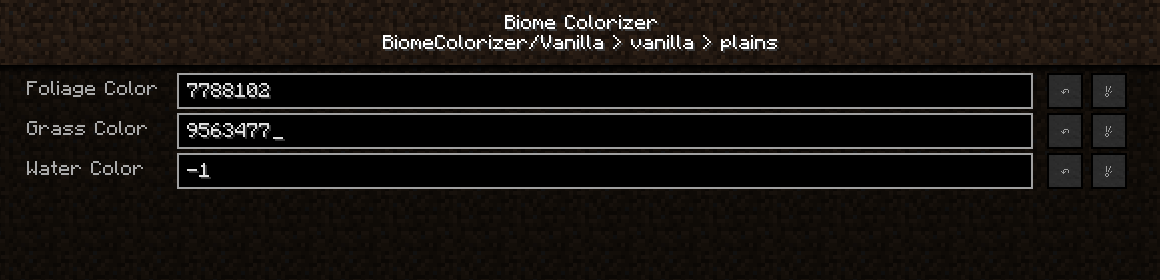
As you can see, colors are represented by those numbers.They are Decimal color codes.So you will need to print decimal color values in the corresponding fields.How can you get them?
I 'm using following online services:
HTML Color Picker - to get HEX color codes, you can use Gimp, Photoshop etc as well
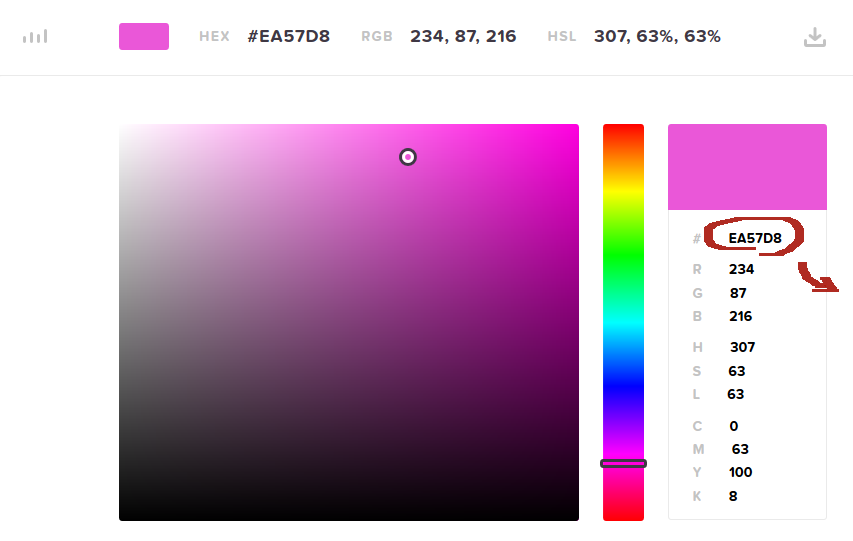 Copy that field and go to any HEX->Decimal converter (I'm using this one: Hexadecimal to Decimal Converter ):
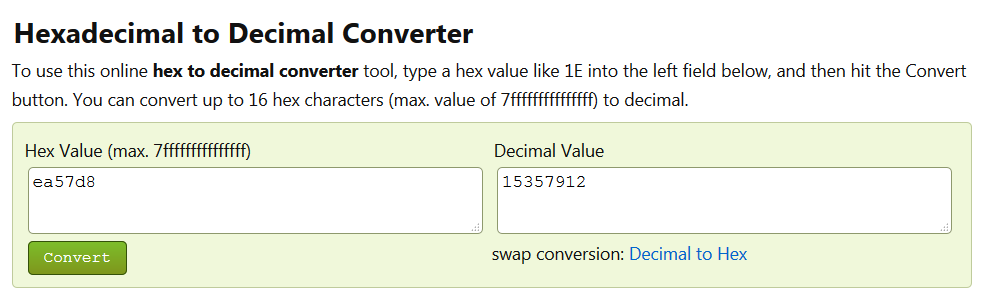 Copy Decimal Value from right field and paste it into the corresponding field in the .cfg file or print into the GUI field.
Click "Done" or save the file.
Open you world/connect to the server world and you will see the result!
By default color values are -1. If you want to reset colors back to vanilla, print -1 in the field! You can also use "reset to default" gui button or delete .cfg file.
Screenshots
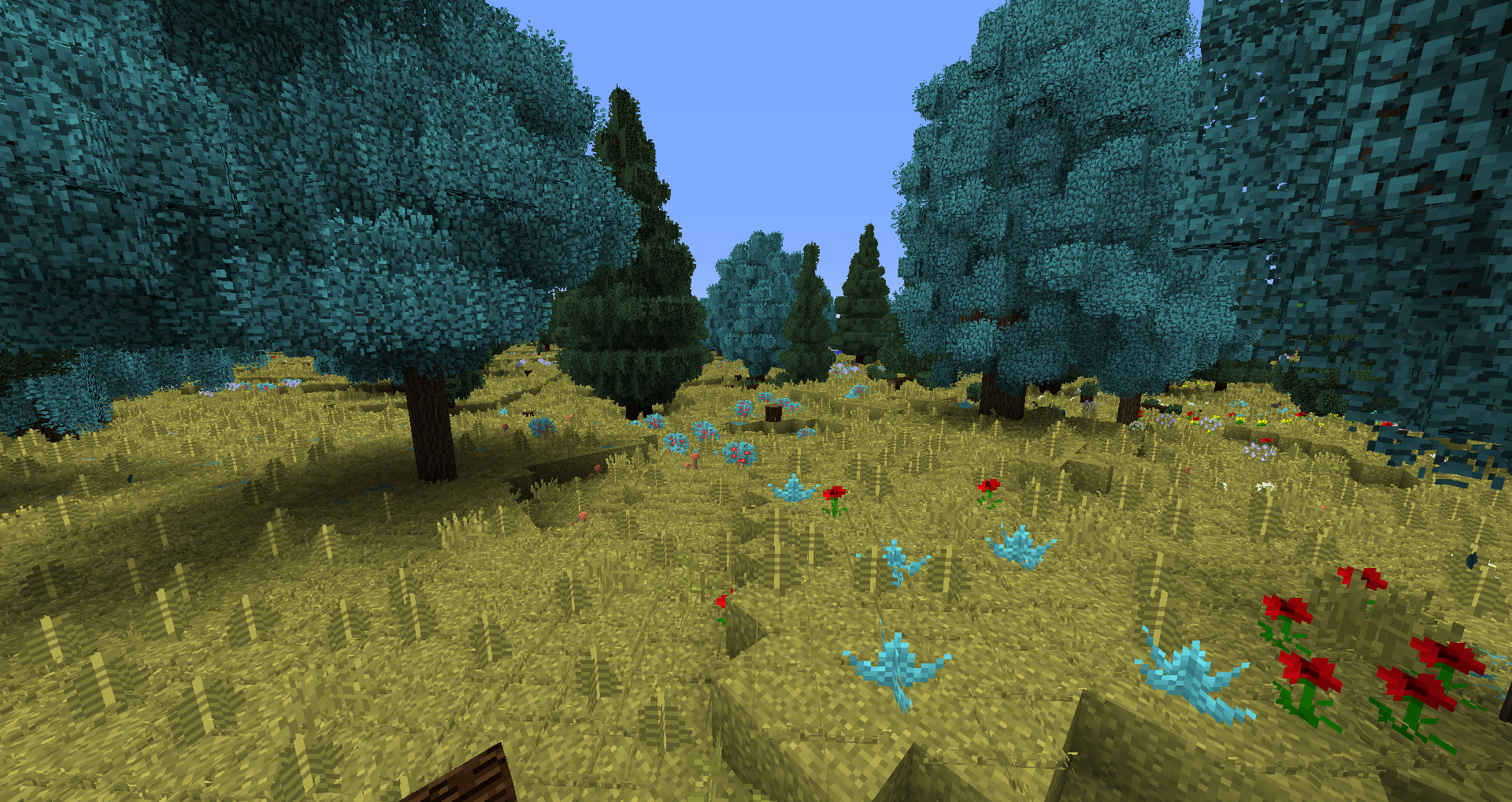
(some strange colors just for fun)
Changed Forest colors:
(screenshot made with Traveler's Dream preset, Biomes O'Plenty and Better Foliage)
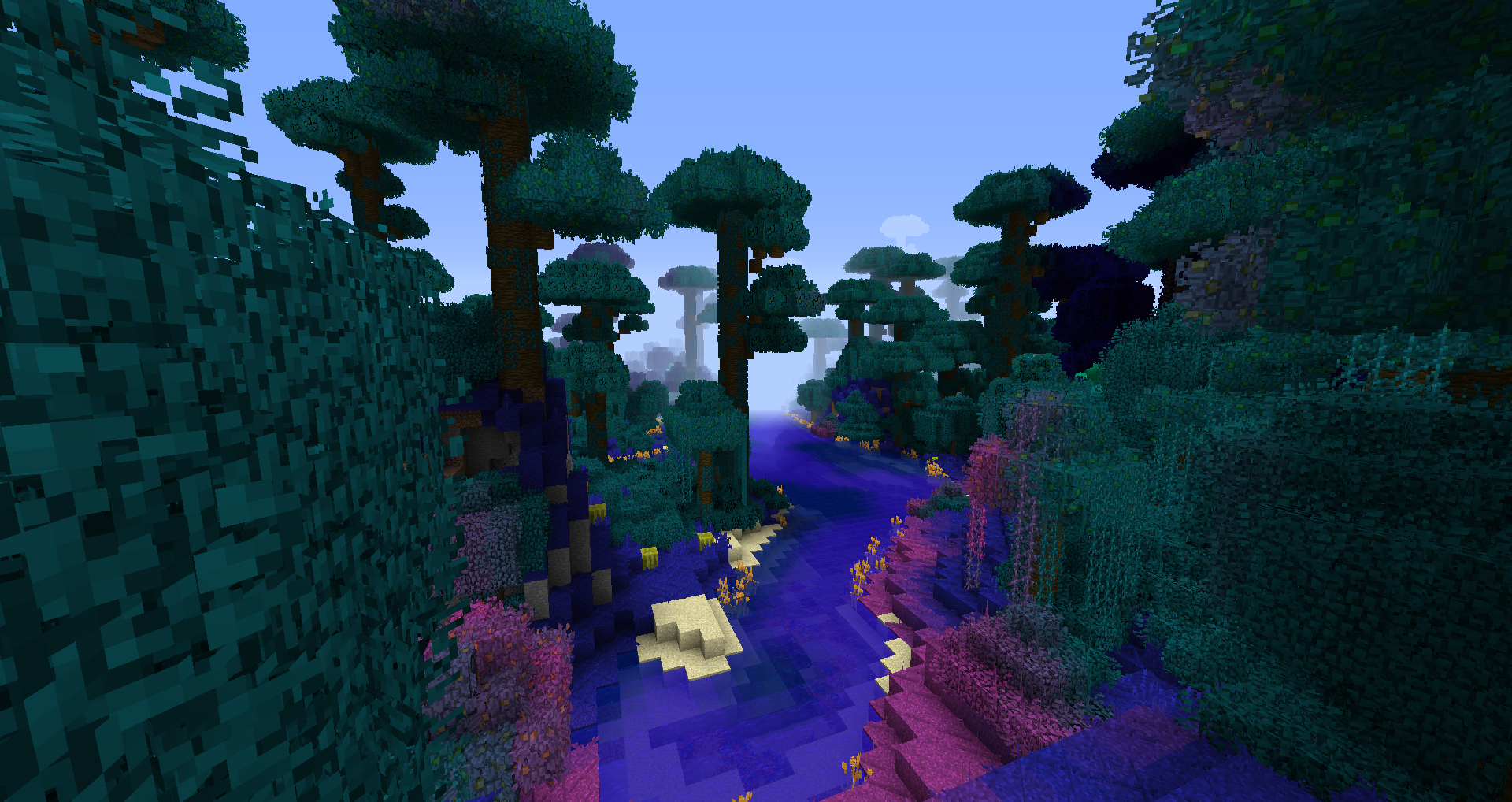
changed Jungle Colors:
(vanilla world with Better Foliage)
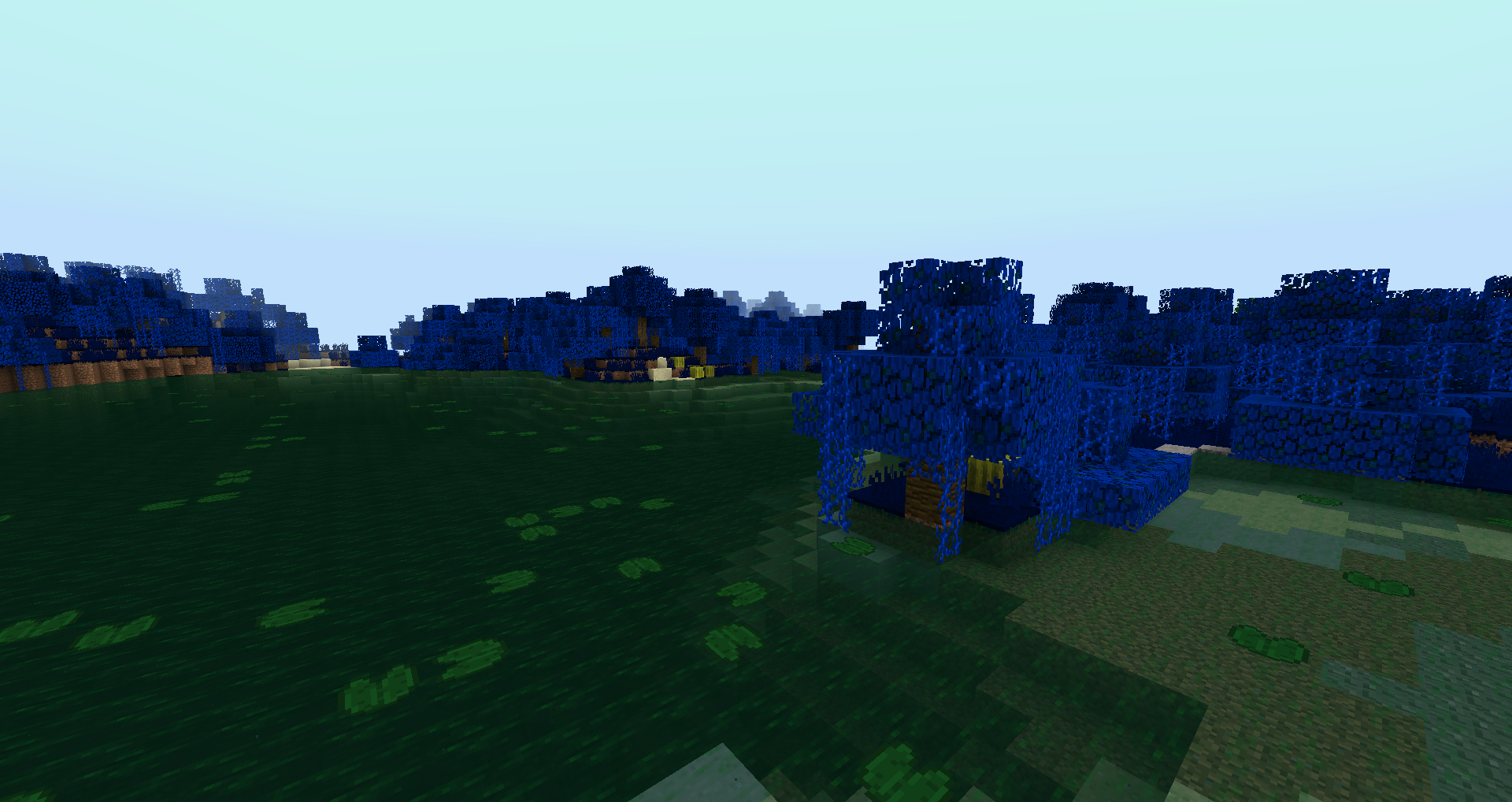
Changed Swampland Colors - birch leaves on trees are unaffected, that's normal :
(screenshot made with Traveler's Dream, Biomes O'Plenty and Better Foliage )
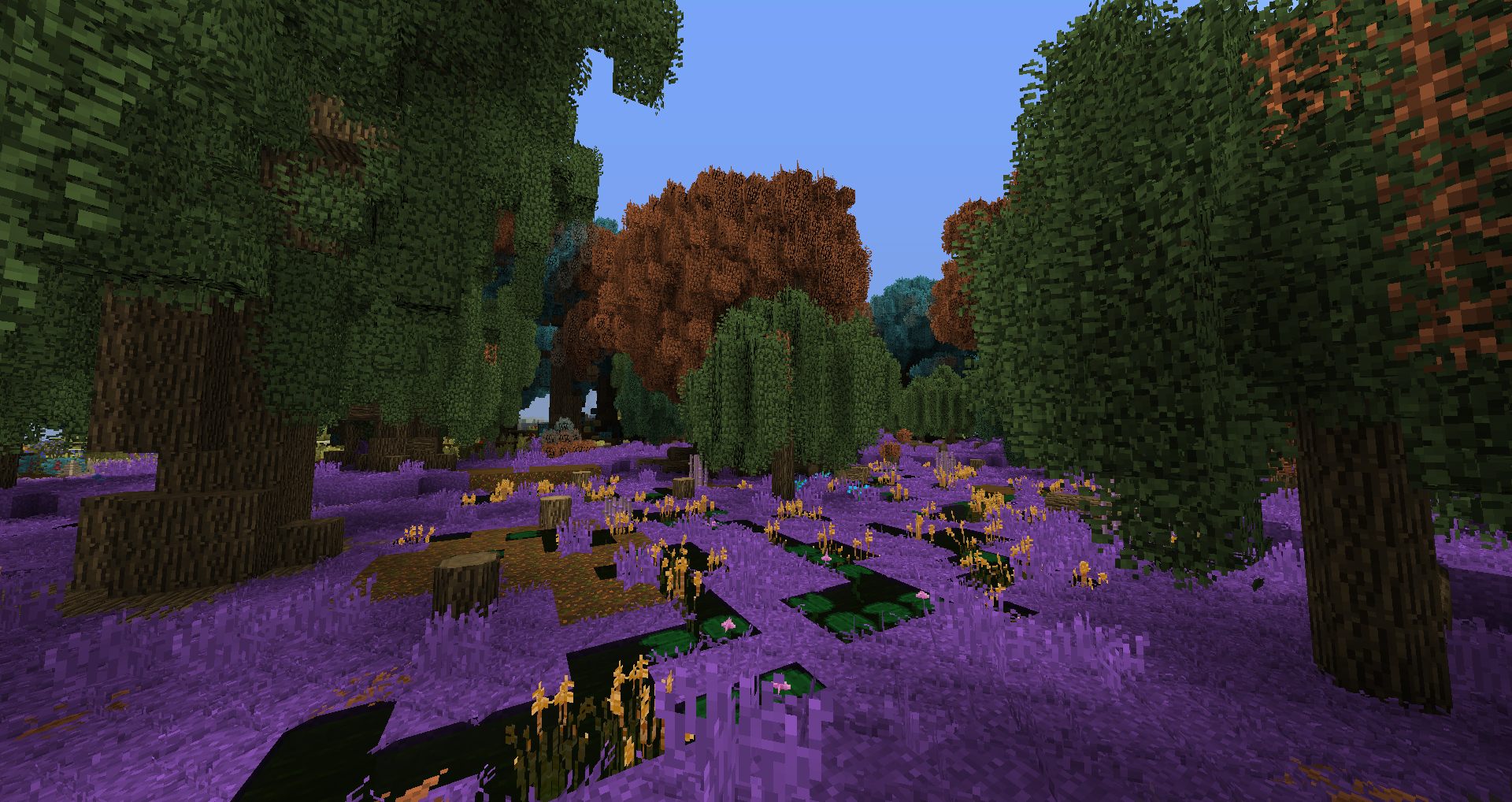
Biomes O'Plenty Coniferous Forest with Better Foliage:
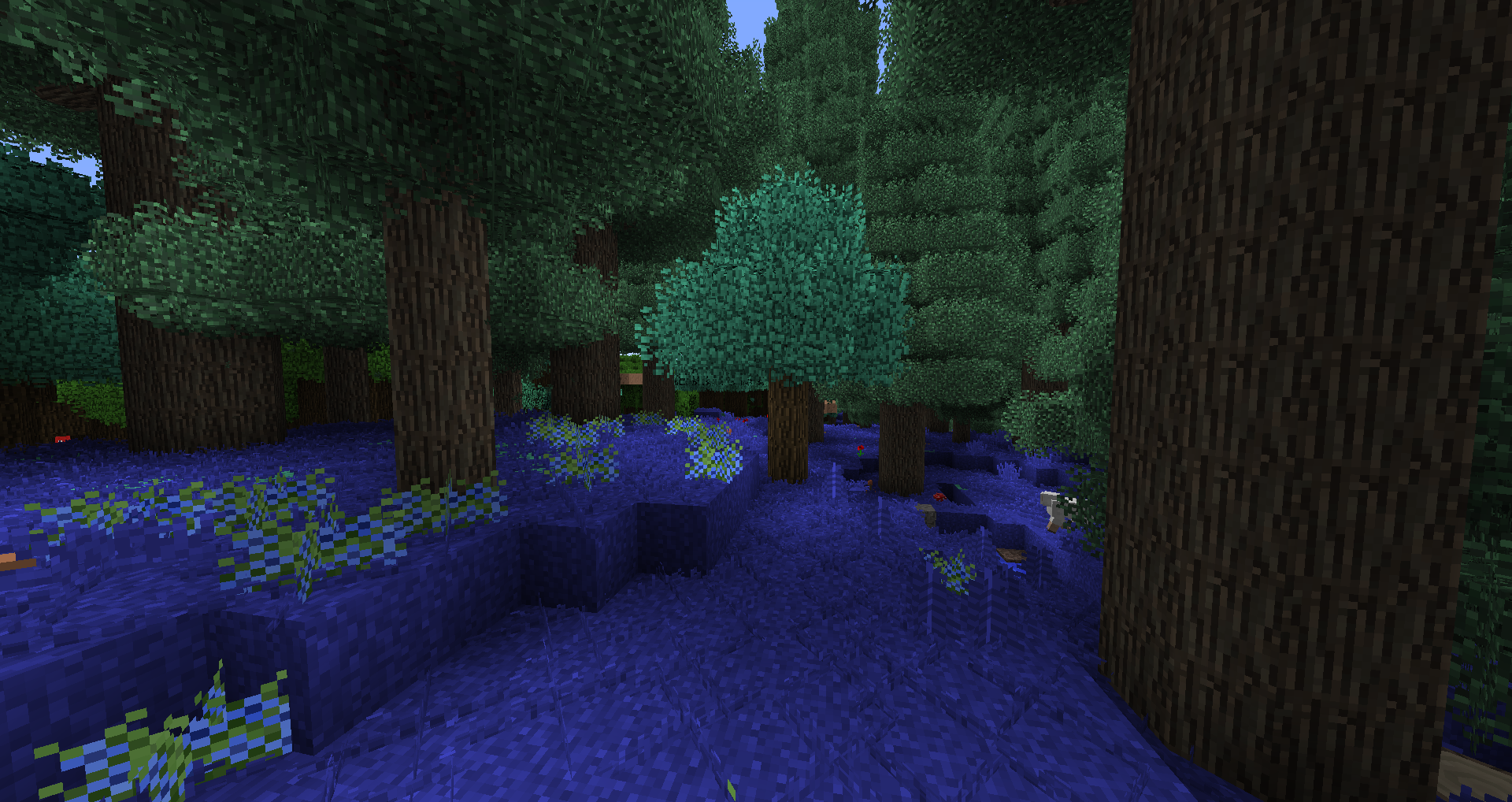
Traverse Mini-Jungle with Better Foliage:
Screenshots
Gallery
-
 3.png 3.png
 -
 1.png 1.png
 -
 2.png 2.png
 -
jungle
-
color2
-
color1
-
menu3
-
menu2
-
menu1
-
preview
Versions
Files
Relations
Project Relations
More like this
Similar Mods
Suggestions use data such as tags, dependencies, dependents, descriptions, titles, and more to rank how much they overlap with this mod.
On ModDex
Community snapshot
By the numbers
Statistics
Want to reach Minecraft players?
We're looking for a server hosting partner to feature here and other parts of the site. Interested? Send us a message!
Get in touchGet it on
Available Platforms
On ModDex
Community snapshot
By the numbers
Statistics
Resources