Community listing page, reviews here may not be monitored by the author.
Biome Creator

No reviews yet
Discover biomes, rebuild their ecosystems, and turn parts of your survival world into real vanilla biomes.
Community voices
Reviews
No reviews yet. Be the first to review this project!
Get it on
Available Platforms
About
Project Details
For authors
Embed Badge
If you're the author of this project, you can embed a live badge anywhere that supports HTML or Markdown. It updates automatically whenever ratings change.
Use HTML for any page that supports it, or Markdown for README files and Markdown-based descriptions.
Identifiers
Platform IDs
Resources
External Links
About
Description
Biome Creator
Ever found the perfect biome, then wished you could bring it home without just cheating one in?
Biome Creator turns that into a survival project.
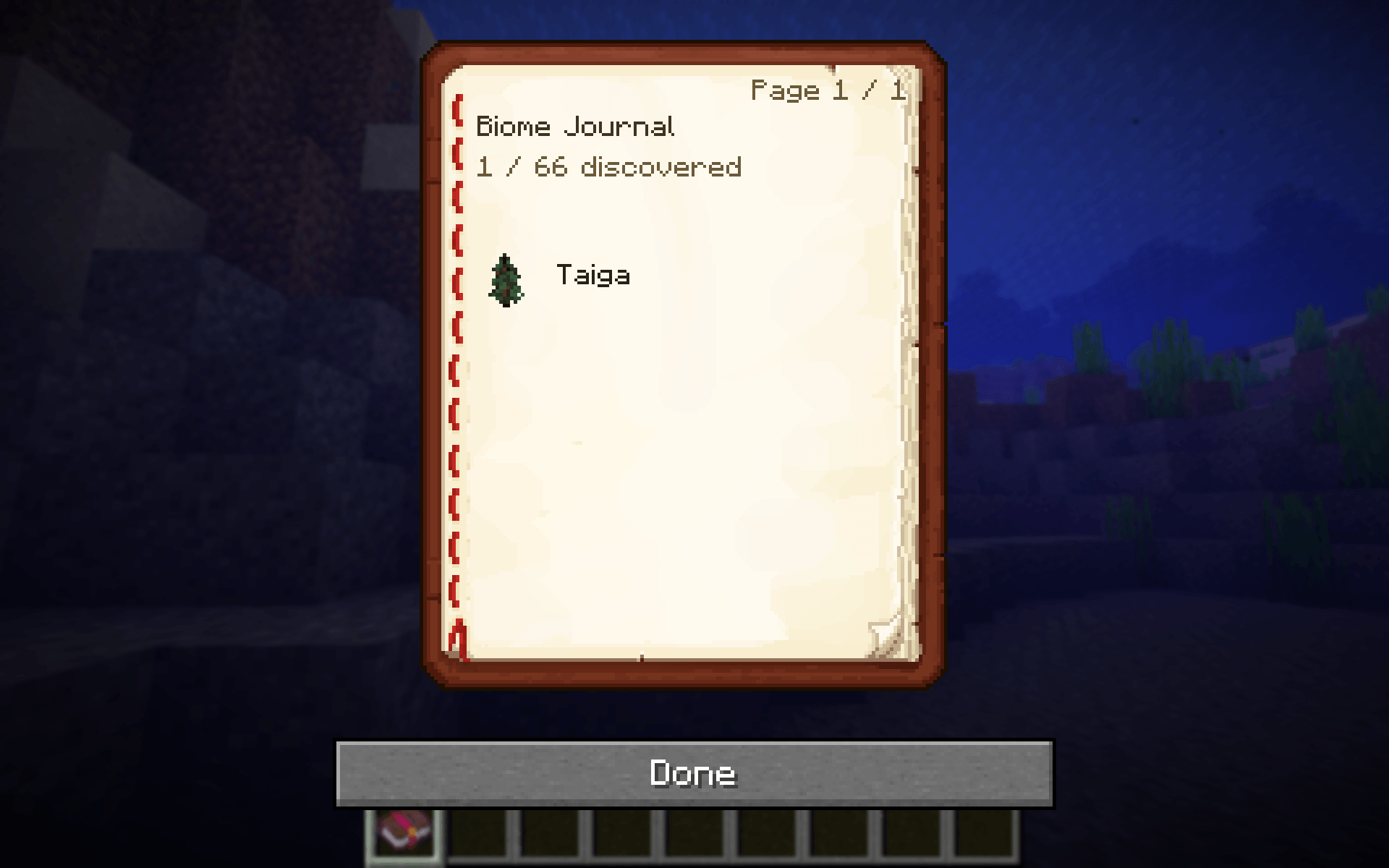
Discover a biome first, open the Biome Journal, pick an area, and rebuild enough of that biome's ecosystem to finish the project. When you're ready, spend the required Biome Cores and the selected area becomes the actual Minecraft biome.
This isn't just a pile of decorative blocks. The biome data itself changes, so vanilla biome colors, climate and normal spawning can use the new biome too.
How it works
1. Explore and discover biomes.
2. Open the Biome Journal and choose one you've discovered.
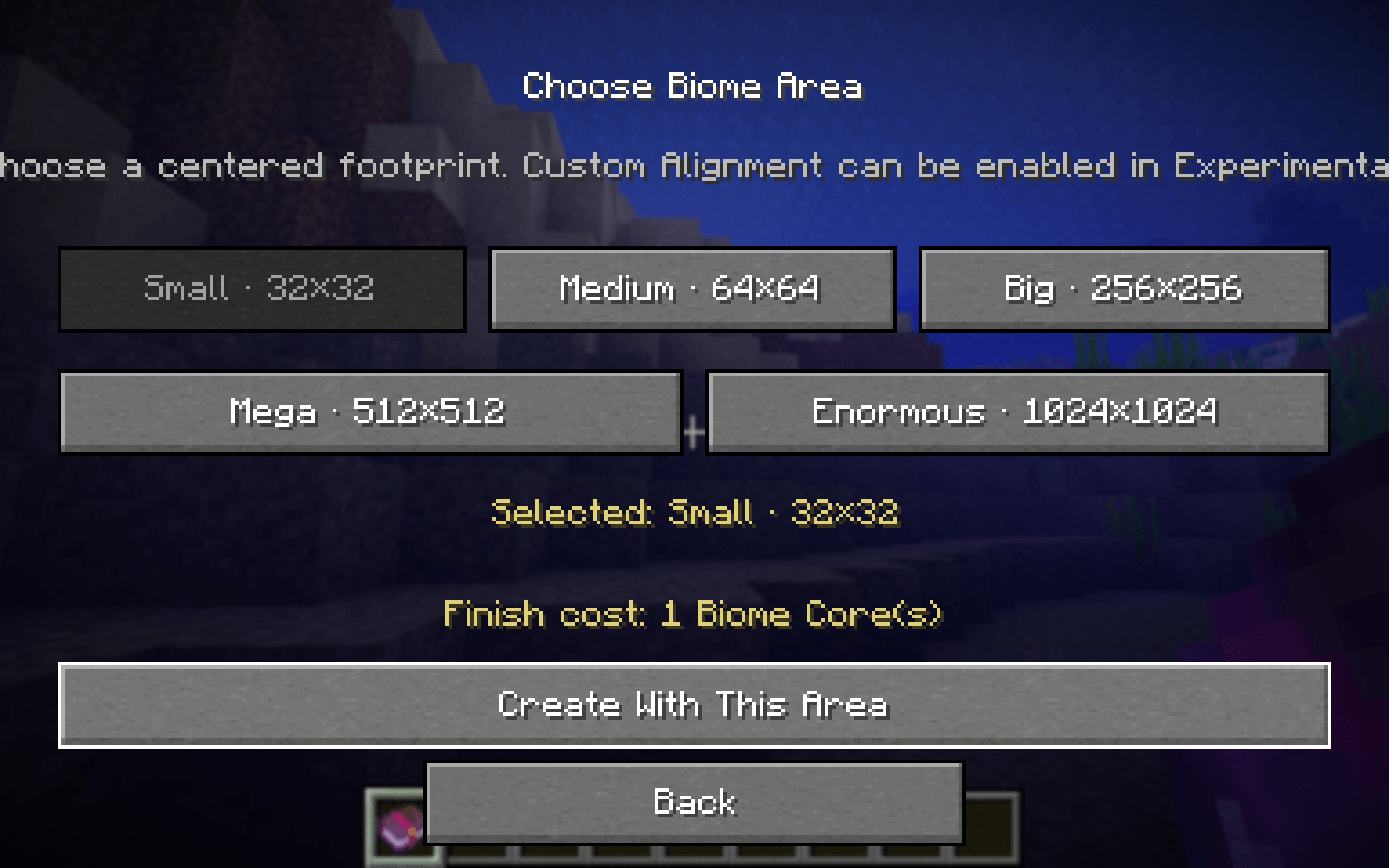
3. Pick the area you want to convert.
4. Complete that biome's requirements in Survival.
5. Craft enough Biome Cores and finalize the project.
6. The real biome changes and, if Automatic Fill is enabled, Biome Creator finishes the area with biome-appropriate ecology.
What gets filled
Automatic Fill isn't a generic random decorator. It uses different rules for different biomes: open Savannas stay open, Jungles cluster trees, correct existing trees are kept, wrong natural trees can be removed as whole trees, vegetation grows in patches, and water uses contained coast/river/swamp/ocean shapes.
Trees are grown from the real vanilla sapling/propagule or equivalent growable block. The mod chooses where a tree belongs; Minecraft still grows the actual tree.
Don't want the mod to decorate your build for you? Turn Automatic Fill off. The real biome will still be converted. Remove Incompatible Trees is a separate option, so you can keep that cleanup without enabling the rest of the fill.
Area sizes
- Small — 32×32
- Medium — 64×64
- Big — 256×256
- Mega — 512×512
- Enormous — 1024×1024
Enormous really is enormous. It can take a while and isn't recommended for low-end computers.
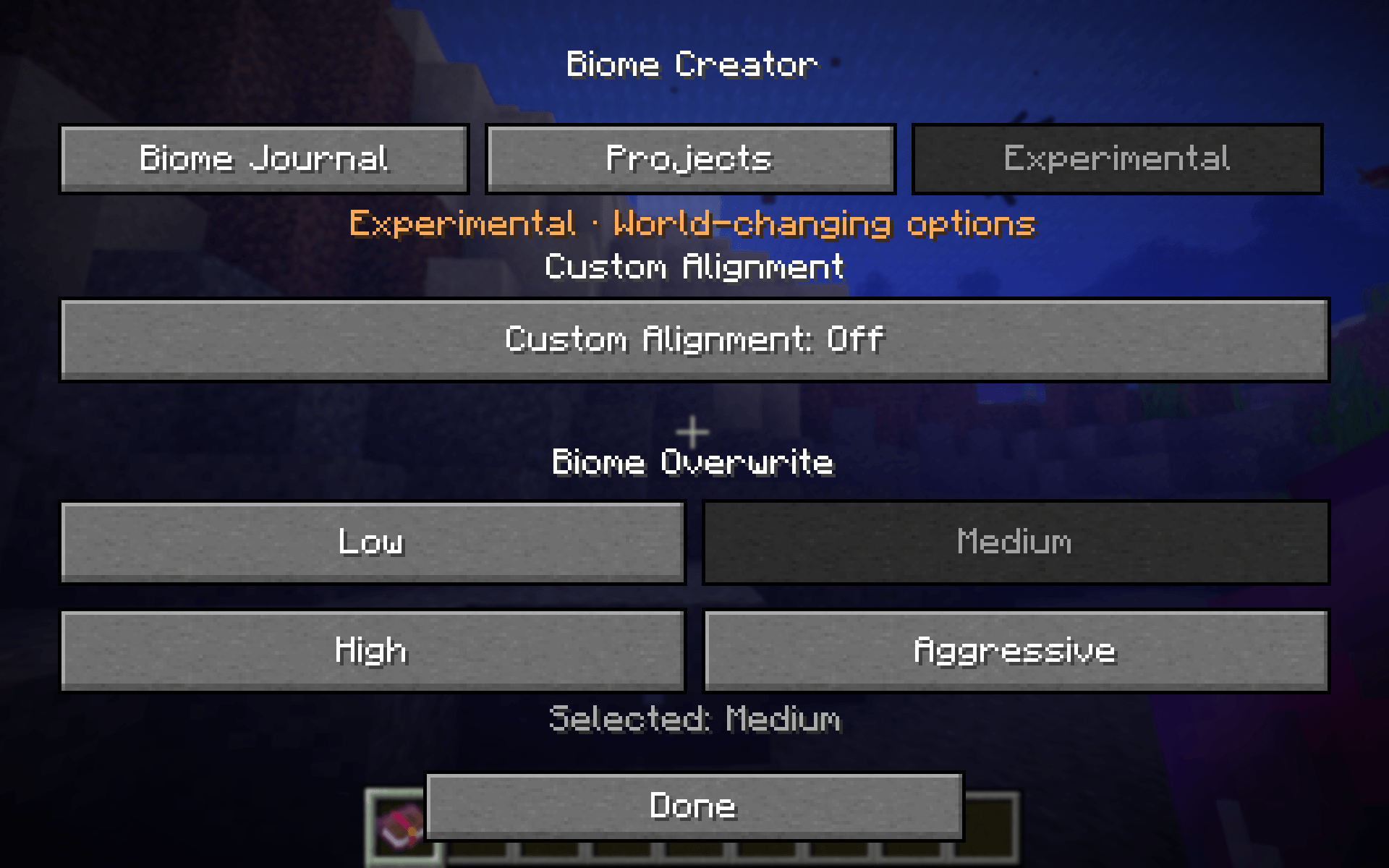
For irregular builds, enable Custom Alignment and outline the area yourself with 4–32 Boundary Markers.
Overwrite levels
With Automatic Fill enabled, choose how strongly the mod finishes the area:
- Low — light touch
- Medium — balanced
- High — dense
- Aggressive — strongest transformation
Biome Cores
Finalizing a biome costs Biome Cores. One Core is crafted with:
- 4 Amethyst Shards
- 4 Gold Ingots
- 1 Diamond
Larger projects cost more Cores.
Other features
- 66 vanilla biome profiles for Minecraft 26.2
- Biome Journal with discovery tracking
- Searchable biome list
- Visible/protected project corners and coordinates
- Real biome mutation, not cosmetic-only replacement
- Characteristic biome wildlife rather than generic mob dumping
- Survival-focused randomized requirements
- Player structures are protected where the mod can identify them
- Creative-only tools for testing
- Large-area work is spread across ticks instead of intentionally running as one giant operation
Compatibility
Minecraft Java Edition 26.2
Forge 65.1.x
Install on both the client and server.
The first public release is intentionally 26.2-only. I'd rather keep one version solid before pretending every Minecraft version is supported.
Created by Chrissyx.
Screenshots
Gallery
-
 Biome_Journal.png Biome_Journal.png
 -
 Biome_Area_Selector.png Biome_Area_Selector.png
 -
 Experiments_Page.png Experiments_Page.png
Versions
Files
Relations
Project Relations
More like this
Similar Mods
Suggestions use data such as tags, dependencies, dependents, descriptions, titles, and more to rank how much they overlap with this mod.
On ModDex
Community snapshot
By the numbers
Statistics
Want to reach Minecraft players?
We're looking for a server hosting partner to feature here and other parts of the site. Interested? Send us a message!
Get in touchGet it on
Available Platforms
On ModDex
Community snapshot
By the numbers
Statistics
Resources