Community listing page, reviews here may not be monitored by the author.
Block Counter


No reviews yet
Block Counting client-side mod
Community voices
Reviews
No reviews yet. Be the first to review this project!
Get it on
Available Platforms
Compatibility
Supported Environments
Runs entirely on the client. Works on vanilla servers.
About
Project Details
For authors
Embed Badge
If you're the author of this project, you can embed a live badge anywhere that supports HTML or Markdown. It updates automatically whenever ratings change.
Use HTML for any page that supports it, or Markdown for README files and Markdown-based descriptions.
Identifiers
Platform IDs
Resources
External Links
About
Description
Note: Versions 1.21.5-11 will look a bit different with Iris as you may notice some flickering when highlighting on blocks. This is expected and may, or may not, be fixed in the future.
Join the discord here!
Version 2.0.0!
Block Counter 2.0.0 includes the ability to measure lines in the usual single axis-aligned as version 1.0.0, but additionally adds support for dual-axis lines (similar to Terraria's ruler) as well as non-axis-aligned lines! Not only are there new line types, but you now have the ability to "place" these lines in the world to view them as a way of having a guide. For more details, view the screenshots below as well as the Usage. Lastly, there is a new option for displaying all related messages above the hotbar instead of the chat for a cleaner feel, or if your chat is busy.
Block Counter
Block Counter is a client-side mod that allows you to count the number of block in a single-line selection while visualizing that selection. This mod will work in single player as well as multiplayer servers.
Requirements
- Fabric API
- Cloth Config API
- Mod Menu (Optional, but you probably will not like the default settings and will want to change them)
Usage
Watch this video or read below before trying to use the mod since it may seem a bit unintuitive.
There are two modes for activation as well as three line types:
Activation Methods
Upon activation, the block (including air) below the player's feet will become selected. After moving some distance and activating again, the new block below the player's feet will serve as the end point.
ClickUpon activation, the block (including air) the player is looking at within a five block distance will be selected. Moving your crosshair will change the lastly selected block. Activating again will choose that block currently being looked at as the end point.
Line Types
This acts as a "free-form" line that does not align to a single, or double, axis. It will create a line from the first selected position to the second selected position.
Axis-aligned, single-axisThis is the default line form in which the line is created by the axis of the largest difference between the two points selected.
Axis-aligned, double-axisThis is similar to the previously mentioned line, but with a caviot. Instead of having just one line, there are essentially two lines formed from the two axes that have the largest difference out of the three total from the two selected points. If you are familiar with Terraria's ruler tool, it would be most similar to that. If you are still confused, refer to the screenshots.
Placeable
Lines are now "placeable" in the world. With this option enabled, the line will stay in place after selecting the second position. Additionally, there will be sliders to offset the line in any of the three axes. Just remember, if you alter the offset, it will STAY until you either reset it or turn off the placeable option. I say this in case you go to place a new line and do not see anything, the offset will still be active when placing a line.
Why?
Essentially, I got tired of having to manually count blocks or doing math between coordinates while also wanting to test my programming skills. There is not a real purpose of this mod other than me messing around and wanting to create something that is "Quality of Life".
Note: Versions 1.21.5-11 will look a bit different with Iris as you may notice some flickering when highlighting on blocks. This is expected and may, or may not, be fixed in the future.
Version 2.0.0!
Block Counter 2.0.0 includes the ability to measure lines in the usual single axis-aligned as version 1.0.0, but additionally adds support for dual-axis lines (similar to Terraria's ruler) as well as non-axis-aligned lines! Not only are there new line types, but you now have the ability to "place" these lines in the world to view them as a way of having a guide. For more details, view the screenshots below as well as the Usage. Lastly, there is a new option for displaying all related messages above the hotbar instead of the chat for a cleaner feel, or if your chat is busy.
Join the Discord here!
Block Counter
Block Counter is a client-side mod that allows you to count the number of block in a line selection while visualizing that selection. This mod will work in single player as well as multiplayer servers.
Requirements
- Fabric API
- Cloth Config API
- Mod Menu
- Optional, but you probably will not like the default settings and will want to change them...
Usage
Video and Details
Watch this video or read below before trying to use the mod since it may seem a bit unintuitive.
Activation
Standing
Upon activation, the block (including air) below the player's feet will become selected. After moving some distance and activating again, the new block below the player's feet will serve as the end point.
Click
Upon activation, the block (including air) the player is looking at within a five block distance will be selected. Moving your crosshair will change the lastly selected block. Activating again will choose that block currently being looked at as the end point.
Line Types
Non-axis-aligned
This acts as a "free-form" line that does not align to a single, or double, axis. It will create a line from the first selected position to the second selected position.
Axis-aligned, single-axis
This is the default line form in which the line is created by the axis of the largest difference between the two points selected.
Axis-aligned, double-axis
This is similar to the previously mentioned line, but with a caviot. Instead of having just one line, there are essentially two lines formed from the two axes that have the largest difference out of the three total from the two selected points. If you are familiar with Terraria's ruler tool, it would be most similar to that. If you are still confused, refer to the screenshots.
Placeable
Lines are now "placeable" in the world. With this option enabled, the line will stay in place after selecting the second position. Additionally, there will be sliders to offset the line in any of the three axes. Just remember, if you alter the offset, it will STAY until you either reset it or turn off the placeable option. I say this in case you go to place a new line and do not see anything, the offset will still be active when placing a line.
Why?
Essentially, I got tired of having to manually count blocks or doing math between coordinates while also wanting to test my programming skills. There is not a real purpose of this mod other than me messing around and wanting to create something that is "Quality of Life".
Screenshots
Gallery
-
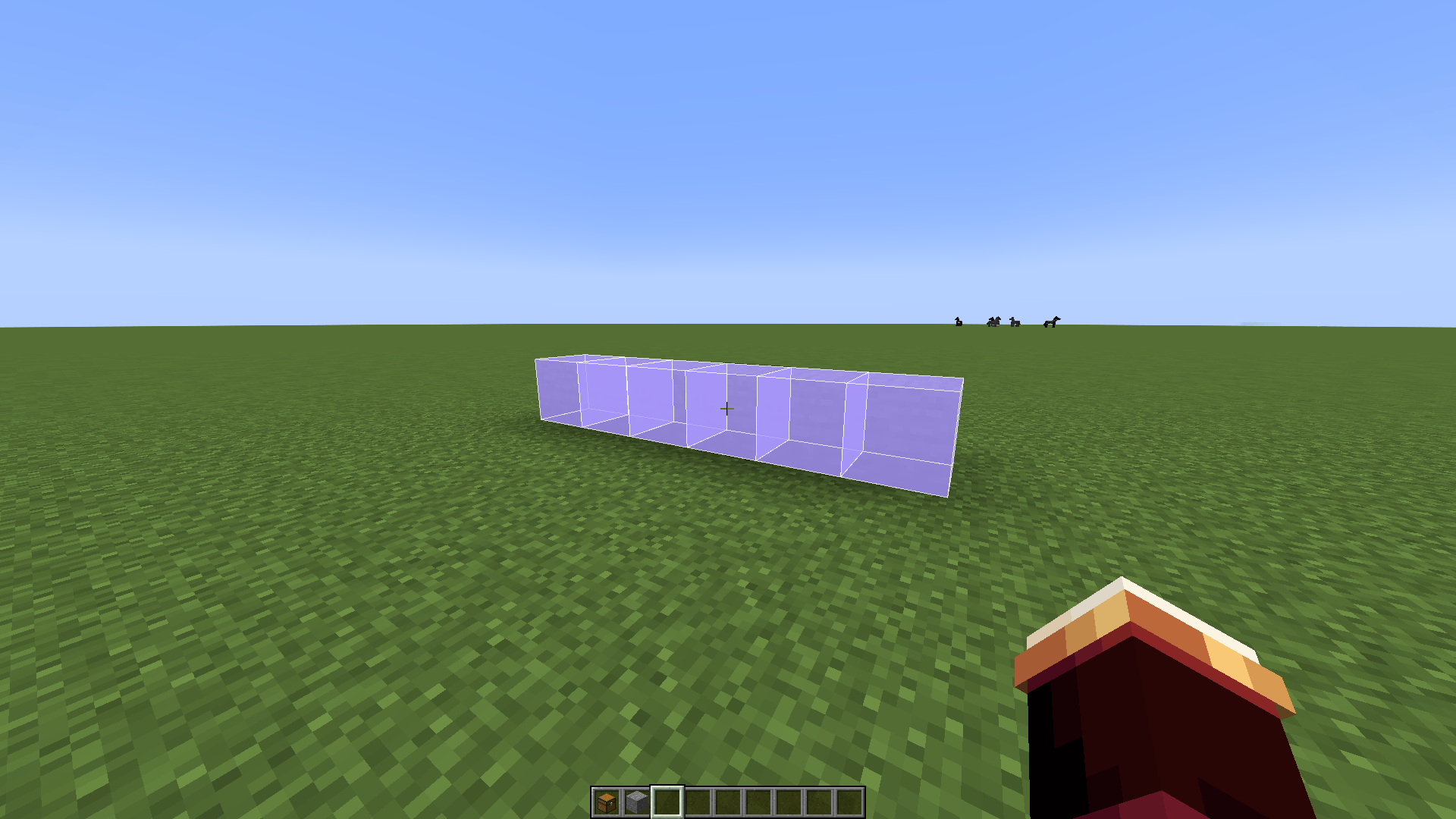 Single-axis
 -
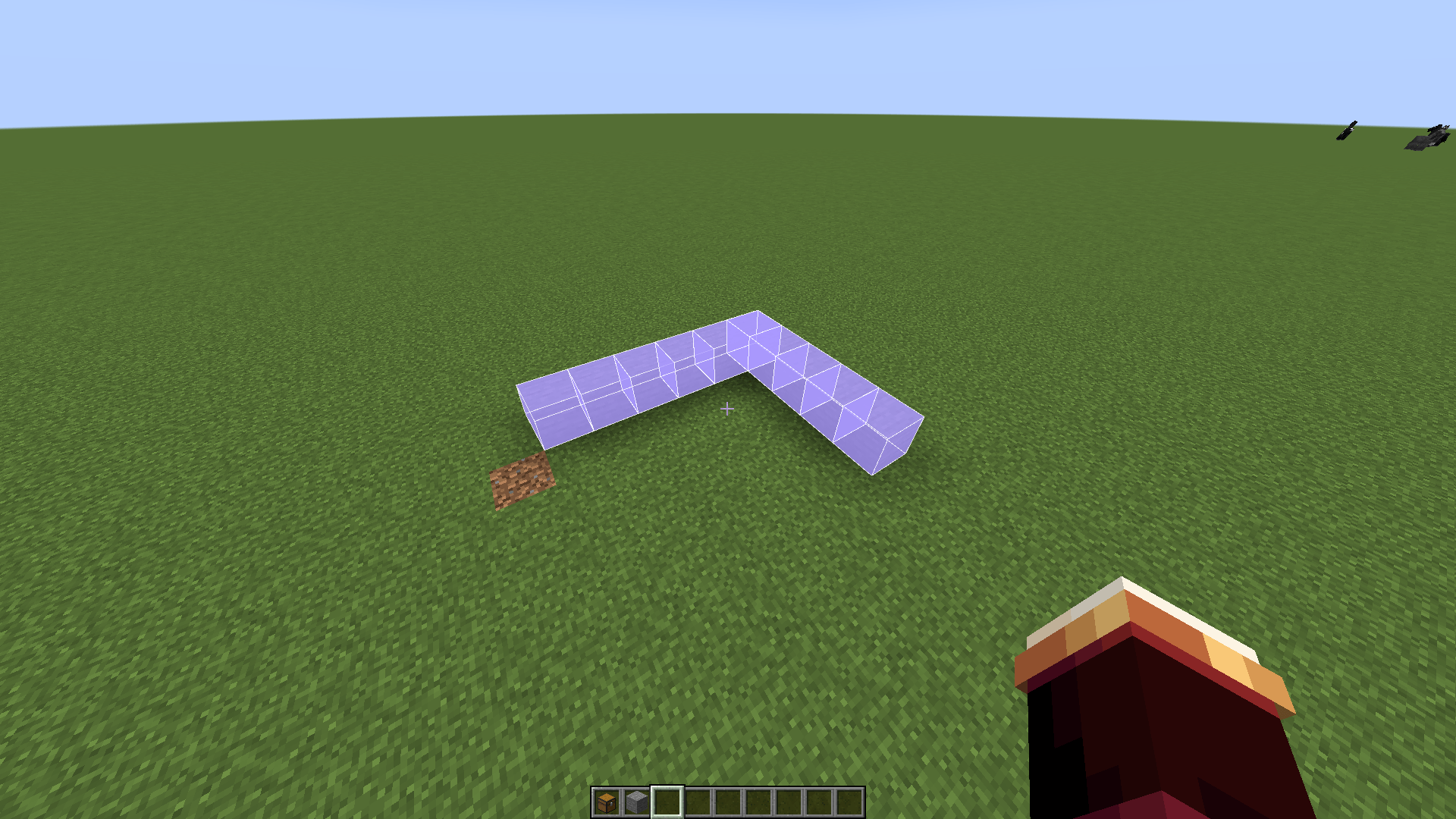 Dual-axis
 -
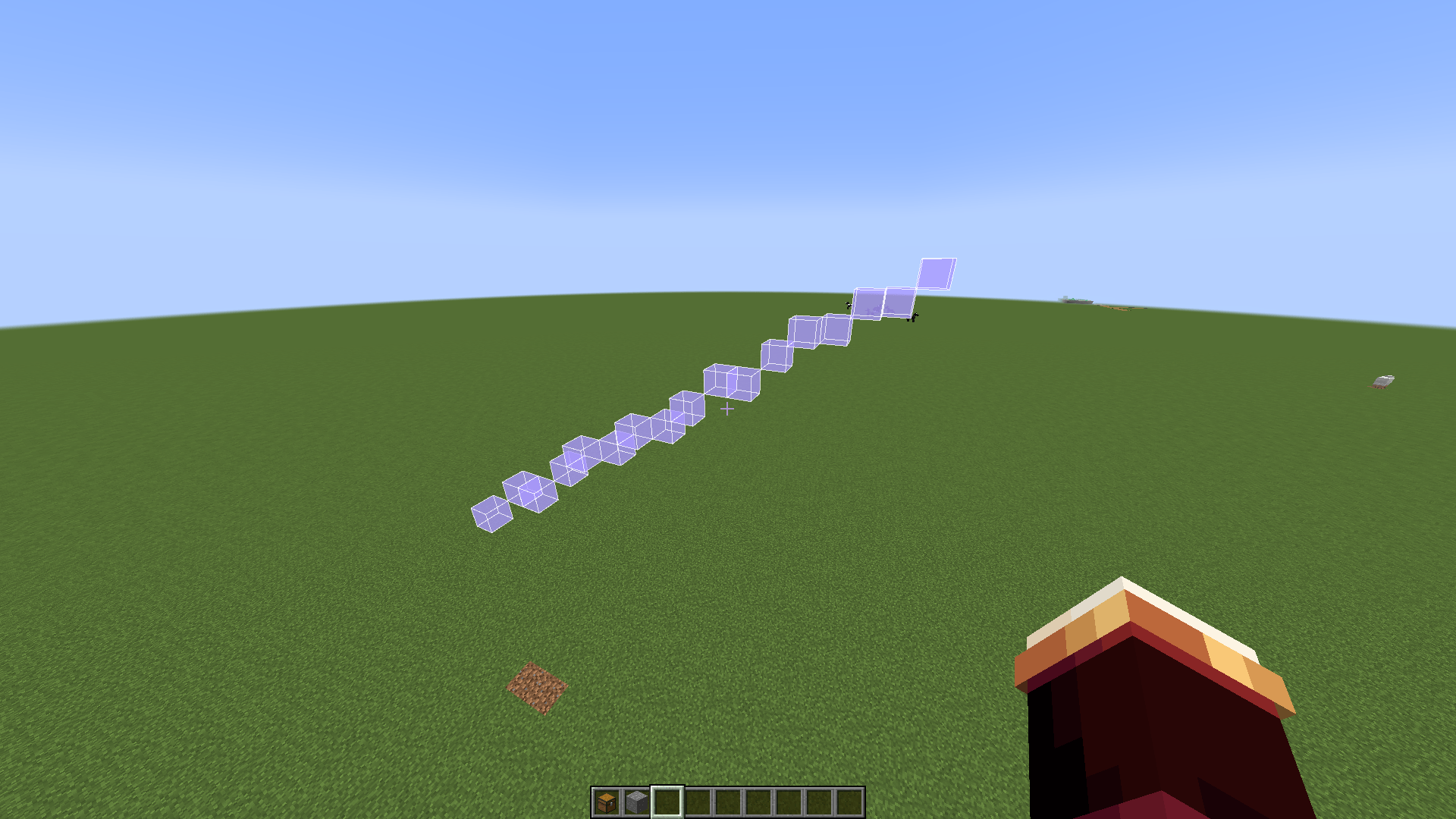 Non-axis-aligned
 -
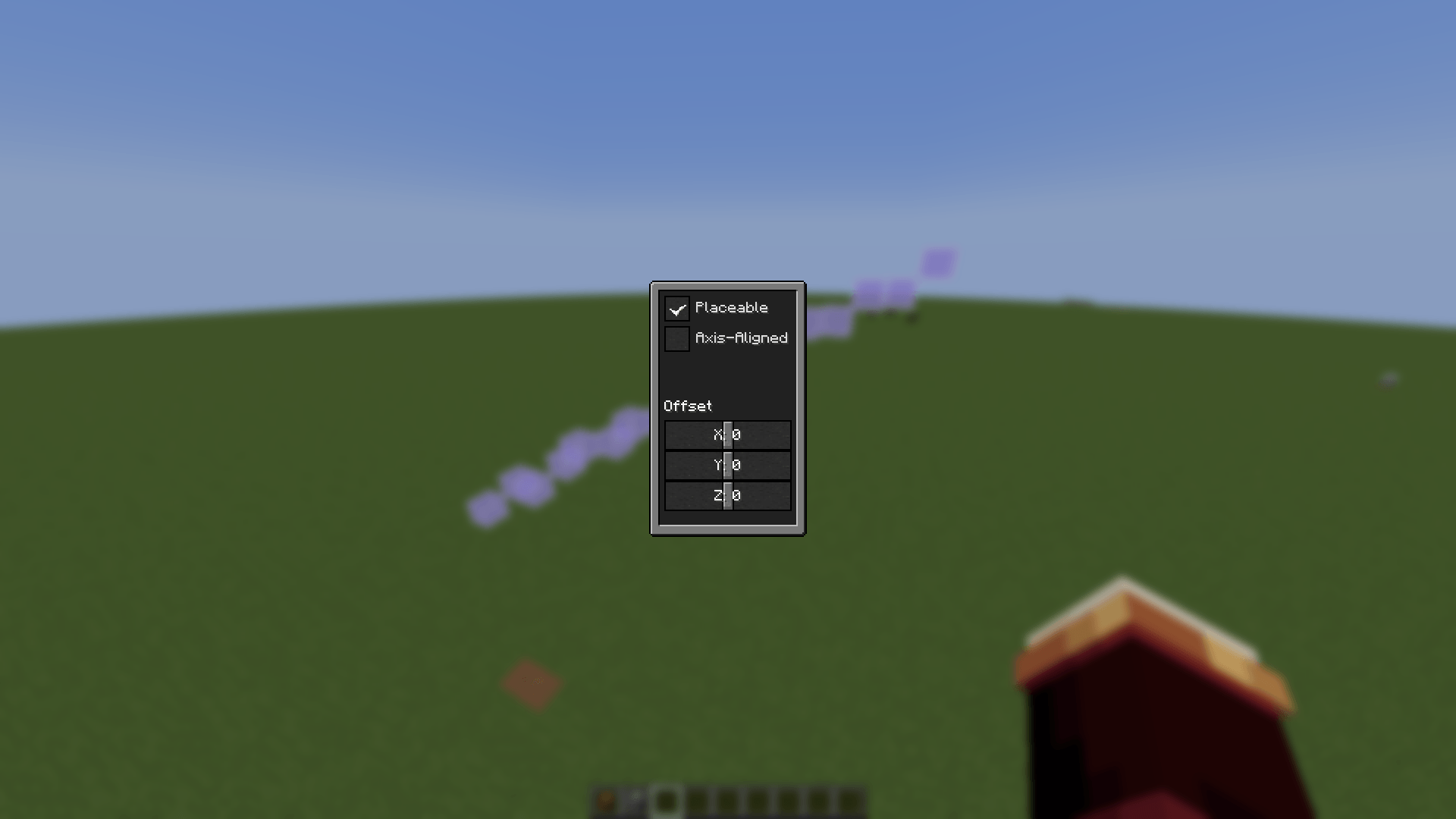 Line Config Menu
 -
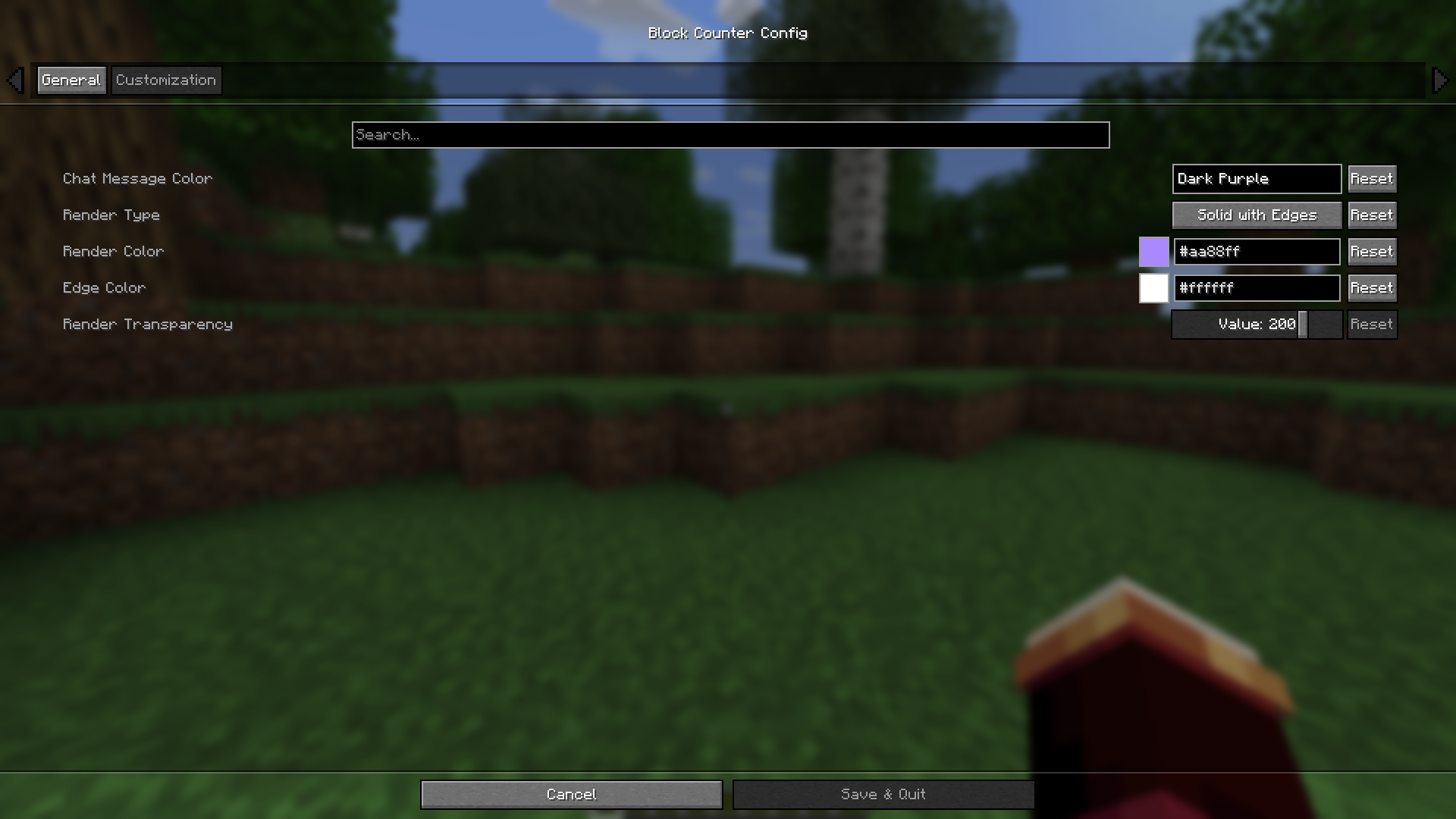
 General Settings
 -
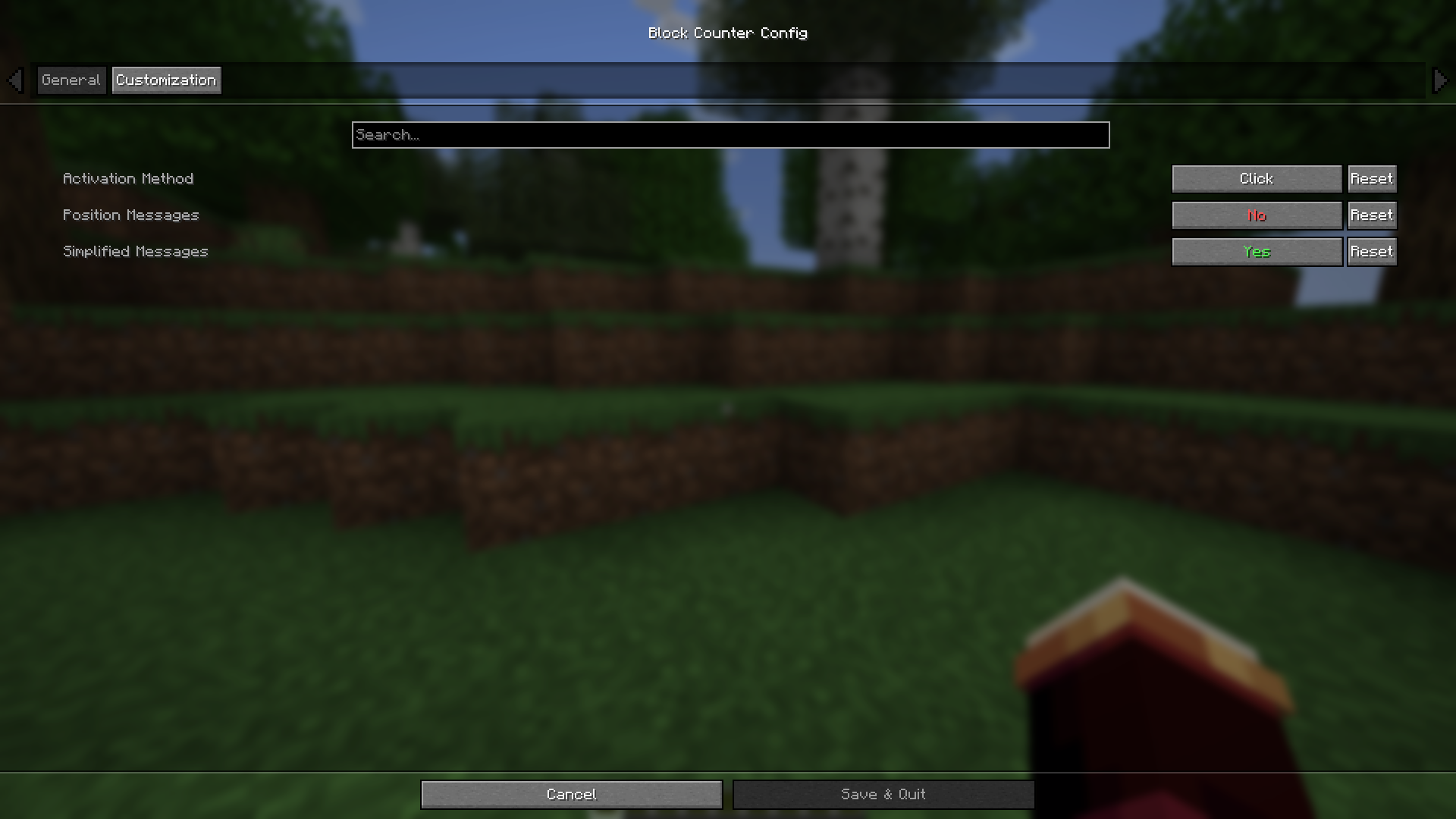
 Customization Settings
-
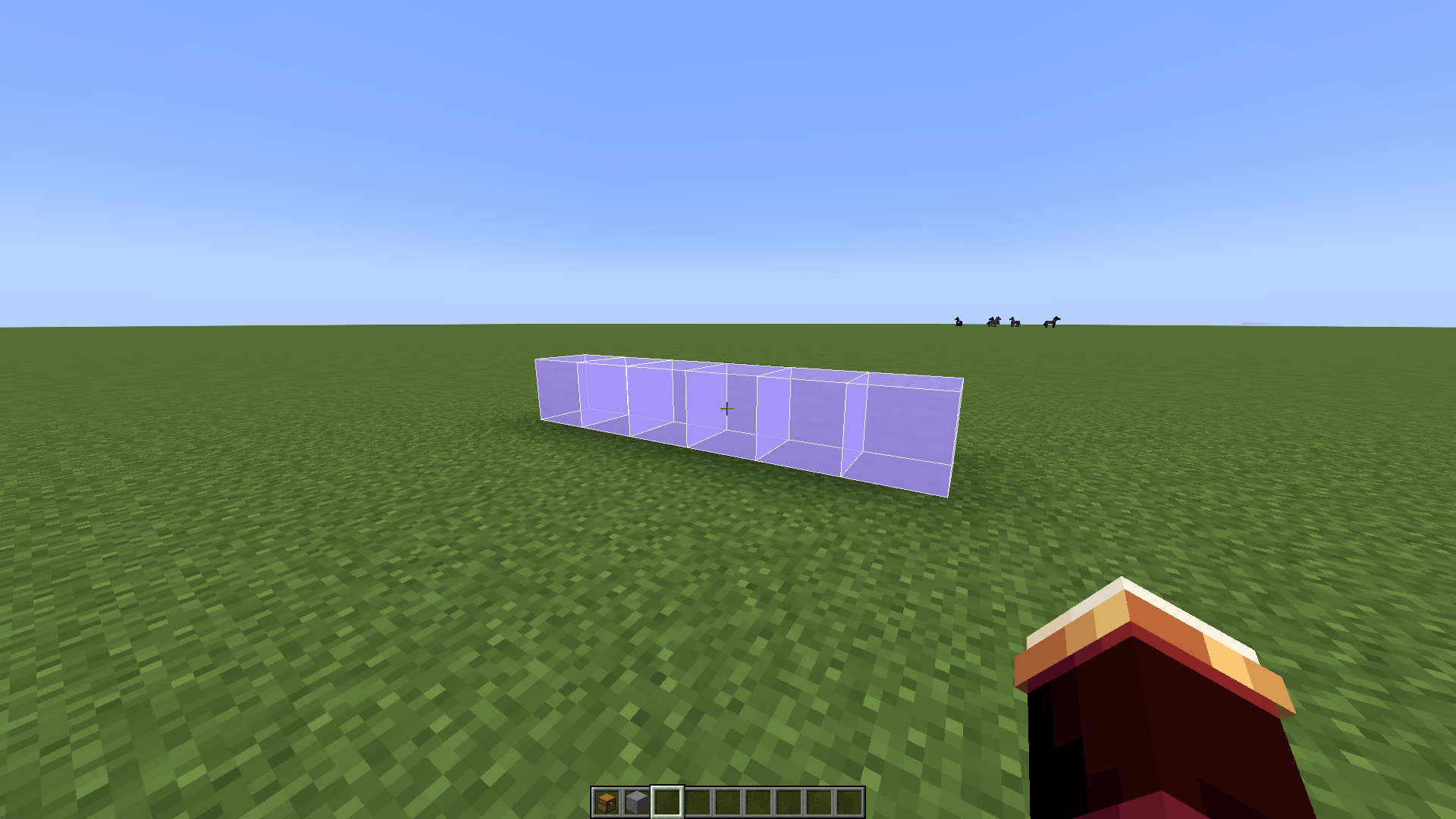 Single-axis
 -
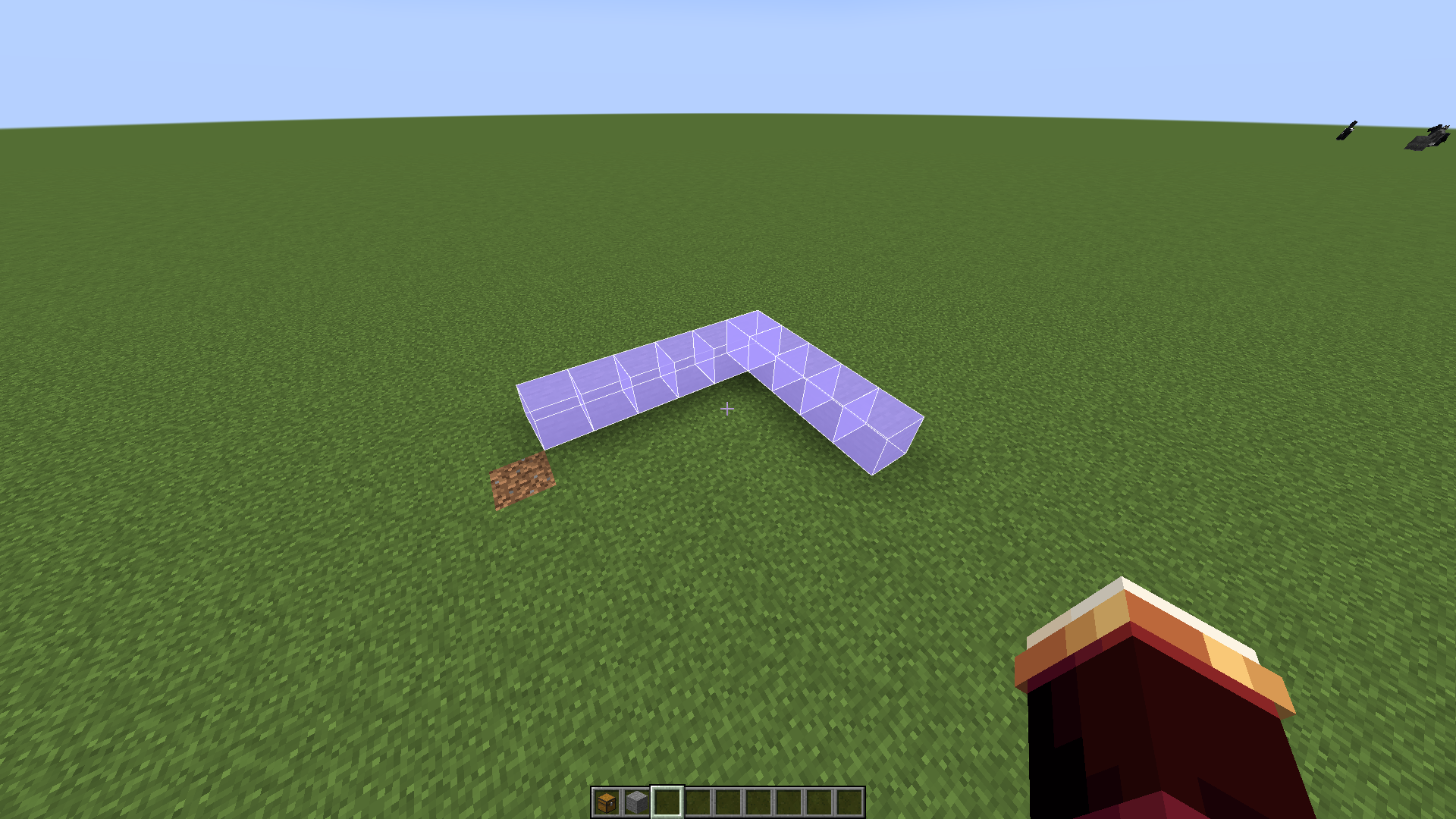 Dual-Axis
 -
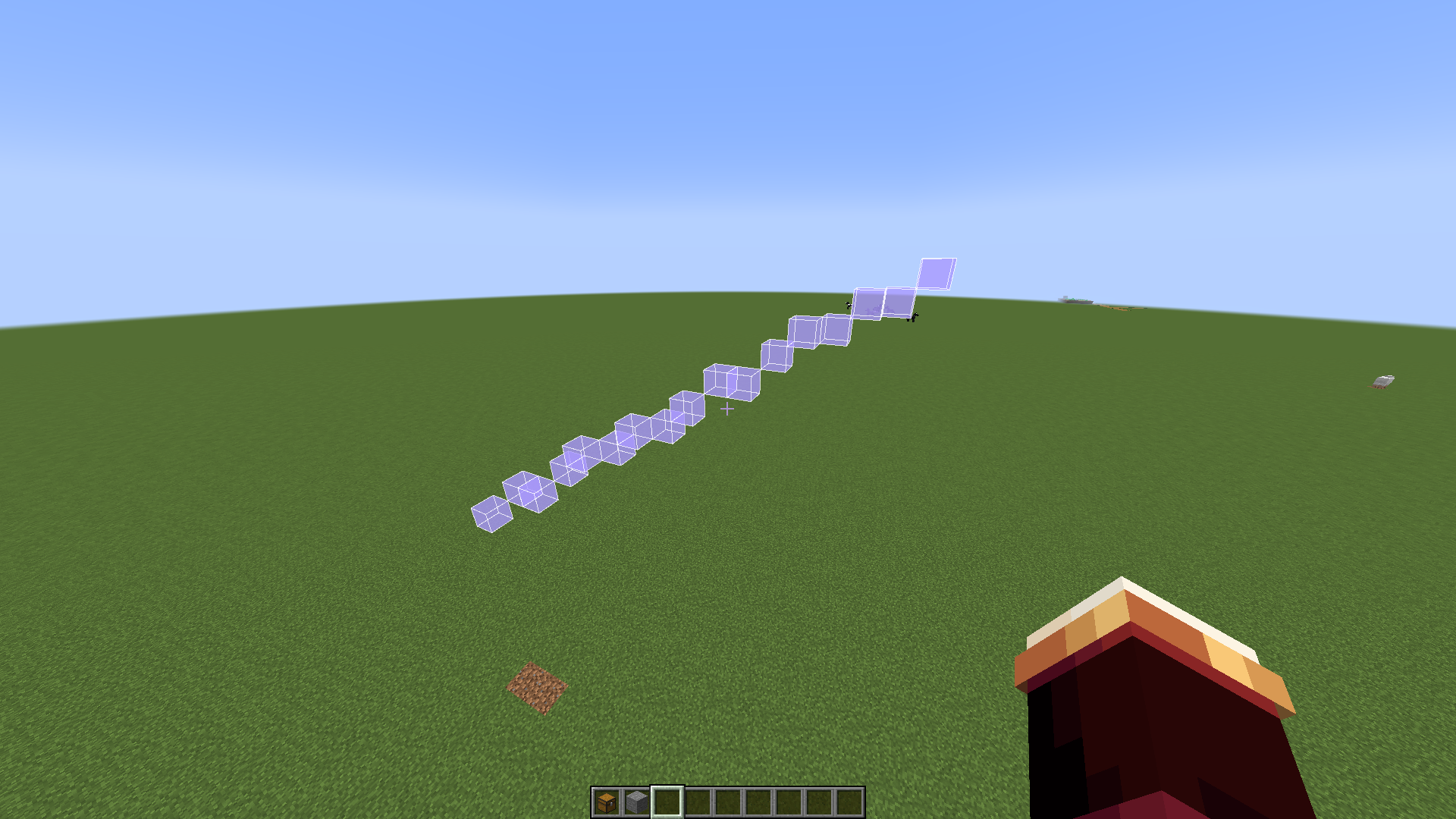 Non-axis-aligned
 -
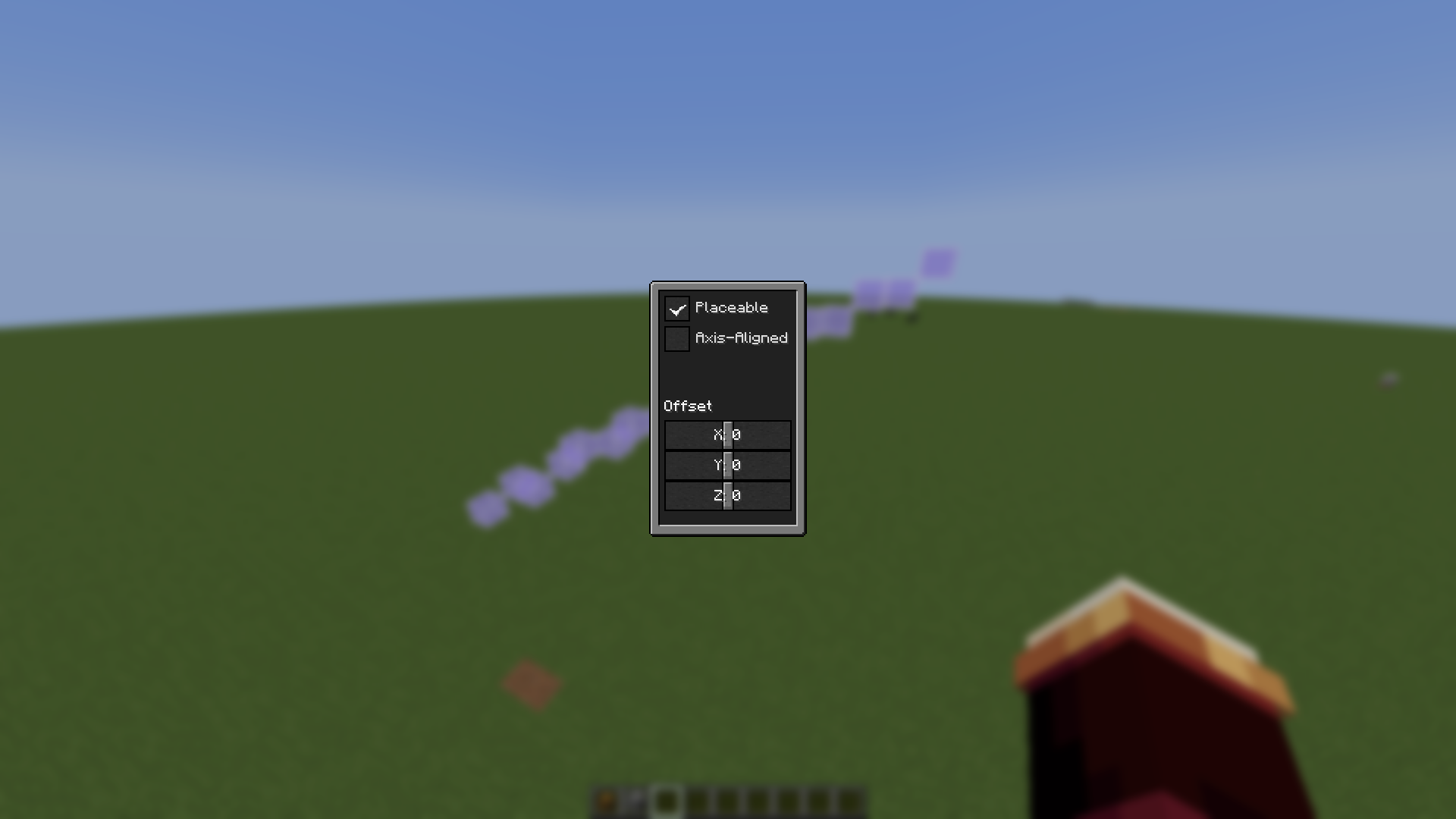 Line Config Menu
 -
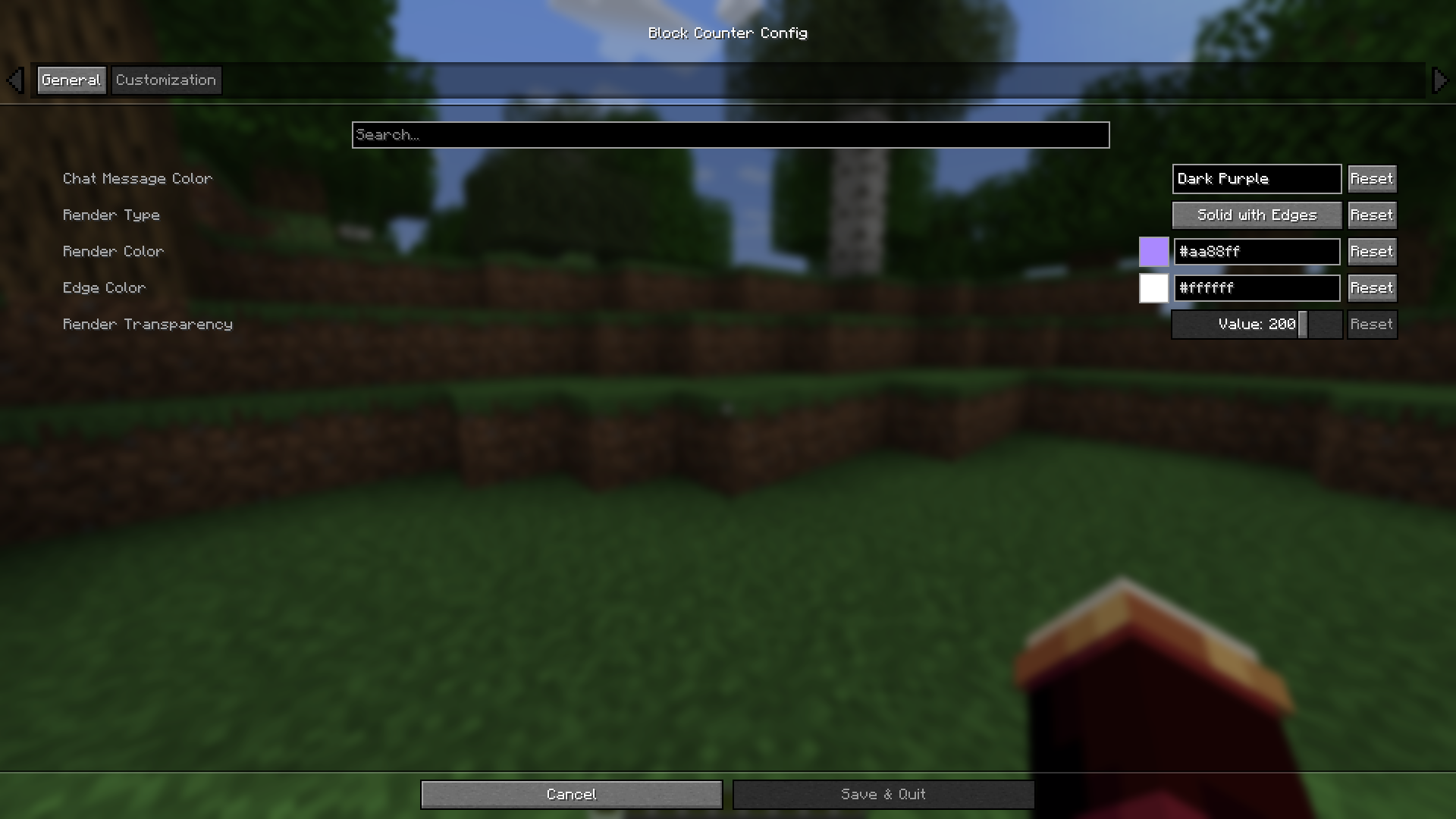 Customization Settings
 -
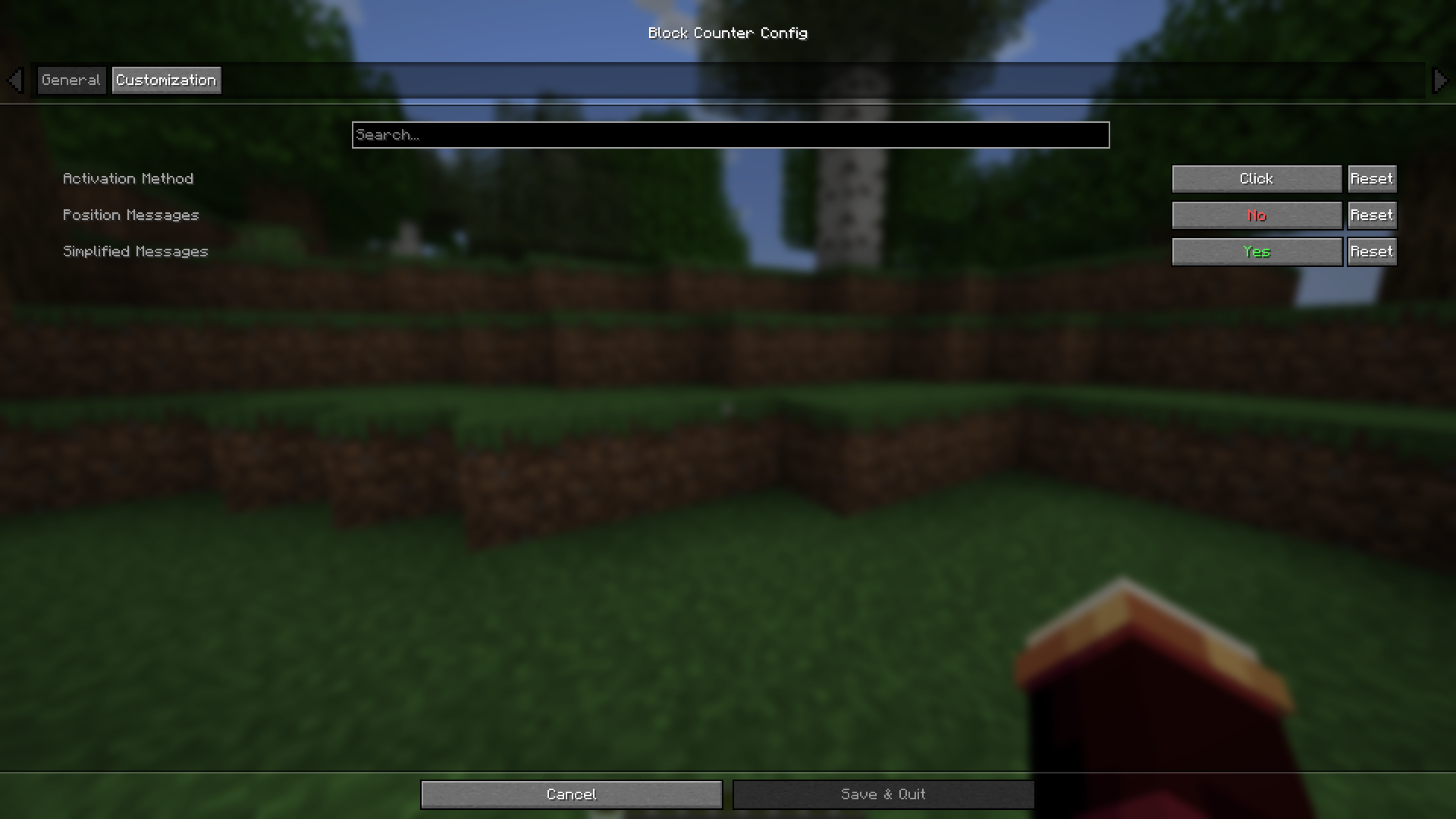 General Settings
Versions
Files
Relations
Project Relations
More like this
Similar Mods
Suggestions use data such as tags, dependencies, dependents, descriptions, titles, and more to rank how much they overlap with this mod.
On ModDex
Community snapshot
By the numbers
Statistics
Want to reach Minecraft players?
We're looking for a server hosting partner to feature here and other parts of the site. Interested? Send us a message!
Get in touchGet it on
Available Platforms
On ModDex
Community snapshot
By the numbers
Statistics
Resources