
Community listing page, reviews here may not be monitored by the author.
Block Memory

No reviews yet
Block Memory is a lightweight, server-side Forge mod designed for moderators and administrators who need clear, reliable block, incident, and live activity alert information without digging through logs. :D
Community voices
Reviews
No reviews yet. Be the first to review this project!
Get it on
Available Platforms
About
Project Details
For authors
Embed Badge
If you're the author of this project, you can embed a live badge anywhere that supports HTML or Markdown. It updates automatically whenever ratings change.
Use HTML for any page that supports it, or Markdown for README files and Markdown-based descriptions.
Identifiers
Platform IDs
Resources
External Links
About
Description

This Mod was brought to you by the RoughDayGames Development group. To get help with the mod join the discord: RoughDayGames
Block Memory
Block Memory is a lightweight, server-side Minecraft moderation and investigation mod made for server owners, admins, and staff who want clearer information about block activity without digging through raw logs.
The main idea is simple: if the mod knows something, it tells you. If it cannot know something for sure, it says that clearly instead of pretending.
No client install is normally needed.
The current updated version is for Forge 1.20.1.
The Fabric version is maintained separately and will be updated after the Forge version.
What does Block Memory do?
Block Memory records direct player block placement and removal, then gives staff in-game tools to inspect what happened.
You can use it to check things like:
- who placed or removed a tracked block
- when it happened
- nearby activity
- player activity summaries
- saved alerts
- TNT and suffocation incidents
- watched and suppressed areas
- staff notes and reports
- staff queue work that still needs attention
It is not trying to be a rollback mod or a fake “grief detector”. It is built more as a factual investigation tool.
Block Scanner
The Block Scanner lets staff inspect tracked blocks directly in-world.
It can show useful details such as:
- player name
- UUID info when enabled
- placement or removal time
- method information
- confidence/explanation text
- staff notes where available
If Block Memory cannot confirm who caused something, it will say that instead of guessing.
Context and presence tools
Block Memory also has tools for looking at the area around an event.
The context inspect command can build a small local timeline around the block you are looking at, showing nearby placed and removed blocks around that time.
The Presence Wand is used for context, not blame. It can show chunk visit information such as visit count, total time, and last seen time.
Presence does not mean intent. It is only there to help staff understand what was happening nearby.
Incidents and alerts
Block Memory can track certain incident types, including TNT-related incidents and suffocation deaths.
Incidents can be inspected, reviewed, claimed, unclaimed, noted, reported, and deleted by staff.
It also includes neutral burst alerts for unusual tracked removal activity. These alerts do not say someone is guilty. They just tell staff that a lot of tracked removal happened in an area within a configured time window.
Alerts can be saved, inspected, claimed, unclaimed, reported, and deleted later.
Saved watched and suppressed areas
Block Memory supports saved watched and suppressed areas for servers that want to monitor specific locations or reduce noise in known high-activity zones.
Areas can be saved by name or ID, inspected, listed, removed, and used by the alert system.
In version 1.9.0, area management is much easier with new tools:
/Blockmemory Area Here/Blockmemory Area Preview <idOrName>/Blockmemory Area Rename <idOrName> <newName>/Blockmemory Area Resize <idOrName> Pos1/Blockmemory Area Resize <idOrName> Pos2/Blockmemory Area Expand <idOrName> <chunks>/Blockmemory Area Shrink <idOrName> <chunks>
These make it easier to check what area you are standing in, preview areas with particles, rename them, resize them, and adjust their size without remaking the whole thing.
Staff queue and reports
The staff queue gives staff a quick overview of things that may need attention, such as unreviewed incidents or unclaimed alerts.
Block Memory also has clipboard-friendly reports for incidents and alerts, which makes it easier to share information in staff chats, Discord tickets, or moderation notes.
Diagnostics
Block Memory includes a doctor command for support and troubleshooting:
/Blockmemory Doctor
This can generate useful diagnostics, including version information, config checks, saved-data checks, warnings, and report files.
Doctor reports are useful when asking for help with bugs or server issues.
Commands
Use this in-game to see the commands available in your installed version:
/Blockmemory Help
Some commonly used commands include:
/Blockmemory Doctor
/Blockmemory Queue
/Blockmemory Scan <radius>
/Blockmemory Area Here
/Blockmemory Area Preview <idOrName>
/Blockmemory Alerts
/Blockmemory Incidents
/Blockmemory Player <name>
Command syntax can change between versions, so the help command should always be treated as the best source.
Configuration and saved data
Block Memory uses server-side, per-world configuration.
The active config is stored inside the world’s serverconfig folder, not next to the mod jar.
Saved data is stored with the world and can include alerts, incidents, notes, saved areas, player lookup data, and other investigation information.
Block Memory 1.9.0 does not introduce a saved-data format change, so existing 1.8 and 1.8.1 saved data should continue working.
It is made to help staff understand what happened, not to make assumptions for them.
Feedback and suggestions are always welcome, especially from people using it on real servers.
Current version
Forge 1.20.1 — Block Memory 1.9.0
Fabric update will come after the Forge version.
Licence
Block Memory uses the custom Setokaiba218 Project Licence.
It is not licensed under MIT.
Screenshots
Gallery
-
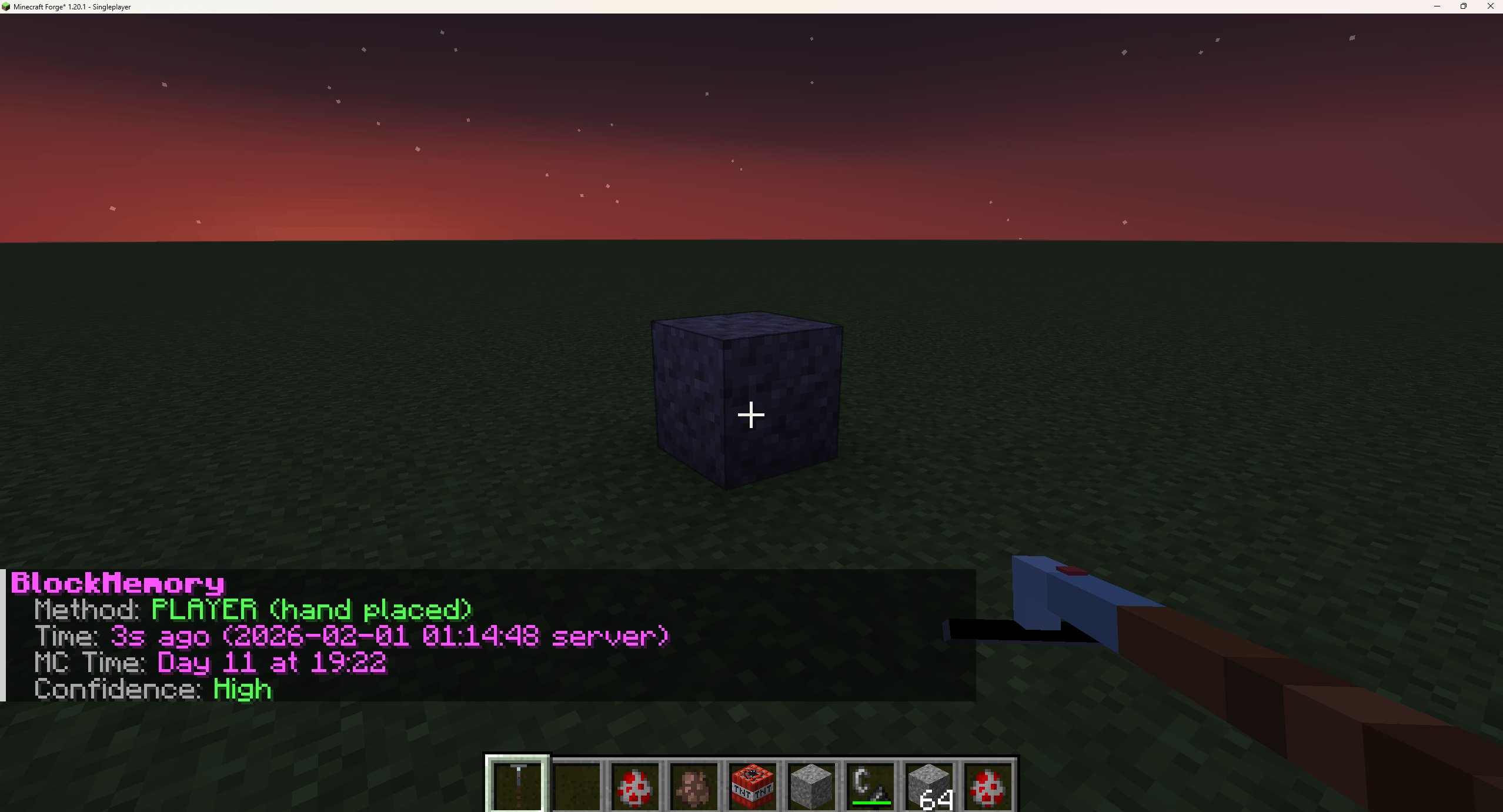 Block Inspection Inspecting a block
 -
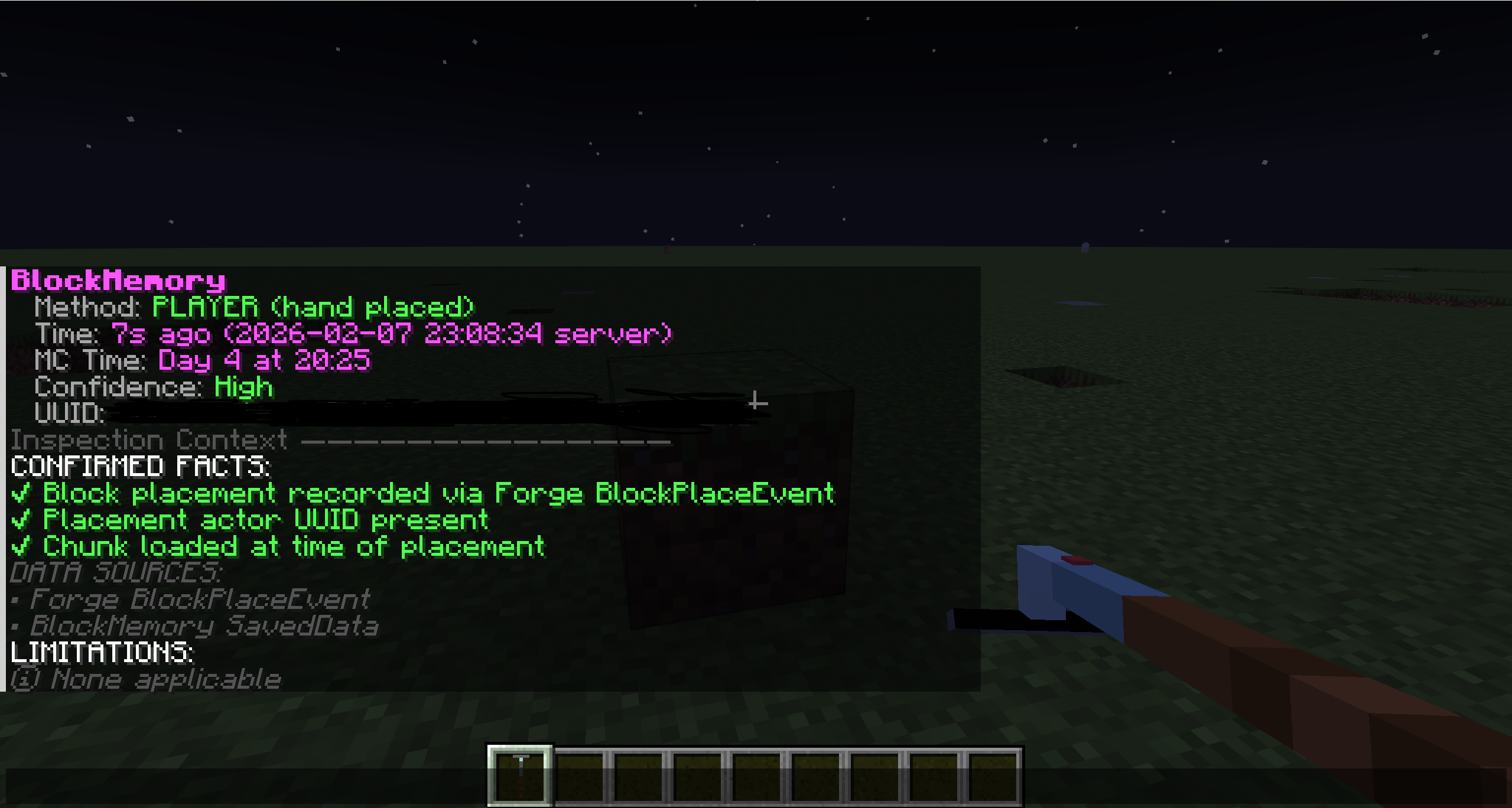 Closer Inspection with UUID Closer Inspection at a block shows UUID + Inspection context
 -
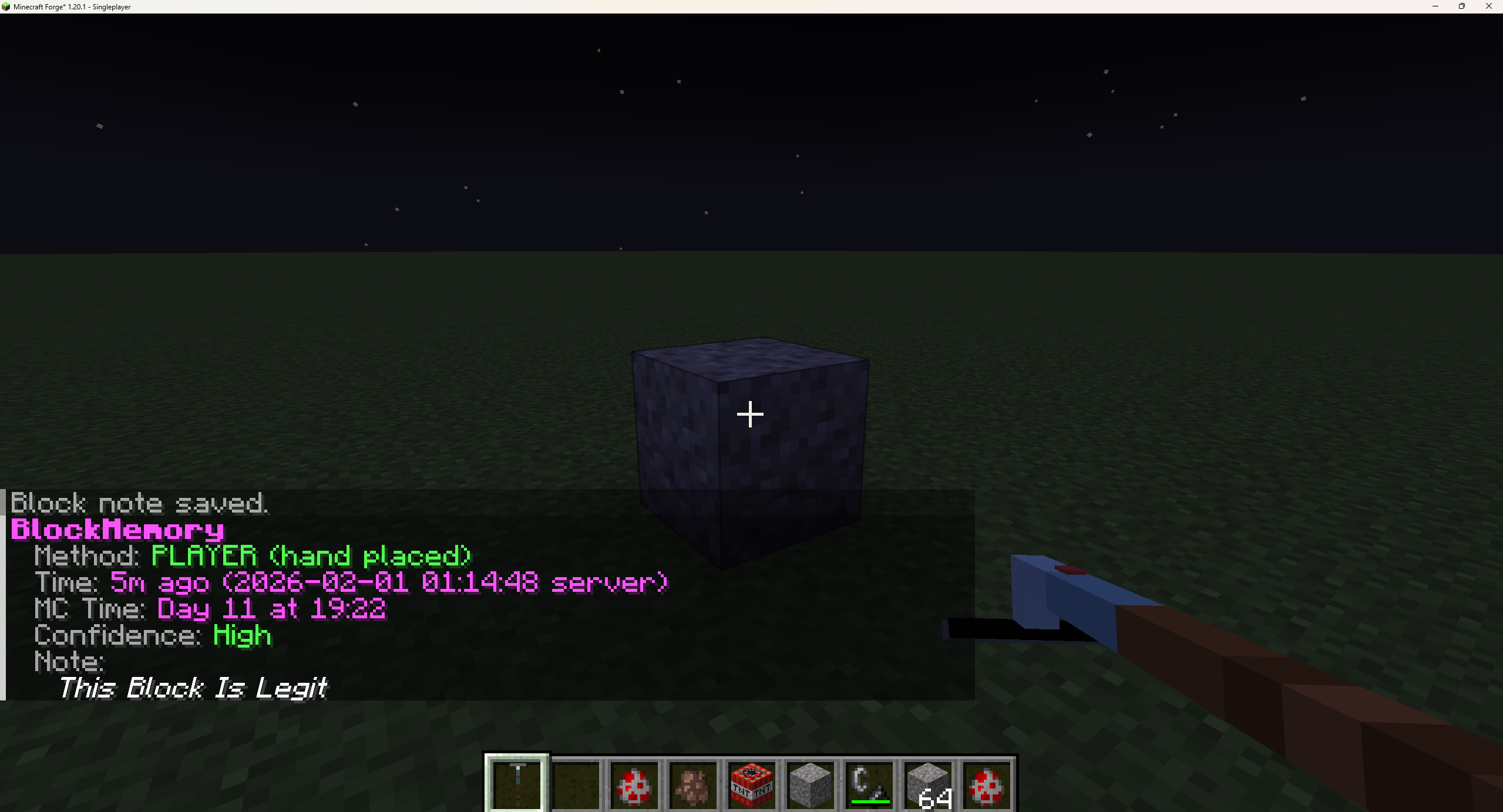 Adding notes to blocks Adding notes to blocks (Other staff can see)
 -
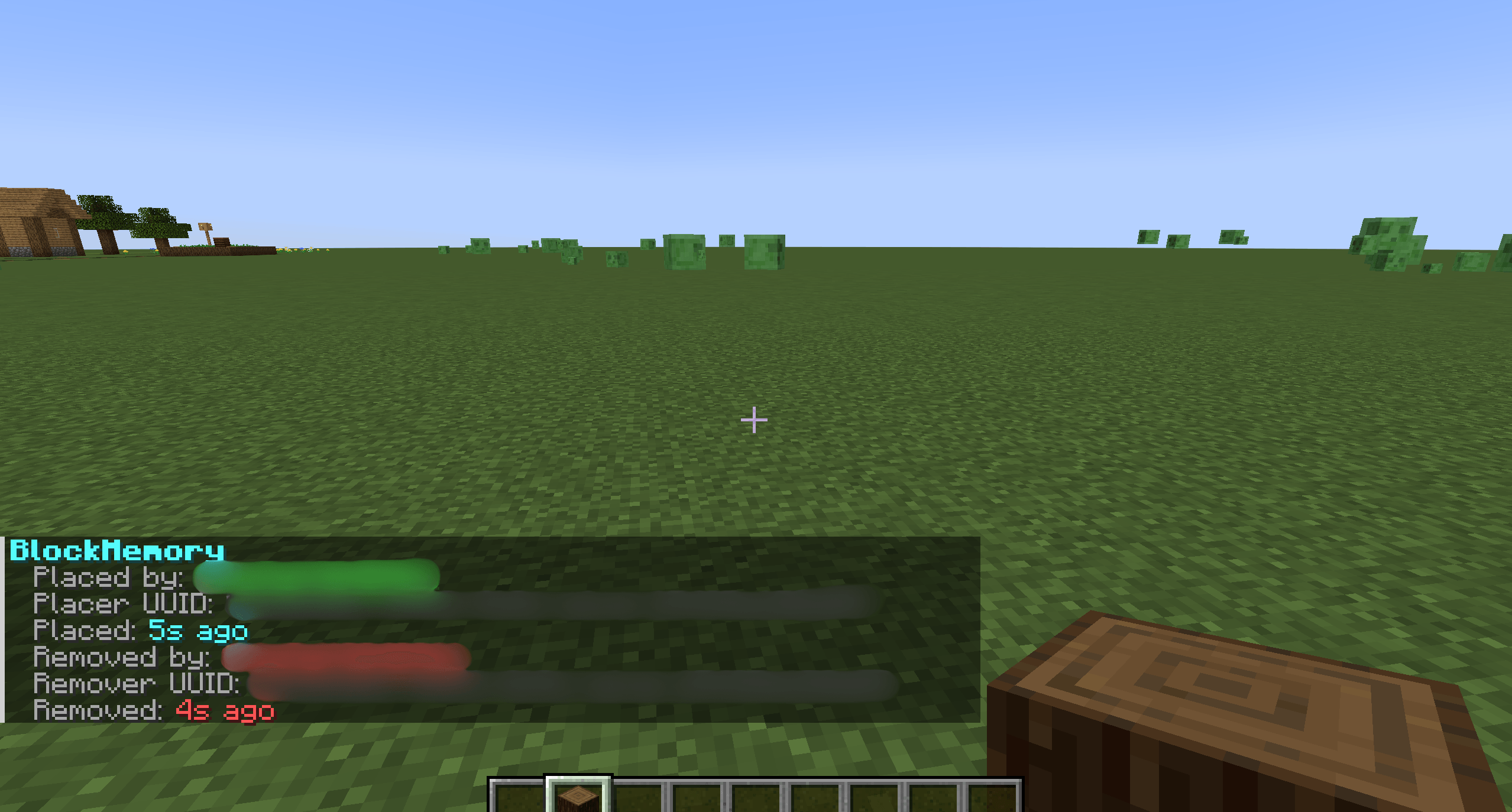 Command Inspect Inspecting a location of when a block was placed then broke
 -
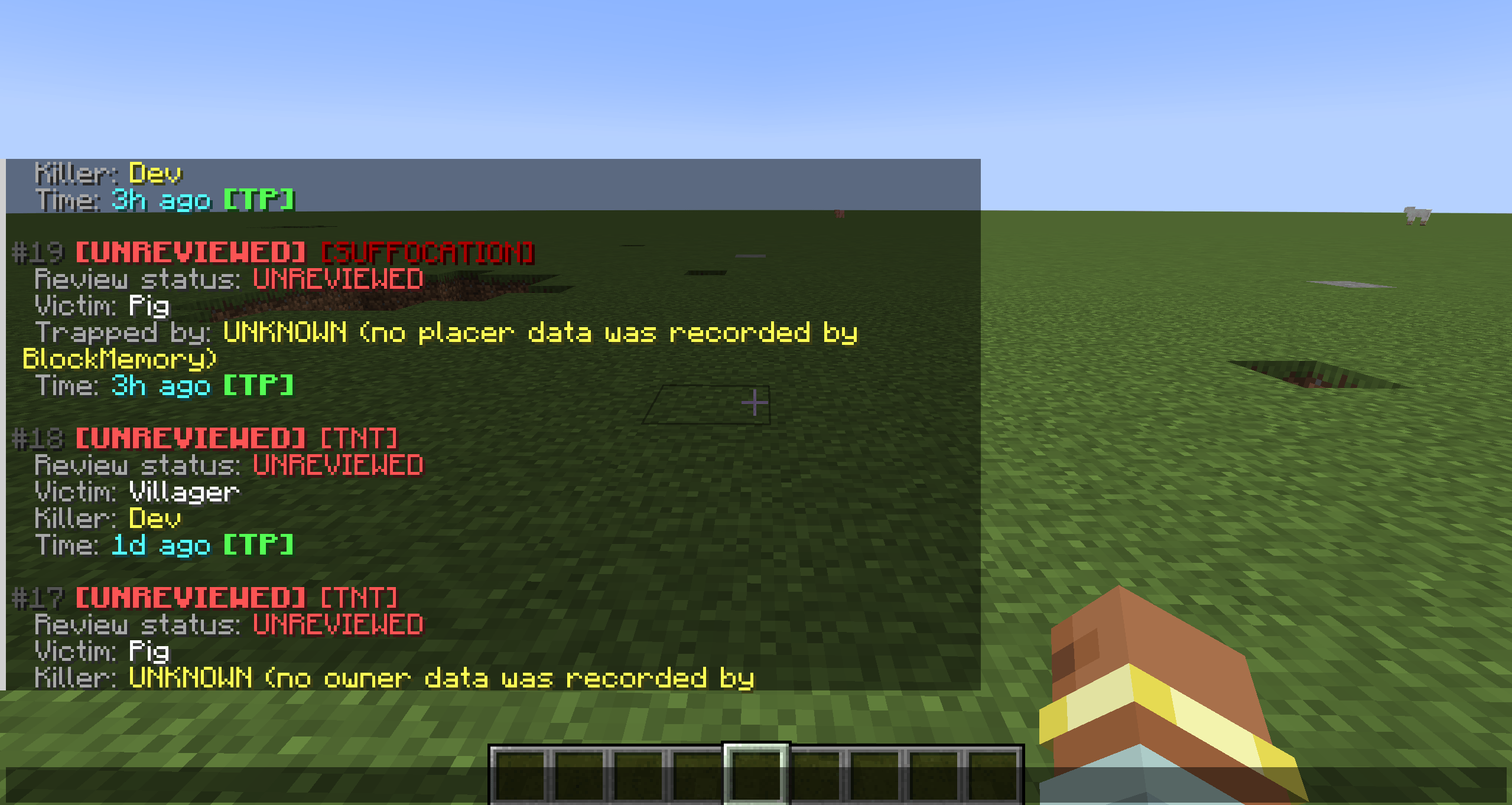 Incidents View recent incidents(TNT+ suffocation deaths) shows the victim, killer, status of said incident and the time with a TP. With a full review system for admins.
 -
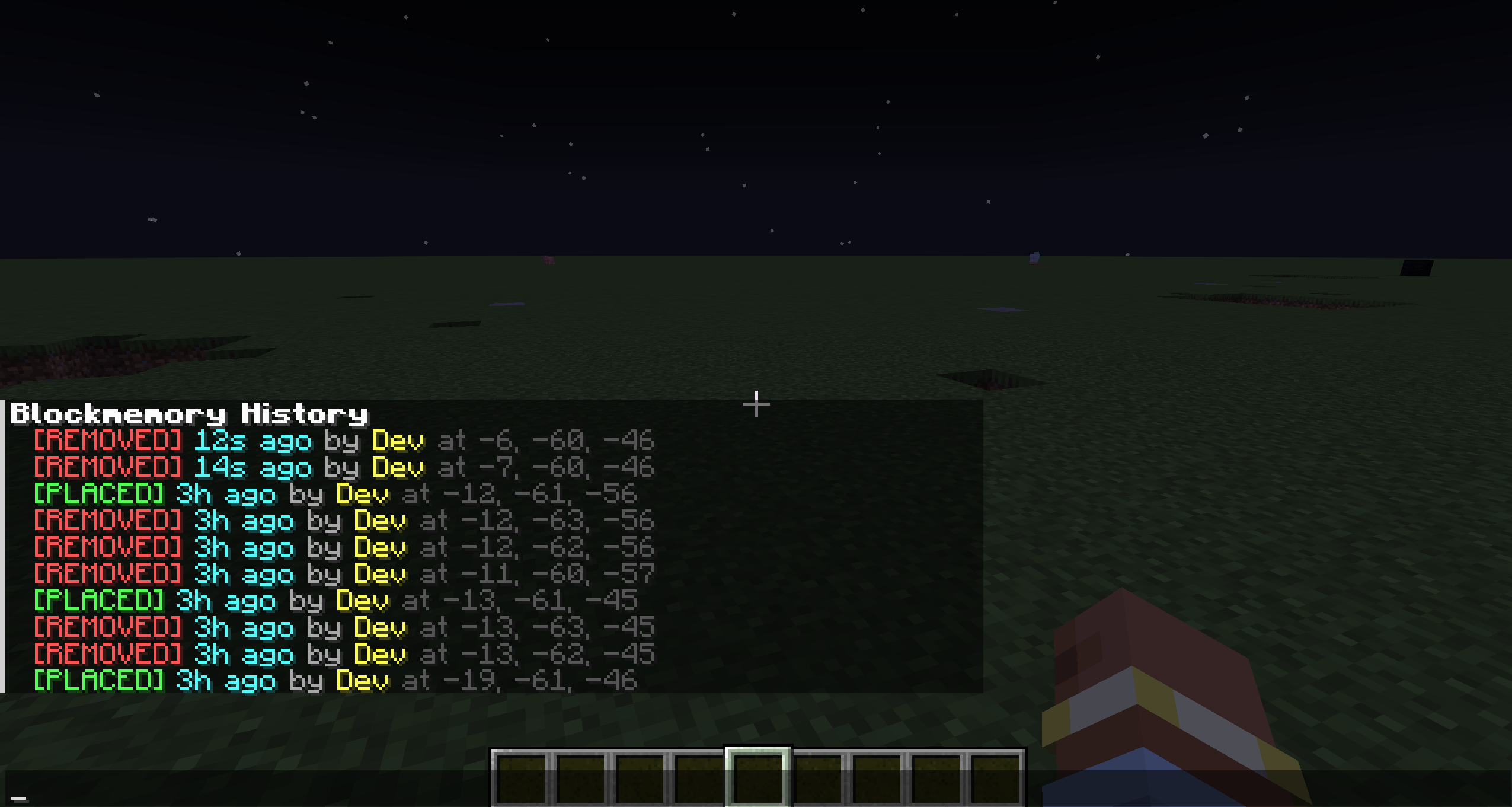 History See recent placed and removed blocks, there locations, time and who placed them
 -
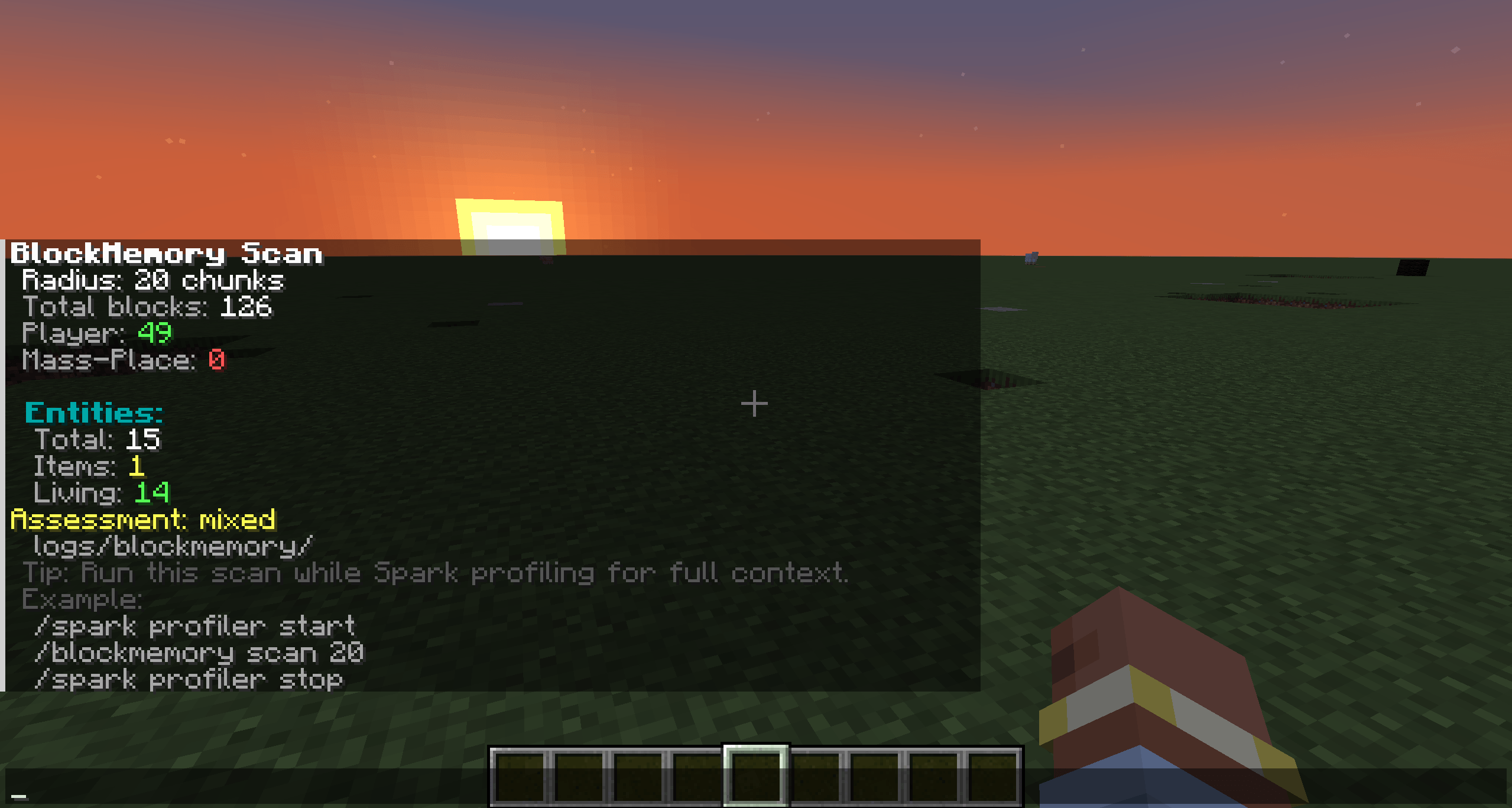 Scan Scan chunks for total blocks, player placed blocks, entities + its saved into logs
 -
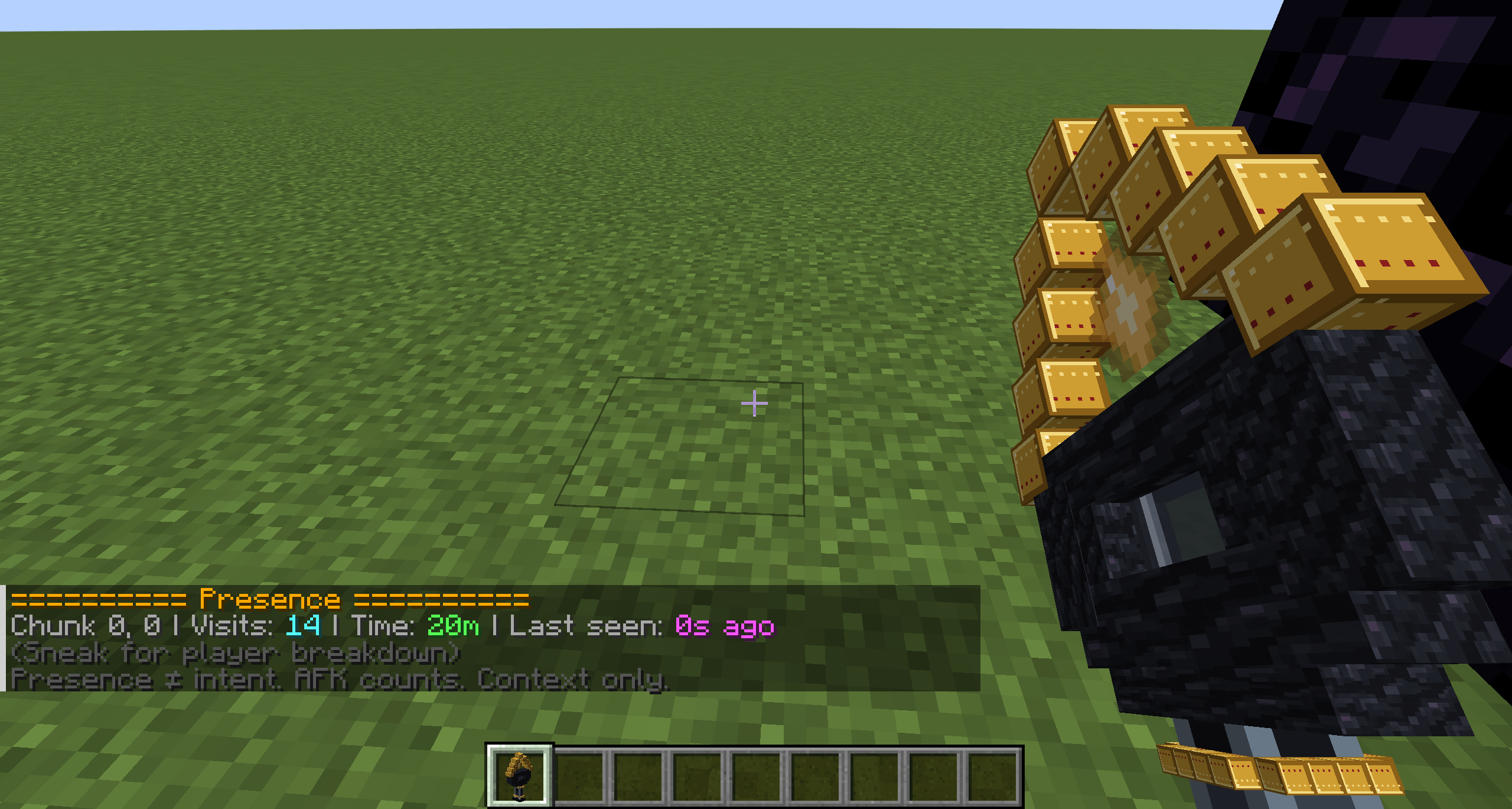 Presence Wand Looking at total visits for the chunk and time spent in the chunk for a player
 -
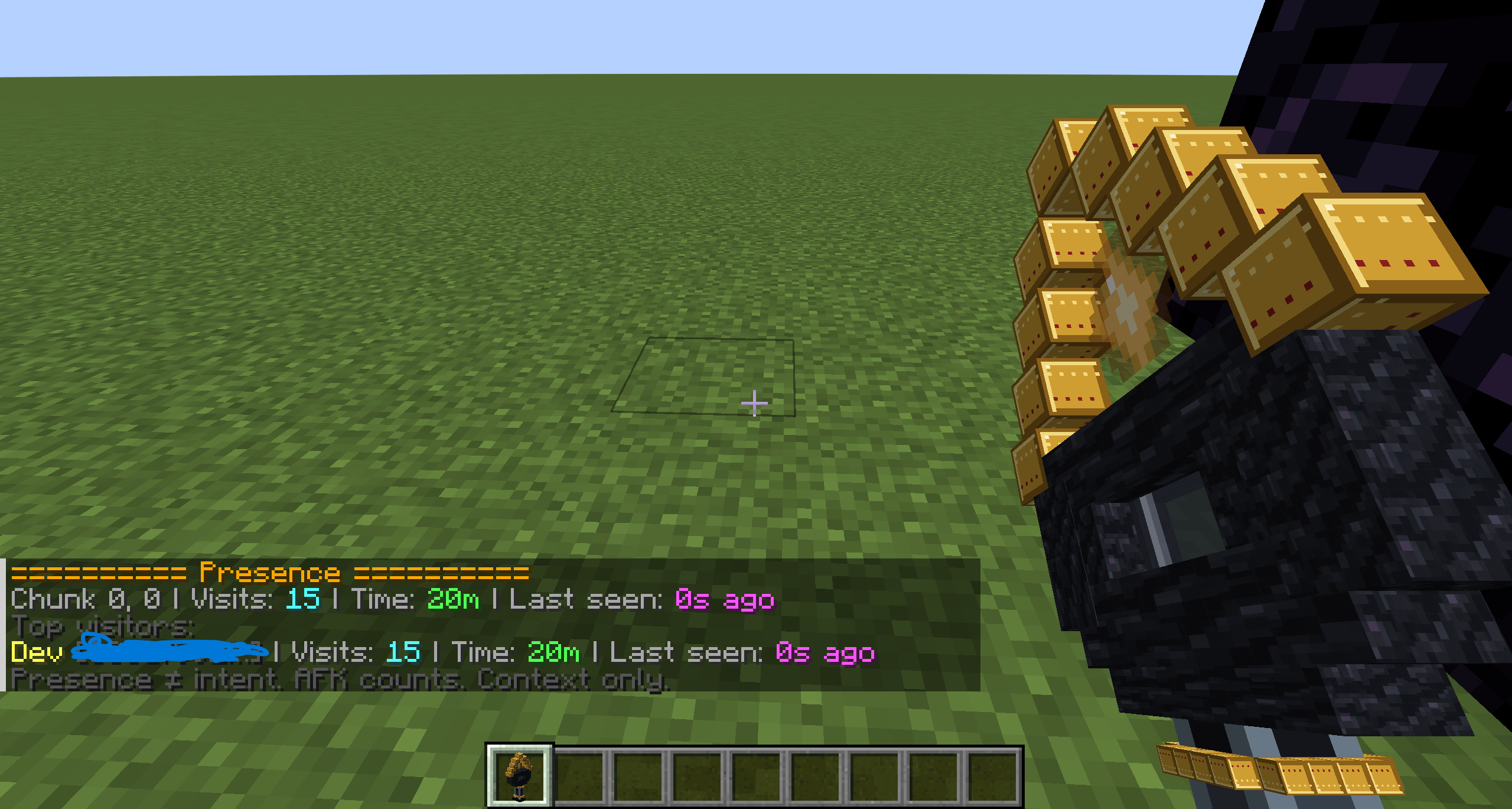 Presence Wand Shift+ right click shows each person that visited, there UUID, time spent and the time they were last seen and the amount of time they went into the same chunk
 -
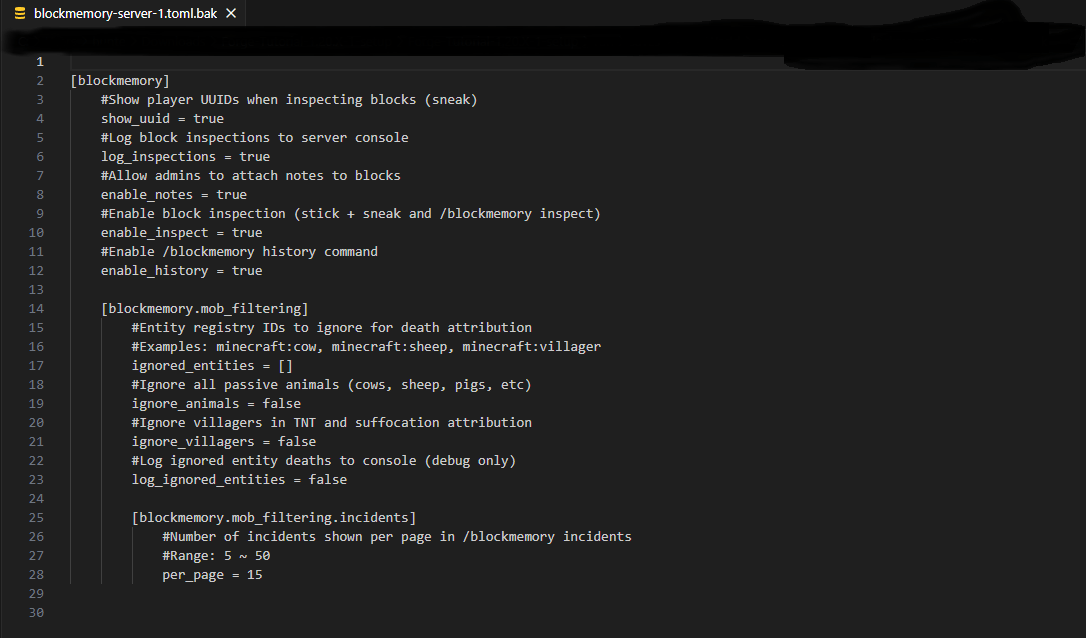 Block memory's configuration file Config most stuff in the config file
Versions
Files
Relations
Project Relations
More like this
Similar Mods
Suggestions use data such as tags, dependencies, dependents, descriptions, titles, and more to rank how much they overlap with this mod.
On ModDex
Community snapshot
By the numbers
Statistics
Want to reach Minecraft players?
We're looking for a server hosting partner to feature here and other parts of the site. Interested? Send us a message!
Get in touchGet it on
Available Platforms
On ModDex
Community snapshot
By the numbers
Statistics
Resources