Community listing page, reviews may not be monitored by the author.
Blood Bits: Flow

No reviews yet
Pixel blood that sprays, pools, dries and runs down walls; wounds, dirt and bloodied gear that wash off; configurable blood colours per creature.

Community voices
Reviews
No reviews yet. Be the first to review this project!
Get it on
Available Platforms
About
Project Details
For authors
Embed Badge
If you're the author of this project, you can embed a live badge anywhere that supports HTML or Markdown. It updates automatically whenever ratings change.
Use HTML for any page that supports it, or Markdown for README files and Markdown-based descriptions.
Identifiers
Platform IDs
Resources
External Links
About
Description
Blood Bits: Flow
Pixel blood that behaves like a liquid. Hits spray drops that fly through the air and land where they really reach: on floors, walls, ceilings, plants, bodies and items. They grow into puddles, run down walls and bodies, drip from ceilings, dry and stay, cloud water red and wash away in rain. Creatures, players, armour, weapons and items keep the blood and dirt they catch until it is washed off. Formerly BloodMarks.
Blood Bits: Flow is available for Forge 1.20.1 and NeoForge 1.21.1. Both editions have the same features unless a feature is marked as Forge- or NeoForge-only.
Features
Blood in the world
- The server follows every drop of a blow as it flies. Blood lands only where a drop reaches, and the drop stops at the first body, item or block it hits.
- A close blow throws blood back toward the striker and out of the far side. A shot throws a little back and more out of the far side.
- Drops are drawn pixel by pixel at the size of a world pixel and grow with the damage. They leave the wound tiny and spread into a splatter as they fly.
- Pools, stains and runoff form on block surfaces and spill over edges. Blood from ceilings falls in streams and leaves puddles below.
- Blood dries darker and stays as part of the block it lies on. Dried blood is saved with the world and is the same for every player. It goes with a block that breaks or changes shape. You can switch drying off so that blood fades away instead.
- Blood on most blocks is part of the block's own model, so shader packs light it with the block and sway it with waving plants.
- Landing drops burst into flecks, and bloods of different colours mix where they meet.
- Automatic texture filters keep flame and liquid regions clean while solid parts of mixed textures still take blood. Detected glass panels collect blood.
- Sounds use the game's own wet sounds, with subtitles.
Bodies, armour and items
- Wounds stay where the blow landed, with an exit wound where it came out. A player's blows land where the crosshair was, also with Epic Fight's camera.
- Blood on bodies and gear dries over time, runs down in thin trickles and is less see-through where more of it lies.
- Blood stays on armour, elytra, horse armour, held items, thrown tridents, dropped and framed items, inventory icons, boats, minecarts, item frames and paintings. NeoForge only: wolf armour.
- Melee weapons fill with blood from the blows they strike, and an empty-handed punch bloodies your fist.
- Bodies and gear pick up dirt that looks like the block you walked on, modded blocks included. Dirt builds up from the soles; on players it reaches the knees at most. They also pick up frost in powder snow, soot from fire and lava, and falling snow.
- Rain wets bodies and gear from the top down, only on the side under the open sky. Water wets them up to the waterline, and they dry from the top down.
- Wounded creatures bleed small sprays when their health is low.
- Stained and dirty items can still stack with clean items of the same kind. This can be switched off.
- Clean skin areas: paint the parts of your skin that never take blood or dirt.
Water and rain
- Water and rain wash blood and dirt away pixel by pixel, fresh and dried blood alike, on blocks, bodies, gear, items and moving parts.
- Blood in water clouds it red. The red flows with the current and fades over time. This shows without a shader pack; shader packs draw water their own way.
- Rain darkens the block faces it falls on, including chests, banners and Create's moving parts, and they dry slowly afterwards.
- Sneak + Use with a water bucket or water bottle aimed into the air pours it over your head. Sneak + Use with an empty hand on a water cauldron washes your face. Held to the end, both wash your body, armour, accessories and held items; let go early and the water is kept.
- Splash potions wash every player and mob they reach.
- Water drops from dripstone and ceilings wet the spot they land on; lava drops leave soot.
Creatures' blood
- Blood colours per creature, and creatures that do not bleed, set by data packs (
data/<namespace>/bloodmarks/blood_types/) or in game. - Modded creatures without a profile can use the blood of a similar vanilla creature.
Languages
- English, Russian and Ukrainian.
Installation
| Forge edition | NeoForge edition | |
|---|---|---|
| Minecraft | 1.20.1 | 1.21.1 |
| Loader | Forge 47.4.0 or newer (47.x) | NeoForge 21.1.251 or newer for 1.21.1 |
| Java | 17 or newer | 21 or newer |
| Bundled | MixinExtras 0.5.0 | None |
| Curios (optional) | 5.14.1+1.20.1 or newer within 5.x | 9.5.1 or newer within 9.x |
- Put the matching JAR in the
modsfolder of the client and of the server. Both sides need the same Blood Bits: Flow version. - No other mod is required. Remove older Blood Bits: Flow JARs before updating.
- Do not open Minecraft 1.21.1 worlds with Minecraft 1.20.1.
Configuration and settings
Open the mod's menu from Mods → Blood Bits: Flow → Config, or with the bloody gear at the top left of the pause menu. It has two parts:
- World Settings (Server): what blood does in the world, the same for everyone in it. Pages: Blood on Creatures, Blood on the Ground, Drying and Washing, and Dirt and Water, plus the Creatures' Blood, Textures and Items, and Pour items editors.
- My Settings (This Computer): the Display and Sounds page and Clean Skin Areas. It covers what your computer shows and plays, such as blood effects, dirt and wetness, wet blocks in rain, red water, blood on item icons, landing flecks and drip sounds.
Every mechanic can be switched off or tuned: drying and fading times, puddles, wounds, drop size, bleeding, every kind of washing and dirt, and more. Click a setting to see its full name and a plain description of what it does and what happens when it is off. Each page has Reset to Defaults, which asks before it resets that page. World settings can be changed on the title screen and in your own single-player world; on a server they show the server's values.
- Creatures' Blood: for each creature, set bleeding to automatic, on or off, and pick its blood colour with RGB sliders or a hex code. Mob pixels… shows the mob in 3D beside its textures, so you can paint where blood and dirt may land.
- Textures and Items: the Textures tab is a texture rules editor with a pixel brush (Clean, Stains or Auto), zoom and pan. On the Items tab, the item editor shows the item in 3D (in the inventory, in the hand or placed in the world) beside its textures, and you can paint on either. The Rules tab removes what was painted.
- Clean Skin Areas: opens once when you first join a world, and later from this menu.
- Pour items: every item in a searchable grid. Click an item to allow or forbid pouring it over yourself.
- Shared settings are saved in
config/bloodbits_flow/server-settings.tomland used by every world, so you set them once. On a server, the server's settings apply. Creatures' blood and texture rules are edited inside a world, by its single-player owner or by a server operator. - Colour changes apply to new stains. Turning bleeding off for a creature stops new blood and hides the blood on its body; stains already in the world and on items stay.
Compatibility
Optional integrations:
- Epic Fight: blood and dirt on its models, its first-person arms and held items; washing animations; wounds follow its camera aim.
- Curios: accessories in functional and cosmetic slots catch blood and dirt and keep them when taken off.
- Create: blood on moving parts such as water wheels, which dries, turns with them and washes off in water; blood riding on belts; fan washing that cleans items and creatures; wet moving parts in the rain.
- Valkyrien Skies 2 (Forge) and Sable / Create Aeronautics (NeoForge): blood on ships moves with them, dries and is kept with them.
- TaCZ and LR Tactical (Forge): blood and dirt on guns, attachments and melee weapons, in the hands and in the inventory.
- JCraft: Eyes of Ender (Forge): a stand's blows draw blood.
- Real Camera: your own body shows its blood and dirt in its view.
- Ragdollified: blood stays on ragdolls.
- Sodium (NeoForge, 0.8.13 or newer within 0.8.x) and Embeddium (Forge): bloody mobs, items and wet blocks keep their fast rendering.
- Shader packs: Iris on NeoForge and Oculus on Forge, checked with Photon and Complementary.
- Lithium (NeoForge, 0.15.4 or newer within 0.15.x): blood stays on items that its hoppers merge.
- Spore: blood on its custom armour parts and held models.
Notes:
- Unusual models, custom renderers and resource packs may need adjustments. Texture rules in the settings handle textures the automatic filters get wrong.
- The mod ID is
bloodbits_flow. Saved data and resources use thebloodmarksnamespace. The API isdev.bloodbits.flow.api.BloodBitsApi.
Credits and licence
The original parts of Blood Bits: Flow are All Rights Reserved. You may download the mod from its official pages, use it, and include it in modpacks as the platform allows.
Thanks to iron431 for Iron's Simple Blood, the starting point of this mod's ground stains. Versions up to and including NeoForge 2.9.1.1 and Forge 2.9.1.2 contained MIT-licensed material from it: code adapted from its ground-decal particle, and two drop textures. Those files keep its MIT notice. From 2.10.0 on, the mod contains none of it: the particle was written anew and the textures were removed.
The Forge edition bundles MixinExtras 0.5.0 by LlamaLad7 under the MIT License; its licence is inside the bundled JAR. Each Blood Bits: Flow JAR contains LICENSE and THIRD_PARTY_LICENSES.md.
Development disclosure
Much of the mod's code was created using generative AI, including Claude and Codex, under the project owner's direction. Some textures, such as the blood on the mod's buttons and the pause-menu gear, were drawn by scripts written the same way. The project icon is also AI-generated. Third-party work is credited separately above.
Gallery images are unmodified in-game screenshots supplied by the owner.
Screenshots
Gallery
-
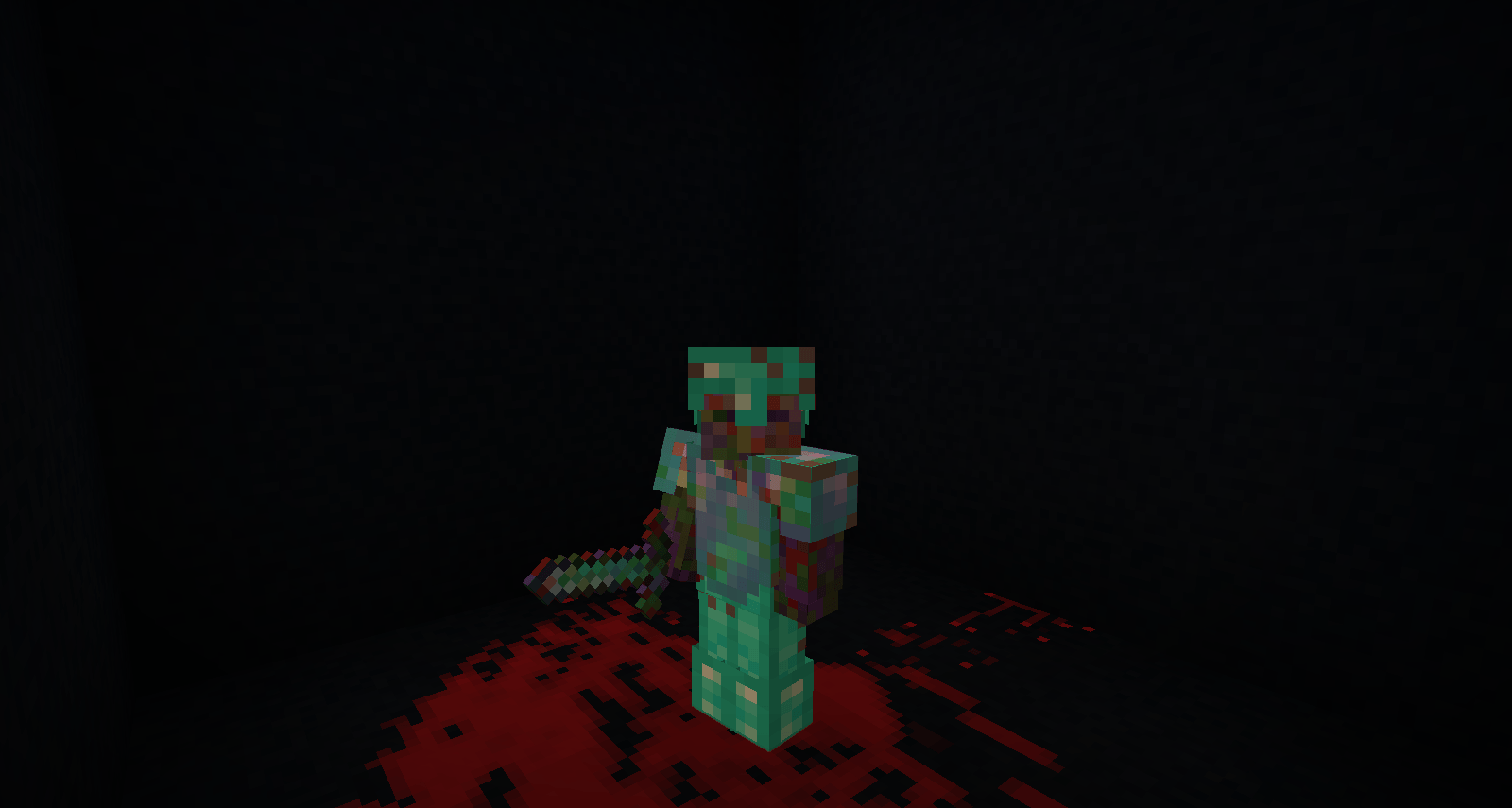 Blood on armour and held equipment Unmodified in-game screenshot supplied by the project owner.
 -
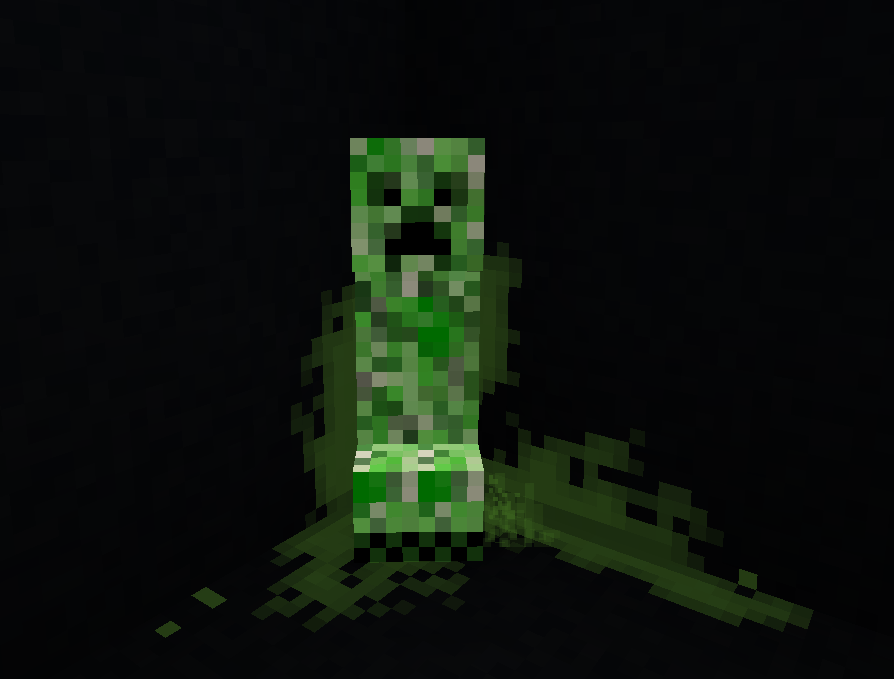 Green blood marks on a creeper and nearby surfaces
 -
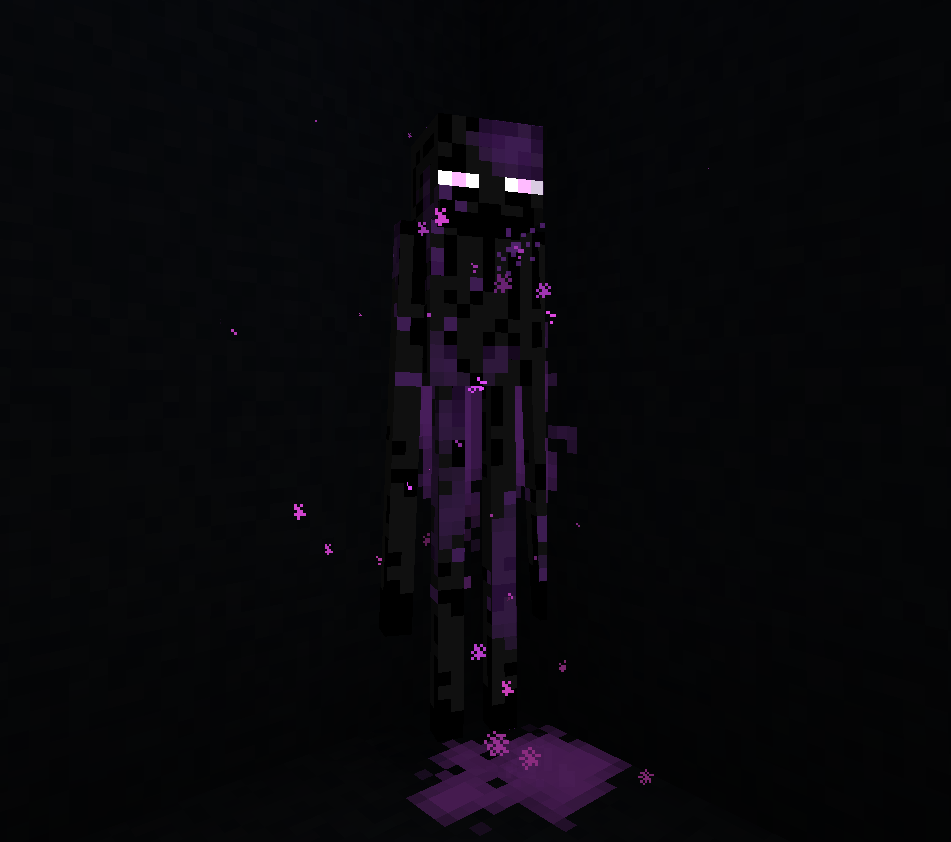 Purple blood marks on an enderman
 -
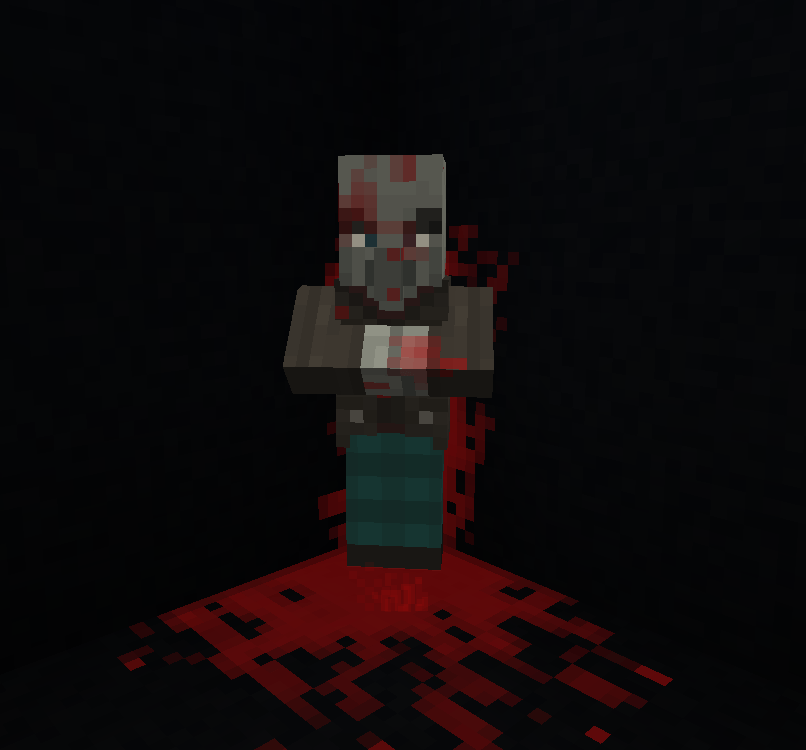 Blood marks on a mob, wall and floor
 -
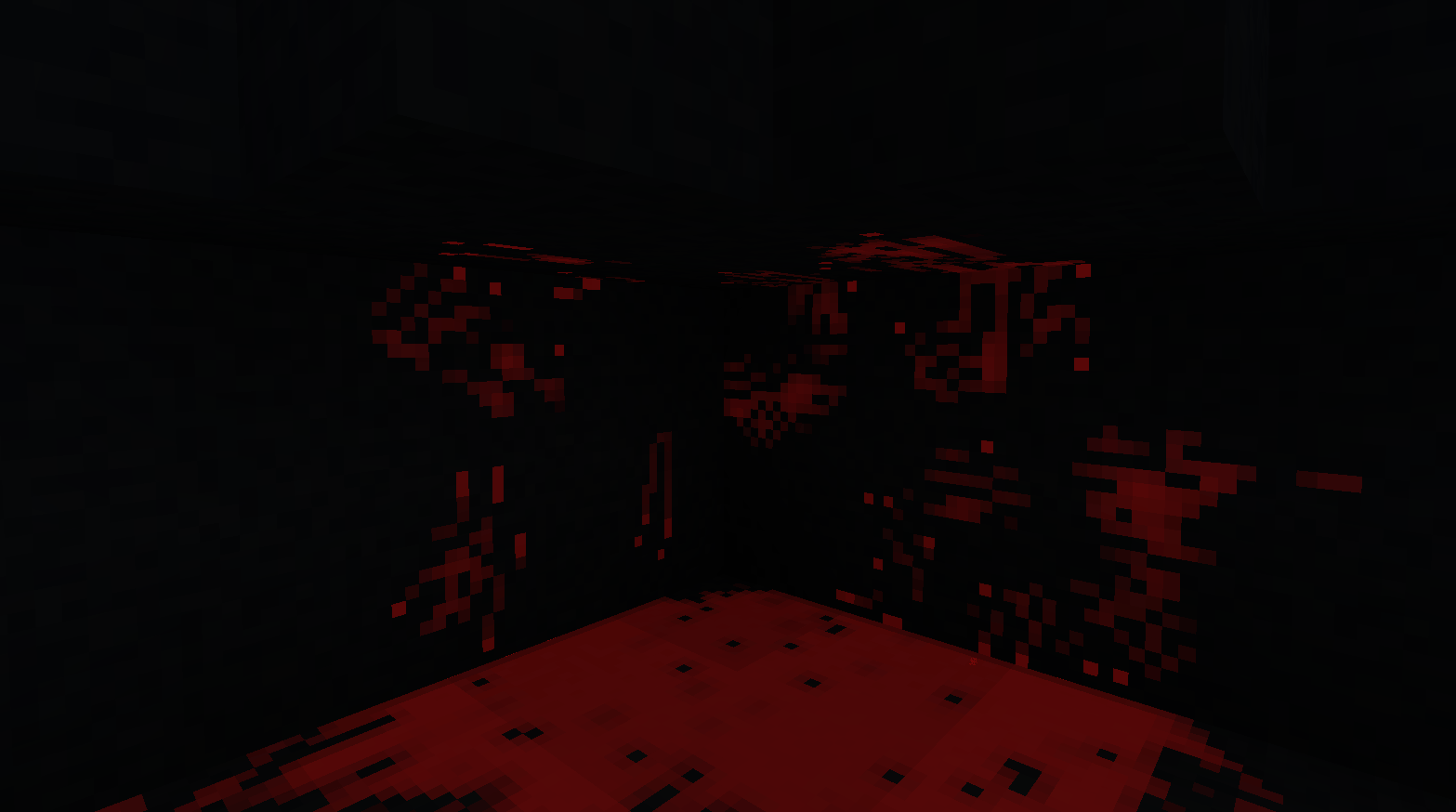 Blood stains across floors, walls and ledges
 -
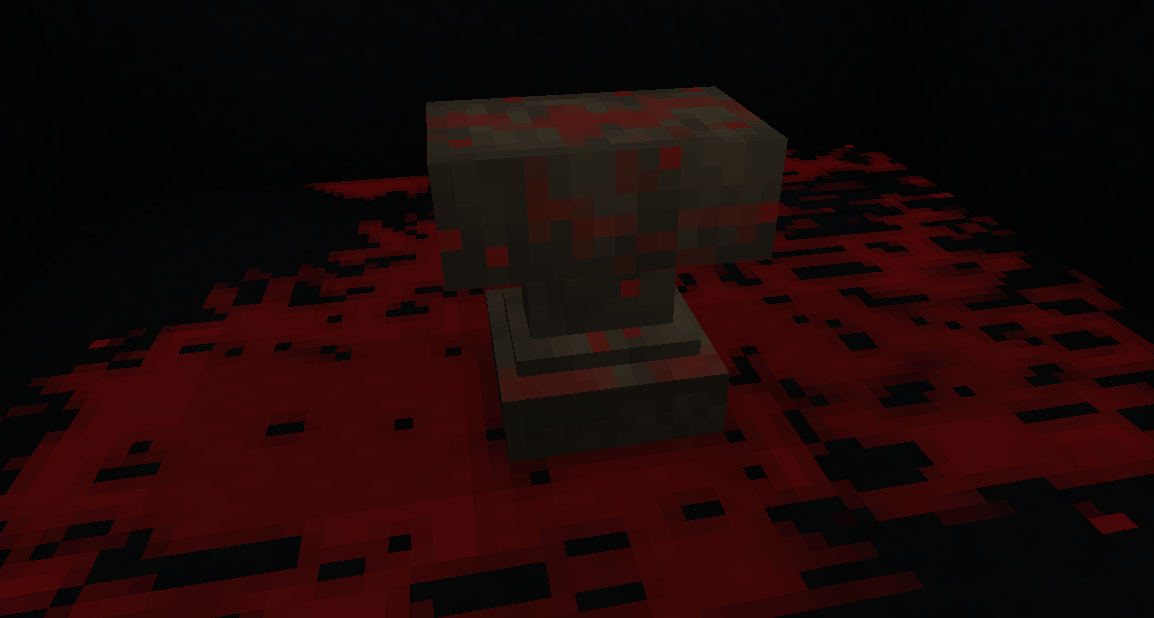 Blood on an anvil and the surrounding floor
 -
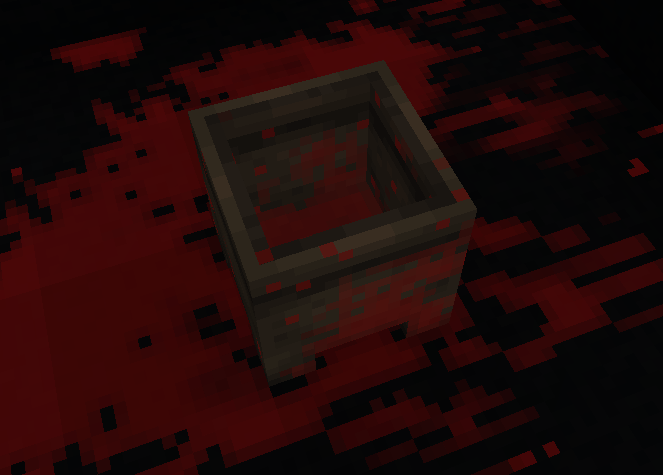 Blood on the inner and outer faces of a cauldron
Versions
Files
Relations
Project Relations
More like this
Similar Mods
Suggestions use data such as tags, dependencies, dependents, descriptions, titles, and more to rank how much they overlap with this mod.
On ModDex
Community snapshot
By the numbers
Statistics

Get it on
Available Platforms
On ModDex
Community snapshot
By the numbers
Statistics
Resources