Community listing page, reviews here may not be monitored by the author.
Borderless Fullscreen


No reviews yet
More configurable fullscreen mode
Community voices
Reviews
No reviews yet. Be the first to review this project!
Get it on
Available Platforms
Compatibility
Supported Environments
Runs entirely on the client. Works on vanilla servers.
About
Project Details
For authors
Embed Badge
If you're the author of this project, you can embed a live badge anywhere that supports HTML or Markdown. It updates automatically whenever ratings change.
Use HTML for any page that supports it, or Markdown for README files and Markdown-based descriptions.
Identifiers
Platform IDs
About
Description
This mod changes Minecraft's fullscreen mode and makes it more customizable. By default, it makes the game not minimize on lost focus, and allows other windows on top of the game.
On Windows 10 and 11, Fullscreen Optimizations are enabled by default. Fullscreen Optimizations make the game run better, but they prevent anything from being on top of the game while the game is focused. If you want to, for example, have a picture-in-picture video on top of the game, or use the discord overlay, you have to disable Fullscreen Optimizations.
If you are on Linux, and the taskbar is above the game, disable the Borderless Fullscreen option.
On some Linux distributions you cannot have anything in front of the game, because some window systems don't support regular always-on-top windows. In that case, you have to create a custom window rule to put something in front of the game. Here is an example for firefox picture-in-picture videos
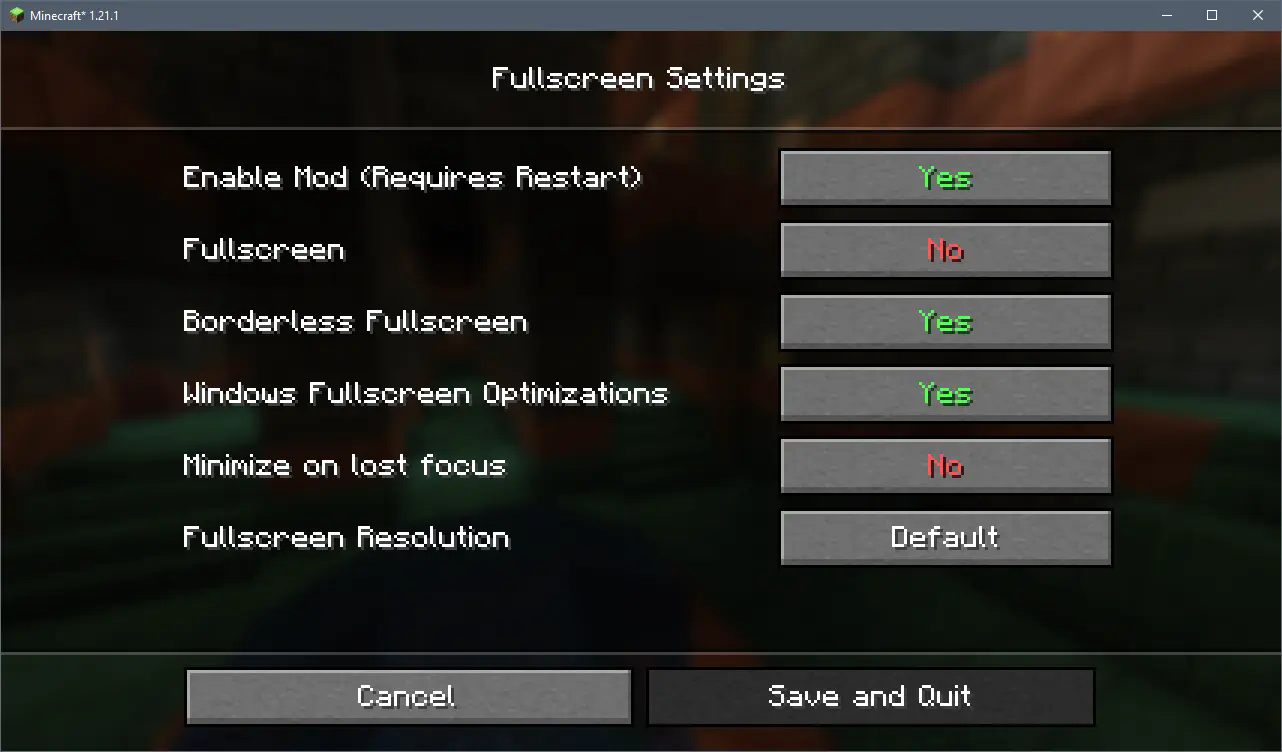 The config menu as of version 2.0.0
To open the config menu you need Mod Menu
Info
This mod changes Minecraft's fullscreen mode and makes it more customizable. By default, it makes the game not minimize on lost focus, and allows other windows on top of the game.
Features
-
Capture the mouse cursor inside the game window in versions before 26.3 (Not available in 1.20.1 due to old GLFW version)
-
Switch between exclusive fullscreen and borderless fullscreen mode without having to restart the game
-
Prevent the game from automatically minimizing when tabbing out (Or make it minimize automatically in 26.3, since it was removed in that version)
-
Prevent the game from starting in fullscreen mode
-
Play with custom fullscreen resolutions on any monitor
-
Open the configuration screen by pressing CTRL and F11 (or what your fullscreen key is set to), or through Mod Menu
Troubleshooting
On Windows 10 and 11, Fullscreen Optimizations are enabled by default. Fullscreen Optimizations make the game run better, but they prevent anything from being on top of the game while the game is focused. If you want to, for example, have a picture-in-picture video on top of the game, or use the discord overlay, you have to disable Fullscreen Optimizations.
If you are on Linux, and the taskbar is above the game, disable the Borderless Fullscreen option.
On some Linux distributions you cannot have anything in front of the game, because some window systems don't support regular always-on-top windows. In that case, you have to create a custom window rule to put something in front of the game. Here is an example for firefox picture-in-picture videos
Screenshots
 The config menu as of version 2.3.0
 Choose which monitor and resolution the game should use when running in fullscreen
Screenshots
Gallery
-
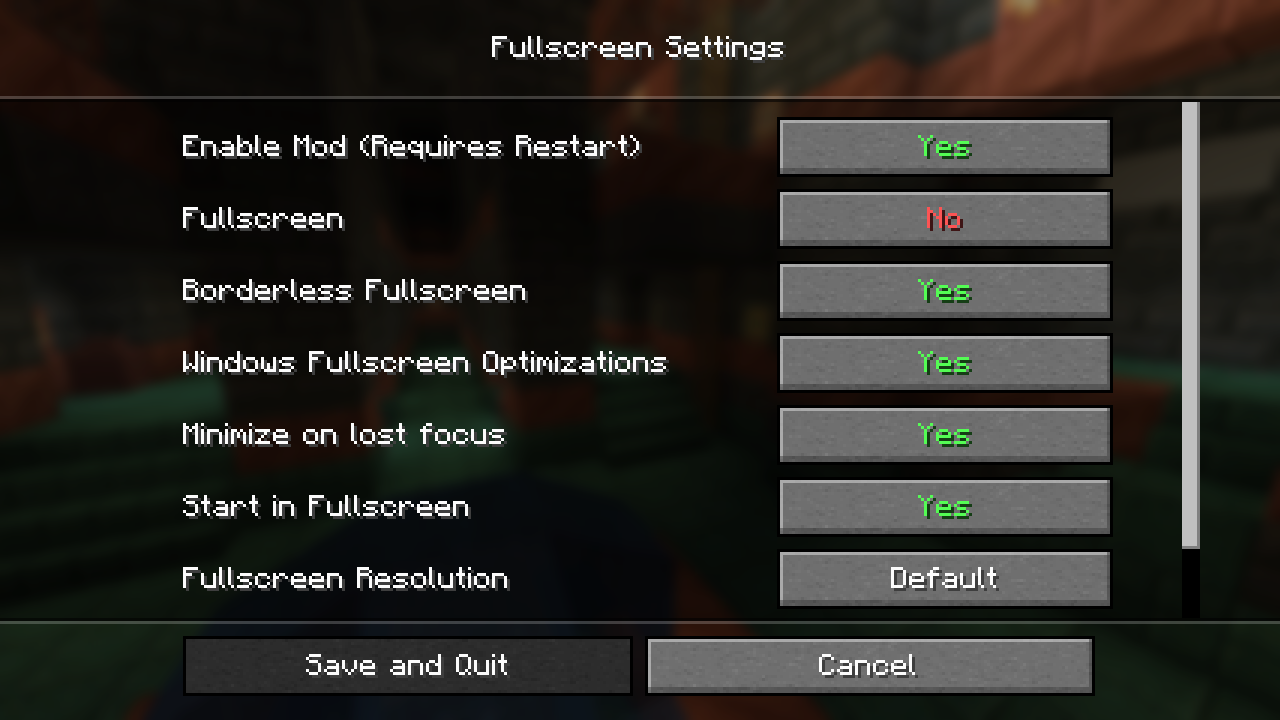 v2.2.0 Config Screen
Versions
Files
Relations
Project Relations
More like this
Similar Mods
Suggestions use data such as tags, dependencies, dependents, descriptions, titles, and more to rank how much they overlap with this mod.
On ModDex
Community snapshot
By the numbers
Statistics
Want to reach Minecraft players?
We're looking for a server hosting partner to feature here and other parts of the site. Interested? Send us a message!
Get in touchGet it on
Available Platforms
On ModDex
Community snapshot
By the numbers