
Community listing page, reviews here may not be monitored by the author.
Bruno the CameraMan


No reviews yet
Bruno is a cinematic camera api for ingame interactions or cutscenes!
Community voices
Reviews
No reviews yet. Be the first to review this project!
Get it on
Available Platforms
Compatibility
Supported Environments
Must be installed on both the client and the server.
About
Project Details
For authors
Embed Badge
If you're the author of this project, you can embed a live badge anywhere that supports HTML or Markdown. It updates automatically whenever ratings change.
Use HTML for any page that supports it, or Markdown for README files and Markdown-based descriptions.
Identifiers
Platform IDs
Resources
External Links
About
Description
🎥 Bruno Cinematic Camera Manager
Bruno is a cinematic camera manager for Minecraft Forge.
It allows you to create smooth camera transitions for interactions, cutscenes, or cinematic scenes in your mods or modpacks.
⚠️ Disclaimer:
This project is still in early access. It is not fully finished and may contain bugs or incomplete features. Use it at your own risk and feel free to contribute or report issues.
🔧 Getting Started
To use Bruno in your mod, you’ll need to register camera points.
A CameraPoint defines where the camera should be and how to transition into it.
📌 Registering a CameraPoint
You can register points during the CameraManagerSetupEvent.
Here’s an example:
// Registration example
@Mod.EventBusSubscriber(modid = YourMod.MODID, bus = Mod.EventBusSubscriber.Bus.FORGE, value = Dist.CLIENT)
public class Register {
    public static CameraPointAccessor POINT;

    @SubscribeEvent
    public static void onCameraManagerSetup(CameraManagerSetupEvent event) {
        POINT = event.manager.registerPoint("point", CameraPoint.of(
                new Vec3(
                        0,              // x
                        100,            // y
                        0               // z
                ),
                0,                      // yaw
                0,                      // pitch
                0.5f,                   // fov
                1000,                   // duration in ms
                Easing::easeInOutQuad,  // easing function
                false                   // render player model
        ));
    }
}
🎬 Transitioning to a CameraPoint
Once a point is registered, you can transition to it:
On Client
com.smibii.cameraman.listeners.Camera.manager.transitionToPoint("point");On Server
com.smibii.cameraman.network.NetworkHandler.sendToClient(
       new CameraToPointPacket("point"),
       player
);
🔄 Returning to the Player
You can exit the camera and return to the player:
Smooth Transition
// Client
com.smibii.cameraman.listeners.Camera.manager.transitionToPlayer();

// Server
NetworkHandler.sendToClient(
       new CameraToPlayerPacket(),
       player
);
Immediate Exit
// Client
com.smibii.cameraman.listeners.Camera.manager.setInUse(false);

// Server
NetworkHandler.sendToClient(
       new CameraSetInUsePacket(false),
       player
);
📜 License & Usage
You are free to:
-
Use Bruno in your mods or modpacks
-
Modify the codebase to fit your needs
✅ But please give proper credit by mentioning smibii.
🚧 Status
-
🛠️ Early Access
-
⚠️ Not bug-free
-
📈 Features still being added
Bruno is a cinematic camera manager that can be used for interactions or cinematic scenes
To create a custom camera you need to register a CustomPoint
Here is an example how to register a CameraPoint
// registration
@Mod.EventBusSubscriber(modid = YourMod.MODID, bus = Mod.EventBusSubscriber.Bus.FORGE, value = Dist.CLIENT)
public class register {
    public static CameraPointAccessor POINT;
@SubscribeEvent
public static void onCameraManagerSetup(CameraManagerSetupEvent event) {
    POINT = event.manager.registerPoint("point", CameraPoint.of(
            new Vec3(
                    0,              // x
                    100,            // y
                    0               // z
            ),
            0,                      // yaw
            0,                      // pitch
            0.5f,                   // fov
            1000,                   // duration
            Easing::easeInOutQuad,  // Easing function
            false                   // renderPlayer
    ));
}
}
as soon as the CameraPoint is registered you can transition to the point on client like this
com.smibii.cameraman.listeners.Camera.manager.transitionToPoint(POINT_NAME)and on server like this
com.smibii.cameraman.network.NetworkHandler.sendToClient(
       new CameraToPointPacket(POINT_NAME),
       player);
If you want to get back to the player can eather transition back to the player
// Client
com.smibii.cameraman.listeners.Camera.manager.transitionToPlayer()
// Server
NetworkHandler.sendToClient(
new CameraToPlayerPacket(),
player);
or abruptly exit the camera with
// Client
com.smibii.cameraman.listeners.Camera.manager.setInUse(false);
// Server
NetworkHandler.sendToClient(
new CameraSetInUsePacket(false),
player);
Feel free to use the api in ur mod, modpack or modify it BUT make sure to mention me.
Thanks.
Screenshots
Gallery
-
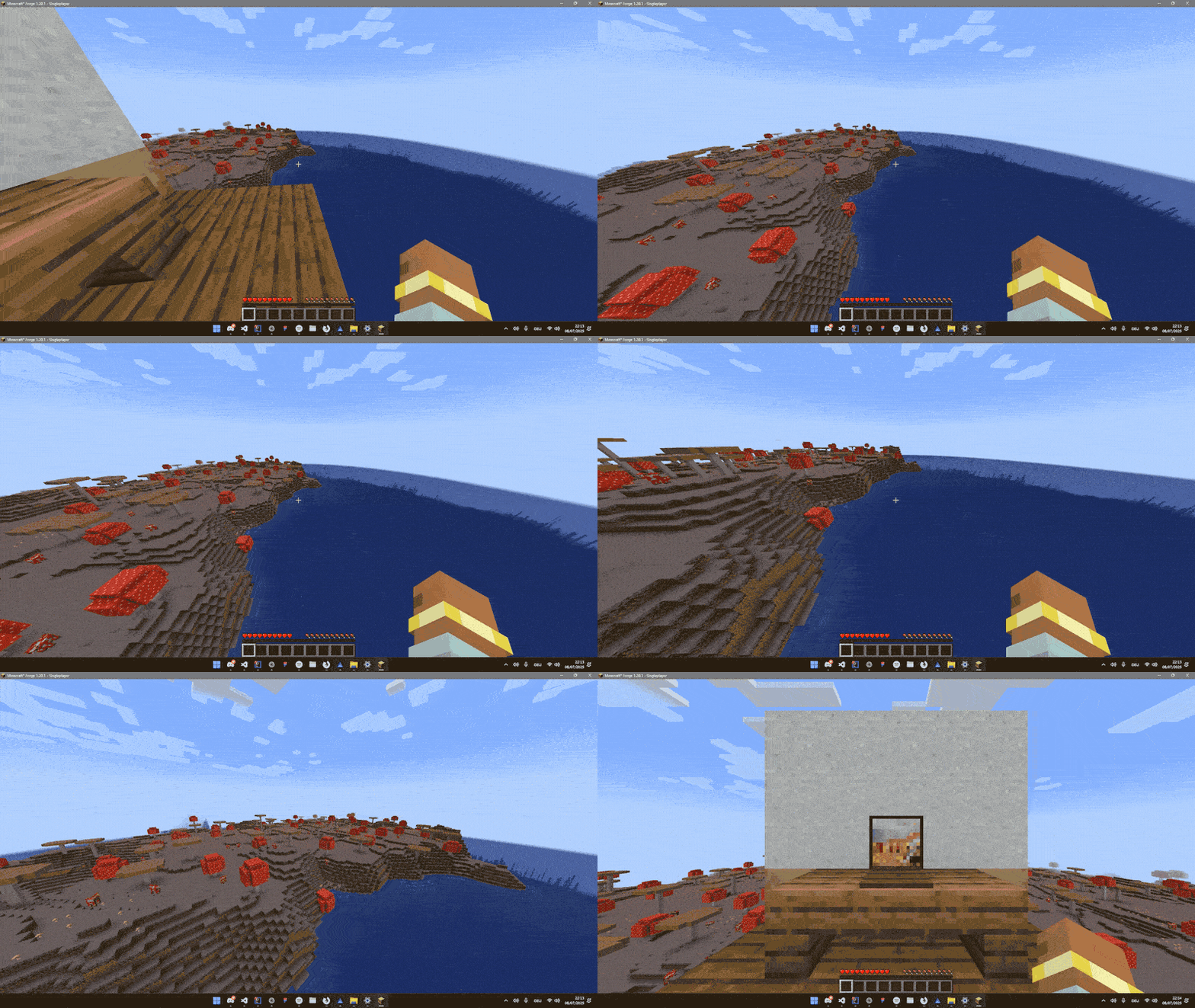 Comp_2-ezgif.com-optimize.gif Comp_2-ezgif.com-optimize.gif
-
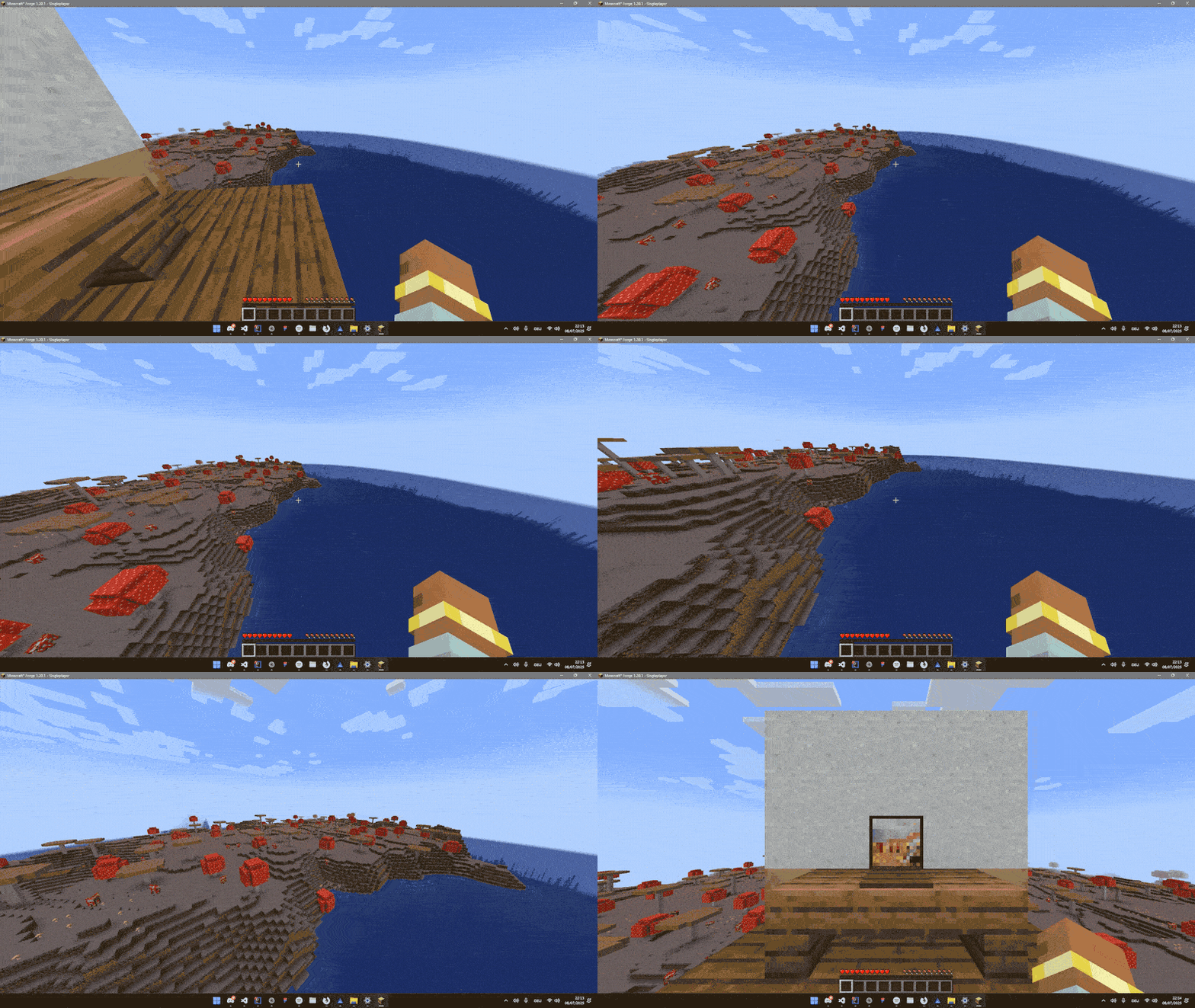 Respawn animation concept
Versions
Files
Relations
Project Relations
More like this
Similar Mods
Suggestions use data such as tags, dependencies, dependents, descriptions, titles, and more to rank how much they overlap with this mod.
On ModDex
Community snapshot
By the numbers
Statistics
Want to reach Minecraft players?
We're looking for a server hosting partner to feature here and other parts of the site. Interested? Send us a message!
Get in touchGet it on
Available Platforms
On ModDex
Community snapshot
By the numbers
Statistics
Resources