
Community listing page, reviews here may not be monitored by the author.
Builder

No reviews yet
A Fabric mod that imports builds in bulk from specially formatted JSON files.

Community voices
Reviews
No reviews yet. Be the first to review this project!
Get it on
Available Platforms
About
Project Details
For authors
Embed Badge
If you're the author of this project, you can embed a live badge anywhere that supports HTML or Markdown. It updates automatically whenever ratings change.
Use HTML for any page that supports it, or Markdown for README files and Markdown-based descriptions.
Identifiers
Platform IDs
Resources
External Links
About
Description

English | 中文
Builder
Introduction
A Fabric mod that imports builds in bulk from specially formatted JSON files.
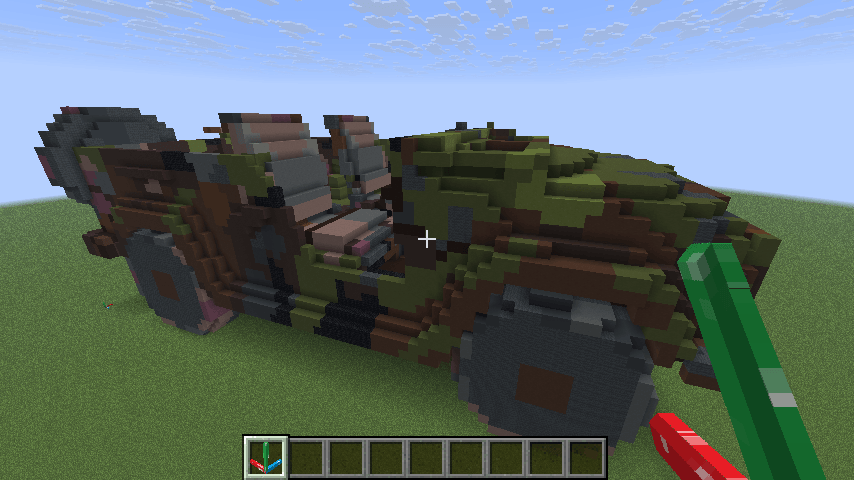
It was originally developed as a data importer for the 3D model to Minecraft tool — Minecraftify2.0, and is often used together with it.
Of course, this mod can also be used independently. As long as you can generate JSON files in the required format, you can import builds with this mod.
Features
- Import blocks in bulk from JSON files located in the
config/mybuilds/directory. - Players can use the
builder:anchor_blockto set the origin and orientation of the relative coordinate system, allowing precise control over the placement and facing of imported blocks. - Supports undo functionality to prevent mistakes. You can undo up to the last 3 build operations.
- Supports exporting blocks from the current world to JSON files.
Usage
Create a specially formatted JSON file under the
config/mybuilds/directory, e.g.example.json- You can use Minecraftify2.0 to generate JSON files from 3D models. See its repository documentation for details.
- You can also use the
/builder savecommand to export JSON files from the current world. See the following content for specific usage.
{ "minecraft:stone": [[1, 0, 0],[2, 0, 0],[3, 0, 0]], "minecraft:oak_planks": [[0, 1, 1],[0, 1, 2]], "minecraft:spruce_stairs":[[2, 0, 1, 3]], "minecraft:oak_log":[[3, 0, 1, -3],[4, 0, 1, -1]] }- Keys are block IDs, and values are arrays of relative coordinates.
- Each element in the relative coordinate array represents a block's relative coordinates, in the format
[x, y, z, w].xrepresents the offset in the x-axis relative to the origin.yrepresents the offset in the y-axis relative to the origin.zrepresents the offset in the z-axis relative to the origin.wis an optional parameter, used to specify the direction of blocks with direction attributes.- When positive, it represents the horizontal direction. The corresponding numeric values correspond to the following image (for example, stairs):

- When negative, it represents the axis direction. The corresponding numeric values correspond to the following image (for example, logs):

- When positive, it represents the horizontal direction. The corresponding numeric values correspond to the following image (for example, stairs):
Place a
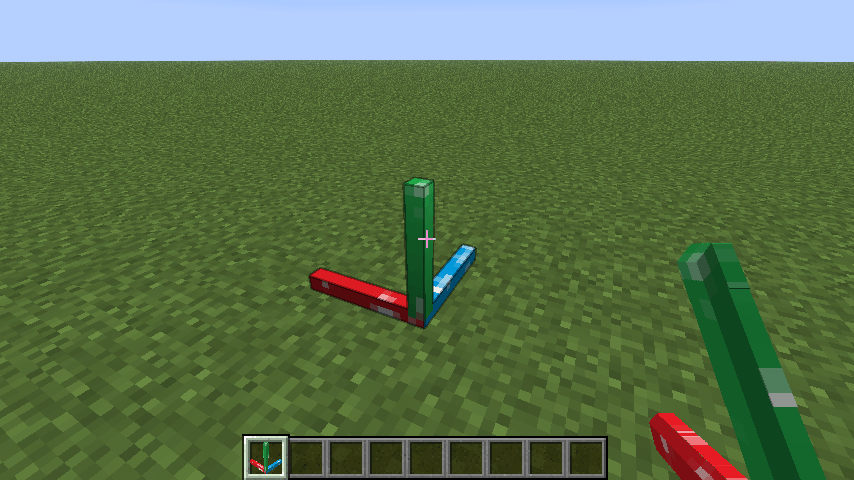
builder:anchor_blockin the game world to define the reference origin and orientation.
Run the command:
/builder place exampleThe structure will be generated at the nearest anchor block to the player.

To undo the last operation, run:
/builder undoThis will revert the most recent build (up to 3 steps).
If you need to export a build from the current world, enter:
/builder save <x> <y> <z> <name>Where
<x> <y> <z>represents the selected area range.The mod will use the nearest anchor block to the player as the starting point
(0,0,0)and export the block data in the range from(0,0,0)to(x,y,z)to theconfig/mybuilds/<name>.jsonfile.Note that the x-axis corresponds to the red axis, the y-axis corresponds to the green axis, and the z-axis corresponds to the blue axis. The format of the exported JSON file is the same as that of the imported one.
Command List
/builder place <name>Import a build fromconfig/mybuilds/<name>.json/builder listList all JSON files under theconfig/mybuilds/directory/builder anchorsList the coordinates of all anchor blocks/builder undoUndo the most recent build operation/builder clearClear all anchor blocks/builder save <x> <y> <z> <name>Export the block data within the specified area to theconfig/mybuilds/<name>.jsonfile./builder helpShow help information
Notes
You must place an anchor block before generating a build. The mod will automatically find the anchor block closest to the player when placing structures.
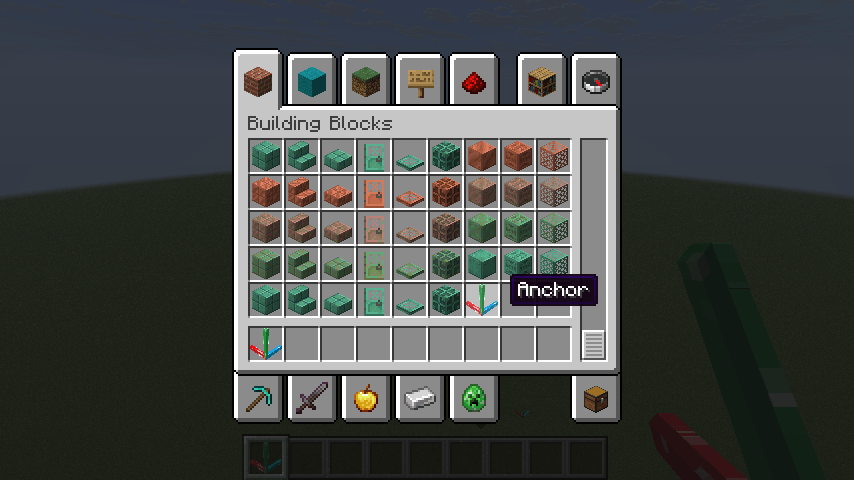
Anchor blocks can be found in the building blocks inventory tab.

Undo only applies to blocks placed using the
/builder placecommand, and does not affect manually placed blocks.Since JSON files only record the relative coordinates of blocks, it is not possible to import some special blocks (such as buttons, doors, etc., which contain more information) accurately.
Acknowledgements
This project is based on FabricMC/fabric-example-mod.
Screenshots
Gallery
-
 item_en.png item_en.png
 -
 build.png build.png
 -
 anchor.png anchor.png
Versions
Files
Relations
Project Relations
More like this
Similar Mods
Suggestions use data such as tags, dependencies, dependents, descriptions, titles, and more to rank how much they overlap with this mod.
On ModDex
Community snapshot
By the numbers
Statistics
 (opens in a new tab)
Get it on
Available Platforms
On ModDex
Community snapshot
By the numbers
Statistics
Resources