
Community listing page, reviews here may not be monitored by the author.
Call of Companions

No reviews yet
Call your companions instantly from anywhere — even across unloaded chunks — using powerful magical crystals. Fully configurable and designed for seamless companion mobility and world traversal.
Community voices
Reviews
No reviews yet. Be the first to review this project!
Get it on
Available Platforms
About
Project Details
For authors
Embed Badge
If you're the author of this project, you can embed a live badge anywhere that supports HTML or Markdown. It updates automatically whenever ratings change.
Use HTML for any page that supports it, or Markdown for README files and Markdown-based descriptions.
Identifiers
Platform IDs
Resources
External Links
About
Description
🌌 Call of Companions
Travel freely. Switch companions instantly.
Ride your horse across the plains…
Call your Nautilus to cross the ocean…
Summon wolves before a fight…
Bring a Strider when facing lava.
Adapt instantly — without ever going back.
No backtracking. No compromises. No awkward workarounds.
And if your companions ever get left behind…
lost to distance, terrain, or unloaded chunks —
they’re never truly gone.
Call of Companions lets you bring them back to you — from anywhere.
✨ Core Idea
Bind your animals to a mystical crystal…
and summon them whenever you need them.
No matter how far they are.
Even if the world itself forgot about them.
🔮 Call Crystals
💜 Call Crystal
A simple yet powerful tool.
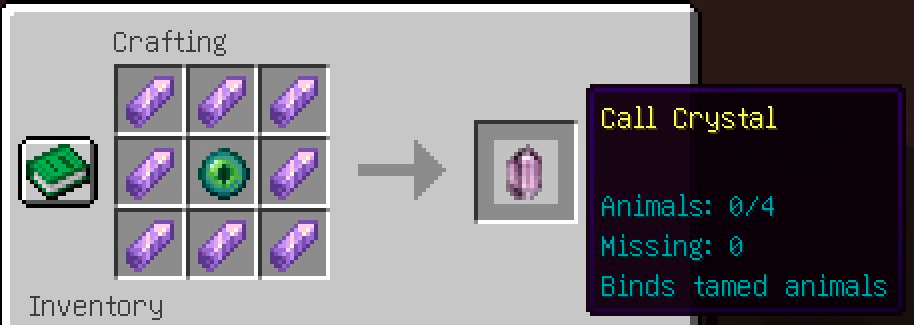
- Stores up to 4 companions
- Works with tamed animals only
- Slower summoning & longer cooldown
- Crafted with an Ender Eye surrounded by Amethyst
A reliable way to never lose your closest friends.
❤️ Deep Call Crystal
An upgraded, darker version infused with sculk energy.
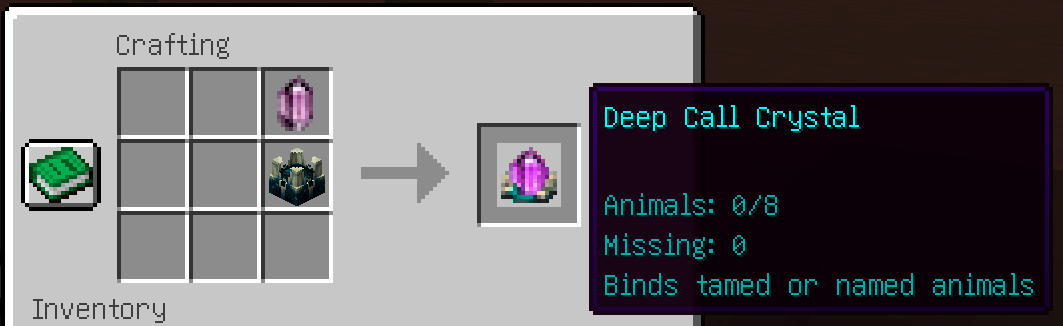
- Stores up to 8 companions
- Works with tamed and named animals
- Faster summoning & shorter cooldown
- Can summon companions across dimensions
- Crafted by upgrading a Call Crystal with a Sculk Shrieker
- Keeps your existing companion list
A deeper connection… reaching beyond ordinary limits.
🐾 How It Works
Each crystal remembers your companions — including their last known location.
You can:
- Bind animals by right-clicking them
- Refresh their status with a right-click in the air
- Summon them by using the crystal on a block
Companion locations update automatically during most normal interactions —
just keep the crystal in your inventory when interacting.
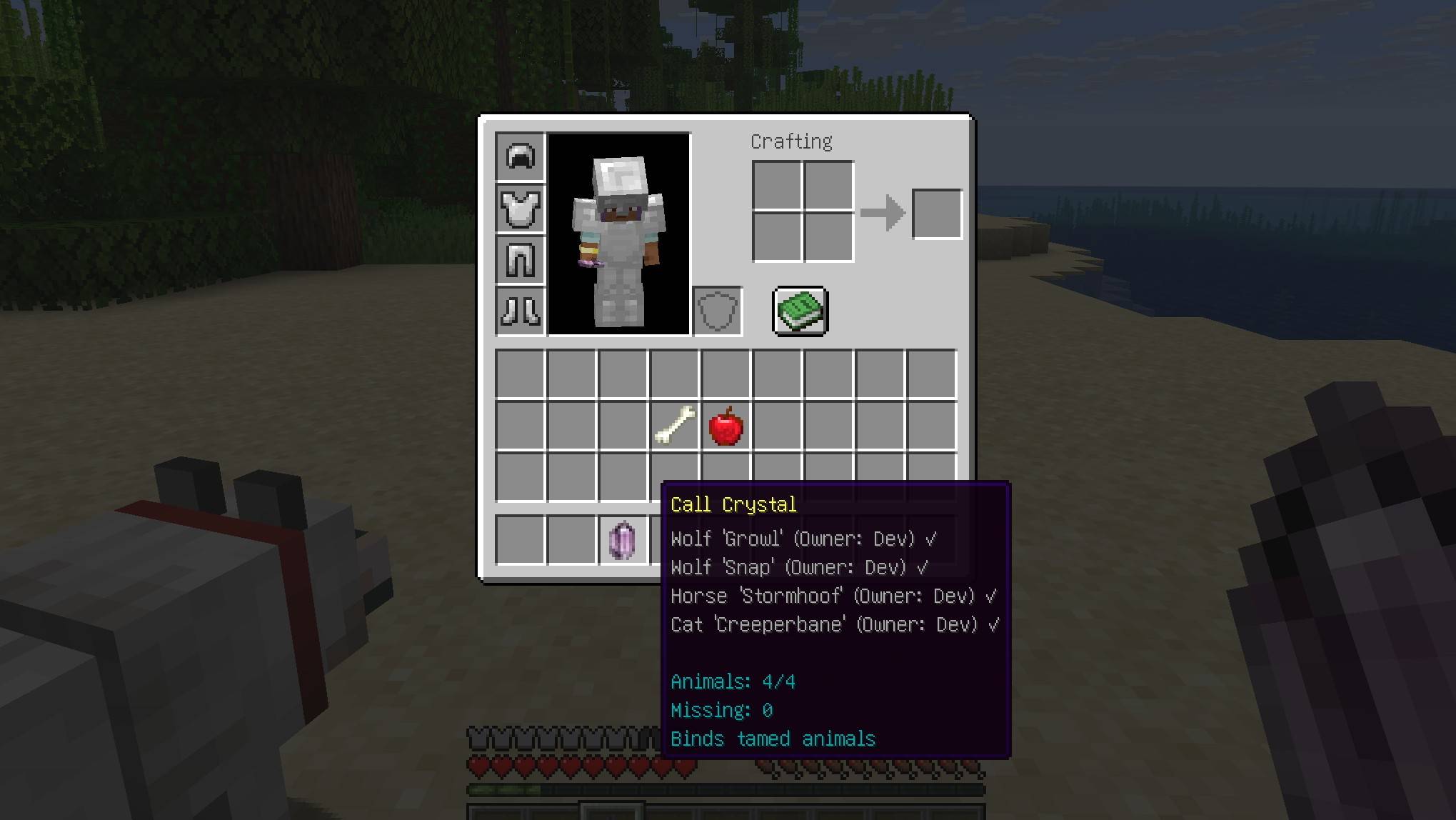
The crystal intelligently handles everything:
- Nearby companions will run to you
- Distant ones will teleport
- Even animals in unloaded chunks can be found and brought back
- Unreachable or missing companions are clearly marked in the tooltip
Your world feels… connected.
🚚 Advanced Use: Transport
Sometimes… your companions carry more than just your trust.
- Llamas with chests can store items for you
- Summon them anytime to access your storage
- Create your own mobile supply caravan
No more relying only on Ender Chests.
No more running out of space mid-journey.
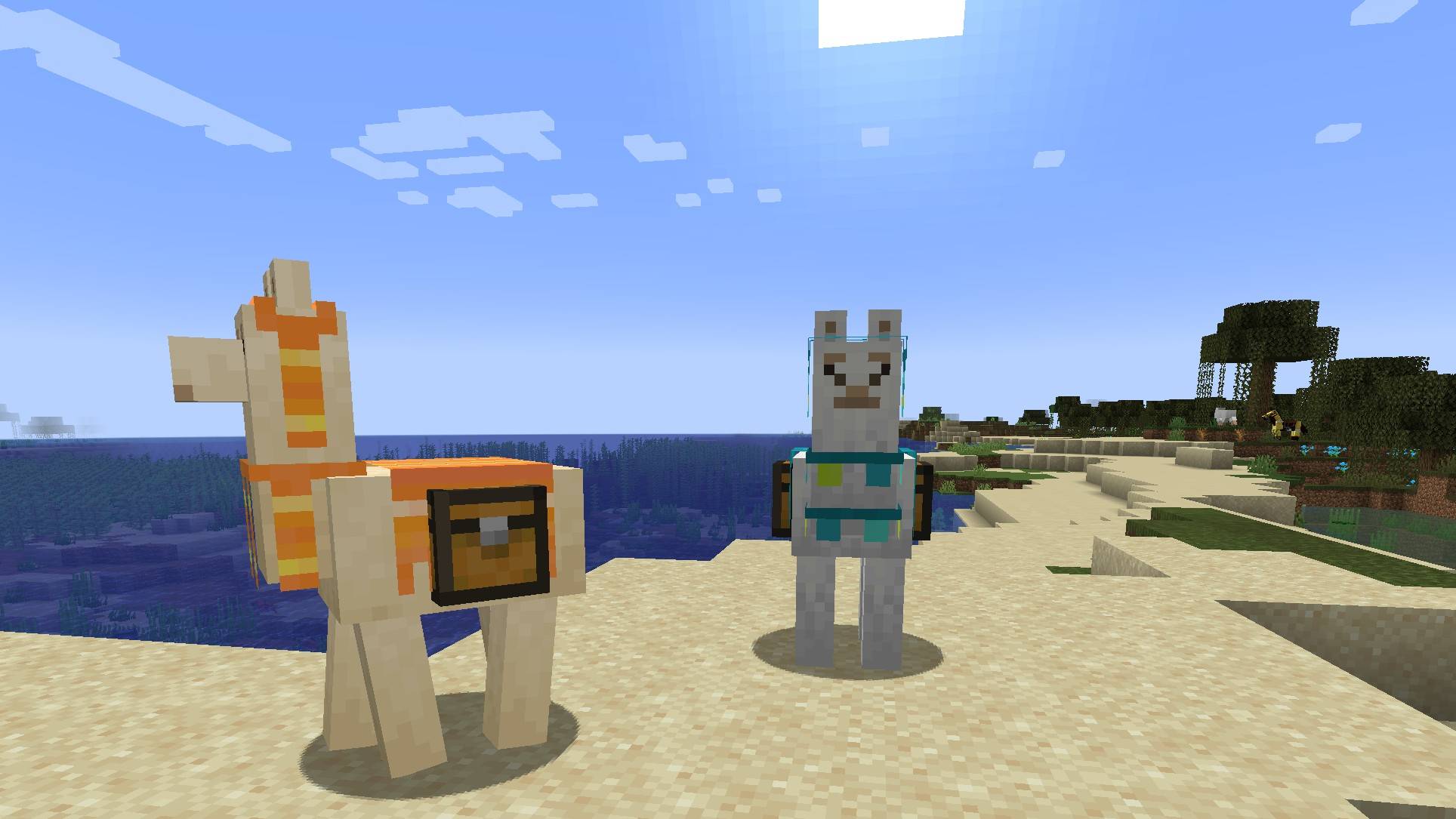
Your companions can carry the world with you.
🧠 Smart Summoning
The system adapts automatically:
- Close → they walk to you
- Far (loaded) → instant teleport
- Far (unloaded) → chunks are loaded to find them
- Across dimensions → Deep Call Crystal can call them through the void itself
- Wolves, cats, parrots → use their natural teleport behavior
Summoning also adapts to each companion:
- Large creatures require more open space
- Aquatic companions search for nearby water
- Striders prefer lava when possible
- Unsafe or obstructed locations are avoided automatically
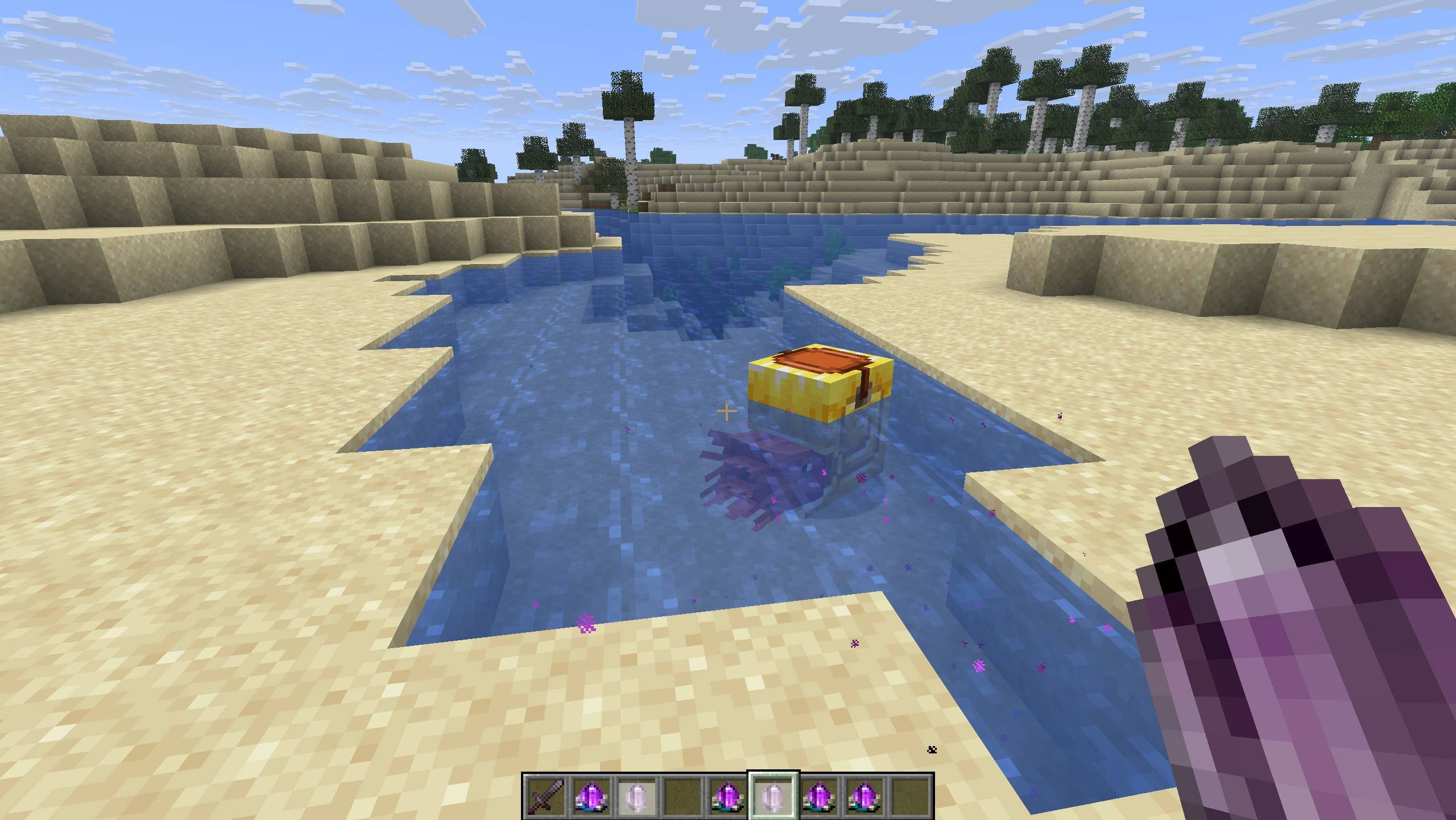
It feels natural. Seamless. Almost alive.
🌍 Important Details
- Call Crystal works only within the same dimension
- Deep Call Crystal can optionally summon companions across dimensions
- If cross-dimensional summoning is unavailable, you'll be notified when a companion is too far away
- Calling distant companions from unloaded chunks consumes XP (configurable)
- Nearby or already loaded companions can be summoned for free
- Cross-dimensional summoning requires more XP
- Crystals have a cooldown after use
👥 Multiplayer Friendly
- You can bind any tamed animal (even others’)
- But you can only summon your own companions
Deep Call Crystal exception:
- Named wild animals can be shared and summoned by anyone
🔄 Resetting a Crystal
Sometimes… bonds need to be rewritten.
- Call Crystal can be replaced easily — just craft a new one
- Deep Call Crystal can be cleansed and reused
Surround a Deep Call Crystal with Flint to wipe all stored companions.
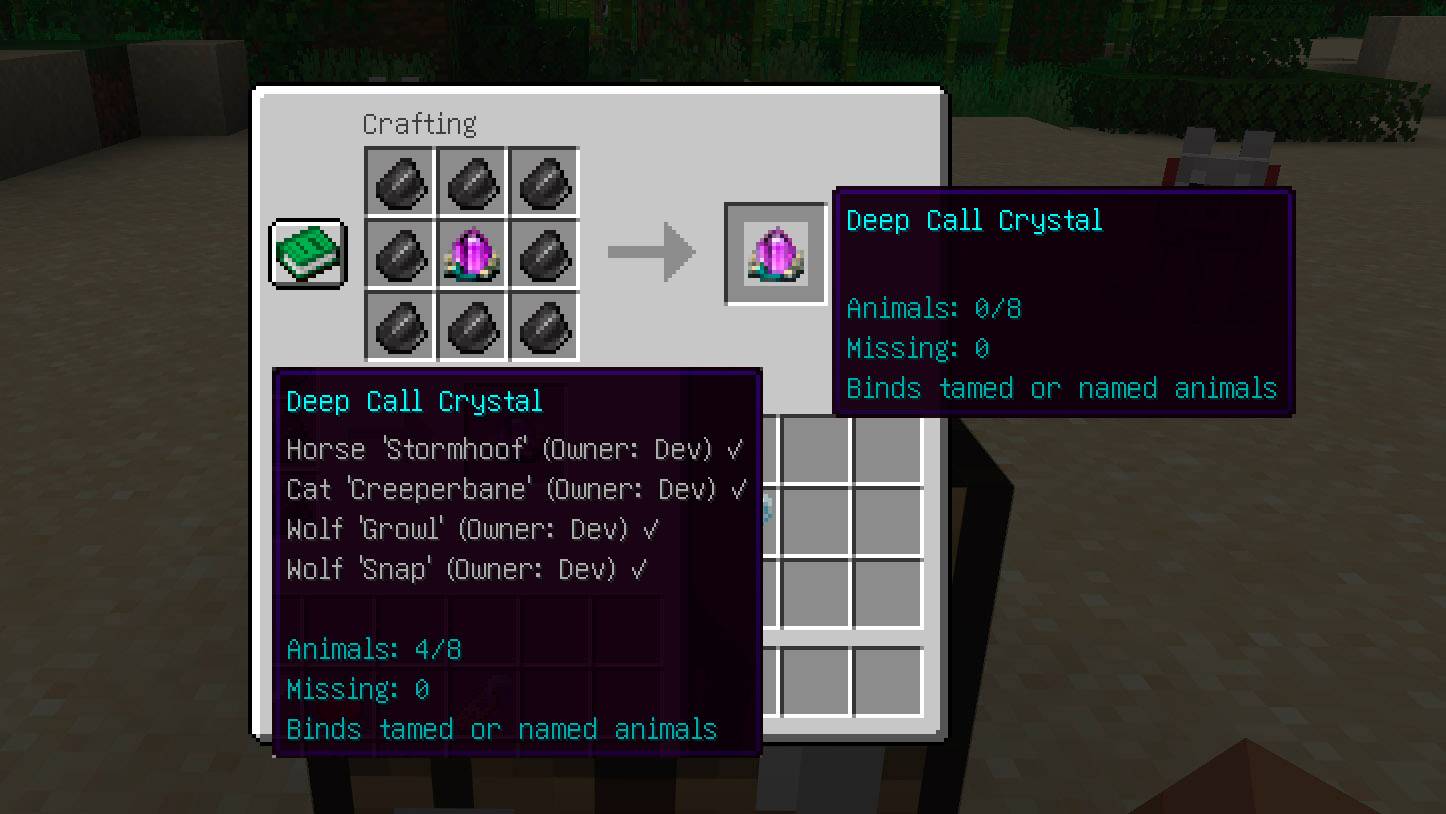
A fresh start — without losing the crystal itself.
⚙️ Configurable
Customize the experience with separate (1.12.0+) server rules and client preferences.
Server-controlled settings
These settings define gameplay behavior for the whole server and are automatically synchronized to connected clients:
- XP cost for summoning
- Separate XP cost for cross-dimensional calls
- Summon range behavior
- Crystal capacity
- Cooldown
- Allow/disallow untamed animals in Deep Crystal
- Enable/disable cross-dimensional summoning
- Cross-dimensional summon delay
Client preferences
These settings can be configured individually by each player:
- Automatic companion coordinate updates on dismount or interaction
- Tracking update distance
- Notifications when companion coordinates are updated automatically
- Tooltip time format and appearance


Make it lightweight… or powerful.
📁 Config Location
The configuration files are generated automatically after launching the game or server.
Starting with Call of Companions 1.12.0, configuration is split into two files:
config/callofcompanions-server.toml— gameplay rules controlled by the serverconfig/callofcompanions-client.toml— local preferences for each player
When upgrading from an older version, existing settings from:
config/callofcompanions-common.toml
are automatically copied into the appropriate new config files if they do not already exist. The original common config file is kept as a backup, so no manual migration is required.
For NeoForge, client-side configuration changes are applied immediately.
For Fabric, client-side configuration changes are applied after restarting the client.
Starting from Call of Companions 1.10.6 for NeoForge, configuration options can also be changed through the in-game config screen.
From the main menu, navigate to Mods → Call of Companions → Config to access the configuration options.

🔗 Mod Compatibility
The mod is compatible with many modded animals and companions.
Successfully tested with:
- Animal Garden
Compatibility works automatically for most entities using standard taming mechanics and ownership systems.
🧩 Design Philosophy
No menus.
No complicated UI.
No unnecessary mechanics.
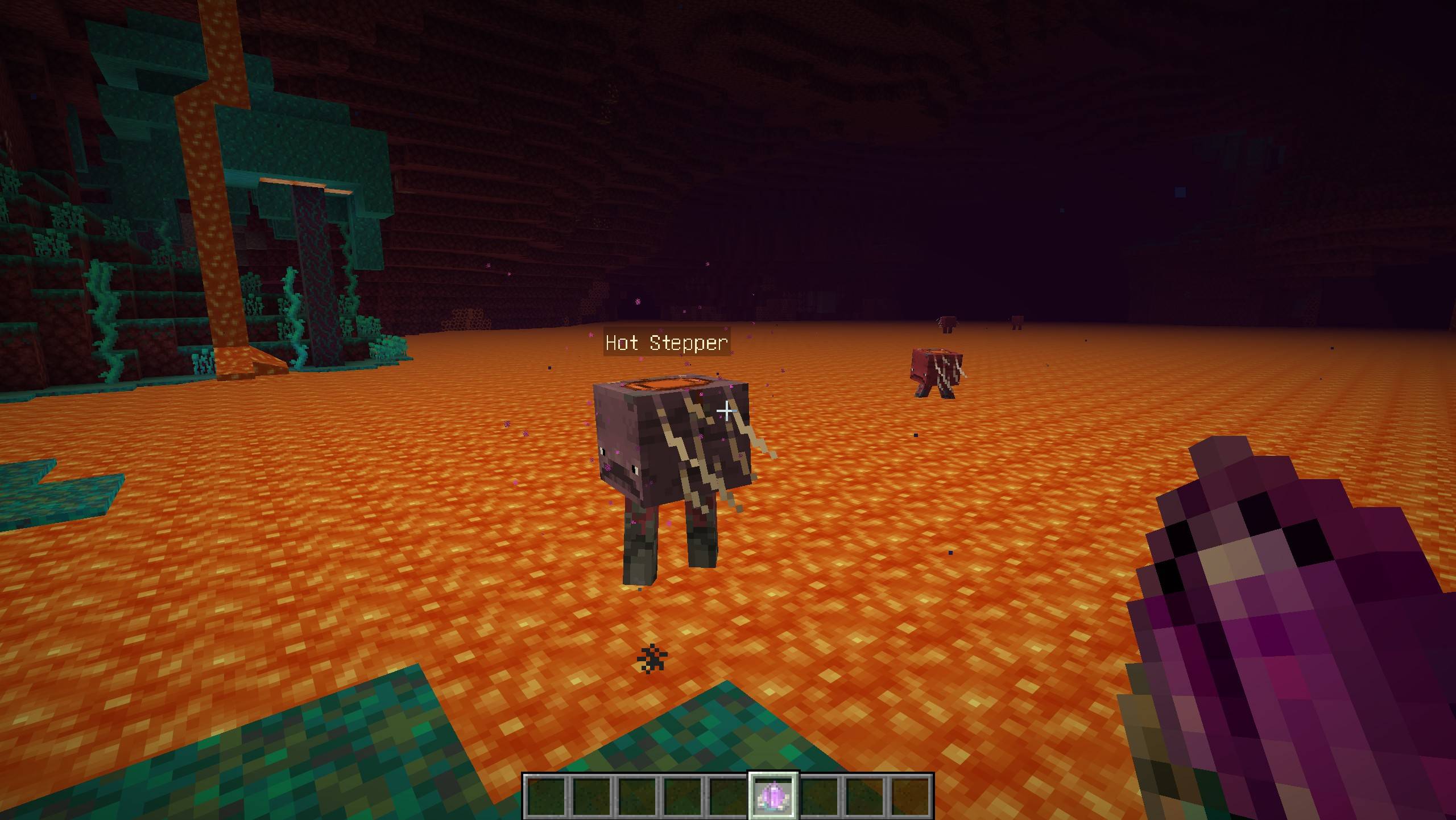
Just a crystal in your hand…
and the quiet certainty that your companions will answer.
💭 Final Note
You don’t have to worry about losing them anymore.
They’re not gone.
They’re just… waiting for your call.
🛠️ Installation and Technical Information
Installation
- Make sure you have one of the supported Minecraft versions with NeoForge or Fabric installed.
- Fabric version requires Fabric API to be installed as well.
- Download the mod
.jarfile. - Place it into your
modsfolder. - Launch the game and enjoy your adventure!
Technical Details
- Supported Minecraft versions: 1.21.1, 1.21.4 - 1.21.11, 26.1+
- Texture resolution: 16×16
- Supported languages: English, Belarusian, Russian, Polish
☕ Support Development
If you enjoy the mod and would like to support future updates and new features, you can support me here:
Buy me a coffee on Ko-fi!
Your support means a lot and helps me dedicate more time to creating new content and improving the mod! ❤️
Screenshots
Gallery
-
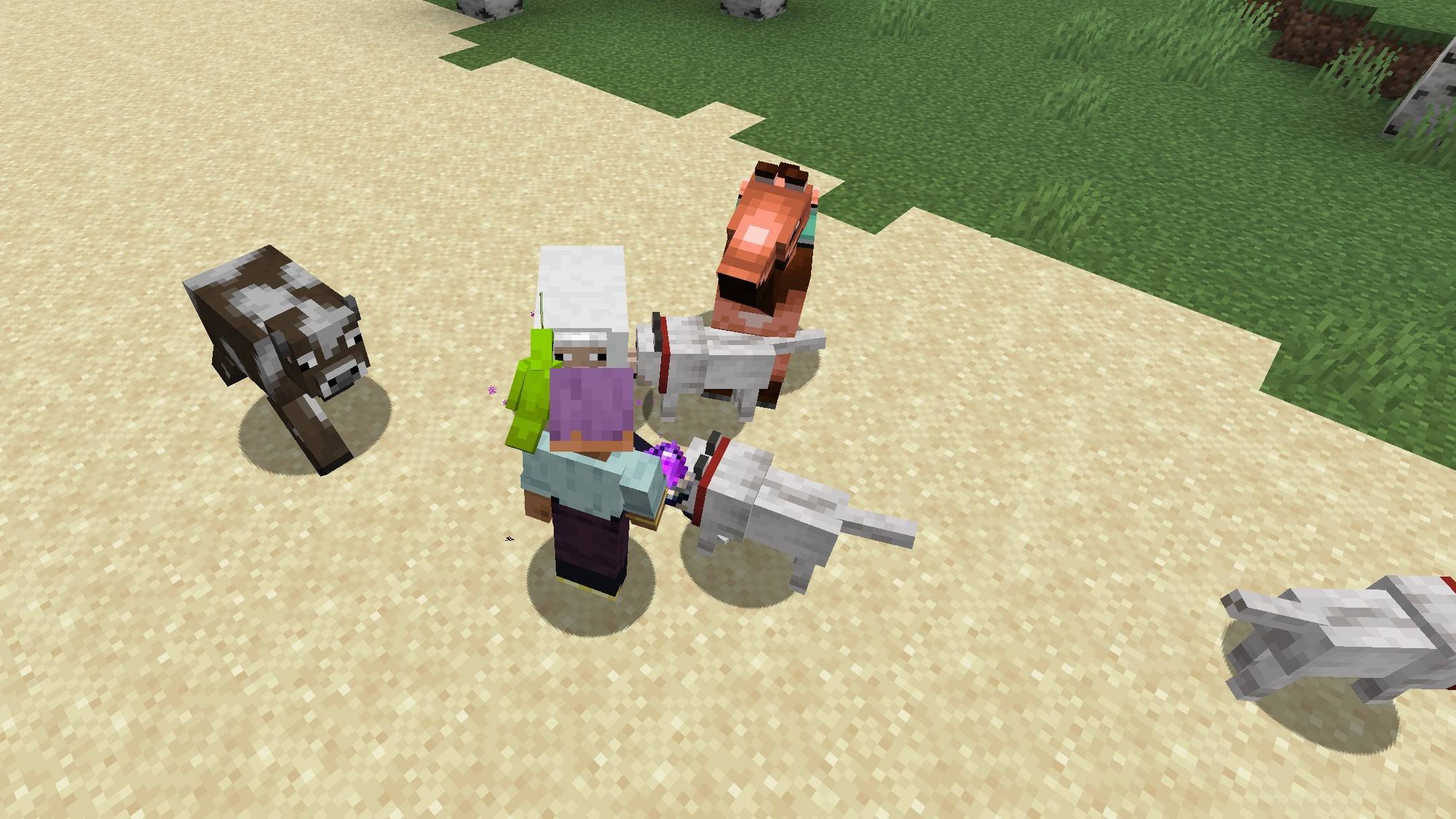 They heard your call Some are already by your side. Others are still finding their way… but they all come to you.
 -
Too hot to walk? Think again. He doesn’t need roads. He just appears — ready to carry you across the impossible.
-
Your ride surfaces No splash, no warning — just a ripple… and suddenly, you’re not crossing alone.
-
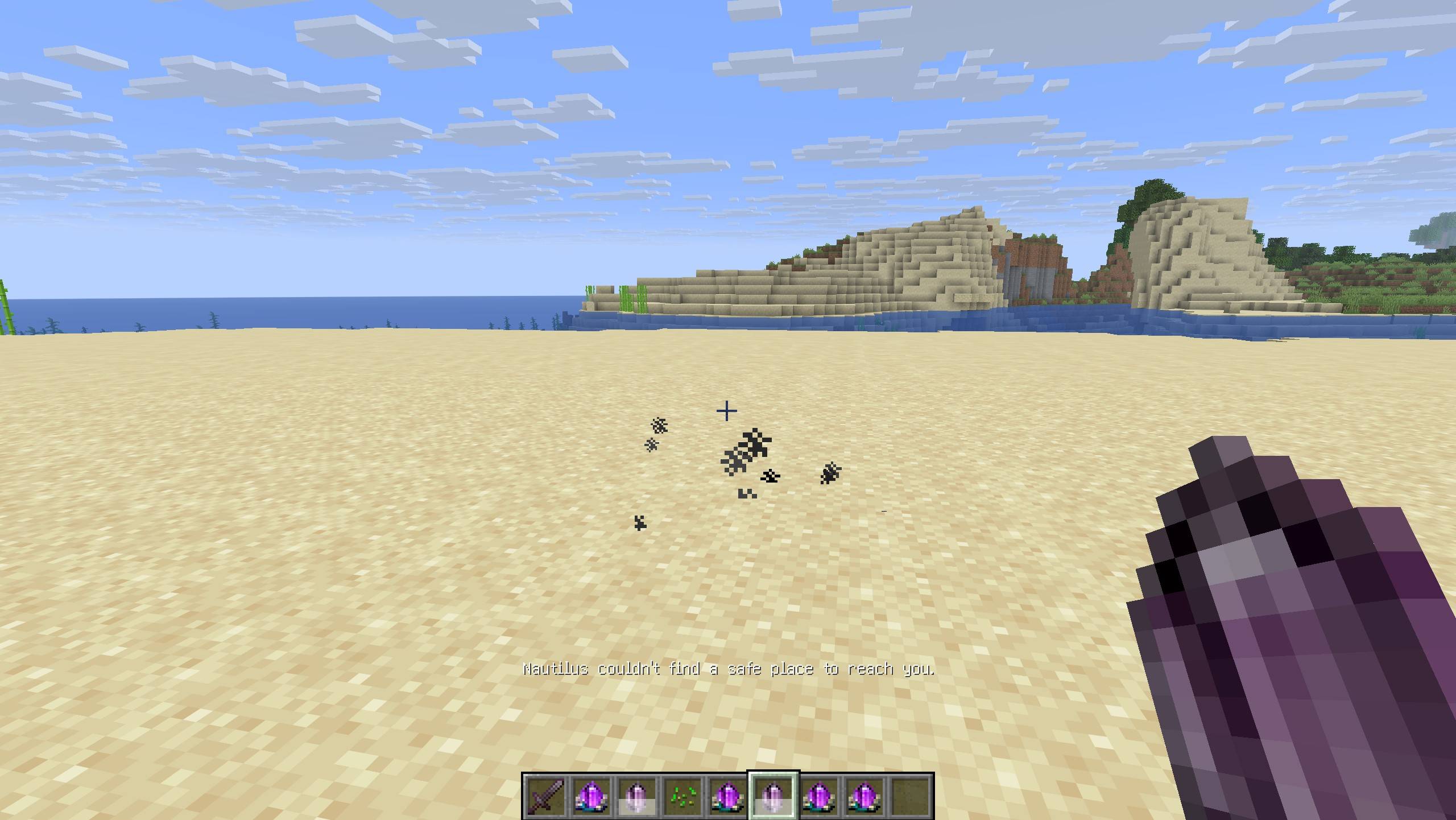 Not every call can be answered The bond is there… but the world has its limits. Your companion won’t risk an unsafe arrival.
 -
Call Crystal recipe Call Crystal recipe
-
Deep Call Crystal recipe Deep Call Crystal recipe
-
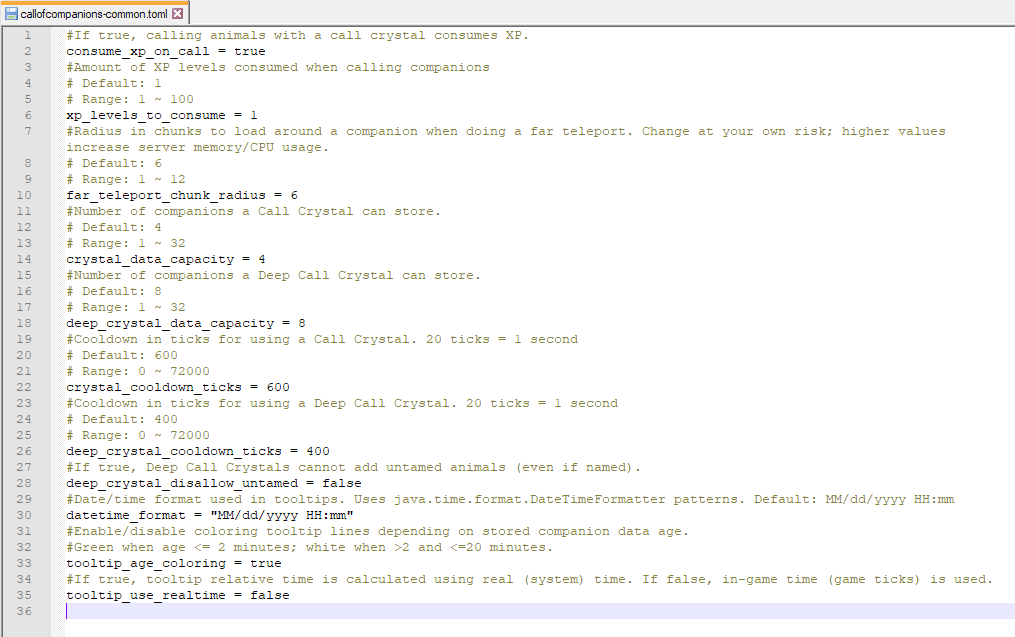 Configuration Configuration
 -
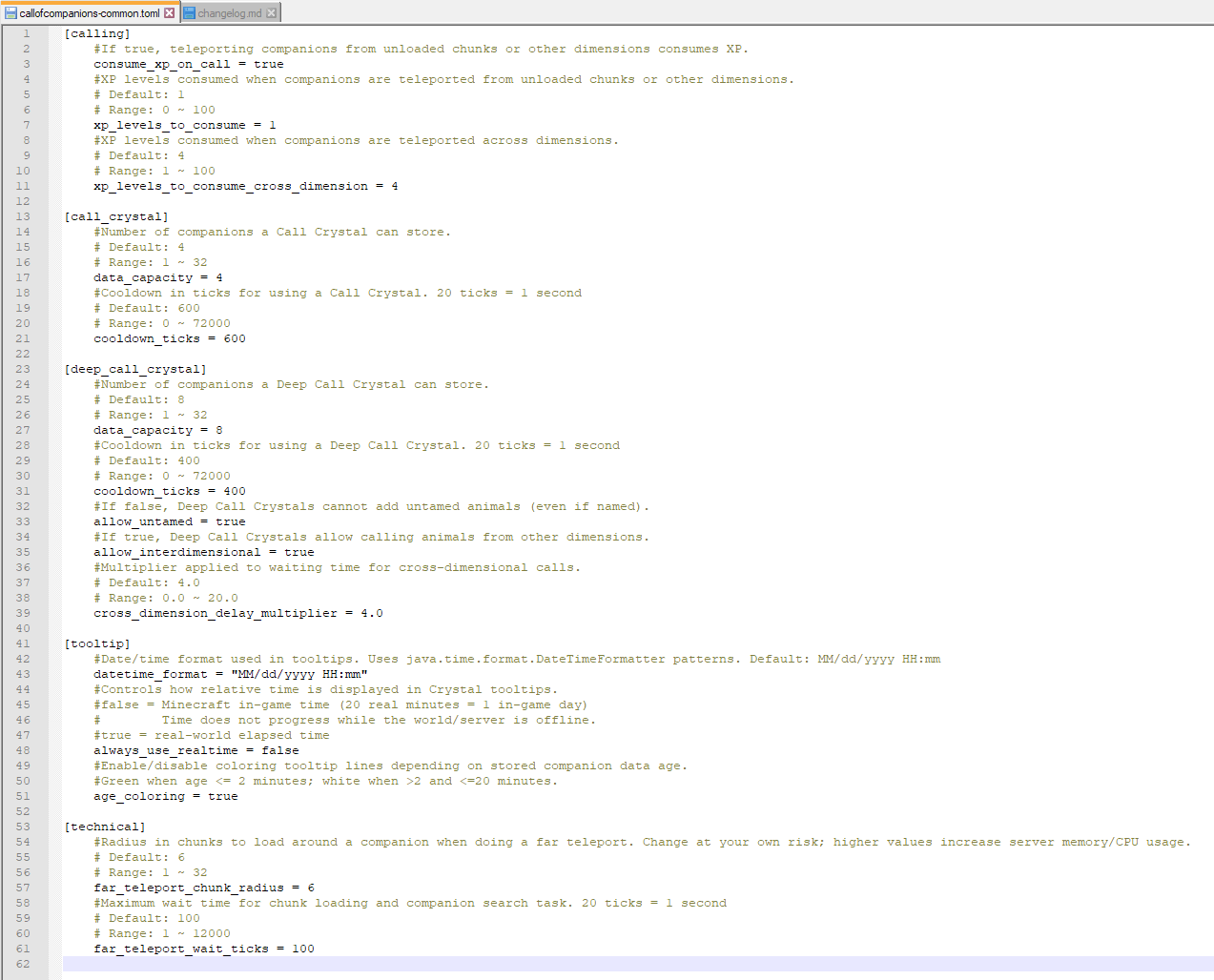 Configuration (v 1.7.0+) Configuration (v 1.7.0+)
 -
Call Crystal tooltip Call Crystal tooltip
-
Cleansing Recipe The ritual in action. A bound crystal, filled with memories… and the same crystal, completely wiped clean. Tooltips reveal the difference — stored companions before, and none after.
-
Storage on Demand No need to drag them across the world. Call your llamas when you need them — and your supplies arrive with them.
-
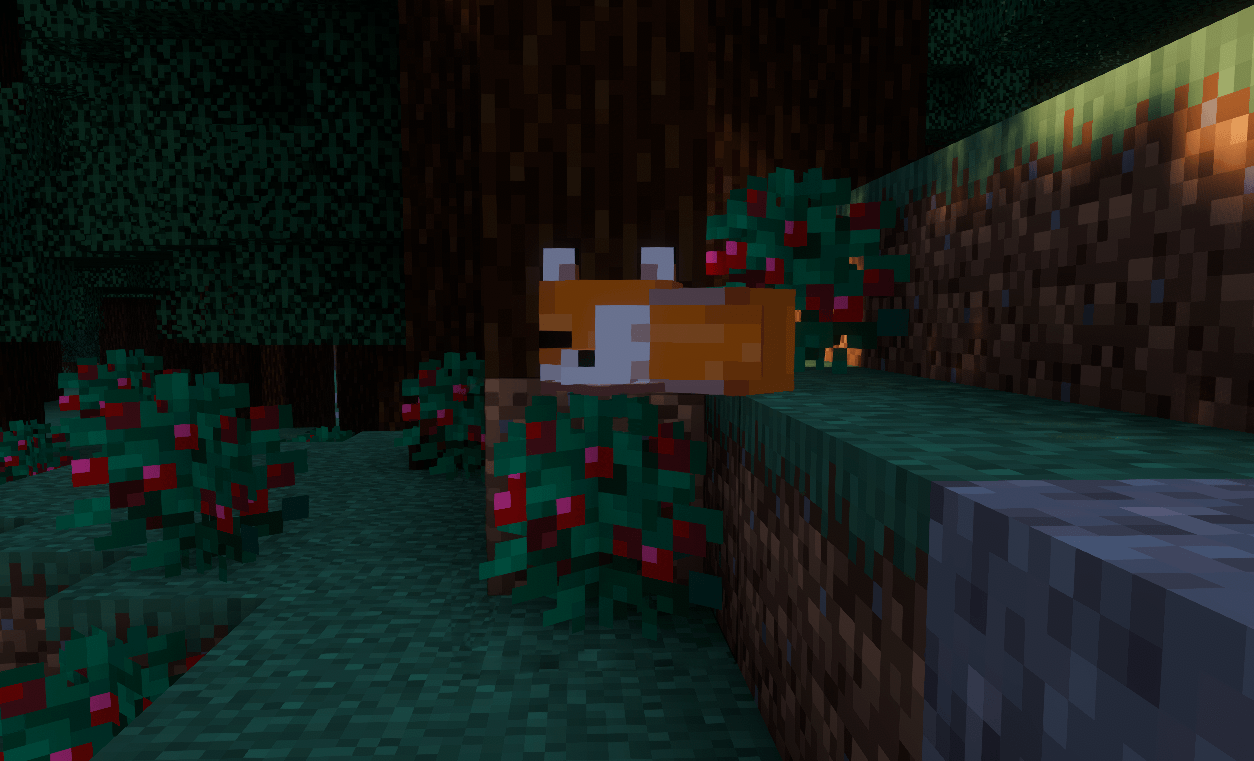
Waiting Fox Waiting Fox
Versions
Files
Relations
Project Relations
More like this
Similar Mods
Suggestions use data such as tags, dependencies, dependents, descriptions, titles, and more to rank how much they overlap with this mod.
On ModDex
Community snapshot
By the numbers
Statistics
Want to reach Minecraft players?
We're looking for a server hosting partner to feature here and other parts of the site. Interested? Send us a message!
Get in touchGet it on
Available Platforms
On ModDex
Community snapshot
By the numbers
Statistics
Resources