
Community listing page, reviews here may not be monitored by the author.
Camera Utils


No reviews yet
Helpful camera utilities

Community voices
Reviews
No reviews yet. Be the first to review this project!
Get it on
Available Platforms
Compatibility
Supported Environments
Runs entirely on the client. Works on vanilla servers.
About
Project Details
For authors
Embed Badge
If you're the author of this project, you can embed a live badge anywhere that supports HTML or Markdown. It updates automatically whenever ratings change.
Use HTML for any page that supports it, or Markdown for README files and Markdown-based descriptions.
Identifiers
Platform IDs
About
Description
FAQ | Credits
Camera Utils is a client side Fabric mod that adds convenient features related to the players camera.
Features
- Dynamic zoom
- Camera detaching
- Adjustable third person distance
- Two customizable third person perspectives
- Advanced cinematic camera controls
- Movement smoothing
Dynamic Zoom
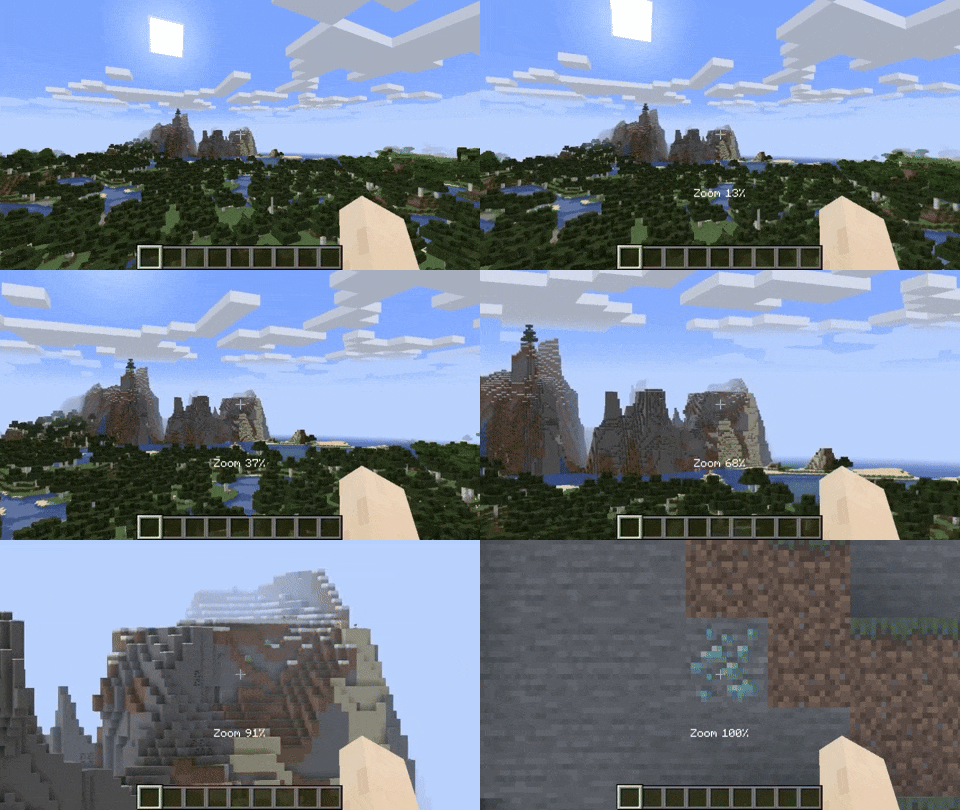
By default the zoom key is bound to Z. Holding the zoom key and scrolling dynamically adjusts the zoom value.
Camera Detaching
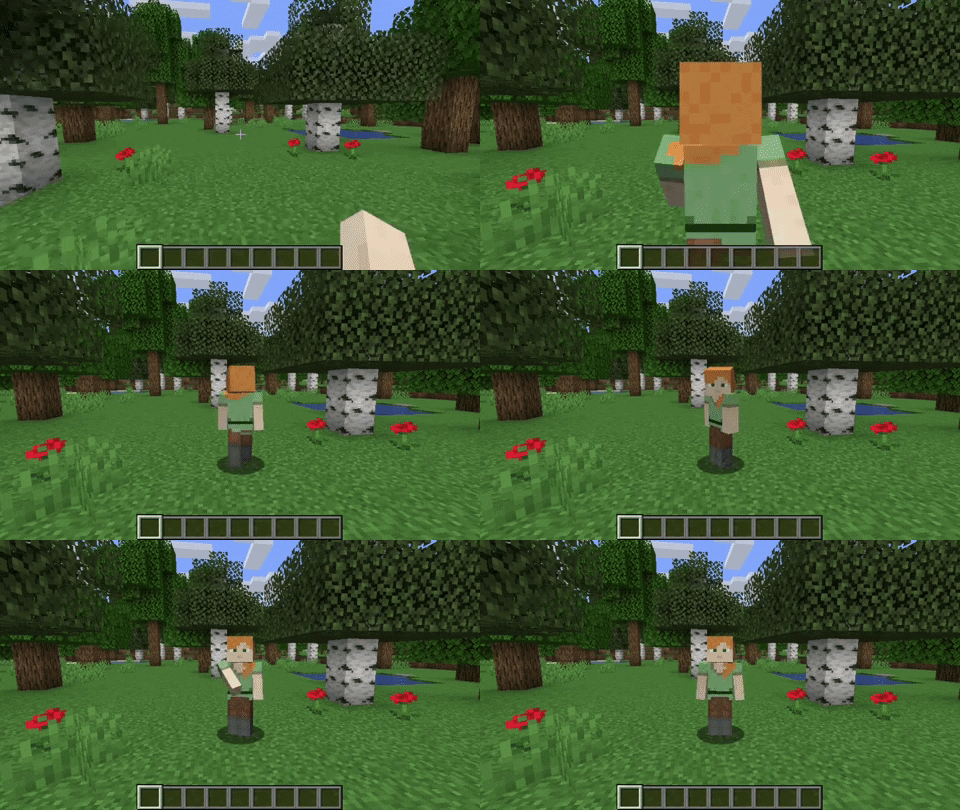
By hitting the detach camera button, the players camera is locked to the current position. You can still control the player like before, just from another point of view. By pressing RIGHT ALT in combination with the detach camera key, the camera goes back to the position, the camera was last detached.
Adjustable Third Person Distance
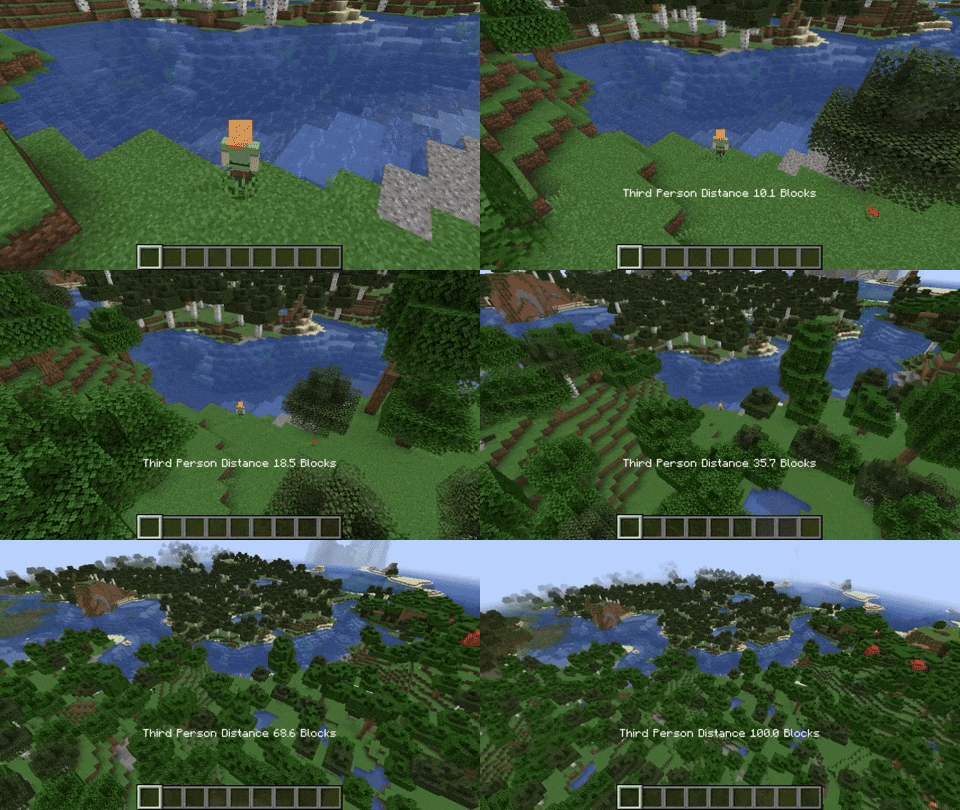
When holding the third person distance modifier in third person, you are able to scroll out up to 100 blocks away from the player.
Customizable Third Person Perspectives
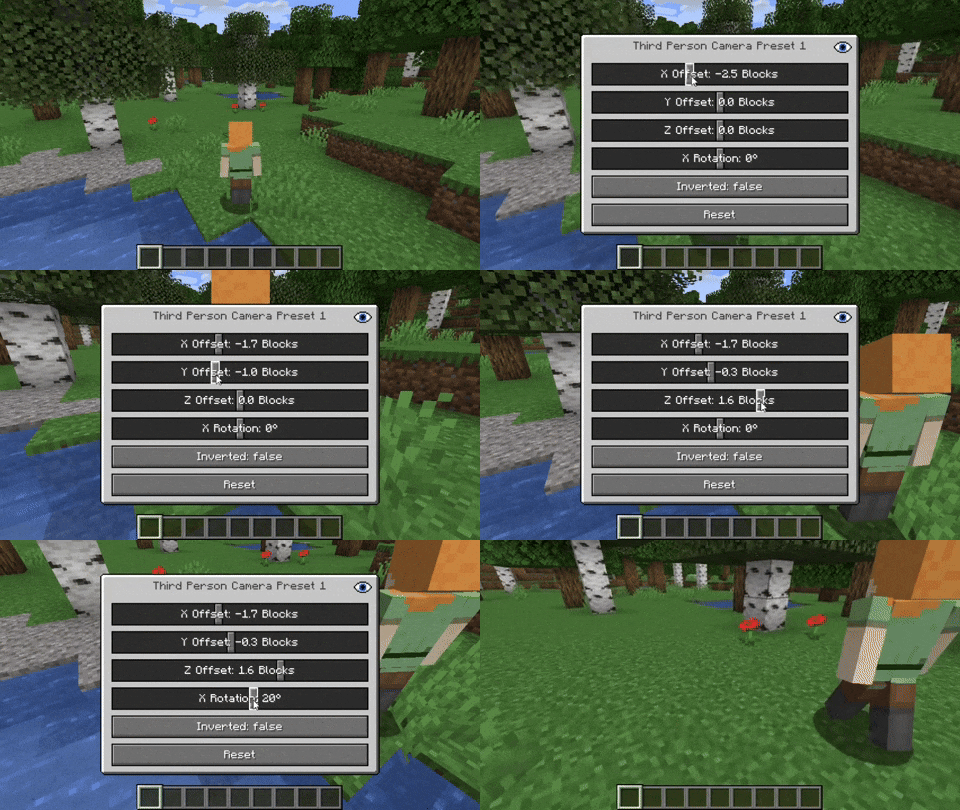
This mod allows for two custom third person perspectives. These are bound to F6 and F7 by default. These can be modified by pressing RIGHT ALT and F6 or F7 respectively.
Advanced Cinematic Camera Controls
By pressing RIGHT ALT and the cinematic camera button, you can adjust the properties of the cinematic camera.
Additional Information
Pressing any key related to the camera utils mod in combination with RIGHT ALT will open a settings GUI which allows you to change properties or to reset them back to their default values.
Note that this mod is not compatible with OptiFine.
Camera Utils is a client side Fabric mod that adds convenient features related to the players camera.
Features
- Dynamic zoom
- Camera detaching
- Adjustable third person distance
- Two customizable third person perspectives
- Advanced cinematic camera controls
- Movement smoothing
Dynamic Zoom
By default the zoom key is bound to Z.
Holding the zoom key and scrolling dynamically adjusts the zoom value.

Camera Detaching
By hitting the detach camera button, the players camera is locked to the current position.
You can still control the player like before, just from another point of view.
By pressing RIGHT ALT in combination with the detach camera key, the camera goes back to the position, the camera was last detached.

Adjustable Third Person Distance
When holding the third person distance modifier in third person, you are able to scroll out up to 100 blocks away from the player.

Customizable Third Person Perspectives
This mod allows for two custom third person perspectives.
These are bound to F6 and F7 by default.
These can be modified by pressing RIGHT ALT and F6 or F7 respectively.

Advanced Cinematic Camera Controls
By pressing RIGHT ALT and the cinematic camera button, you can adjust the properties of the cinematic camera.
Additional Information
Pressing any key related to the camera utils mod in combination with RIGHT ALT
will open a settings GUI which allows you to change properties
or to reset them back to their default values.
Note that this mod is not compatible with OptiFine.
Screenshots
Gallery
Versions
Files
Relations
Project Relations
More like this
Similar Mods
Suggestions use data such as tags, dependencies, dependents, descriptions, titles, and more to rank how much they overlap with this mod.
On ModDex
Community snapshot
By the numbers
Statistics
 (opens in a new tab)
Get it on
Available Platforms
On ModDex
Community snapshot
By the numbers