
Community listing page, reviews here may not be monitored by the author.
cbbg 🥬


No reviews yet
color banding be gone - Remove pesky color banding from Minecraft
Community voices
Reviews
No reviews yet. Be the first to review this project!
Get it on
Available Platforms
Compatibility
Supported Environments
Runs entirely on the client. Works on vanilla servers.
About
Project Details
For authors
Embed Badge
If you're the author of this project, you can embed a live badge anywhere that supports HTML or Markdown. It updates automatically whenever ratings change.
Use HTML for any page that supports it, or Markdown for README files and Markdown-based descriptions.
Identifiers
Platform IDs
Resources
External Links
About
Description
cbbg 🥬





color banding be gone - Remove pesky color banding from Minecraft
cbbg/'kabij/ is a client-side Fabric mod that reduces visible color banding by:
- Using a higher-precision render target (RGBA16F)
- Applying STBN blue-noise dithering to final image
Helps reduce color banding on following:
- Smooth lighting
- Skybox
- Vignette
What it does
- Higher render precision: upgrades the main render target color attachment to RGBA16F.
- Blue-noise dithering: applies a lightweight full-screen pass using STBN noise to break up 8-bit quantization banding.
Installation
- Install Fabric Loader and Fabric API for your Minecraft version.
- Put the
cbbg-x.x.x.jarinto your.minecraft/modsfolder.
This mod is client-only. It does not need to be installed on servers.
Configuration
In-game (recommended)
If you have Mod Menu installed, open cbbg’s config screen and select:
- Enabled
- Disabled
- Demo (split): left = disabled (no dither), right = enabled (dither)
Commands
You can also control the mod using chat commands (useful if Mod Menu is not installed):
/cbbg mode: View the current mode./cbbg mode set <mode>: Set the mode. Valid modes areENABLED,DISABLED,DEMO.
Config file
Config file: .minecraft/config/cbbg.json
Example:
{
  "mode": "ENABLED"
}
Valid values: ENABLED, DISABLED, DEMO.
Compatibility notes
- Iris shaderpacks: when an Iris shaderpack is active, cbbg is forced OFF to avoid pipeline conflicts.
- GPU support: if RGBA16F allocation fails on your device/driver, cbbg will automatically fall back to RGBA8 for the remainder of the session.
Credits
- AsmFabricLoader by FlorianMichael (Apache License 2.0)
cbbg 🥬




color banding be gone - Remove pesky color banding from Minecraft
cbbg/'kabij/ is a client-side Fabric mod that reduces visible color banding by:
- Using a higher-precision render target (RGBA16F)
- Applying STBN blue-noise dithering to final image
Helps reduce color banding on following:
- Smooth lighting
- Skybox
- Vignette
- GUI background blurring
What it does
- Higher render precision: upgrades the main render target color attachment to RGBA16F.
- Blue-noise dithering: applies a lightweight full-screen pass using STBN noise to break up 8-bit quantization banding.
Installation
- Minecraft 26.2 requires Java 25. If your launcher manages Java automatically, use its runtime for 26.2; otherwise select Java 25 for this instance.
- Install Fabric Loader and Fabric API for your Minecraft version.
- Put the
cbbg-x.x.x.jarinto your.minecraft/modsfolder.
This mod is client-only. It does not need to be installed on servers.
Configuration
In-game (recommended)
If you have Mod Menu installed, open cbbg's config screen and select:
- Enabled
- Disabled
- Demo (split): left = disabled (no dither), right = enabled (dither)
Commands
You can also control the mod using chat commands (useful if Mod Menu is not installed):
/cbbg mode: View the current mode./cbbg mode set <mode>: Set the mode. Valid modes areENABLED,DISABLED,DEMO.
Config file
Config file: .minecraft/config/cbbg.json
Example:
{
  "mode": "ENABLED"
}
Valid values: ENABLED, DISABLED, DEMO.
Compatibility notes
- Iris shaderpacks: when an Iris shaderpack is active, cbbg is forced OFF to avoid pipeline conflicts.
- GPU support: if RGBA16F allocation fails on your device/driver, cbbg will automatically fall back to RGBA8 for the remainder of the session.
Credits
- AsmFabricLoader by FlorianMichael (Apache License 2.0)
- Minecraft 26.2 port by @Evoloxi
Screenshots
Gallery
-
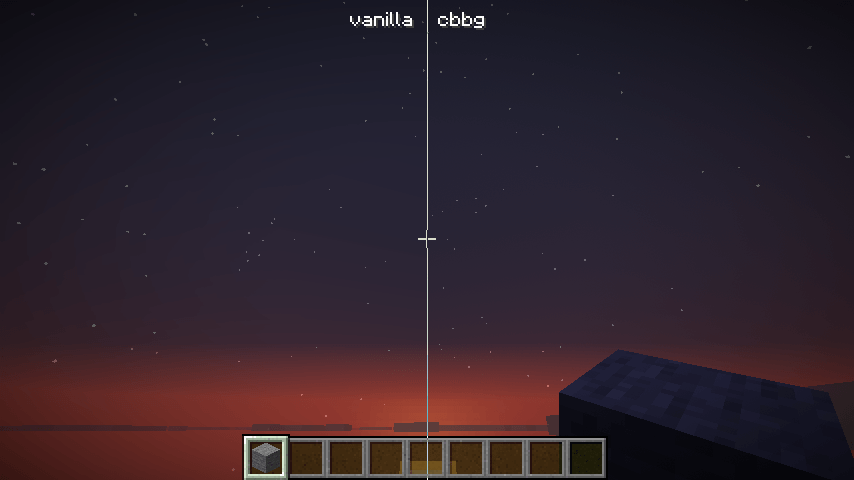 sky + vignette sky + vignette i don't know why curseforge re-compress the png with lossy/destructive compression, but to see the 100% correct comparison check the modrinth page
 -
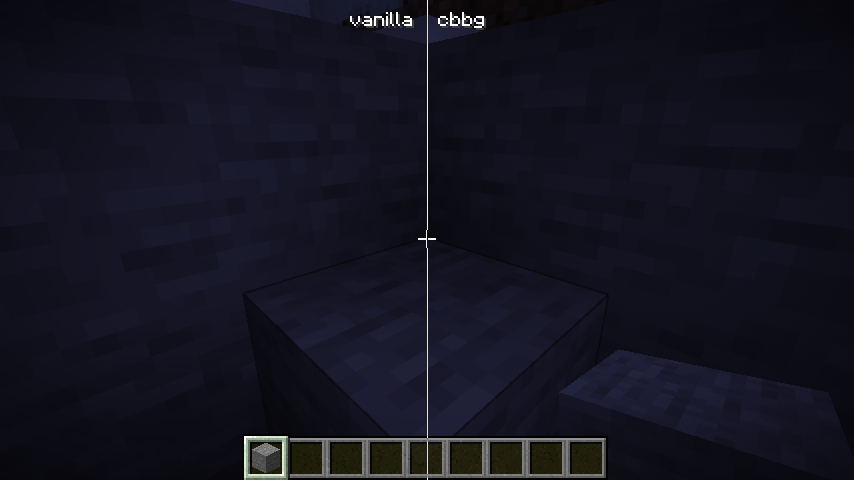 smooth lighting + vignette smooth lighting + vignette i don't know why curseforge re-compress the png with lossy/destructive compression, but to see the 100% correct comparison check the modrinth page
-
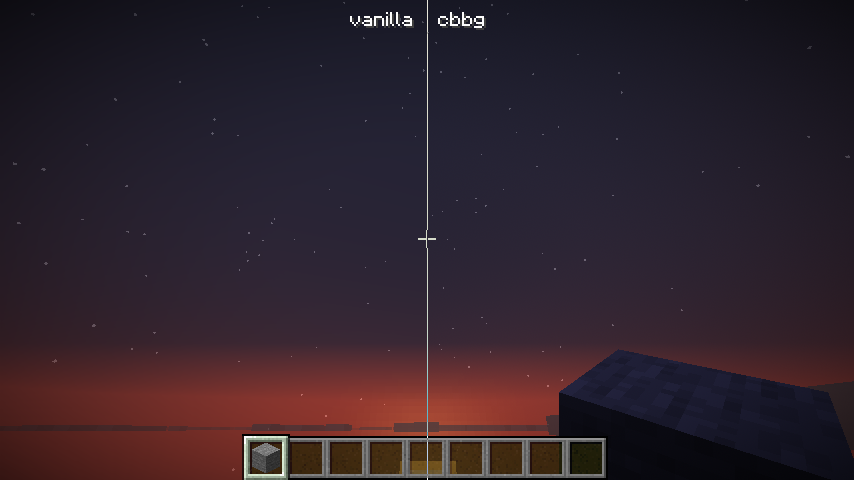 sky + vignette
 -
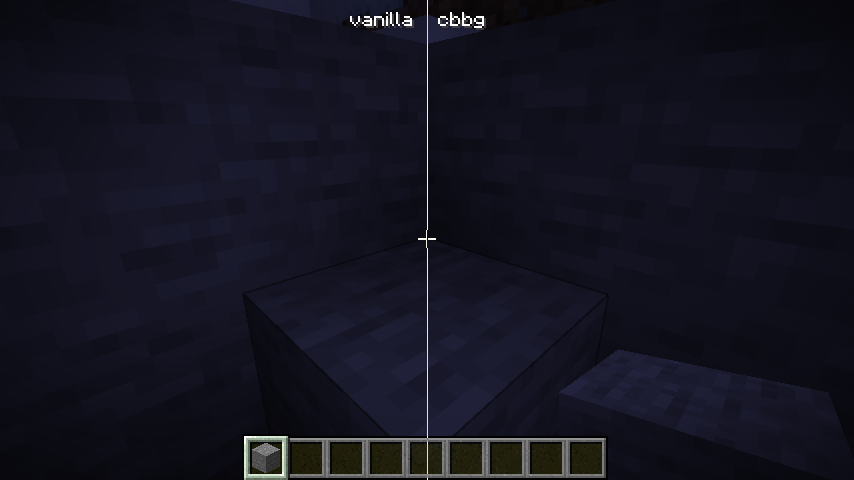 smooth lighting + vignette
Versions
Files
Relations
Project Relations
More like this
Similar Mods
Suggestions use data such as tags, dependencies, dependents, descriptions, titles, and more to rank how much they overlap with this mod.
On ModDex
Community snapshot
By the numbers
Statistics
Want to reach Minecraft players?
We're looking for a server hosting partner to feature here and other parts of the site. Interested? Send us a message!
Get in touchGet it on
Available Platforms
On ModDex
Community snapshot
By the numbers
Statistics
Resources