
Community listing page, reviews may not be monitored by the author.
Chatting


No reviews yet
Chatting is a chat mod adding utilities such as extremely customizable chat tabs, chat shortcuts, chat screenshots, and message copying.

Community voices
Reviews
No reviews yet. Be the first to review this project!
Get it on
Available Platforms
Compatibility
Supported Environments
Runs entirely on the client. Works on vanilla servers.
About
Project Details
For authors
Embed Badge
If you're the author of this project, you can embed a live badge anywhere that supports HTML or Markdown. It updates automatically whenever ratings change.
Use HTML for any page that supports it, or Markdown for README files and Markdown-based descriptions.
Identifiers
Platform IDs
About
Description
Chatting


Chatting completely revamps the Minecraft chat with many quality-of-life improvements while remaining unintrusive, and functional.
Features
- Tabs
- Screenshot messages
- Customize the appearance of almost every element
- Search for messages
- Chat heads
- Native OneConfig support
Chat tabs

Screenshots

Customize appearance
 |
 |
|---|
OneConfig support

Links and support
- Docs for Chatting chat tabs
- Did you run into a bug? Open a bug report
- Service interruptions? Checkout Polyfrost Status
- Feeling social? Join our discord community
Chatting


Chatting is a rework of the Minecraft chat, with a bunch of new things added on.
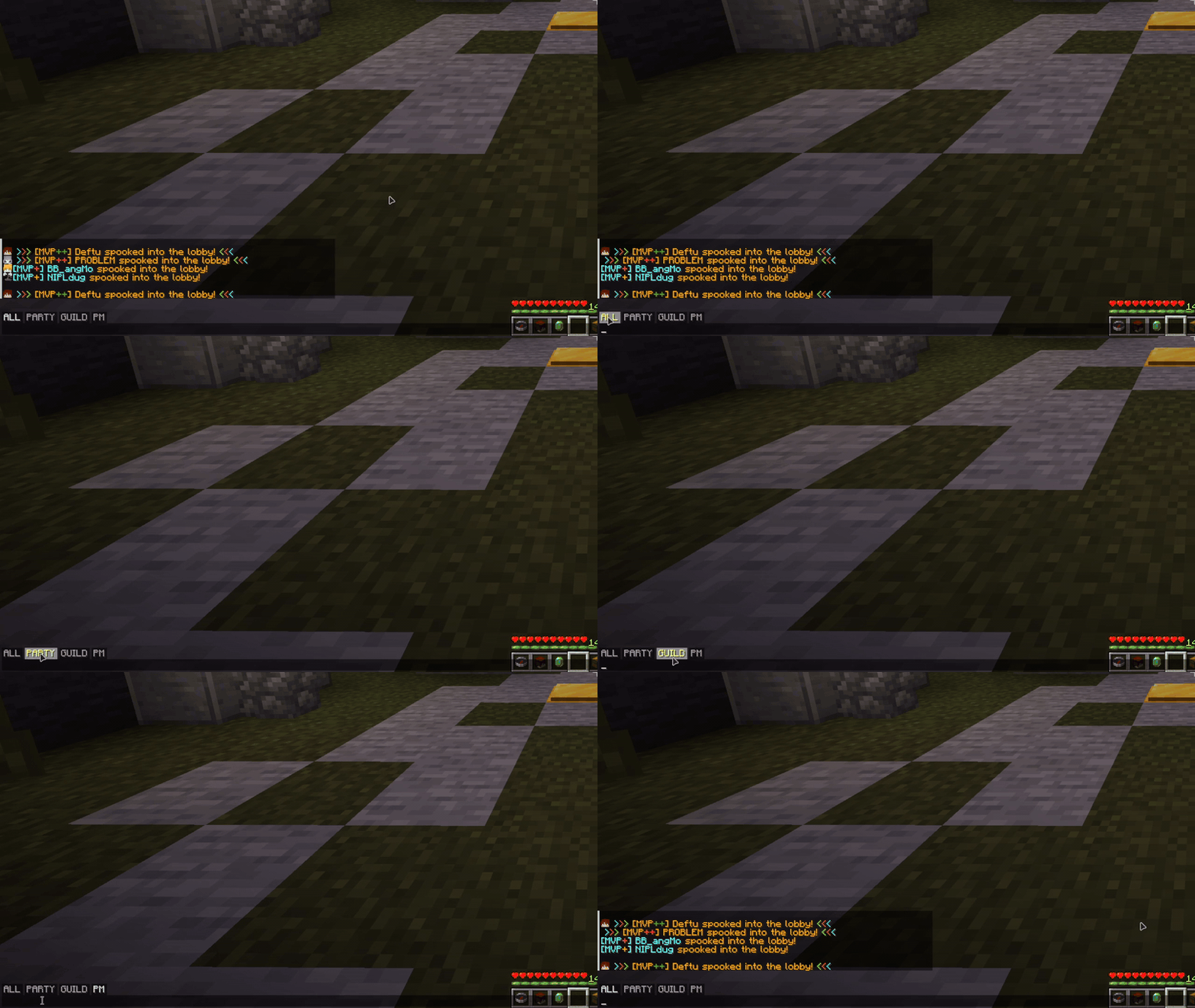
Chat tabs
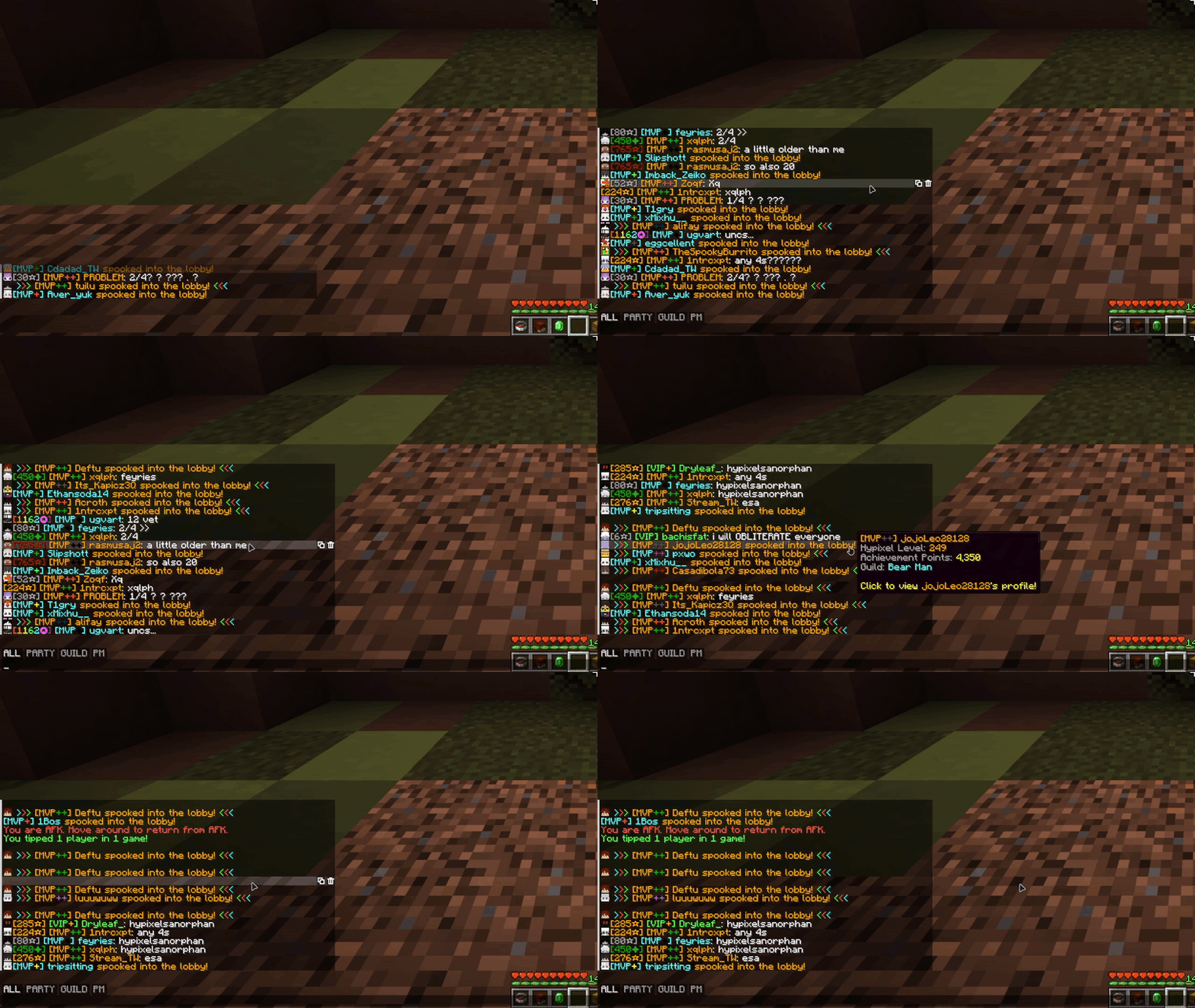
Filter your chat with tabs! The default ALL, PARTY, GUILD and PM tabs are made for Hypixel, and anything you type while a tab is selected goes to that channel (no more typing /pc).
- Shift-click to select more than one tab at once
- Make your own tabs with prefix, suffix, substring and regex rules (see the chat tabs guide)
- Tabs only show up on Hypixel unless you turn that restriction off
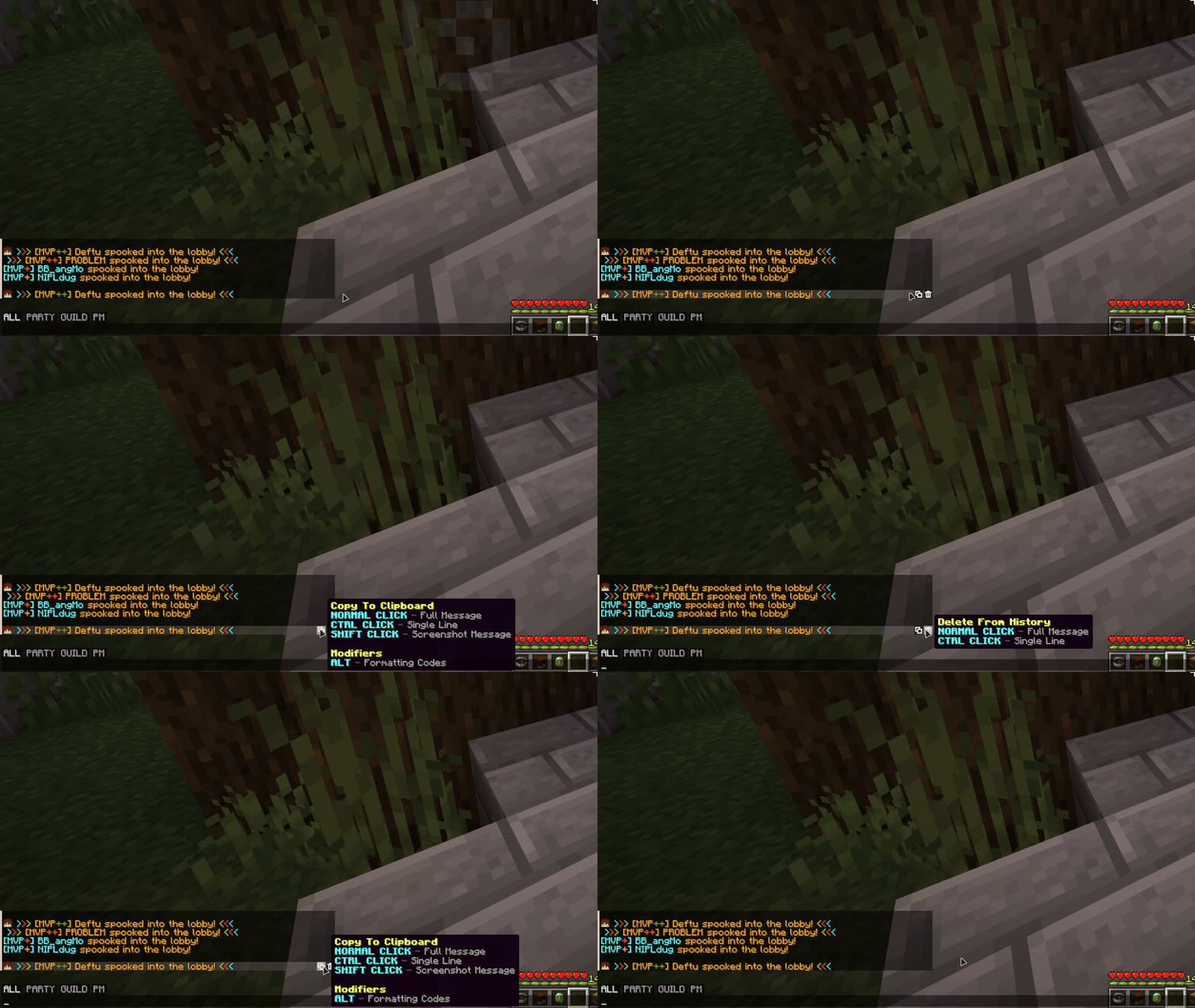
Message buttons
Hover over a message to copy it, delete it or save it as an image. The image can go to a file, your clipboard or both.
- Search your chat for any text
- Clear your whole chat history with one button
- Ctrl + right click to copy a message
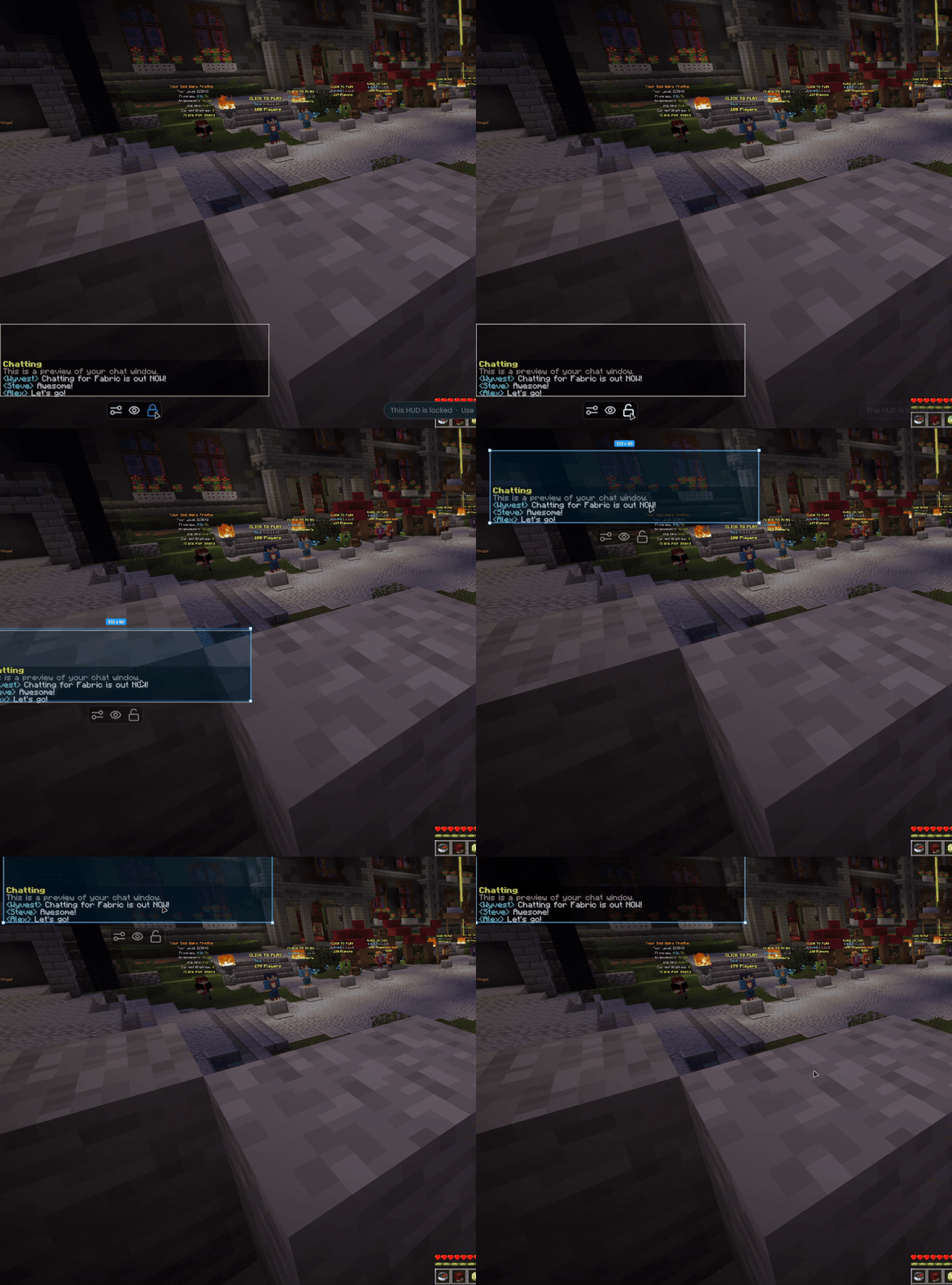
Chat window
- Move and scale the chat in the OneConfig HUD editor
- Set an exact width, plus separate heights for when the chat is open and closed
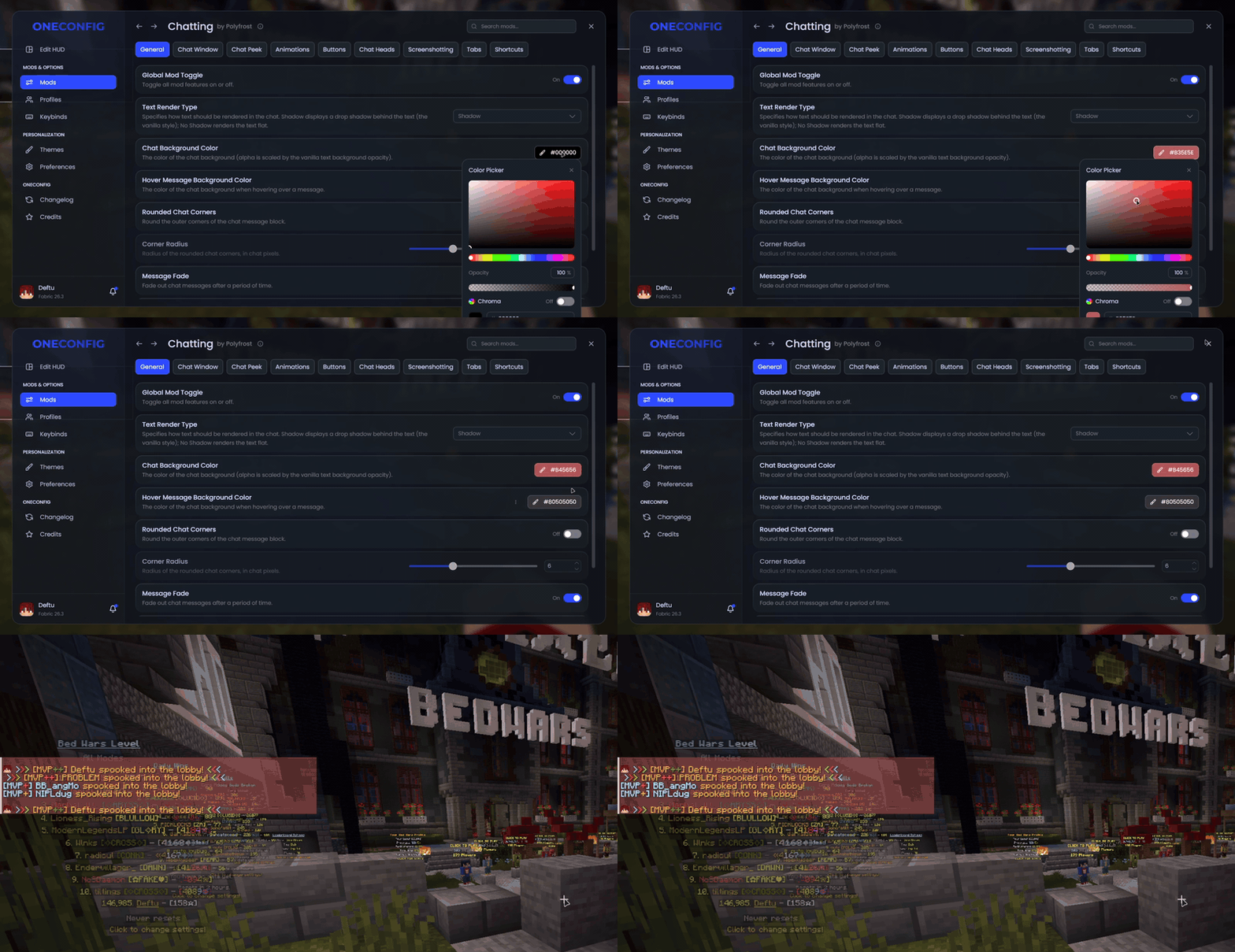
- Change the background color, round the corners or remove the text shadow
- Choose how long messages stay on screen before they fade
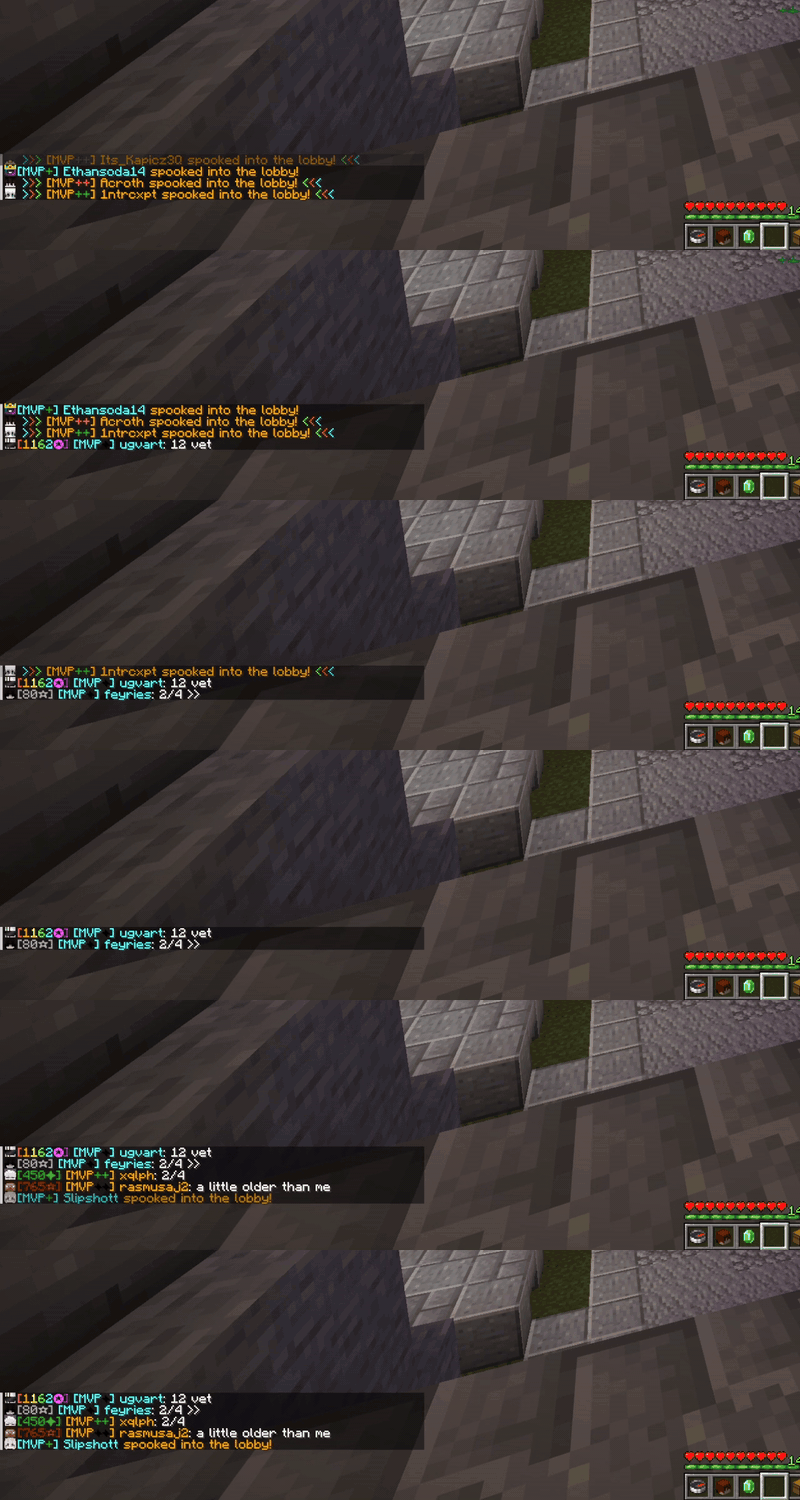
Extras
- Player heads with a 3D hat layer next to chat messages
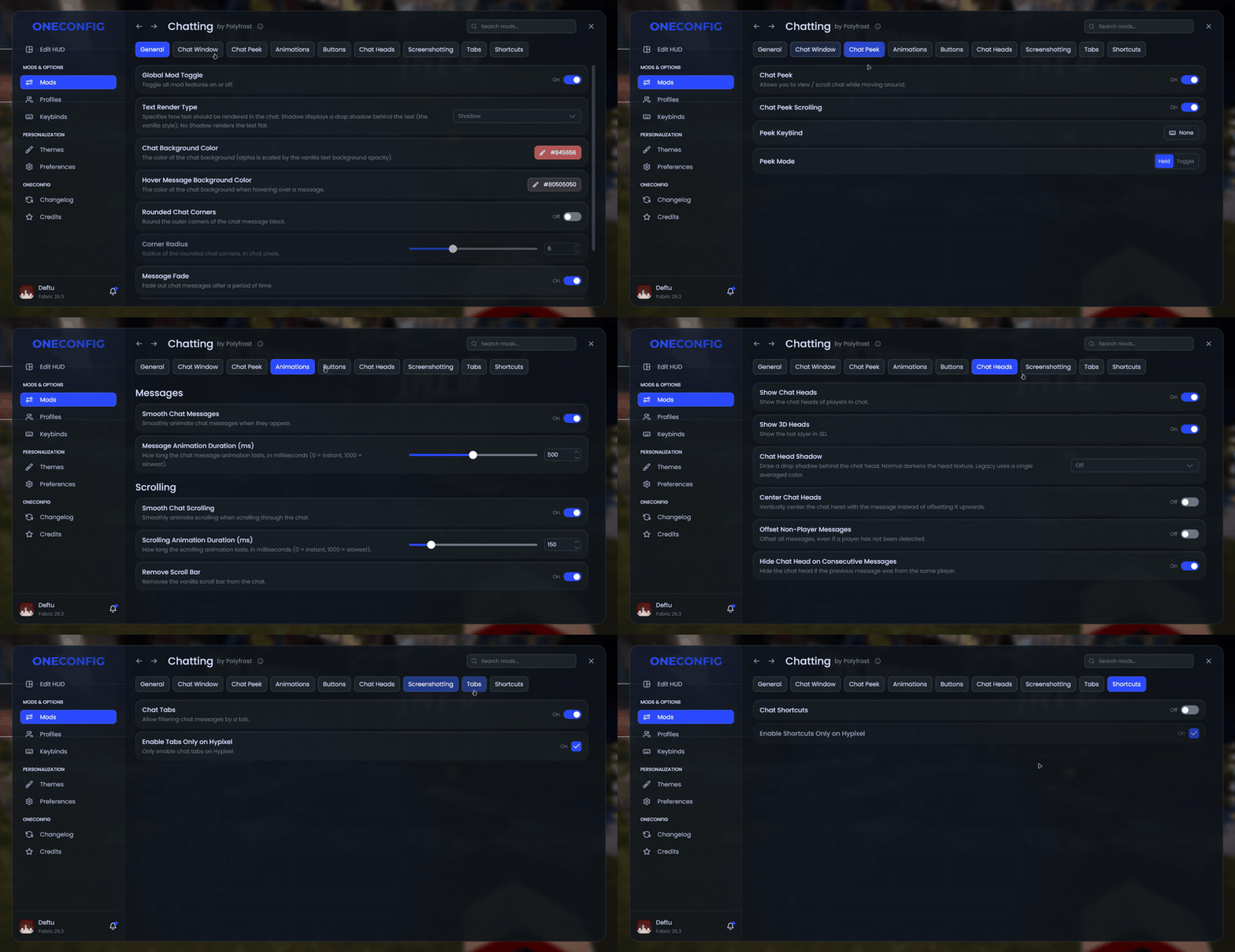
- Peek at the chat and scroll it while you keep moving
- Animated new messages and smooth scrolling
- Chat shortcuts that turn a short alias into a full command (Hypixel only, unless you change that)
Compatibility
Chatting doesn't work together with Chat Patches. If you have the Chat Heads mod installed, it's turned off while Chatting's own chat heads are enabled.
Supported versions
- Minecraft 1.8.9 on Ornithe.
- Minecraft 1.21.1-26.3 on Fabric.
Chatting needs OneConfig and Fabric Language Kotlin.
Support
- Report bugs and ask questions on the Polyfrost Discord.
- Check Polyfrost Status if a Polyfrost service is down.
Screenshots
Gallery
-
 Customized chat colors/shadows The chat window with a custom blue background color, and no text shadow, with context tabs at the bottom for Hypixel message types (Party, Guild, PM)
-
 Chatting's OneConfig page The main view of the Chatting configuration inside OneConfig
-
 Chat Window The chat with Player Heads shown before each message, as well as chat tabs for Hypixel.
-
 Customized chat shadows The chat window with "Full Shadow" (outline) text shadow.
-
 New messages
-
 Chat tabs
-
 Message buttons
-
 Moving the chat
-
 Background color
-
 Smooth scrolling
-
 Settings
-
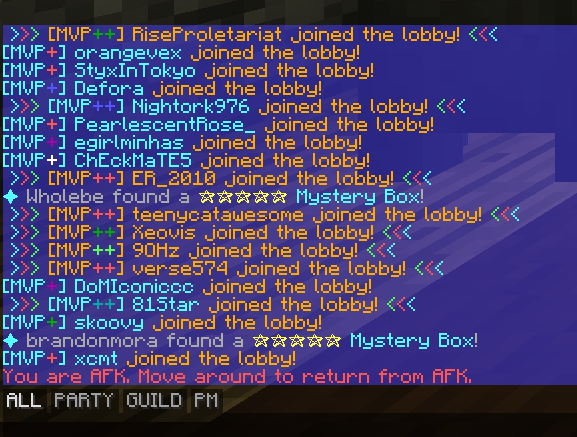 Customized chat colors/shadows The chat window with a custom blue background color, and no text shadow, with context tabs at the bottom for Hypixel message types (Party, Guild, PM)
-
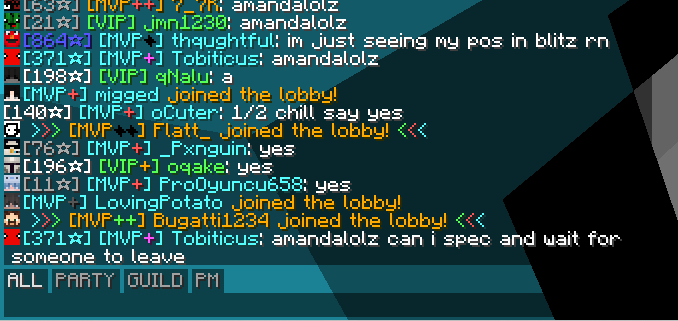 Chat Window The chat with Player Heads shown before each message, as well as chat tabs for Hypixel.
-
 New messages
Versions
Files
Relations
Project Relations
More like this
Similar Mods
Suggestions use data such as tags, dependencies, dependents, descriptions, titles, and more to rank how much they overlap with this mod.
On ModDex
Community snapshot
By the numbers
Statistics

Get it on
Available Platforms
On ModDex
Community snapshot
By the numbers