Community listing page, reviews here may not be monitored by the author.
Choosey Painter


No reviews yet
Choose your painting from the canvas workbench, A decorative easel and canvas entity is added to the game, allowing you to turn a random painting into any specific painting.
Community voices
Reviews
No reviews yet. Be the first to review this project!
Get it on
Available Platforms
Compatibility
Supported Environments
Must be installed on both the client and the server.
About
Project Details
For authors
Embed Badge
If you're the author of this project, you can embed a live badge anywhere that supports HTML or Markdown. It updates automatically whenever ratings change.
Use HTML for any page that supports it, or Markdown for README files and Markdown-based descriptions.
Identifiers
Platform IDs
Resources
External Links
About
Description
Choosey Painter
Choosey Painter adds a placeable Canvas and Easel that lets you choose which painting you want to display.
No more breaking and replacing them until the correct one appears.
Features
- Place a freestanding Canvas and Easel in your world.
- Shift-right-click the easel to change how the displayed painting fits the canvas.
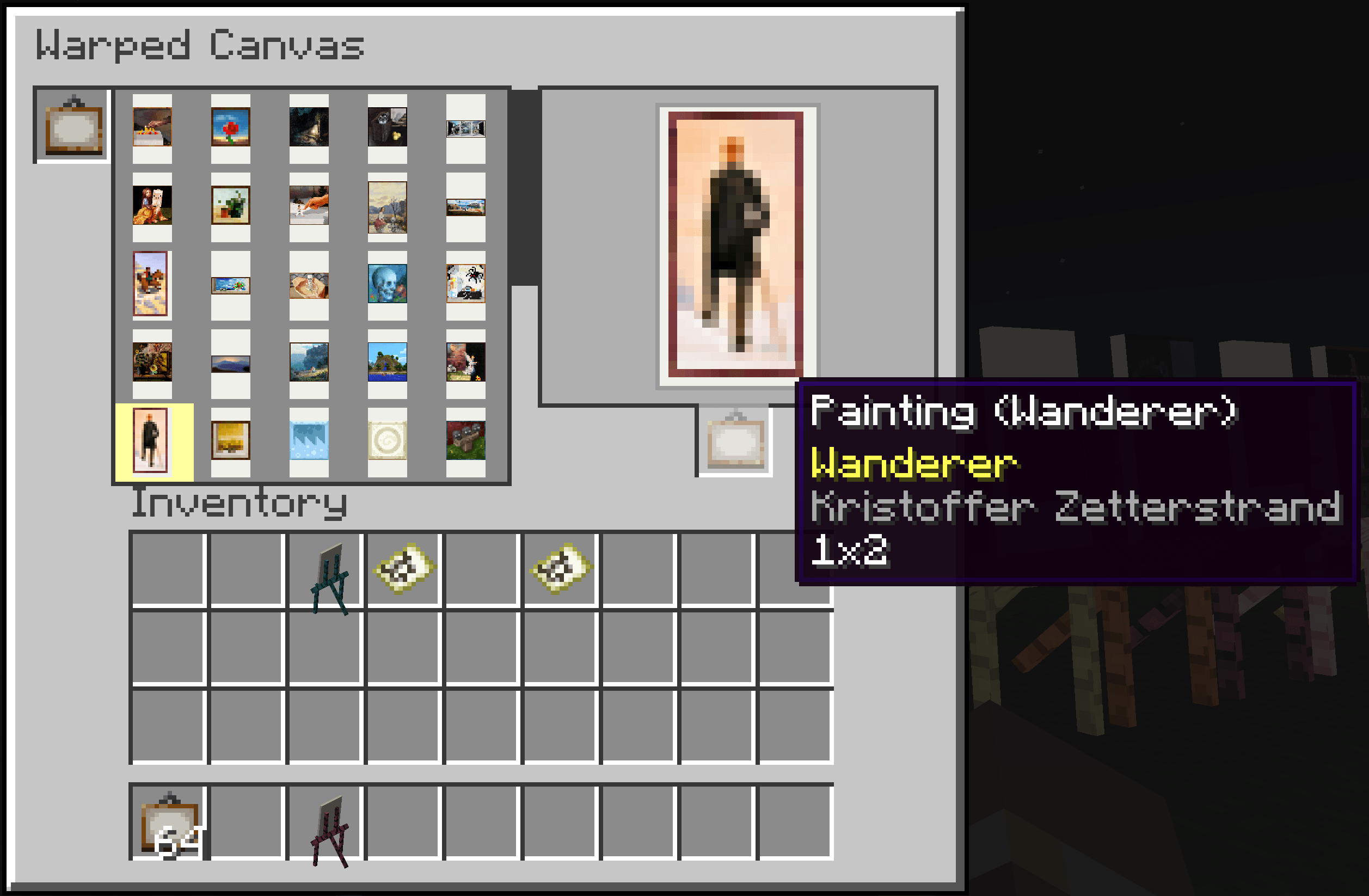
- Open the canvas and select any available painting to display.
- Insert a painting item into the canvas and choose a specific painting to export.
- Exporting a selected painting produces that exact painting instead of a randomly selected variant.
How to Use
- Place the Canvas and Easel.
- Open the canvas interface.
- Add a crafted painting.
- Select the painting you want to display.
- Collect the New specific painting.
- Shift-right-click the placed easel to cycle through its available fitting options.
Todo: Every Compact [Woods Good] support.
Choosey Painter
Choosey Painter adds a placeable Canvas and Easel that lets you choose which painting you want to display.
No more breaking and replacing them until the correct one appears.
Crafting recipie is
S W S S W S S P S
S = Stick W = wool P = any wood plank
Features
- Place a freestanding Canvas and Easel in your world.
- Shift-right-click the easel to change how the displayed painting fits the canvas.
- Open the canvas and select any available painting to display.
- Insert a painting item into the canvas and choose a specific painting to export.
- Exporting a selected painting produces that exact painting instead of a randomly selected variant.
How to Use
- Place the Canvas and Easel.
- Open the canvas interface.
- Add a crafted painting.
- Select the painting you want to display.
- Collect the New specific painting.
- Shift-right-click the placed easel to cycle through its available fitting options.
Todo: Every Compact [Woods Good] support.
Screenshots
Gallery
-
 image(11).png image(11).png
 -
 image(10).png image(10).png
-
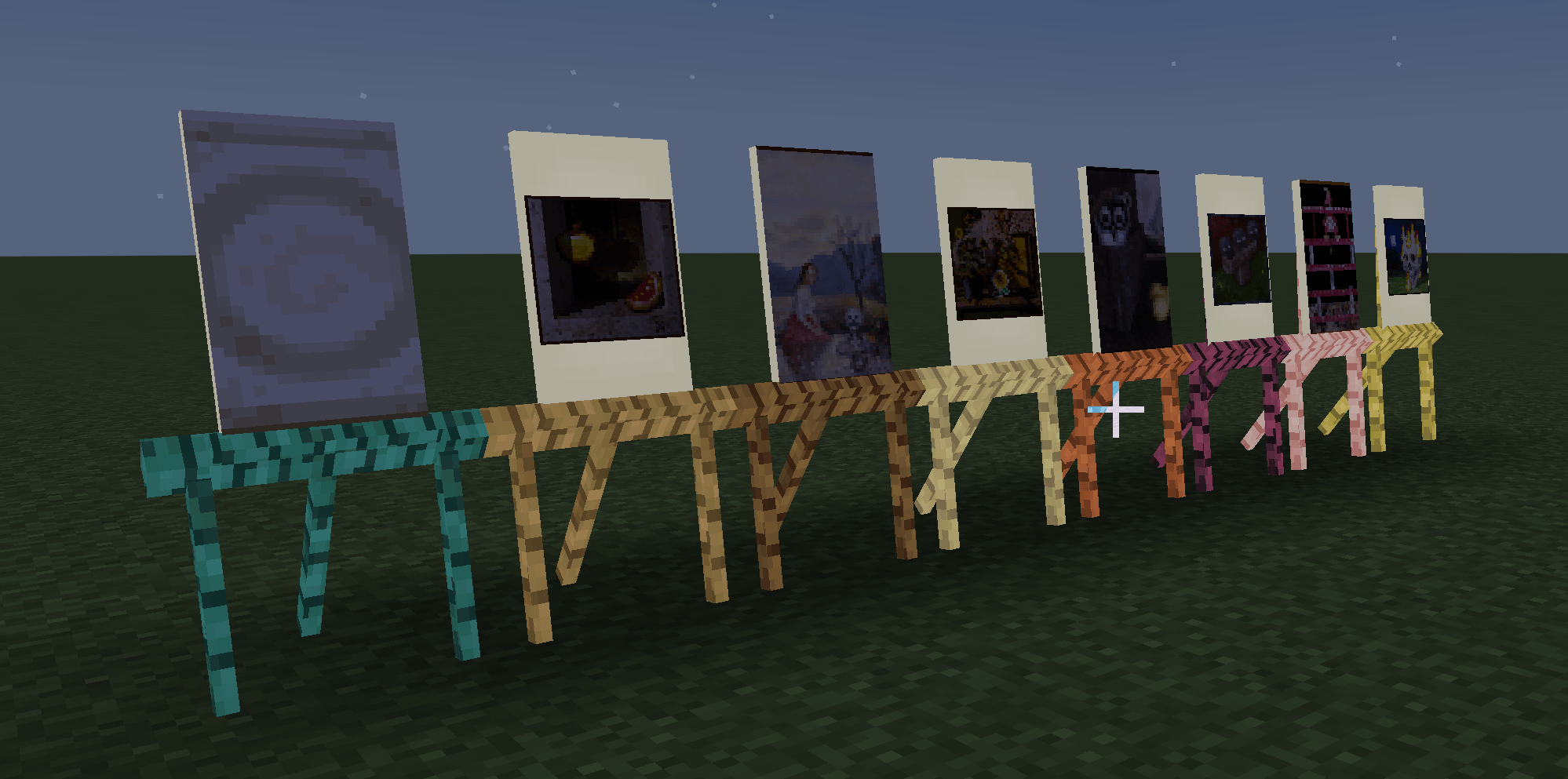
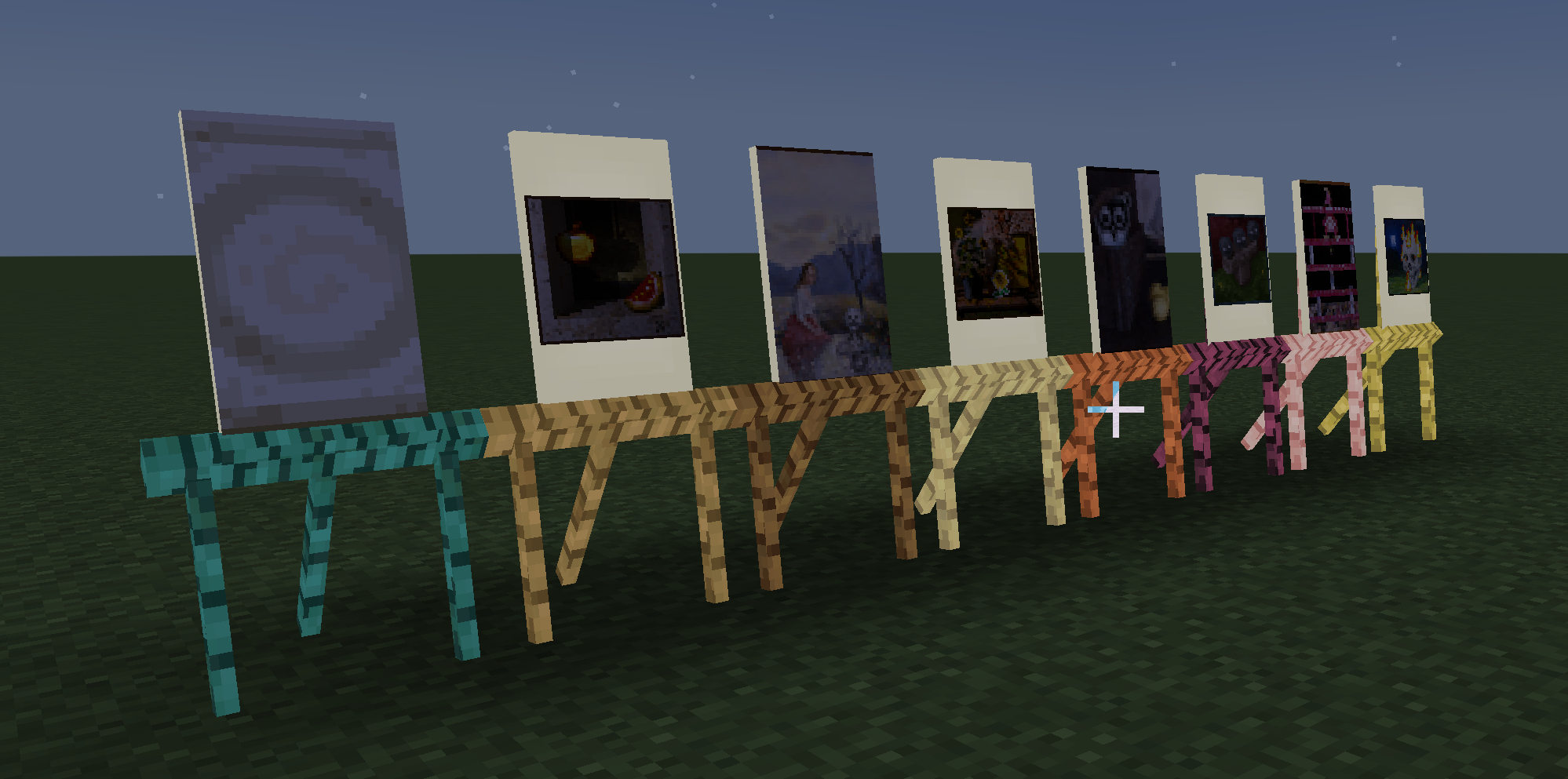 All wood Canvas's + paintings. Image of the Canvas blocks and paintings with different fits.
 -
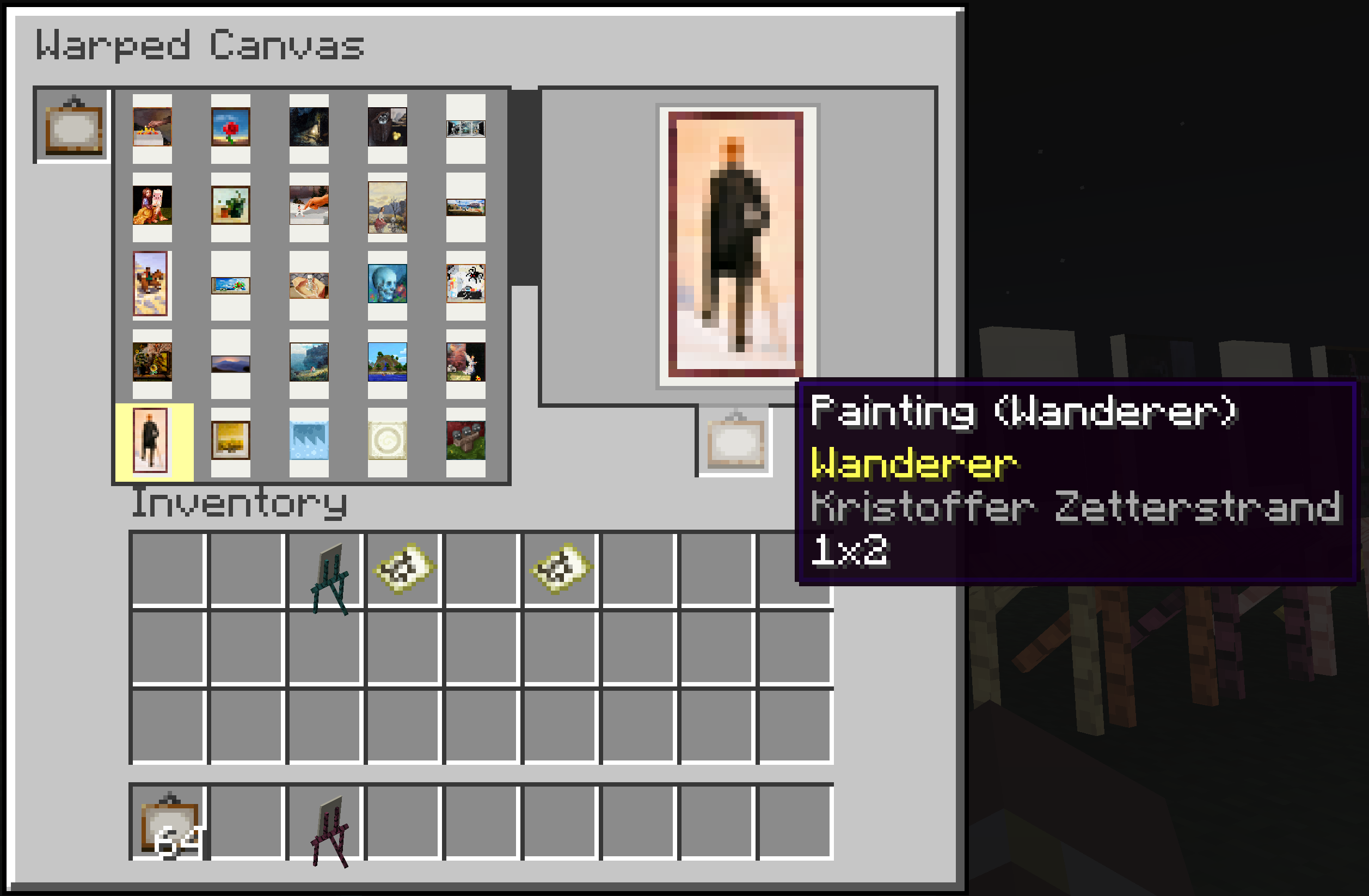 Canvas Workbench GUI for the Canvas workbench
Versions
Files
Relations
Project Relations
More like this
Similar Mods
Suggestions use data such as tags, dependencies, dependents, descriptions, titles, and more to rank how much they overlap with this mod.
On ModDex
Community snapshot
By the numbers
Statistics
Want to reach Minecraft players?
We're looking for a server hosting partner to feature here and other parts of the site. Interested? Send us a message!
Get in touchGet it on
Available Platforms
On ModDex
Community snapshot
By the numbers
Statistics
Resources