
Community listing page, reviews may not be monitored by the author.
Client Runtime Interface Toolkit 🛠️

No reviews yet
Client-side test kit for Minecraft: automated tests drive a real client, operate GUIs, send input, take screenshots and check the client state.

Community voices
Reviews
No reviews yet. Be the first to review this project!
Get it on
Available Platforms
About
Project Details
For authors
Embed Badge
If you're the author of this project, you can embed a live badge anywhere that supports HTML or Markdown. It updates automatically whenever ratings change.
Use HTML for any page that supports it, or Markdown for README files and Markdown-based descriptions.
Identifiers
Platform IDs
Resources
External Links
About
Description
🧪 Client Runtime Interface Toolkit 🛠️





Client Runtime Interface Toolkit is a test framework library for Minecraft mods with JUnit 5 integration. Your tests drive a real Minecraft client: open screens, click buttons, check what is shown and take screenshots.
🚧 Beta: ready to try, but use it at your own risk. More is coming over the next days.
Why it exists 💡
I built it for the configuration UI of Easy NPC: around 500 UI elements like screens, tabs, buttons, checkboxes and options. After every change I had to click through most of them by hand, which took hours. Now the tests do that, and I see right away when something is broken.
Unit tests and game tests run without a client, so they never see a screen, a button or a rendered NPC. This toolkit closes that gap. I have used it for simple checks like "does this screen still open" for a while; now it tests single buttons, widgets and NPCs one by one.
⚠️ Not a cheat, bot or AI tool
- ❌ Not for auto farming, AFK bots or any advantage on other people's servers.
- ❌ Not a tool for AI agents. It is a test framework, nothing else.
- 🔒 Works only on your own computer (
127.0.0.1), with a secret that changes on every start. - 🖥️ Always shows on screen when the client can be controlled.
- 🔌 The player can disconnect it at any time with the Pause key or "Disconnect toolkit" in the pause menu. It stays off until Minecraft is restarted.
- 🌐 On multiplayer servers, input from the toolkit is refused, unless that server runs the toolkit too and its operator allowed you.
Feature requests that weaken these protections will not be accepted.
Features ✨
- Read the open screen with its widgets, the player, the inventory, the world and nearby entities.
- Click, hover and type by widget text instead of pixel coordinates.
- Wait for and assert on the client state, including a layout check for widgets that overlap, stick out of the screen or show untranslated text.
- Screenshots that carry suite, test and versions in the PNG metadata, never the overlay.
Testing your own mod 🧩
testImplementation group: 'de.markusbordihn.clientruntimeinterfacetoolkit',
    name: 'client_runtime_interface_toolkit-fabric-1.20.1', version: '1.0.0'
class OptionsScreenTest {
@RegisterExtension
static final GameClientExtension CLIENT =
GameClientExtension.of(GameClient.launch().withWindowSize(854, 480));
@Test
void optionsScreenShowsVideoSettings() {
CLIENT.clickAndAwaitScreen(By.translationKey("menu.options"));
CLIENT.assertState(
Until.screen("minecraft:options"),
Until.widgetPresent(By.translationKey("options.video")));
CLIENT.assertLayoutClean();
Path screenshot = CLIENT.saveScreenshot("options");
System.out.println("Screenshot saved to " + screenshot);
}
}The test starts a client at the title screen, opens the options, checks that the "Video Settings…" button is there and nothing overlaps or sticks out, and saves a screenshot to .client_test/screenshots/OptionsScreenTest/optionsScreenShowsVideoSettings-options-01.png. Translation keys find a widget in every language; By.text("Options...") works too, but only in English.
For real examples, see the UI tests of Easy NPC. The test runner inside the jar does nothing unless a test starts it.
Configuration ⚙️
Settings live in config/client_runtime_interface_toolkit/toolkit.properties. The most important one is runtime_profile:
attended(default): someone sits in front of the client, a click takes control back.test: unattended test runs with low volume, no music and reduced graphics.movie: liketest, meant to be watched, at full volume.observer: reading only, the client behaves like vanilla.custom: every option is taken from the file.
control_access=none turns every kind of control off. A wiki with all settings will follow.
Screenshots
Gallery
-
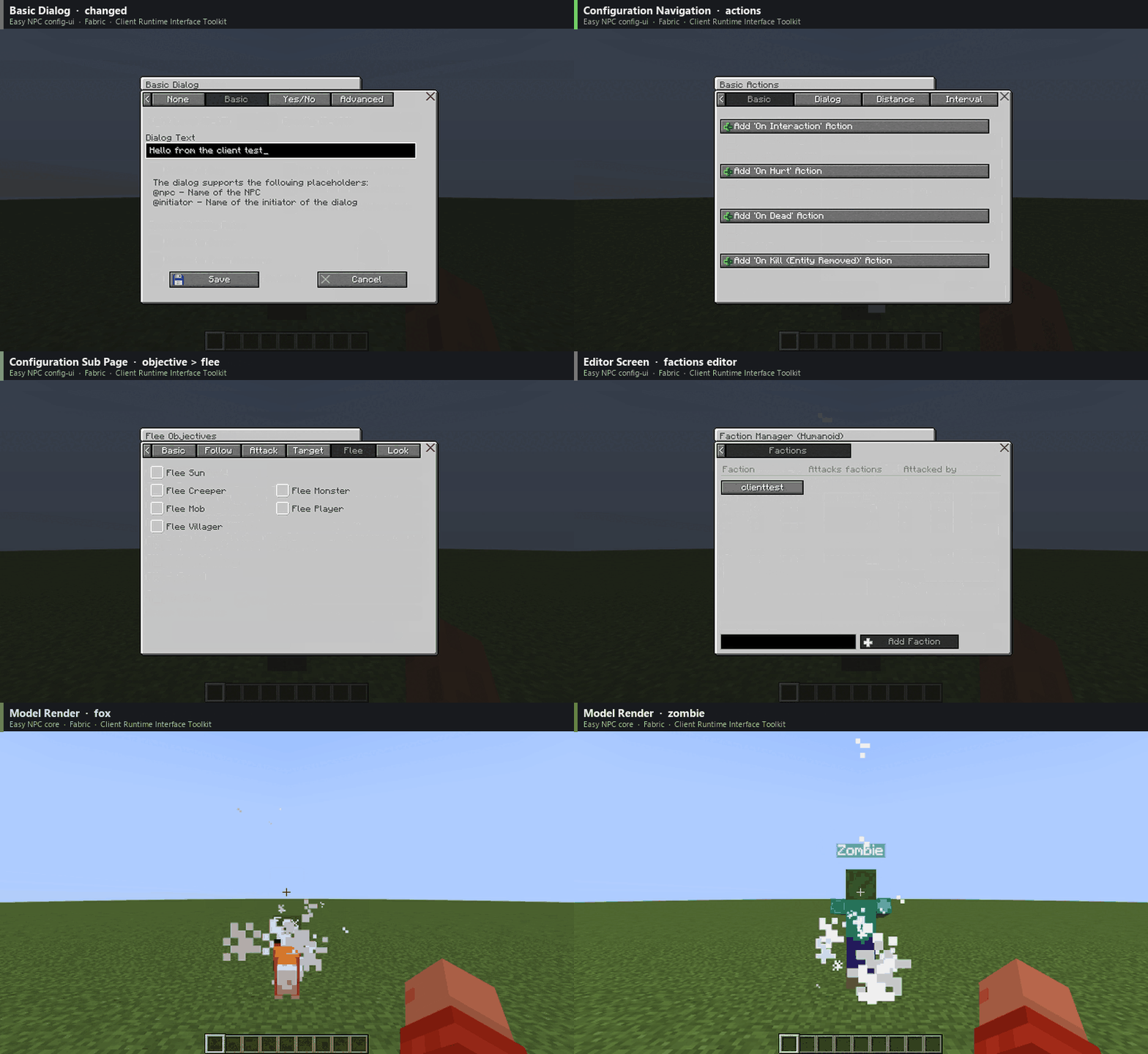 Easy NPC Run Example
 -
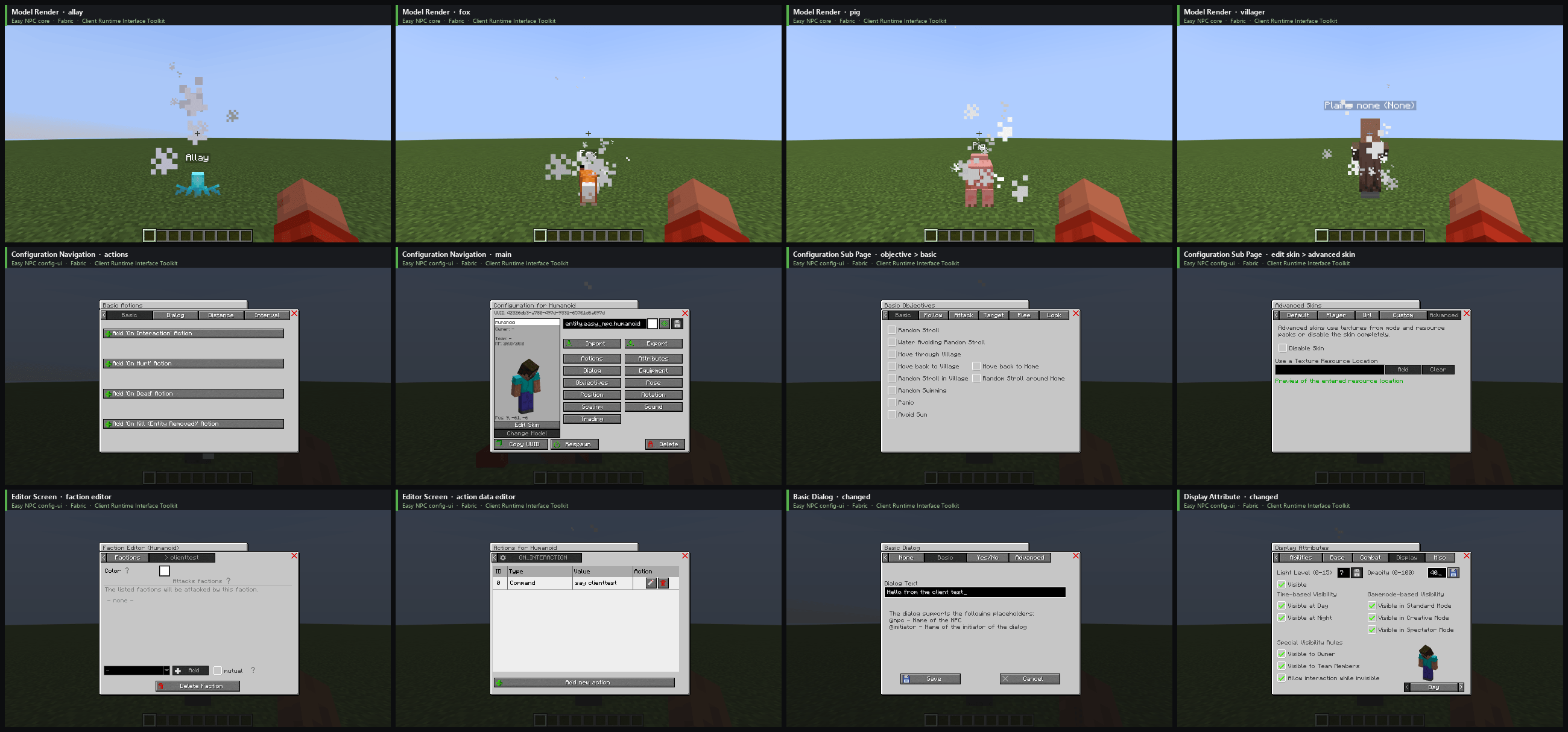 Easy NPC Run Example: Overview
 -
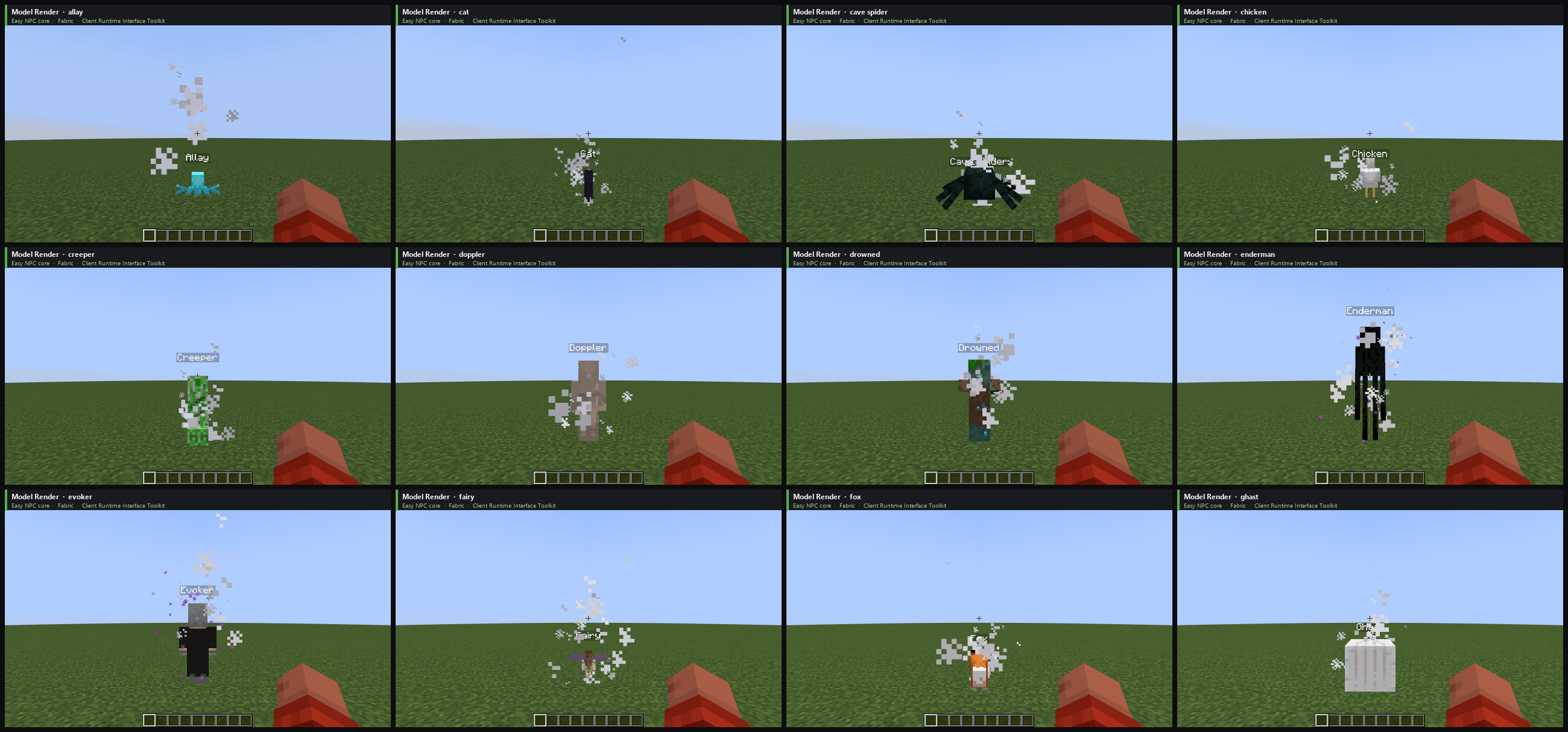 Easy NPC Run Example: Models
 -
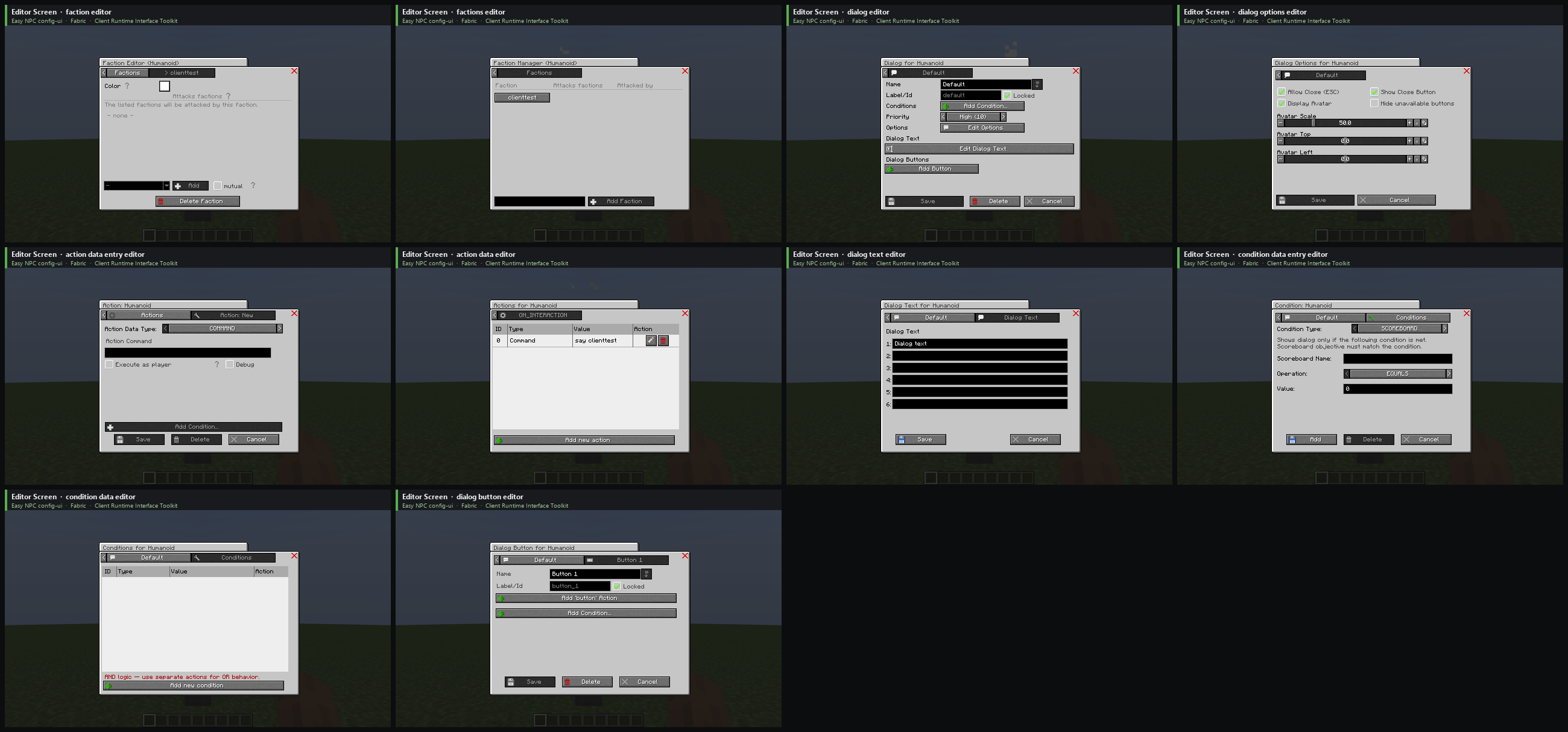 Easy NPC Run Example: Editors
 -
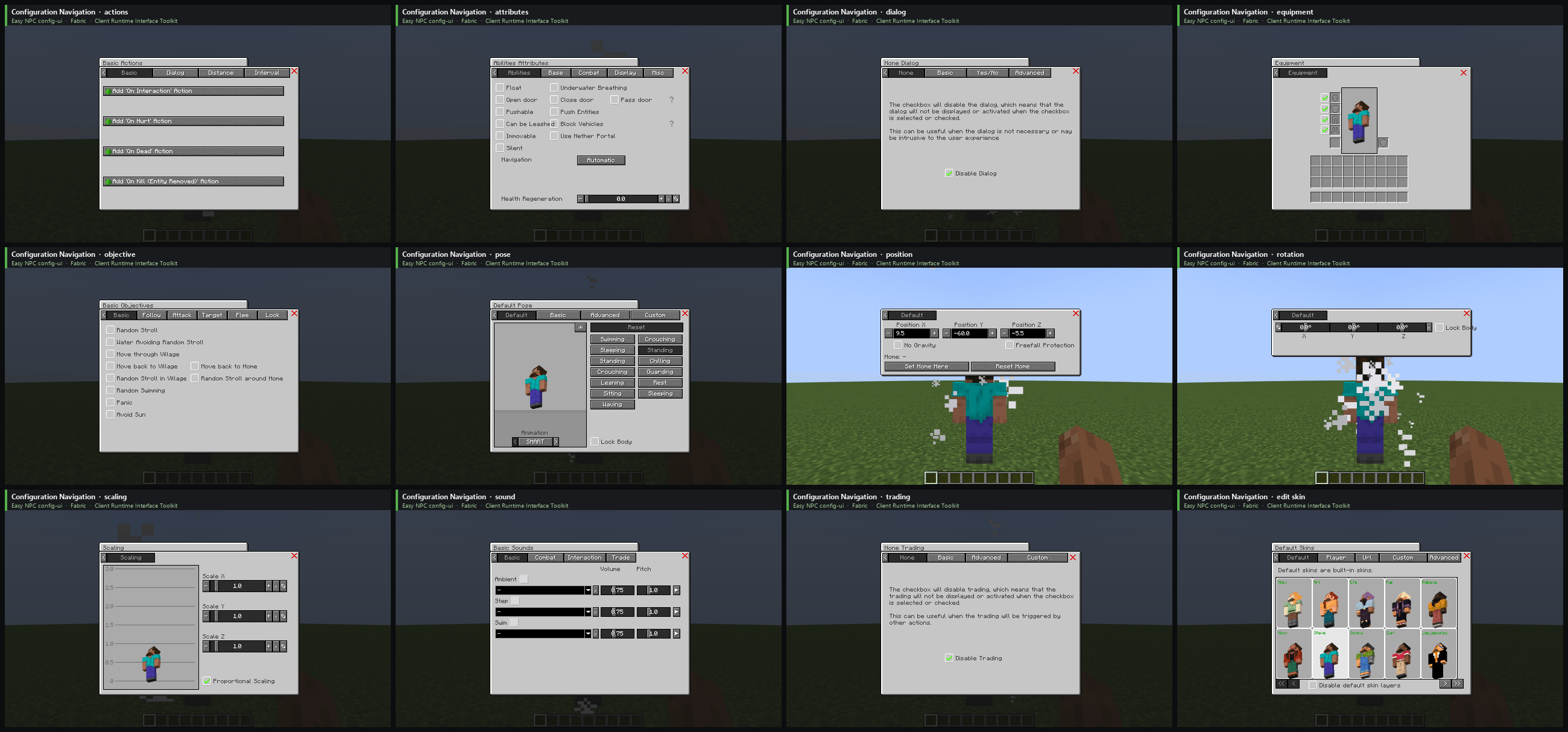 Easy NPC Run Example: Configuration
Versions
Files
Relations
Project Relations
More like this
Similar Mods
Suggestions use data such as tags, dependencies, dependents, descriptions, titles, and more to rank how much they overlap with this mod.
On ModDex
Community snapshot
By the numbers
Statistics

Get it on
Available Platforms
On ModDex
Community snapshot
By the numbers
Statistics
Resources