Community listing page, reviews here may not be monitored by the author.
Cobblemon MiniGames


No reviews yet
Bring a Game Corner arcade casino to Cobblemon! Play Gacha, Roulette, Slot Machine, Flappy Bird, Block Stacker, Snake, Derby & Voltorb Flip. Earn coins, hit jackpots, and redeem rare items & Pokémon. Fully configurable rewards, odds & shop.
Community voices
Reviews
No reviews yet. Be the first to review this project!
Get it on
Available Platforms
Compatibility
Supported Environments
Must be installed on both the client and the server.
About
Project Details
For authors
Embed Badge
If you're the author of this project, you can embed a live badge anywhere that supports HTML or Markdown. It updates automatically whenever ratings change.
Use HTML for any page that supports it, or Markdown for README files and Markdown-based descriptions.
Identifiers
Platform IDs
Resources
External Links
About
Description

Turn your Cobblemon world into a place players want to visit between adventures.
Cobblemon MiniGames adds a fully playable arcade experience with eight coin-paying minigames, four Gacha machine variants, Arcade Coins, a Coin Case, and a reward shop. Win coins from Roulette, Slot Machine, Flappy Bird, Block Stacker, Snake, Derby, Voltorb Flip, and Blackjack, then spend them on configurable rewards or use them to obtain Pokemon from the Gacha machines.

Minigames
Roulette

Roulette is inspired by the Pokemon Emerald roulette table. When the player enters, they pick a table wager first. The left table uses the normal low wager, the right table uses a higher wager, and every seventh Minecraft day the right table becomes the service-day table with its own configured wager.
After choosing a table, the player bets on a Pokemon column, a color row, or an exact square. A spin consumes the table wager and drops one ball onto the wheel. Winning pays wager * multiplier, and the round keeps the landed balls until six balls have been placed or no valid squares remain. If the player leaves mid-round and comes back later, the active roulette round is resumed.
Payouts are based on the selected area:
- Column bets pay x6, x4, or x3 depending on how many balls in that column are already occupied.
- Row bets pay x4 or x3 depending on how many balls in that row are already occupied.
- Exact square bets pay x12 if the ball lands on that square.
- When the board is cleared, the next entry returns to table selection.
Slot Machine

Slot Machine is inspired by the Pokemon Emerald slot machine. The player inserts one to three bet units, each costing the configured slotmachine.coinToPlay, starts the reels, then stops each reel with the action button. One unit activates the middle line, two units activate top, middle, and bottom, and three units activate all five lines including the diagonals.
Bet Max inserts up to three bet units and starts the spin when all three have been accepted. Replay and power matches count as wins for the machine flow, but replay pays zero coins and power builds Pika Power. Pika Power can trigger Reel Time, which gives a short special sequence and may grant slower bonus spins.
Current symbol payouts:
- Cherry pays 2 coins on the middle line, or 4 coins on top/bottom cherry lines.
- Lotad pays 6 coins.
- Azurill pays 12 coins.
- Power pays 3 coins and adds Pika Power.
- Mixed 7 pays 90 coins.
- Red 7 pays 300 coins.
- Blue 7 pays 300 coins and marks the next Reel Time as lucky.
- Replay counts as a match but pays no coins.
Flappy Bird

Flappy Bird spends the configured entry cost, then starts a countdown. The player flaps Butterfree through the obstacle gaps. Each cleared obstacle gives one point and increases the speed by the configured step, starting at the configured base speed and capped at the configured max speed. On crash, the run pays score * multiplier Arcade Coins.
Block Stacker

Block Stacker spends the configured entry cost, then asks the player to stop moving blocks row by row. Missing every block ends the run. By default, reaching row 6 offers a 50-coin cash-out, row 7 offers 250 coins, and row 8 pays the 1000-coin top prize. The prize amounts, shown next to their rows, and the movement speed of those rows can be tuned in the config. At each cash-out prompt, the player can take the current reward or keep going.
Snake

Snake spends the configured entry cost, then lets the player guide Onix around the field. Every berry adds one point and grows the snake. Hitting a wall or the snake body ends the run and pays score * multiplier Arcade Coins.
Derby

Derby generates six racers, then lets the player choose one and place a bet in 10-coin steps. The maximum bet is the amount of Arcade Coins the player currently has, rounded down by the 10-coin step. A selected racer must finish first to win. Payout depends on the racer odds shown on the bet slip.
The bet slip can show these odds:
- Payout 1: x1.1, so a 10-coin bet returns 11.
- Payout 2: x1.2, so a 10-coin bet returns 12.
- Payout 3: x1.3, so a 10-coin bet returns 13.
- Payout 4: x1.5, so a 10-coin bet returns 15.
- Payout 5: x2, so a 10-coin bet returns 20.
- Payout 6: x3, so a 10-coin bet returns 30.
Voltorb Flip

Voltorb Flip is a risk-and-reward puzzle inspired by Voltorb Flip Rogue. Starting a run spends the configured entry cost, then shows a 5x5 board of hidden cards. Each card is either a Voltorb, a 1, a 2, or a 3. The clues on the right and bottom edges show the total card value and the number of Voltorb cards in each row or column.
The goal is to reveal every 2 and 3 card without revealing a Voltorb. Revealing a 1 is safe, but it does not increase the payout. Revealing a 2 or 3 multiplies the current board value. Players can switch between reveal mode and note mode, then mark hidden cards with notes for 1, 2, 3, or Voltorb while solving the board.
Completing a board adds that board's value to the run bank and offers a choice: cash out or continue to the next level. Higher levels have larger possible payouts, but also more Voltorbs. If the player cashes out, the banked Arcade Coins are paid to the player. If the player reveals a Voltorb, the run bank is lost and the payout is 0.
Unlike the original Game Corner game, this version lets players leave during an active board. The board state is preserved, so they can come back later and continue the same run. Leaving does not pay out the current bank; the player must cash out from a completed-board prompt to receive the stored winnings.
Blackjack

Blackjack lets the player place bets in steps of 10 Arcade Coins and play against the dealer. The goal is to reach 21, or get closer to 21 than the dealer, without going over.
During the player's turn they can draw another card or stand. The dealer draws until reaching at least 17.
Insurance appears when the dealer's visible card is an Ace and the player has enough Arcade Coins. It costs half of the current bet. If the dealer has Blackjack, the insurance returns the value of the original bet; otherwise, the insurance is lost and the hand continues normally.
Double appears when the player's first two cards have a total of 9, 10, or 11 and the player has enough Arcade Coins to match the current bet. Choosing it doubles the bet, deals exactly one more card, and ends the player's turn.
A normal win returns twice the bet, a Blackjack returns two and a half times the bet, and a tie returns the original bet. Losing or going over 21 pays nothing. If the player leaves after placing a bet, the game is saved and can be continued later.
Gacha

Gacha is opened directly from one of four dedicated machine blocks instead of from the arcade Home screen. The Basic, Great, Ultra, and Master machines each use a progressively wider set of rarities:
- Basic (pink) contains
commonPokemon. - Great (blue) contains
commonanduncommonPokemon. - Ultra (yellow) contains
common,uncommon, andrarePokemon. - Master (purple) contains all four rarities, including
ultra-rare.
By default, the available Pokemon are generated exclusively from the Cobblemon world spawn pool. Server owners can configure any machine to use a manual species list instead, or to hand out configured items instead of Pokemon.
Each player receives a personalized pool based on the species currently registered in their party and PC. Increasing the wager does not change the machine's rarity probabilities, shiny chance, or aspect chance. Instead, it progressively increases the chance that the selected Pokemon is a species the player does not already own. At the maximum wager, a selected rarity guarantees a new species when that rarity still contains at least one missing Pokemon.
The result may independently be shiny or use an eligible non-standard form. Mega, Gigantamax, and Dynamax forms are excluded from random aspect selection. The Pokemon is only delivered after its reveal animation finishes.
Coin Case
The Coin Case stores virtual Arcade Coins in the item data. If the player has a Coin Case in their inventory, game payouts go into it first. Players can also use the Coin Case screen to deposit physical coins from the inventory or withdraw stored coins back into item stacks.
Important details:
- The shared coin cap is 99999999.
- Payouts are stored in the Coin Case first when one is present.
- Withdrawals only create as many physical coins as the inventory can hold.
Recipes
MiniGames Coin Case

Ingredients:
- 1 Cobblemon Relic Coin
- 4 Leather
MiniGames Coin

Ingredients:
- 1 Cobblemon Relic Coin
- 4 Iron Nuggets
MiniGames Machine

Ingredients:
- 4 any Planks
- 2 Gold Ingots
- 2 Iron Ingots
- 1 Emerald
MiniGames Gacha


All four Gacha machines use the same recipe shape:
- 3 Glass
- 4 Iron Ingots
- 1 Redstone
- 1 tier dye
The tier dye determines the result:
- Pink Dye creates the Basic Gacha Machine.
- Blue Dye creates the Great Gacha Machine.
- Yellow Dye creates the Ultra Gacha Machine.
- Purple Dye creates the Master Gacha Machine.
Configuration
Server configuration lives in config/cobblemonminigames/config.yml.
Default config.yml:
snake:
  enabled: true
  coinToPlay: 1
  multiplier: 2.0
flappybird:
  enabled: true
  coinToPlay: 1
  multiplier: 2.0
  speedBase: 2.0
  speedStep: 0.05
  speedMax: 7.0
slotmachine:
  enabled: true
  coinToPlay: 1
blockstacker:
  enabled: true
  coinToPlay: 1
  row6Prize: 50
  row7Prize: 250
  row8Prize: 1000
  row6SpeedFrames: 4
  row7SpeedFrames: 3
  row8SpeedFrames: 2
derby:
  enabled: true
voltorbflip:
  enabled: true
  coinToPlay: 10
blackjack:
  enabled: true
roulette:
  enabled: true
  leftTableBet: 1
  rightTableBet: 3
  serviceDayBet: 6
gacha:
  basic:
    enabled: true
    usePokemonList: false
    useItemList: false
    minWager: 50
    maxWager: 9999
    shinyChancePercent: 0.01220703125
    aspectChancePercent: 5.0
    rarities:
      common: 100.0
  great:
    enabled: true
    usePokemonList: false
    useItemList: false
    minWager: 250
    maxWager: 9999
    shinyChancePercent: 0.01220703125
    aspectChancePercent: 5.0
    rarities:
      common: 70.0
      uncommon: 30.0
  ultra:
    enabled: true
    usePokemonList: false
    useItemList: false
    minWager: 1000
    maxWager: 9999
    shinyChancePercent: 0.01220703125
    aspectChancePercent: 5.0
    rarities:
      common: 45.0
      uncommon: 35.0
      rare: 20.0
  master:
    enabled: true
    usePokemonList: false
    useItemList: false
    minWager: 4500
    maxWager: 9999
    shinyChancePercent: 0.01220703125
    aspectChancePercent: 5.0
    rarities:
      common: 35.0
      uncommon: 30.0
      rare: 25.0
      ultra-rare: 10.0
recipes:
  arcadeCoinCrafting: true
  arcadeMachineCrafting: true
  basicGachaMachineCrafting: true
  greatGachaMachineCrafting: true
  ultraGachaMachineCrafting: true
  masterGachaMachineCrafting: true
Existing config.yml files receive newly introduced missing keys automatically without overwriting values already configured by the server owner.
When upgrading from a version without the individual Gacha recipe settings, each missing setting inherits the existing arcadeMachineCrafting value once. After that, all five machine recipes can be configured independently.
| Key | Value | Description |
|---|---|---|
snake.enabled |
true |
Shows Snake on the Home screen and allows the server to open and process the game. |
snake.coinToPlay |
1 |
Arcade Coins consumed when a Snake run starts. |
snake.multiplier |
2.0 |
Multiplies the Snake score for its reward. Decimal results are rounded to the nearest integer. |
flappybird.enabled |
true |
Shows Flappy Bird on the Home screen and allows the server to open and process the game. |
flappybird.coinToPlay |
1 |
Arcade Coins consumed when a Flappy Bird run starts. |
flappybird.multiplier |
2.0 |
Multiplies the Flappy Bird score for its reward. Decimal results are rounded to the nearest integer. |
flappybird.speedBase |
2.0 |
Starting Flappy Bird speed multiplier. Values are clamped from 0.01 to 20.0. |
flappybird.speedStep |
0.05 |
Speed multiplier added for each cleared obstacle. Use 0 to keep a fixed speed. Values are clamped from 0 to 20.0. |
flappybird.speedMax |
7.0 |
Maximum Flappy Bird speed multiplier. Values are clamped from speedBase to 20.0. |
slotmachine.enabled |
true |
Shows Slot Machine on the Home screen and allows the server to open and process the game. |
slotmachine.coinToPlay |
1 |
Arcade Coins consumed for each Slot Machine bet unit. |
blockstacker.enabled |
true |
Shows Block Stacker on the Home screen and allows the server to open and process the game. |
blockstacker.coinToPlay |
1 |
Arcade Coins consumed when a Block Stacker run starts. |
blockstacker.row6Prize |
50 |
Arcade Coins offered as a cash-out when row 6 is cleared. Values are clamped from 1 to 99999999. |
blockstacker.row7Prize |
250 |
Arcade Coins offered as a cash-out when row 7 is cleared. Values are clamped from 1 to 99999999. |
blockstacker.row8Prize |
1000 |
Arcade Coins paid as the top prize when row 8 is cleared. Values are clamped from 1 to 99999999. |
blockstacker.row6SpeedFrames |
4 |
Movement delay on row 6, the first prize row. Lower values are faster. Values are clamped from 1 to 5. |
blockstacker.row7SpeedFrames |
3 |
Movement delay on row 7, the second prize row. Lower values are faster. Values are clamped from 1 to 5. |
blockstacker.row8SpeedFrames |
2 |
Movement delay on row 8, the top prize row. Lower values are faster. Values are clamped from 1 to 5. |
derby.enabled |
true |
Shows Derby on the Home screen and allows the server to open and process the game. |
voltorbflip.enabled |
true |
Shows Voltorb Flip on the Home screen and allows the server to open and process the game. |
voltorbflip.coinToPlay |
10 |
Arcade Coins consumed when a Voltorb Flip run starts. |
blackjack.enabled |
true |
Shows Blackjack on the Home screen and allows the server to open and process the game. |
roulette.enabled |
true |
Shows Roulette on the Home screen and allows the server to open and process the game. |
roulette.leftTableBet |
1 |
Wager used by the normal left roulette table. |
roulette.rightTableBet |
3 |
Wager used by the normal right roulette table. |
roulette.serviceDayBet |
6 |
Wager used by the right roulette table every seventh Minecraft day. |
recipes.arcadeCoinCrafting |
true |
Enables the MiniGames Coin crafting recipe. Set to false to disable it. Requires restarting the server or singleplayer world. |
recipes.arcadeMachineCrafting |
true |
Enables the MiniGames Machine crafting recipe. |
recipes.basicGachaMachineCrafting |
true |
Enables the Basic Gacha Machine crafting recipe. |
recipes.greatGachaMachineCrafting |
true |
Enables the Great Gacha Machine crafting recipe. |
recipes.ultraGachaMachineCrafting |
true |
Enables the Ultra Gacha Machine crafting recipe. |
recipes.masterGachaMachineCrafting |
true |
Enables the Master Gacha Machine crafting recipe. |
Every coinToPlay setting accepts 0. A zero cost makes that game free without changing its rewards: Slot Machine and Block Stacker still award their normal fixed prizes, Snake and Flappy Bird still pay score * multiplier, and Voltorb Flip still pays the accumulated board winnings. Changing coinToPlay never scales any reward.
Gacha settings
Each machine uses the same settings under gacha.basic, gacha.great, gacha.ultra, or gacha.master.
| Key | Allowed values | Description |
|---|---|---|
gacha.<machine>.enabled |
true / false |
Allows that machine block to be opened. |
gacha.<machine>.usePokemonList |
true / false |
Uses the machine's manual Pokemon list instead of building its pool from rarity settings. Defaults to false. |
gacha.<machine>.useItemList |
true / false |
Hands out items from the machine's manual item list instead of Pokemon. Defaults to false. Only one of usePokemonList and useItemList may be true: if both are, a warning is logged and the machine cannot be played until one is set to false. |
gacha.<machine>.minWager |
0 to 9999 |
Minimum selectable wager and the point where the new-species bonus begins at its natural spawn-weight chance. With an item list, items follow their configured weights at this wager. |
gacha.<machine>.maxWager |
minWager to 9999 |
Maximum selectable wager and the point where the progressive new-species bonus reaches its maximum. With an item list, every item of the chosen rarity is equally likely at this wager. Ignored for item lists whose items all share one weight per rarity, which are fixed at minWager. |
gacha.<machine>.shinyChancePercent |
0 to 100 |
Independent percentage chance for the awarded Pokemon to be shiny. |
gacha.<machine>.aspectChancePercent |
0 to 100 |
Independent percentage chance to select an eligible non-standard form for the awarded species. |
gacha.<machine>.rarities.<rarity> |
0 or greater |
Relative selection weight for that rarity. The active rarity weights are normalized into probabilities. |
The set of accepted rarity keys is fixed by the machine tier:
| Machine | Default minimum | Default rarity weights |
|---|---|---|
basic |
50 |
common: 100 |
great |
250 |
common: 70, uncommon: 30 |
ultra |
1000 |
common: 45, uncommon: 35, rare: 20 |
master |
4500 |
common: 35, uncommon: 30, rare: 25, ultra-rare: 10 |
Setting a rarity weight to 0 disables that rarity for the machine. At least one available rarity must have a positive weight; otherwise, that machine's default weights are restored. Adding a rarity key that does not belong to the machine tier does not expand its pool.
Gacha wagers are different from coinToPlay: the selected amount changes the progressive chance of receiving a species the player does not own (or, with an item list, of receiving a low-weight item), but never changes rarity, shiny, or aspect probabilities. A minWager of 0 allows free pulls at the minimum wager.
Manual Pokemon lists
The mod creates one manual list file for each machine:
config/cobblemonminigames/gacha/basic.ymlconfig/cobblemonminigames/gacha/great.ymlconfig/cobblemonminigames/gacha/ultra.ymlconfig/cobblemonminigames/gacha/master.yml
Each file contains an empty pokemons list by default. Add each Pokemon as an object with id and weight:
pokemons:
  - id: pikachu
    weight: 10.0
  - id: eevee
    weight: 5.0
  - id: cobblemon:bulbasaur
    weight: 1.0
Set that machine's usePokemonList value to true in config.yml to activate the list. Higher weights make an entry more likely relative to other eligible entries. For example, weights 10.0 and 1.0 produce base probabilities of 10/11 and 1/11. The new-species bonus still separates new and owned species before applying their relative weights. Manual lists can include species outside the machine's normal rarities.
Each weight must be greater than 0 and finite. Invalid entries or species are skipped and logged. If the list has no valid species, the machine displays an empty-pool message and consumes no Arcade Coins.
Manual item lists
The same files also contain an items list, empty by default. Add each item as an object with id, rarity, quantity, and an optional weight:
items:
  - id: minecraft:iron_ingot
    rarity: common
    quantity: 8
    weight: 10.0
  - id: minecraft:diamond
    rarity: common
    quantity: 1
    weight: 0.1
  - id: cobblemon:rare_candy
    rarity: uncommon
    quantity: 1
Set that machine's useItemList value to true in config.yml to activate the list. Each pull first picks a rarity using the machine's rarities weights, then one of that rarity's items by weight, and gives its full quantity. Items that do not fit in the inventory are dropped at the player's feet.
Like the new-species bonus for Pokemon, the wager never changes the rarity probabilities; it changes which item of the chosen rarity is awarded. At minWager, items follow their weights, so in the example above the diamond is 100 times less likely than the iron. Raising the wager evens those odds out progressively, making low-weight items more likely, until at maxWager every item of the chosen rarity is equally likely. If all items of a rarity share the same weight, the wager does not change the result for that rarity. When that is true for every rarity the machine uses (for example when no item sets a weight), the wager is fixed at minWager and cannot be raised, so players never pay more for the same odds. Setting different weights restores the full minWager–maxWager range.
raritymust becommon,uncommon,rare, orultra-rare, and must be one of the machine tier's rarities. For example, arareitem inbasic.ymlis skipped.quantitymust be at least1and defaults to1when omitted. Values above64are reduced to64.weightmust be greater than0and finite, and defaults to1.0when omitted. Lower weights make an item rarer.- Invalid entries, unknown item ids, and rarities the machine does not use are skipped and logged.
If the list has no usable items, the machine displays a no-items message and consumes no Arcade Coins.
Shop
Shop configuration lives in config/cobblemonminigames/shop/. Every .yml or .yaml file in this directory is an independent catalog. When catalog-id and requires-mods are present, its filename is only for organization. Legacy files may omit them and fall back to filename-based behavior.
Every shop file contains categories, each category contains subcategories, and each subcategory contains purchasable rewards. Item rewards use type: item; Pokemon rewards use type: pokemon.
Example:
catalog-id: cobblemon_shop
requires-mods:
  - cobblemon
categories:
  - id: supplies
    name: Supplies
    icon: minecraft:chest
    subcategories:
      - name: Pokeballs
        items:
          - type: item
            id: cobblemon:poke_ball
            quantity: 1
            price: 10
      - name: Starters
        items:
          - type: pokemon
            id: cobblemon:bulbasaur
            level: 5
            shiny: false
            aspect: ""
            rarity: uncommon
            price: 300
Shop Catalog Fields
| Key | Required | Description |
|---|---|---|
catalog-id |
Recommended | Unique catalog identifier. It prefixes every category id, producing ids such as cobblemon_shop:supplies. If omitted, the filename without .yml or .yaml is used. |
requires-mods |
Recommended | A mod id or list of mod ids required by the complete catalog. The file is skipped if any listed mod is missing. An empty list makes the catalog unconditional. If omitted, legacy behavior treats the filename as a required mod id, except for cobblemon.yml. |
categories |
Yes | List of category objects contained in the catalog. |
categories[].id |
Yes | Category id unique within its catalog-id. |
categories[].name |
No | Visible category name. Defaults to its id. |
categories[].icon |
Yes | Registered item id used by the category tab. An invalid icon causes the category to be skipped. |
categories[].subcategories |
Yes | List of subcategory objects. |
subcategories[].name |
Yes | Visible subcategory name. |
subcategories[].items |
Yes | List of item or Pokemon rewards. |
requires-mods accepts more than one dependency:
catalog-id: crossover_shop
requires-mods:
  - cobblemon
  - another_mod
A catalog can contain registered item ids from several namespaces. catalog-id is singular because it identifies the catalog itself; it does not restrict the namespaces used by its rewards.
Shop Reward Fields
| Key | Item | Pokemon | Description |
|---|---|---|---|
type |
✔️ | ✔️ | Must be item or pokemon. |
id |
✔️ | ✔️ | Registered namespaced item id or Cobblemon species id. Unknown entries are skipped. |
price |
✔️ | ✔️ | Arcade Coin price from 1 to 999999999999. Entries above the maximum are logged as errors and skipped. |
rarity |
✔️ | ✔️ | common, uncommon, rare, or ultra-rare. Defaults to common and controls the purchase notification style. |
quantity |
✔️ | — | Item quantity. Defaults to 1 and is clamped to at least 1. |
level |
— | ✔️ | Pokemon level from 1 to 100. Defaults to 5. |
shiny |
— | ✔️ | Whether the Pokemon is shiny. Defaults to false. |
aspect |
— | ✔️ | Cobblemon aspect/form applied through forcedAspects. Defaults to no forced aspect. |
Reloading configuration
/cobblemonminigames reload
Gameplay values, including game enabled flags, speed settings, Gacha settings, manual Pokemon and item lists, and shop catalogs, are reloaded by /cobblemonminigames reload. Disabled Home games are hidden and their server action packets are ignored. A disabled Gacha machine remains placed but cannot be opened. The recipe settings are read when the server or singleplayer world starts, so recipe enable/disable changes require a complete restart.
Client Settings
Client settings live in config/cobblemonminigames/client.yml, generated the first time the game starts:
volume: 1.0
channel: master| Key | Allowed values | Description |
|---|---|---|
volume |
0.0 to 1.0 |
Volume every sound the mod plays is multiplied by, so the arcade can be turned down without lowering Minecraft's volume. Use 0.0 to mute the mod. |
channel |
master, music, record, block, hostile, neutral, player, ambient, voice, weather |
Which of Minecraft's volume sliders the mod sound effects answer to. Defaults to master. Background music always uses music. |
These are per-player settings and apply on top of Minecraft's own volume sliders. Pointing channel at a slider other than master gives the mod its own in-game volume control: for example channel: record puts the arcade on the Jukebox/Note Blocks slider, which can then be lowered without affecting anything else. Beware that a slider the player has already set to zero silences the mod.
/cobblemonminigames reloadclientre-reads this file without restarting the game.
Client Keybinds
Client keybinds live in config/cobblemonminigames/keybinds.yml. The file is generated with every action as a list of keys (one entry per line), like this:
/cobblemonminigames reloadkeybindreloads the keybinds from the file without restarting the game.
roulette:
  confirm:
  - KEY_SPACE
  - KEY_ENTER
  - KEY_A
  quit:
  - KEY_ESCAPE
  up:
  - KEY_UP
  down:
  - KEY_DOWN
  left:
  - KEY_LEFT
  right:
  - KEY_RIGHT
  bet_up:
  - KEY_KP_ADD
  - KEY_EQUAL
  bet_down:
  - KEY_KP_SUBTRACT
  - KEY_MINUS
blackjack:
  confirm:
  - KEY_A
  - KEY_SPACE
  - KEY_ENTER
  quit:
  - KEY_B
  - KEY_ESCAPE
  up:
  - KEY_UP
  down:
  - KEY_DOWN
gacha:
  confirm:
  - KEY_SPACE
  - KEY_ENTER
  - KEY_KP_ENTER
  - KEY_A
  quit:
  - KEY_ESCAPE
  up:
  - KEY_UP
  down:
  - KEY_DOWN
  left:
  - KEY_LEFT
  right:
  - KEY_RIGHT
When editing, an action may keep several keys (a list, as above) or be a single key written inline, e.g. up: KEY_W. Use familiar key names such as KEY_W, KEY_SPACE, KEY_ENTER, or KEY_F1. For convenience, KEY_W, GLFW_KEY_W, and W all resolve to the same key.
| Key | Value | Description |
|---|---|---|
| Printable keys | KEY_A, KEY_1, KEY_SPACE, KEY_MINUS, KEY_EQUAL |
Normal keyboard keys. |
| Function keys | KEY_F1 to KEY_F25 |
Function keys. |
| Navigation keys | KEY_UP, KEY_DOWN, KEY_LEFT, KEY_RIGHT, KEY_HOME, KEY_END |
Movement and navigation keys. |
| Editing keys | KEY_ENTER, KEY_TAB, KEY_BACKSPACE, KEY_DELETE, KEY_INSERT |
Common menu/editing keys. |
| Keypad keys | KEY_KP_0 to KEY_KP_9, KEY_KP_ADD, KEY_KP_SUBTRACT |
Numeric keypad keys. |
| Modifier keys | KEY_LEFT_SHIFT, KEY_RIGHT_CONTROL, KEY_LEFT_ALT |
Modifier keys if a server pack wants them as direct actions. |
Keybind Actions
| Key | Value | Description |
|---|---|---|
roulette.confirm |
KEY_SPACE, KEY_ENTER, KEY_A |
Confirm table, place bet, or continue after a result. |
roulette.quit |
KEY_ESCAPE |
Leave the roulette screen. Active rounds are preserved. |
roulette.up |
KEY_UP |
Move roulette selection up. |
roulette.down |
KEY_DOWN |
Move roulette selection down. |
roulette.left |
KEY_LEFT |
Move roulette selection left. |
roulette.right |
KEY_RIGHT |
Move roulette selection right. |
roulette.bet_up |
KEY_KP_ADD, KEY_EQUAL |
Move to the next available roulette table wager before entering the table. |
roulette.bet_down |
KEY_KP_SUBTRACT, KEY_MINUS |
Move to the previous available roulette table wager before entering the table. |
slotmachine.primary |
KEY_A, KEY_SPACE, KEY_ENTER |
Start reels, stop the current reel, or repeat a winning bet. |
slotmachine.bet |
KEY_DOWN |
Insert one coin. |
slotmachine.max_bet |
KEY_UP |
Insert up to three coins and start when max bet is reached. |
slotmachine.info |
KEY_I |
Open or close the slot info screen. |
slotmachine.quit |
KEY_ESCAPE |
Leave the slot machine, or close info/Reel Time when that overlay is active. |
flappybird.flap |
KEY_SPACE, KEY_A, KEY_UP, KEY_ENTER |
Start from ready/game-over states, or flap while playing. |
flappybird.quit |
KEY_ESCAPE |
Leave the Flappy Bird screen. |
blockstacker.primary |
KEY_SPACE, KEY_ENTER, KEY_A |
Start, drop blocks, or confirm the Keep Going prompt. |
blockstacker.left |
KEY_LEFT |
Select Yes at the Keep Going prompt. |
blockstacker.right |
KEY_RIGHT |
Select No at the Keep Going prompt. |
blockstacker.back |
KEY_B |
Cash out at the Keep Going prompt, or leave from regular states. |
blockstacker.quit |
KEY_ESCAPE |
Leave the Block Stacker screen. |
snake.start |
KEY_SPACE, KEY_ENTER, KEY_A |
Start a Snake run from ready/game-over states. |
snake.quit |
KEY_ESCAPE |
Leave the Snake screen. |
snake.up |
KEY_UP |
Turn up. |
snake.down |
KEY_DOWN |
Turn down. |
snake.left |
KEY_LEFT |
Turn left. |
snake.right |
KEY_RIGHT |
Turn right. |
derby.confirm |
KEY_SPACE, KEY_ENTER, KEY_A |
Pick racer, start race, or continue after a result. |
derby.back |
KEY_B, KEY_BACKSPACE |
Go back from betting to racer select, or leave from racer select. |
derby.quit |
KEY_ESCAPE |
Leave Derby. |
derby.up |
KEY_UP |
Increase Derby bet by 10 coins. |
derby.down |
KEY_DOWN |
Decrease Derby bet by 10 coins. |
derby.left |
KEY_LEFT |
Previous racer. |
derby.right |
KEY_RIGHT |
Next racer. |
voltorbflip.confirm |
KEY_SPACE, KEY_ENTER, KEY_A |
Start a run, reveal or mark the selected card, or continue after completing a board. |
voltorbflip.back |
KEY_B, KEY_BACKSPACE |
Toggle note mode while playing, cash out after completing a board, or leave from the ready screen. |
voltorbflip.quit |
KEY_ESCAPE |
Leave Voltorb Flip. Active boards are preserved. |
voltorbflip.up |
KEY_UP |
Move the cursor up. |
voltorbflip.down |
KEY_DOWN |
Move the cursor down. |
voltorbflip.left |
KEY_LEFT |
Move the cursor left. |
voltorbflip.right |
KEY_RIGHT |
Move the cursor right. |
voltorbflip.note_prev |
KEY_Q, KEY_LEFT_BRACKET |
Select the previous note value. |
voltorbflip.note_next |
KEY_E, KEY_RIGHT_BRACKET |
Select the next note value. |
blackjack.confirm |
KEY_A, KEY_SPACE, KEY_ENTER |
Confirm the selected option. |
blackjack.quit |
KEY_B, KEY_ESCAPE |
Leave Blackjack. Active bets are preserved. |
blackjack.up |
KEY_UP |
Move to the previous option. |
blackjack.down |
KEY_DOWN |
Move to the next option. |
gacha.confirm |
KEY_SPACE, KEY_ENTER, KEY_KP_ENTER, KEY_A |
Pull the machine from its ready state. The pull area can also be clicked. |
gacha.quit |
KEY_ESCAPE |
Leave the machine. An active reveal is paused and resumes when a Gacha machine is opened again; from the completed result it returns to the main Gacha screen. |
gacha.up |
KEY_UP |
Increase the currently selected wager digit. |
gacha.down |
KEY_DOWN |
Decrease the currently selected wager digit. |
gacha.left |
KEY_LEFT |
Select the wager digit to the left. |
gacha.right |
KEY_RIGHT |
Select the wager digit to the right. |
Server Notes
/cobblemonminigames reloadrequires permission level 2 and reloads gameplay and shop server configs. Recipe crafting toggles underrecipesrequire restarting the server or singleplayer world./cobblemonminigames givecoins <quantity> <user>requires permission level 2 and gives Arcade Coins to an online player. Coin Cases are filled first, followed by inventory stacks. If the full amount does not fit, the operation is cancelled without delivering any coins and both the player and server log are notified./cobblemonminigames <screen> [targets]requires permission level 2 and opens a screen for the given players, or for the player running it whentargetsis omitted. Screens:home,shop,roulette,slotmachine,blockstacker,snake,flappybird,derby,voltorbflip,blackjack, andgacha <basic|great|ultra|master>. This lets server owners wire games to custom blocks, NPCs, or command blocks (for example/cobblemonminigames snake @p). Disabled games and unavailable Gacha machines are not opened.- Game payouts are Arcade Coins. Shop contents and prices are controlled through the shop YAML files.
- Each Coin Case stores up to
999999999Arcade Coins. If a player has several, payouts fill them in inventory order before using physical inventory stacks. - Shop prices, the Coin Case total, and custom game balance badges use compact notation.
- By default, Gacha pools are rebuilt exclusively from Cobblemon's loaded world spawn pool. Manual Pokemon lists replace this behavior for machines with
usePokemonList: true, and manual item lists for machines withuseItemList: true.
Credits
- Roulette and Slot Machine from Pokemon Emerald
- Voltorb Flip from Emerald Rogue
- Flappy Bird, Block Stacker, Snake, Derby, Blackjack, and Gacha from Pokemon Emerald GameCorner Expansion by heyopc
- UI from Modern UI
Turn your Cobblemon world into a place players want to visit between adventures.
Cobblemon MiniGames adds a fully playable arcade experience with eight coin-paying minigames, four Gacha machine variants, Arcade Coins, a Coin Case, and a reward shop. Win coins from Roulette, Slot Machine, Flappy Bird, Block Stacker, Snake, Derby, Voltorb Flip, and Blackjack, then spend them on configurable rewards or use them to obtain Pokemon from the Gacha machines.
Minigames
Roulette
Roulette is inspired by the Pokemon Emerald roulette table. When the player enters, they pick a table wager first. The left table uses the normal low wager, the right table uses a higher wager, and every seventh Minecraft day the right table becomes the service-day table with its own configured wager.
After choosing a table, the player bets on a Pokemon column, a color row, or an exact square. A spin consumes the table wager and drops one ball onto the wheel. Winning pays wager * multiplier, and the round keeps the landed balls until six balls have been placed or no valid squares remain. If the player leaves mid-round and comes back later, the active roulette round is resumed.
Payouts are based on the selected area:
- Column bets pay x6, x4, or x3 depending on how many balls in that column are already occupied.
- Row bets pay x4 or x3 depending on how many balls in that row are already occupied.
- Exact square bets pay x12 if the ball lands on that square.
- When the board is cleared, the next entry returns to table selection.
Slot Machine
Slot Machine is inspired by the Pokemon Emerald slot machine. The player inserts one to three bet units, each costing the configured slotmachine.coinToPlay, starts the reels, then stops each reel with the action button. One unit activates the middle line, two units activate top, middle, and bottom, and three units activate all five lines including the diagonals.
Bet Max inserts up to three bet units and starts the spin when all three have been accepted. Replay and power matches count as wins for the machine flow, but replay pays zero coins and power builds Pika Power. Pika Power can trigger Reel Time, which gives a short special sequence and may grant slower bonus spins.
Current symbol payouts:
- Cherry pays 2 coins on the middle line, or 4 coins on top/bottom cherry lines.
- Lotad pays 6 coins.
- Azurill pays 12 coins.
- Power pays 3 coins and adds Pika Power.
- Mixed 7 pays 90 coins.
- Red 7 pays 300 coins.
- Blue 7 pays 300 coins and marks the next Reel Time as lucky.
- Replay counts as a match but pays no coins.
Flappy Bird
Flappy Bird spends the configured entry cost, then starts a countdown. The player flaps Butterfree through the obstacle gaps. Each cleared obstacle gives one point and increases the speed by the configured step, starting at the configured base speed and capped at the configured max speed. On crash, the run pays score * multiplier Arcade Coins.
Block Stacker
Block Stacker spends the configured entry cost, then asks the player to stop moving blocks row by row. Missing every block ends the run. By default, reaching row 6 offers a 50-coin cash-out, row 7 offers 250 coins, and row 8 pays the 1000-coin top prize. The prize amounts, shown next to their rows, and the movement speed of those rows can be tuned in the config. At each cash-out prompt, the player can take the current reward or keep going.
Snake
Snake spends the configured entry cost, then lets the player guide Onix around the field. Every berry adds one point and grows the snake. Hitting a wall or the snake body ends the run and pays score * multiplier Arcade Coins.
Derby
Derby generates six racers, then lets the player choose one and place a bet in 10-coin steps. The maximum bet is the amount of Arcade Coins the player currently has, rounded down by the 10-coin step. A selected racer must finish first to win. Payout depends on the racer odds shown on the bet slip.
The bet slip can show these odds:
- Payout 1: x1.1, so a 10-coin bet returns 11.
- Payout 2: x1.2, so a 10-coin bet returns 12.
- Payout 3: x1.3, so a 10-coin bet returns 13.
- Payout 4: x1.5, so a 10-coin bet returns 15.
- Payout 5: x2, so a 10-coin bet returns 20.
- Payout 6: x3, so a 10-coin bet returns 30.
Voltorb Flip
Voltorb Flip is a risk-and-reward puzzle inspired by Voltorb Flip Rogue. Starting a run spends the configured entry cost, then shows a 5x5 board of hidden cards. Each card is either a Voltorb, a 1, a 2, or a 3. The clues on the right and bottom edges show the total card value and the number of Voltorb cards in each row or column.
The goal is to reveal every 2 and 3 card without revealing a Voltorb. Revealing a 1 is safe, but it does not increase the payout. Revealing a 2 or 3 multiplies the current board value. Players can switch between reveal mode and note mode, then mark hidden cards with notes for 1, 2, 3, or Voltorb while solving the board.
Completing a board adds that board's value to the run bank and offers a choice: cash out or continue to the next level. Higher levels have larger possible payouts, but also more Voltorbs. If the player cashes out, the banked Arcade Coins are paid to the player. If the player reveals a Voltorb, the run bank is lost and the payout is 0.
Unlike the original Game Corner game, this version lets players leave during an active board. The board state is preserved, so they can come back later and continue the same run. Leaving does not pay out the current bank; the player must cash out from a completed-board prompt to receive the stored winnings.
Blackjack
Blackjack lets the player place bets in steps of 10 Arcade Coins and play against the dealer. The goal is to reach 21, or get closer to 21 than the dealer, without going over.
During the player's turn they can draw another card or stand. The dealer draws until reaching at least 17.
Insurance appears when the dealer's visible card is an Ace and the player has enough Arcade Coins. It costs half of the current bet. If the dealer has Blackjack, the insurance returns the value of the original bet; otherwise, the insurance is lost and the hand continues normally.
Double appears when the player's first two cards have a total of 9, 10, or 11 and the player has enough Arcade Coins to match the current bet. Choosing it doubles the bet, deals exactly one more card, and ends the player's turn.
A normal win returns twice the bet, a Blackjack returns two and a half times the bet, and a tie returns the original bet. Losing or going over 21 pays nothing. If the player leaves after placing a bet, the game is saved and can be continued later.
Gacha
Gacha is opened directly from one of four dedicated machine blocks instead of from the arcade Home screen. The Basic, Great, Ultra, and Master machines each use a progressively wider set of rarities:
- Basic (pink) contains
commonPokemon. - Great (blue) contains
commonanduncommonPokemon. - Ultra (yellow) contains
common,uncommon, andrarePokemon. - Master (purple) contains all four rarities, including
ultra-rare.
By default, the available Pokemon are generated exclusively from the Cobblemon world spawn pool. Server owners can configure any machine to use a manual species list instead, or to hand out configured items instead of Pokemon.
Each player receives a personalized pool based on the species currently registered in their party and PC. Increasing the wager does not change the machine's rarity probabilities, shiny chance, or aspect chance. Instead, it progressively increases the chance that the selected Pokemon is a species the player does not already own. At the maximum wager, a selected rarity guarantees a new species when that rarity still contains at least one missing Pokemon.
The result may independently be shiny or use an eligible non-standard form. Mega, Gigantamax, and Dynamax forms are excluded from random aspect selection. The Pokemon is only delivered after its reveal animation finishes.
Coin Case
The Coin Case stores virtual Arcade Coins in the item data. If the player has a Coin Case in their inventory, game payouts go into it first. Players can also use the Coin Case screen to deposit physical coins from the inventory or withdraw stored coins back into item stacks.
Important details:
- The shared coin cap is 99999999.
- Payouts are stored in the Coin Case first when one is present.
- Withdrawals only create as many physical coins as the inventory can hold.
Recipes
MiniGames Coin Case
Ingredients:
- 1 Cobblemon Relic Coin
- 4 Leather
MiniGames Coin
Ingredients:
- 1 Cobblemon Relic Coin
- 4 Iron Nuggets
MiniGames Machine
Ingredients:
- 4 any Planks
- 2 Gold Ingots
- 2 Iron Ingots
- 1 Emerald
MiniGames Gacha
All four Gacha machines use the same recipe shape:
- 3 Glass
- 4 Iron Ingots
- 1 Redstone
- 1 tier dye
The tier dye determines the result:
- Pink Dye creates the Basic Gacha Machine.
- Blue Dye creates the Great Gacha Machine.
- Yellow Dye creates the Ultra Gacha Machine.
- Purple Dye creates the Master Gacha Machine.
Configuration
Server configuration lives in config/cobblemonminigames/config.yml.
Default config.yml:
snake:
  enabled: true
  coinToPlay: 1
  multiplier: 2.0
flappybird:
  enabled: true
  coinToPlay: 1
  multiplier: 2.0
  speedBase: 2.0
  speedStep: 0.05
  speedMax: 7.0
slotmachine:
  enabled: true
  coinToPlay: 1
blockstacker:
  enabled: true
  coinToPlay: 1
  row6Prize: 50
  row7Prize: 250
  row8Prize: 1000
  row6SpeedFrames: 4
  row7SpeedFrames: 3
  row8SpeedFrames: 2
derby:
  enabled: true
voltorbflip:
  enabled: true
  coinToPlay: 10
blackjack:
  enabled: true
roulette:
  enabled: true
  leftTableBet: 1
  rightTableBet: 3
  serviceDayBet: 6
gacha:
  basic:
    enabled: true
    usePokemonList: false
    useItemList: false
    minWager: 50
    maxWager: 9999
    shinyChancePercent: 0.01220703125
    aspectChancePercent: 5.0
    rarities:
      common: 100.0
  great:
    enabled: true
    usePokemonList: false
    useItemList: false
    minWager: 250
    maxWager: 9999
    shinyChancePercent: 0.01220703125
    aspectChancePercent: 5.0
    rarities:
      common: 70.0
      uncommon: 30.0
  ultra:
    enabled: true
    usePokemonList: false
    useItemList: false
    minWager: 1000
    maxWager: 9999
    shinyChancePercent: 0.01220703125
    aspectChancePercent: 5.0
    rarities:
      common: 45.0
      uncommon: 35.0
      rare: 20.0
  master:
    enabled: true
    usePokemonList: false
    useItemList: false
    minWager: 4500
    maxWager: 9999
    shinyChancePercent: 0.01220703125
    aspectChancePercent: 5.0
    rarities:
      common: 35.0
      uncommon: 30.0
      rare: 25.0
      ultra-rare: 10.0
recipes:
  arcadeCoinCrafting: true
  arcadeMachineCrafting: true
  basicGachaMachineCrafting: true
  greatGachaMachineCrafting: true
  ultraGachaMachineCrafting: true
  masterGachaMachineCrafting: true
Existing config.yml files receive newly introduced missing keys automatically without overwriting values already configured by the server owner.
When upgrading from a version without the individual Gacha recipe settings, each missing setting inherits the existing arcadeMachineCrafting value once. After that, all five machine recipes can be configured independently.
| Key | Value | Description |
|---|---|---|
snake.enabled |
true |
Shows Snake on the Home screen and allows the server to open and process the game. |
snake.coinToPlay |
1 |
Arcade Coins consumed when a Snake run starts. |
snake.multiplier |
2.0 |
Multiplies the Snake score for its reward. Decimal results are rounded to the nearest integer. |
flappybird.enabled |
true |
Shows Flappy Bird on the Home screen and allows the server to open and process the game. |
flappybird.coinToPlay |
1 |
Arcade Coins consumed when a Flappy Bird run starts. |
flappybird.multiplier |
2.0 |
Multiplies the Flappy Bird score for its reward. Decimal results are rounded to the nearest integer. |
flappybird.speedBase |
2.0 |
Starting Flappy Bird speed multiplier. Values are clamped from 0.01 to 20.0. |
flappybird.speedStep |
0.05 |
Speed multiplier added for each cleared obstacle. Use 0 to keep a fixed speed. Values are clamped from 0 to 20.0. |
flappybird.speedMax |
7.0 |
Maximum Flappy Bird speed multiplier. Values are clamped from speedBase to 20.0. |
slotmachine.enabled |
true |
Shows Slot Machine on the Home screen and allows the server to open and process the game. |
slotmachine.coinToPlay |
1 |
Arcade Coins consumed for each Slot Machine bet unit. |
blockstacker.enabled |
true |
Shows Block Stacker on the Home screen and allows the server to open and process the game. |
blockstacker.coinToPlay |
1 |
Arcade Coins consumed when a Block Stacker run starts. |
blockstacker.row6Prize |
50 |
Arcade Coins offered as a cash-out when row 6 is cleared. Values are clamped from 1 to 99999999. |
blockstacker.row7Prize |
250 |
Arcade Coins offered as a cash-out when row 7 is cleared. Values are clamped from 1 to 99999999. |
blockstacker.row8Prize |
1000 |
Arcade Coins paid as the top prize when row 8 is cleared. Values are clamped from 1 to 99999999. |
blockstacker.row6SpeedFrames |
4 |
Movement delay on row 6, the first prize row. Lower values are faster. Values are clamped from 1 to 5. |
blockstacker.row7SpeedFrames |
3 |
Movement delay on row 7, the second prize row. Lower values are faster. Values are clamped from 1 to 5. |
blockstacker.row8SpeedFrames |
2 |
Movement delay on row 8, the top prize row. Lower values are faster. Values are clamped from 1 to 5. |
derby.enabled |
true |
Shows Derby on the Home screen and allows the server to open and process the game. |
voltorbflip.enabled |
true |
Shows Voltorb Flip on the Home screen and allows the server to open and process the game. |
voltorbflip.coinToPlay |
10 |
Arcade Coins consumed when a Voltorb Flip run starts. |
blackjack.enabled |
true |
Shows Blackjack on the Home screen and allows the server to open and process the game. |
roulette.enabled |
true |
Shows Roulette on the Home screen and allows the server to open and process the game. |
roulette.leftTableBet |
1 |
Wager used by the normal left roulette table. |
roulette.rightTableBet |
3 |
Wager used by the normal right roulette table. |
roulette.serviceDayBet |
6 |
Wager used by the right roulette table every seventh Minecraft day. |
recipes.arcadeCoinCrafting |
true |
Enables the MiniGames Coin crafting recipe. Set to false to disable it. Requires restarting the server or singleplayer world. |
recipes.arcadeMachineCrafting |
true |
Enables the MiniGames Machine crafting recipe. |
recipes.basicGachaMachineCrafting |
true |
Enables the Basic Gacha Machine crafting recipe. |
recipes.greatGachaMachineCrafting |
true |
Enables the Great Gacha Machine crafting recipe. |
recipes.ultraGachaMachineCrafting |
true |
Enables the Ultra Gacha Machine crafting recipe. |
recipes.masterGachaMachineCrafting |
true |
Enables the Master Gacha Machine crafting recipe. |
Every coinToPlay setting accepts 0. A zero cost makes that game free without changing its rewards: Slot Machine and Block Stacker still award their normal fixed prizes, Snake and Flappy Bird still pay score * multiplier, and Voltorb Flip still pays the accumulated board winnings. Changing coinToPlay never scales any reward.
Gacha settings
Each machine uses the same settings under gacha.basic, gacha.great, gacha.ultra, or gacha.master.
| Key | Allowed values | Description |
|---|---|---|
gacha.<machine>.enabled |
true / false |
Allows that machine block to be opened. |
gacha.<machine>.usePokemonList |
true / false |
Uses the machine's manual Pokemon list instead of building its pool from rarity settings. Defaults to false. |
gacha.<machine>.useItemList |
true / false |
Hands out items from the machine's manual item list instead of Pokemon. Defaults to false. Only one of usePokemonList and useItemList may be true: if both are, a warning is logged and the machine cannot be played until one is set to false. |
gacha.<machine>.minWager |
0 to 9999 |
Minimum selectable wager and the point where the new-species bonus begins at its natural spawn-weight chance. With an item list, items follow their configured weights at this wager. |
gacha.<machine>.maxWager |
minWager to 9999 |
Maximum selectable wager and the point where the progressive new-species bonus reaches its maximum. With an item list, every item of the chosen rarity is equally likely at this wager. Ignored for item lists whose items all share one weight per rarity, which are fixed at minWager. |
gacha.<machine>.shinyChancePercent |
0 to 100 |
Independent percentage chance for the awarded Pokemon to be shiny. |
gacha.<machine>.aspectChancePercent |
0 to 100 |
Independent percentage chance to select an eligible non-standard form for the awarded species. |
gacha.<machine>.rarities.<rarity> |
0 or greater |
Relative selection weight for that rarity. The active rarity weights are normalized into probabilities. |
The set of accepted rarity keys is fixed by the machine tier:
| Machine | Default minimum | Default rarity weights |
|---|---|---|
basic |
50 |
common: 100 |
great |
250 |
common: 70, uncommon: 30 |
ultra |
1000 |
common: 45, uncommon: 35, rare: 20 |
master |
4500 |
common: 35, uncommon: 30, rare: 25, ultra-rare: 10 |
Setting a rarity weight to 0 disables that rarity for the machine. At least one available rarity must have a positive weight; otherwise, that machine's default weights are restored. Adding a rarity key that does not belong to the machine tier does not expand its pool.
Gacha wagers are different from coinToPlay: the selected amount changes the progressive chance of receiving a species the player does not own (or, with an item list, of receiving a low-weight item), but never changes rarity, shiny, or aspect probabilities. A minWager of 0 allows free pulls at the minimum wager.
Manual Pokemon lists
The mod creates one manual list file for each machine:
config/cobblemonminigames/gacha/basic.ymlconfig/cobblemonminigames/gacha/great.ymlconfig/cobblemonminigames/gacha/ultra.ymlconfig/cobblemonminigames/gacha/master.yml
Each file contains an empty pokemons list by default. Add each Pokemon as an object with id and weight:
pokemons:
  - id: pikachu
    weight: 10.0
  - id: eevee
    weight: 5.0
  - id: cobblemon:bulbasaur
    weight: 1.0
Set that machine's usePokemonList value to true in config.yml to activate the list. Higher weights make an entry more likely relative to other eligible entries. For example, weights 10.0 and 1.0 produce base probabilities of 10/11 and 1/11. The new-species bonus still separates new and owned species before applying their relative weights. Manual lists can include species outside the machine's normal rarities.
Each weight must be greater than 0 and finite. Invalid entries or species are skipped and logged. If the list has no valid species, the machine displays an empty-pool message and consumes no Arcade Coins.
Manual item lists
The same files also contain an items list, empty by default. Add each item as an object with id, rarity, quantity, and an optional weight:
items:
  - id: minecraft:iron_ingot
    rarity: common
    quantity: 8
    weight: 10.0
  - id: minecraft:diamond
    rarity: common
    quantity: 1
    weight: 0.1
  - id: cobblemon:rare_candy
    rarity: uncommon
    quantity: 1
Set that machine's useItemList value to true in config.yml to activate the list. Each pull first picks a rarity using the machine's rarities weights, then one of that rarity's items by weight, and gives its full quantity. Items that do not fit in the inventory are dropped at the player's feet.
Like the new-species bonus for Pokemon, the wager never changes the rarity probabilities; it changes which item of the chosen rarity is awarded. At minWager, items follow their weights, so in the example above the diamond is 100 times less likely than the iron. Raising the wager evens those odds out progressively, making low-weight items more likely, until at maxWager every item of the chosen rarity is equally likely. If all items of a rarity share the same weight, the wager does not change the result for that rarity. When that is true for every rarity the machine uses (for example when no item sets a weight), the wager is fixed at minWager and cannot be raised, so players never pay more for the same odds. Setting different weights restores the full minWager–maxWager range.
raritymust becommon,uncommon,rare, orultra-rare, and must be one of the machine tier's rarities. For example, arareitem inbasic.ymlis skipped.quantitymust be at least1and defaults to1when omitted. Values above64are reduced to64.weightmust be greater than0and finite, and defaults to1.0when omitted. Lower weights make an item rarer.- Invalid entries, unknown item ids, and rarities the machine does not use are skipped and logged.
If the list has no usable items, the machine displays a no-items message and consumes no Arcade Coins.
Shop
Shop configuration lives in config/cobblemonminigames/shop/. Every .yml or .yaml file in this directory is an independent catalog. When catalog-id and requires-mods are present, its filename is only for organization. Legacy files may omit them and fall back to filename-based behavior.
Every shop file contains categories, each category contains subcategories, and each subcategory contains purchasable rewards. Item rewards use type: item; Pokemon rewards use type: pokemon.
Example:
catalog-id: cobblemon_shop
requires-mods:
  - cobblemon
categories:
  - id: supplies
    name: Supplies
    icon: minecraft:chest
    subcategories:
      - name: Pokeballs
        items:
          - type: item
            id: cobblemon:poke_ball
            quantity: 1
            price: 10
      - name: Starters
        items:
          - type: pokemon
            id: cobblemon:bulbasaur
            level: 5
            shiny: false
            aspect: ""
            rarity: uncommon
            price: 300
Shop Catalog Fields
| Key | Required | Description |
|---|---|---|
catalog-id |
Recommended | Unique catalog identifier. It prefixes every category id, producing ids such as cobblemon_shop:supplies. If omitted, the filename without .yml or .yaml is used. |
requires-mods |
Recommended | A mod id or list of mod ids required by the complete catalog. The file is skipped if any listed mod is missing. An empty list makes the catalog unconditional. If omitted, legacy behavior treats the filename as a required mod id, except for cobblemon.yml. |
categories |
Yes | List of category objects contained in the catalog. |
categories[].id |
Yes | Category id unique within its catalog-id. |
categories[].name |
No | Visible category name. Defaults to its id. |
categories[].icon |
Yes | Registered item id used by the category tab. An invalid icon causes the category to be skipped. |
categories[].subcategories |
Yes | List of subcategory objects. |
subcategories[].name |
Yes | Visible subcategory name. |
subcategories[].items |
Yes | List of item or Pokemon rewards. |
requires-mods accepts more than one dependency:
catalog-id: crossover_shop
requires-mods:
  - cobblemon
  - another_mod
A catalog can contain registered item ids from several namespaces. catalog-id is singular because it identifies the catalog itself; it does not restrict the namespaces used by its rewards.
Shop Reward Fields
| Key | Item | Pokemon | Description |
|---|---|---|---|
type |
✔️ | ✔️ | Must be item or pokemon. |
id |
✔️ | ✔️ | Registered namespaced item id or Cobblemon species id. Unknown entries are skipped. |
price |
✔️ | ✔️ | Arcade Coin price from 1 to 999999999999. Entries above the maximum are logged as errors and skipped. |
rarity |
✔️ | ✔️ | common, uncommon, rare, or ultra-rare. Defaults to common and controls the purchase notification style. |
quantity |
✔️ | — | Item quantity. Defaults to 1 and is clamped to at least 1. |
level |
— | ✔️ | Pokemon level from 1 to 100. Defaults to 5. |
shiny |
— | ✔️ | Whether the Pokemon is shiny. Defaults to false. |
aspect |
— | ✔️ | Cobblemon aspect/form applied through forcedAspects. Defaults to no forced aspect. |
Reloading configuration
/cobblemonminigames reload
Gameplay values, including game enabled flags, speed settings, Gacha settings, manual Pokemon and item lists, and shop catalogs, are reloaded by /cobblemonminigames reload. Disabled Home games are hidden and their server action packets are ignored. A disabled Gacha machine remains placed but cannot be opened. The recipe settings are read when the server or singleplayer world starts, so recipe enable/disable changes require a complete restart.
Client Settings
Client settings live in config/cobblemonminigames/client.yml, generated the first time the game starts:
volume: 1.0
channel: master
| Key | Allowed values | Description |
|---|---|---|
volume |
0.0 to 1.0 |
Volume every sound the mod plays is multiplied by, so the arcade can be turned down without lowering Minecraft's volume. Use 0.0 to mute the mod. |
channel |
master, music, record, block, hostile, neutral, player, ambient, voice, weather |
Which of Minecraft's volume sliders the mod sound effects answer to. Defaults to master. Background music always uses music. |
These are per-player settings and apply on top of Minecraft's own volume sliders. Pointing channel at a slider other than master gives the mod its own in-game volume control: for example channel: record puts the arcade on the Jukebox/Note Blocks slider, which can then be lowered without affecting anything else. Beware that a slider the player has already set to zero silences the mod.
/cobblemonminigames reloadclientre-reads this file without restarting the game.
Client Keybinds
Client keybinds live in config/cobblemonminigames/keybinds.yml. The file is generated with every action as a list of keys (one entry per line), like this:
/cobblemonminigames reloadkeybindreloads the keybinds from the file without restarting the game.
roulette:
  confirm:
  - KEY_SPACE
  - KEY_ENTER
  - KEY_A
  quit:
  - KEY_ESCAPE
  up:
  - KEY_UP
  down:
  - KEY_DOWN
  left:
  - KEY_LEFT
  right:
  - KEY_RIGHT
  bet_up:
  - KEY_KP_ADD
  - KEY_EQUAL
  bet_down:
  - KEY_KP_SUBTRACT
  - KEY_MINUS
blackjack:
  confirm:
  - KEY_A
  - KEY_SPACE
  - KEY_ENTER
  quit:
  - KEY_B
  - KEY_ESCAPE
  up:
  - KEY_UP
  down:
  - KEY_DOWN
gacha:
  confirm:
  - KEY_SPACE
  - KEY_ENTER
  - KEY_KP_ENTER
  - KEY_A
  quit:
  - KEY_ESCAPE
  up:
  - KEY_UP
  down:
  - KEY_DOWN
  left:
  - KEY_LEFT
  right:
  - KEY_RIGHT
When editing, an action may keep several keys (a list, as above) or be a single key written inline, e.g. up: KEY_W. Use familiar key names such as KEY_W, KEY_SPACE, KEY_ENTER, or KEY_F1. For convenience, KEY_W, GLFW_KEY_W, and W all resolve to the same key.
| Key | Value | Description |
|---|---|---|
| Printable keys | KEY_A, KEY_1, KEY_SPACE, KEY_MINUS, KEY_EQUAL |
Normal keyboard keys. |
| Function keys | KEY_F1 to KEY_F25 |
Function keys. |
| Navigation keys | KEY_UP, KEY_DOWN, KEY_LEFT, KEY_RIGHT, KEY_HOME, KEY_END |
Movement and navigation keys. |
| Editing keys | KEY_ENTER, KEY_TAB, KEY_BACKSPACE, KEY_DELETE, KEY_INSERT |
Common menu/editing keys. |
| Keypad keys | KEY_KP_0 to KEY_KP_9, KEY_KP_ADD, KEY_KP_SUBTRACT |
Numeric keypad keys. |
| Modifier keys | KEY_LEFT_SHIFT, KEY_RIGHT_CONTROL, KEY_LEFT_ALT |
Modifier keys if a server pack wants them as direct actions. |
Keybind Actions
| Key | Value | Description |
|---|---|---|
roulette.confirm |
KEY_SPACE, KEY_ENTER, KEY_A |
Confirm table, place bet, or continue after a result. |
roulette.quit |
KEY_ESCAPE |
Leave the roulette screen. Active rounds are preserved. |
roulette.up |
KEY_UP |
Move roulette selection up. |
roulette.down |
KEY_DOWN |
Move roulette selection down. |
roulette.left |
KEY_LEFT |
Move roulette selection left. |
roulette.right |
KEY_RIGHT |
Move roulette selection right. |
roulette.bet_up |
KEY_KP_ADD, KEY_EQUAL |
Move to the next available roulette table wager before entering the table. |
roulette.bet_down |
KEY_KP_SUBTRACT, KEY_MINUS |
Move to the previous available roulette table wager before entering the table. |
slotmachine.primary |
KEY_A, KEY_SPACE, KEY_ENTER |
Start reels, stop the current reel, or repeat a winning bet. |
slotmachine.bet |
KEY_DOWN |
Insert one coin. |
slotmachine.max_bet |
KEY_UP |
Insert up to three coins and start when max bet is reached. |
slotmachine.info |
KEY_I |
Open or close the slot info screen. |
slotmachine.quit |
KEY_ESCAPE |
Leave the slot machine, or close info/Reel Time when that overlay is active. |
flappybird.flap |
KEY_SPACE, KEY_A, KEY_UP, KEY_ENTER |
Start from ready/game-over states, or flap while playing. |
flappybird.quit |
KEY_ESCAPE |
Leave the Flappy Bird screen. |
blockstacker.primary |
KEY_SPACE, KEY_ENTER, KEY_A |
Start, drop blocks, or confirm the Keep Going prompt. |
blockstacker.left |
KEY_LEFT |
Select Yes at the Keep Going prompt. |
blockstacker.right |
KEY_RIGHT |
Select No at the Keep Going prompt. |
blockstacker.back |
KEY_B |
Cash out at the Keep Going prompt, or leave from regular states. |
blockstacker.quit |
KEY_ESCAPE |
Leave the Block Stacker screen. |
snake.start |
KEY_SPACE, KEY_ENTER, KEY_A |
Start a Snake run from ready/game-over states. |
snake.quit |
KEY_ESCAPE |
Leave the Snake screen. |
snake.up |
KEY_UP |
Turn up. |
snake.down |
KEY_DOWN |
Turn down. |
snake.left |
KEY_LEFT |
Turn left. |
snake.right |
KEY_RIGHT |
Turn right. |
derby.confirm |
KEY_SPACE, KEY_ENTER, KEY_A |
Pick racer, start race, or continue after a result. |
derby.back |
KEY_B, KEY_BACKSPACE |
Go back from betting to racer select, or leave from racer select. |
derby.quit |
KEY_ESCAPE |
Leave Derby. |
derby.up |
KEY_UP |
Increase Derby bet by 10 coins. |
derby.down |
KEY_DOWN |
Decrease Derby bet by 10 coins. |
derby.left |
KEY_LEFT |
Previous racer. |
derby.right |
KEY_RIGHT |
Next racer. |
voltorbflip.confirm |
KEY_SPACE, KEY_ENTER, KEY_A |
Start a run, reveal or mark the selected card, or continue after completing a board. |
voltorbflip.back |
KEY_B, KEY_BACKSPACE |
Toggle note mode while playing, cash out after completing a board, or leave from the ready screen. |
voltorbflip.quit |
KEY_ESCAPE |
Leave Voltorb Flip. Active boards are preserved. |
voltorbflip.up |
KEY_UP |
Move the cursor up. |
voltorbflip.down |
KEY_DOWN |
Move the cursor down. |
voltorbflip.left |
KEY_LEFT |
Move the cursor left. |
voltorbflip.right |
KEY_RIGHT |
Move the cursor right. |
voltorbflip.note_prev |
KEY_Q, KEY_LEFT_BRACKET |
Select the previous note value. |
voltorbflip.note_next |
KEY_E, KEY_RIGHT_BRACKET |
Select the next note value. |
blackjack.confirm |
KEY_A, KEY_SPACE, KEY_ENTER |
Confirm the selected option. |
blackjack.quit |
KEY_B, KEY_ESCAPE |
Leave Blackjack. Active bets are preserved. |
blackjack.up |
KEY_UP |
Move to the previous option. |
blackjack.down |
KEY_DOWN |
Move to the next option. |
gacha.confirm |
KEY_SPACE, KEY_ENTER, KEY_KP_ENTER, KEY_A |
Pull the machine from its ready state. The pull area can also be clicked. |
gacha.quit |
KEY_ESCAPE |
Leave the machine. An active reveal is paused and resumes when a Gacha machine is opened again; from the completed result it returns to the main Gacha screen. |
gacha.up |
KEY_UP |
Increase the currently selected wager digit. |
gacha.down |
KEY_DOWN |
Decrease the currently selected wager digit. |
gacha.left |
KEY_LEFT |
Select the wager digit to the left. |
gacha.right |
KEY_RIGHT |
Select the wager digit to the right. |
Server Notes
/cobblemonminigames reloadrequires permission level 2 and reloads gameplay and shop server configs. Recipe crafting toggles underrecipesrequire restarting the server or singleplayer world./cobblemonminigames givecoins <quantity> <user>requires permission level 2 and gives Arcade Coins to an online player. Coin Cases are filled first, followed by inventory stacks. If the full amount does not fit, the operation is cancelled without delivering any coins and both the player and server log are notified./cobblemonminigames <screen> [targets]requires permission level 2 and opens a screen for the given players, or for the player running it whentargetsis omitted. Screens:home,shop,roulette,slotmachine,blockstacker,snake,flappybird,derby,voltorbflip,blackjack, andgacha <basic|great|ultra|master>. This lets server owners wire games to custom blocks, NPCs, or command blocks (for example/cobblemonminigames snake @p). Disabled games and unavailable Gacha machines are not opened.- Game payouts are Arcade Coins. Shop contents and prices are controlled through the shop YAML files.
- Each Coin Case stores up to
999999999Arcade Coins. If a player has several, payouts fill them in inventory order before using physical inventory stacks. - Shop prices, the Coin Case total, and custom game balance badges use compact notation.
- By default, Gacha pools are rebuilt exclusively from Cobblemon's loaded world spawn pool. Manual Pokemon lists replace this behavior for machines with
usePokemonList: true, and manual item lists for machines withuseItemList: true.
Credits
- Roulette and Slot Machine from Pokemon Emerald
- Voltorb Flip from Emerald Rogue
- Flappy Bird, Block Stacker, Snake, Derby, Blackjack, and Gacha from Pokemon Emerald GameCorner Expansion by heyopc
- UI from Modern UI
Screenshots
Gallery
-
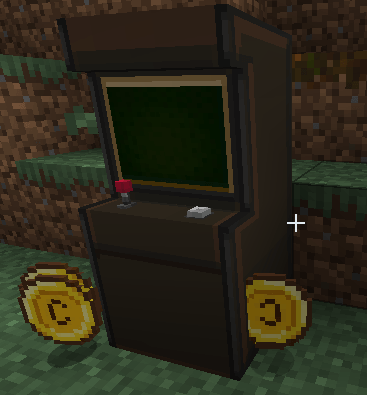 Ingame Ingame
 -
 Banner Banner
-
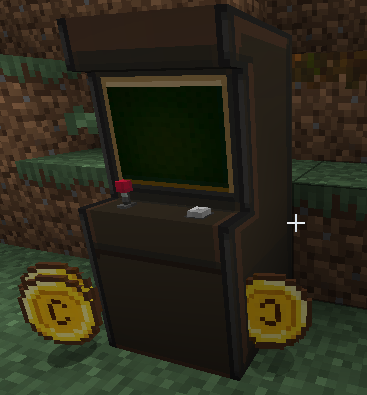 Ingame Ingame
 -
 Banner Banner
Versions
Files
Relations
Project Relations
More like this
Similar Mods
Suggestions use data such as tags, dependencies, dependents, descriptions, titles, and more to rank how much they overlap with this mod.
On ModDex
Community snapshot
By the numbers
Statistics
Want to reach Minecraft players?
We're looking for a server hosting partner to feature here and other parts of the site. Interested? Send us a message!
Get in touchGet it on
Available Platforms
On ModDex
Community snapshot
By the numbers
Statistics
Resources