
Community listing page, reviews here may not be monitored by the author.
Cobblemon Quick Teams

No reviews yet
This mod provides a quick and easy way for users to save and load their favorite teams.
Community voices
Reviews
No reviews yet. Be the first to review this project!
Get it on
Available Platforms
Compatibility
Supported Environments
Runs entirely on the client. Works on vanilla servers.
About
Project Details
For authors
Embed Badge
If you're the author of this project, you can embed a live badge anywhere that supports HTML or Markdown. It updates automatically whenever ratings change.
Use HTML for any page that supports it, or Markdown for README files and Markdown-based descriptions.
Identifiers
Platform IDs
Resources
External Links
About
Description
Cobblemon Quick Teams
This mod adds a side panel to the Cobblemon PC that allows players to save and load Pokémon from their party slots without digging through menus to find them every time.
How to save a team?
- Open the Cobblemon PC UI
- Place Pokémon into your Party
- Choose "Save" in the Quick Teams UI
- Right-click a team slot in the Quick Teams UI.
How to load a team?
- Right-click on a team slot, or choose the "Load" button and then click on a team slot.
This mod also offers the ability to rename your teams by right-clicking on any of the teams to bring up the “Team Details” window. Here you can see what Pokémon are saved to that team, rename the team, or reset it entirely if you wish.
Users may also choose to have their Pokémon put back into a specific box/slot when loading another team. By default, the mod will keep track of what box/slot a Pokémon was in before it was saved into a team, then when loading another team, it will attempt to put it back in that same spot. If for any reason it cannot, it will move it to the first available box/slot and notify you on screen. Users can also change the home box/slot manuaally in the “Team Details” window.
Warning:
On multiplayer server networks that use a proxy, switching servers immediately after moving Pokémon in the Cobblemon PC or loading a team in the Quick Teams UI can cause players to lose their Pokémon. This is a known issue where your Party and/or PC data are not sent to the other server quickly enough. This can occur even if this mod is not installed. To reduce the risk, wait at least 60-90 seconds before switching servers when moving Pokémon in the Cobblemon PC or loading a team from the Quick Teams UI.
If you have any comments, or suggestions feel free to message me on discord, MrLegitosity.
Not affiliated with the official Cobblemon project.
Screenshots
Gallery
-
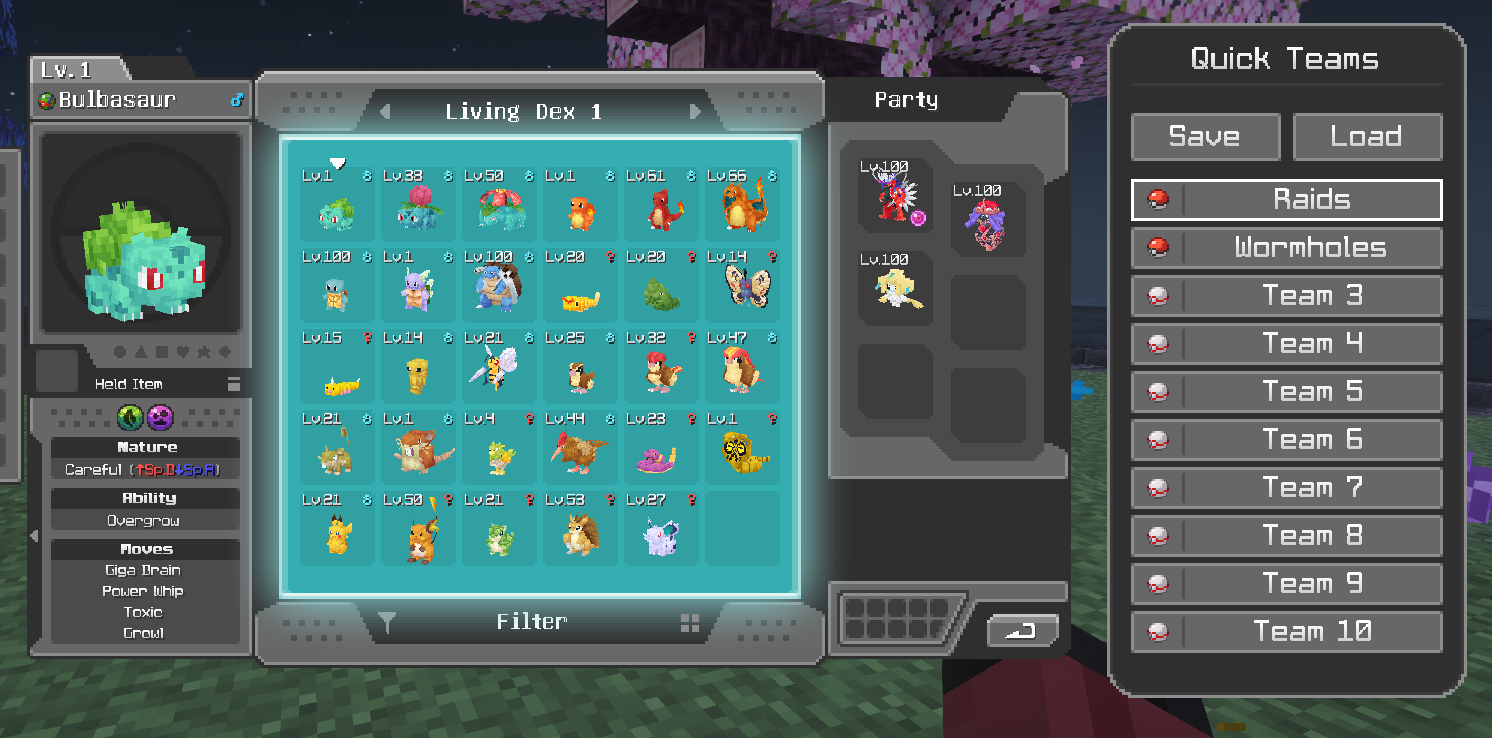 Main Quick Teams Panel
 -
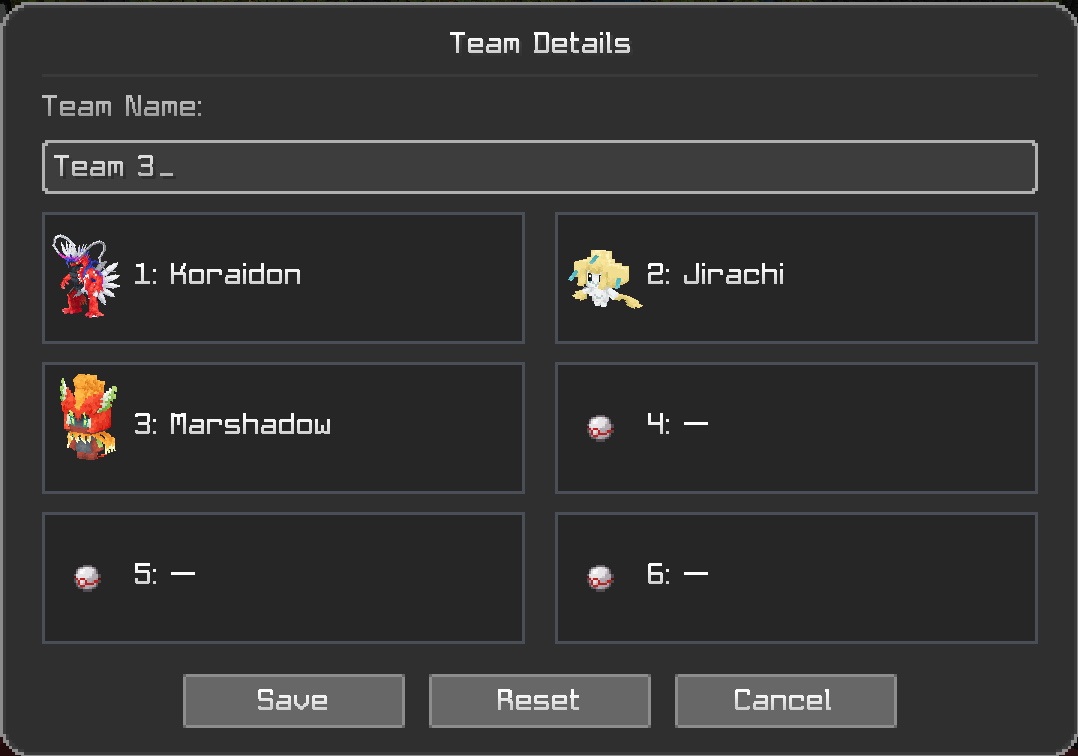 Team Details Page This page can be accessed by right-clicking on any team in the menu.
Versions
Files
Relations
Project Relations
More like this
Similar Mods
Suggestions use data such as tags, dependencies, dependents, descriptions, titles, and more to rank how much they overlap with this mod.
On ModDex
Community snapshot
By the numbers
Statistics

Want to reach Minecraft players?
We're looking for a server hosting partner to feature here and other parts of the site. Interested? Send us a message!
Get in touchGet it on
Available Platforms
On ModDex
Community snapshot
By the numbers
Statistics
Resources