
Community listing page, reviews here may not be monitored by the author.
Command Block Editor

No reviews yet
Command block editor that lets you edit multiple command blocks at once
Community voices
Reviews
No reviews yet. Be the first to review this project!
Get it on
Available Platforms
Compatibility
Supported Environments
Must be installed on both the client and the server.
About
Project Details
For authors
Embed Badge
If you're the author of this project, you can embed a live badge anywhere that supports HTML or Markdown. It updates automatically whenever ratings change.
Use HTML for any page that supports it, or Markdown for README files and Markdown-based descriptions.
Identifiers
Platform IDs
Resources
External Links
About
Description
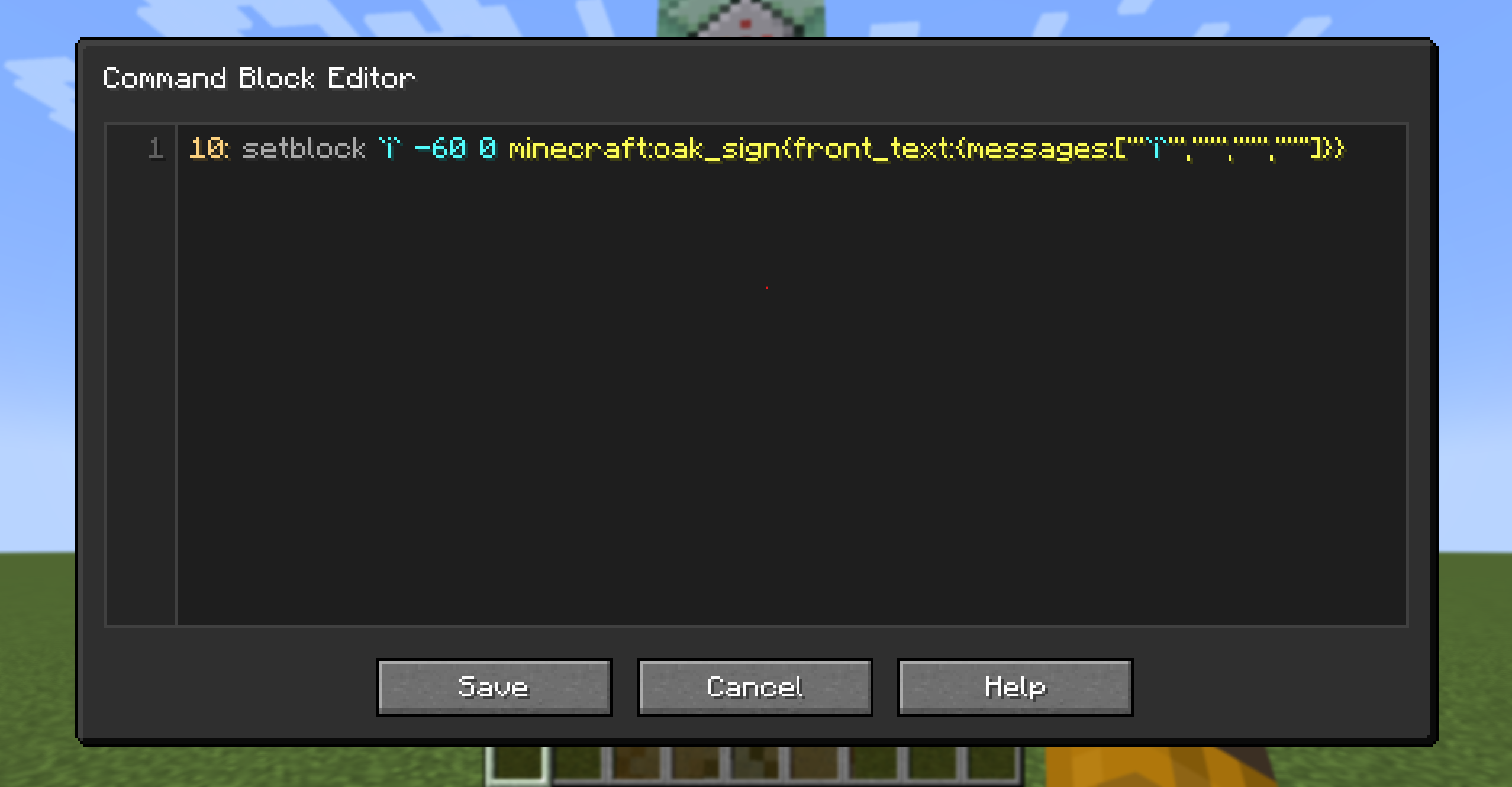
Command Block Editor
Command Block Editor is a utility mod that makes creating and managing command block systems much faster and more convenient.
Instead of editing command blocks one by one, you can write multiple commands in a single editor and automatically generate complete command block chains.
Perfect for map makers, technical builders, and anyone who works with large command block setups.
Opening the Editor
Press the configured keybind (default: =) to open the editor.
- If you are looking at a command block, the editor will open with that command block's commands loaded.
- Otherwise, a new command block will be created at your current position and opened in the editor.
- Press
Ctrl + Sto save and close the editor.
Editor Syntax
| Syntax | Description |
|---|---|
<number> |
Repeat a command multiple times. |
! |
Make the first command block a repeating command block. |
@ |
Toggle auto mode. On the first command it enables auto mode, on subsequent commands it disables it. |
? |
Make a command block conditional. |
`expression` |
Evaluate a mathematical expression. |
Expressions support:
iiteration index+addition-subtraction*multiplication/division( )parentheses;separates values in a repeating pattern (for example,`1;2`produces1, 2, 1, 2, ...)
Example
Input:
3: say `i+1`
5: say `1;2`
say hi
?: say hi
Output:
say 1
say 2
say 3
say 1
say 2
say 1
say 2
say 1
say hi
say hi (conditional)
Keyboard Shortcuts
| Shortcut | Action |
|---|---|
Ctrl + S |
Save and close the editor. |
Ctrl + U |
Ungroup current line. |
Ctrl + Shift + K |
Delete the current line. |
Alt + ↑ / Alt + ↓ |
Move the current line up or down. |
Alt + Shift + ↓ |
Duplicate the current line. |
Screenshots
Gallery
Versions
Files
Relations
Project Relations
More like this
Similar Mods
Suggestions use data such as tags, dependencies, dependents, descriptions, titles, and more to rank how much they overlap with this mod.
On ModDex
Community snapshot
By the numbers
Statistics

Want to reach Minecraft players?
We're looking for a server hosting partner to feature here and other parts of the site. Interested? Send us a message!
Get in touchGet it on
Available Platforms
On ModDex
Community snapshot
By the numbers
Statistics
Resources