Community listing page, reviews here may not be monitored by the author.
Command Deck

No reviews yet
Find server commands in a searchable palette, review them in vanilla chat, and send them yourself.
Community voices
Reviews
No reviews yet. Be the first to review this project!
Get it on
Available Platforms
About
Project Details
For authors
Embed Badge
If you're the author of this project, you can embed a live badge anywhere that supports HTML or Markdown. It updates automatically whenever ratings change.
Use HTML for any page that supports it, or Markdown for README files and Markdown-based descriptions.
Identifiers
Platform IDs
Resources
External Links
About
Description
# Command Deck
**Keep frequently used commands organized and ready to insert.**
Command Deck is a local command notebook with server-specific entries, tags, favorites, and fast search. Selecting an entry inserts it into Minecraft's normal chat field so you remain in control of every send.
## Highlights
- Searchable command entries with tags and favorites
- Global and per-server profiles using hashed identifiers
- Import, export, conflict handling, and recovery tools
- Insert-only workflow that keeps the vanilla chat screen visible
- Polished keyboard and mouse navigation
- Six interface languages
## Privacy and fair-play scope
Command Deck never sends a command automatically. It does **not** run chains, loops, placeholders, macros, timed repeats, or background automation. The final command is sent only when you press Minecraft's normal send control.
## Compatibility
- Minecraft Java Edition **1.16.5 through 26.1.2**
- **Fabric, Forge, and NeoForge** wherever that loader is officially supported for the selected Minecraft version
- Client-side only — no server installation or custom network payload
- Six built-in interface languages
## Installation
1. Choose the file matching your exact Minecraft version and mod loader.
2. Install the loader's required API/dependencies when listed on the file page.
3. Place the jar in your mods folder and start Minecraft.
Always follow the rules of the server you play on.
*Command Deck is an unofficial fan-made project and is not affiliated with Mojang Studios or Microsoft.*
Screenshots
Gallery
-
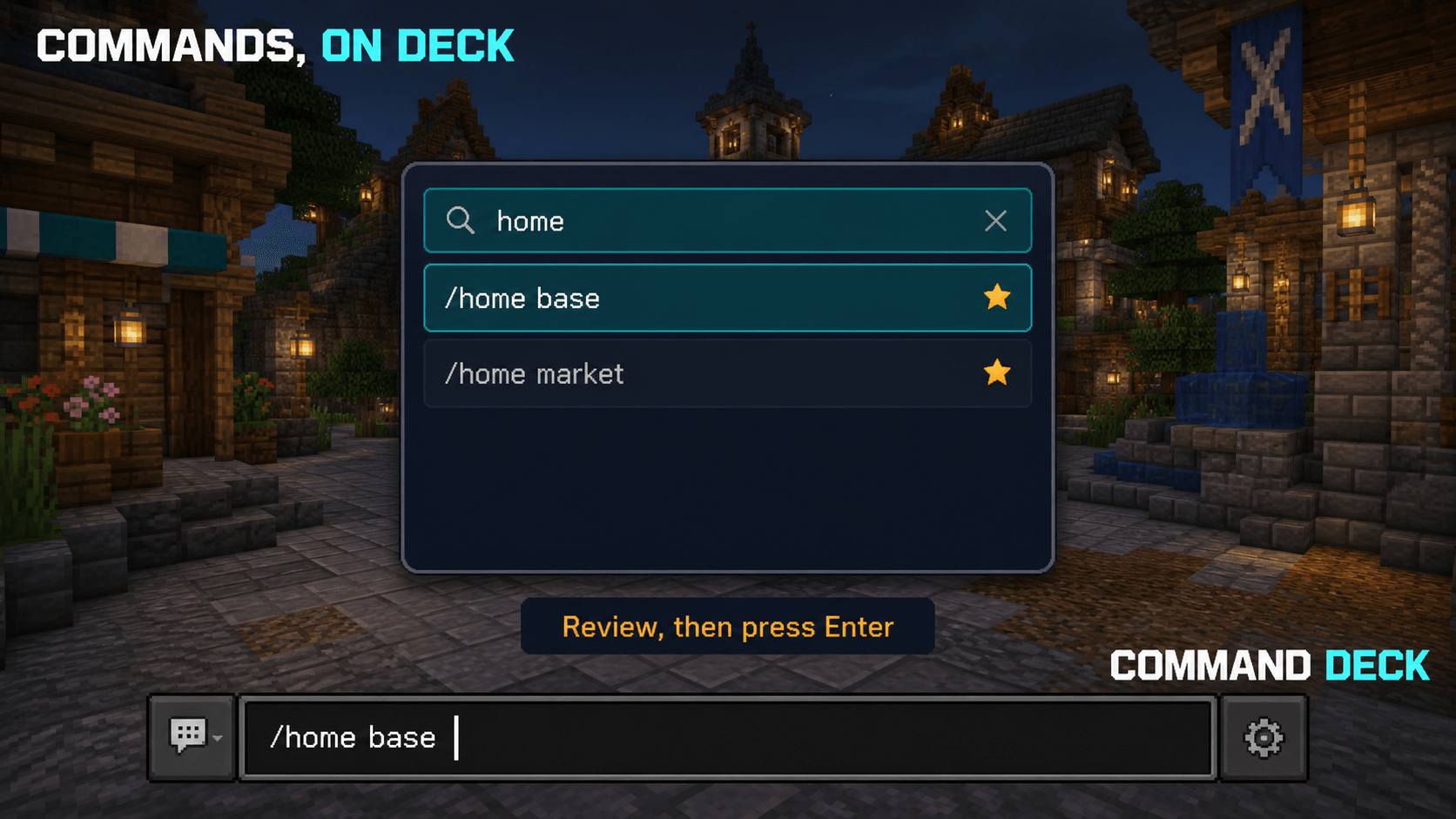 hero.png hero.png
 -
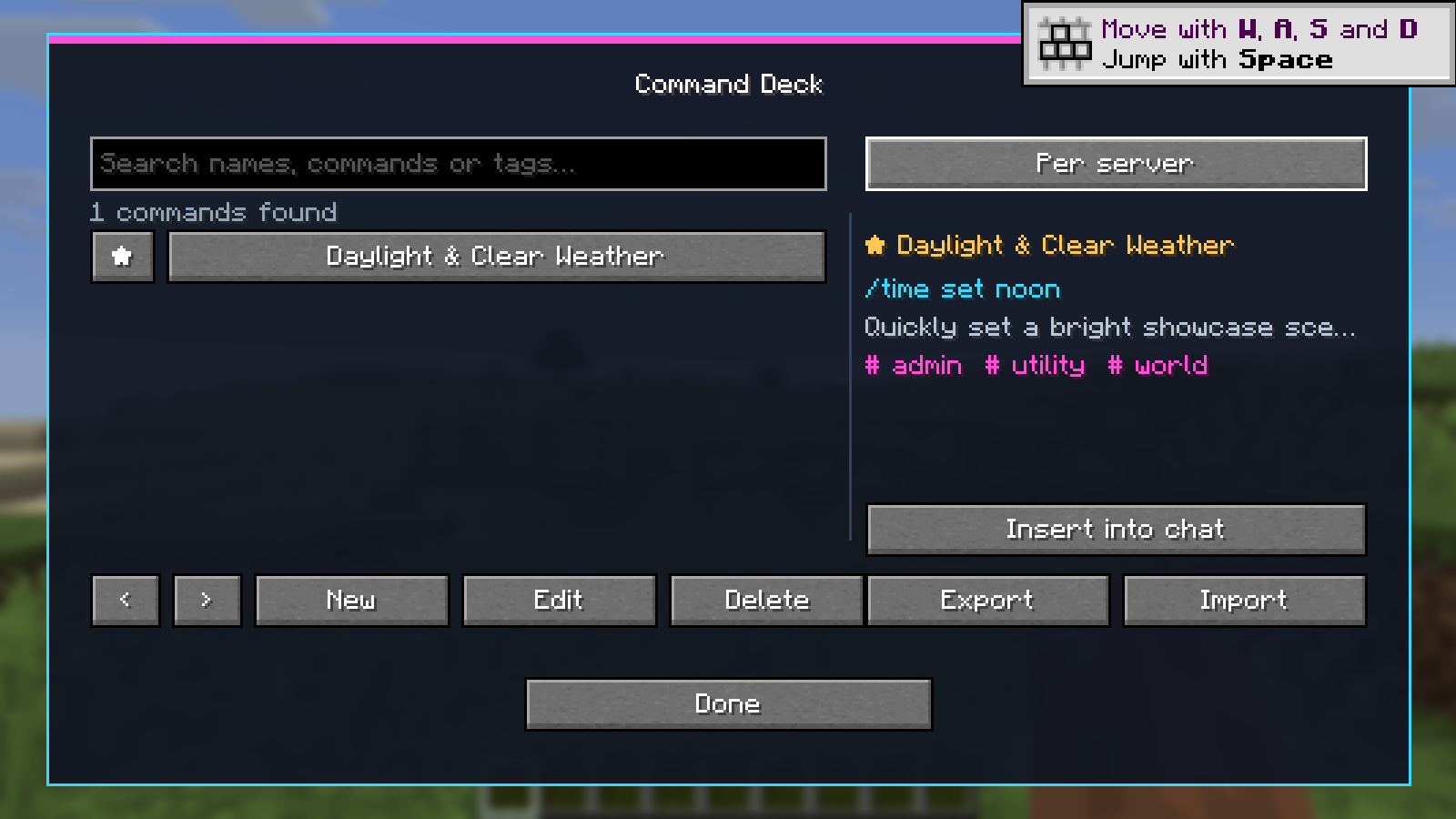 Command Deck — Command Palette Search, organize, and run frequently used commands from a fast keyboard-friendly palette.
Versions
Files
Relations
Project Relations
More like this
Similar Mods
Suggestions use data such as tags, dependencies, dependents, descriptions, titles, and more to rank how much they overlap with this mod.
On ModDex
Community snapshot
By the numbers
Statistics
Want to reach Minecraft players?
We're looking for a server hosting partner to feature here and other parts of the site. Interested? Send us a message!
Get in touchGet it on
Available Platforms
On ModDex
Community snapshot
By the numbers
Statistics
Resources