
Community listing page, reviews here may not be monitored by the author.
Command History Plus


No reviews yet
Command History Plus is a lightweight client‑side Fabric mod that keeps your recent commands at hand in a compact overlay on the right side of the screen.
Community voices
Reviews
No reviews yet. Be the first to review this project!
Get it on
Available Platforms
Compatibility
Supported Environments
Runs entirely on the client. Works on vanilla servers.
About
Project Details
For authors
Embed Badge
If you're the author of this project, you can embed a live badge anywhere that supports HTML or Markdown. It updates automatically whenever ratings change.
Use HTML for any page that supports it, or Markdown for README files and Markdown-based descriptions.
Identifiers
Platform IDs
Resources
External Links
About
Description
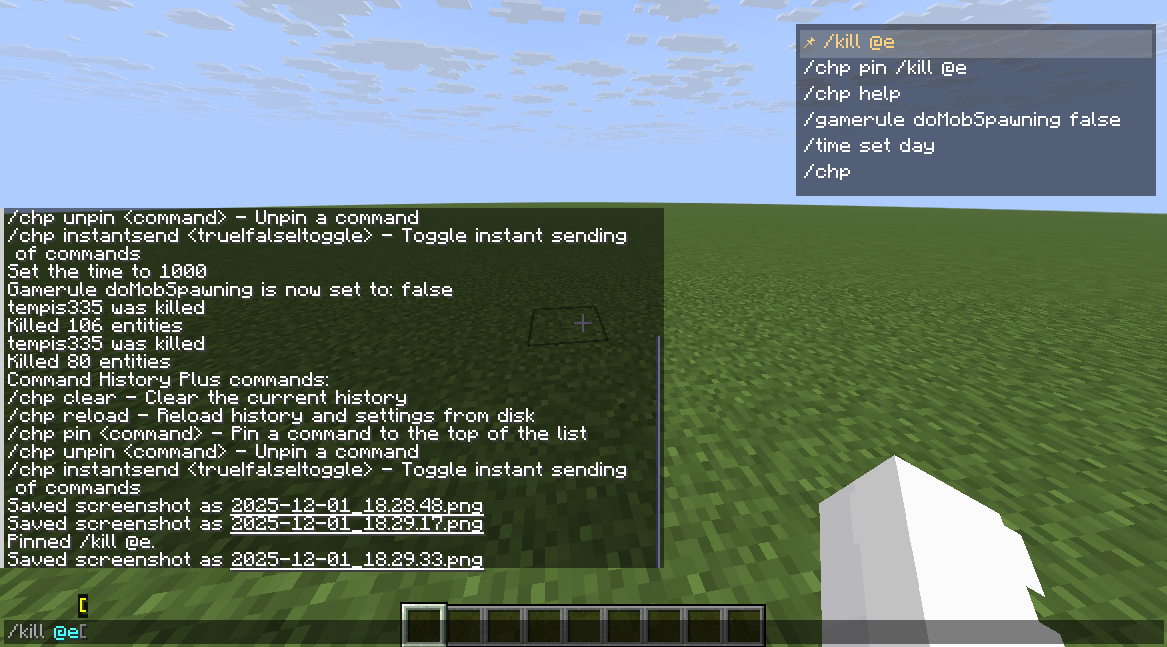
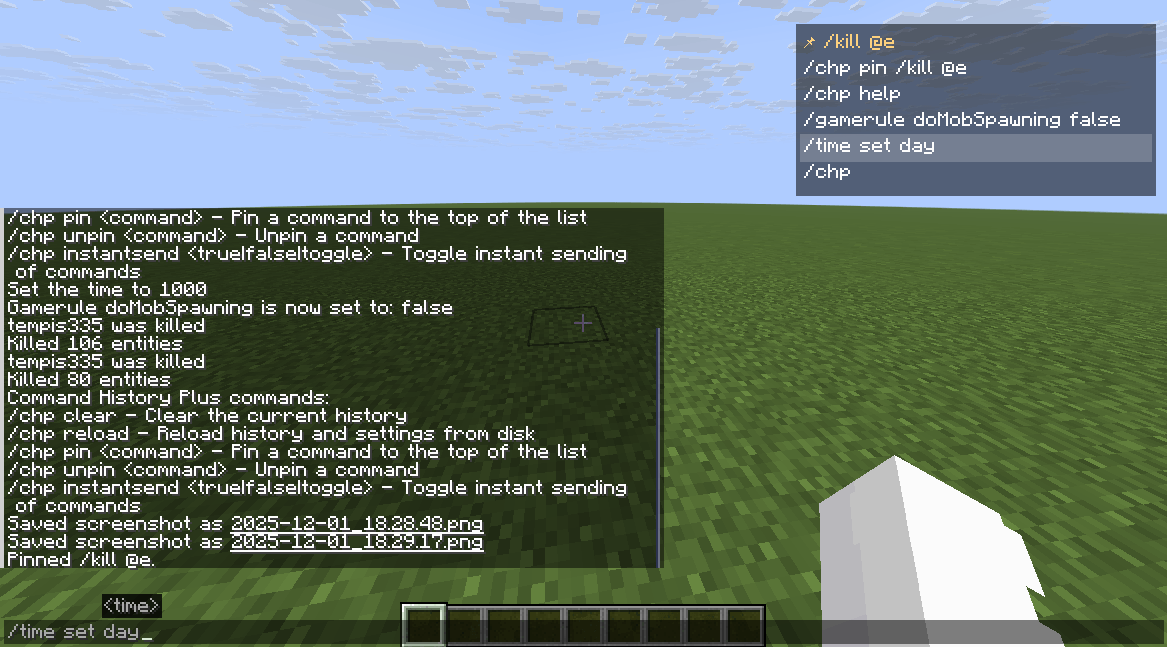
Command History Plus is a lightweight client‑side Fabric mod that keeps your recent commands at hand in a compact overlay on the right side of the screen.
Features
- On‑screen history overlay
- Shows your recent
/commandson the right side of the HUD. - Mouse wheel scrolling to browse older entries.
- Hover highlight and 📌 icon for pinned commands.
- Shows your recent
- Click interaction in chat
- Left‑click on an entry while chat is open:
- Inserts the command into the chat box, or
- Sends it instantly if instant send is enabled.
- Right‑click removes a command from history.
- Left‑click on an entry while chat is open:
- Pinned commands
- Keep important commands always at the top of the list.
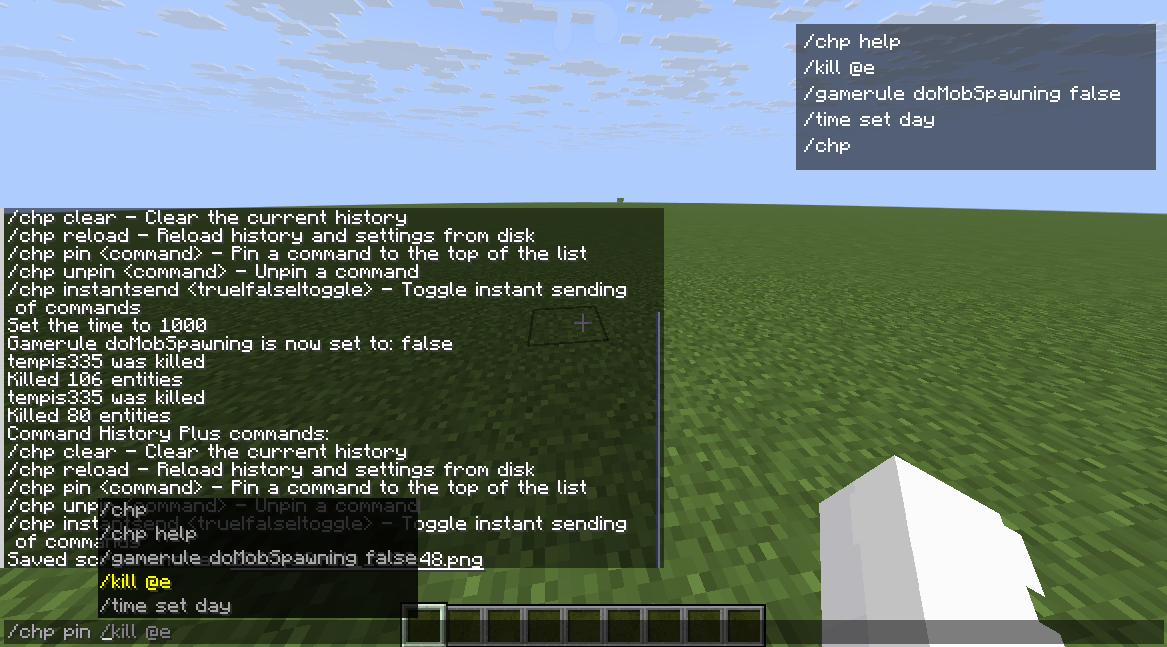
- Pinned entries are also suggested for
/chp pinand/chp unpin.
- Per‑world / per‑server history
- Separate history profiles for:
- Singleplayer worlds.
- Multiplayer servers.
- Optional mode to store each profile in its own JSON file (enabled by default).
- Separate history profiles for:
- Configurable history
- Optional limit on the number of stored entries (
historyLimit,0= unlimited). - Option to use instant send for clicks or quick‑insert hotkeys.
- Asynchronous, debounced saving to avoid disk spam.
- Optional limit on the number of stored entries (
- Search
- Press the search hotkey and type in chat to filter the overlay by substring.
Keybindings
All keybindings are client‑side and can be changed in Minecraft’s Controls menu.
Toggle history overlay(Hby default) – show/hide the overlay.Insert last command(↑ by default) – insert the most recent command into chat.Insert selected command(↓ by default) – insert the currently hovered/top command.Search in history(Fby default) – toggle search mode; when active, the current chat text is used as a filter.
Commands
All commands are client‑side and only affect your local history.
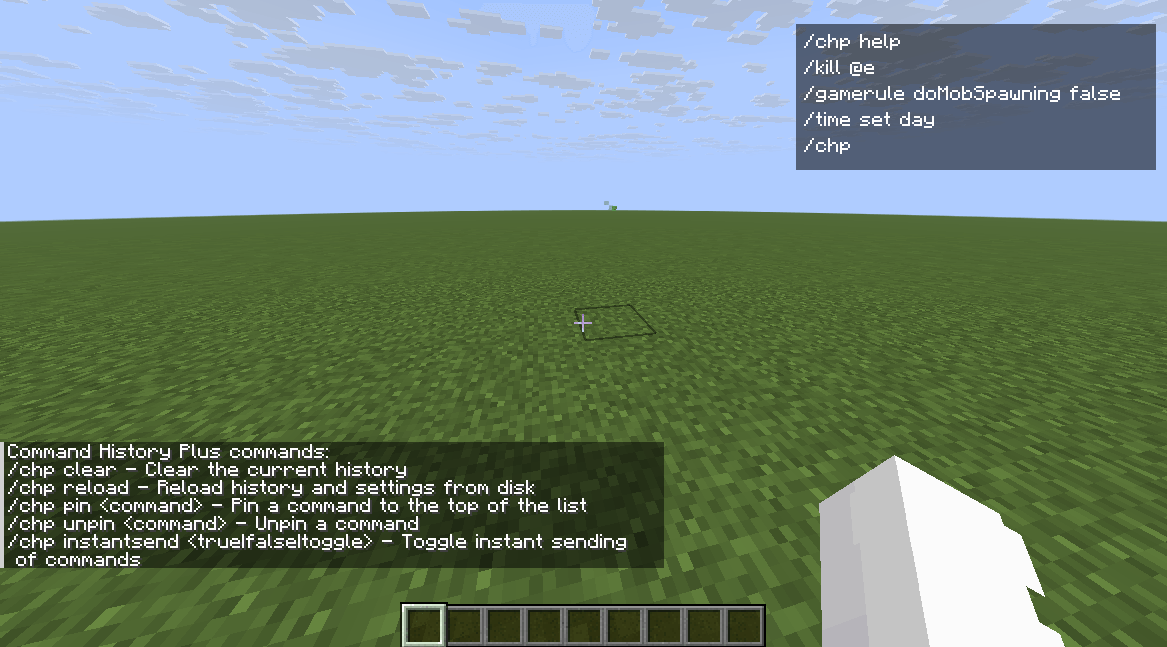
/chp help
Show a short help message with all subcommands./chp clear
Clear the current profile’s history./chp reload
Reload history and settings from disk (useful after editing config files by hand)./chp pin <command>
Pin a command so it appears at the top of the list. Auto‑completes from your history and pinned commands./chp unpin <command>
Unpin a previously pinned command. Auto‑completes from pinned commands./chp instantsend <true|false|toggle>
Enable / disable / toggle instant send mode:- When on, left‑clicking an entry (or using quick‑insert hotkeys) immediately sends the command.
- When off, the command is only inserted into the chat box.
Data Storage
The mod stores its data under:
config/command_history_plus/config.json– global settings and, optionally, embedded profiles.
Profiles and separate files
The following option controls how histories are stored:
separateProfileFiles(default:true)true– each profile is stored in its own JSON file:- Singleplayer worlds:
config/command_history_plus/singleplayer/<world>.json - Servers:
config/command_history_plus/servers/<address>.json - Other profiles (including
global):config/command_history_plus/profiles/<id>.json
- Singleplayer worlds:
false– all profiles are stored together inconfig.jsonunder the"profiles"object (legacy mode, kept for backwards compatibility).
Other important options:
instantSend– whether instant send is enabled.historyLimit– maximum number of entries per profile (0= unlimited).
Localization
Command History Plus currently ships with localization for:
- English (
en_us) - Russian (
ru_ru) - Spanish (Spain) (
es_es) - Spanish (Mexico) (
es_mx) - Portuguese (Brazil) (
pt_br) - German (
de_de) - French (
fr_fr)
Minecraft will automatically pick the language that matches your client settings.
Command History Plus is a lightweight client‑side Fabric mod that keeps your recent commands at hand in a compact overlay on the right side of the screen.
Features
- On‑screen history overlay
- Shows your recent
/commandson the right side of the HUD. - Mouse wheel scrolling to browse older entries.
- Hover highlight and 📌 icon for pinned commands.
- Click interaction in chat
- Left‑click on an entry while chat is open:
- Inserts the command into the chat box, or
- Sends it instantly if instant send is enabled.
- Right‑click removes a command from history.
- Left‑click on an entry while chat is open:
- Pinned commands
- Keep important commands always at the top of the list.
- Pinned entries are also suggested for
/chp pinand/chp unpin.
- Per‑world / per‑server history
- Separate history profiles for:
- Singleplayer worlds.
- Multiplayer servers.
- Optional mode to store each profile in its own JSON file (enabled by default).
- Separate history profiles for:
- Configurable history
- Optional limit on the number of stored entries (
historyLimit,0= unlimited). - Option to use instant send for clicks or quick‑insert hotkeys.
- Asynchronous, debounced saving to avoid disk spam.
- Optional limit on the number of stored entries (
- Search
- Press the search hotkey and type in chat to filter the overlay by substring.
- Shows your recent
Keybindings
All keybindings are client‑side and can be changed in Minecraft’s Controls menu.
Toggle history overlay(Hby default) – show/hide the overlay.Insert last command(↑ by default) – insert the most recent command into chat.Insert selected command(↓ by default) – insert the currently hovered/top command.Search in history(Fby default) – toggle search mode; when active, the current chat text is used as a filter.
Commands
All commands are client‑side and only affect your local history.
-
/chp help
Show a short help message with all subcommands. -
/chp clear
Clear the current profile’s history. -
/chp reload
Reload history and settings from disk (useful after editing config files by hand). -
/chp pin <command>
Pin a command so it appears at the top of the list. Auto‑completes from your history and pinned commands. -
/chp unpin <command>
Unpin a previously pinned command. Auto‑completes from pinned commands. -
/chp instantsend <true|false|toggle>
Enable / disable / toggle instant send mode:- When on, left‑clicking an entry (or using quick‑insert hotkeys) immediately sends the command.
- When off, the command is only inserted into the chat box.
Data Storage
The mod stores its data under:
config/command_history_plus/config.json– global settings and, optionally, embedded profiles.
Profiles and separate files
The following option controls how histories are stored:
separateProfileFiles(default:true)true– each profile is stored in its own JSON file:- Singleplayer worlds:
config/command_history_plus/singleplayer/<world>.json - Servers:
config/command_history_plus/servers/<address>.json - Other profiles (including
global):config/command_history_plus/profiles/<id>.json
false– all profiles are stored together inconfig.jsonunder the"profiles"object (legacy mode, kept for backwards compatibility).
- Singleplayer worlds:
Other important options:
instantSend– whether instant send is enabled.historyLimit– maximum number of entries per profile (0= unlimited).
Localization
Command History Plus currently ships with localization for:
- English (
en_us) - Russian (
ru_ru) - Spanish (Spain) (
es_es) - Spanish (Mexico) (
es_mx) - Portuguese (Brazil) (
pt_br) - German (
de_de) - French (
fr_fr)
Minecraft will automatically pick the language that matches your client settings.
Screenshots
Gallery
-
 2025-12-01_18.29.38.png 2025-12-01_18.29.38.png
 -
 2025-12-01_18.29.33.png 2025-12-01_18.29.33.png
 -
 2025-12-01_18.29.17.png 2025-12-01_18.29.17.png
 -
 2025-12-01_18.28.48.png 2025-12-01_18.28.48.png
-
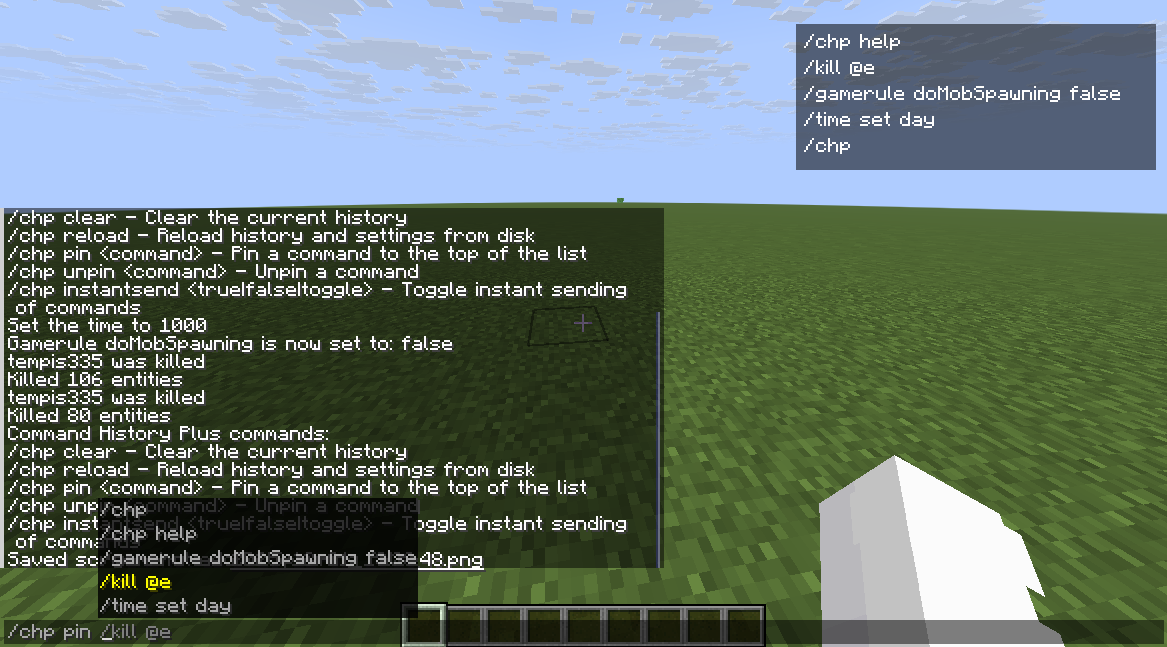 Command History Plus Pinning commands
 -
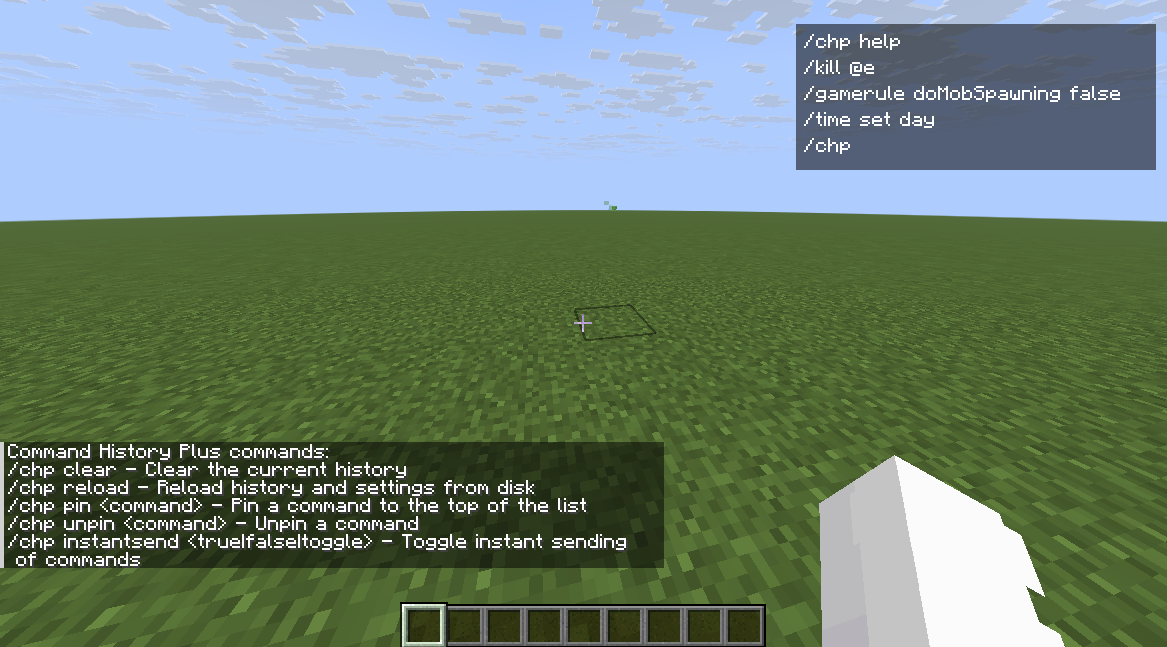 chp help
 -
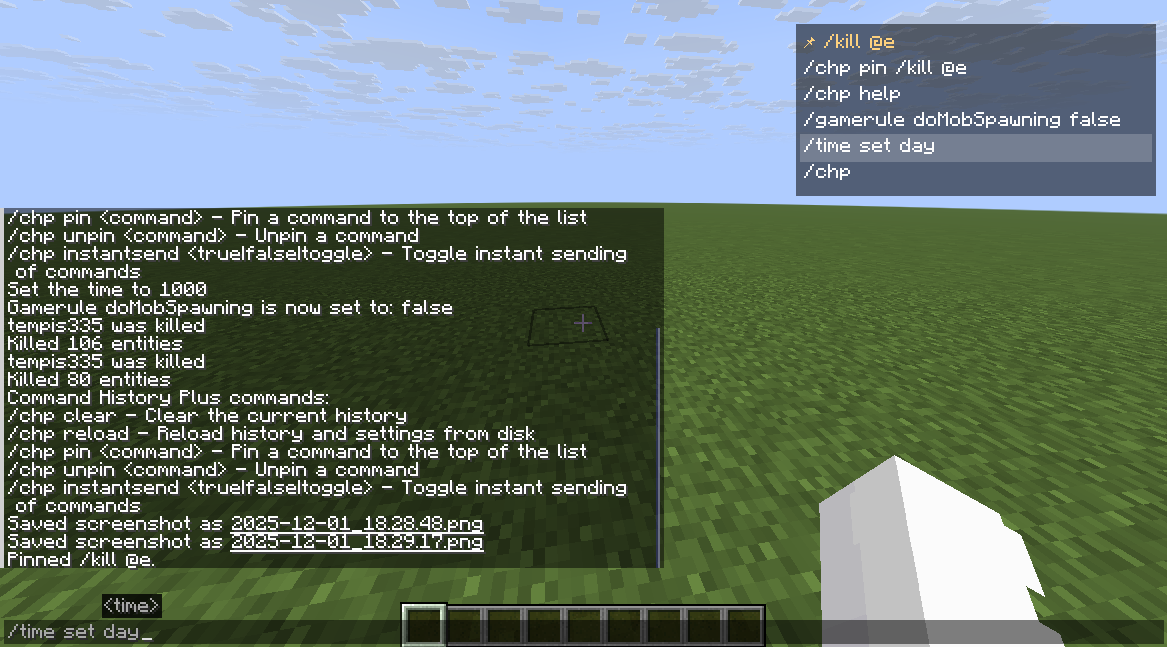 history command
 -
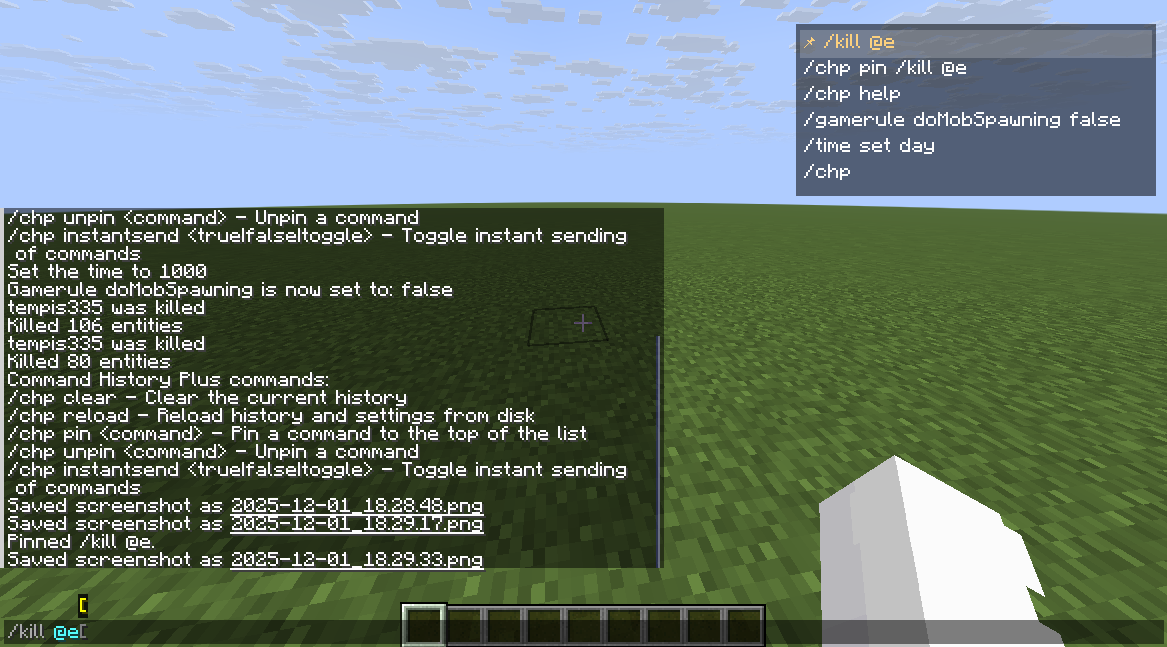 Using pin
 -
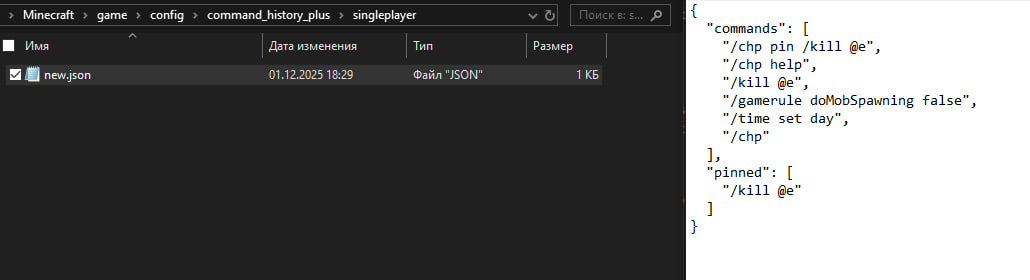 config in json
Versions
Files
Relations
Project Relations
More like this
Similar Mods
Suggestions use data such as tags, dependencies, dependents, descriptions, titles, and more to rank how much they overlap with this mod.
On ModDex
Community snapshot
By the numbers
Statistics
Want to reach Minecraft players?
We're looking for a server hosting partner to feature here and other parts of the site. Interested? Send us a message!
Get in touchGet it on
Available Platforms
On ModDex
Community snapshot
By the numbers
Statistics
Resources