Community listing page, reviews may not be monitored by the author.
Command Vault


No reviews yet
A client-side mod that lets you manage chat command buttons with category support and dynamic tags such as player name or coordinates.

Community voices
Reviews
No reviews yet. Be the first to review this project!
Get it on
Available Platforms
Compatibility
Supported Environments
Must be installed on both the client and the server.
About
Project Details
For authors
Embed Badge
If you're the author of this project, you can embed a live badge anywhere that supports HTML or Markdown. It updates automatically whenever ratings change.
Use HTML for any page that supports it, or Markdown for README files and Markdown-based descriptions.
Identifiers
Platform IDs
Resources
External Links
About
Description
Command Vault
A convenient macro management mod that lets you register chat commands as buttons and organize them into categories.
You can add, edit, and delete buttons through a simple GUI.
By using tags like <player> or <xyz>, it automatically opens player selection or coordinate input screens.
Fully client-side — no server-side impact!
チャットコマンドをボタン登録&カテゴリ管理できる便利なマクロ管理MODです。
GUI上からボタンを追加・編集・削除でき、
さらに <player> や <xyz> などのタグを使うことでプレイヤー選択画面や座標入力画面も自動で表示されます。
完全クライアントサイド動作(サーバーへの影響なし!)
【Features/主な機能】
・HUD button menu can be opened with a keybind (default: V key)
The key can be customized.
HUDボタンはキーバインド(Vキー)で呼び出し
キーは変更可能
・Create and edit chat command buttons through a GUI
GUIでチャットコマンドボタンを作成・編集
・You can choose between "Run Immediately" and "Copy Command Only".
*“Copy Command Only” doesn’t support auto-paste. Please use CTRL+V manually.*
「すぐに実行」「コマンドコピーのみ」を選択可能
※「コマンドコピーのみ」は自動貼り付け非対応。CTRL+Vで貼り付けてください。
・Category management system
カテゴリ管理機能
・Auto Replace "+Tag" Support
By using auto-replace tags like `<player>`,
player selection or coordinate input screens will automatically open.
自動置き換え「+タグ」対応
<player> などの自動置き換えタグ(+タグ)を使うことで、
プレイヤー選択画面や座標入力画面が自動で開きます。
<player> → Player Selection
<xyz> → Coordinate Input Screen
<world> → World Selection
<mode> → Game Mode Selection
<difficulty> → Difficulty Selection
<dimension> → Dimension Selection
<weather> → Weather Selection
<effect> → Potion Effect Selection
<player> → プレイヤー選択
<xyz> → 座標入力画面
<world> → ワールド選択
<mode> → ゲームモード選択
<difficulty> → 難易度選択
<dimension> → 次元選択
<weather> → 天候選択
<effect> → ポーション効果選択
・You can also use commands from other mods.
他MODのコマンドも使用可能
【Language/言語】
日本語専用 (Japanese GUI only)
English will be added depending on the response.
【Environment/動作環境】
Fabric Loader 0.16.4 以降
・Fabric API
https://www.curseforge.com/minecraft/mc-mods/fabric-api
・Fabric Language Kotlin
https://www.curseforge.com/minecraft/mc-mods/fabric-language-kotlin
Please put it in the mods folder together.
を一緒にmodsフォルダに入れてください。
The creator is using Command Vault with fabric-language-kotlin-1.13.4+kotlin.2.2.0.jar.
制作者は
fabric-language-kotlin-1.13.4+kotlin.2.2.0.jar
でCommand Vaultを使用しています。
It was originally developed for use in after-school programs in Japan called “After-School Day Services,” which support children after school.
We’ve decided to share it publicly with courage.
もともとは日本の「放課後等デイサービス」という放課後の子どもたちを支援する事業で使用するために開発しました。
今回、勇気を出して公開することにしました。
ONE Bunkyo-Korakuen(ONE文京後楽園)
https://one.tlip.co.jp
Future updates and bug fixes will depend on the feedback we receive.
今後の更新、バグ修正は反響次第と考えています。
License:
MIT License
アイコン画像:CC BY 4.0
Command Vault
Command Vault is a client-side macro mod that lets you register chat commands as customizable HUD buttons.
You can group them into categories, assign commands with auto-replace tags like <player> or <xyz>,
and open interactive screens to input player names, coordinates, game modes, and more.
All controlled via a clean GUI with no server-side impact.
チャットコマンドをボタン登録&カテゴリ管理できる便利なマクロ管理MODです。
GUI上からボタンを追加・編集・削除でき、
さらに や などのタグを使うことでプレイヤー選択画面や座標入力画面も自動で表示されます。
完全クライアントサイド動作(サーバーへの影響なし!)
【Features/主な機能】
・HUD button menu can be opened with a keybind (default: V key)
The key can be customized.
HUDボタンはキーバインド(Vキー)で呼び出し
キーは変更可能
・Create and edit chat command buttons through a GUI
GUIでチャットコマンドボタンを作成・編集
・You can choose between "Run Immediately" and "Copy Command Only".
“Copy Command Only” doesn’t support auto-paste. Please use CTRL+V manually.
「すぐに実行」「コマンドコピーのみ」を選択可能
※「コマンドコピーのみ」は自動貼り付け非対応。CTRL+Vで貼り付けてください。
・Category management system
カテゴリ管理機能
・Auto Replace "+Tag" Support
By using auto-replace tags like <player>,
player selection or coordinate input screens will automatically open.
自動置き換え「+タグ」対応
などの自動置き換えタグ(+タグ)を使うことで、
プレイヤー選択画面や座標入力画面が自動で開きます。
→ Player Selection
→ Coordinate Input Screen
→ World Selection
→ Game Mode Selection
→ Difficulty Selection
→ Dimension Selection
→ Weather Selection
→ Potion Effect Selection
→ プレイヤー選択
→ 座標入力画面
→ ワールド選択
→ ゲームモード選択
→ 難易度選択
→ 次元選択
→ 天候選択
→ ポーション効果選択
・You can also use commands from other mods.
他MODのコマンドも使用可能
【Language/言語】
日本語専用 (Japanese GUI only)
English will be added depending on the response.
【Environment/動作環境】
Fabric Loader 0.16.4 以降
🟥Fabric API
https://www.curseforge.com/minecraft/mc-mods/fabric-api
🟥Fabric Language Kotlin
https://www.curseforge.com/minecraft/mc-mods/fabric-language-kotlin
Please put it in the mods folder together.
を一緒にmodsフォルダに入れてください。
The creator is using Command Vault with fabric-language-kotlin-1.13.4+kotlin.2.2.0.jar.
制作者は
fabric-language-kotlin-1.13.4+kotlin.2.2.0.jar
でCommand Vaultを使用しています。
It was originally developed for use in after-school programs in Japan called “After-School Day Services,” which support children after school.
We’ve decided to share it publicly with courage.
もともとは日本の「放課後等デイサービス」という放課後の子どもたちを支援する事業で使用するために開発しました。
今回、勇気を出して公開することにしました。
ONE Bunkyo-Korakuen(ONE文京後楽園)
https://one.tlip.co.jp
Future updates and bug fixes will depend on the feedback we receive.
今後の更新、バグ修正は反響次第と考えています。
License:
MIT License
アイコン画像:CC BY 4.0
Screenshots
Gallery
-
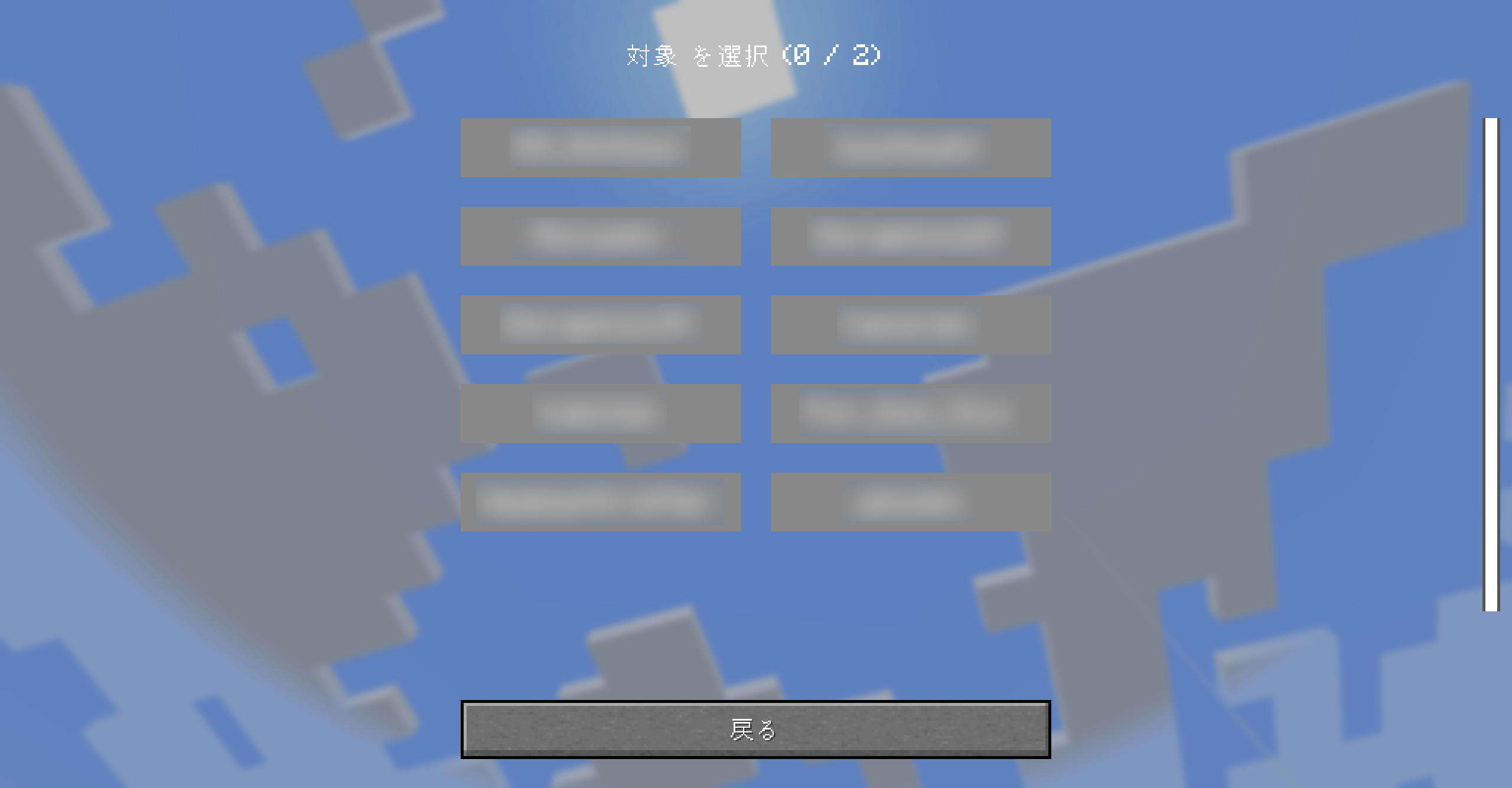 Gallery5 You can use "+tag" to select players, etc. +タグを使い、プレイヤー選択などができる
 -
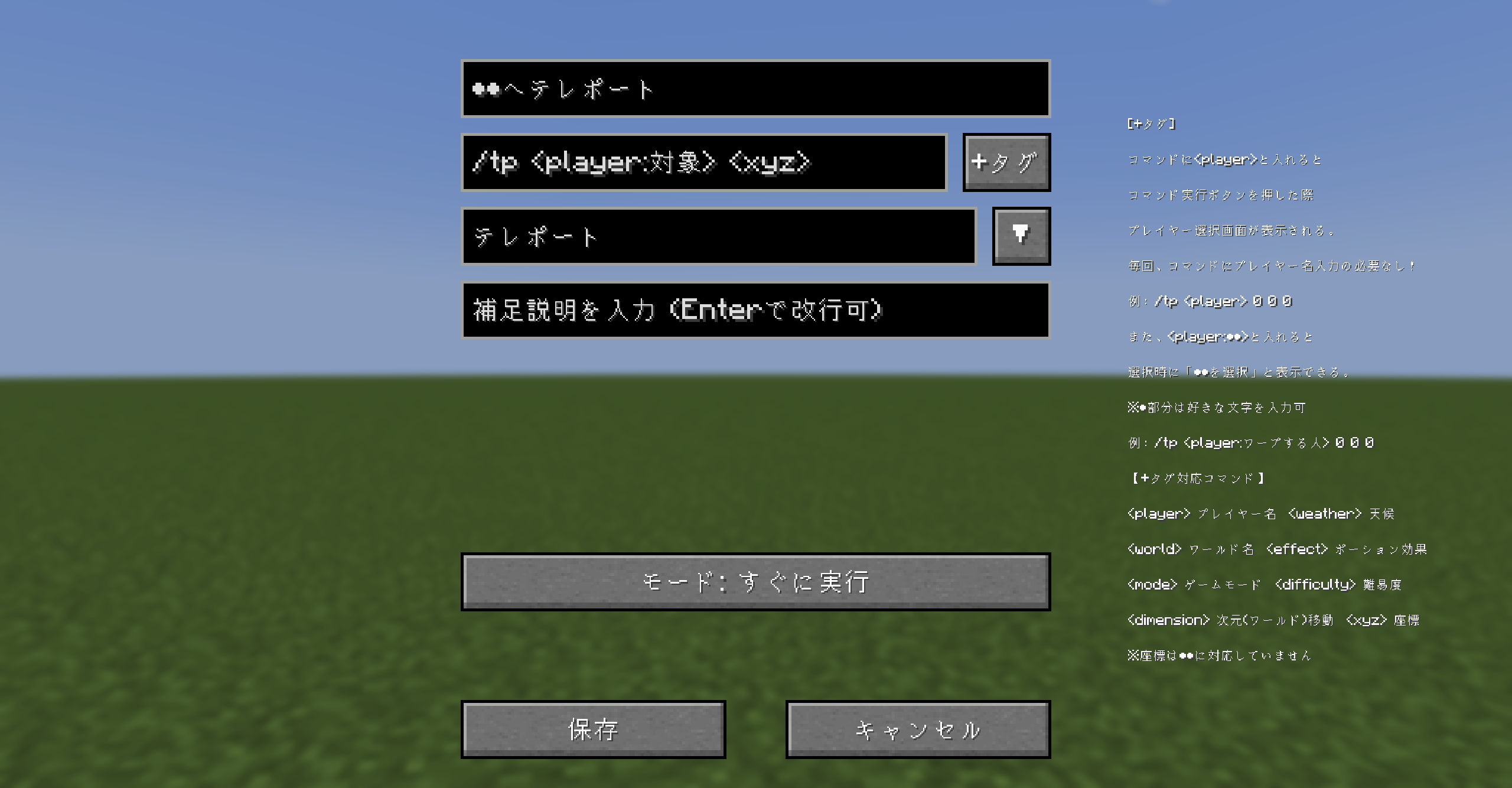 Gallery4 Edit screen 編集画面
 -
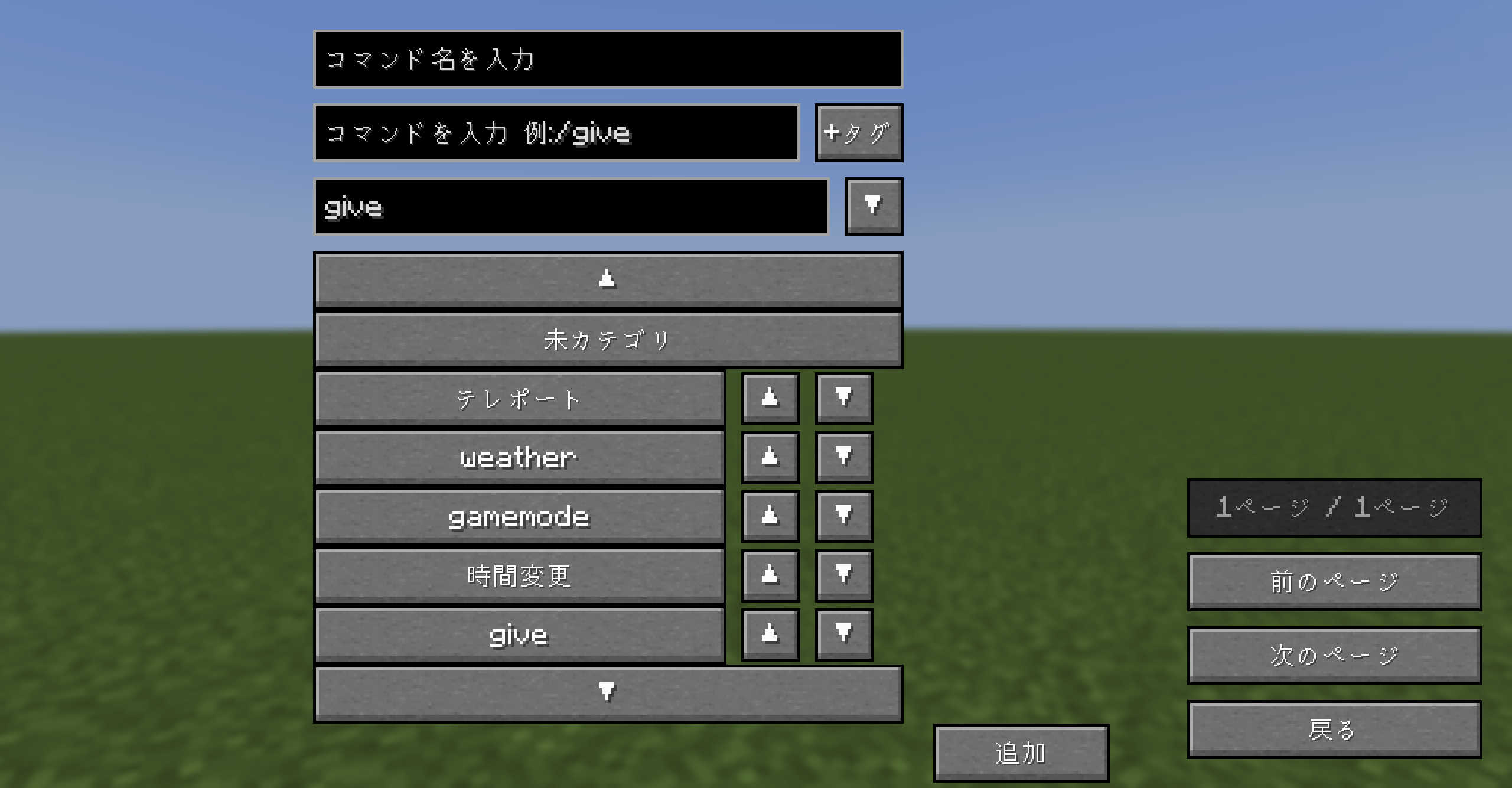 Gallery3 category カテゴリ
 -
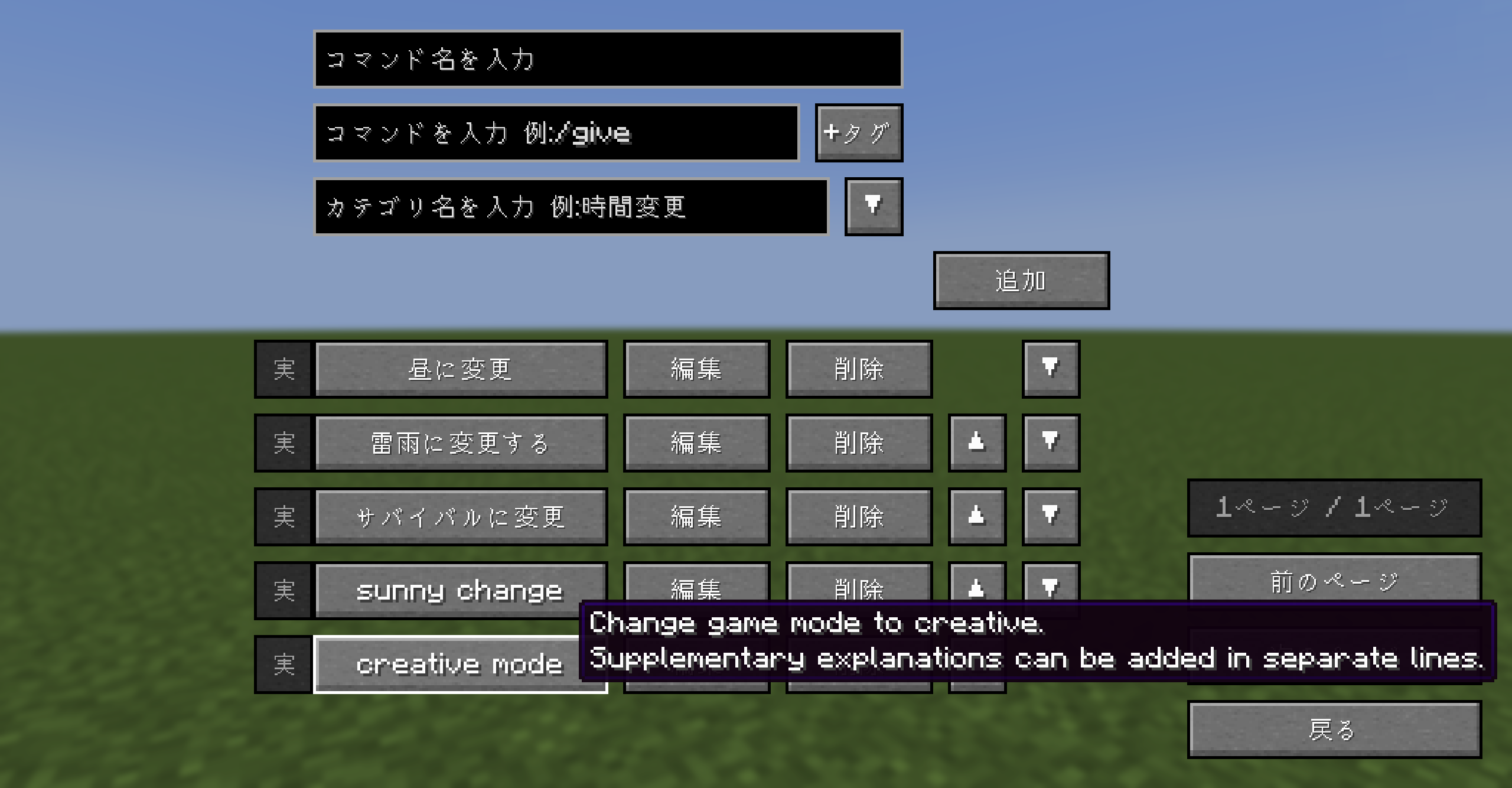 Gallery1 Supplementary explanation column 補足説明欄付き
 -
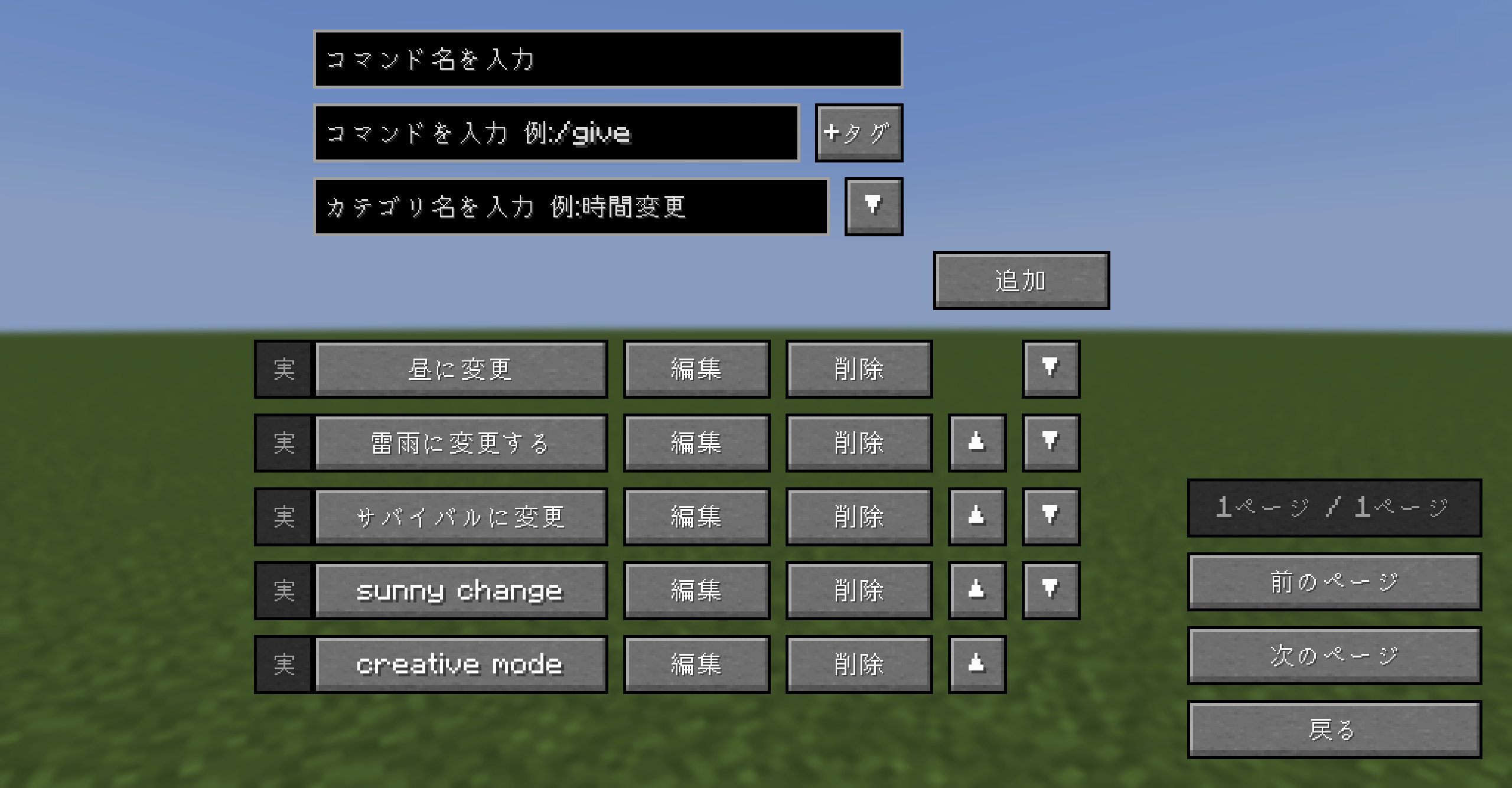 Gallery1 Command selection screen コマンド選択画面
-
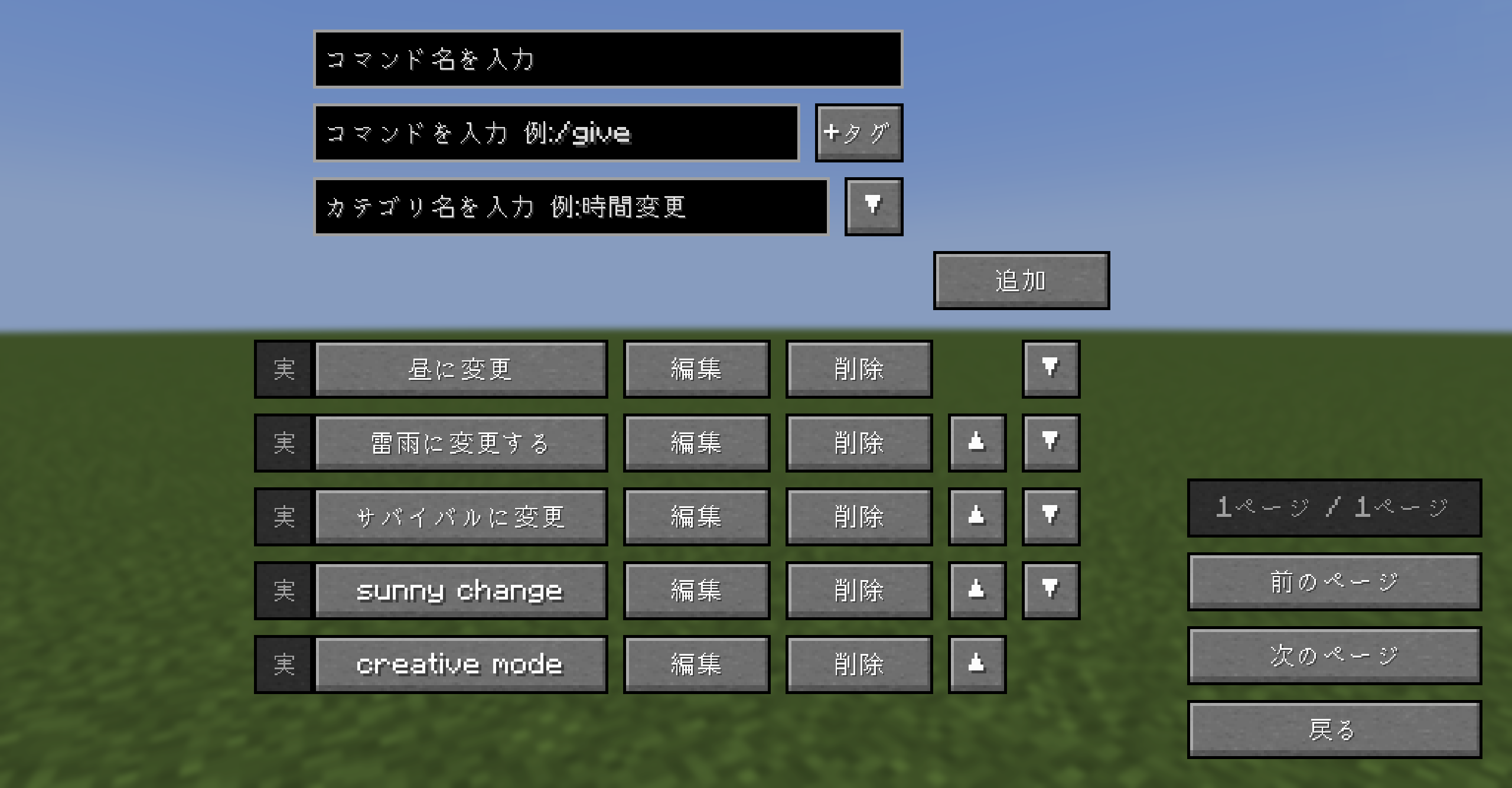 コマンド選択画面 Command selection screen
 -
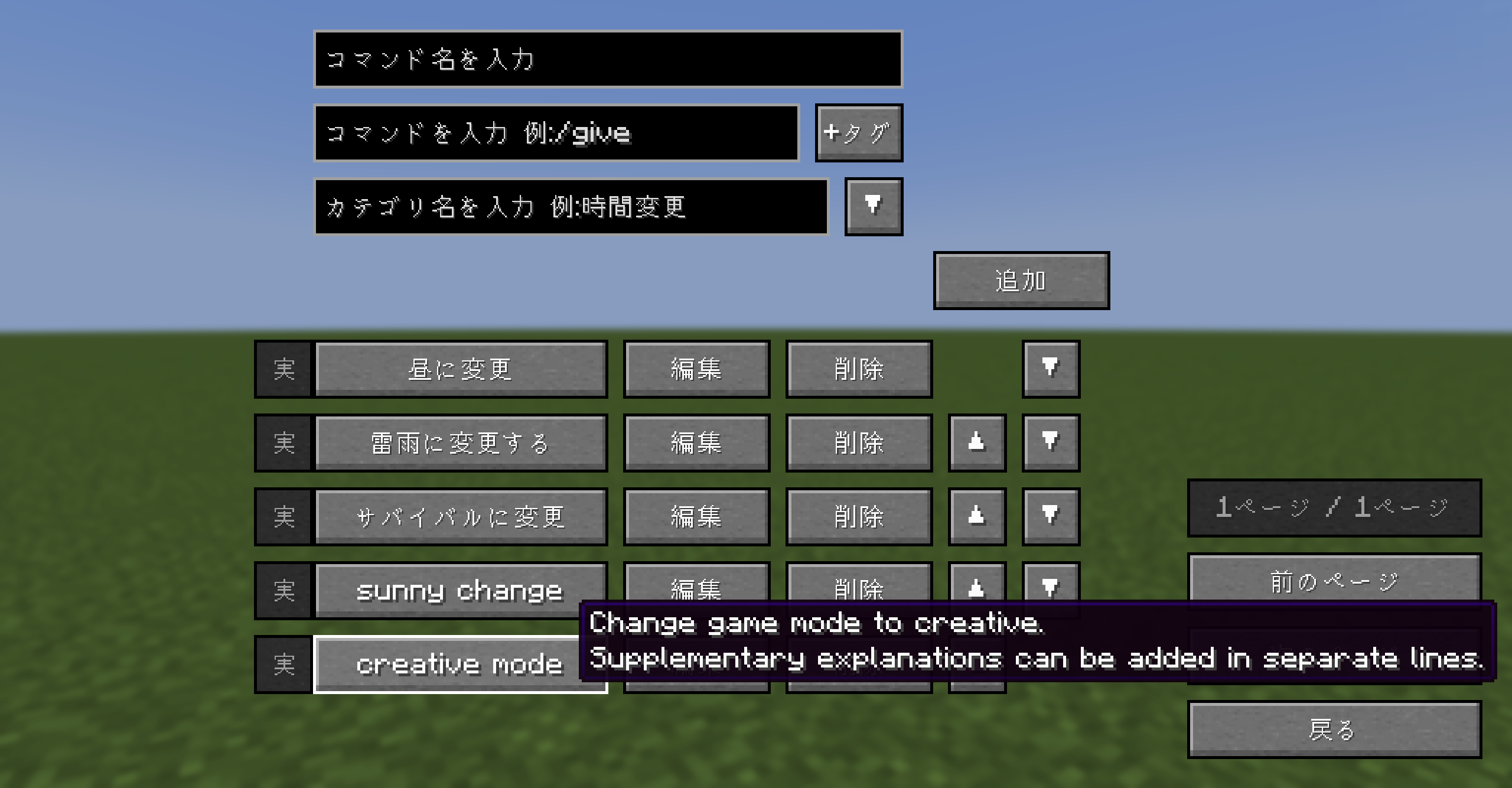 補足説明欄付き Supplementary explanation column
 -
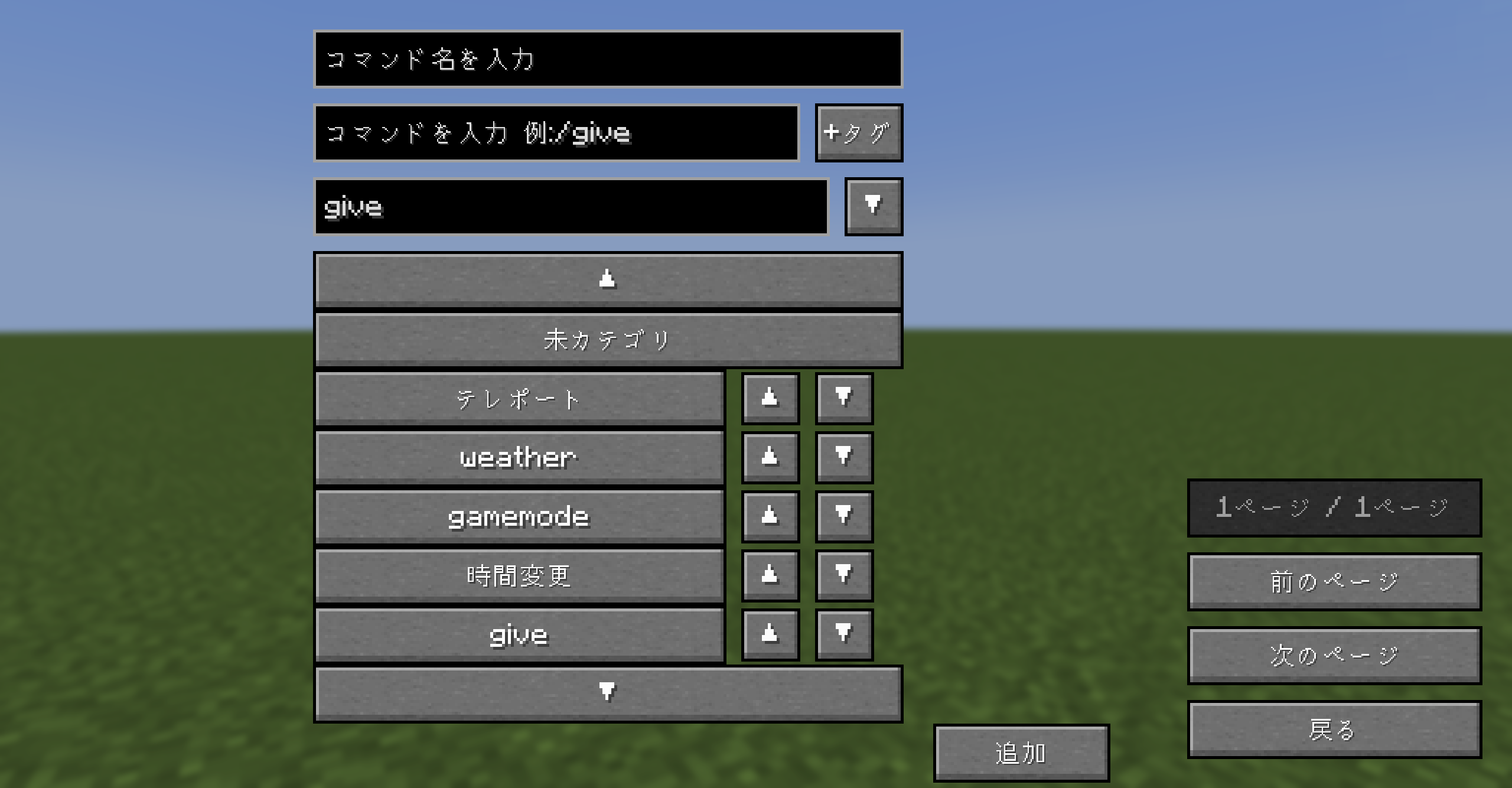 カテゴリ category
 -
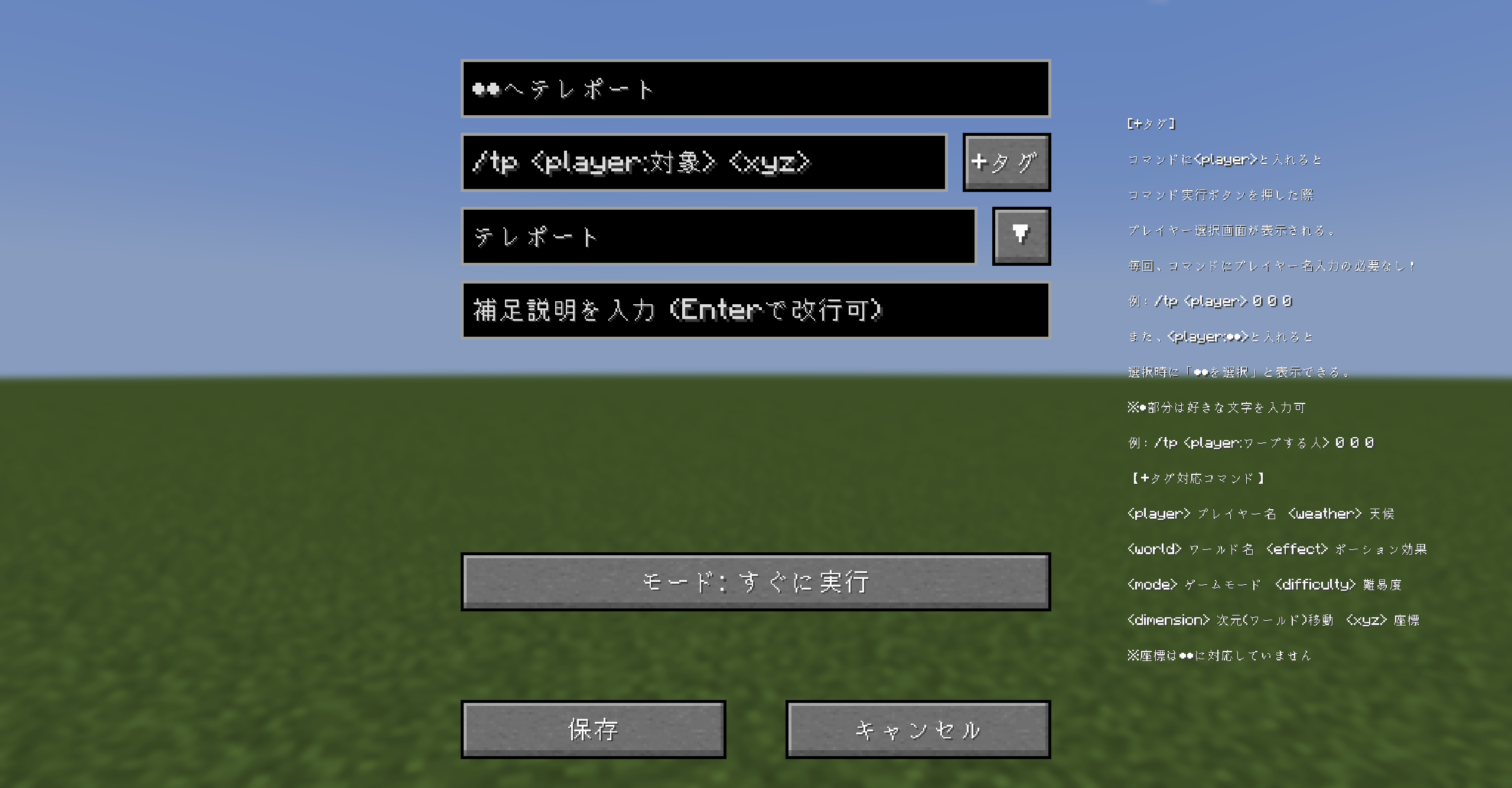 編集画面 Edit screen
 -
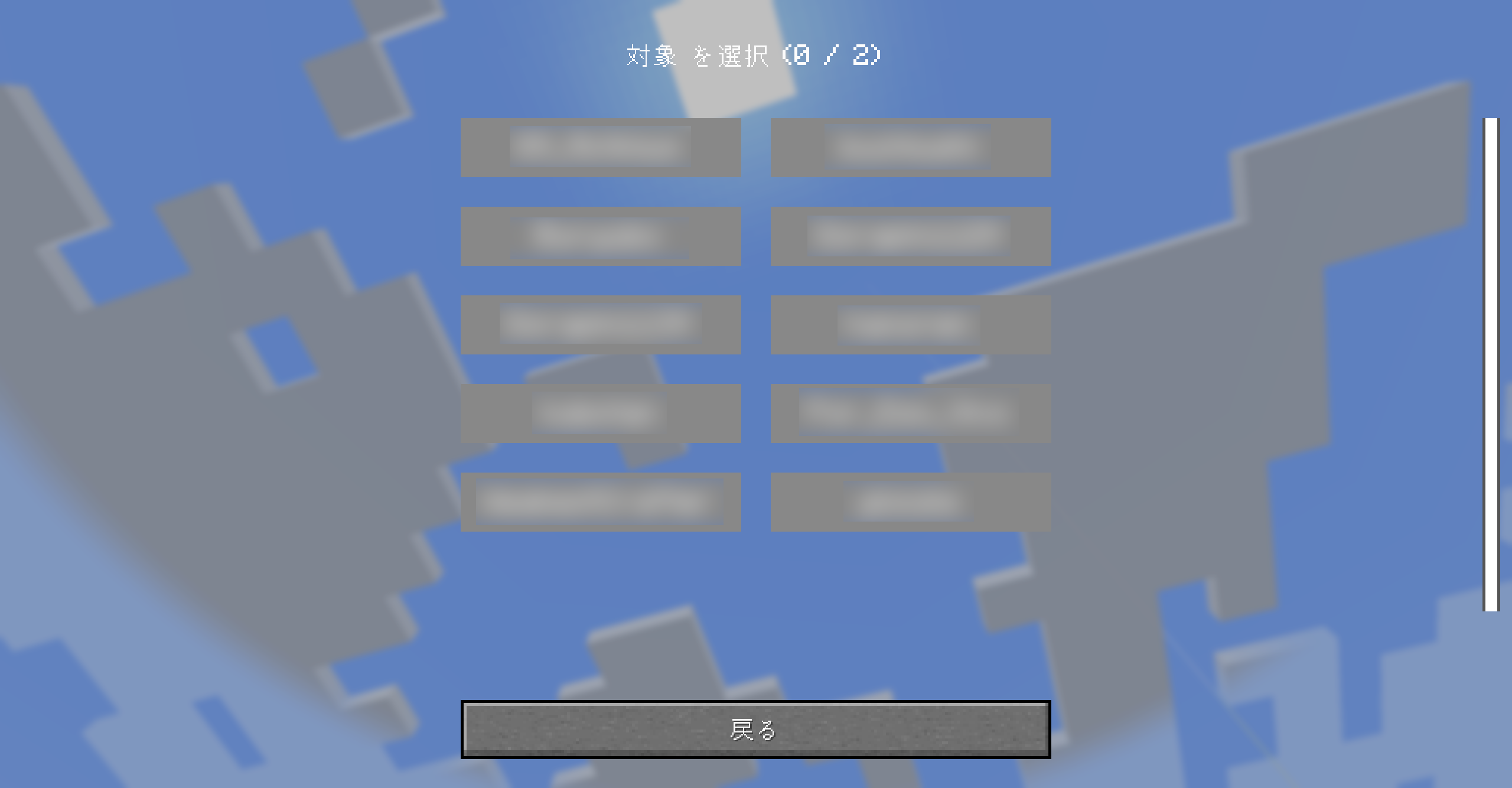 +タグを使い、プレイヤー選択などができる You can use "+tag" to select players, etc.
Versions
Files
Relations
Project Relations
More like this
Similar Mods
Suggestions use data such as tags, dependencies, dependents, descriptions, titles, and more to rank how much they overlap with this mod.
On ModDex
Community snapshot
By the numbers
Statistics

Get it on
Available Platforms
On ModDex
Community snapshot
By the numbers
Statistics
Resources