
Community listing page, reviews here may not be monitored by the author.
Compact BedWars HUD


No reviews yet
A compact client-side BedWars HUD with TNT timers, resource counters, stack overlays, potion timers and a round kill counter.
Community voices
Reviews
No reviews yet. Be the first to review this project!
Get it on
Available Platforms
Compatibility
Supported Environments
Runs entirely on the client. Works on vanilla servers.
About
Project Details
For authors
Embed Badge
If you're the author of this project, you can embed a live badge anywhere that supports HTML or Markdown. It updates automatically whenever ratings change.
Use HTML for any page that supports it, or Markdown for README files and Markdown-based descriptions.
Identifiers
Platform IDs
Resources
External Links
About
Description
Compact BedWars HUD
Compact BedWars HUD is a lightweight client-side BedWars mod with a clean, movable HUD and cosmetic kill effects. It does not automate gameplay.
Version 1.2.1 is currently released for Forge 1.8.9. Fabric 1.2.1 builds will follow after testing.
Features
- TNT Timers above nearby primed TNT
- Resource Counters for iron, gold, diamonds and emeralds
- Wool Counter with optional display at zero
- Stack Overlays for blocks, resources and utility items
- Round Kill Counter that resets between rounds and server sessions
- Potion Timers with remaining duration
- BedWars Messages for final kills, round resets and the last enemy team; the last-team alert is disabled in Duels
- Kill Effects: Thunder Strike, Blood Moon, Void Collapse, Fire Pillar, Ice Shatter and Grave Spawn
- Kill Sounds: matching Auto sounds, Custom, Custom Random and Off
- Custom MP3 Support through the built-in sound folder
- HUD Editor with movement, scaling and previews
Customization
- Position, scale and visibility
- Text, accent and Rainbow colors
- Background style, transparency and borders
- Resource labels and zero-count behavior
- TNT HUD and world timers
- Potion display limit
- Animation settings
- Sound mode and volume
Reset actions use a confirmation screen. No custom MP3 files are bundled.
Open Settings
Use /cbh, the optional keybind, the Forge configuration button on 1.8.9, or Mod Menu on supported Fabric versions.
Compatibility
- Forge 1.8.9: 1.2.1
- Fabric: Minecraft 1.20.1, 1.21.1, 1.21.4 and 1.21.11
- Client-side only
Install the file matching your Minecraft version and loader. Fabric builds require Fabric API.
Fair Play
The mod does not include aim assist, reach, movement automation, x-ray, automatic clicking or other unfair automation. Always check your server rules.
Feedback, Bugs and Feature Ideas
Found a bug or have an idea? Leave a CurseForge comment or join the Discord. Every piece of feedback is appreciated.
Compact BedWars HUD
Compact BedWars HUD is a lightweight client-side mod for BedWars. It keeps useful match information visible in a clean, movable HUD without automating gameplay.
Version 1.2.1 is available for Forge 1.8.9 and Fabric 1.20.1, 1.21.1, 1.21.4, 1.21.11, 26.1.x and 26.2.
HUD Features
- TNT Timers: Precise countdowns above nearby primed TNT.
- Resource Counters: Shows the iron, gold, diamonds and emeralds in your inventory.
- Wool Counter: Shows how many wool blocks you have left and can hide automatically at zero.
- Stack Overlays: Makes block, resource and utility stack amounts easier to read.
- Round Kill Counter: Tracks player kills and resets between rounds or server sessions.
- Potion Timers: Shows active potion effects and their remaining duration.
- BedWars Messages: Optional final-kill, round-reset and red last-enemy-team alerts. The last-team alert is not shown in Duels.
Kill Effects
- Thunder Strike
- Blood Moon
- Void Collapse
- Fire Pillar
- Ice Shatter
- Grave Spawn
Every animation has a matching Auto sound. You can also use your own MP3 files through Custom or Custom Random mode, change the volume, preview effects, or disable sounds completely. No custom MP3 files are bundled with the mod.
Easy Customization
The built-in editor lets you move, scale and preview supported HUD elements directly in game. Individual fields can have their own visibility, colors, background, border, labels and zero-count behavior. Reset actions use a confirmation screen.
Open settings with /cbh, the optional keybind, the Forge mod configuration button on 1.8.9, or Mod Menu on supported Fabric versions.
Compatibility
- Forge 1.8.9: Version 1.2.1
- Fabric: Minecraft 1.20.1, 1.21.1, 1.21.4, 1.21.11, 26.1.x and 26.2
- Client-side only
Install the file that matches both your Minecraft version and mod loader. Fabric builds require Fabric API.
Fair Play
Compact BedWars HUD does not include aim assist, reach, movement automation, x-ray, automatic clicking or other unfair gameplay automation. Server rules can differ, so always check the rules of the server you play on.
Feedback and Discord
Found a bug or have a feature idea? Join the Discord and share it there. Every piece of feedback is appreciated.
Screenshots
Gallery
-
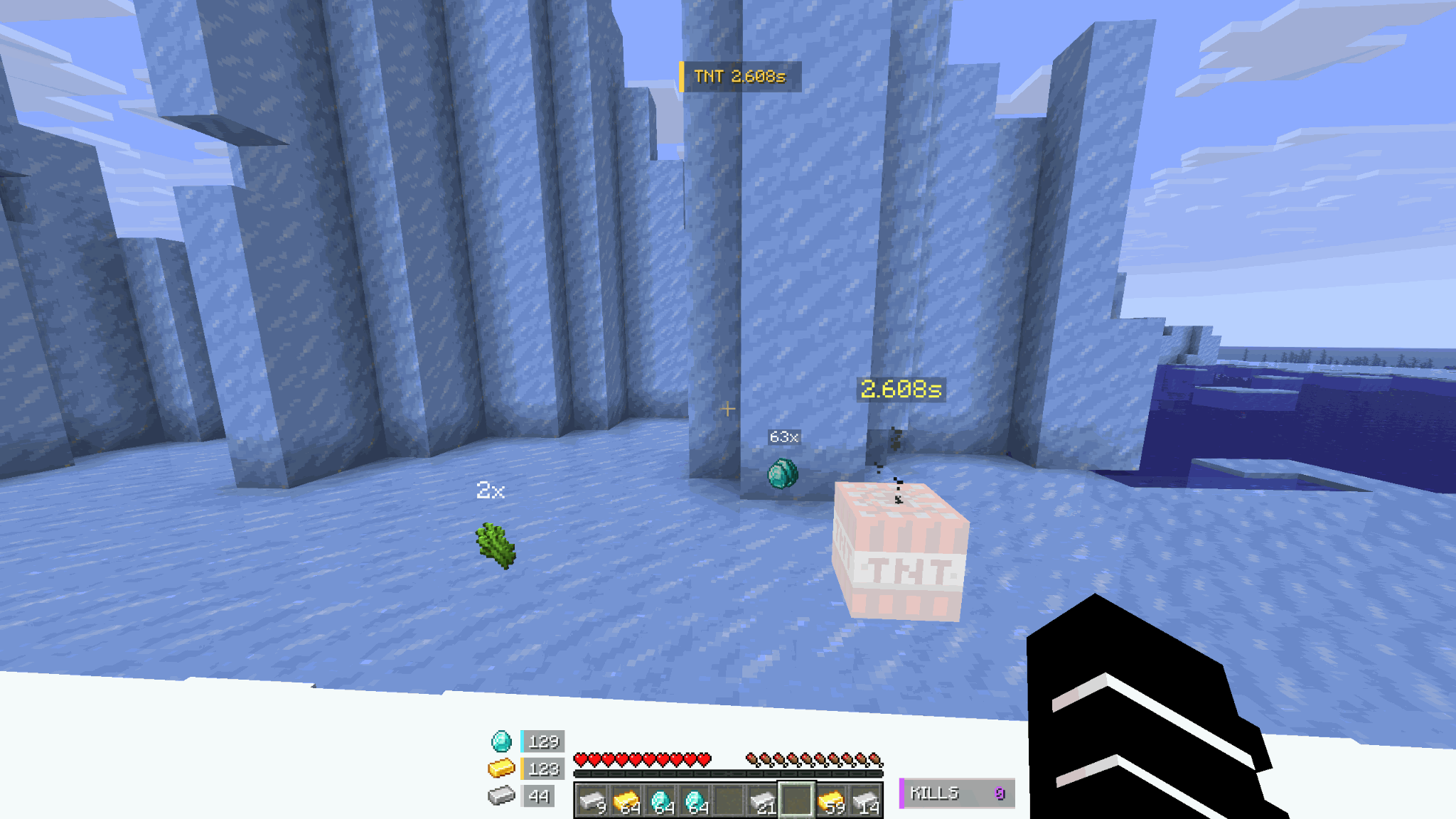 In-Game HUD Shows TNT timers, resources, stack counts and round kills in-game.
 -
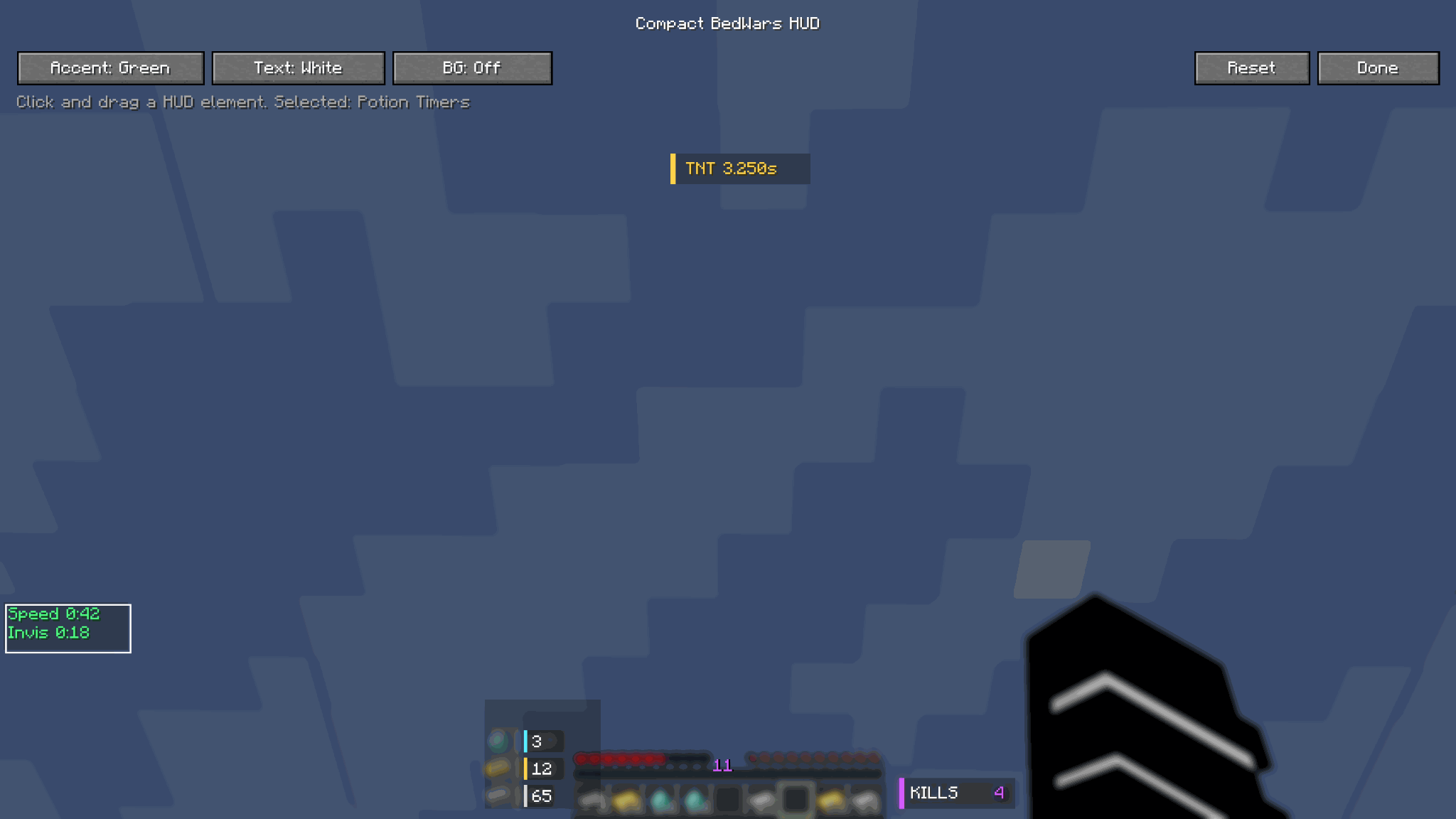 HUD Editor Move and customize the BedWars HUD elements.
-
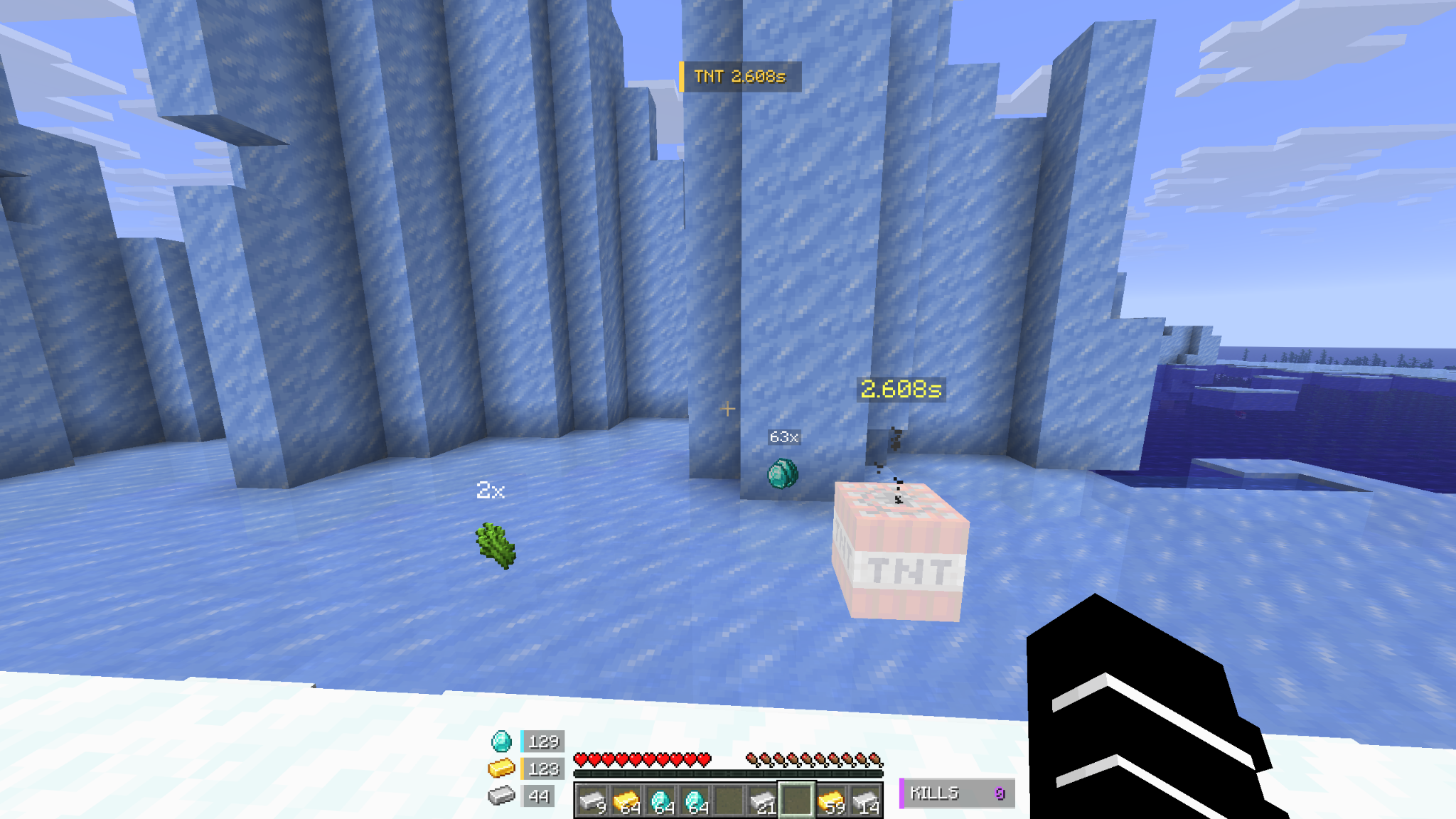 Ingame Hubs Compact in-game HUD with TNT timer, resource counters, stack overlays and round kill counter.
 -
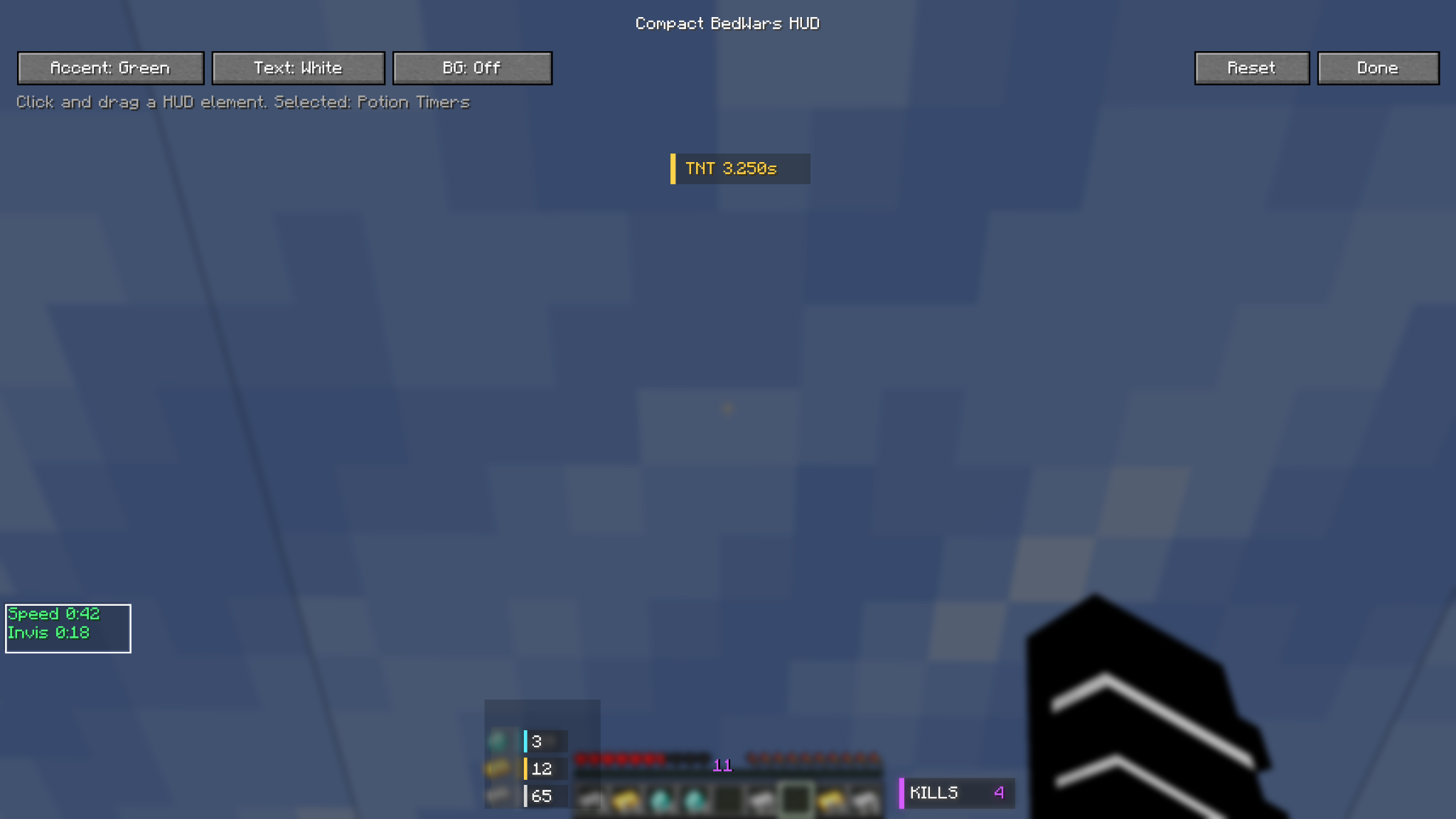 HUB editor Built-in HUD editor for positioning and customizing the overlay elements.
Versions
Files
Relations
Project Relations
More like this
Similar Mods
Suggestions use data such as tags, dependencies, dependents, descriptions, titles, and more to rank how much they overlap with this mod.
On ModDex
Community snapshot
By the numbers
Statistics
Want to reach Minecraft players?
We're looking for a server hosting partner to feature here and other parts of the site. Interested? Send us a message!
Get in touchGet it on
Available Platforms
On ModDex
Community snapshot
By the numbers
Statistics
Resources