
Community listing page, reviews may not be monitored by the author.
Config Presets

No reviews yet
Config Presets lets you save and switch between full game configurations. Minecraft options, mod settings, and resource packs as one-click presets.

Community voices
Reviews
No reviews yet. Be the first to review this project!
Get it on
Available Platforms
 Modrinth
Compatibility
Supported Environments
Runs entirely on the client. Works on vanilla servers.
About
Project Details
For authors
Embed Badge
If you're the author of this project, you can embed a live badge anywhere that supports HTML or Markdown. It updates automatically whenever ratings change.
Use HTML for any page that supports it, or Markdown for README files and Markdown-based descriptions.
Identifiers
Platform IDs
About
Description
This mod is the result of countless hours of work and is made possible by players like you. If you wish to express your gratitude for my efforts and support the continued development of Config Presets, consider donating to me.


 Save and switch between your Minecraft configurations instantly!
Tired of manually tweaking your settings every time you switch between recording, streaming, or casual play? Config Presets lets you save complete snapshots of your game settings and apply them with a single click.




🚧 THIS MOD IS HEAVILY UNDER DEVELOPMENT! SOME FEATURES MAY BE CHANGED, REMOVED, OR ADDED!
📦 What Can You Save?
- Video Settings - Graphics quality, render distance, FOV, particles, and more
- Sound Settings - All volume levels and audio preferences
- Controls & Keybinds - Your complete control scheme
- Resource Packs - Enabled packs with load order preserved
- Accessibility & Chat - Language, narrator, chat settings, and more
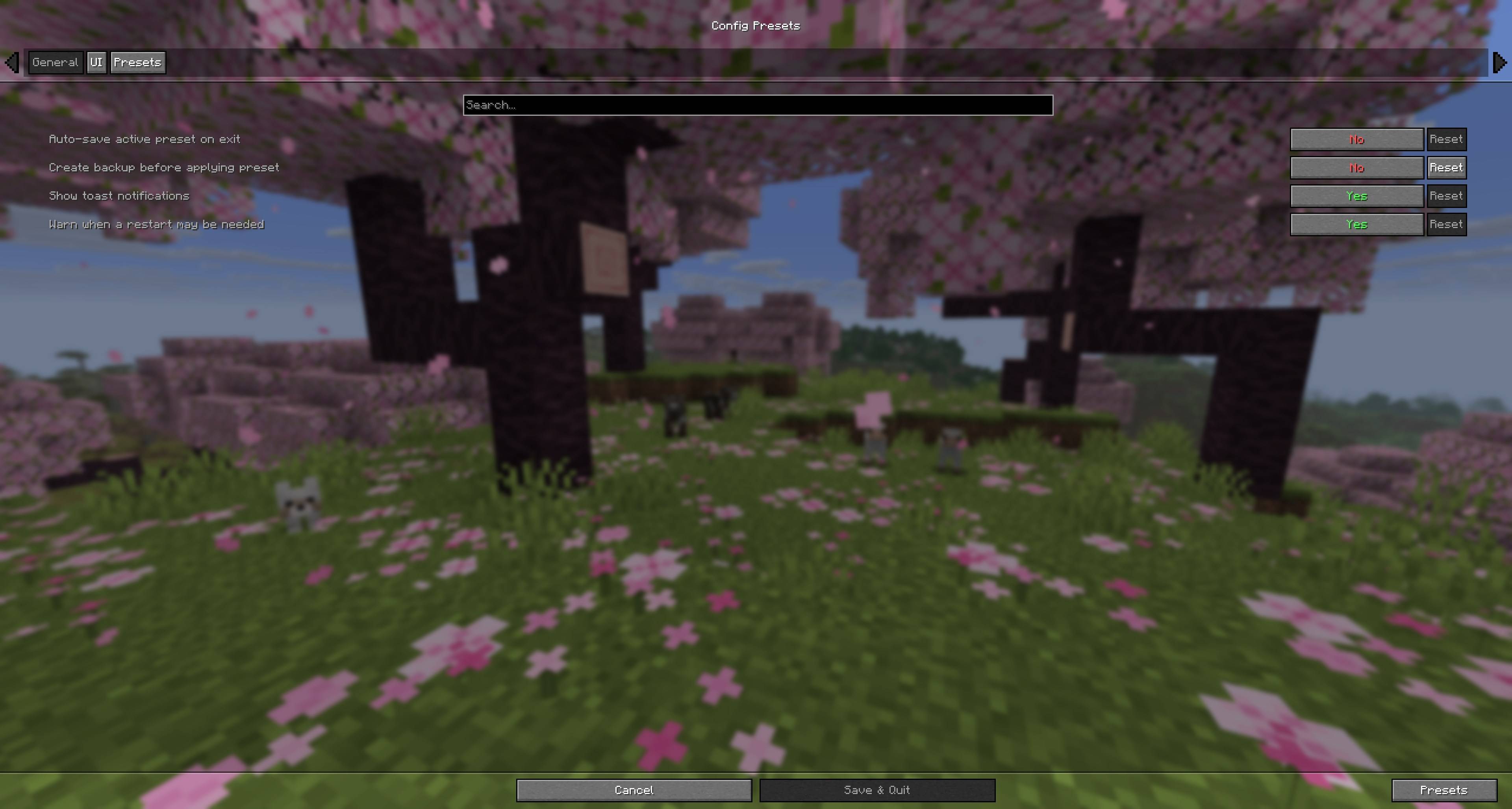
- Mod Configurations - Third-party mod settings
🎯 Quick Access
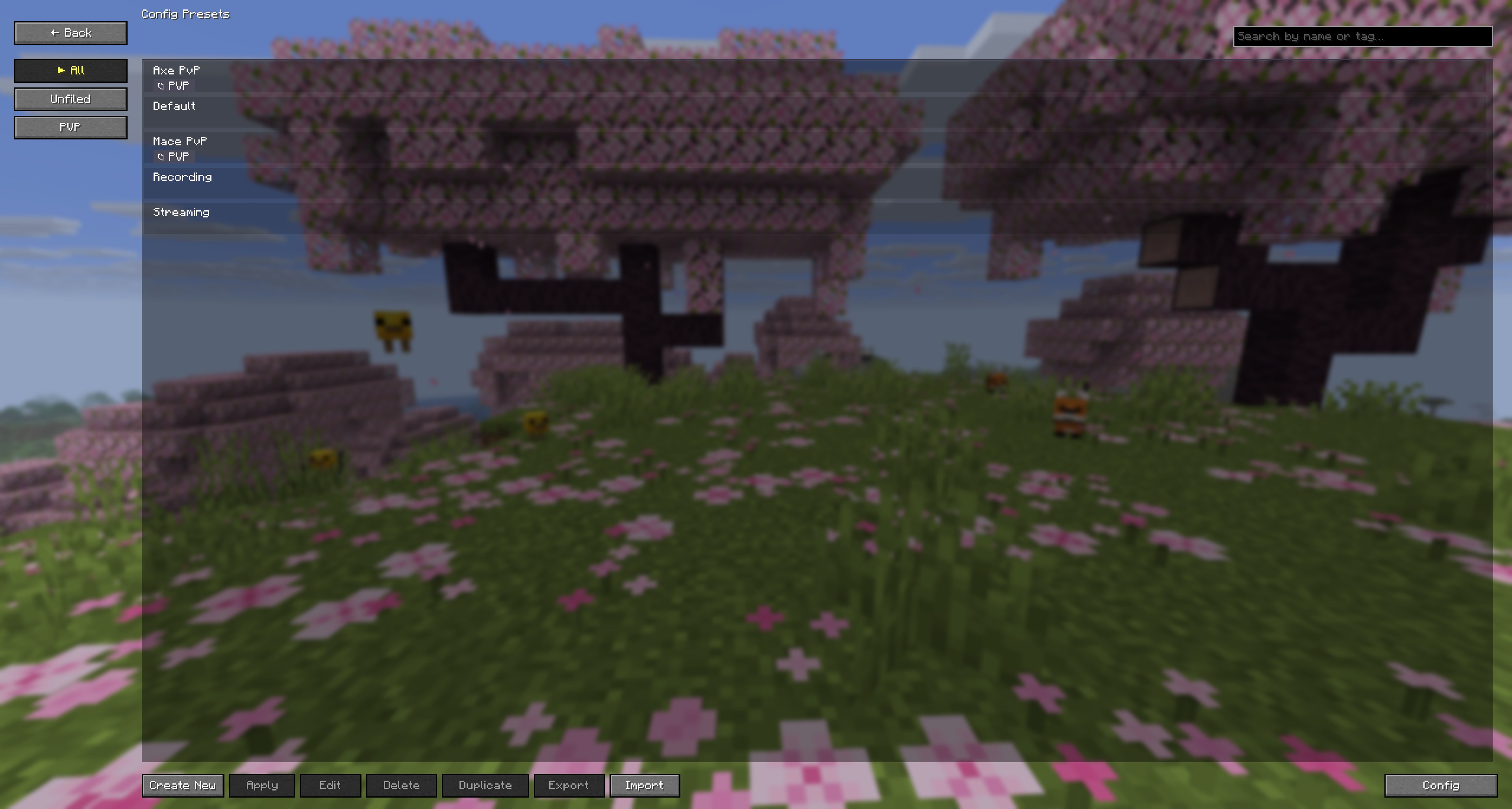
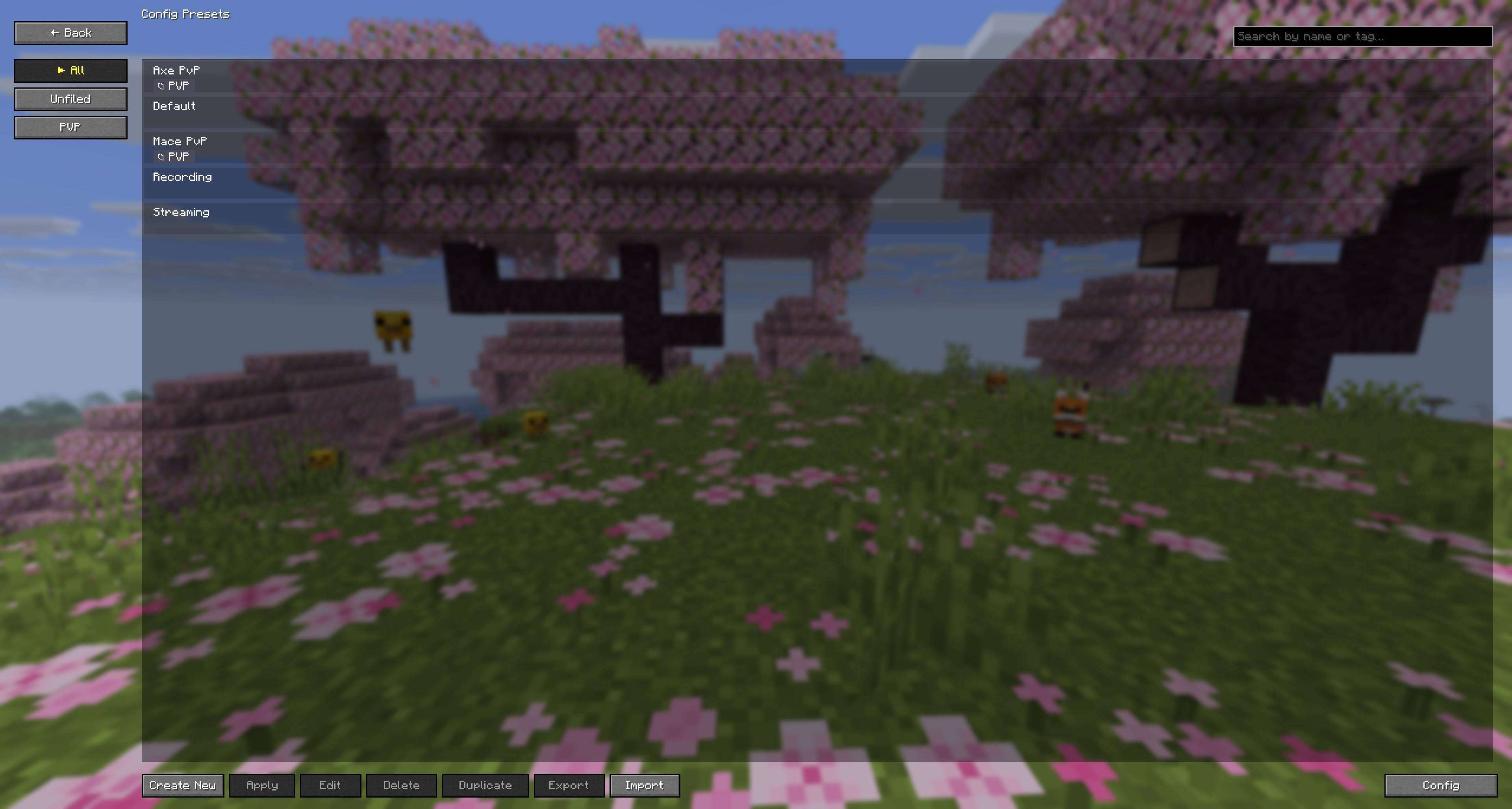
- Keybind - Press P (customizable) to open the preset manager from anywhere
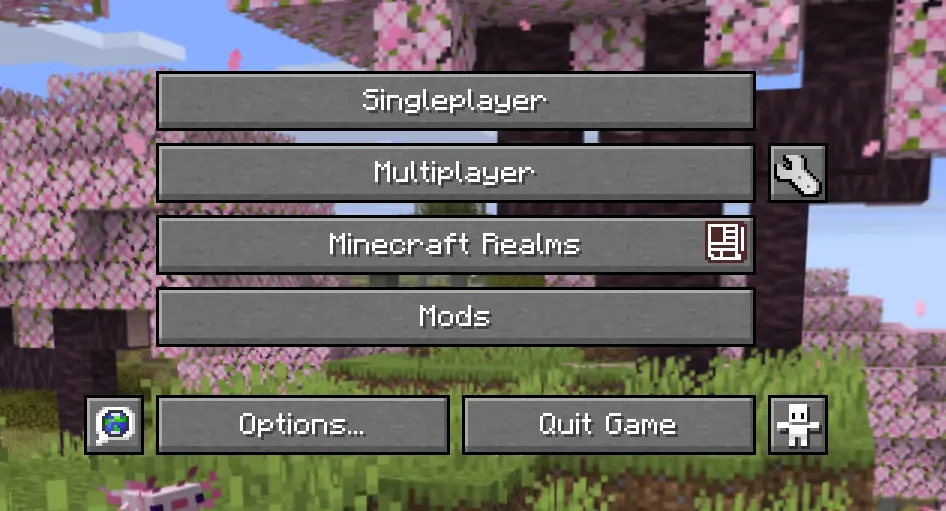
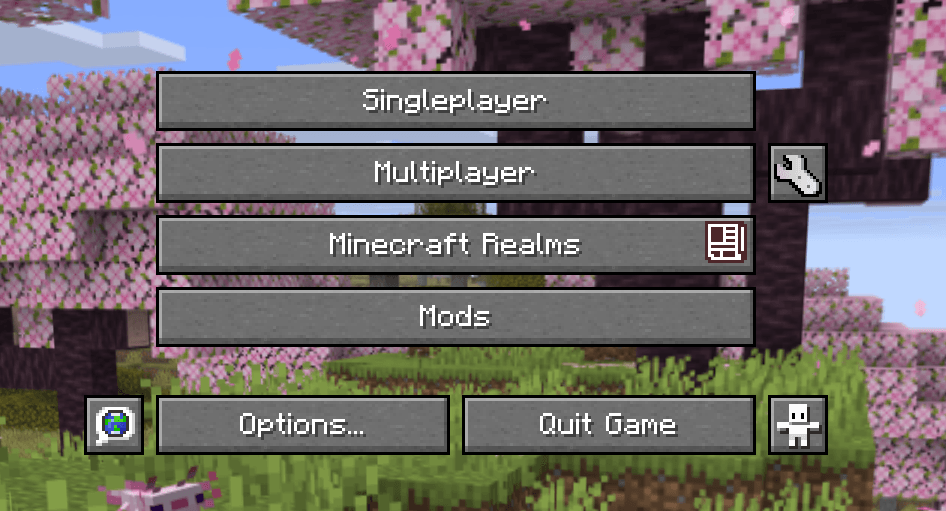
- Menu Buttons - Quick-access buttons on the title and pause screens
🏷️ Organization
- Folders - Organize presets into categories
- Tags - Add colored tags for easy filtering
- Search - Find presets by name or tag instantly
💾 Import/Export
- Share Presets - Export as JSON files to share with friends
- Mod Lists - Optionally include a list of your installed mods
🚀 How to Use
- Install the mod and launch Minecraft
- Press P or click the wrench icon in the pause menu
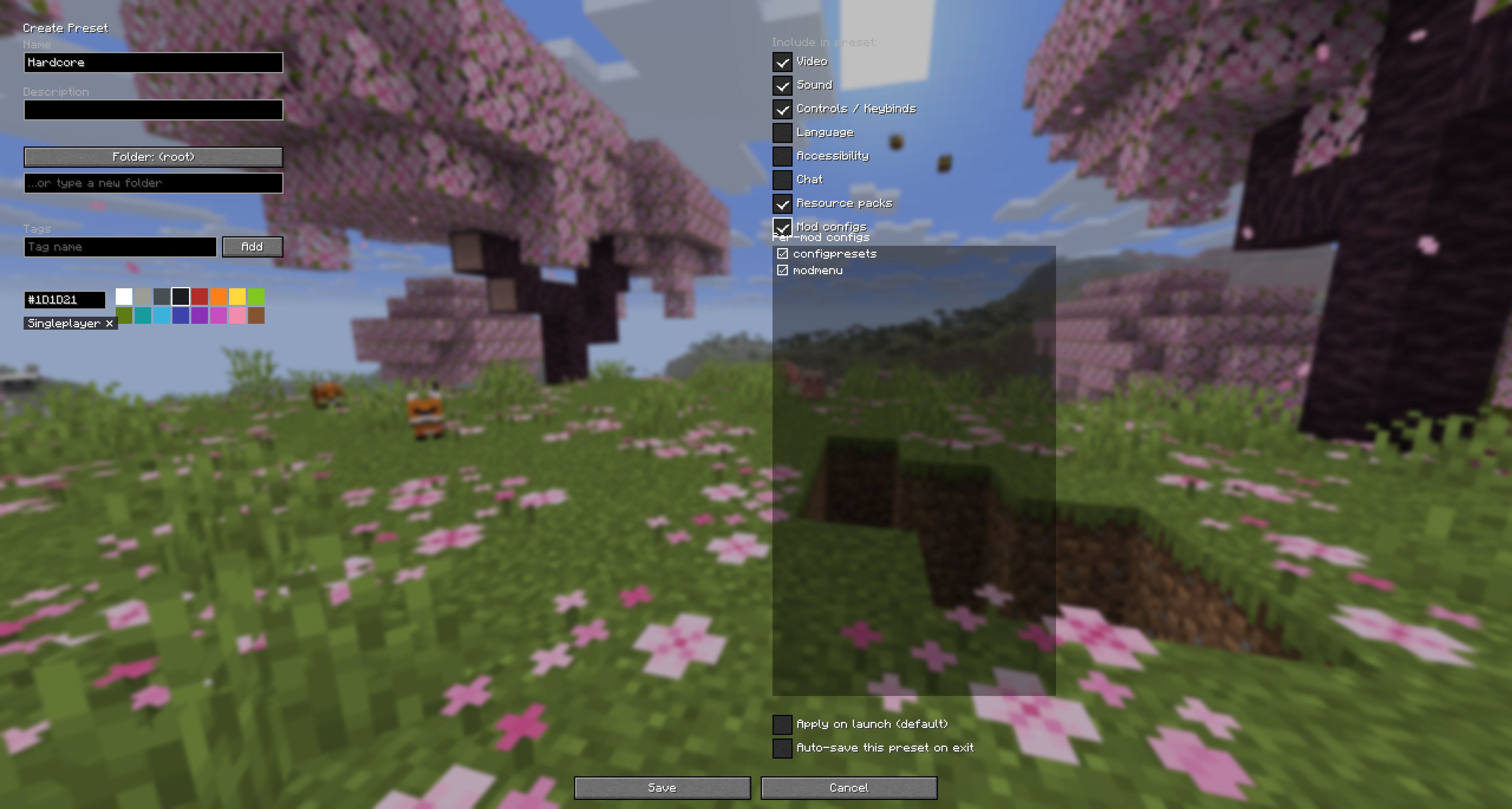
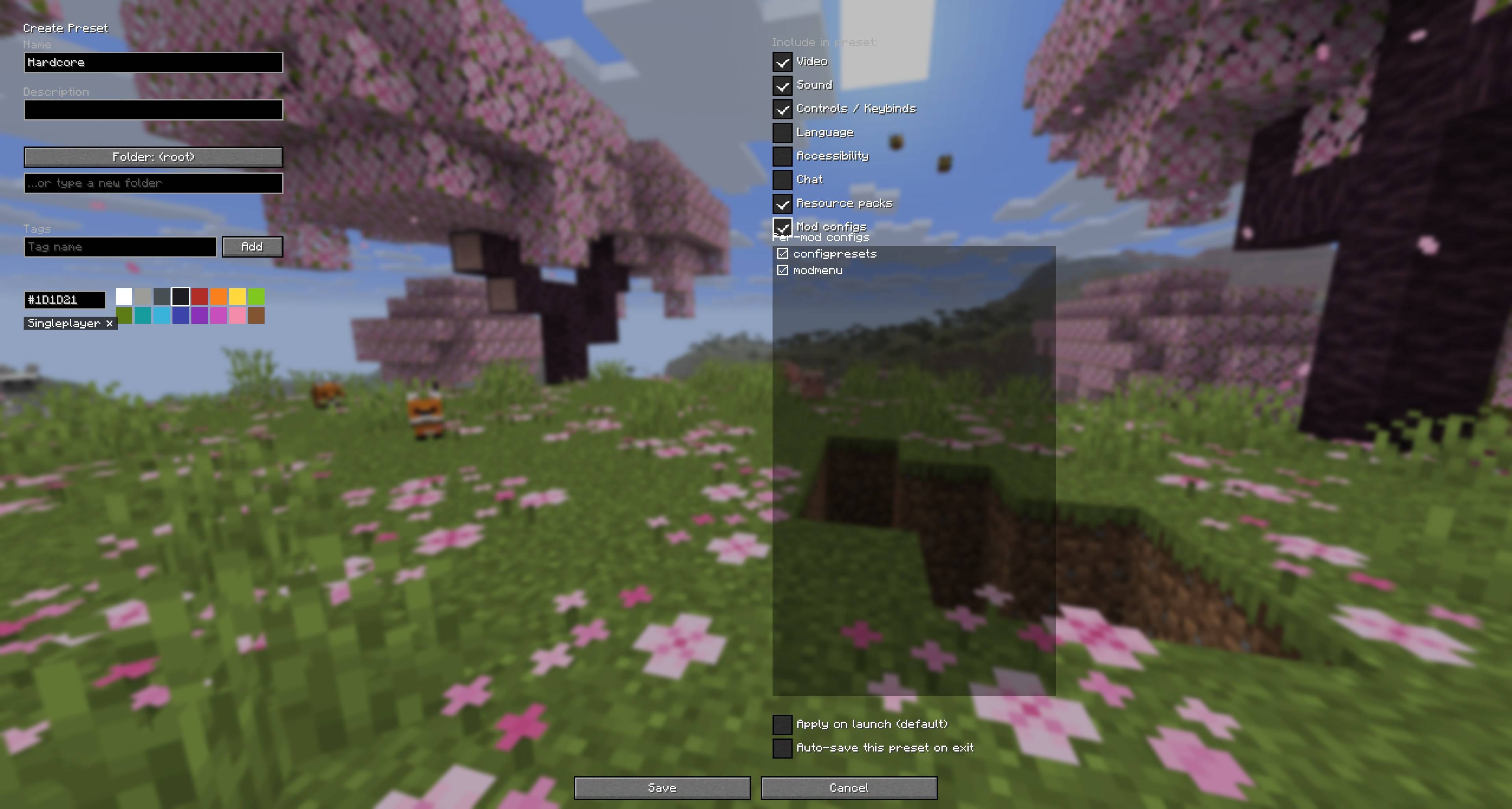
- Click "Create New" and configure what to save:
- Toggle which categories to include (Video, Sound, Controls, etc.)
- Name your preset and optionally add tags/folders
- Click "Apply" on any preset to switch instantly!
🎨 Perfect For…
- Content Creators - Separate presets for recording vs. streaming
- Modpack Players - Save different configs for different packs
- Performance Tuning - Quickly switch between quality and performance
- Multiplayer - Different settings for servers vs. singleplayer
- Testing - Rapidly test different configurations
📋 Requirements
Fabric:
- Fabric Loader 0.19.2+
- Fabric API
- Cloth Config API
- Mod Menu (optional, for easy access to config)
NeoForge:
🔧 Compatibility
Works great with:
- Sodium, Sodium Extra, Reese's Sodium Options
- Iris Shaders
- Performance mods (Lithium, Cull Leaves, More Culling, etc.)
- Most Fabric mods with file-based configs
🐛 Found a Bug?
You can report bugs, crashes, and other issues on the Issue Tracker. Make sure you include information about the mods you are using, and attach any crash/log files you have.
📜 License
This mod is available under the MIT License
❤️ Support
If you enjoy this mod, consider:
- ⭐ Starring the GitHub repository!
- ❤️ Leaving a heart on Modrinth!
- 🔨 Favorite and Follow on Curse Forge!
- 🐦 Sharing with friends!
📸 Screenshots
Credits:
- Icon by Gedeon Maheux on FreeImages
This mod is the result of countless hours of work and is made possible by players like you. If you wish to express your gratitude for my efforts and support the continued development of Config Presets, consider donating to me.
Save and switch between your Minecraft configurations instantly!
Tired of manually tweaking your settings every time you switch between recording, streaming, or casual play? Config Presets lets you save complete snapshots of your game settings and apply them with a single click.

🚧 THIS MOD IS HEAVILY UNDER DEVELOPMENT! SOME FEATURES MAY BE CHANGED, REMOVED, OR ADDED!
📦 What Can You Save?
- Video Settings - Graphics quality, render distance, FOV, particles, and more
- Sound Settings - All volume levels and audio preferences
- Controls & Keybinds - Your complete control scheme
- Resource Packs - Enabled packs with load order preserved
- Accessibility & Chat - Language, narrator, chat settings, and more
- Mod Configurations - Third-party mod settings
🎯 Quick Access
- Keybind - Press P (customizable) to open the preset manager from anywhere
- Menu Buttons - Quick-access buttons on the title and pause screens
🏷️ Organization
- Folders - Organize presets into categories
- Tags - Add colored tags for easy filtering
- Search - Find presets by name or tag instantly
💾 Import/Export
- Share Presets - Export as JSON files to share with friends
- Mod Lists - Optionally include a list of your installed mods
🚀 How to Use
- Install the mod and launch Minecraft
- Press P or click the wrench icon in the pause menu
- Click "Create New" and configure what to save:
- Toggle which categories to include (Video, Sound, Controls, etc.)
- Name your preset and optionally add tags/folders
- Click "Apply" on any preset to switch instantly!
🎨 Perfect For...
- Content Creators - Separate presets for recording vs. streaming
- Modpack Players - Save different configs for different packs
- Performance Tuning - Quickly switch between quality and performance
- Multiplayer - Different settings for servers vs. singleplayer
- Testing - Rapidly test different configurations
📋 Requirements
Fabric:
- Fabric Loader 0.19.2+
- Fabric API
- Cloth Config API
- Mod Menu (optional, for easy access to config)
NeoForge:
🔧 Compatibility
Works great with:
- Sodium, Sodium Extra, Reese's Sodium Options
- Iris Shaders
- Performance mods (Lithium, Cull Leaves, More Culling, etc.)
- Most Fabric mods with file-based configs
🐛 Found a Bug?
You can report bugs, crashes, and other issues on the Issue Tracker. Make sure you include information about the mods you are using, and attach any crash/log files you have.
📜 License
This mod is available under the MIT License.
❤️ Support
If you enjoy this mod, consider:
- ⭐ Starring the GitHub repository!
- ❤️ Leaving a heart on Modrinth!
- 🔨 Favorite and Follow on Curse Forge!
- 🐦 Sharing with friends!
📸 Screenshots
Credits
Icon by Gedeon Maheux on FreeImages
Screenshots
Gallery
-
 javaw_ULlQtacX25.png javaw_ULlQtacX25.png
 -
 javaw_lp9QtgX8d3.jpg javaw_lp9QtgX8d3.jpg
 -
 javaw_75kaj5i9Vw.jpg javaw_75kaj5i9Vw.jpg
 -
 javaw_ZF6KZjk5ms.jpg javaw_ZF6KZjk5ms.jpg
-
 Title
Title -
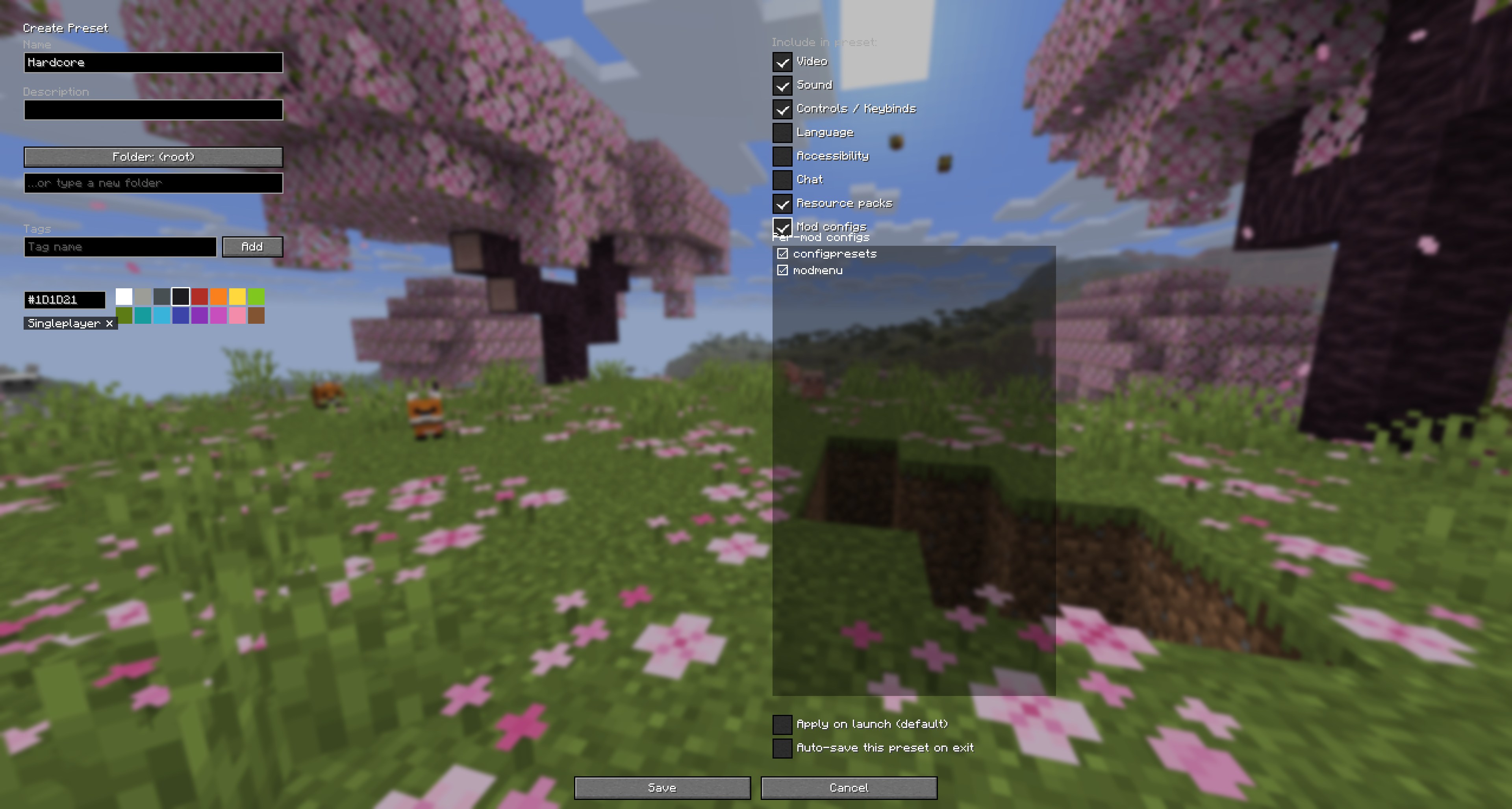 Preset Creator
 -
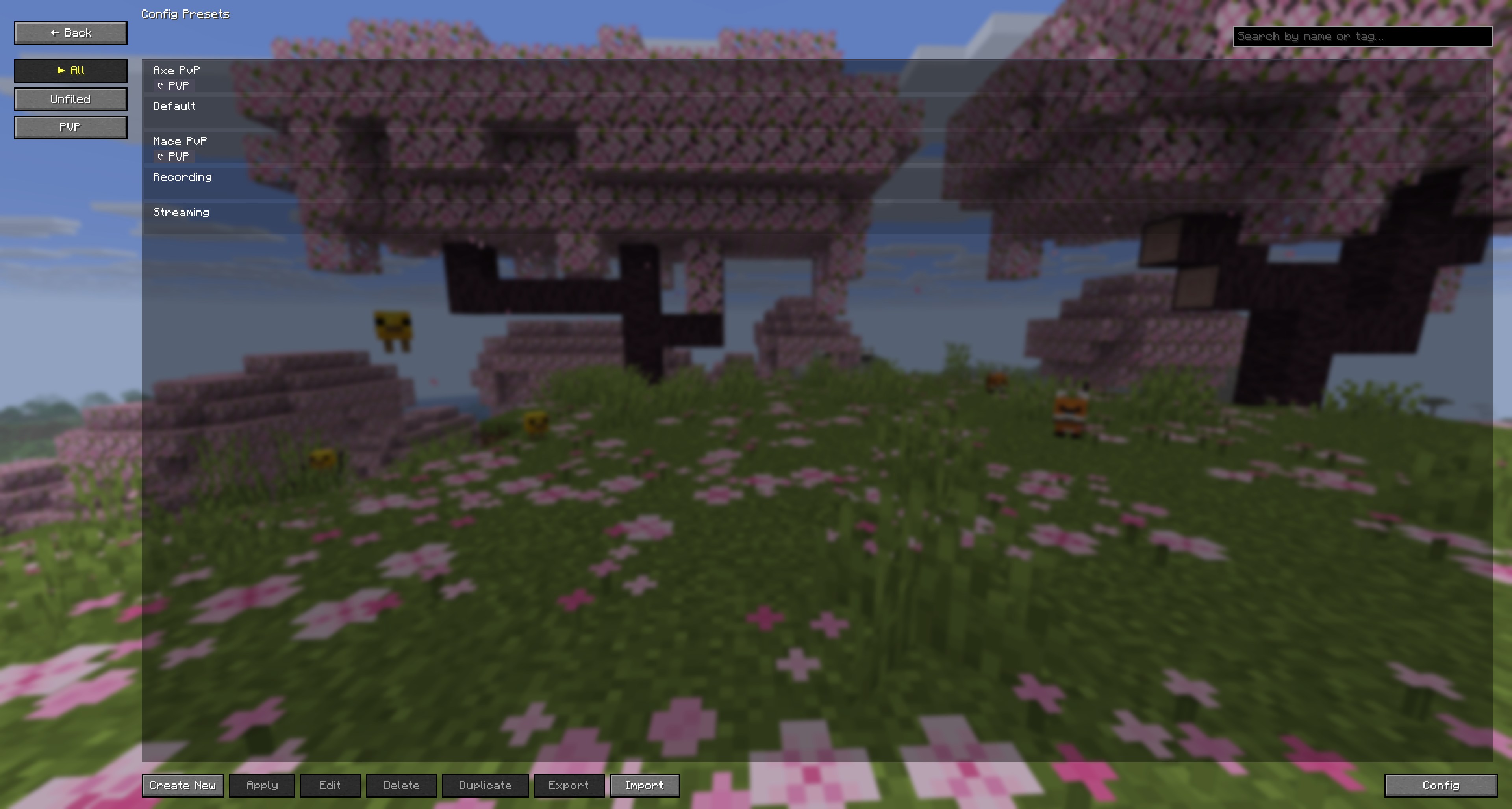 Preset Manager
 -
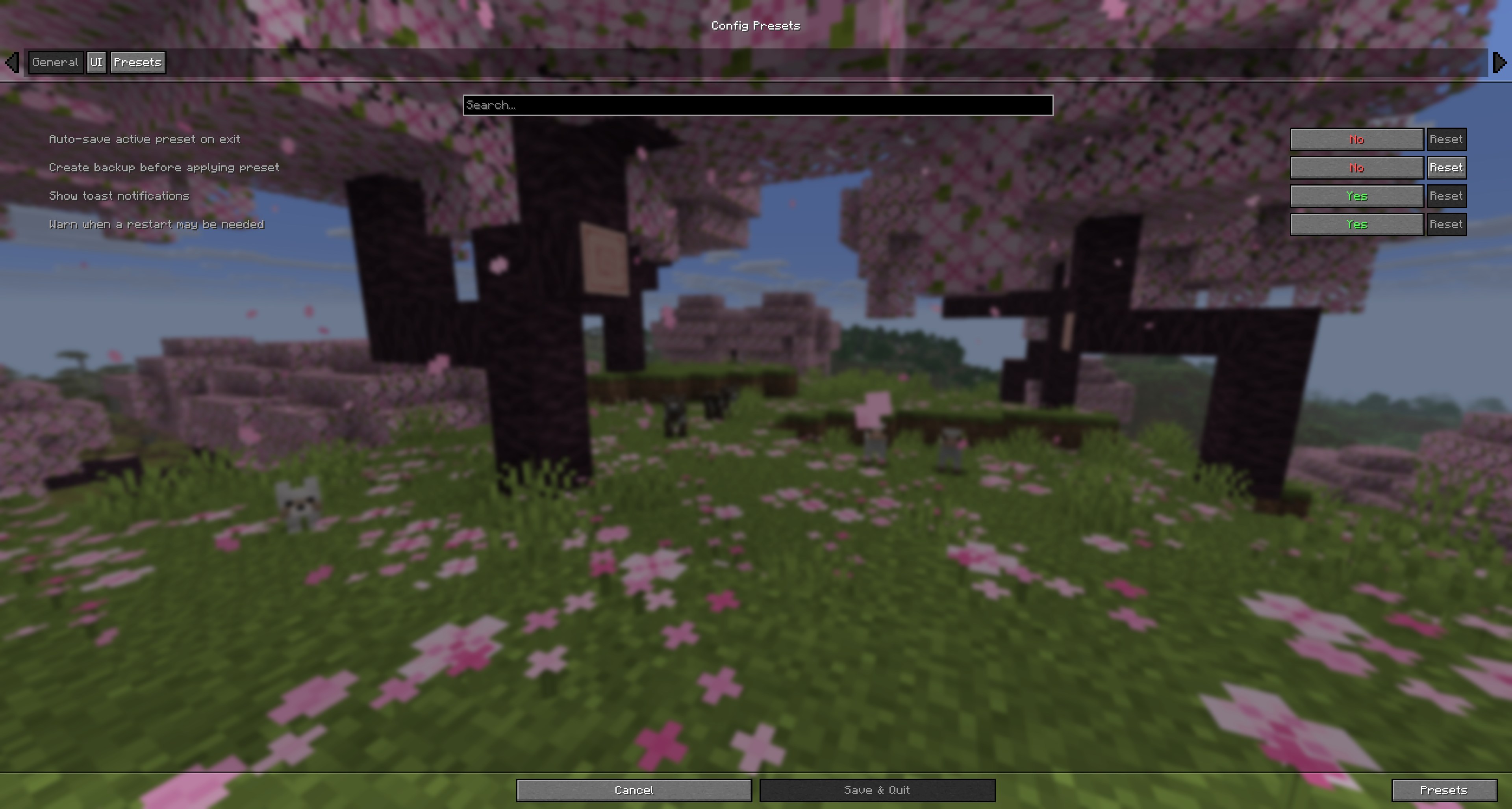
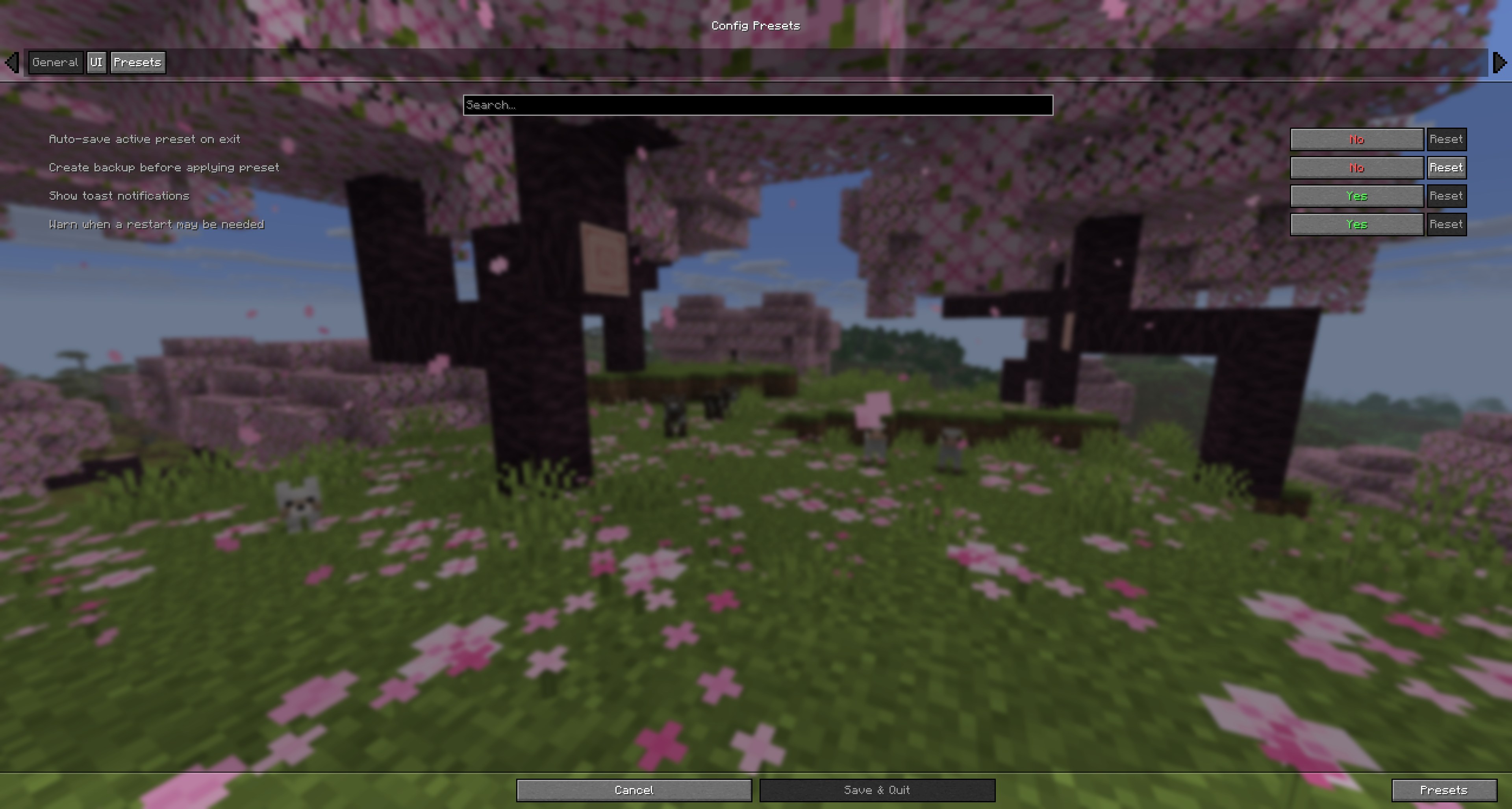 Config Screen
 -
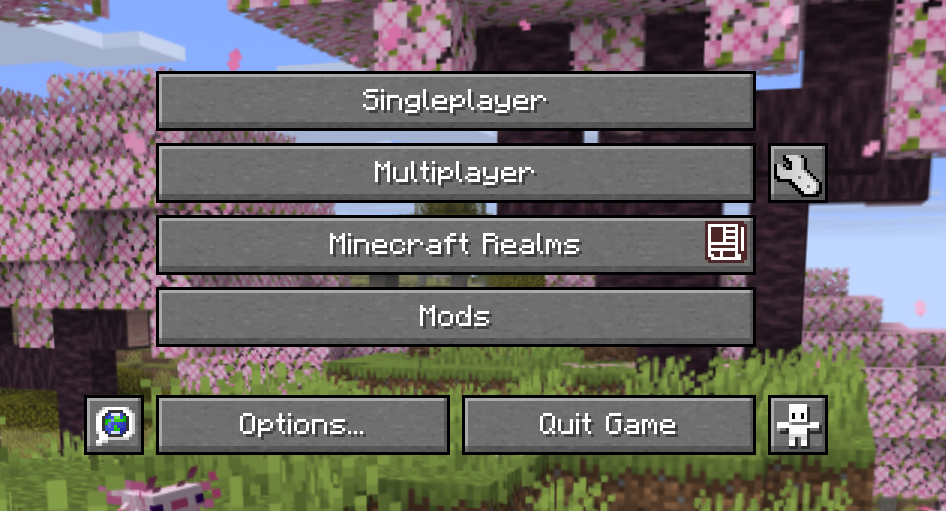 Title Screen Button
Versions
Files
Relations
Project Relations
More like this
Similar Mods
Suggestions use data such as tags, dependencies, dependents, descriptions, titles, and more to rank how much they overlap with this mod.
On ModDex
Community snapshot
By the numbers
Statistics

Get it on
Available Platforms
Modrinth
On ModDex
Community snapshot
By the numbers