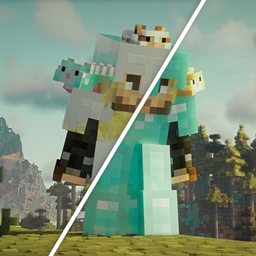
Community listing page, reviews here may not be monitored by the author.
Configurable LabPBR Player Armor


No reviews yet
Configure your armor's material properties in real-time. Defaults to a Minecraft-inspired look.

Community voices
Reviews
No reviews yet. Be the first to review this project!
Get it on
Available Platforms
Compatibility
Supported Environments
Runs entirely on the client. Works on vanilla servers.
About
Project Details
For authors
Embed Badge
If you're the author of this project, you can embed a live badge anywhere that supports HTML or Markdown. It updates automatically whenever ratings change.
Use HTML for any page that supports it, or Markdown for README files and Markdown-based descriptions.
Identifiers
Platform IDs
About
Description
Configurable LabPBR Player Armor
Configure your armor's material properties in real-time. Defaults to a plastic Minecraft-ish look.









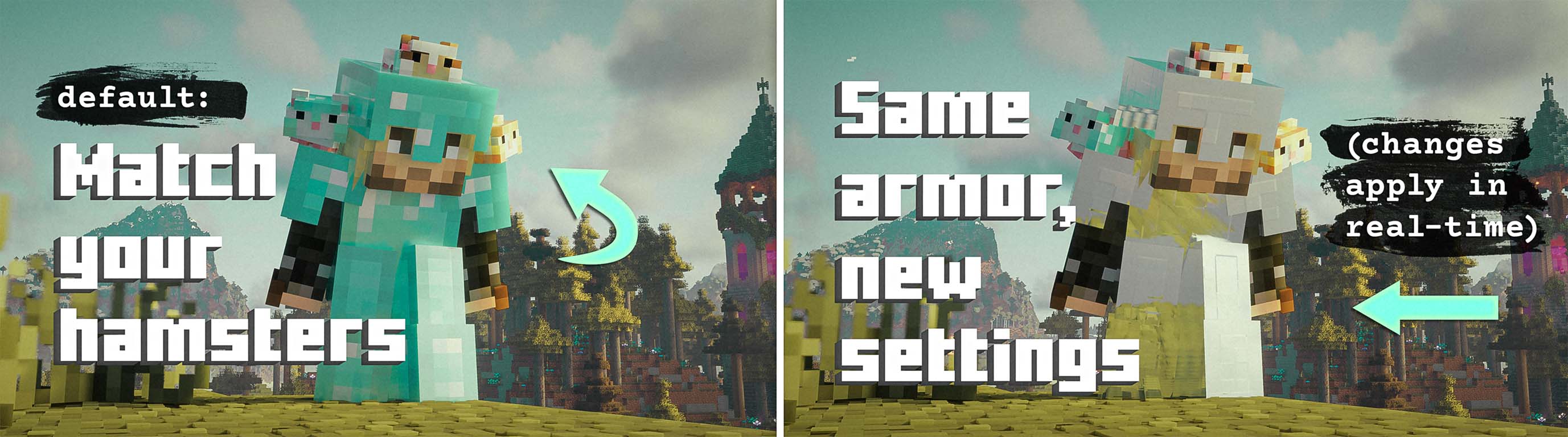
This is a lightweight client-side mod that generates LabPBR material maps for vanilla humanoid armor. Pick the finish for each armor family, apply the changes, and your compatible shader handles the lighting.
Why I Made It
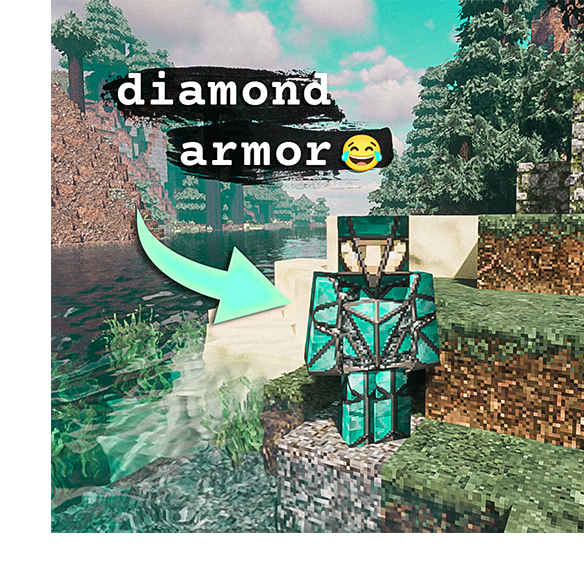
I don't know about you, but I've always thought that Minecraft was not intended to look like this. 👉🏼
Don't get me wrong— I love things like subsurface scattering and PBR textures. But Minecraft has a certain 16x16, blocky, whimsy style. I like applying realistic effects on top of that intended style rather than replacing it.
When I first built customizable armor materials in this same way for Adorable Hamster Pets Hamster Armor, I went with the plastic/cartoonish/stylized result because that way I got my pretty reflections, but it still felt like Minecraft.
I wanted the same treatment for player armor so I could match my hamsters lol. Then I realized, what if I made it configurable? I had already made the hamster armor materials configurable so I just set it up the same way.
What This Mod Does
- Configures smoothness, reflectance/metal type, porosity/subsurface scattering, and emissiveness. Yes you can make your armor glow with this.
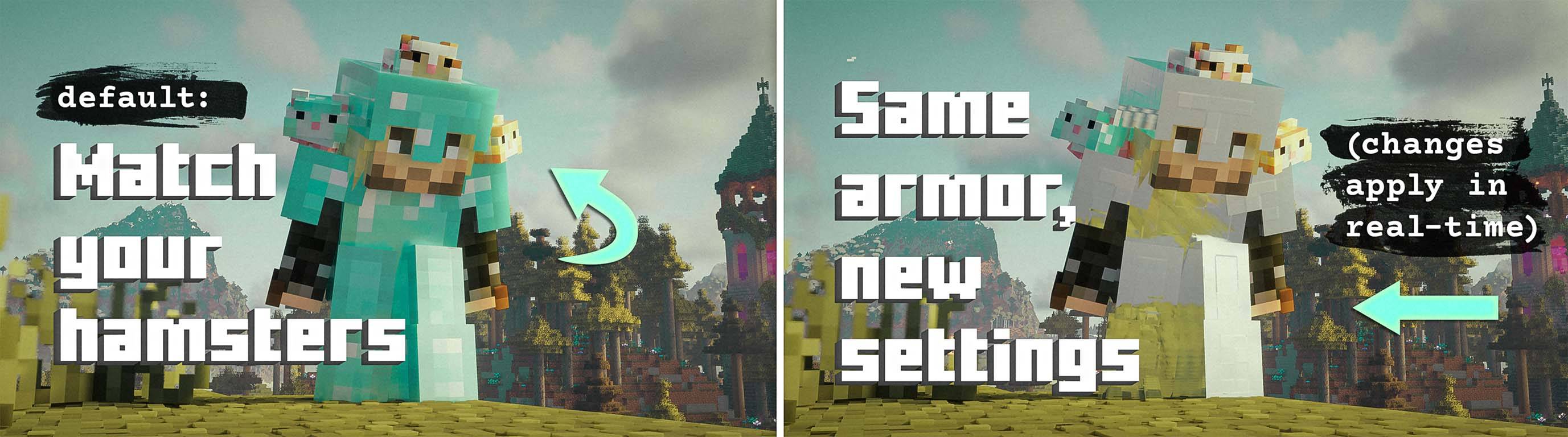
- Updates its generated resource pack as soon as you apply a change, so you'll see the changes apply in real-time.
- Leaves armor textures, models, item sprites, normal maps, and POM alone for great compatibility.
- Runs entirely on the client. Servers and other players do not need the mod.

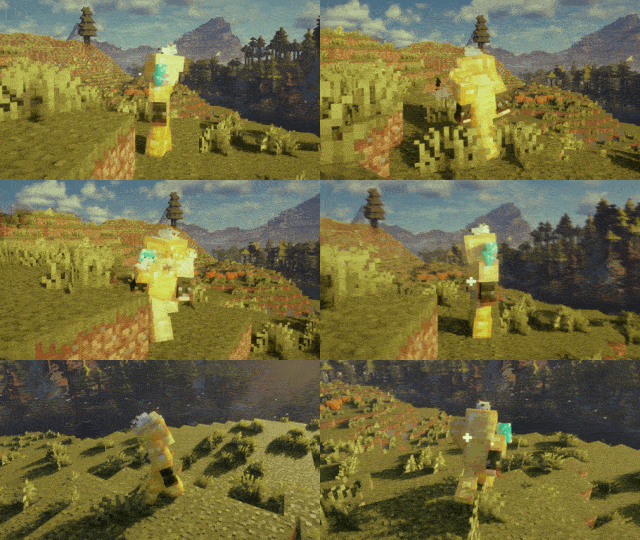
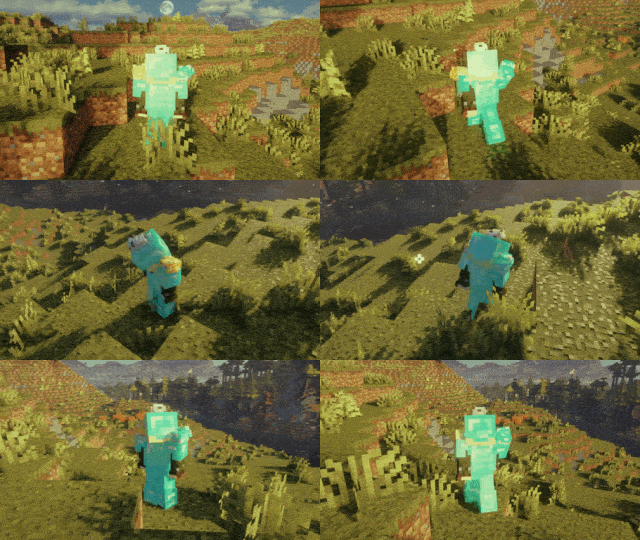
Easy Material Editing
LabPBR is a material format used by many compatible Minecraft shaders. The mod writes a small companion map for each worn armor texture; the shader reads those values and decides how the surface responds to light. Easy squeezy peezy.
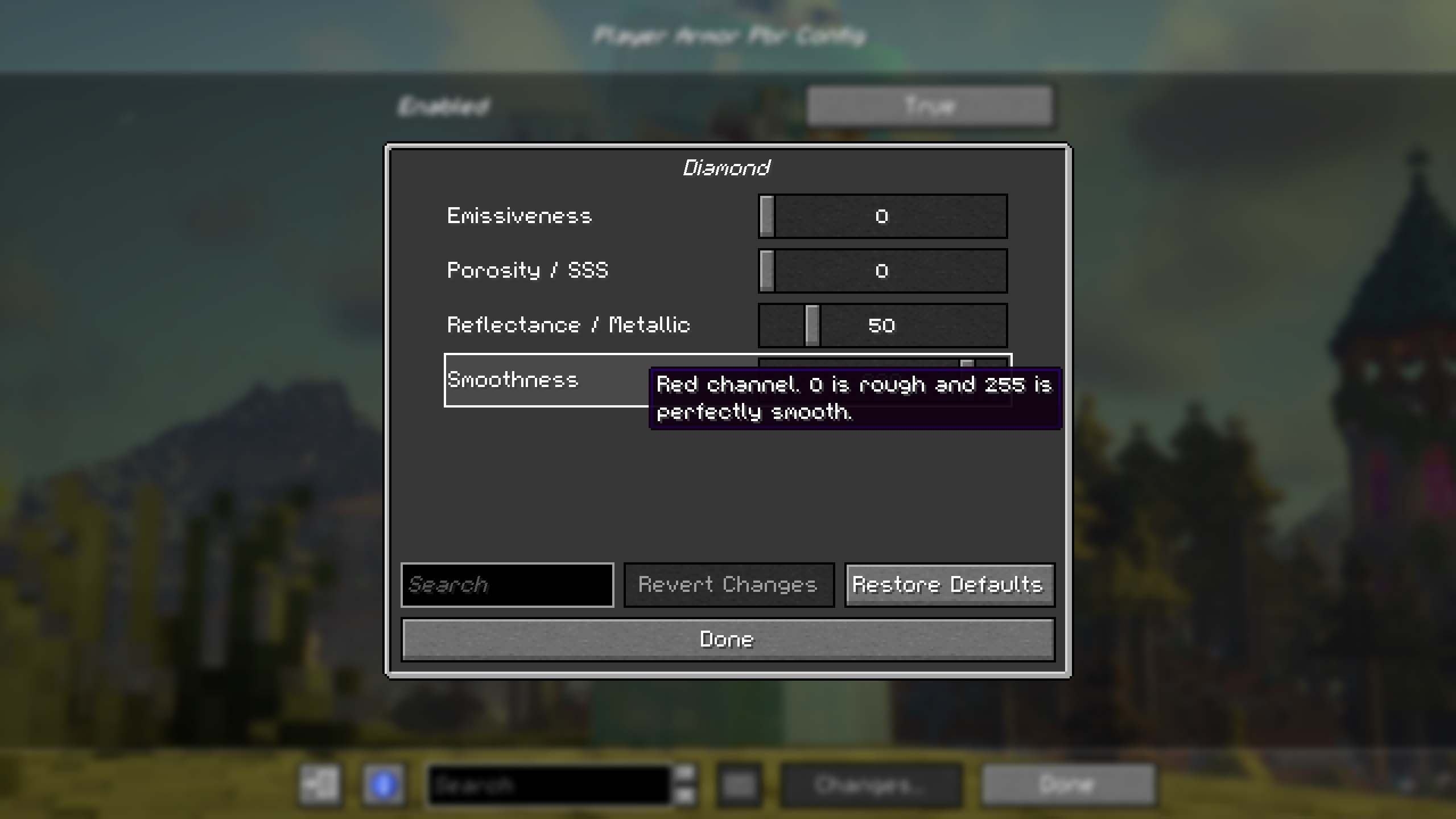
Hover over a setting in the configuration screen to see its LabPBR channel and valid range. Apply changes whenever you want to check the result in-game.
Real-Metal Cheat Sheet
Once upon a time, a small group of powerful people agreed together in a secret meeting that these exact Reflectance / Metallic values would be used to emulate eight real life metals:
| Metal | Reflectance / Metallic | Porosity / SSS | Emissiveness |
|---|---|---|---|
| Iron | 230 |
0 |
255 |
| Gold | 231 |
0 |
255 |
| Aluminum | 232 |
0 |
255 |
| Chrome | 233 |
0 |
255 |
| Copper | 234 |
0 |
255 |
| Lead | 235 |
0 |
255 |
| Platinum | 236 |
0 |
255 |
| Silver | 237 |
0 |
255 |
Smoothness controls the finish, not the metal. A few starting points:
| Finish | Smoothness |
|---|---|
| Rough or weathered | 90 |
| Brushed | 160 |
| Polished | 220 |
| Mirror finish | 255 |
The finish values are just recommendations— you do you. Where am I getting these numbers? See shaderLABS LabPBR Material Standard. Note that some shader packs do not implement the individual presets and treat 230–255 as custom metal instead.
Resource-Pack Compatibility
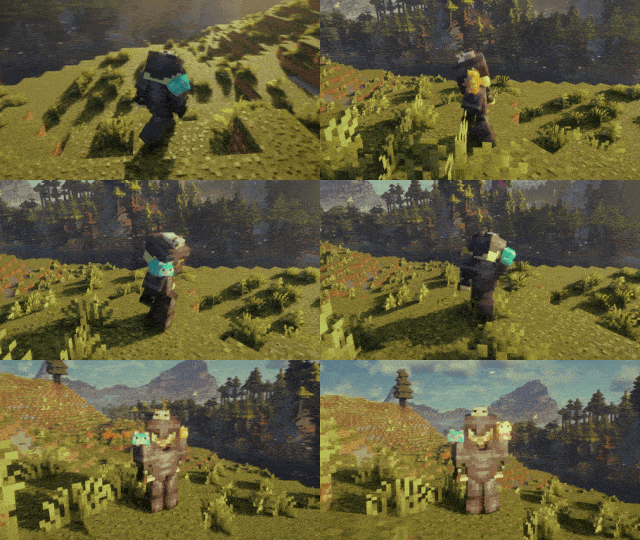
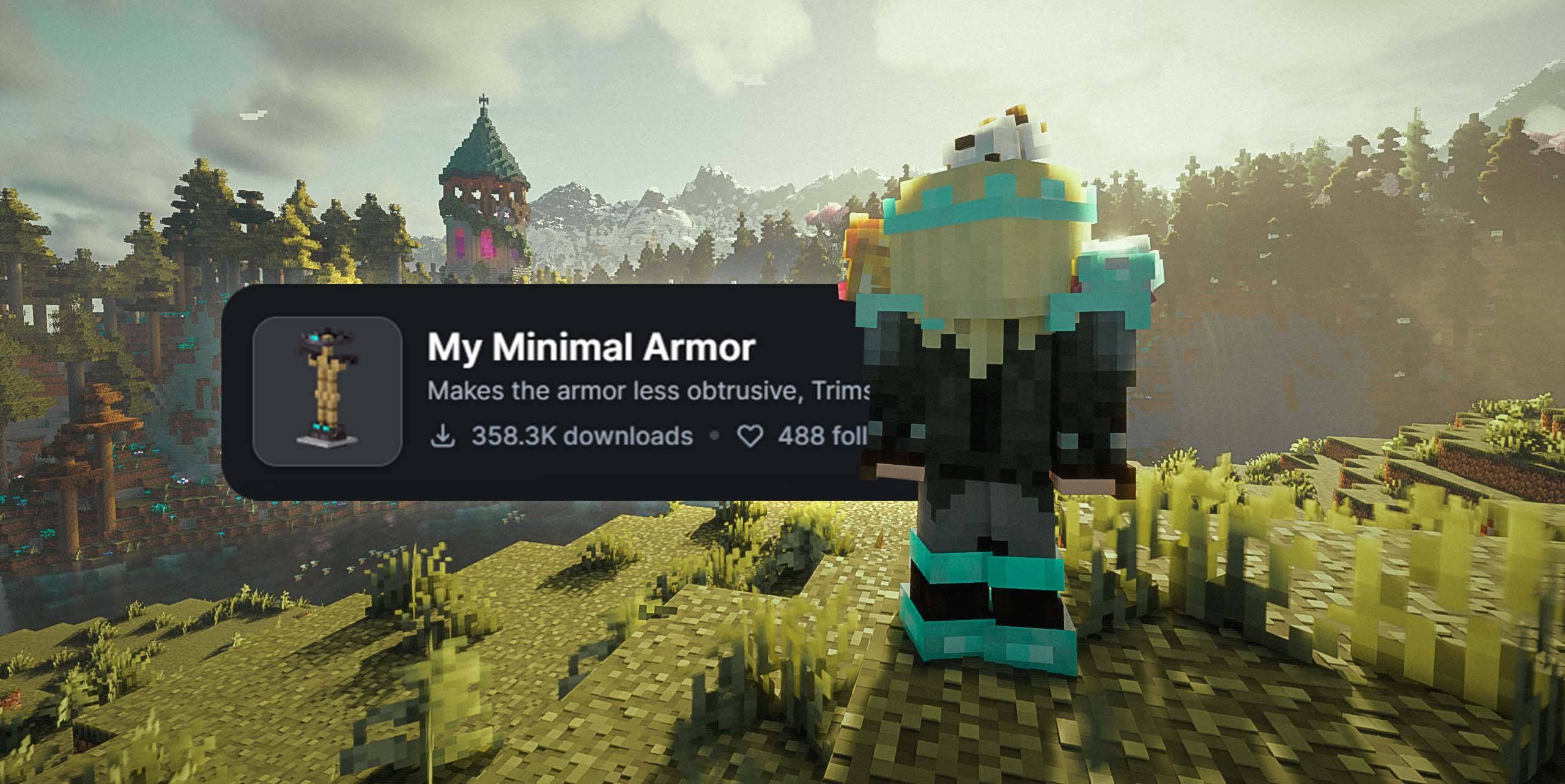
The built-in resource pack contains _s.png images for vanilla worn-armor and trim paths, plus the LabPBR format declaration. It does not replace diffuse artwork, models, item sprites, _n normal maps, or POM.
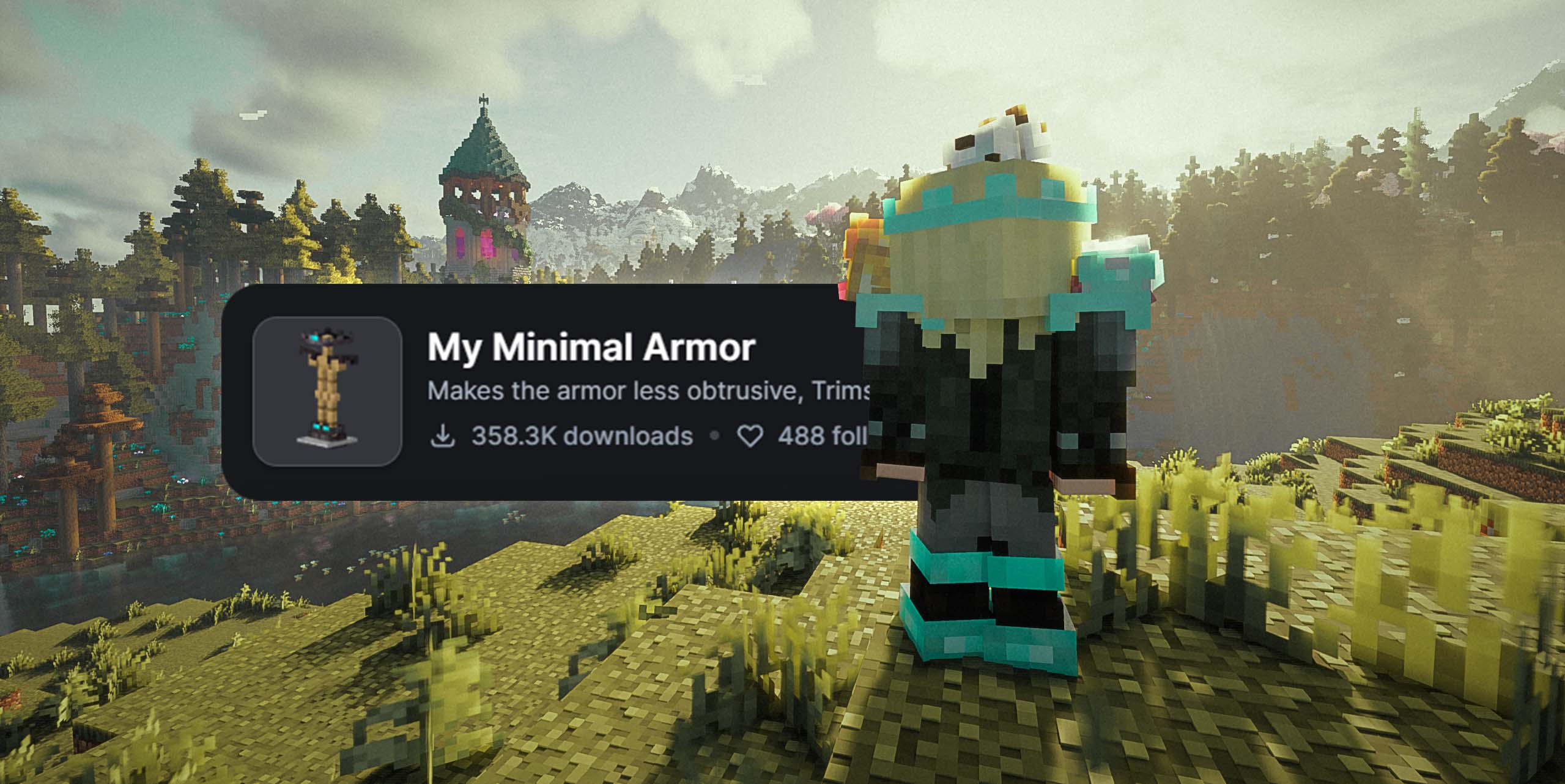
That means most resource packs that replace vanilla worn-armor artwork can keep control of the armor's shape and color while this mod controls its material response. Armor added under new modded resource paths will not be affected. If you want me to add it you can commission it.
Change Management
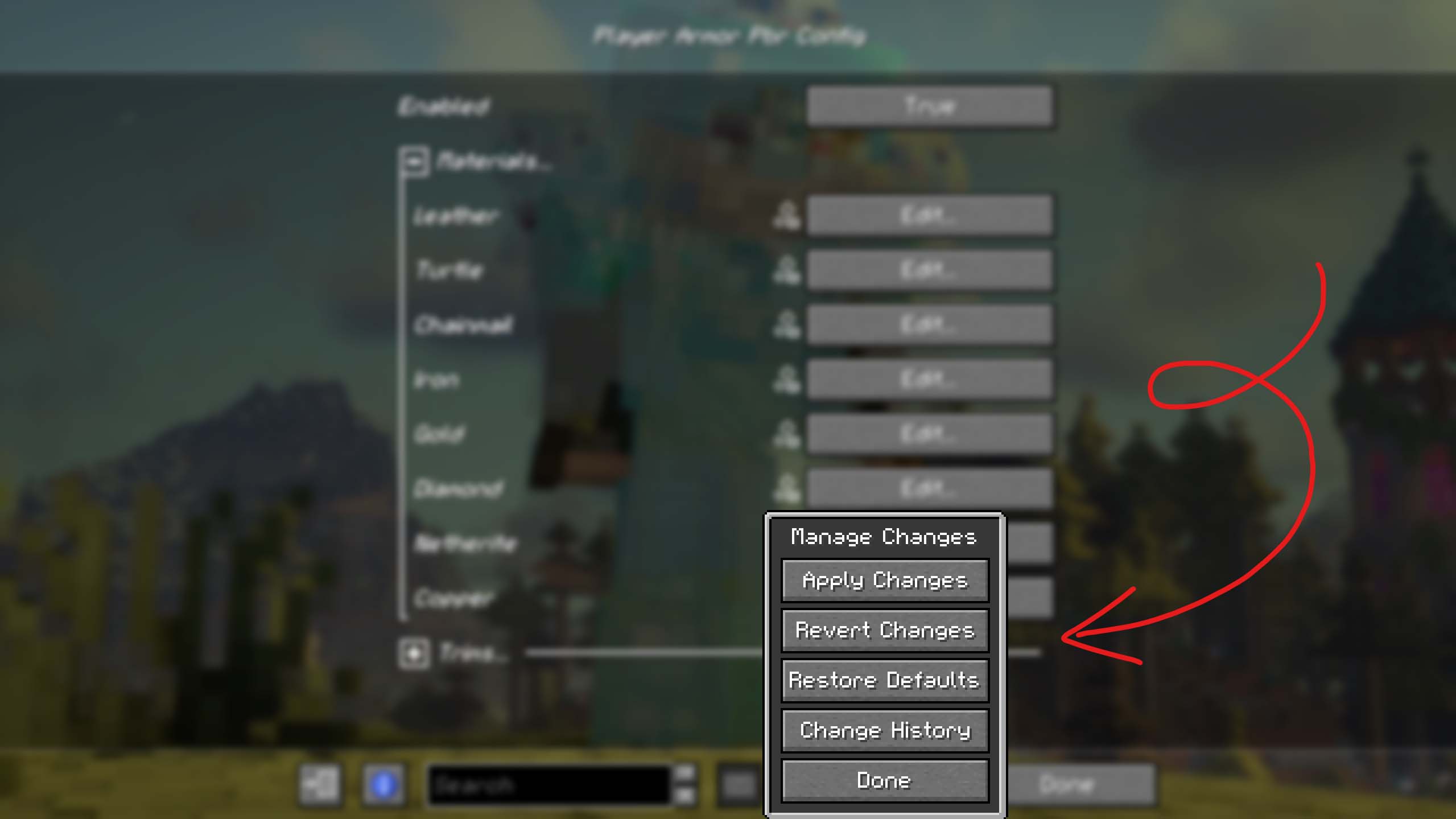
Fzzy Config keeps your experimentation reversible. You can apply a set of changes, revert it, restore to the defaults, or inspect change history from the configuration screen.
Material defaults
| Material family | RGBA: smoothness, reflectance, porosity/SSS, emission |
|---|---|
| Leather / turtle | 90, 0, 50, 255 |
| Chainmail / iron | 220, 130, 0, 0 |
| Gold / diamond / copper | 220, 50, 0, 0 |
| Netherite | 120, 20, 0, 0 |
| Armor trims | 220, 50, 0, 254 |
LabPBR reserves emission value 255 as disabled. Normal maps are unsupported because I think they look weird at the default game resolution, and POM is intentionally unsupported because it doesn't work on entities anyway.
How to Use
- Install a supported Minecraft version and loader.
- Install Fzzy Config and this mod on the client.
- Use a LabPBR-compatible shader to see the generated material response.
- Open the client config screen, choose an armor family, adjust its values, and apply.
Without a compatible shader, the generated maps are inert. See the compatibility notes for artwork-pack support and deliberate exclusions.
Check out my other mod, Adorable Hamster Pets
Configurable LabPBR Player Armor
Configure your armor's material properties in real-time. Defaults to a plastic Minecraft-ish look.

This is a lightweight client-side mod that generates LabPBR material maps for vanilla humanoid armor. Pick the finish for each armor family, apply the changes, and your compatible shader handles the lighting.
Why I Made It
I don't know about you, but I've always thought that Minecraft was not intended to look like this. 👉🏼
Don't get me wrong— I love things like subsurface scattering and PBR textures. But Minecraft has a certain 16x16, blocky, whimsy style. I like applying realistic effects on top of that intended style rather than replacing it.
When I first built customizable armor materials in this same way for Adorable Hamster Pets Hamster Armor, I went with the plastic/cartoonish/stylized result because that way I got my pretty reflections, but it still felt like Minecraft.
I wanted the same treatment for player armor so I could match my hamsters lol. Then I realized, what if I made it configurable? I had already made the hamster armor materials configurable so I just set it up the same way.
What This Mod Does
- Configures smoothness, reflectance/metal type, porosity/subsurface scattering, and emissiveness. Yes you can make your armor glow with this.
- Updates its generated resource pack as soon as you apply a change, so you'll see the changes apply in real-time.
- Leaves armor textures, models, item sprites, normal maps, and POM alone for great compatibility.
- Runs entirely on the client. Servers and other players do not need the mod.
Easy Material Editing
LabPBR is a material format used by many compatible Minecraft shaders. The mod writes a small companion map for each worn armor texture; the shader reads those values and decides how the surface responds to light. Easy squeezy peezy.
Hover over a setting in the configuration screen to see its LabPBR channel and valid range. Apply changes whenever you want to check the result in-game.
Real-Metal Cheat Sheet
Once upon a time, a small group of powerful people agreed together in a secret meeting that these exact Reflectance / Metallic values would be used to emulate eight real life metals:
| Metal | Reflectance / Metallic | Porosity / SSS | Emissiveness |
|---|---|---|---|
| Iron | 230 |
0 |
255 |
| Gold | 231 |
0 |
255 |
| Aluminum | 232 |
0 |
255 |
| Chrome | 233 |
0 |
255 |
| Copper | 234 |
0 |
255 |
| Lead | 235 |
0 |
255 |
| Platinum | 236 |
0 |
255 |
| Silver | 237 |
0 |
255 |
Smoothness controls the finish, not the metal. A few starting points:
| Finish | Smoothness |
|---|---|
| Rough or weathered | 90 |
| Brushed | 160 |
| Polished | 220 |
| Mirror finish | 255 |
The finish values are just recommendations— you do you. Where am I getting these numbers? See shaderLABS LabPBR Material Standard. Note that some shader packs do not implement the individual presets and treat 230–255 as custom metal instead.
Resource-Pack Compatibility
The built-in resource pack contains _s.png images for vanilla worn-armor and trim paths, plus the LabPBR format declaration. It does not replace diffuse artwork, models, item sprites, _n normal maps, or POM.
That means most resource packs that replace vanilla worn-armor artwork can keep control of the armor's shape and color while this mod controls its material response. Armor added under new modded resource paths will not be affected. If you want me to add it you can commission it.
Change Management
Fzzy Config keeps your experimentation reversible. You can apply a set of changes, revert it, restore to the defaults, or inspect change history from the configuration screen.
Material defaults
| Material family | RGBA: smoothness, reflectance, porosity/SSS, emission |
|---|---|
| Leather / turtle | 90, 0, 50, 255 |
| Chainmail / iron | 220, 130, 0, 0 |
| Gold / diamond / copper | 220, 50, 0, 0 |
| Netherite | 120, 20, 0, 0 |
| Armor trims | 220, 50, 0, 254 |
LabPBR reserves emission value 255 as disabled. Normal maps are unsupported because I think they look weird at the default game resolution, and POM is intentionally unsupported because it doesn't work on entities anyway.
How to Use
- Install a supported Minecraft version and loader.
- Install Fzzy Config and this mod on the client.
- Use a LabPBR-compatible shader to see the generated material response.
- Open the client config screen, choose an armor family, adjust its values, and apply.
Without a compatible shader, the generated maps are inert. See the compatibility notes for artwork-pack support and deliberate exclusions.
Check out my other mod, Adorable Hamster Pets
Screenshots
Gallery
-
 configurable_labpbr_player_armor_banner.jpg configurable_labpbr_player_armor_banner.jpg
 -
 resource_pack_compatibility.jpg resource_pack_compatibility.jpg
 -
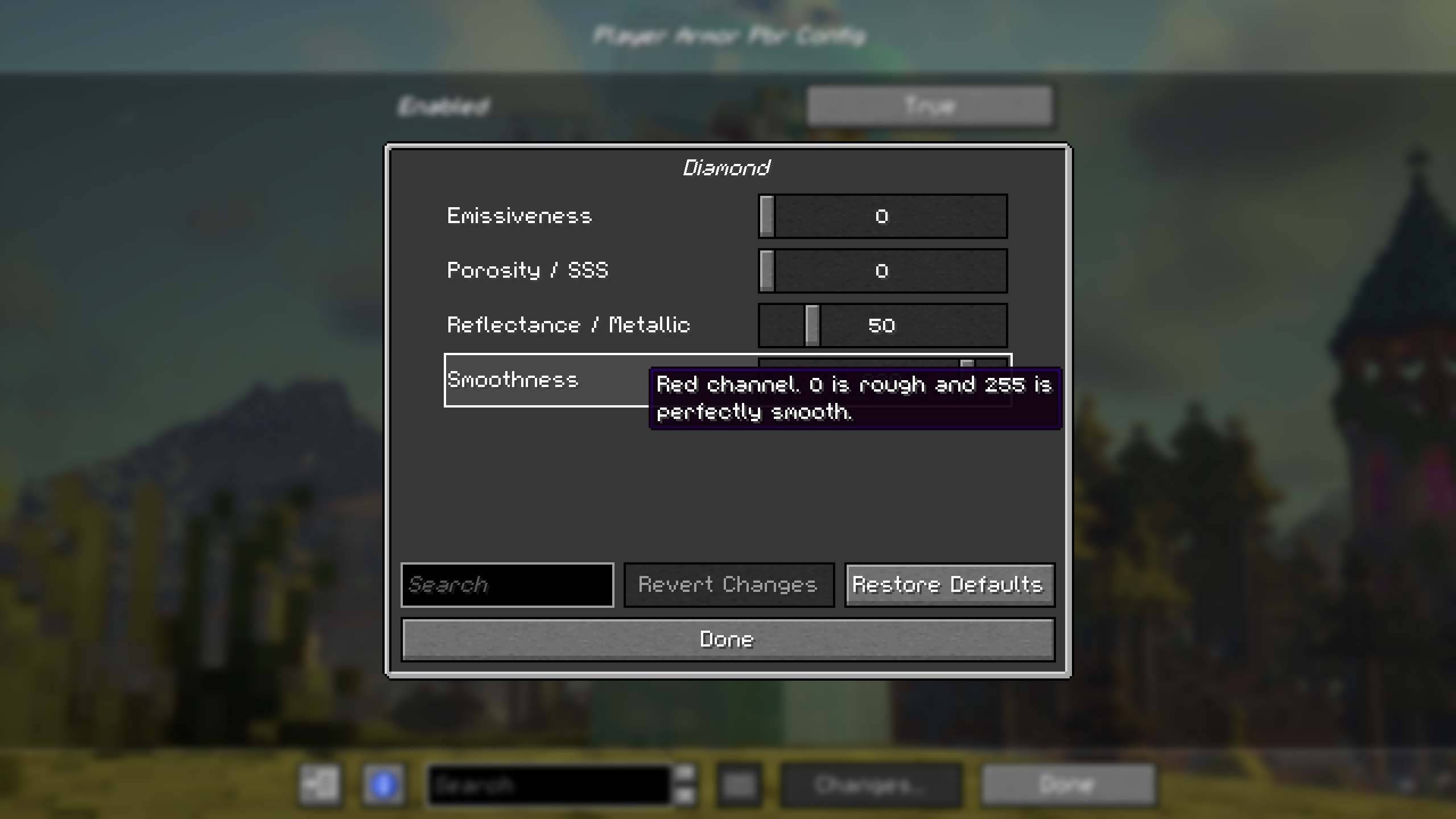 easy_config_screen.jpg easy_config_screen.jpg
 -
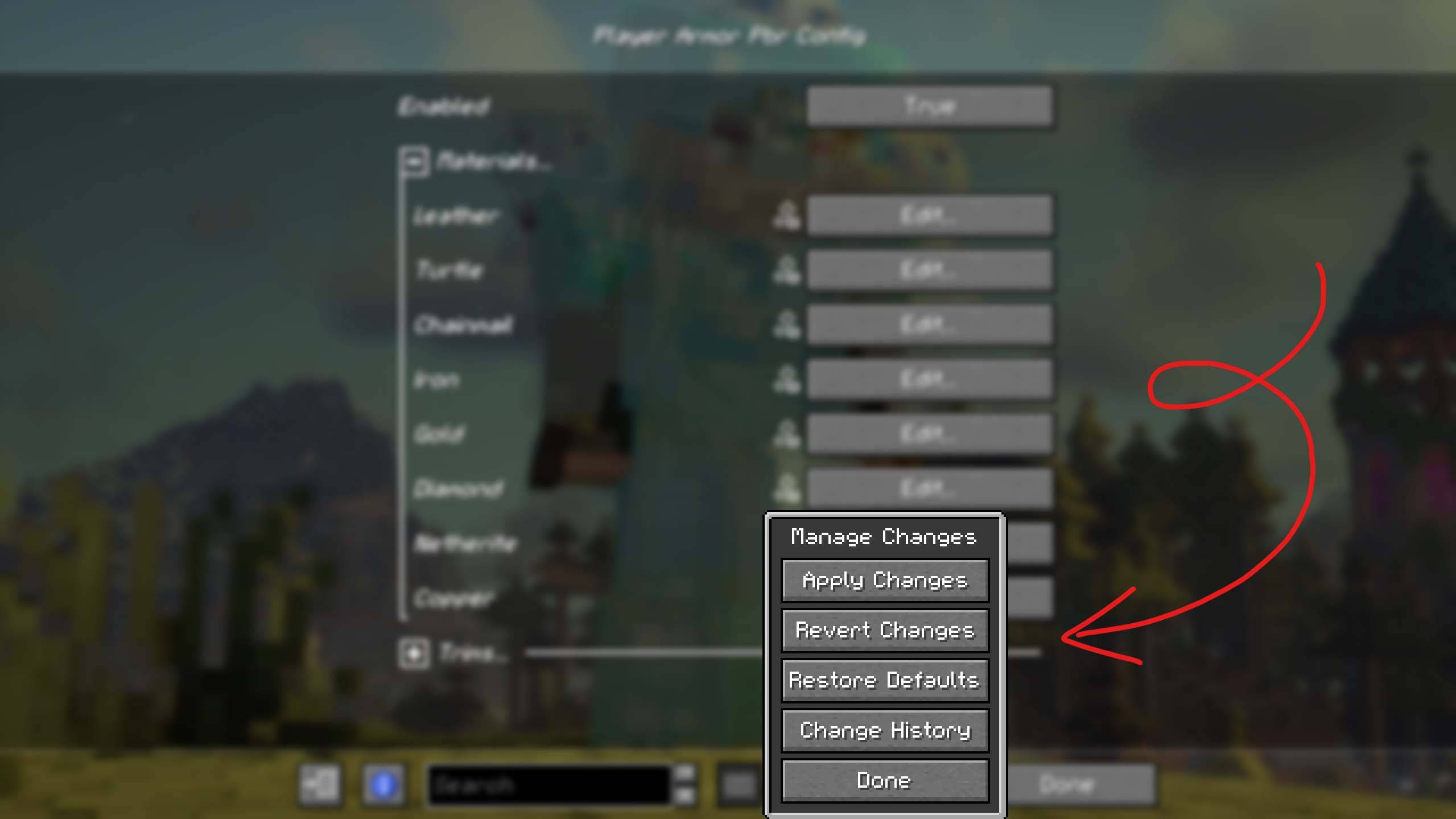 revert_changes.jpg revert_changes.jpg
-
 See changes in real time
 -
 Resource pack compatibility
 -
 Easy config editing
 -
 Easily revert your changes
Versions
Files
Relations
Project Relations
More like this
Similar Mods
Suggestions use data such as tags, dependencies, dependents, descriptions, titles, and more to rank how much they overlap with this mod.
On ModDex
Community snapshot
By the numbers
Statistics
 (opens in a new tab)
Get it on
Available Platforms
On ModDex
Community snapshot
By the numbers