
Community listing page, reviews here may not be monitored by the author.
CoordsCopy v1


No reviews yet
Tired of always manually copying down coordinates of the player's or a block's position? Well, now you can copy them easily to the clipboard with the press of a button. 😉
Community voices
Reviews
No reviews yet. Be the first to review this project!
Get it on
Available Platforms
Compatibility
Supported Environments
Runs entirely on the client. Works on vanilla servers.
About
Project Details
For authors
Embed Badge
If you're the author of this project, you can embed a live badge anywhere that supports HTML or Markdown. It updates automatically whenever ratings change.
Use HTML for any page that supports it, or Markdown for README files and Markdown-based descriptions.
Identifiers
Platform IDs
About
Description
This mod has been rewritten, visit it on https://www.curseforge.com/minecraft/mc-mods/coordscopy
CoordsCopy v1
A fabricmc minecraft mod which enabled you to copy player coordinates and block coordinates with the press of a button.
The mod provides you with a function to copy the coordinates of the block you're looking at directly into the clipboard by pressing one simple button. The coordinates will be formatted in the common format also used in commands, which is "x y z", (for example: -34 65 219). The mod is also able to copy your current player position into the clipboard using another key, formatted the same as the block coordinates.
Current Features (v1.1):
- Copy player coordinates
- Copy targeted block coordinates
Languages:
- English
- German
- German (Austrian)
Also available on:
This project is licensed under the GNU Affero General Public License v3.0. See the LICENSE file for details.
This mod has been rewritten, visit it on https://modrinth.com/mod/coordscopy.
CoordsCopy v1
IMPORTANT: This mod was archived in favour of v2.0 which uses stonecutter to support all versions from 1.16.5 onward on fabric, forge and neoforge, while keeping the codebase simpler.
A fabricmc minecraft mod which enabled you to copy player coordinates and block coordinates with the press of a button.
The mod provides you with a function to copy the coordinates of the block you're looking at directly into the clipboard by pressing one simple button. The coordinates will be formatted in the common format also used in commands, which is "x y z", (for example: -34 65 219). The mod is also able to copy your current player position into the clipboard using another key, formatted the same as the block coordinates.
Current Features (v1.1):
- Copy player coordinates
- Copy targeted block coordinates
Languages:
- English
- German
- German (Austrian)
Also available on:
This project is licensed under the GNU Affero General Public License v3.0. See the LICENSE file for details.
Screenshots
Gallery
-
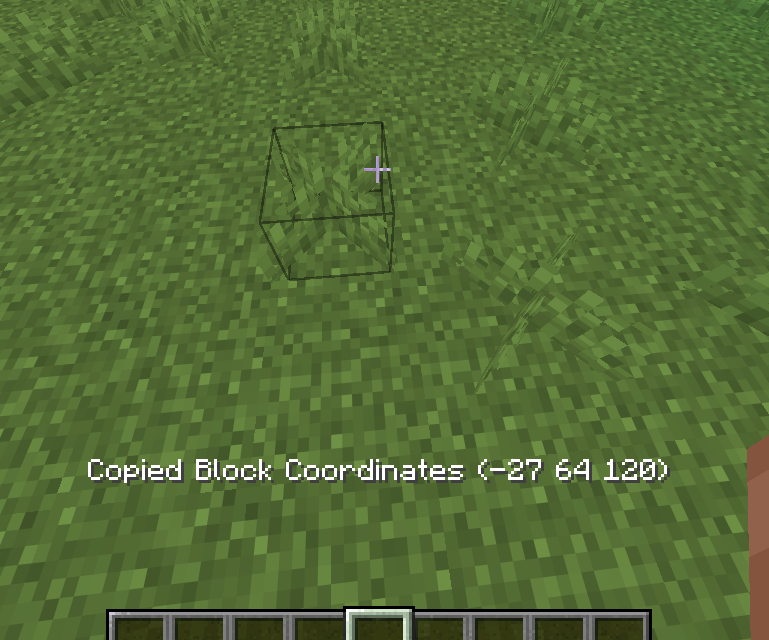 Actionbar Output This is what the actionbar output of CoordsCopy looks like if the mod config is not set to "Show output in chat instead of action bar" in the mod menu settings.
 -
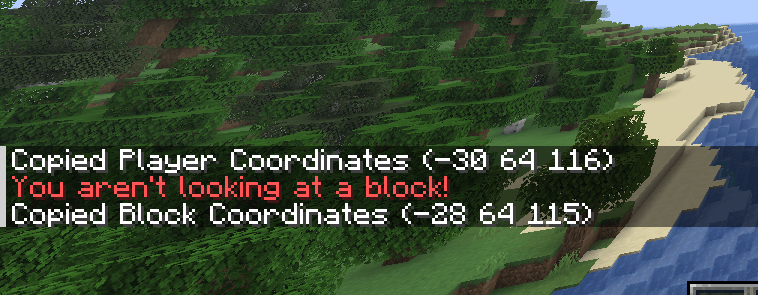 Chat Output This is what the chat output of CoordsCopy looks like if the mod config is set to "Show output in chat instead of action bar" in the mod menu settings.
-
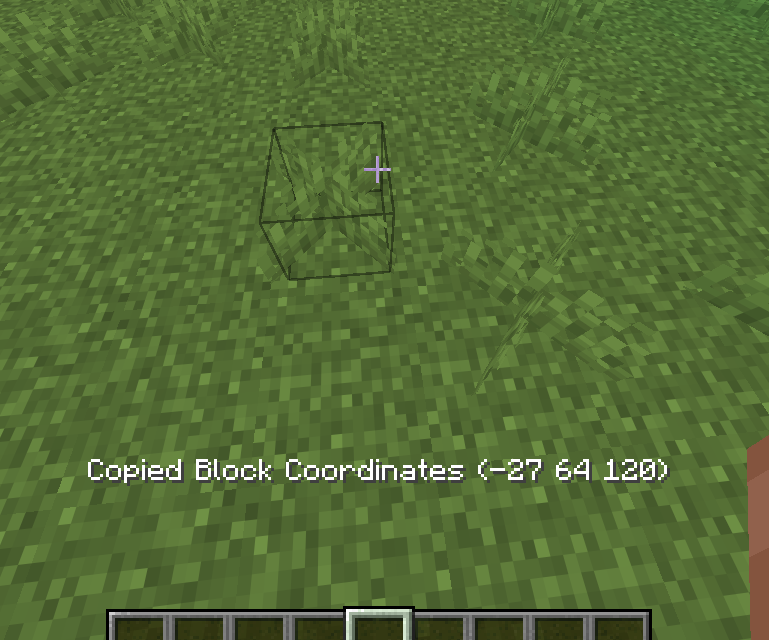 Actionbar Output This is what the actionbar output of CoordsCopy looks like if the mod config is not set to "Show output in chat instead of action bar" in the mod menu settings.
 -
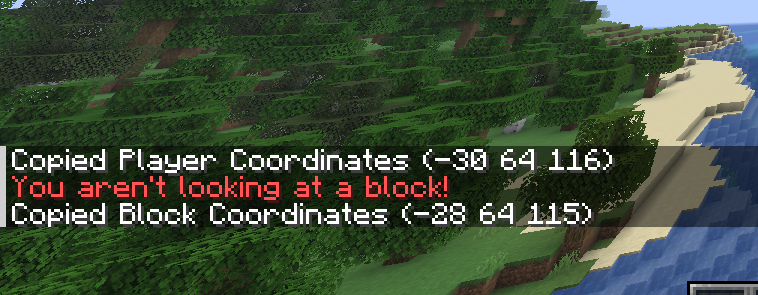 Chat Output This is what the chat output of CoordsCopy looks like if the mod config is set to "Show output in chat instead of action bar" in the mod menu settings.
Versions
Files
Relations
Project Relations
More like this
Similar Mods
Suggestions use data such as tags, dependencies, dependents, descriptions, titles, and more to rank how much they overlap with this mod.
On ModDex
Community snapshot
By the numbers
Statistics
Want to reach Minecraft players?
We're looking for a server hosting partner to feature here and other parts of the site. Interested? Send us a message!
Get in touchGet it on
Available Platforms
On ModDex
Community snapshot
By the numbers