
Community listing page, reviews may not be monitored by the author.
Countdown (pretty timer)


No reviews yet
Pretty-looking countdown for your client.

Community voices
Reviews
No reviews yet. Be the first to review this project!
Get it on
Available Platforms
Compatibility
Supported Environments
Runs entirely on the client. Works on vanilla servers.
About
Project Details
For authors
Embed Badge
If you're the author of this project, you can embed a live badge anywhere that supports HTML or Markdown. It updates automatically whenever ratings change.
Use HTML for any page that supports it, or Markdown for README files and Markdown-based descriptions.
Identifiers
Platform IDs
Resources
External Links
About
Description
This mod allows one to set pretty-looking resource pack customizable countdown on Minecraft screen. And plays scary sounds when an Hour passes, on last 30 minutes, last 10 minutes and when countdown is over.
Why? Well, if you're a streamer and accepted a kind of challenge in Minecraft, you must be wanting to set some kind of countdown. Well, this is just one of possible applications. I'm mostly sure, you can come up with more :)
Usage:
Config file is named countdown-client.toml. It stores screen position and current value of timer.
Use the following commands in-game to set various properties:
/cd add <value> [SECONDS|MINUTES|HOURS]
- adds a value to timer
/cd set <value>
- sets timer to specified value in seconds
/cd start
- starts countdown
/cd stop
- stops countdown
/cd reset
- reset timer to zero
/cd setposition <left|right> <top|bottom>
- sets countdown position on screen. Use negative values to align countdown to bottom-right.
You can download a Photoshop template to customize how timer looks (or just create a 256x256 transparent image and align digits from 1, 2 ... 9, 0, semicolon (:) in 64x80 pattern)
Your suggestions are welcome!
This mod allows one to set pretty-looking resource pack customizable countdown on Minecraft screen. And plays scary sounds when an Hour passes, on last 30 minutes, last 10 minutes and when countdown is over.
Why? Well, if you're a streamer and accepted a kind of challenge in Minecraft, you must be wanting to set some kind of countdown. Well, this is just one of possible applications. I'm mostly sure, you can come up with more :)
Usage:
Config file is named countdown-client.toml. It stores screen position and current value of timer.
Use the following commands in-game to set various properties:
/cd add [SECONDS|MINUTES|HOURS]
- adds a value to timer
/cd set
- sets timer to specified value in seconds
/cd start
- starts countdown
/cd stop
- stops countdown
/cd reset
- reset timer to zero
/cd setposition <left|right> <top|bottom>
- sets countdown position on screen. Use negative values to align countdown to bottom-right.
You can download a Photoshop template to customize how timer looks (or just create a 256x256 transparent image and align digits from 1, 2 ... 9, 0, semicolon (:) in 64x80 pattern)
Your suggestions are welcome!
Screenshots
Gallery
-
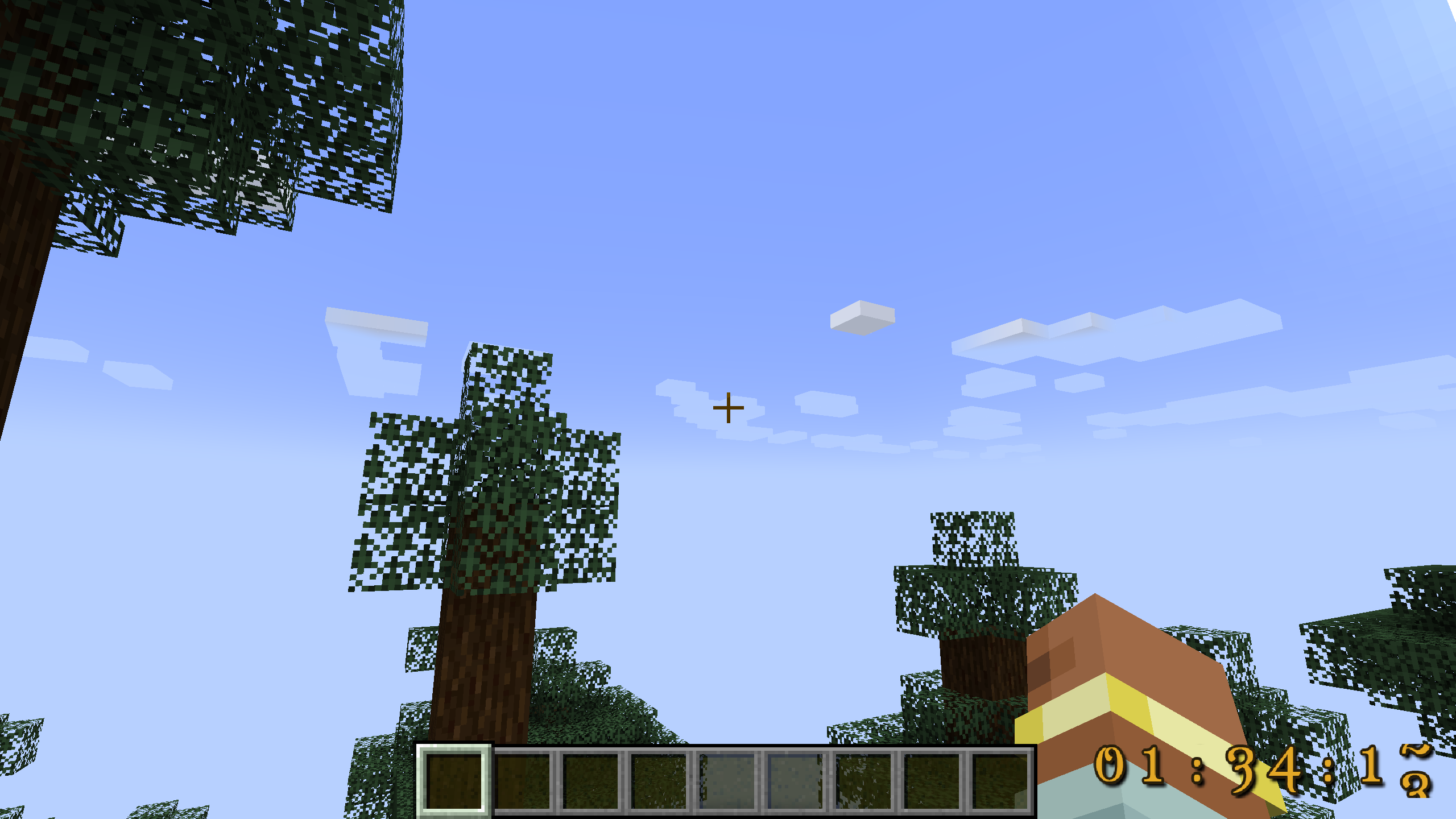 Bottom-right corner
 -
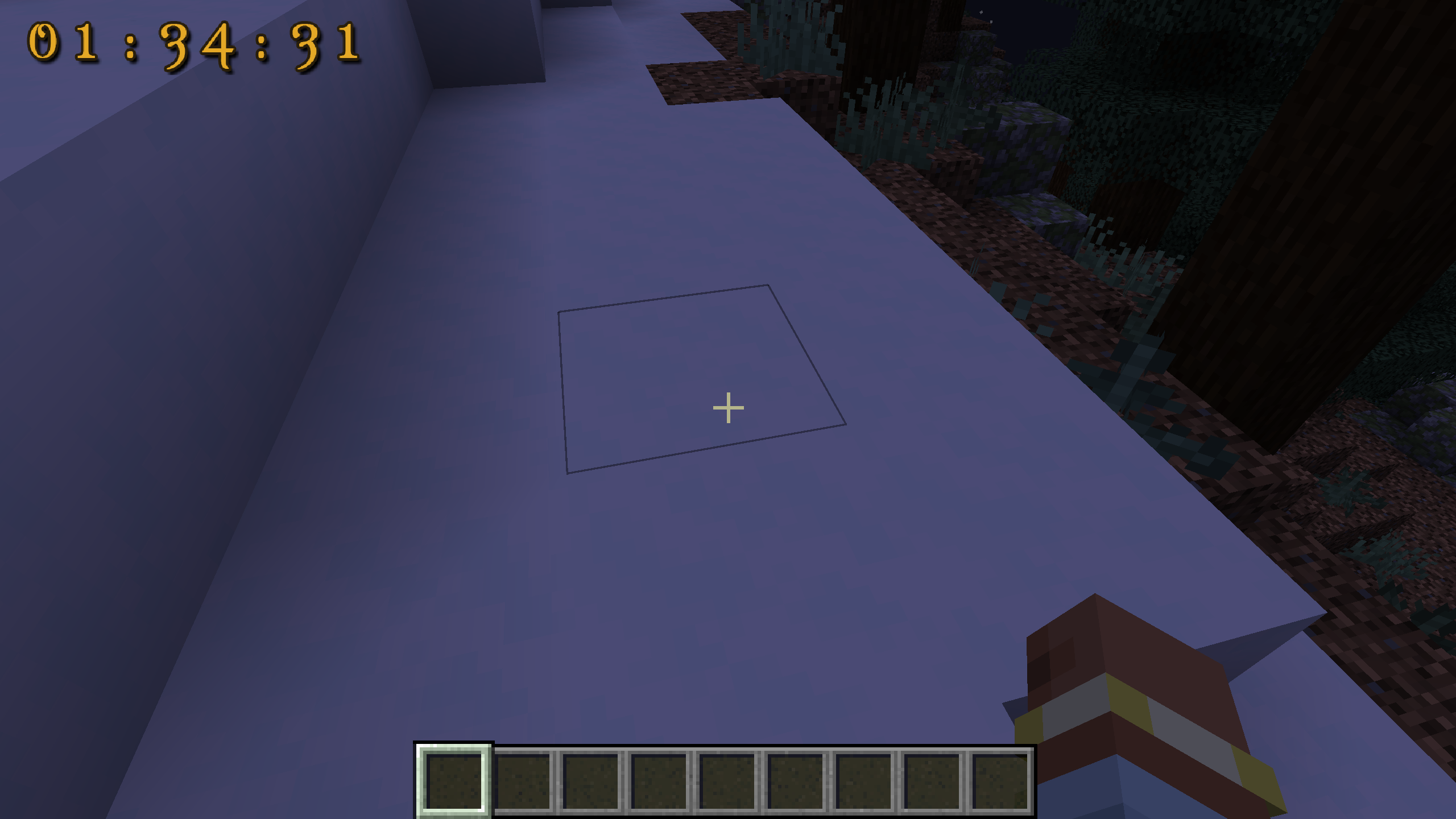 Top-Left corner
-
 Timer at bottom-right
 -
 Timer at top-left
Versions
Files
Relations
Project Relations
More like this
Similar Mods
Suggestions use data such as tags, dependencies, dependents, descriptions, titles, and more to rank how much they overlap with this mod.
On ModDex
Community snapshot
By the numbers
Statistics

Get it on
Available Platforms
On ModDex
Community snapshot
By the numbers
Statistics
Resources