
Community listing page, reviews here may not be monitored by the author.
Craft & Find

No reviews yet
Find, access, and craft with items from nearby storage — all from one convenient workbench.
Community voices
Reviews
No reviews yet. Be the first to review this project!
Get it on
Available Platforms
About
Project Details
For authors
Embed Badge
If you're the author of this project, you can embed a live badge anywhere that supports HTML or Markdown. It updates automatically whenever ratings change.
Use HTML for any page that supports it, or Markdown for README files and Markdown-based descriptions.
Identifiers
Platform IDs
Resources
External Links
About
Description

Craft & Find
Craft & Find is a lightweight quality-of-life mod for players who enjoy vanilla Minecraft storage but want to make it much easier to use.
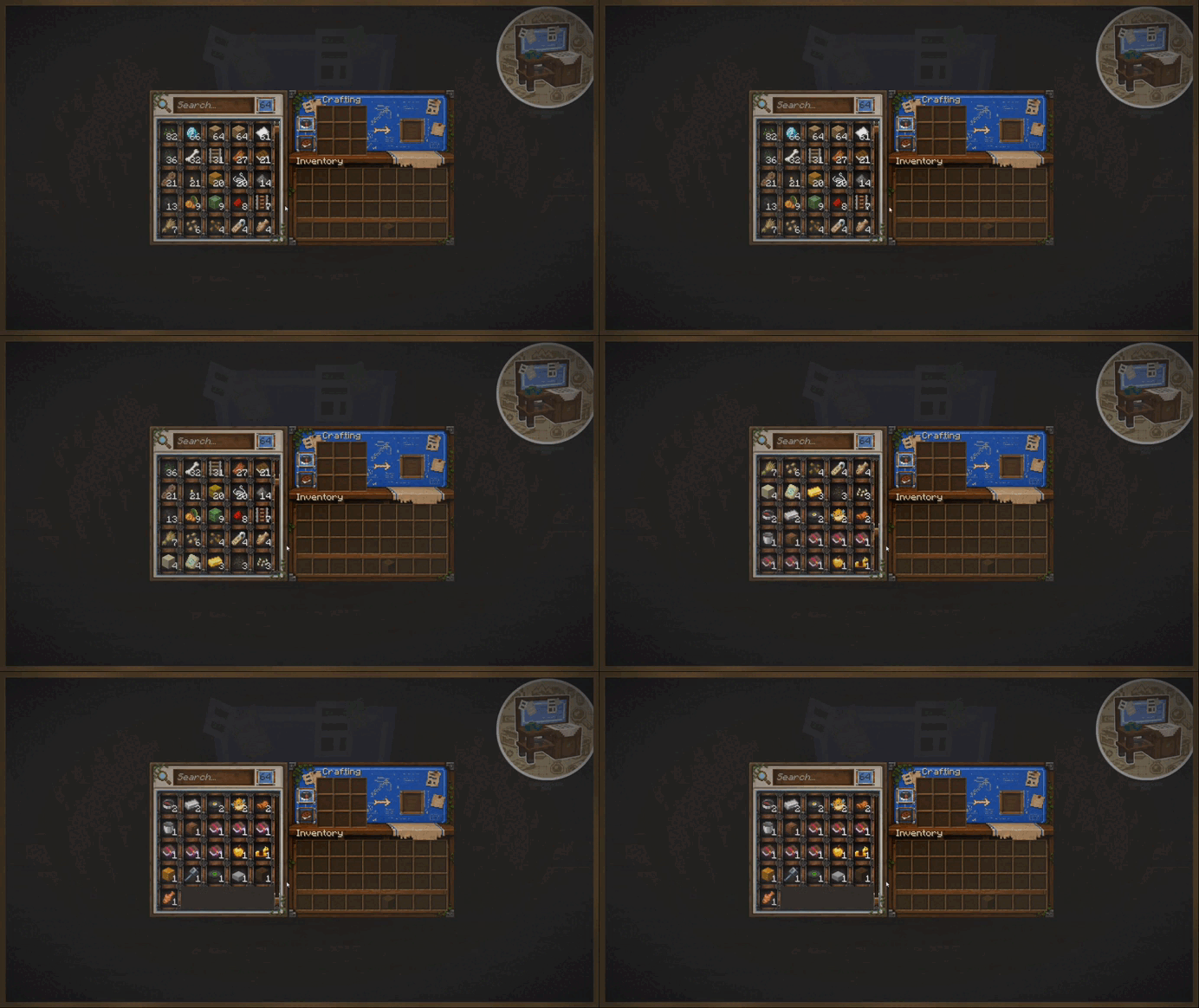
The mod adds the Storage Workbench — a special crafting station that connects nearby storage into one convenient interface. From there, you can browse everything you have, locate specific items, and craft using resources stored around you.
Recommended with Curious Chests
Craft & Find works especially well together with Curious Chests. Add specialized chests for sorting, collecting, transporting, and storing items, then manage everything nearby through the Storage Workbench.
No required dependencies and no complicated storage networks. Place a Storage Workbench near your storage room and it is ready to use.
Features
- Browse items from nearby storage in one interface
- Search items by name or item ID
- Sort items by name or total quantity
- Locate specific items directly in the world
- Craft using resources from nearby containers
- Recipe Book integration with nearby storage
- Support for chests, barrels, shulker boxes, and other compatible containers
- A clean interface designed to fit Minecraft's vanilla style
- Configurable storage range and visual effects
Your Entire Storage in One Place
The Storage Workbench scans compatible containers around it and gathers information about their contents.
Instead of treating every chest as a separate inventory, it gives you one combined list of resources from your nearby storage, including the total amount of each item.
Use the search bar or sorting controls to quickly find what you need, even in large storage rooms.
By default, the workbench searches within a 16-block radius, which can be changed in the configuration.
Where Is That Item?
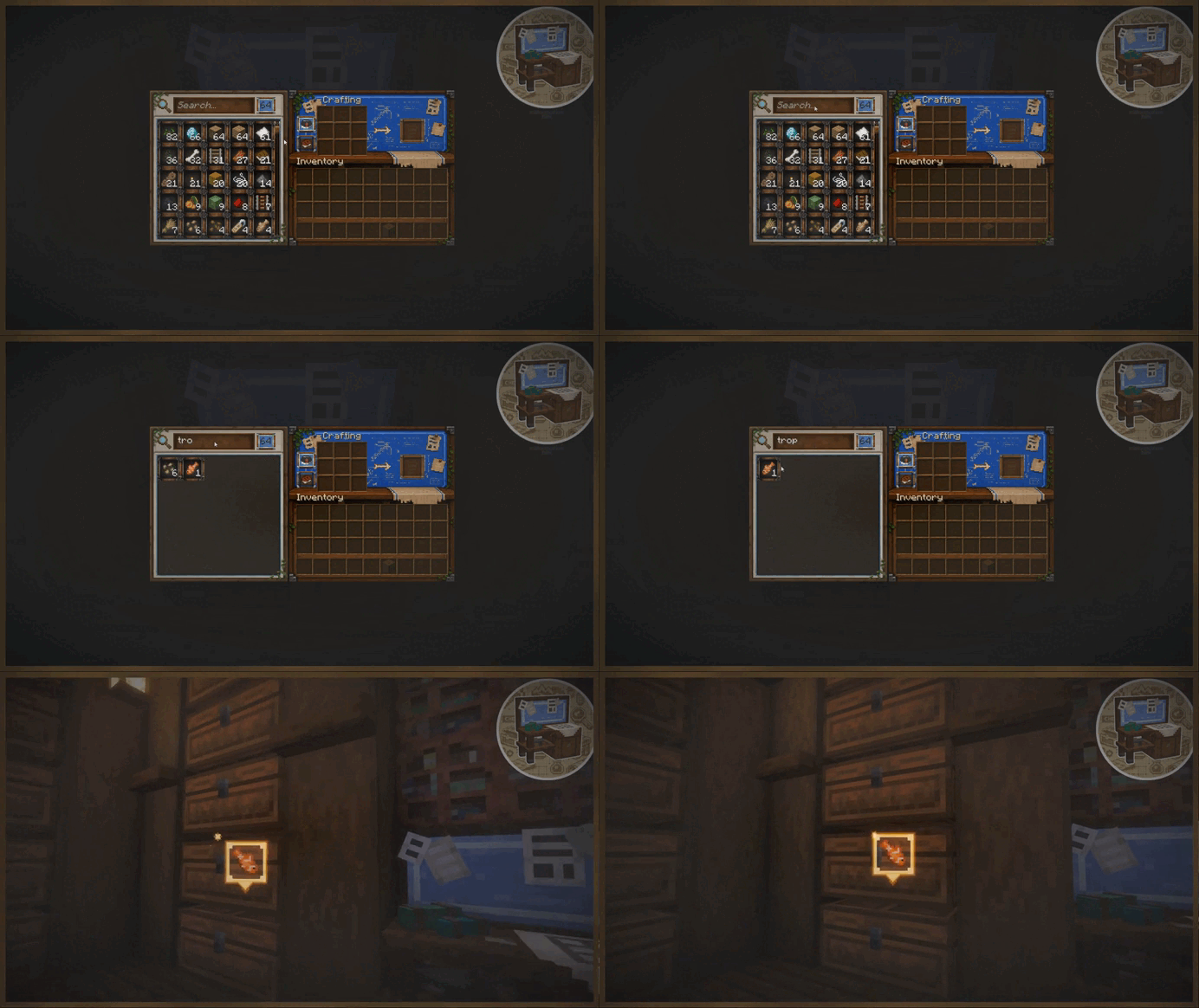
Found the item in the list but cannot remember which chest it is stored in?
Simply click the item.
Craft & Find will close the interface and highlight the containers that contain the selected item. The primary storage location can also display the item itself above the container.
This becomes especially useful once your storage room grows large enough that remembering the contents of every chest is no longer practical.
Craft From Your Storage
The Storage Workbench also functions as a full crafting station.
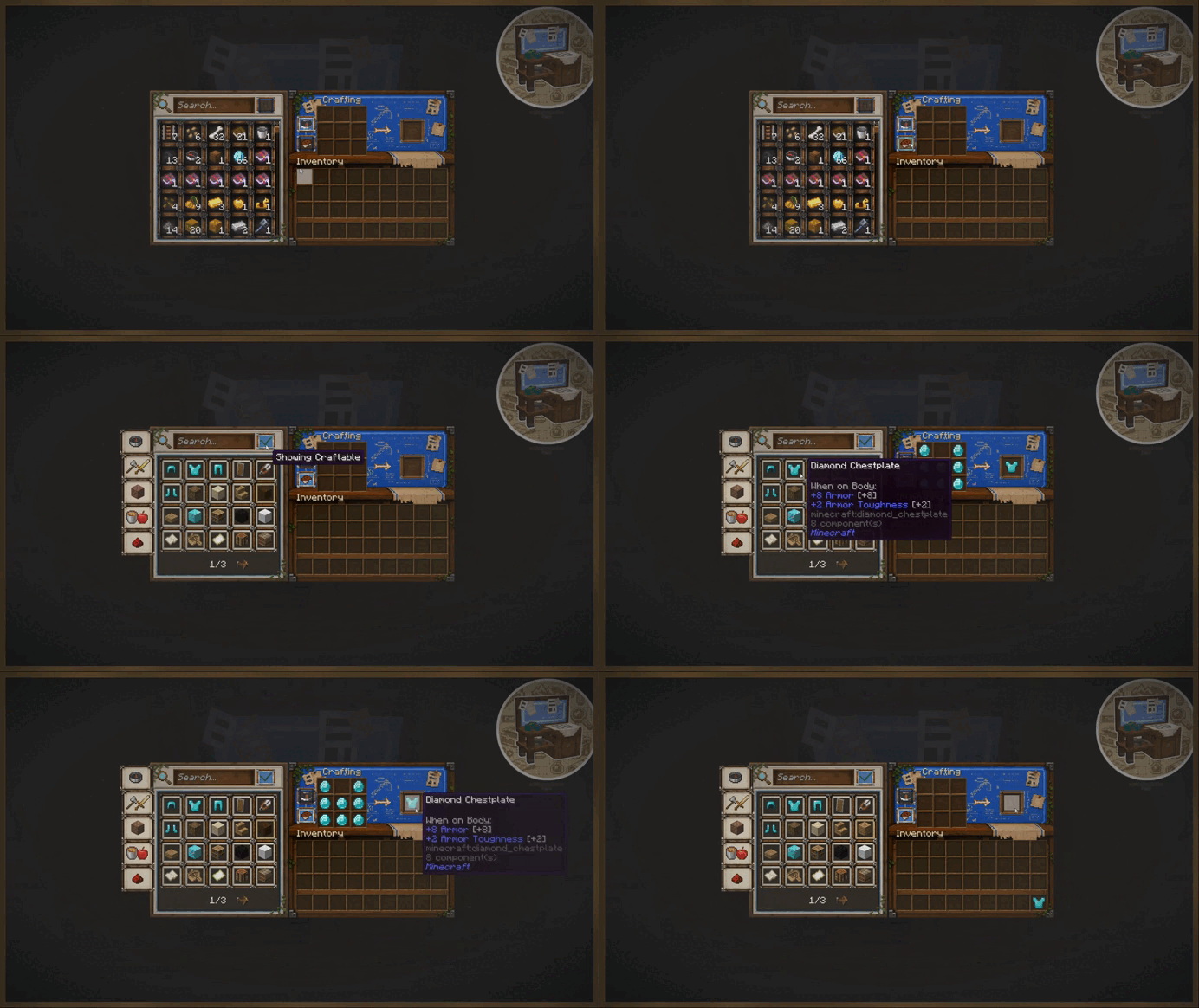
Its Recipe Book checks both your inventory and resources stored in nearby containers.
If the required ingredients are somewhere in your storage room, the recipe can appear as craftable. Selecting a recipe can automatically move the required materials from available storage into the crafting grid.
No need to search several chests, move everything into your inventory, and only then start crafting.
Interface
The Storage Workbench has its own interface that brings together:
- Storage browsing
- Search and sorting
- The crafting grid
- The Recipe Book
- Storage navigation
The interface is designed to stay simple, readable, and visually close to vanilla Minecraft, making the workbench feel like a natural extension of normal crafting rather than a separate complex storage system.
Configuration
Craft & Find includes a simple configuration system, allowing you to adjust the workbench for anything from a small storage room to a large warehouse.
- Storage Search Radius — controls how far the workbench searches for containers, default: 16 blocks
- Maximum Highlighted Containers — controls how many matching containers can be highlighted
- Container Scan Interval — controls how often the workbench checks for added or removed storage
- Content Refresh Interval — controls how often stored contents are refreshed
There are also client-side settings for the item-finding effects, allowing you to customize or disable highlights, particles, sounds, the item marker, and effect duration.
This means the functionality can stay the same while each player adjusts the visual effects to their own preference.
Vanilla Storage, Just More Convenient
Craft & Find is not designed to replace normal Minecraft storage.
There are no cables, storage disks, terminals, or separate logistics networks to build.
You still build your storage room using ordinary containers — the Storage Workbench simply makes it much easier to use.
Development
Updates will be released frequently, and community feedback is highly appreciated.
If you find bugs or have ideas, please join the Discord server.
Support
If you enjoy Craft & Find and want to support development, you can do so here:


Screenshots
Gallery
Versions
Files
Relations
Project Relations
More like this
Similar Mods
Suggestions use data such as tags, dependencies, dependents, descriptions, titles, and more to rank how much they overlap with this mod.
On ModDex
Community snapshot
By the numbers
Statistics
Want to reach Minecraft players?
We're looking for a server hosting partner to feature here and other parts of the site. Interested? Send us a message!
Get in touchGet it on
Available Platforms
On ModDex
Community snapshot
By the numbers
Statistics
Resources