Community listing page, reviews may not be monitored by the author.
Create: Employees

No reviews yet
Create Employees adds new humanoid NPCs that can patrol 2 positions, guard a position, travel to distant coordinates, flip levers and buttons or even move items for you with optional item filters.

Community voices
Reviews
No reviews yet. Be the first to review this project!
Get it on
Available Platforms
About
Project Details
For authors
Embed Badge
If you're the author of this project, you can embed a live badge anywhere that supports HTML or Markdown. It updates automatically whenever ratings change.
Use HTML for any page that supports it, or Markdown for README files and Markdown-based descriptions.
Identifiers
Platform IDs
Resources
External Links
About
Description
Create Employees — little helpers for your world
**If you're an experienced modder and want to collaborate together and flesh this mod out into its full potential please contact me within the comments section of this mod!**
Create Employees adds simple, friendly “Runners” you can hire to patrol, guard, and haul items between inventories. No complicated setup, no required dependencies — just hand them their orders and watch them work.
This is my first mod. I originally built it around the Create ecosystem, but I scrapped the hard dependency so anyone can use it, even on lightweight modpacks or vanilla-plus servers. If you do have Create, Runners play nicely with most inventories thanks to standard Forge item handler support.
What they can do
-
Patrol between two points.
-
Guard a single point.
-
Travel to specific coordinates
-
Work (haul items) from a Source inventory to a Destination, honoring a filter you control (whitelist/blacklist or disabled).
-
Fight while patrolling or guarding. They spot nearby hostile mobs and switch to a faster combat pace.
How to give orders
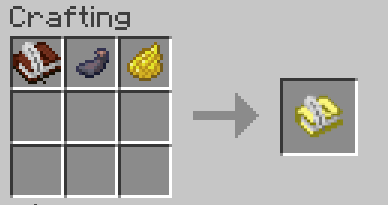
Craft Order Papers: 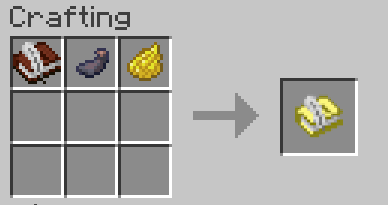
All direction comes from the Orders Paper:
-
Shift + Right-click a block → set Source.
-
Right-click a block → set Destination.
-
Shift + Right-click air (not pointing at a block) → open the Orders GUI.
Apply your source and destination, as well as your order type.
Drop the Orders Paper into a Runner’s orders slot. They’ll poll it and update behavior on the fly.
Orders GUI highlights
-
Modes: Patrol, Guard, Travel, Work.
-
Travel: enter X/Y/Z for a one-time move.
-
Item Filter: toggle Enabled/Disabled; pick Accept (whitelist) or Deny (blacklist) and drop example items to define the rule.
Hiring options
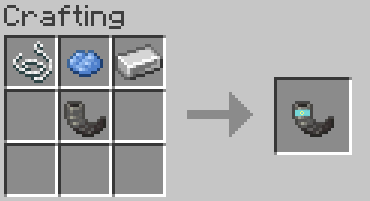
Recruitment Horn (cooldown ~10 minutes)
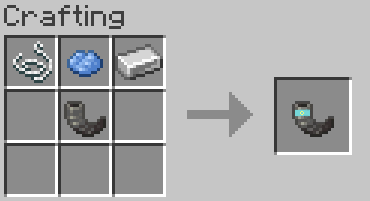
Craft the Recruitment Horn, blow it like a goat horn (uses the “Sing” call), and a fresh Runner answers.
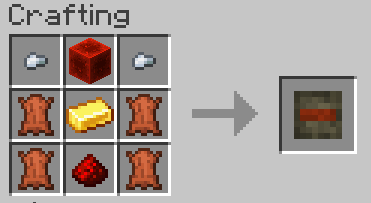
Runner Robot Kit (craftable, place like a spawn egg)
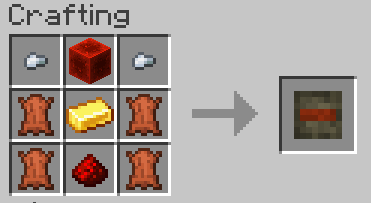
Want automation? Craft a Runner Robot Kit to place a Runner Robot. Perfect for factories, warehouses, and mass employment deployment.
Customization: right-click a placed robot with a dye to recolor its skin. Available variants (matching dye items):
black, blue, green, lime, white, light blue, red, purple, pink, orange, yellow, gray.
Use cases
-
Town guards: Drop a Guard order on gates, villager squares, or portals.
-
Wall patrols: Set perimeter patrol points; they’ll roam and respond to threats.
-
Warehouse runners: Move filtered items from farm output to storage bins.
-
Waypoint travel: Zip a Runner to a jobsite, then switch them back to Work.
Under the hood, Runners interact with blocks using a safe “fake player” where needed and standard Forge capabilities for inventory transfers, so they’re broadly compatible.
Recipes (quick list)
-
Orders Paper (shapeless): Book & Quill + Ink Sac + Yellow Dye.
-
Recruitment Horn (shaped): Goat Horn + String + Light Blue Dye + Iron Ingot (see layout above).
-
Runner Robot Kit (shaped): Iron Nugget/Redstone Block/Iron Nugget | Leather/Gold Ingot/Leather | Leather/Redstone/Leather.
Why no hard dependency on Create? Why doesn't this look like a true-to-create add-on?
I love Create, and the first prototypes hooked directly into it. I struggled as a first time modmaker trying to get it to pull from create files, and I wanted this to be a small, focused helper mod that fits anywhere that i could actually make— So the final result doesn’t require Create. If Create is present, great — but it’s entirely optional.
Screenshots
Gallery
-
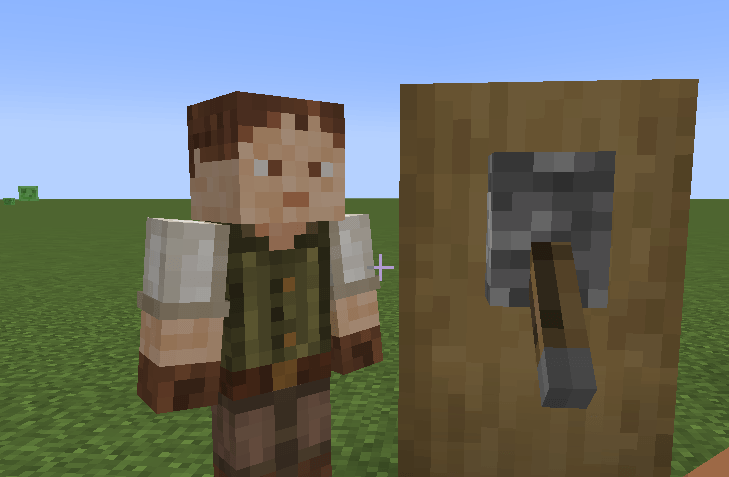 humanrunner.png humanrunner.png
 -
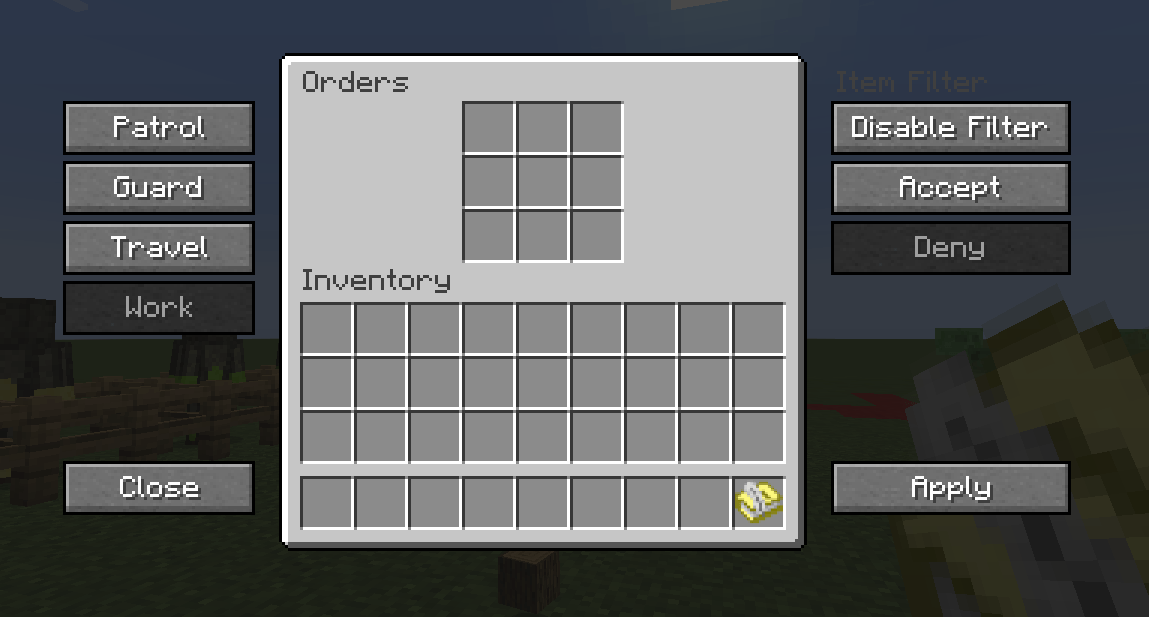 ordersthingdisplay.png ordersthingdisplay.png
 -
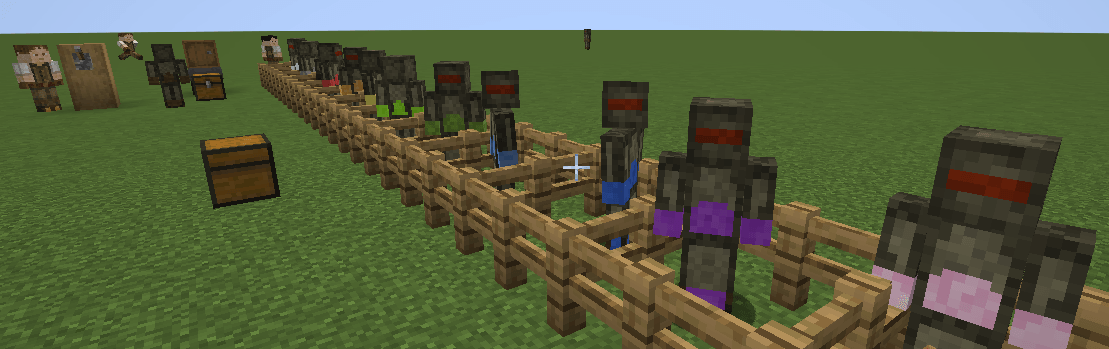 robotrunners.png robotrunners.png
 -
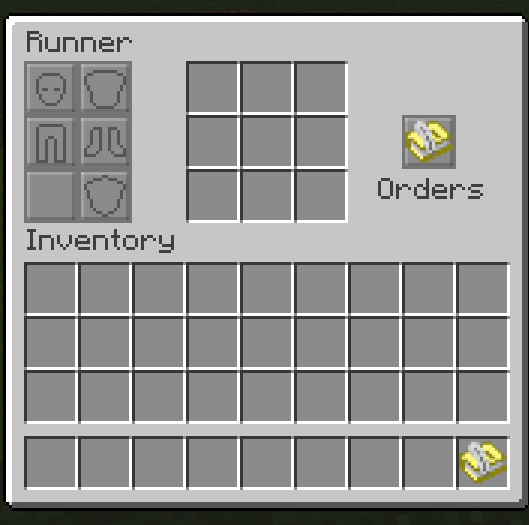 runnermenu.png runnermenu.png
 -
 Recruitment Horn.png Recruitment Horn.png
 -
 orderspaperrecipe.png orderspaperrecipe.png
 -
 RunnerRobotRecipe.png RunnerRobotRecipe.png
Versions
Files
Relations
Project Relations
More like this
Similar Mods
Suggestions use data such as tags, dependencies, dependents, descriptions, titles, and more to rank how much they overlap with this mod.
On ModDex
Community snapshot
By the numbers
Statistics
 (opens in a new tab)
Get it on
Available Platforms
On ModDex
Community snapshot
By the numbers
Statistics
Resources