
Community listing page, reviews here may not be monitored by the author.
CTM Selector

No reviews yet
This mod allows you to choose which blocks will have connected textures in every CTM resource pack you have loaded
Community voices
Reviews
No reviews yet. Be the first to review this project!
Get it on
Available Platforms
Compatibility
Supported Environments
Runs entirely on the client. Works on vanilla servers.
About
Project Details
For authors
Embed Badge
If you're the author of this project, you can embed a live badge anywhere that supports HTML or Markdown. It updates automatically whenever ratings change.
Use HTML for any page that supports it, or Markdown for README files and Markdown-based descriptions.
Identifiers
Platform IDs
About
Description


 or
or

🎴 Show available versions
| Supported MC Version | Up to date | Last version |
|---|---|---|
| 1.19.4 | ❌ | 0.1.2 |
| 1.20.x | ❌ | 0.1.2 |
| 1.20.2 | ✅ | latest |
| 1.20.4 | ✅ | latest |
| 1.20.6 | ✅ | latest |
| 1.21-1.21.8 | ✅ | latest |
| 1.21.9 | ❌ | none |
| 1.21.10-1.21.11 | ✅ | latest |
Description
This mod allows you to choose which blocks with connected textures will be enabled in your pack. For example, if you have a connected textures pack, but you don't want the log textures to be connected, then you can simply disable only these textures, while keeping the other textures connected
🏛️ In order to work, this mod needs 3 things (for links, you can click the badges above) :
- The Fabric or Quilt API
- A connected textures mod like Continuity or Optifine
- A CTM capable resource pack (basically a resource pack that adds connected textures)
For the resource packs to be detected, they simply have to be in your usual resourcepacks folder
Once you have installed the mods and resource pack(s), you have to select in Minecraft the resource packs you want (you just need to activate the resource pack like in vanilla). Then you can go in the config screen of the mod using the U key or ModMenu, and you will have access to all the options
💲Features
- Choose which blocks will have connected textures among the possible ones (❗ if your pack is a zip file, the resources will reload 2 times when enabling or disabling textures, this is normal. It is because zip files can't be modified while used by Minecraft, so we the mod unloads the pack, modifies it and reloads it)
- Choose which group of block will connect (ex: all logs or all metals)
If you want a CTM capable resource pack, you can check these (the badges are clickable) :

For pack developers
If you want to make your resource pack compatible with this mod, read the documentation here : https://git.sr.ht/~aeldit/CTMSelector/tree/main/item/docs/GROUPS.md
If you find any issue, please make sure to report it here: https://todo.sr.ht/~aeldit/CTMSelector so I can fix it
If you have a suggestion, you can go on my discord server and create a post in 🗽-suggestions-forum

Check out the rest of my projects !


Screenshots
Gallery
-
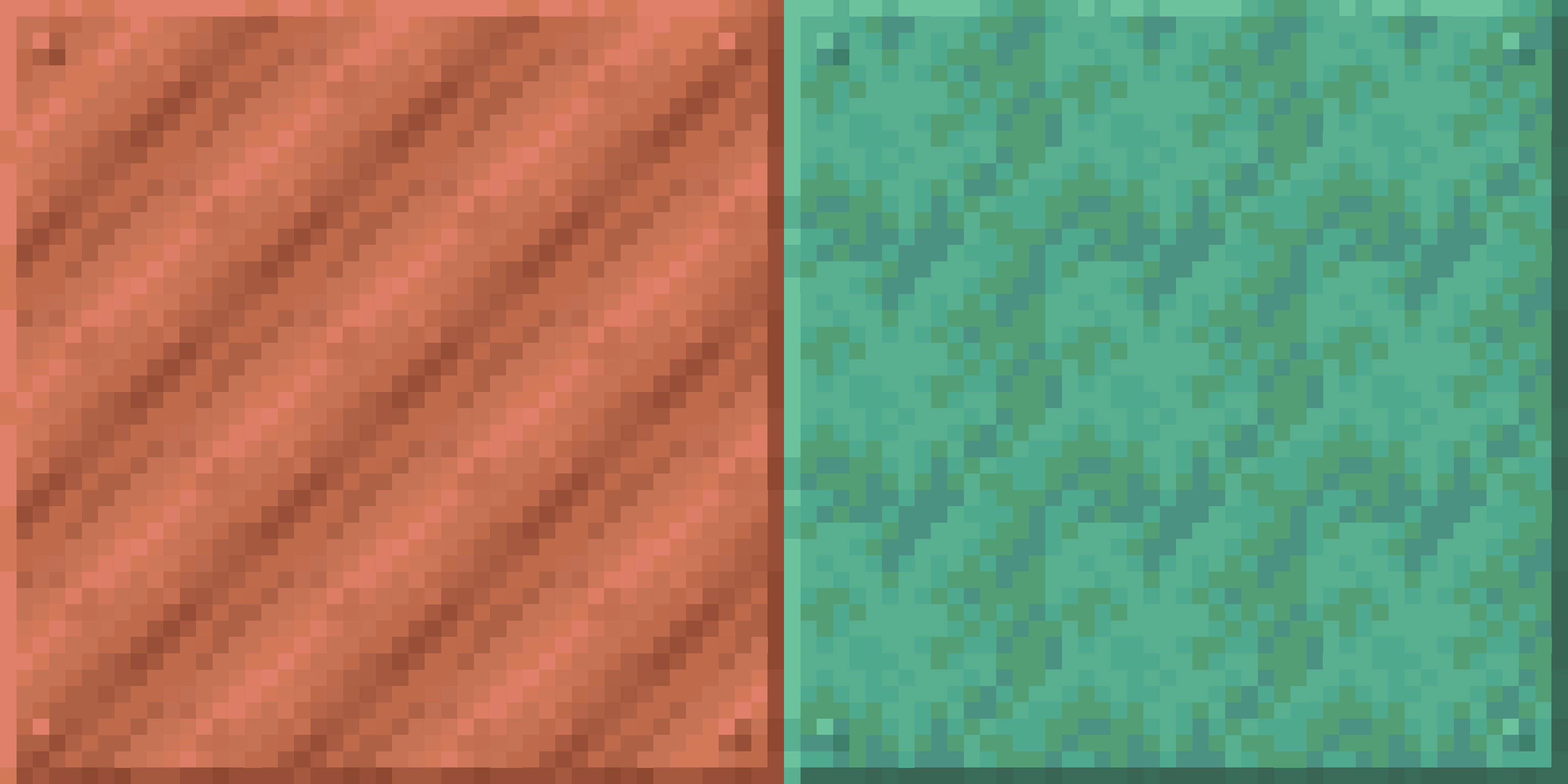 Both blocks enabled Here the resource pack adds connected textures for both blocks, and both are activated by default
 -
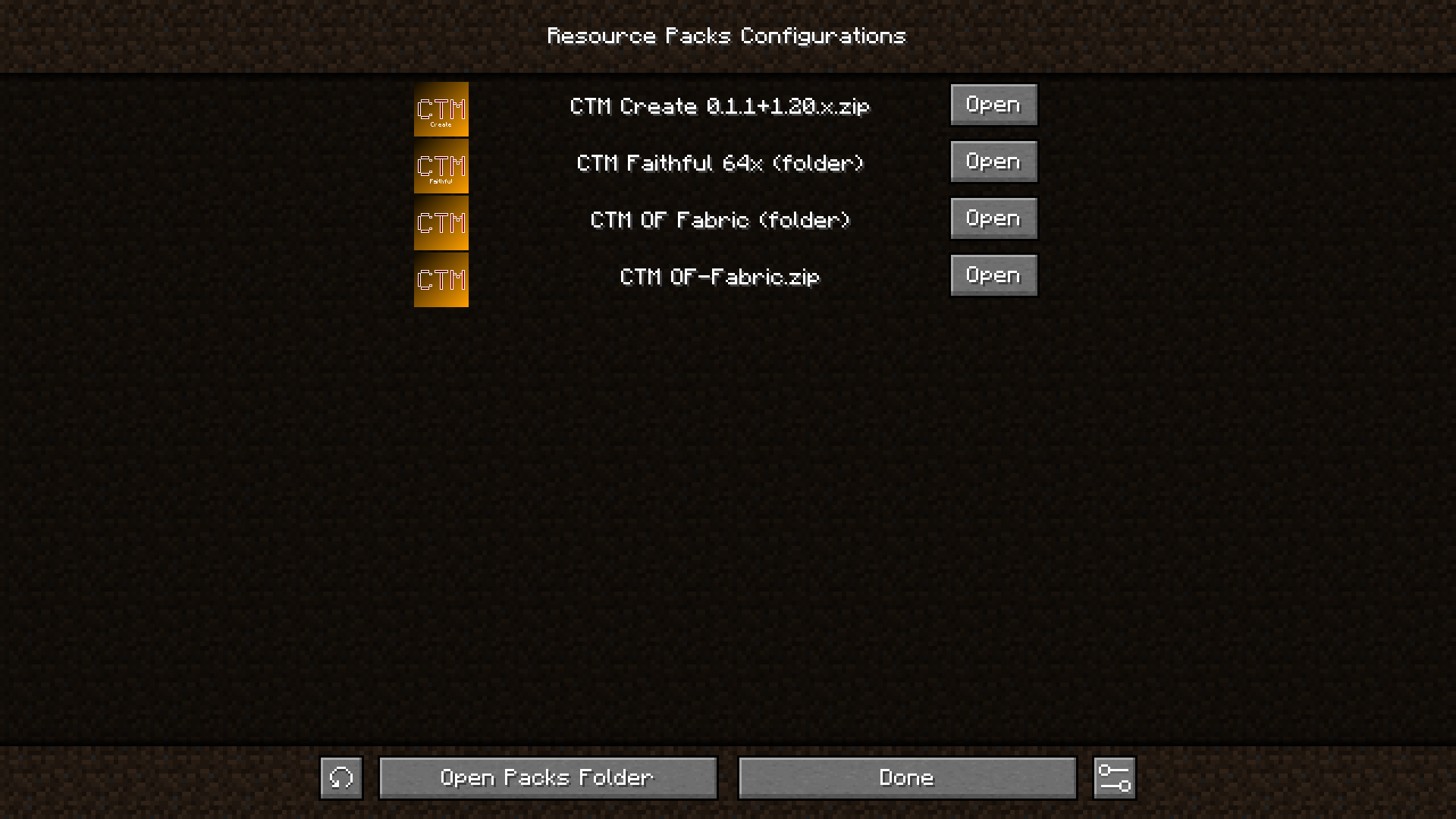 Main screen Contains a button for every CTM pack that have been found. If you click on a "Open" button, it will open a screen with a toggle for every block in the corresponding pack
 -
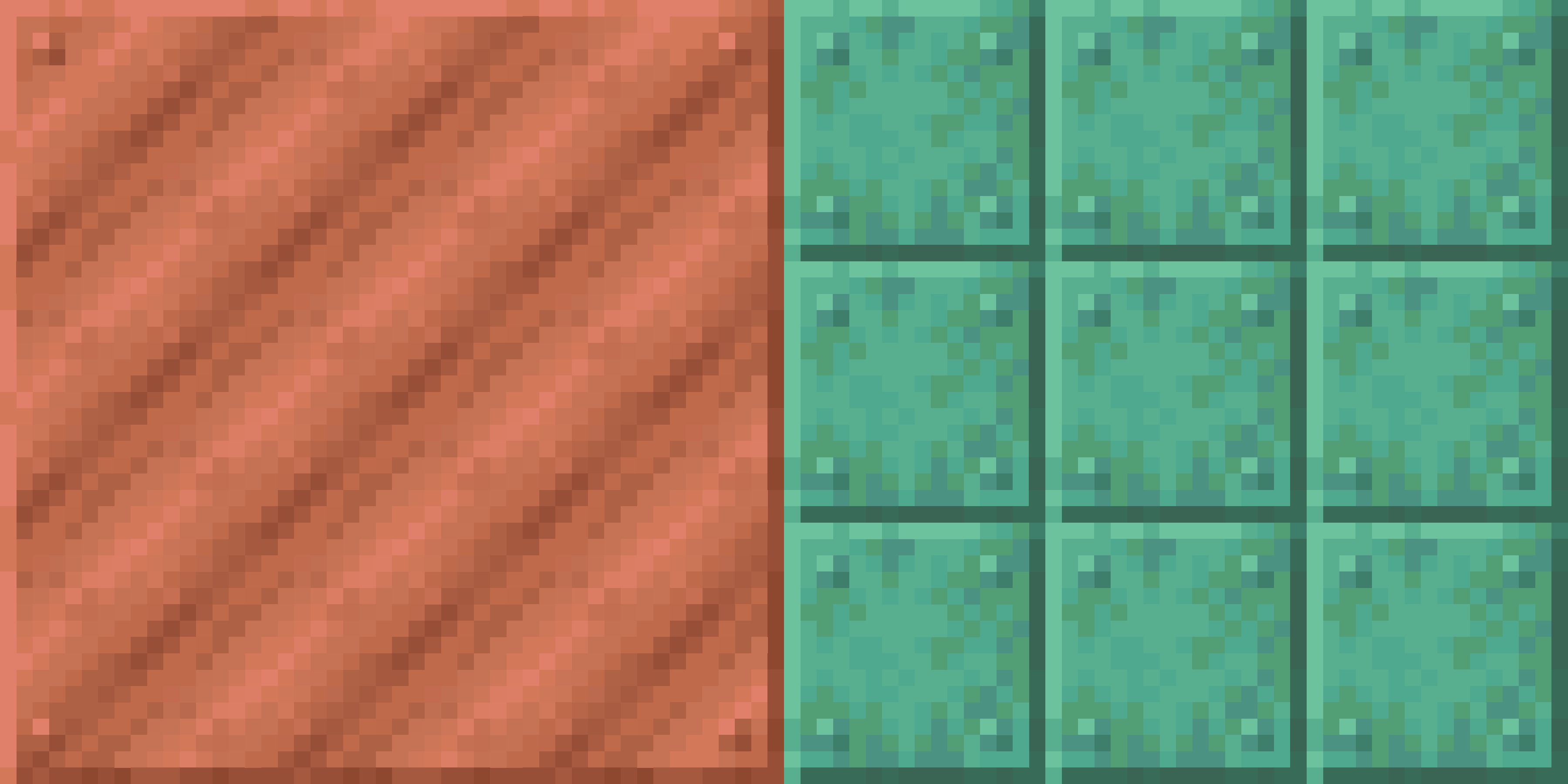 Copper activated but oxidized copper disabled Here, the pack adds connected textures for both blocks but the oxidized copper have been disabled
 -
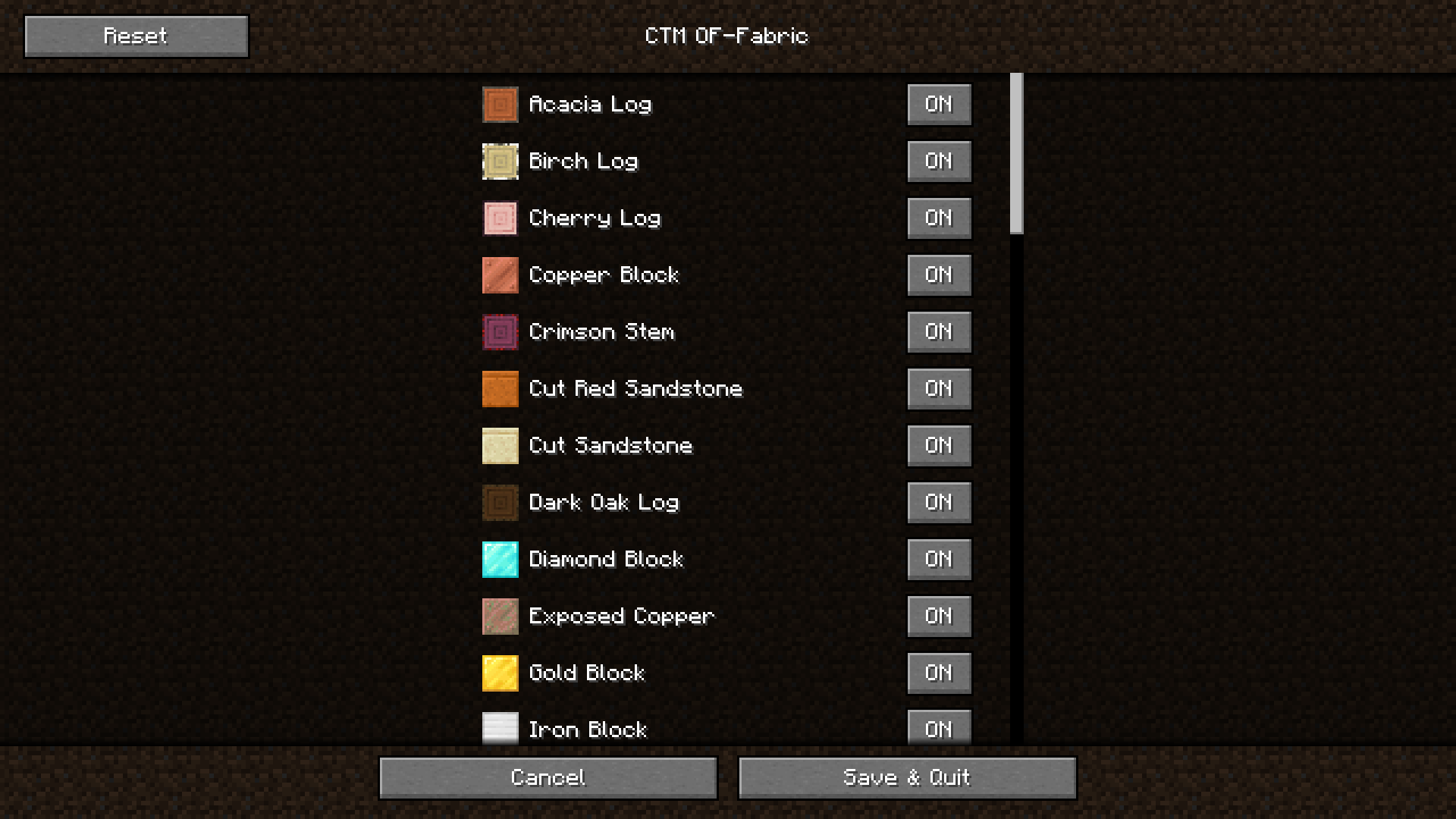 Resource Pack Screen Allows you to toggle the use of connected textures for each block
Versions
Files
Relations
Project Relations
More like this
Similar Mods
Suggestions use data such as tags, dependencies, dependents, descriptions, titles, and more to rank how much they overlap with this mod.
On ModDex
Community snapshot
By the numbers
Statistics

Want to reach Minecraft players?
We're looking for a server hosting partner to feature here and other parts of the site. Interested? Send us a message!
Get in touchGet it on
Available Platforms
On ModDex
Community snapshot
By the numbers