Community listing page, reviews here may not be monitored by the author.
Better End Gateways & Portals


No reviews yet
Better looking End Gateways & Portals that you can customize via datapack instructions on page

Community voices
Reviews
No reviews yet. Be the first to review this project!
Get it on
Available Platforms
Compatibility
Supported Environments
Runs entirely on the server. Also works in singleplayer.
About
Project Details
For authors
Embed Badge
If you're the author of this project, you can embed a live badge anywhere that supports HTML or Markdown. It updates automatically whenever ratings change.
Use HTML for any page that supports it, or Markdown for README files and Markdown-based descriptions.
Identifiers
Platform IDs
About
Description
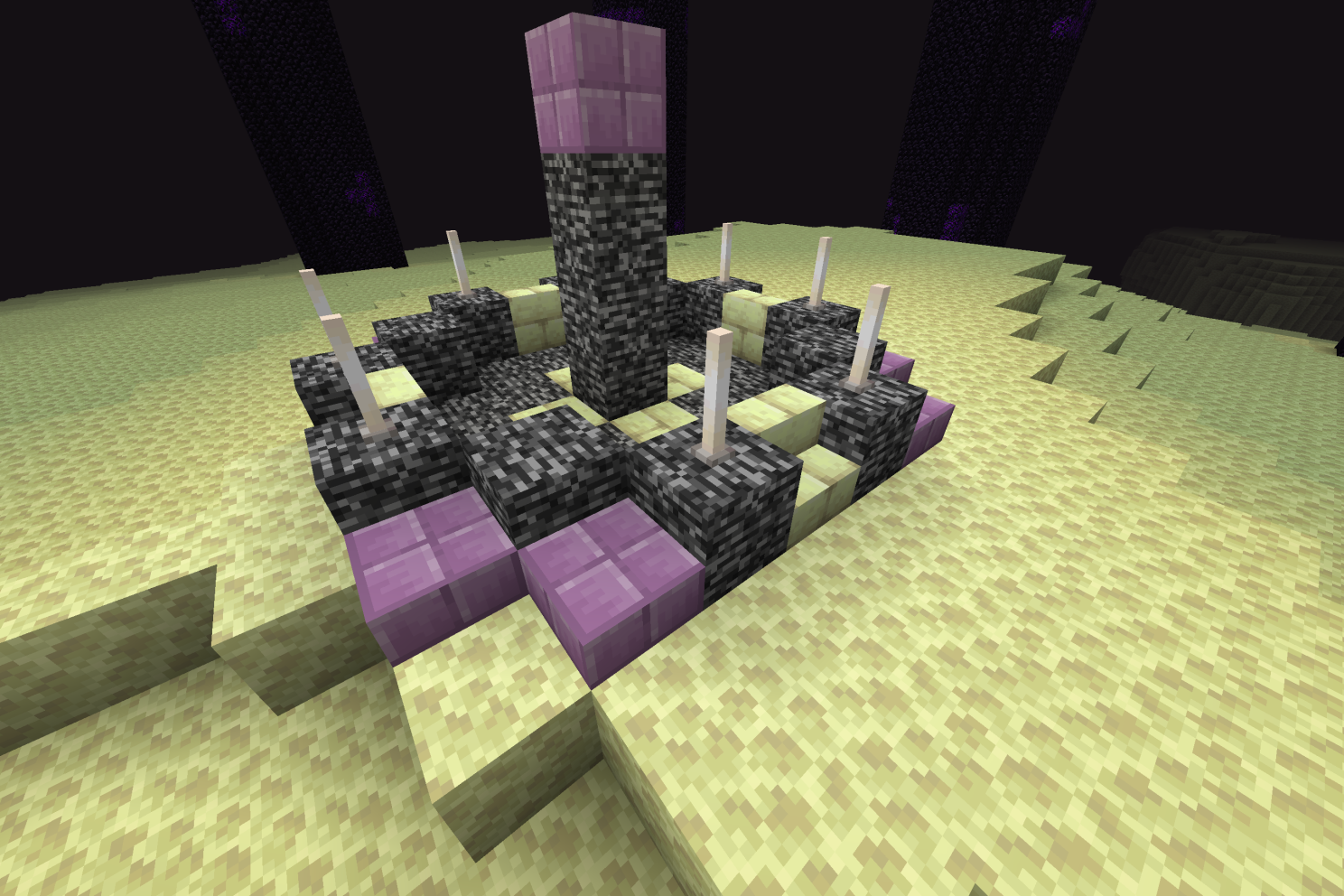
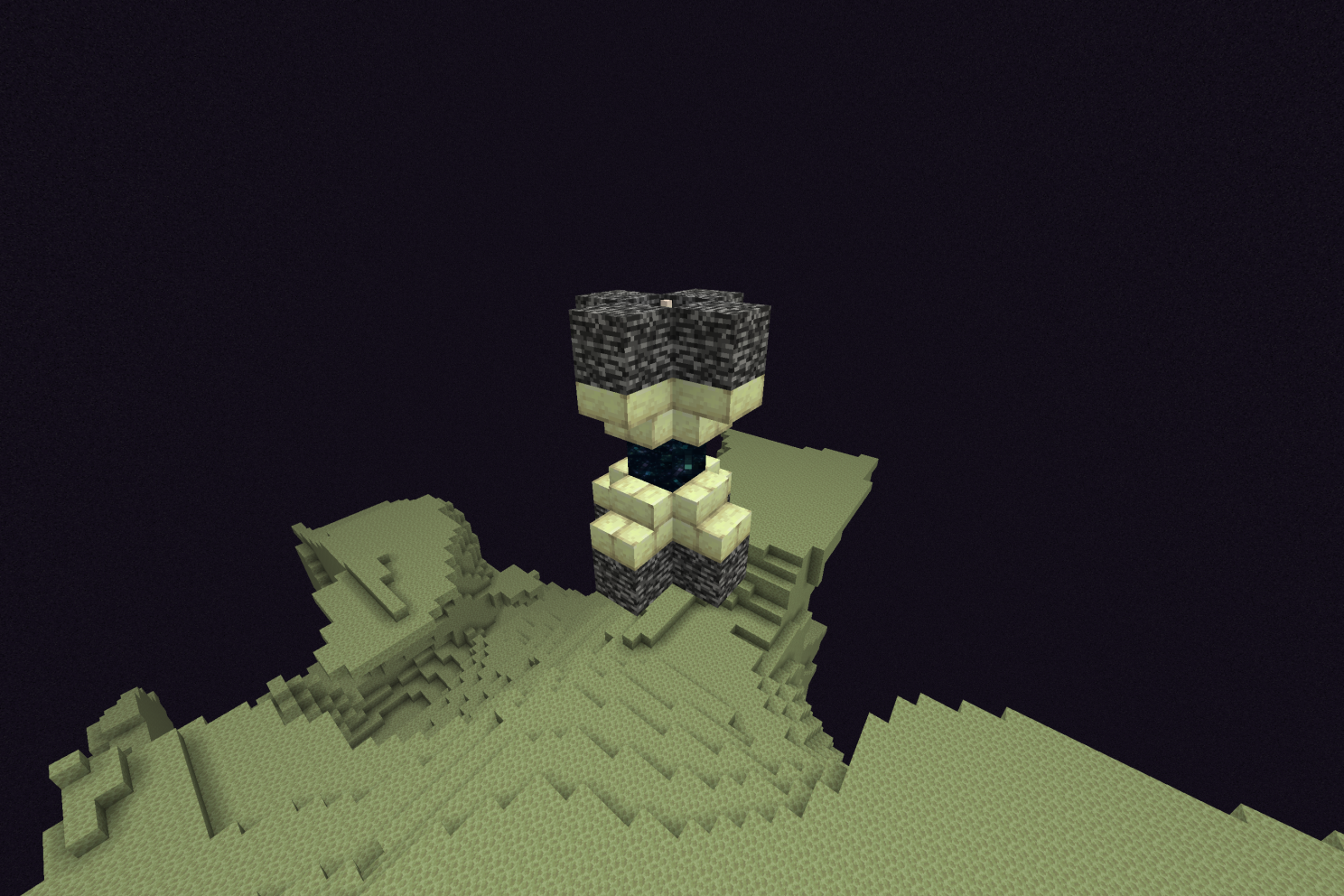
Above is how the End Portal & Gateway looks by default, so if you want to use the mod as is you can.
(Make sure to check out my other mods & Addons! All high quality!)
How to make your own End Gateway & Portal in 9 steps!
1. Grab the mod .Jar file and rename it to .zip
2. Extract the files to make it a open mod folder.
3. Click the mod folder and follow this path, data folder-> portals folder-> structures folder-> Stop here
Here you will find the nbts! (nbts are the gateway structures)
4. Load a superflat world in Minecraft.
5. Ingame, do the commands "/give @s minecraft:structure_block" and "/give @s minecraft:structure_void" to give yourself both these blocks.
6. (Before we can edit the structures, we need to put the structure nbts in your world files)
Go into your Minecraft saves folder, then click on your World folder. (You should see a bunch of folders in your World folder like achievements, data, DIM, etc)
7. In your World folder, make a new folder named "generated"
Then go back to the mod folder from earlier and copy the "portals" folder. (Dont copy "portals-1.0.3" I mean the portals folder inside the data folder)
Now paste the "portals" folder in the "generated" folder you made in your World files.
(Now in your World folder, your generated folder should have a path of: portals -> structures -> nbts)
8. Now in your superflat world place down the structure block.
Structure Block Ui:
-Structure name should have "portals:end_gateway" or "portals:end_portal" or "portals:end_portal_unfilled"
-Bottom left, mode should be on "Load" (Click to change it)
-After both are done, press the load button on the bottom right twice to make the structure spawn!
-When done, change the mode to "Save" in the bottom left then click "Save" on the bottom right.
Note: When editing the end portal, you will have to edit both the normal and unfilled version for this to work. Also if your not putting anything under the end portal, put structure void blocks to prevent air from generating.
9. Its time to put it in as a datapack so it works for any World, its easy!
(For datapacks I use the KubeJS mod.
If using KubeJS, install the mod, then load a random world for KubeJS files to appear)
-----------------
Once you have something to run datapacks, go to your World folder, click on your generated folder, then copy the "portals" folder.
Now go to your data folder. (If using KubeJS, just click on KubeJS folder, then the data folder)
Paste your "portals" folder in the data folder.
10. There is no step 10. Your done! When my mod is installed, it will use the folder path you have in your datapack folder to generate your nbts/structures.
(You cannot change the name of the nbts)
Want a POWERFUL & AFFORDABLE server host?

Get 25% with my code "lowspot" on your first server purchase here: Lagless.gg
Then you will be able to run even the heaviest of mods/addons smoothly, here is proof below because words are words, but images are proof

FAQ:
-Mod commisions?
The coder I pay takes commissions: https://www.fiverr.com/craft1x
-Compatibility
Does not work with Nullscape due to how their datapack is set up. For any other end mod it should work.
-I need help making my own gateways & portals
In the comments or in my discord linked below, tell me where in the instructions when you got confused or if you think you did everything right just for it not to work, describe how it messed up and the version your on, then describe what you did step by step.
-Can you do [Insert version here]?
No sorry, I only made this mod for my modpack Arduous Journey and don't have the time to focus more versions but the source code is available and the License allows you to do whatever you want.
-Discord?
https://discord.gg/fHWabgrbKc
Donate, so I can make more content:
Paypal Donations
Patreon.com/PurpleKelix
By default this is how the End Portal & Gateway looks, so if you want to use the mod as it is, you can.
Curseforge: https://legacy.curseforge.com/minecraft/mc-mods/custom-end-gateways-portals
How to make your own End Gateway & Portal in 11 steps!
-
Grab the mod .Jar file and rename it to .zip
-
Extract the files to make it a open mod folder.
-
Click the mod folder and follow this path, data folder-> portals folder-> structures folder-> Stop here (Here you will find the nbts! Nbts are the gateway structures)
-
Load a superflat world in Minecraft.
-
Ingame, do the commands "/give @s minecraft:structure_block" and "/give @s minecraft:structure_void" to give yourself both these blocks.
-
(Before we can edit the structures, we need to put the structure nbts in your world files) Go into your Minecraft saves folder, then click on your World folder, you should see a bunch of folders in your World folder like achievements, data, DIM, etc.
-
In your World folder, make a new folder named "generated"
-
Now go back to the opened mod folder from earlier and copy the "portals" folder. (Dont copy "portals-1.0.3" I mean the portals folder inside the data folder)
-
Now paste the "portals" folder in the "generated" folder you made in your World files. (Your generated folder should now have a path of: portals -> structures -> nbts)
-
Now in your superflat world place down the structure block.
Structure Block Ui:
-Structure name should have "portals:end_gateway" or "portals:end_portal" or "portals:end_portal_unfilled"
-Bottom left, mode should be on "Load" (Click to change it)
-After both are done, press the load button on the bottom right twice to make the structure spawn!
-When done, change the mode to "Save" in the bottom left then click "Save" on the bottom right.
Note: When editing the end portal, you will have to edit both the normal and unfilled version for this to work. Also if your not putting anything under the end portal, put structure void blocks to prevent air from generating.
|
STEP ELEVEN: Its time to put it in as a datapack so it works for any World, its easy!
(For datapacks I use the KubeJS mod.
If using KubeJS, install the mod, then load a random world for KubeJS files to appear)
|
Once you have something to run datapacks, go to your World folder, click on your generated folder, then copy the "portals" folder.
Then go to your data folder. (If using KubeJS, just click on KubeJS folder, then the data folder)
Lastly, Paste your "portals" folder in the data folder.
|
Your done! When my mod is installed, it will use the folder path you have in your datapack folder to generate your nbts structures.
(You cannot change the name of the nbts)
---
FAQ:
-Mod commisions? The coder I pay takes commissions: https://www.fiverr.com/craft1x
-Compatibility
Does not work with Nullscape due to how their datapack is set up. For any other end mod it should work.
-I need help making my own gateways & portals
In the comments down below or in my discord linked below, tell me where in the instructions when you got confused or if you think you did everything right just for it not to work, describe how it messed up and the version your on, then describe what you did step by step.
-Can you do [Insert version here]? No sorry, I only made this mod for my modpack Arduous Journey and don't have the time to focus more versions but the Source Code is available and the License allows you to do whatever you want.
Screenshots
Gallery
Versions
Files
Relations
Project Relations
More like this
Similar Mods
Suggestions use data such as tags, dependencies, dependents, descriptions, titles, and more to rank how much they overlap with this mod.
On ModDex
Community snapshot
By the numbers
Statistics
 (opens in a new tab)
Get it on
Available Platforms
On ModDex
Community snapshot
By the numbers