
Community listing page, reviews here may not be monitored by the author.
Custom Lights

No reviews yet
Colored lights with shapes, atmosphere and animations, a visual editor and a server plugin in real time. Works with Sodium and shaders.
Community voices
Reviews
No reviews yet. Be the first to review this project!
Get it on
Available Platforms
About
Project Details
For authors
Embed Badge
If you're the author of this project, you can embed a live badge anywhere that supports HTML or Markdown. It updates automatically whenever ratings change.
Use HTML for any page that supports it, or Markdown for README files and Markdown-based descriptions.
Identifiers
Platform IDs
Resources
External Links
About
Description
CustomLights
Create colored lights with shapes, glowing atmosphere and animations anywhere in the world: spotlights, cones, beams, sirens, a real flashlight, and lights on items, blocks, particles, entities and model bones. Use client commands, the visual editor with gizmo, or control everything from a server with the CustomLights plugin.
Lights are drawn on top of the finished frame, so they light blocks, entities, players, held items and your own hand alike, and cost nothing when you cannot see them.
Supported versions
| Loader | Versions |
| Fabric | 1.20.1 · 1.20.4 · 1.21.1 · 1.21.4 · 1.21.5 · 1.21.8 · 1.21.11 · 26.2 |
| Forge | 1.20.1 · 1.20.4 |
Compatibility
| Sodium ✅ | ✅ Embeddium |
| Shaders | ✅ Iris + any shader pack | ✅ Oculus + any shader pack |
- Sodium / Embeddium: fully supported, lights follow Sodium's own culling, so lights hidden in chunks Sodium doesn't draw cost nothing
- Shaders: fully supported and tested with Complementary Reimagined. The light is added on top of the shader's image, stays aligned with the world and your camera, and works with the shader's own lighting
Base command
/customlight
Features
- **13 shapes**: `sphere` `pad` `cone` `inverted_cone` `spotlight` `flashlight` `siren` `beam` `ring` `box` `star` `cross` `triangle`, each with a ready-made look
- **Volumetric atmosphere**: beams and glows in the air, with any **color** (names, HEX or `party`) and **dark lights** that darken instead of lighting
- **Stretch, angle and direction** on every shape, and **Through blocks** on/off so walls can stop a light
- **Follow lights** on a player, an entity (UUID) or every entity with a **tag**
- **Realistic flashlight** *(NEW)*: white by default, a bright hotspot with a soft halo around it, from your eyes and glued to the camera
- **Give flashlights to anyone** *(NEW)*: hand the flashlight to another player, an entity (UUID) or every entity with a tag, from commands, the editor or the server plugin, so everyone sees who holds it
- **Save as many flashlights as you want** *(NEW)*: a follow light with the `flashlight` shape shines from its target's eyes where it looks, each with its own ID and group
- **30+ looping animations**: movement, flicker, pulse, strobe, rainbow, disco, police, stage presets (`ballyhoo`, `search`, `chase`, `rotation`...), color transitions and size pulses
- **Move** any light to a point with `smooth`, `linear`, `step` or `bounce` easing
- **Object lights**: give a light to any **item** (per display context, like Blockbench), **block**, **particle**, **entity**, **special** target (beacon beams, lit blocks, burning or glowing entities, hostile mobs...) or **bone**
- **Model lights**: a bone named `customlights_<id>` in **GeckoLib**, **ModelEngine** or item models becomes a light that follows its animation
- **Visual editor** with an Axiom-style **gizmo**, live preview, color wheel, groups, presets, undo/redo and history
- **Copy / paste** lights as one command, like FogTools
- **Groups** to turn sets of lights on/off or freeze their animations
- **Performance first**: half-resolution lighting, off-screen and hidden lights are skipped, 4 quality levels (`medium` by default)
- **Compatible with Sodium and shaders** (Iris / Oculus, Embeddium on Forge)
- Lights are **saved per world and per dimension**
- **Server control** with the CustomLights plugin (Paper): lights for all players, saved on the server, and editing from the editor for operators
Visual editor
Press J (Controls → CustomLights) or run `/customlight editor [id]`. You can keep walking while it is open.
- **Gizmo** in the world: drag the arrows to move along an axis, the square to move freely, the rings to turn and tilt, the knob to aim, the diamond to change the radius and the squares to stretch. Hold **Ctrl** to snap
- **Light** tab: type (static, follow, flashlight), shape, color wheel, sliders for every value, animations, **Player position / view / camera** buttons
- **Flashlight Target** *(NEW)*: pick who holds the flashlight from a list (you, online players, the entity you look at, `tag:`), with Tab completion
- **Saved lights** tab: every light in **groups** you can fold, rename, turn on/off or freeze, with drag and drop
- **Objects** tab: pick an item, block, particle, entity, special target or bone from a searchable list with icons (mods included), with a **3D preview** in front of you
- **Presets** of object lights you can save, load and share as files
- **Copy props / Paste props** copy the look of a light onto another one
- **Ctrl+S** saves, **Ctrl+Z / Ctrl+Y** undo and redo, and **History** keeps the last 8 saved or deleted lights
- The bottom bar shows the **equivalent command**: **Copy command** to use it in chat or command blocks
- On servers with the plugin, operators get **Set to everyone**: saving sends the light or object light to every player
Examples
**Orange glowing ball:**
```
/customlight set lamp ~ ~1 ~ sphere orange 1 3 2 2 10 10
```
**Stage spotlight pointing down, sweeping around:**
```
/customlight set stage 0.5 75 8.5 spotlight white 1.5 1 4 4 20 20 0 90
/customlight animate stage search 80 30
```
**Rotating police siren:**
```
/customlight set siren1 0.5 70 12 siren red 0.5 0.3 2.6 2.5 10 10
/customlight animate siren1 rotation 40 360
```
**Light that follows a player, hidden from their own first person view:**
```
/customlight follow aura Steve 0 1 0 sphere aqua 1.5 2 2 1 10 10 false
```
**Party lights on every entity with a tag:**
```
/customlight follow party tag:dancer 0 2 0 sphere party 1 2 3 2 10 10
/customlight animate party disco 20
```
**Flashlight, then hand it to another player:**
```
/customlight flashlight white 1 8
/customlight flashlight target Steve
```
**Saved flashlight on a player** *(NEW)*:
```
/customlight follow torch2 Steve 0 0 0 flashlight white 1 8 2.8 0.35 0 0
```
**Move a light with a bounce:**
```
/customlight move lamp ~ ~3 ~ bounce 40
```
**Copy and paste a light:**
```
/customlight paste {(type:static,id:lamp,pos:[0.5,70,8.5],shape:cone,color:warm,radius:3,distance:1.5,intensity:2,atmosphere:4,fadein:10,fadeout:10,yaw:0,pitch:90,presets:[pulse:60:0.9],colors:[warm:20,magenta:40])}
```
Commands
/customlight set <id> <x> <y> <z> <shape> <color> <radius> <distance> <intensity> <atmosphere> <fade_in> <fade_out> [yaw] [pitch]
/customlight follow <id> <player|uuid|tag:<tag>|@self> <offX> <offY> <offZ> <shape> <color> <radius> <distance> <intensity> <atmosphere> <fade_in> <fade_out> [yaw pitch] [visible_firstperson]
/customlight move <id> <x> <y> <z> <smooth|linear|step|bounce> <time>
/customlight remove <id|all|flashlight> [fade_out]
/customlight model_id <id> <x> <y> <z> <shape> <color> <radius> <opacity> <light> <fade_in> <fade_out> [distance] [yaw] [pitch]
/customlight model_remove <id|all> [fade_out]
/customlight flashlight <color> <scale> <distance> [intensity] [atmosphere] [camera_delay] [angle] [target]
/customlight flashlight target <player|uuid|tag:<tag>|@self>
/customlight flashlight off
/customlight animate <id> <preset[+preset...]> [time] [amount]
/customlight animate <id> add <preset> [time] [amount]
/customlight animate <id> remove <preset>
/customlight animate <id> color_transition <color1> <ticks1> <color2> <ticks2> [...]
/customlight animate <id> size <radius> <distance> <time>
/customlight animate <id> animation_radius <radius> [time]
/customlight animate <id> stop [all|preset|color|size|radius]
/customlight stretch <id> <x> <y> <z>
/customlight angle <id> <degrees>
/customlight seethrough <id> <true|false>
/customlight group add|remove <group> [lights...]
/customlight group modify <group> on|off|animations on|animations off|rename <name>
/customlight group list
/customlight copy [id]
/customlight paste [light]
/customlight list
/customlight editor [id]
/customlight toggle
/customlight quality <low|medium|high|ultra>
/customlight stats
Options
| Option | Values |
|---|---|
| **shape** | `sphere` `pad` `cone` `inverted_cone` `spotlight` `flashlight` `siren` `beam` `ring` `box` `star` `cross` `triangle` |
| **color** | `white warm cold red crimson orange lava gold yellow lime green teal aqua cyan blue navy purple magenta pink soul shadow black`, HEX `#RRGGBB` or `party` |
| **radius** | Size of the fully lit shape |
| **distance** | How far the light blurs out past the shape. `0` = hard edge |
| **intensity** | Brightness. Dark colors darken instead |
| **atmosphere** | `0`–`10`, light scattered in the air |
| **fade_in / fade_out / time** | Ticks (20 ticks = 1 second) |
| **yaw / pitch** | Where the light points (yaw 0 = south, pitch 90 = down) |
| **angle** | `1`–`170`°, how wide cones, spotlights, flashlights and sirens open |
| **stretch** | `-64`–`64` on the shape's own X/Y/Z |
| **visible_firstperson** | `false` hides a follow light from the followed player in first person |
| **quality** | `low` · `medium` (default) · `high` · `ultra` |
Animations
| Kind | Presets |
|---|---|
| **Movement** | `circle` `random` `orbit` `figure8` `spiral` `bounce` `sway` `float` `zigzag` `firefly` |
| **Intensity** | `pulse` `flicker` `strobe` `breathe` `heartbeat` `candle` `lightning` `glitch` |
| **Color** | `rainbow` `disco` `police` |
| **Direction** | `sweep` `scan` `wobble` `pendulum` |
| **Stage** | `ballyhoo` `search` `chase` `grow` `shoot` `iris` `rotation` |
Combine presets with `+` (`circle+pulse`), each with its own `time` and `amount`. Every preset loops smoothly without jumps.
Object lights
- **Items**: the light sits inside the item model and moves with it, in the display contexts you turn on (first person, third person, head, ground, item frame), optionally only for one **custom model data**. Also in first person with shader packs *(NEW)*
- **Blocks**: any block becomes a light where it is placed. Crowds of blocks merge so it stays fast
- **Particles** and **entities** carry their light while they live
- **Special**: `beacon_beam` `end_gateway_beam` `end_crystal_beam` `conduit` `lit_blocks` `burning_entity` `glowing_entity` `charged_creeper` `enchanted_item` `enchanted_gear` `hostile_mobs` `animals` `players` `projectiles` `bosses` `item_entities`
- **Bones**: name a bone `customlights_<id>` in Blockbench (**GeckoLib**, **ModelEngine** or item models) and it becomes the light `<id>`, following the animation
Object lights are shared by every world in `config/customlights/objects.json`.
Tips
- Coordinates accept `~` and `~1.5`; whole numbers on x/z are centred on the block like `/tp`
- `/customlight paste` without text reads the clipboard, so long lights work past the 256 character chat limit
- `tag:<tag>` follow lights work on their own in singleplayer; on servers the plugin sends the tagged entities
- `/customlight toggle` turns every light off and on, `/customlight quality low` for weaker PCs
- With a shader pack, the light is added on top of the shader's image
CustomLights Plugin (servers)
With the plugin on a **Paper** server, send lights to players with the mod (Fabric or Forge). Players without the mod can still join normally.
- Every client command, as `/lightplugin` (alias **`/lpl`**) with a target: **`@a`**, **`all`**, a **player name** or a selector
- Lights are **saved on the server**, sent again when players join, and lights removed while a player was away are gone for them too
- **Object lights and presets** from the editor are shared with everyone
- Operators can **edit server lights from the editor** (Set to everyone)
- **Tab completes everything**: players, ids, groups, shapes, colors, coordinates, presets
- Permission: `customlights.admin` (default: OP)
Plugin commands
/lpl set <targets> <id> <x> <y> <z> <shape> <color> <radius> <distance> <intensity> <atmosphere> <fade_in> <fade_out> [yaw] [pitch]
/lpl follow <targets> <id> <target> <offX> <offY> <offZ> <shape> ... [yaw pitch] [visible_firstperson]
/lpl move <targets> <id> <x> <y> <z> <smooth|linear|step|bounce> <time>
/lpl remove <targets|all> <id|all> [fade_out]
/lpl model_id <targets> <id> <x> <y> <z> <shape> <color> <radius> <opacity> <light> <fade_in> <fade_out> [distance] [yaw] [pitch]
/lpl model_remove <targets> <id|all> [fade_out]
/lpl animate <targets> <id> <preset[+preset]> [time] [amount]
/lpl stretch <targets> <id> <x> <y> <z>
/lpl angle <targets> <id> <degrees>
/lpl seethrough <targets> <id> <true|false>
/lpl group <targets> list | add <group> [ids] | remove <group> [ids] | modify <group> on|off|animations <on|off>
/lpl flashlight <targets> <color> <scale> <distance> [intensity] [atmosphere] [camera_delay] [angle] [holder] | target <holder> | off
/lpl object list | object remove <key|all>
/lpl preset list | preset remove <name|all>
/lpl paste <targets> {(...)}
/lpl list [targets]
/lpl reload
Plugin examples
/lpl set @a spawnlight 0 72 0 beam gold 0.8 1 3 4 20 20
/lpl animate @a spawnlight breathe 60
/lpl follow @a crown Steve 0 2.3 0 sphere gold 0.4 1 3 2 10 10
/lpl move @a spawnlight ~ ~5 ~ smooth 60
/lpl flashlight @a white 1 8 2.8 0.35 0 40 Steve
/lpl remove all
Screenshots
Gallery
-
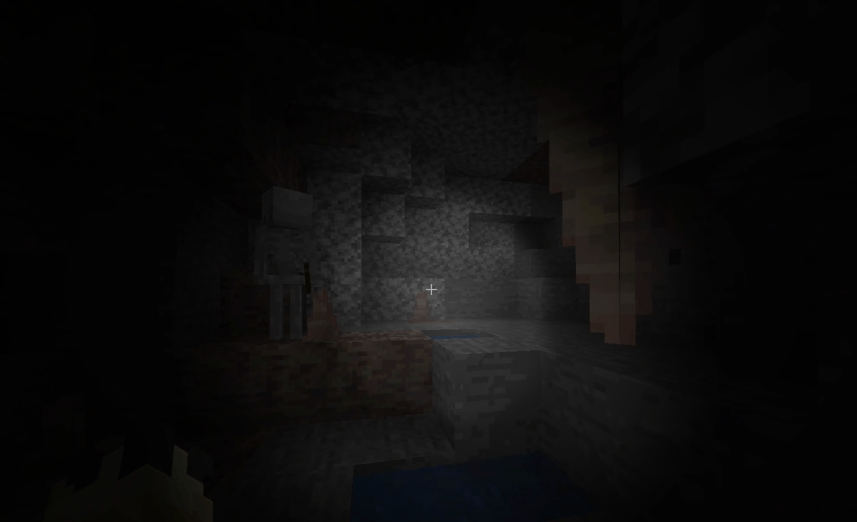 custom Flaslight.png
 -
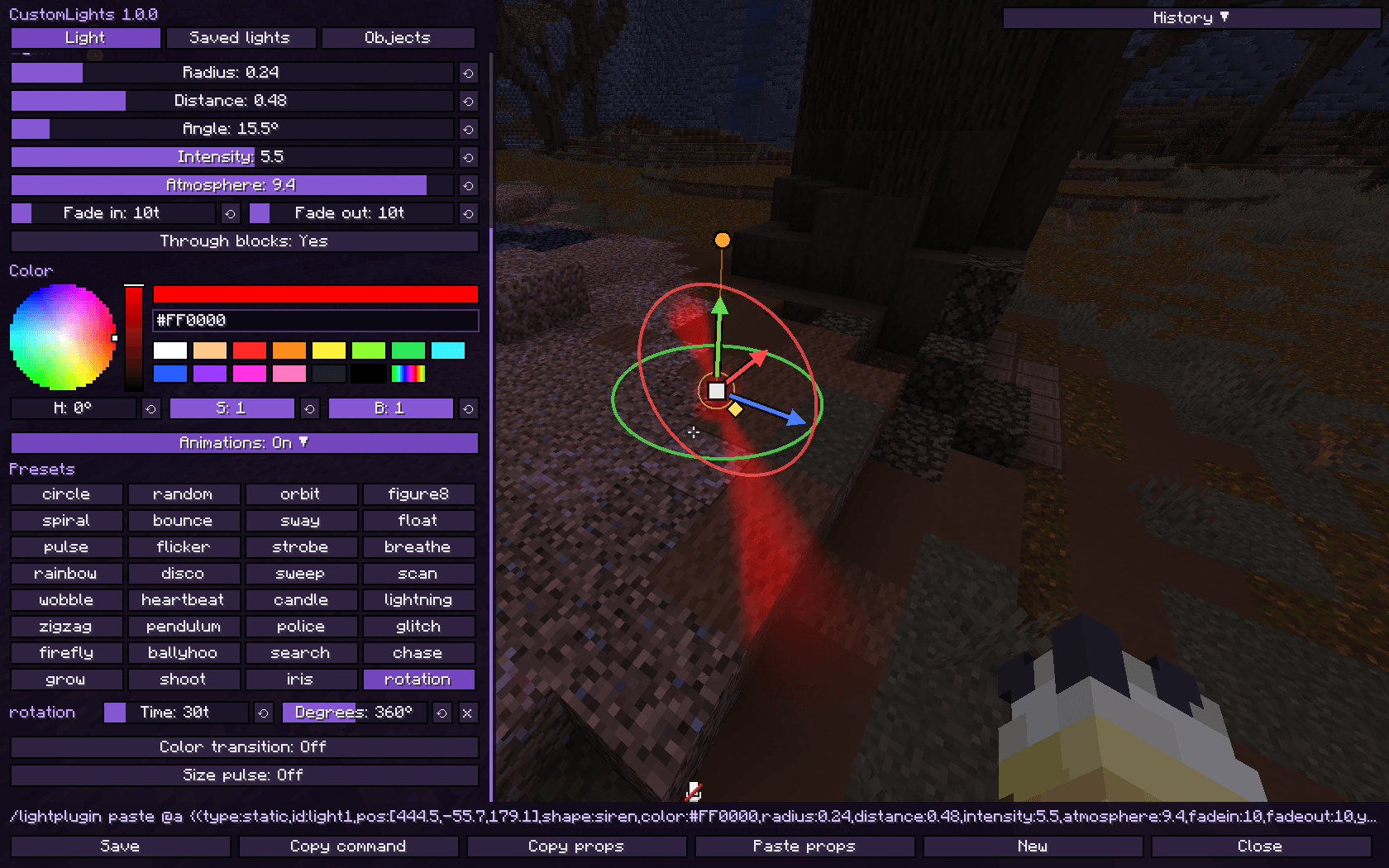 Siren Shape and Animations.png
 -
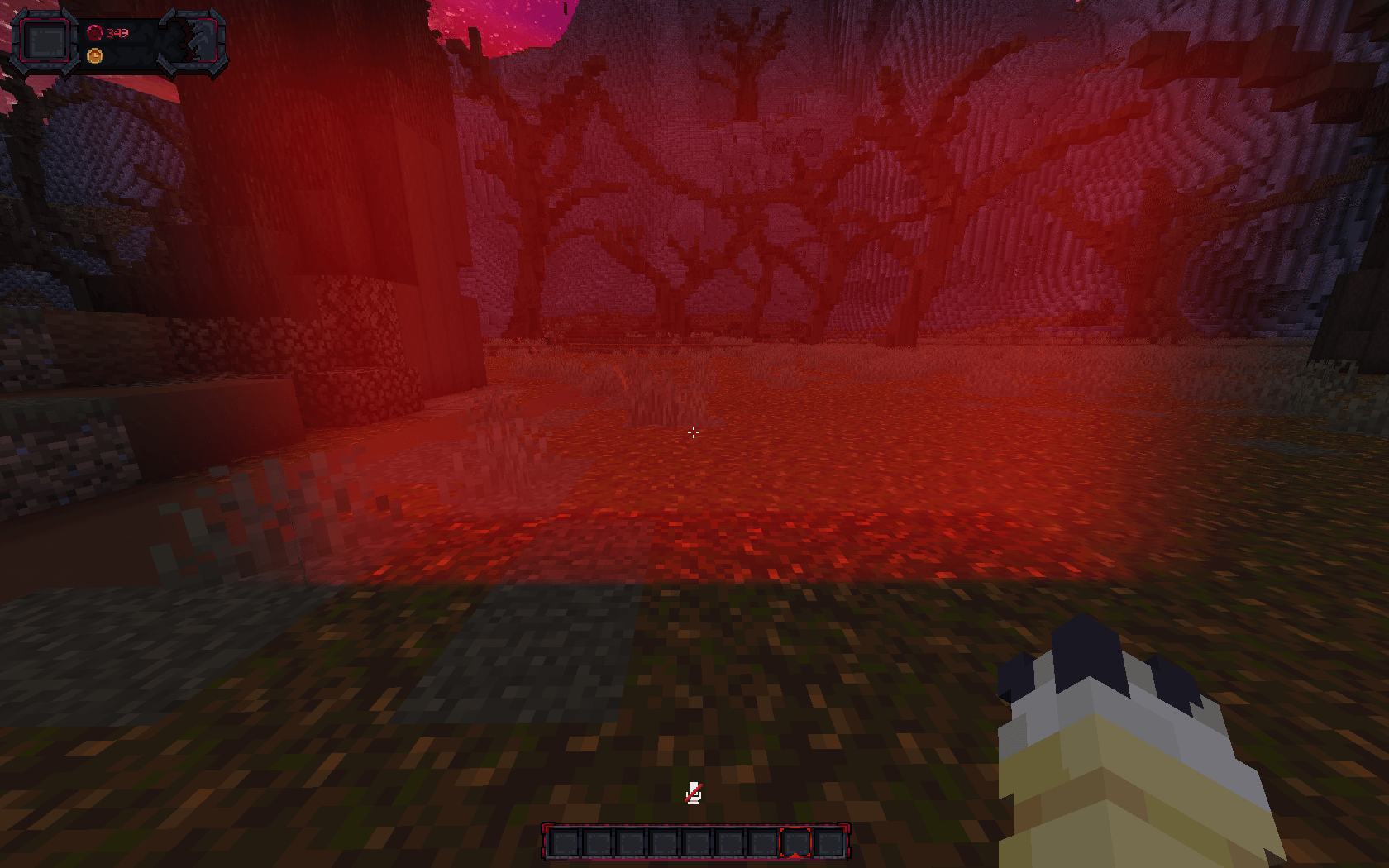 Box Shape
 -
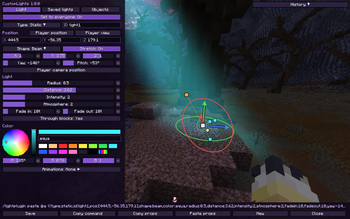 In real time light editor 1
 -
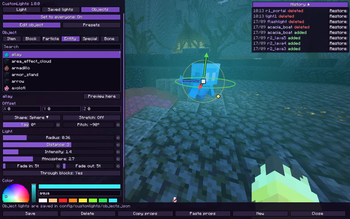 Entity Lights ee217e0a580e60cebb170041933bc32b7655dde4_350.webp
 -
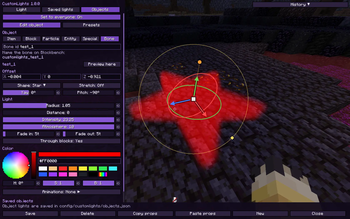 Star Shape from a Blockbench Bone f02eff4490f47cfca2e2659762b06d3fae9eaf38_350.webp
Versions
Files
Relations
Project Relations
More like this
Similar Mods
Suggestions use data such as tags, dependencies, dependents, descriptions, titles, and more to rank how much they overlap with this mod.
On ModDex
Community snapshot
By the numbers
Statistics
Want to reach Minecraft players?
We're looking for a server hosting partner to feature here and other parts of the site. Interested? Send us a message!
Get in touchGet it on
Available Platforms
On ModDex
Community snapshot
By the numbers
Statistics
Resources