
Community listing page, reviews here may not be monitored by the author.
Dash's Custom Music Discs Mod

No reviews yet
An addon mod for Dash's Custom Background Music Mod that adds the ability to create, burn, and play custom music discs.
Community voices
Reviews
No reviews yet. Be the first to review this project!
Get it on
Available Platforms
Compatibility
Supported Environments
Must be installed on both the client and the server.
About
Project Details
For authors
Embed Badge
If you're the author of this project, you can embed a live badge anywhere that supports HTML or Markdown. It updates automatically whenever ratings change.
Use HTML for any page that supports it, or Markdown for README files and Markdown-based descriptions.
Identifiers
Platform IDs
About
Description
Dash's Custom Music Discs



Ever felt like the vanilla music discs just don't hit the vibe of your base? Stop settling for Cat or Stal and start spinning your own tracks. Dash's Custom Music Discs allows you to burn real-world .mp3 files onto blank discs and play them in any standard Jukebox.
✨ Features
- 🎼 Dynamic Audio Streaming: Powered by an isolated JLayer engine, your music streams directly without bloat or massive resource packs.
- 📡 Proximity-Based Sound: Just like vanilla discs! The music gets quieter as you walk away and fades out completely at 64 blocks. CONFIGURABLE!
- 🎚️ Smart Jukebox Logic: Discs behave exactly as they should. Breaking the jukebox, ejecting the disc, or even a hopper pulling the record will instantly stop the audio.
- 🖥️ Seamless GUI Burning: No commands, no config digging. Just right-click with the Disc Burner to open the interface and burn your favorite tunes.
- 🤝 Mod Compatibility: Designed to work alongside other music mods without interfering with their keybinds or global playlists.
🛠️ How to Use
1. Prepare your Track
Make sure you have a .mp3 file ready on your computer. (Currently strictly supports .mp3 for maximum stability).
2. The Burning Process
- Hold a Blank Music Disc in your off-hand.
- Right-click with the Disc Burner item in your main hand to open the Upload GUI.
- Select your file and hit Burn.
- Once the "Burning Successful" message appears, your disc is ready!
3. Drop the Needle Take your newly burned disc to any Jukebox. Right-click to insert and enjoy the high-fidelity sound.
📥 Installation
- Ensure you are running NeoForge 1.21.1.
- Drop the
.jarinto yourmodsfolder. - Make sure you have the Background Music Mod installed, this mod will automatically pause your background tracks when a Jukebox starts playing!
📂 Technical Details
- Storage: Burned music is stored server-side in
config/uploaded_music/. - Networking: Uses a custom chunked packet system to handle file uploads without crashing the server or timing out the player.
- Sync: Uses BlockState tracking to ensure audio is perfectly synced with the physical state of the Jukebox.
📜 Credits & Dependencies
- Audio Engine: Built using JLayer for MP3 decoding.
- Prebuilt methods: Written on top of methods from Dash's Custom Background Music Mod.
- Developer: Created with ❤️ by Dash.
"Music is the shorthand of emotion." — Go build something epic with a soundtrack to match!
Screenshots
Gallery
-
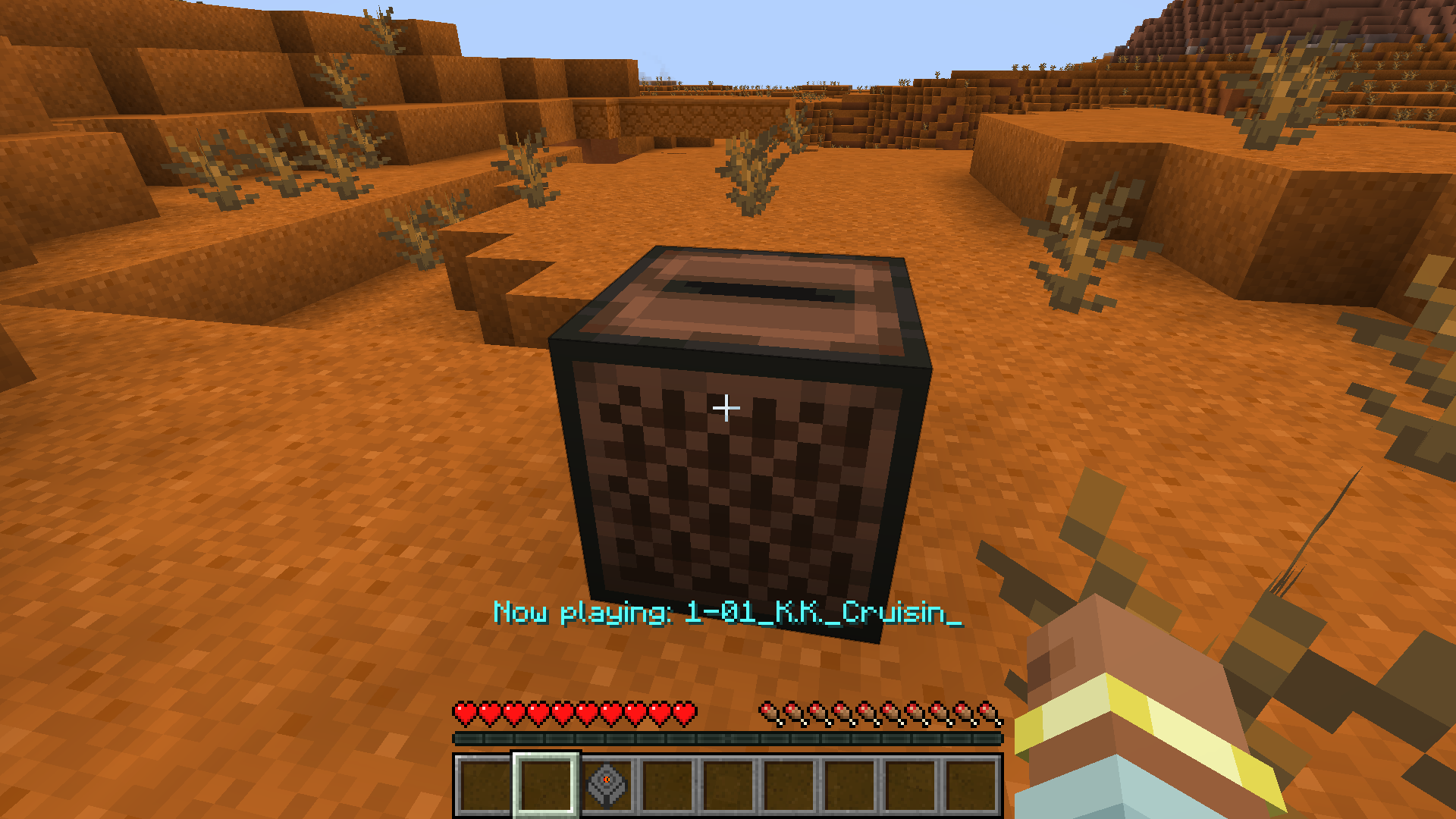 Now Playing
Versions
Files
Relations
Project Relations
More like this
Similar Mods
Suggestions use data such as tags, dependencies, dependents, descriptions, titles, and more to rank how much they overlap with this mod.
On ModDex
Community snapshot
By the numbers
Statistics

Want to reach Minecraft players?
We're looking for a server hosting partner to feature here and other parts of the site. Interested? Send us a message!
Get in touchGet it on
Available Platforms
On ModDex
Community snapshot
By the numbers